How protected patient details work: masking, unmask and locked charts
Patient phone numbers, CNICs and addresses are private. This guide explains what each role sees, why some fields are locked when you edit a patient, who holds the unmask permission, and what to do when a restricted or VIP chart is locked.
Who it is forHospital administrator and front-desk receptionistTime10 minutesProductHMSLevelIntermediate
Before you start
Steps
1
Understand who sees the real values
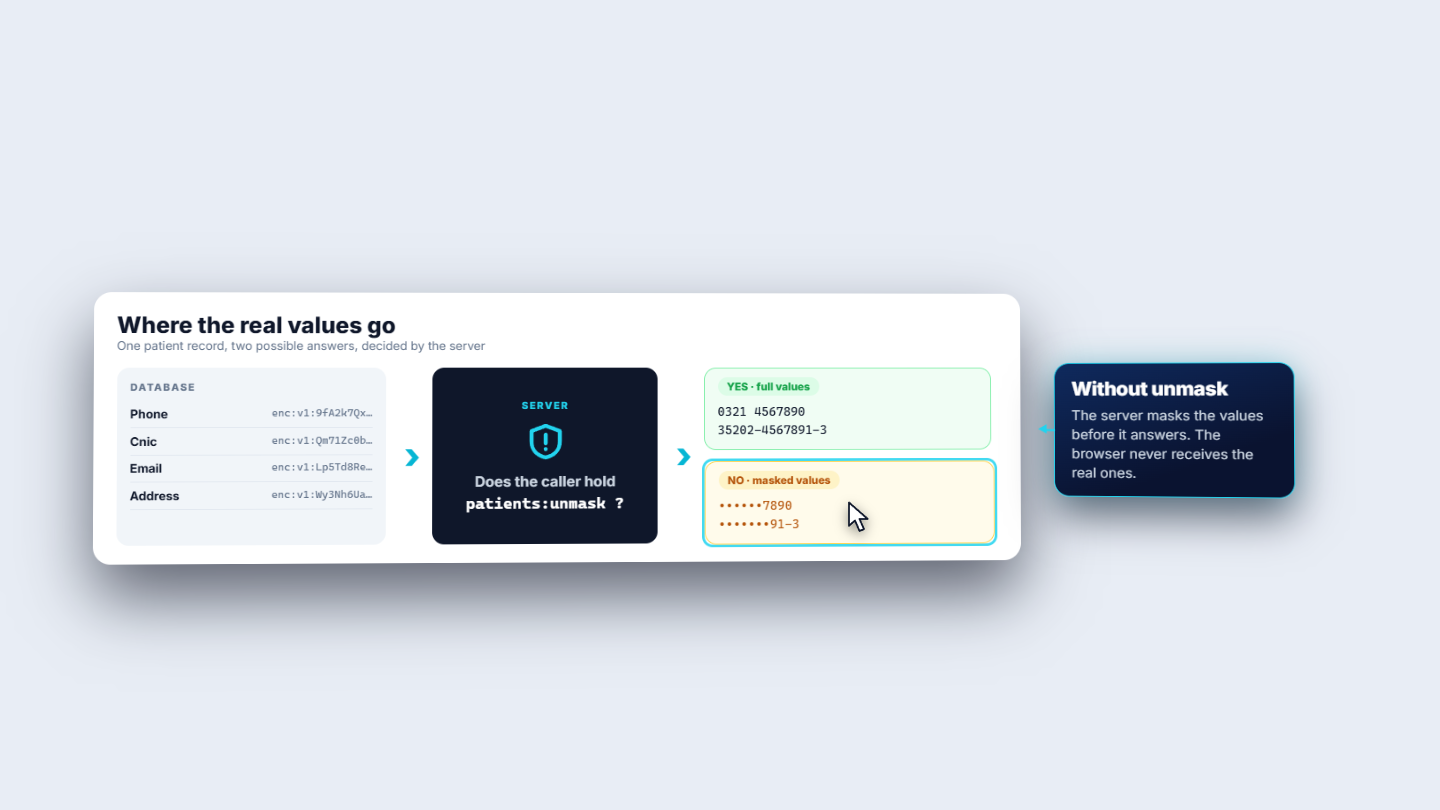
Phone, CNIC, email and address are stored encrypted. On every patient request the server checks one permission, unmask. With it, the screen receives the full values. Without it, the server sends masked values, and the real ones never leave the server.
Diagram: the server checks the unmask permission and answers with full or masked values
2
Know what each field shows
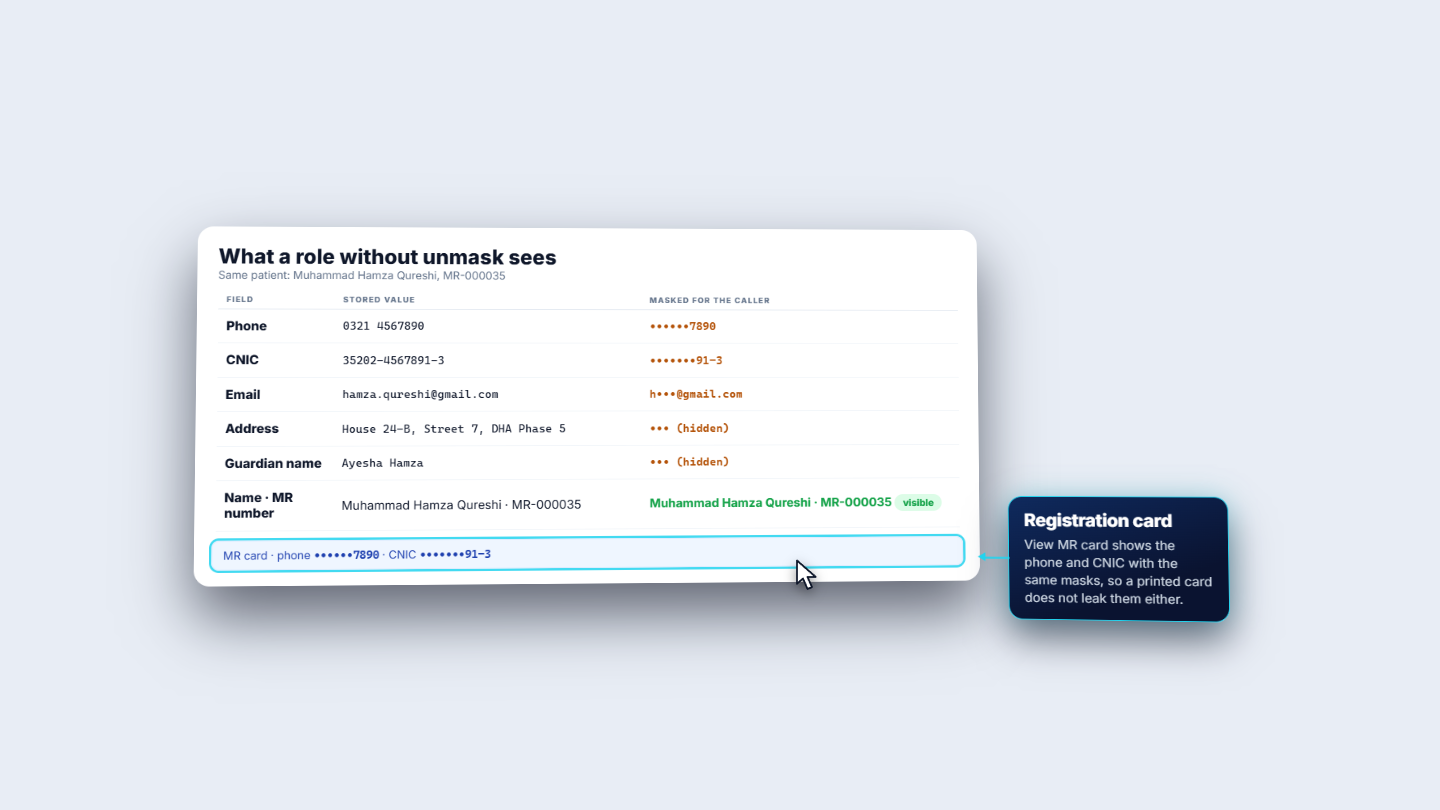
For a role without unmask: Phone keeps only the last four digits (0321 4567890 shows as ••••••7890). CNIC keeps the last four characters (••••••91-3). Email keeps the first letter and the domain (h•••@gmail.com). Address and Guardian name are hidden completely. Name and MR number are never masked, so staff can still find the patient. The registration card follows the same rule: its phone and CNIC print masked.
Table of what a role without unmask sees for each field
3
Read the Patients list
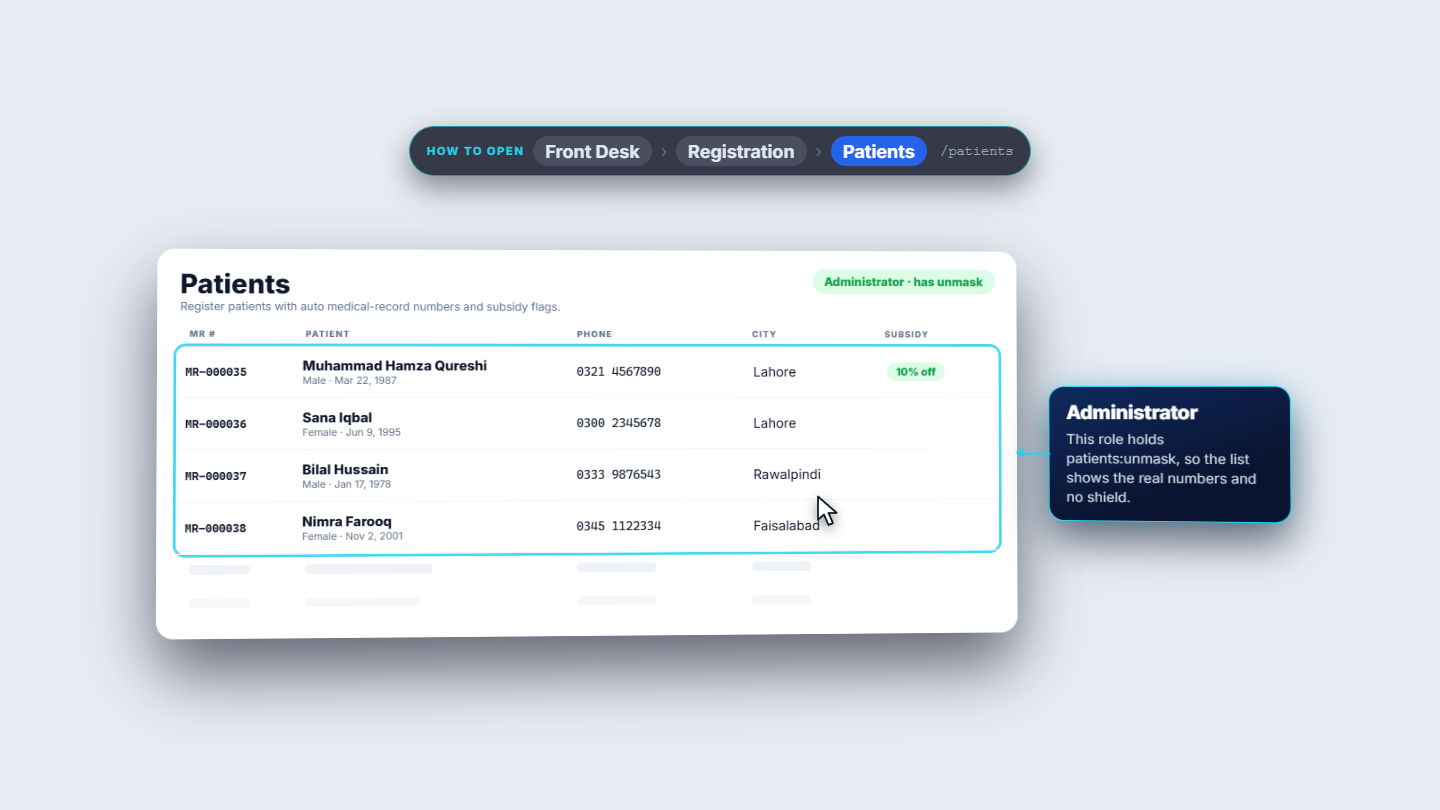
Open Front Desk › Registration › Patients. For a role without unmask, phone numbers show only the last four digits and a shield icon marks the row: contact details restricted. An administrator, who holds unmask, sees the full numbers and no icon (for example MR-000035, 0321 4567890, Lahore, 10% off).
Patients list for the Administrator role, which holds unmask
4
Edit a patient safely
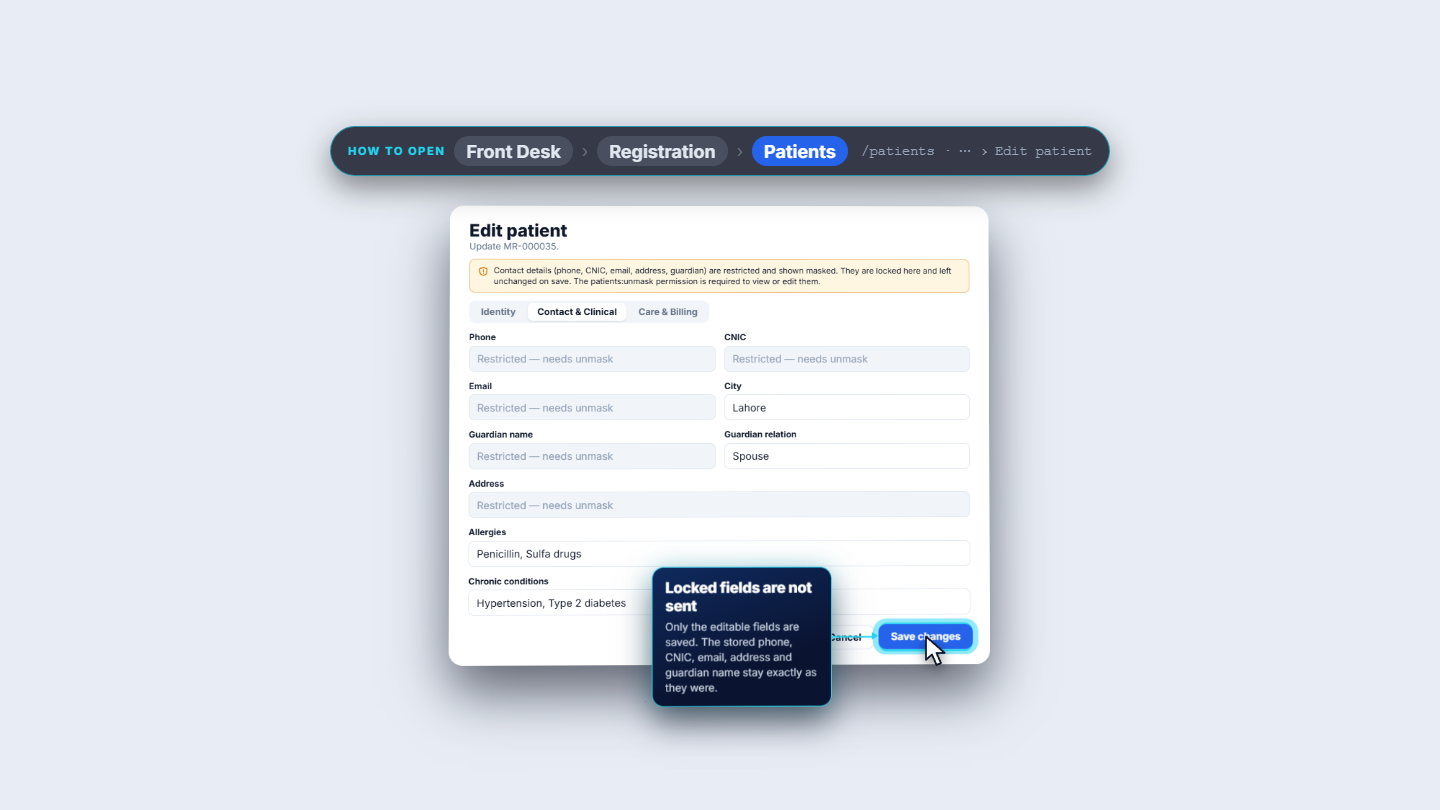
Choose Edit patient from the row menu (More actions). A banner explains that contact details are restricted, locked and unchanged on save, and that the unmask permission is needed to view or edit them. Phone, CNIC, Email, Guardian name and Address each read Restricted — needs unmask. City, Guardian relation, Allergies and Chronic conditions stay editable. Press Save changes: the locked fields are not sent, so the stored values stay exactly as they were.
Edit patient with restricted fields locked and Save changes
5
See who can unmask
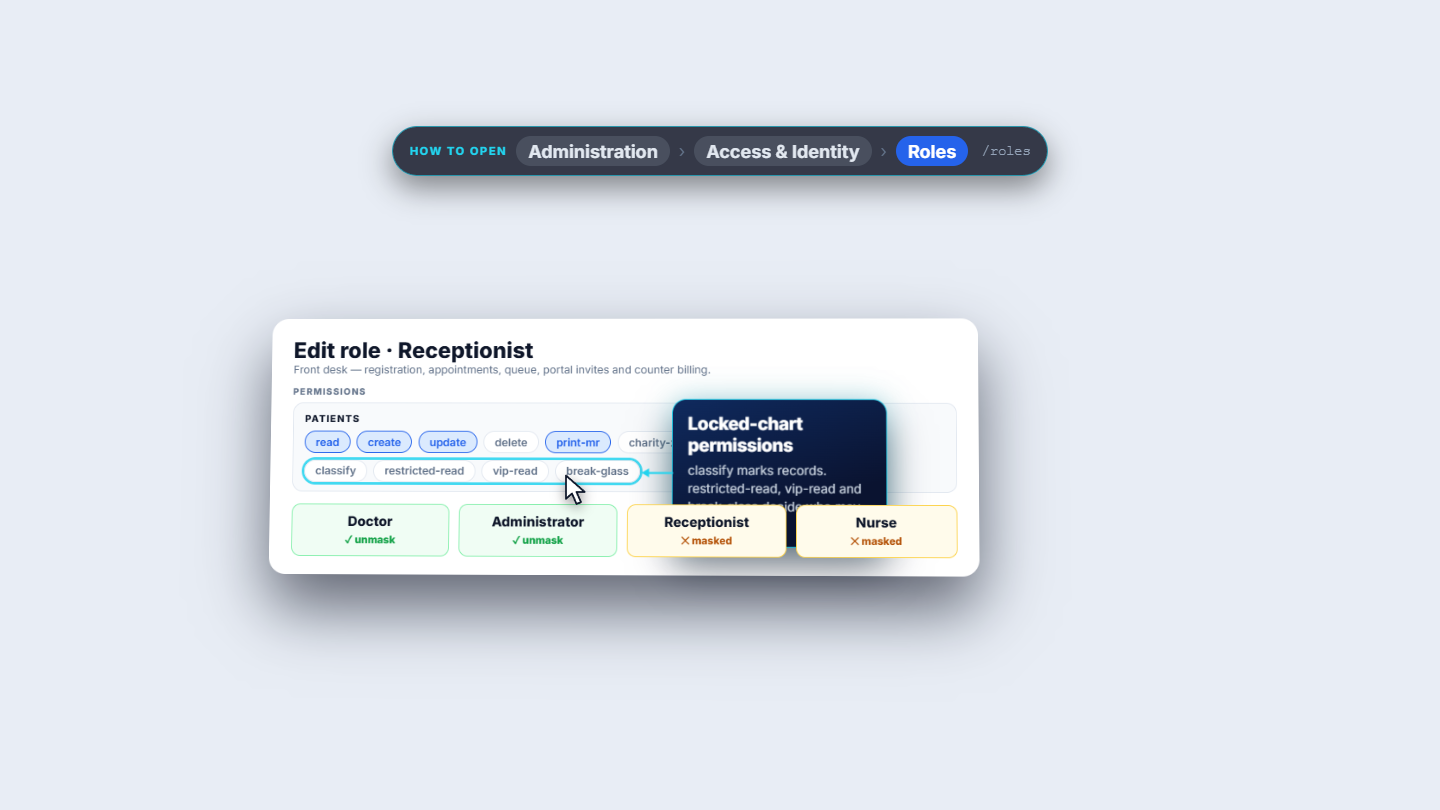
Open Administration › Access & Identity › Roles and manage a role. Find the Patients group of permissions. unmask is the one that reveals phone, CNIC, email, address and guardian. By default, Doctor and Administrator have it; Receptionist and Nurse do not. Classify, restricted-read, vip-read and break-glass are separate permissions, for locked charts.
Edit role Receptionist with the Patients permission group
6
Handle a locked chart
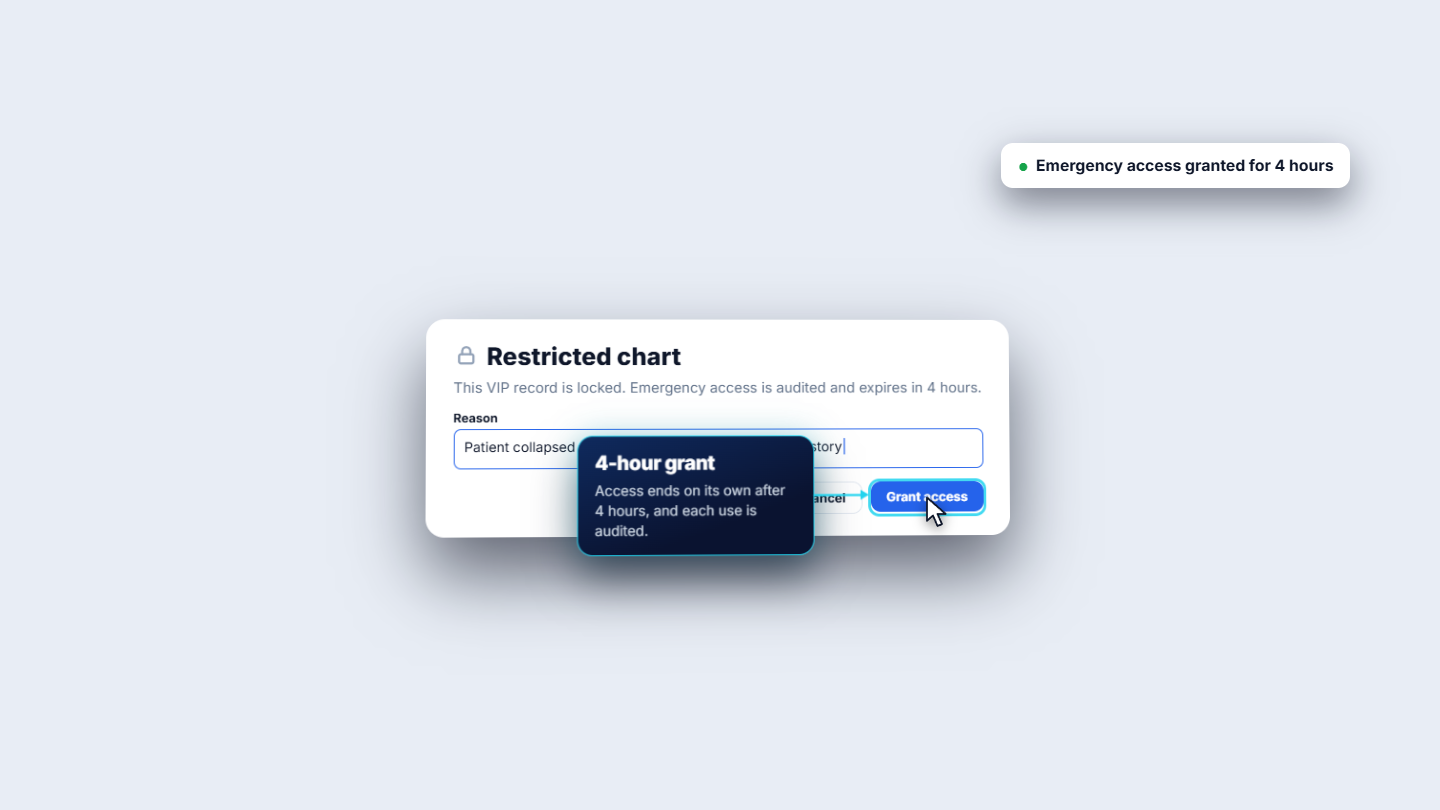
Masking hides contact details; a restricted or VIP chart is locked completely. Such records show a badge in the patient list, set with the record access class in the patient form (see HMS-S01). Without access, opening the chart shows Restricted chart and a request for emergency access. Staff with break-glass give a Reason of at least eight characters and press Grant access: Emergency access granted for 4 hours. Access ends on its own after four hours, and every use is audited.
Restricted chart dialog with a reason and Grant access
Check it worked
A receptionist sees only the last four phone digits and the shield icon.
An administrator sees the full number and no icon.
After a break-glass grant, the toast reads Emergency access granted for 4 hours.
Common mistakes
Mistake
What you see
Fix
Trying to edit a locked phone number
Restricted — needs unmask
Ask a role that holds unmask
Looking for the MR number masked
It is never masked
Use the MR number to find the patient
Giving a one-word reason for break-glass
The reason needs at least eight characters
Describe the emergency in a short sentence
Quick reference
Item
Meaning
unmask
The one permission that reveals phone, CNIC, email, address and guardian
Shield icon
The row's contact details are restricted for your role
Restricted / VIP chart
A fully locked chart; needs its own permission or break-glass
Break-glass
Emergency access with a reason, for 4 hours, audited
Frequently asked questions
Why can't I edit a patient's phone number or CNIC? Without the unmask permission those fields read Restricted — needs unmask, are locked and are not sent when you press Save changes. Ask someone whose role holds unmask.
Which roles can see full patient phone numbers by default? Doctor and Administrator hold unmask by default. Receptionist and Nurse do not, so they see only the last four digits and a shield icon.
Is the MR number ever masked? No. Name and MR number are never masked, so staff can always find the patient.
How do I open a restricted or VIP chart in an emergency? Staff with break-glass give a reason of at least eight characters and press Grant access. Access lasts four hours and every use is audited.