How to link guardians to a student and give them the Guardian Portal
Parents follow their child's attendance, grades and fees in the Guardian Portal. This guide shows how to add a guardian, link the guardian to a student as primary or secondary, create the guardian's login, and what the guardian then sees.
Who it is forRegistrar / school adminTime12 minutesProductSCMLevelBeginner
Before you start
Steps
1
Add the guardian
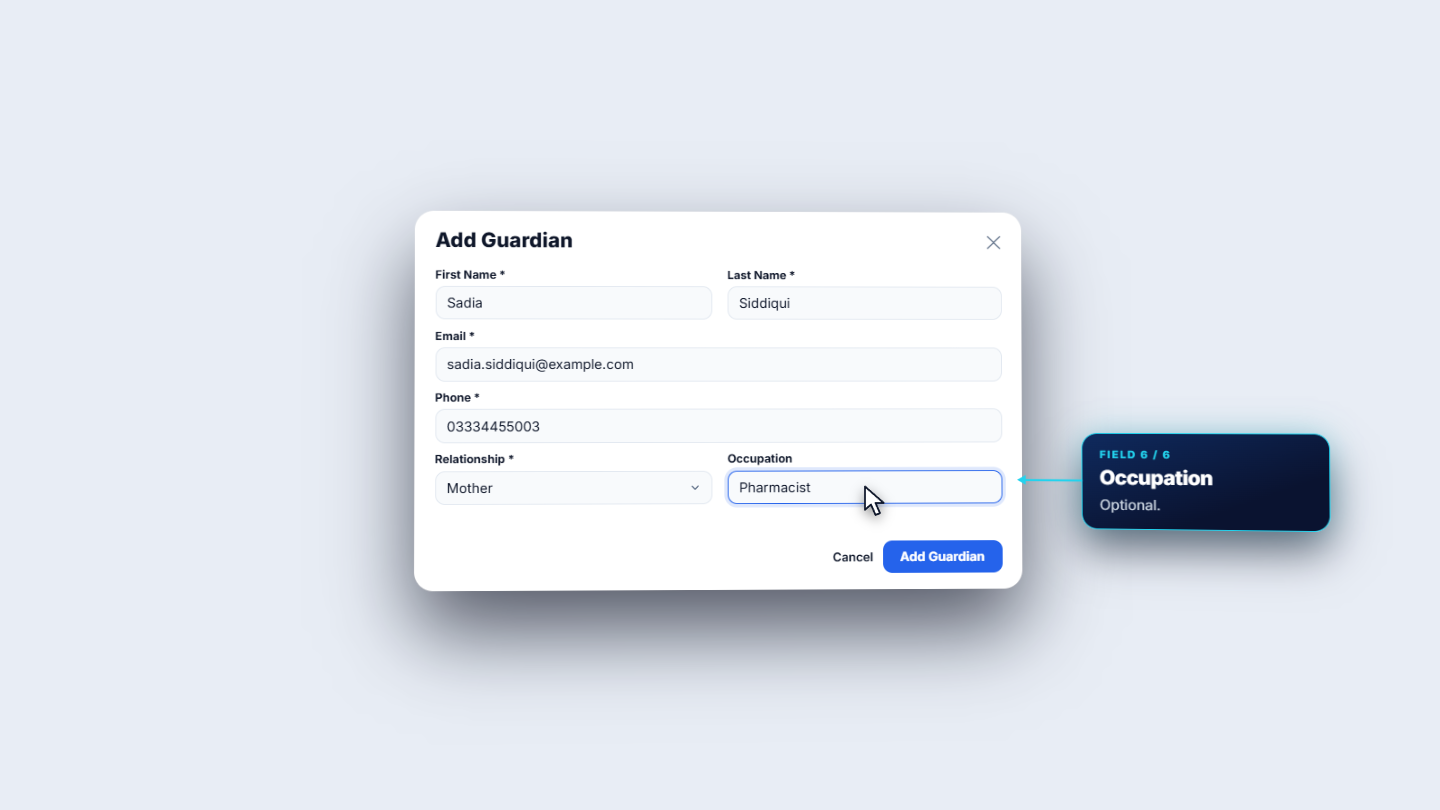
Click Students, then Guardians. The page opens with three counters and lists every parent and guardian with contact details. The Students column shows how many children each guardian is linked to. Press Add Guardian and fill First Name, Last Name, Email and Phone (all required), then the Relationship: father, mother, guardian, sibling or other. Occupation is optional.
Add Guardian form
2
Link the guardian to a student
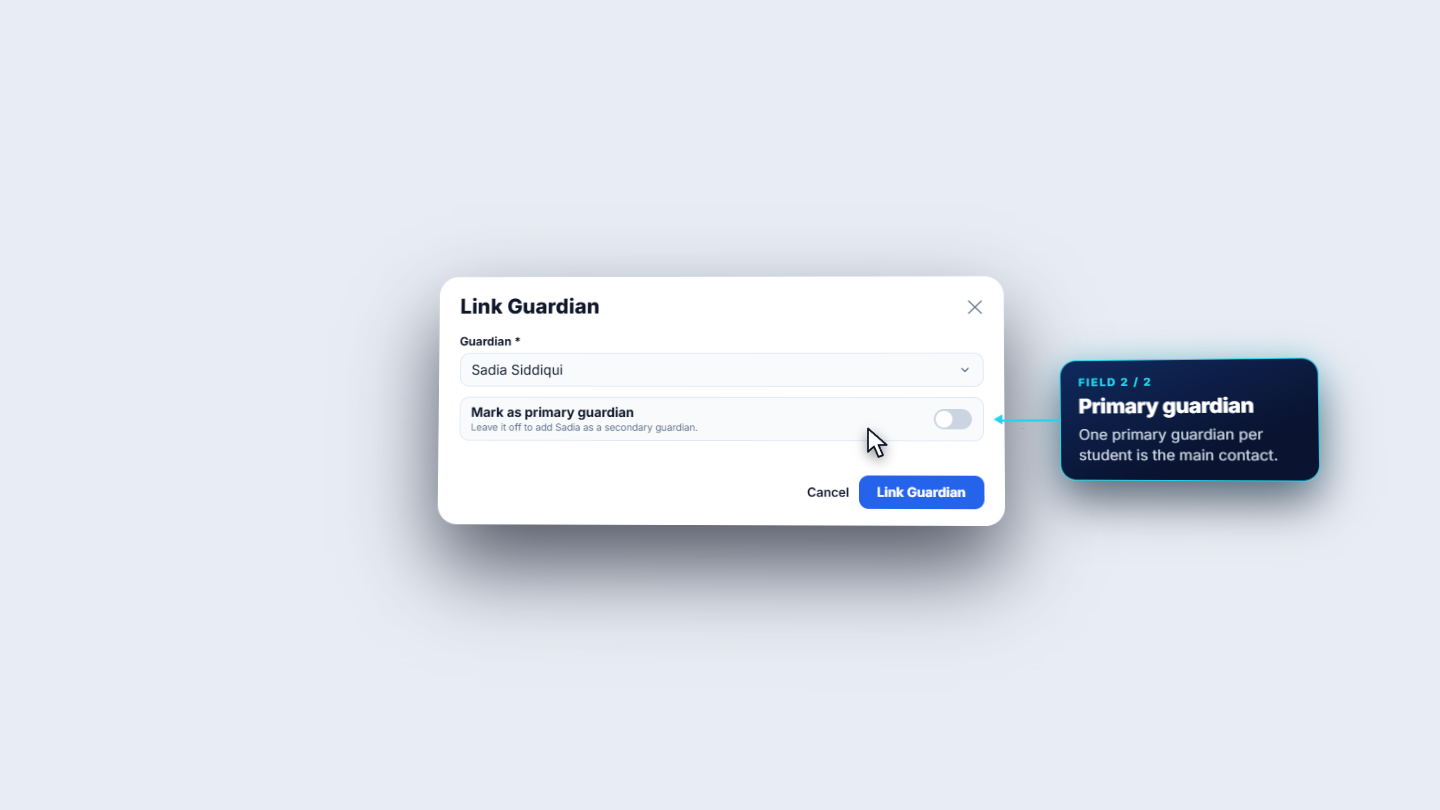
Open the student and go to the Guardians tab. It lists the linked guardians and who is primary. Press Link Guardian, search the guardian by name or phone, and decide Mark as primary guardian. Leave it off to link her as a secondary guardian, as with Sadia Siddiqui. Imran stays primary and Sadia becomes secondary. The relationship column shows each guardian's own relationship.
Link Guardian dialog with Sadia Siddiqui and the primary switch
3
Link from the guardian's side
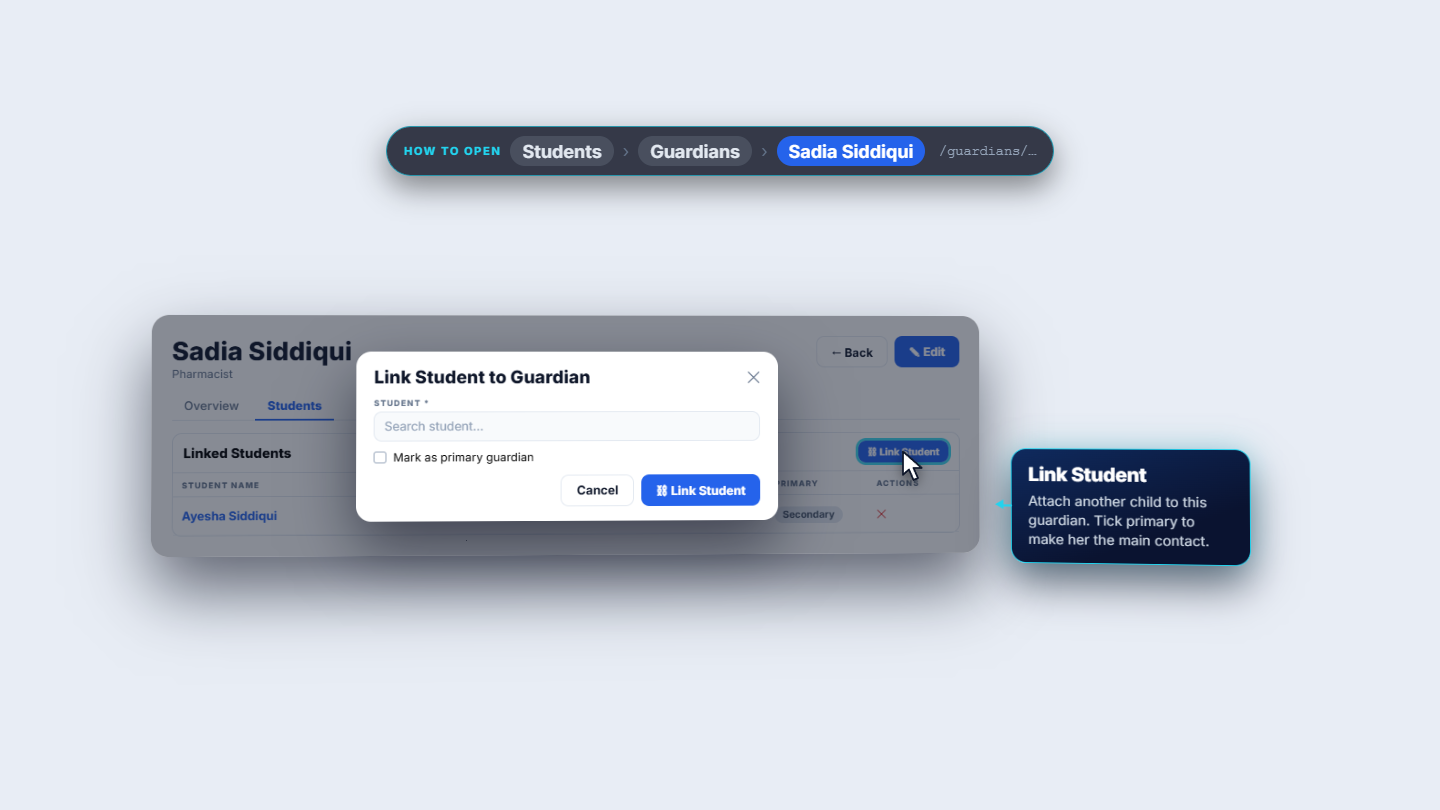
You can also start from the guardian. Open the guardian and go to the Students tab. It lists every child linked to this guardian with registration number, batch and primary or secondary. Link Student attaches another child, so one guardian can follow several children.
Guardian record with the Students tab
4
Create the guardian's login
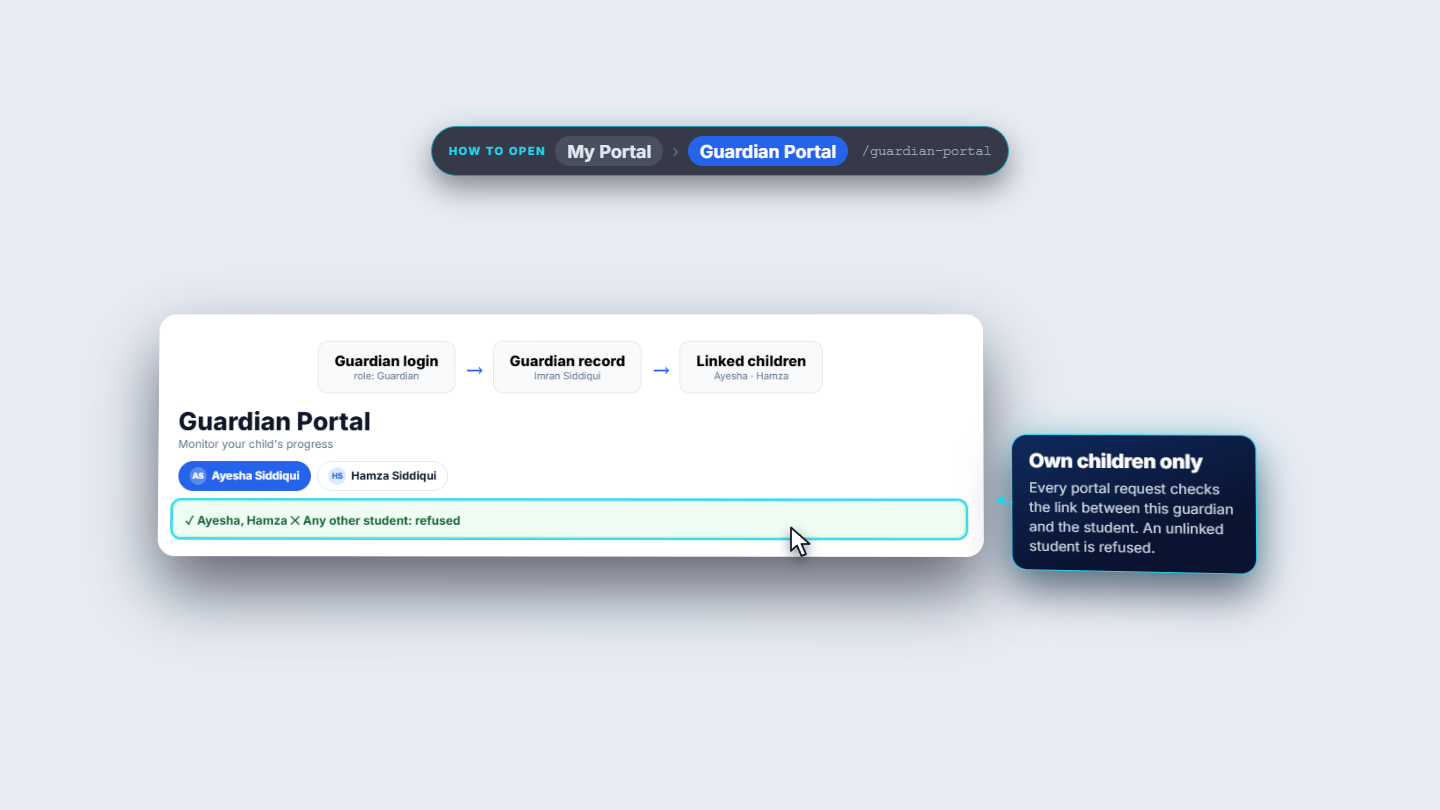
A guardian who should sign in needs a login. On the guardian record press Create login. SCM creates a login for the guardian's email, or links the existing user with that email, and emails a temporary password. The Guardian role is added automatically, and once a login exists the button no longer shows. Guardians then use My Portal › Guardian Portal. It lists only the children linked to that guardian; with several children a chip bar switches between them (Ayesha and Hamza Siddiqui here).
Guardian Portal showing the guardian's own children only
5
Check what the guardian sees
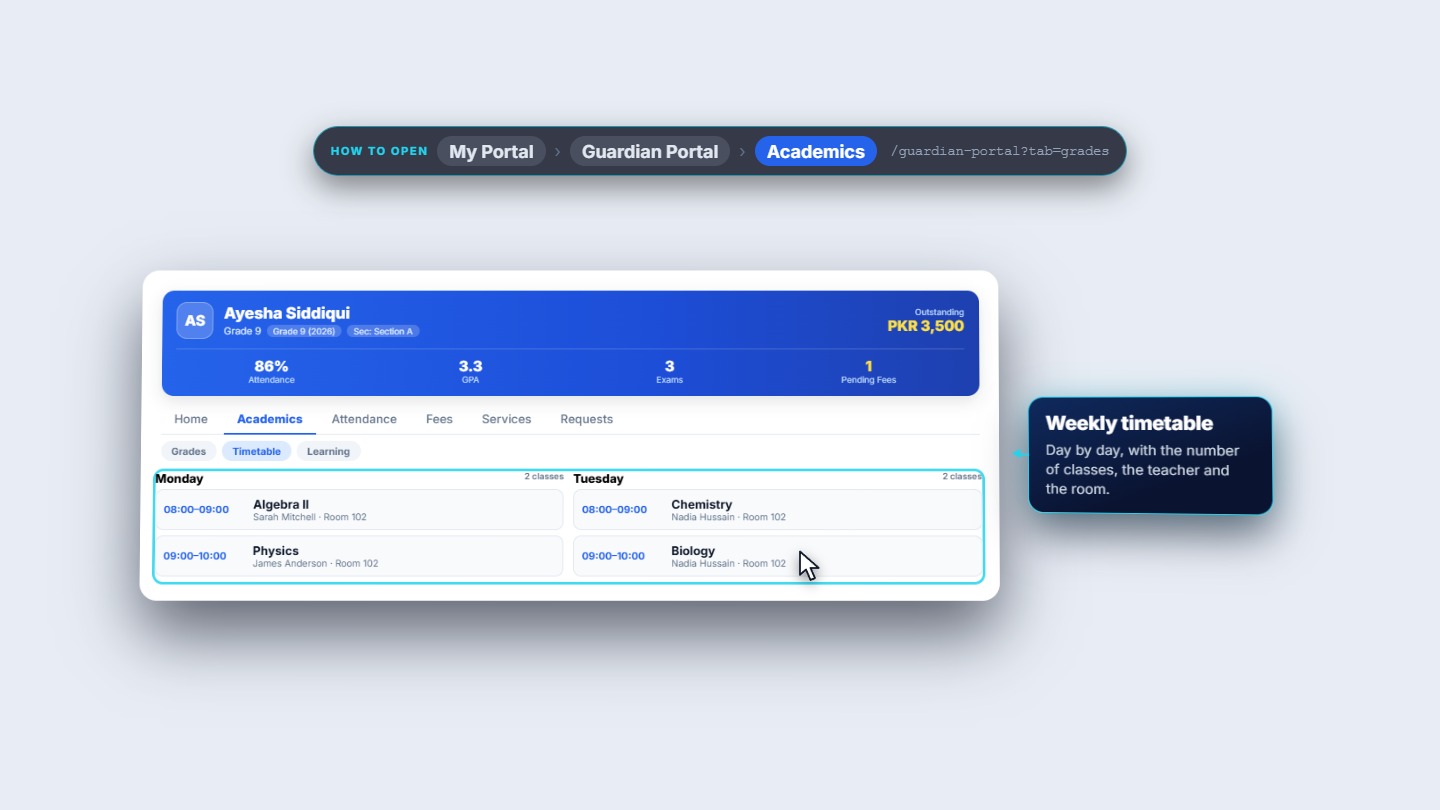
The home header shows the child, the class, the section and the amount outstanding. Four numbers follow: attendance over the last 30 days, grade point average, published exams and pending fees. Today's classes come from the batch timetable with teacher and room, and Recent results lists only results the school has published. Academics holds grades, the full timetable and learning. Attendance is a month calendar: green present, red absent, yellow late.
Guardian portal academics: grades and timetable
6
Fees in the portal
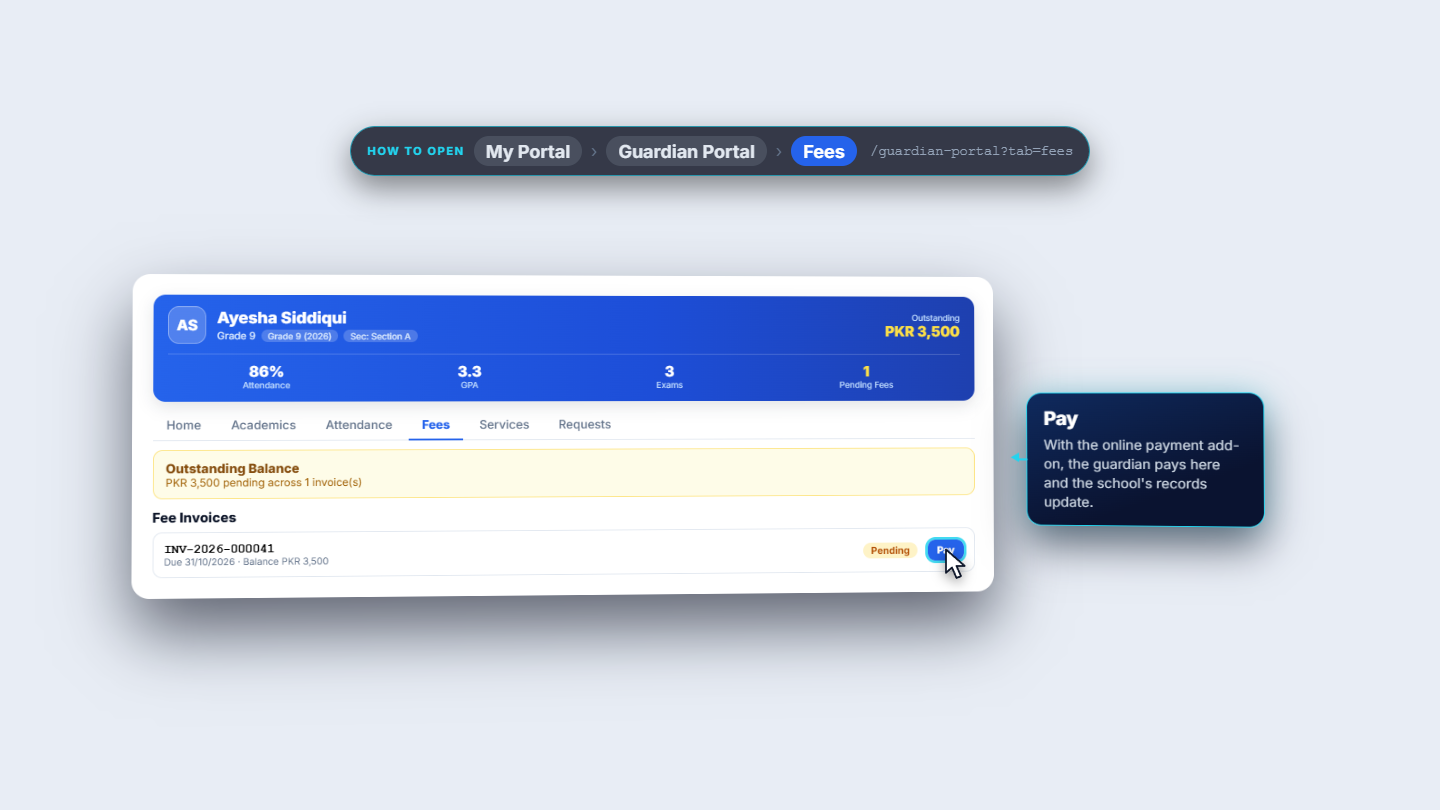
Open Fees. It shows the outstanding balance and how many invoices make it up. Each invoice shows its number, due date and what is still owed. When online payments are enabled, Pay settles the invoice there and the school ledger updates.
Portal Fees tab with outstanding balance and invoices
7
Leave on behalf of the child, and the school's side
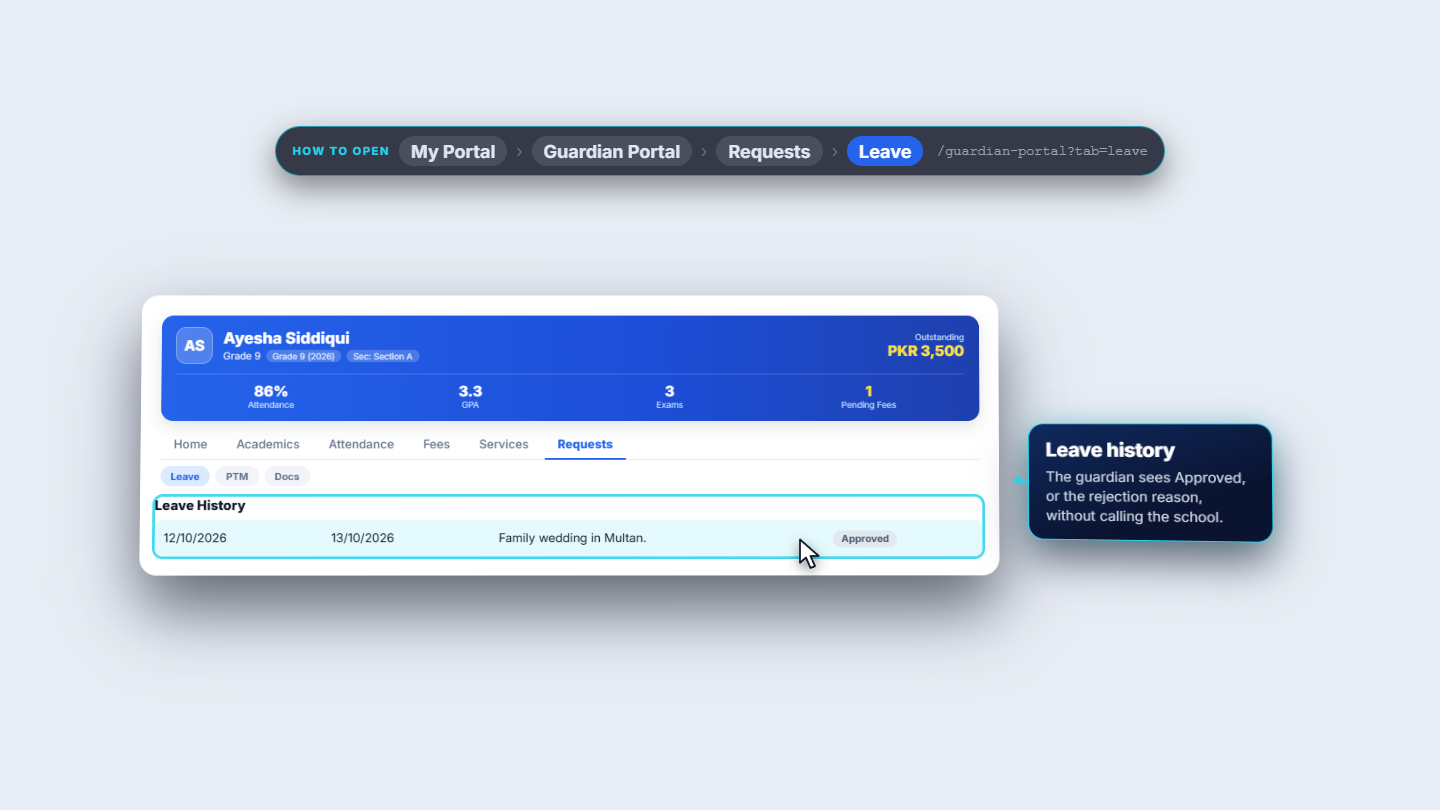
In the portal the guardian applies for leave: first day, last day, a reason of at least ten characters and an optional note. On the school side, Students › Leave Requests lists the request with dates, reason and status. Staff choose Approve or Reject; a rejection needs a reason. The guardian sees the decision in Leave history.
Leave Requests list on the staff side
Check it worked
The student's Guardians tab lists Imran Siddiqui as primary and Sadia Siddiqui as secondary.
The guardian record shows the linked children, and the Create login button is gone.
Signed in as the guardian, My Portal › Guardian Portal shows only the linked children.
Common mistakes
Mistake
What you see
Fix
Guardian created without a phone
The required field stops the form
Enter the phone; it also helps SCM find the guardian later
Wanting to unlink a guardian
The screen asks you to contact an administrator
Ask an administrator
Leave reason too short
The form does not submit
Write at least ten characters
Quick reference
Item
Meaning / rule
Primary guardian
The main contact for the student; others are secondary
Relationship
Each guardian's own: father, mother, guardian, sibling or other
Create login
Emails a temporary password and adds the Guardian role
Guardian Portal
Under My Portal; shows only the guardian's own children
Frequently asked questions
Can one guardian follow more than one child? Yes. On the guardian record, Link Student attaches another child, and the Guardian Portal shows a chip bar to switch between them.
What does a guardian see in the Guardian Portal? Only the children linked to that guardian: attendance, grades, the timetable, fees and leave requests. Students who are not linked are refused.
How do I stop the same family being entered twice? SCM uses the guardian's phone number to spot an existing guardian, so enter the phone when you add a guardian.