How to set credit terms and watch a customer's credit limit
Decide how long each customer has to pay, give them a credit limit, and see at a glance who is close to it or already late. You need this before you bill, because the credit term sets the due date of every invoice.
Who it is forAccountant or office administratorTime15 minutesProductBuildFlowLevelBeginner
Before you start
Steps
1
Open Credit terms and add a term
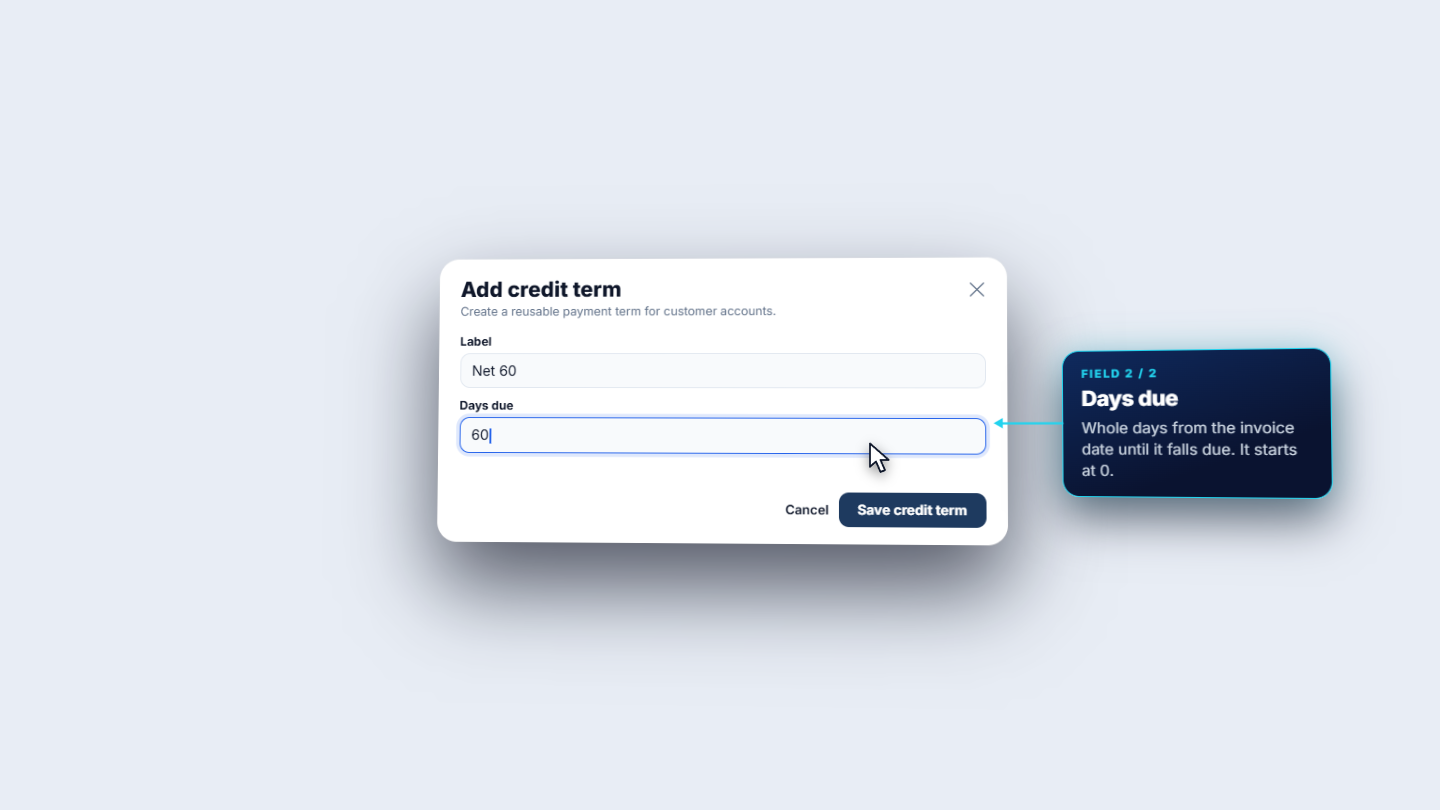
Click People › Customers › Credit terms (/app/customers/credit-terms). The workspace starts with four terms: Due on receipt, Net 15, Net 30 and Net 45, all Active. Click Add credit term. Type a Label (Net 60) and Days due (60, whole days from the invoice date), then click Save credit term. The toast says Credit term created. and the new row shows code NET_60.
Add credit term dialog with Net 60 and 60 days
2
Edit a term from its row menu
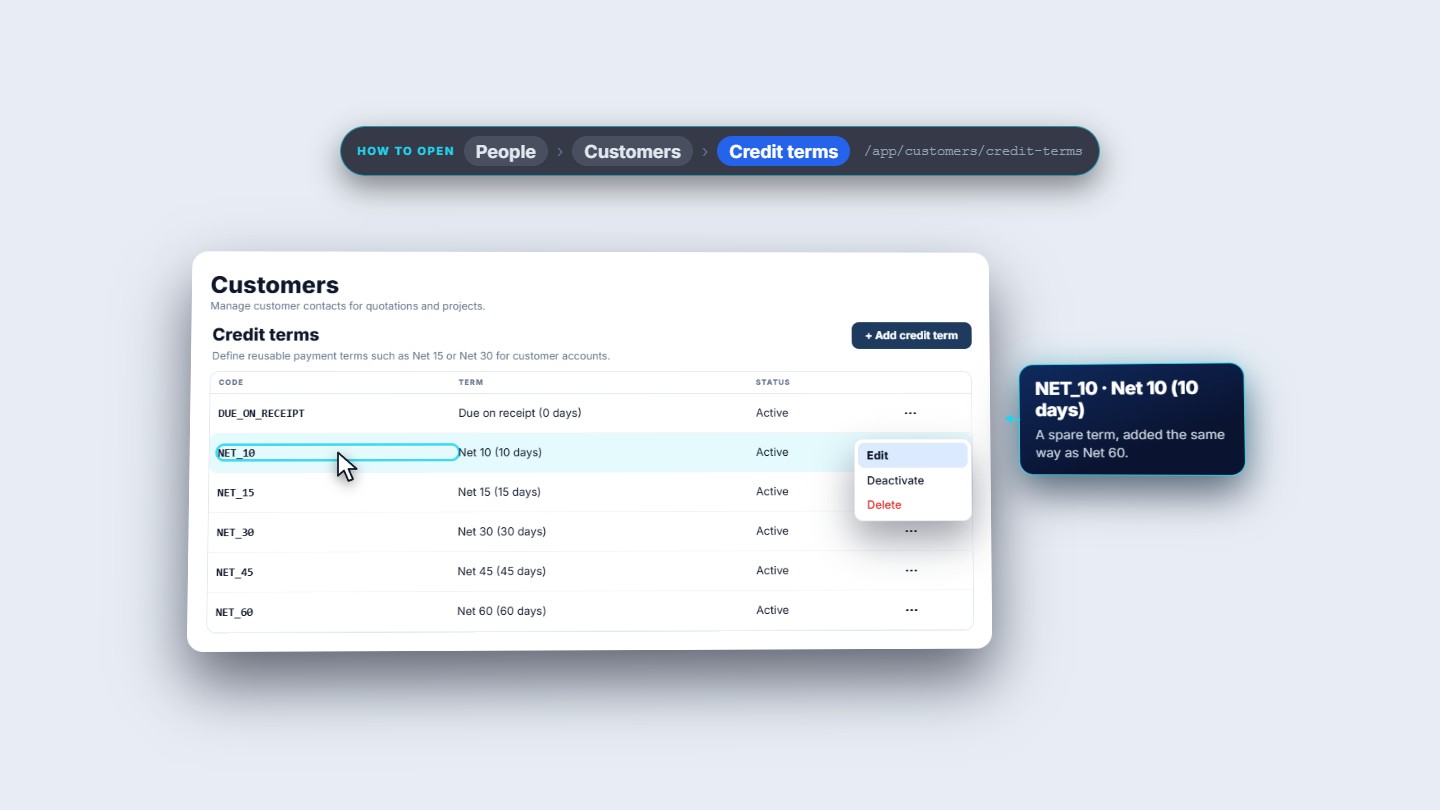
Each row has an actions menu: Edit, Deactivate and Delete. Edit opens Edit credit term, where you update the label or days. A spare term Net 10 changed from 10 to 12 days reads Net 10 (12 days), with the same code NET_10. The toast says Credit term updated.
Credit terms list with the row menu showing Edit, Deactivate and Delete
3
Switch a term off and on, and delete only what nobody uses
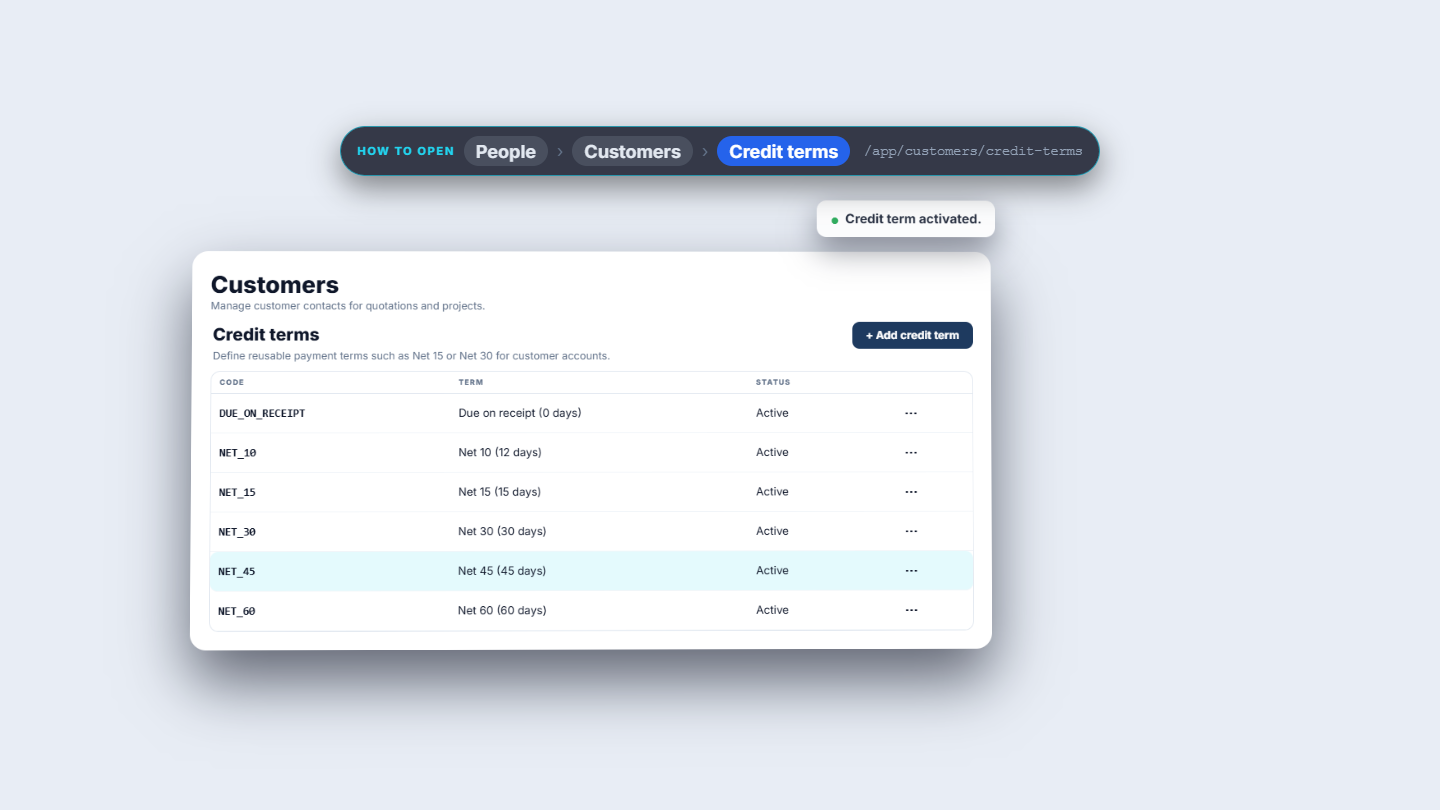
Deactivate works at once, with no confirmation: the toast says Credit term deactivated. and the row shows Inactive. The Credit terms list on the customer form then offers only active terms, so Net 45 is missing. Activate brings it back (Credit term activated.).
Delete on a term in use, such as Net 30, is refused: This credit term is assigned to customers or vendors and cannot be deleted. It shows as a red toast and a red line above the table. Delete on a term nobody uses removes it at once (Credit term deleted.).
Credit terms list after activating a term
4
See where terms are used
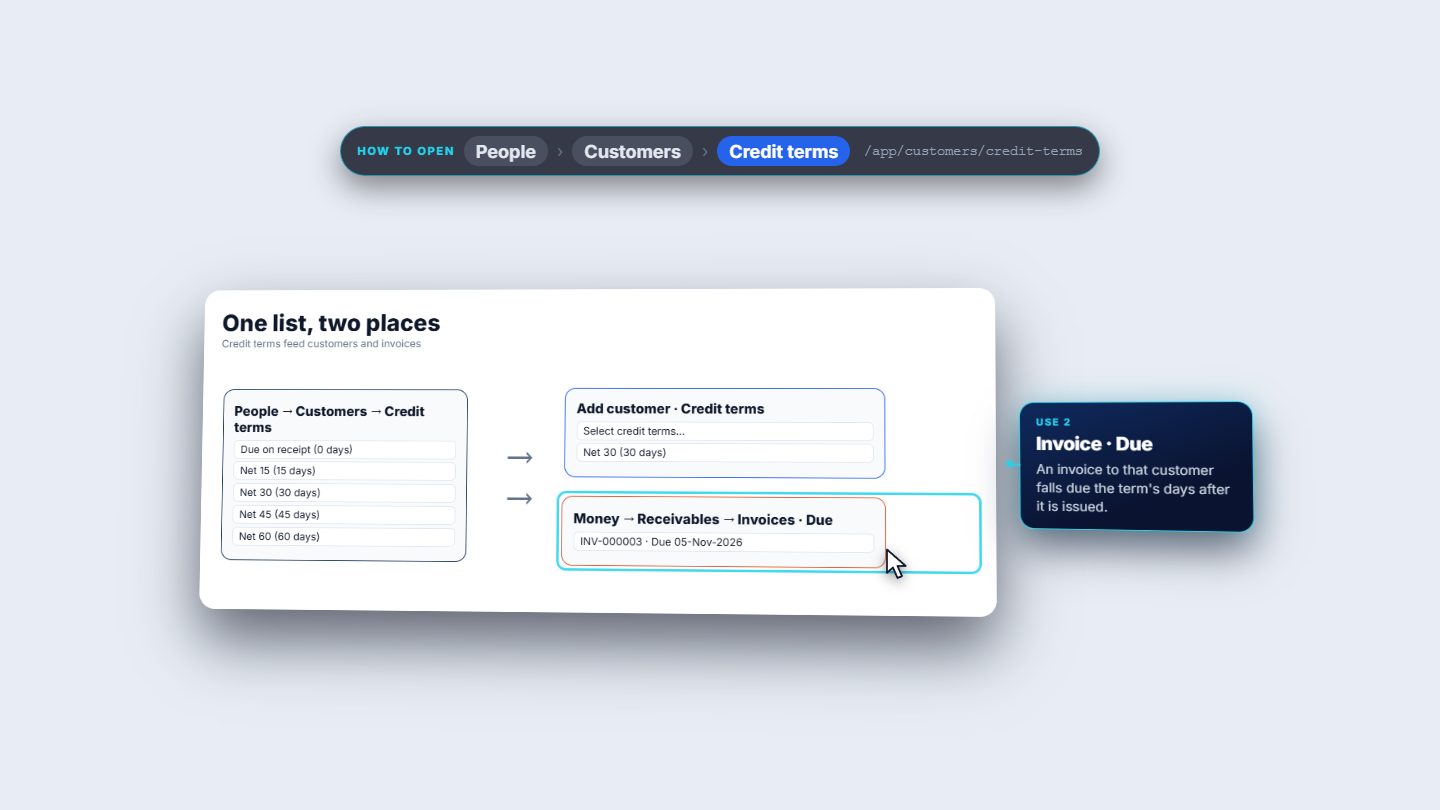
One list feeds two places. First, the Credit terms field on every customer. Second, the Due date of every invoice that customer receives: it falls due the term's days after it is issued. In Money › Receivables › Invoices, INV-000002 was issued 26-Sep-2026 and is due 26-Oct-2026, INV-000003 was issued 06-Oct-2026 and is due 05-Nov-2026 (Net 30 each), and the deposit INV-000006 was issued and is due on 08-Oct-2026.
Diagram of one list feeding the customer form and the invoice due date
5
Give a customer terms, a discount and a limit
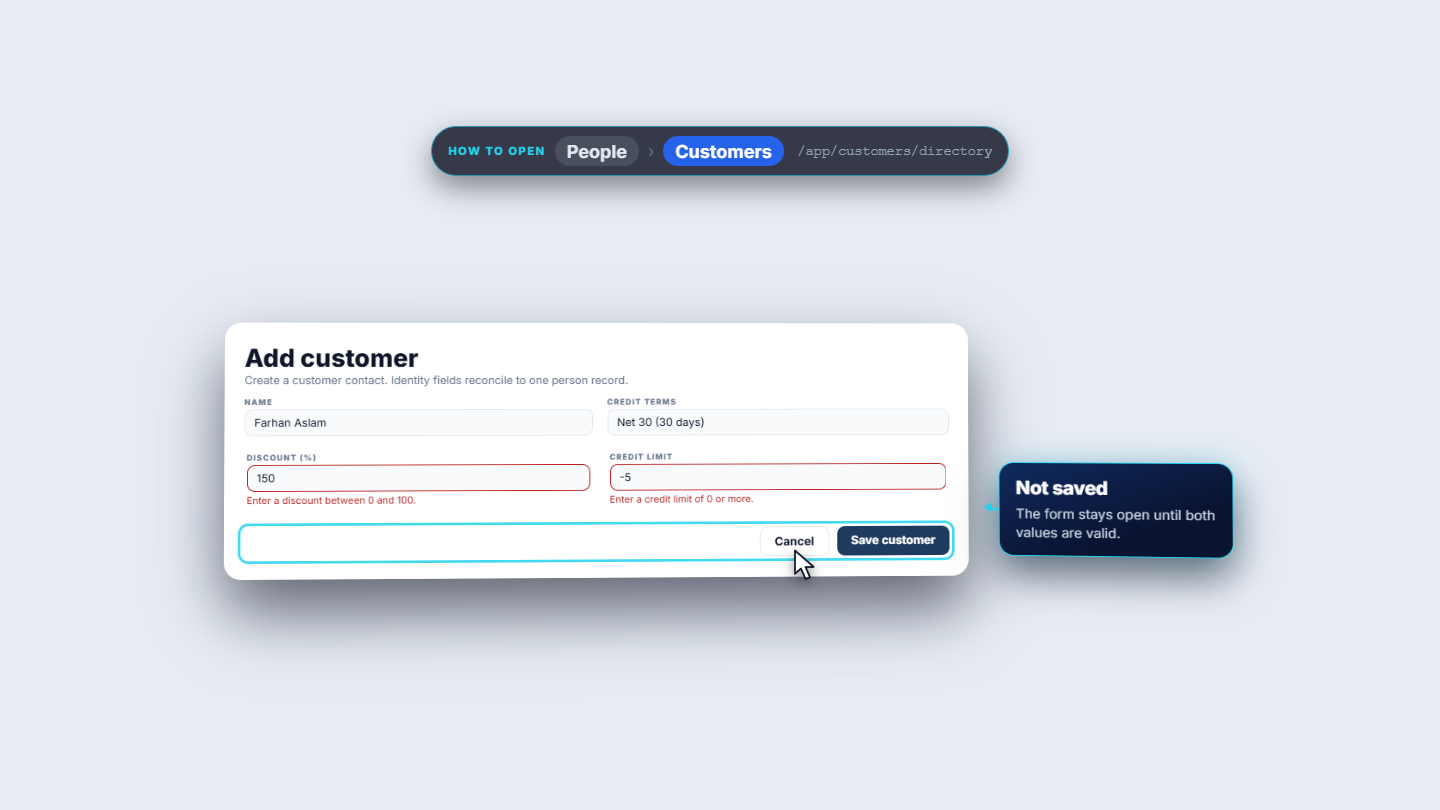
Click Add customer (Farhan Aslam). Choose Credit terms (Net 30), type Discount (%) as 5 and Credit limit as 6,000,000. The form checks both: a discount of 150 says Enter a discount between 0 and 100. and a limit of -5 says Enter a credit limit of 0 or more. Nothing saves until both are valid. After Save customer (Customer created.), Farhan Aslam appears with code CUS-0003, Net 30 (30 days) and 5%. Net owed, Overdue and Limit used show a dash because he has no invoices yet.
Add customer form with discount 150 and credit limit -5 refused
6
Read Net owed, Overdue and Limit used
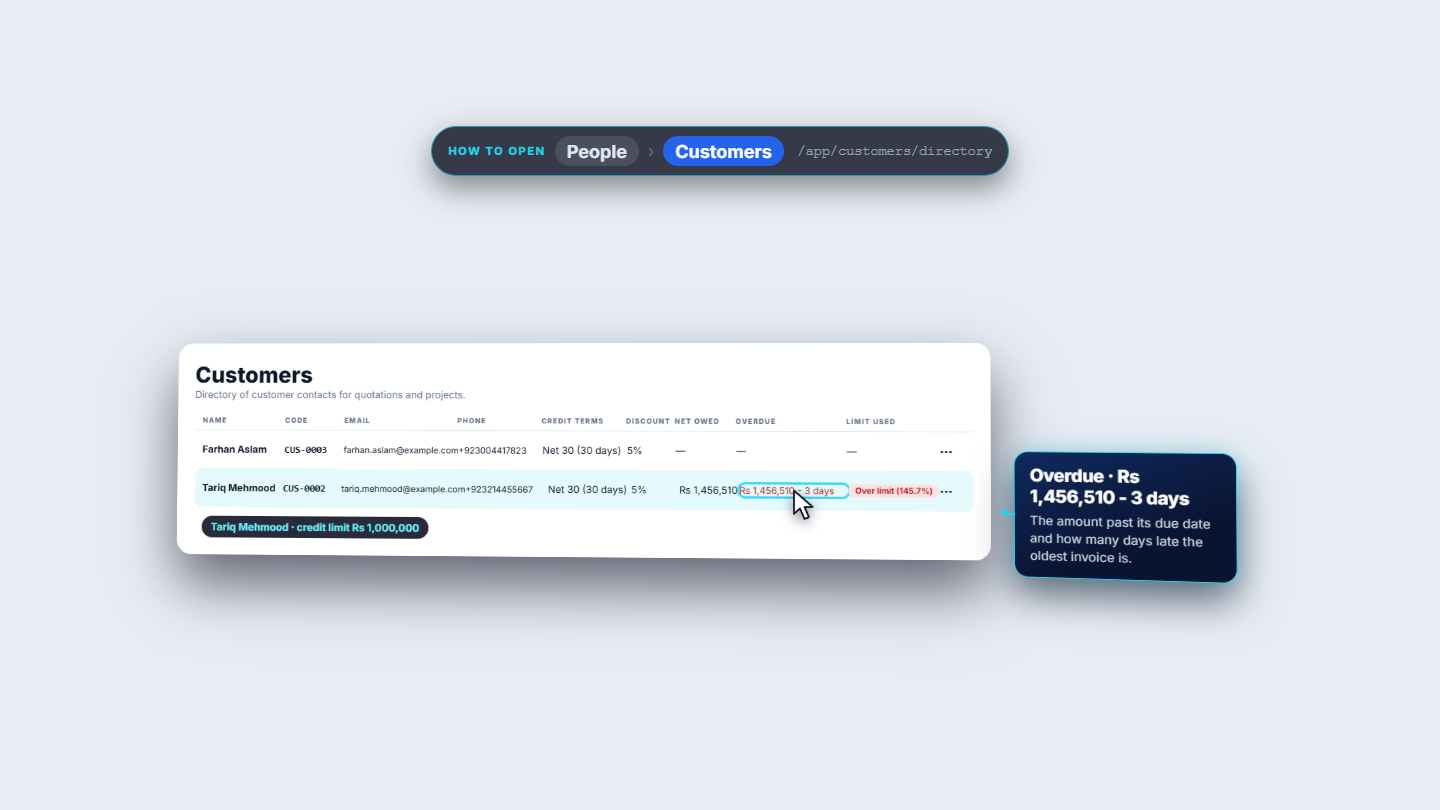
Tariq Mehmood has one issued invoice, so his Net owed is Rs 1,456,510. Against a limit of Rs 5,000,000, 29.1% used shows as plain text. Lower the limit to Rs 1,800,000 and an amber badge reads 80.9% of limit used. At Rs 1,000,000 it turns red: Over limit (145.7%). Overdue is its own column: Rs 1,456,510 - 3 days, counted past the due date.
Customers directory with Overdue and Over limit highlighted for Tariq Mehmood
7
Check the customer record
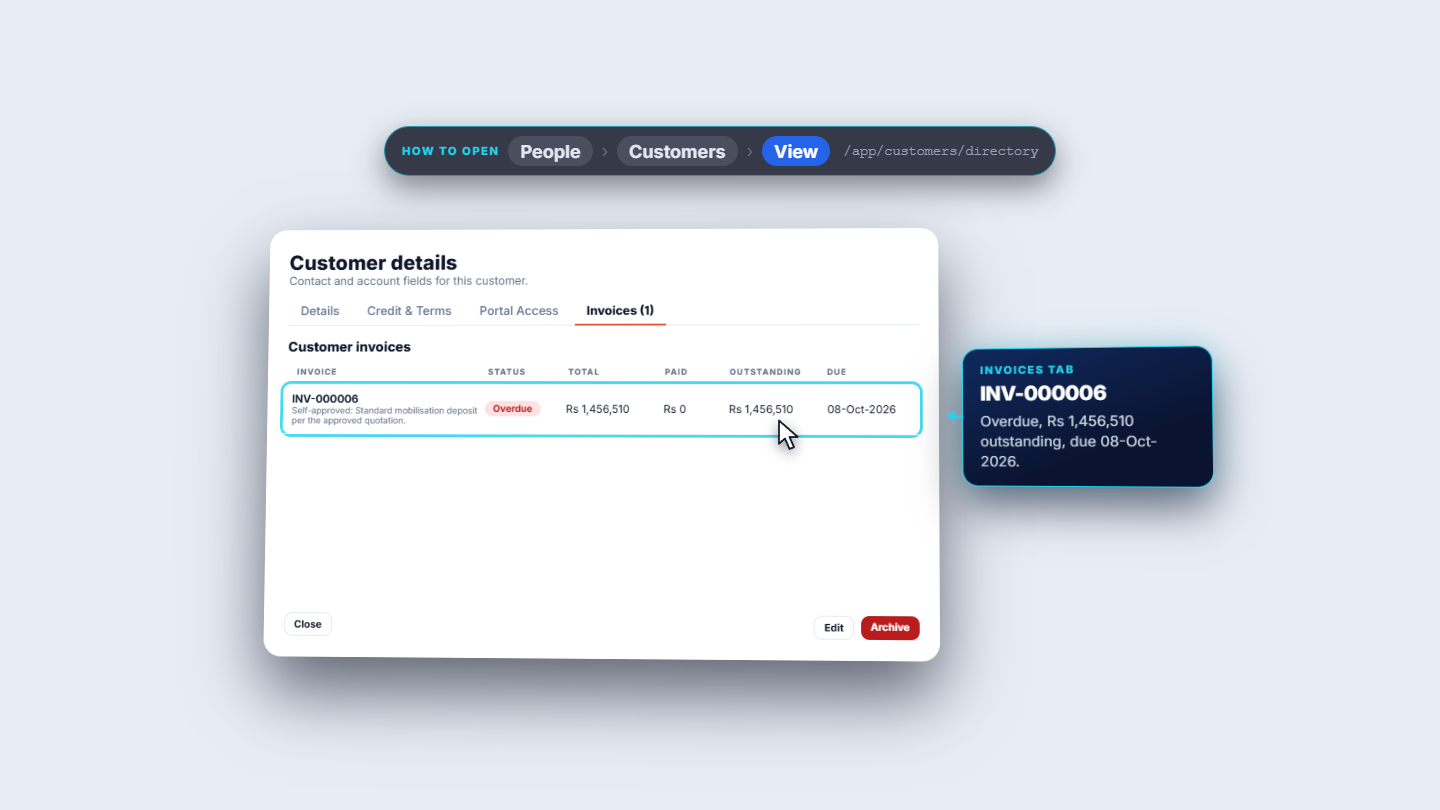
Choose View, then Credit & Terms. It shows the term, the discount, the credit limit and a Receivables position: Outstanding A/R, Overdue, Oldest overdue, Credit limit used, Advances on account and Retention held. With a Rs 1,800,000 limit an amber banner says Net owed Rs 1,456,510 is 80.9% of the Rs 1,800,000 credit limit. and This is a warning only. An invoice that would go over the limit needs consent from an owner or accountant. The Invoices tab lists INV-000006: Overdue, Rs 1,456,510 outstanding, due 08-Oct-2026.
Customer details Invoices tab with INV-000006 overdue
8
Change the warning level
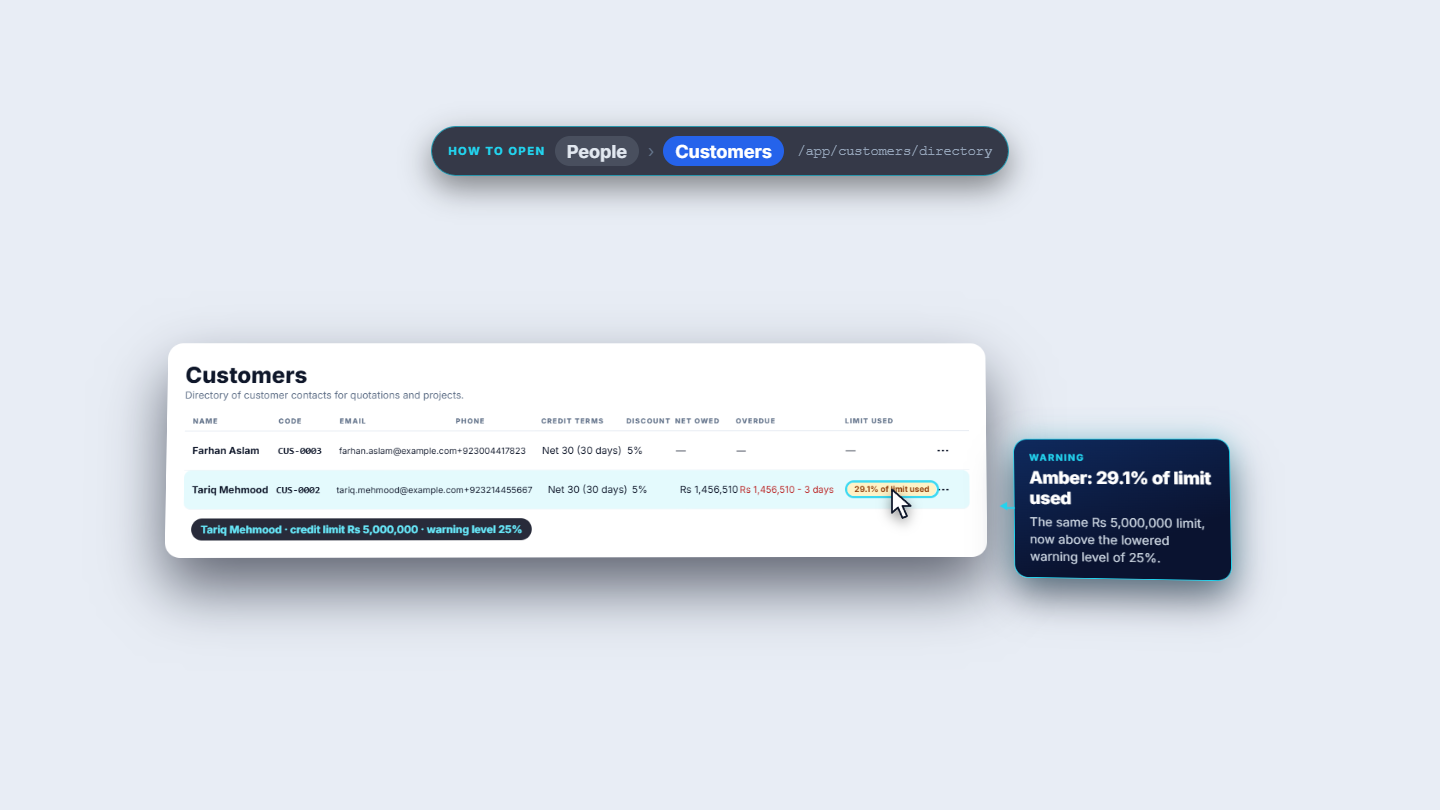
Open Admin › Settings › General (/app/settings/general). Credit limit warning (% of limit) is 80. The hint reads Customers show a warning once their net owed reaches this share of their credit limit. Change it to 25 and click Save changes (Settings saved.). Back in the directory, 29.1% of Rs 5,000,000 now shows amber: 29.1% of limit used.
Directory with the amber badge after lowering the warning level to 25%
9
Know who can see it
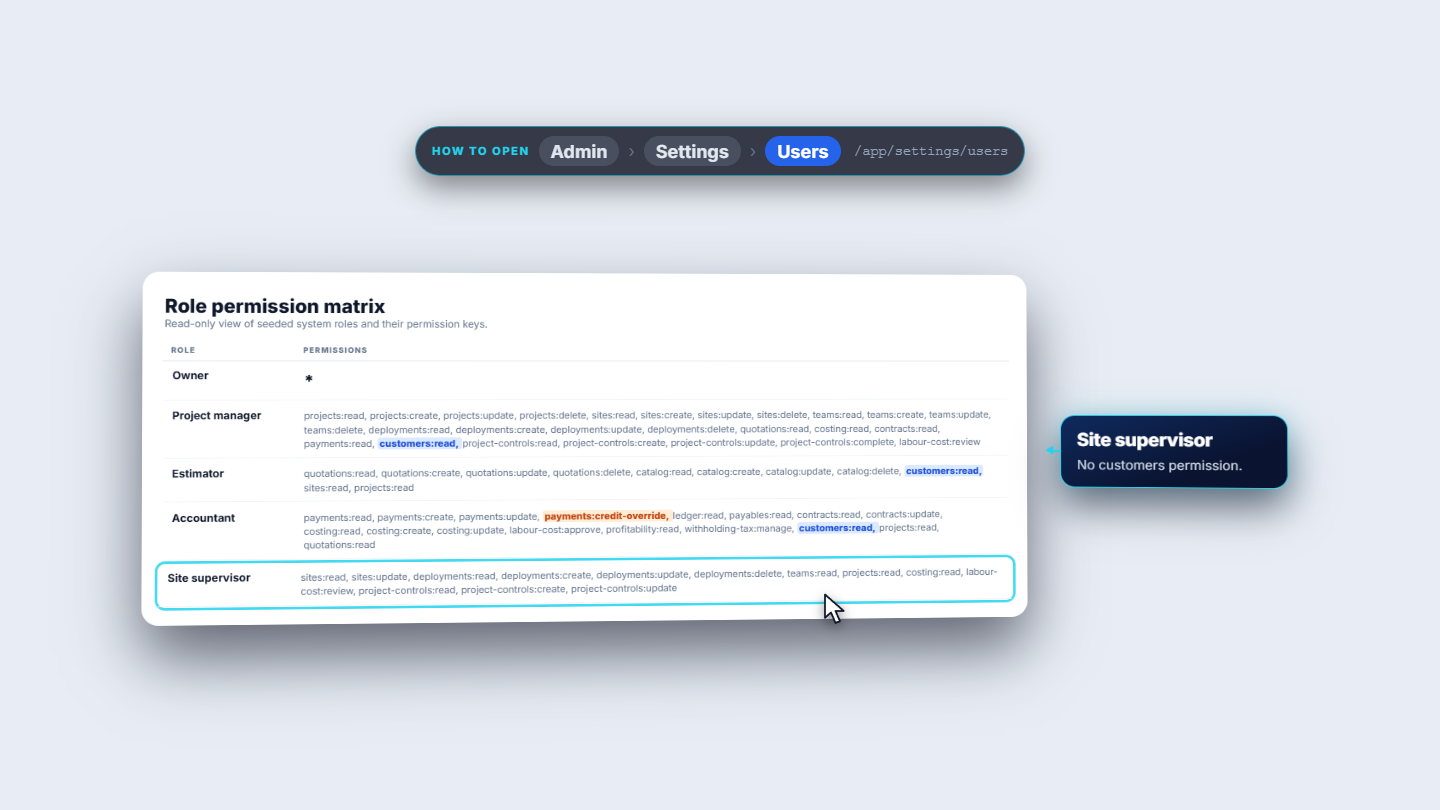
Admin › Settings › Users has a read-only Role permission matrix. The Owner holds every permission. Project manager and Estimator can read customers. Accountant can read customers and holds payments:credit-override. Site supervisor has no customers permission.
Role permission matrix showing which roles hold customer permissions
Check it worked
Your new term (Net 60) is in the list and appears in the customer form.
Farhan Aslam shows Net 30, 5% and dashes for Net owed, Overdue and Limit used.
Tariq Mehmood shows Rs 1,456,510 net owed and an amber or red badge that matches the limit and warning level.
Common mistakes
Mistake
What you see
Fix
Trying to delete a term in use
The red message that it is assigned to customers or vendors
Deactivate it instead
Expecting the limit to block an invoice
It only warns
An owner or accountant gives consent when an invoice would go over the limit
Typing a discount above 100 or a negative limit
The form refuses and stays open
Correct both values and save again
Looking for a deactivated term on a customer form
It is not offered
Activate it again in Credit terms
Quick reference
Item
Meaning / rule
Credit term
Days a customer has to pay; sets the invoice due date
Limit used
Net owed against the credit limit: plain, amber (warning), red (over limit)
Overdue
Amount past its due date and how many days late
Warning level
Percent of the limit at which the amber badge starts (80 by default)
Net owed
Open receivables less advances, retention not included
Frequently asked questions
Can I delete a credit term that customers use? No. Delete on a term in use is refused with the message that it is assigned to customers or vendors and cannot be deleted. Deactivate it instead.
Does the credit limit stop me from issuing an invoice? No, it only warns. An invoice that would go over the limit needs consent from an owner or accountant.
What does the credit term do to an invoice? It sets the due date: an invoice falls due the term's days after it is issued, so a Net 30 invoice issued on 26-Sep-2026 is due 26-Oct-2026.
How do I change when the amber warning appears? Open Admin › Settings › General and change Credit limit warning (% of limit). It is 80 by default, and the badge turns amber once net owed reaches that share of the limit.