How to keep an antenatal care register and close a pregnancy
You open one pregnancy episode per patient, record each antenatal visit with the gestational age worked out for you, bill a visit when it is charged, and close the episode with an outcome. You need it at every antenatal clinic session.
Who it is forMidwife or gynaecologistTime10 minutesProductHMSLevelIntermediate
Before you start
Steps
1
Open the OB/GYN register
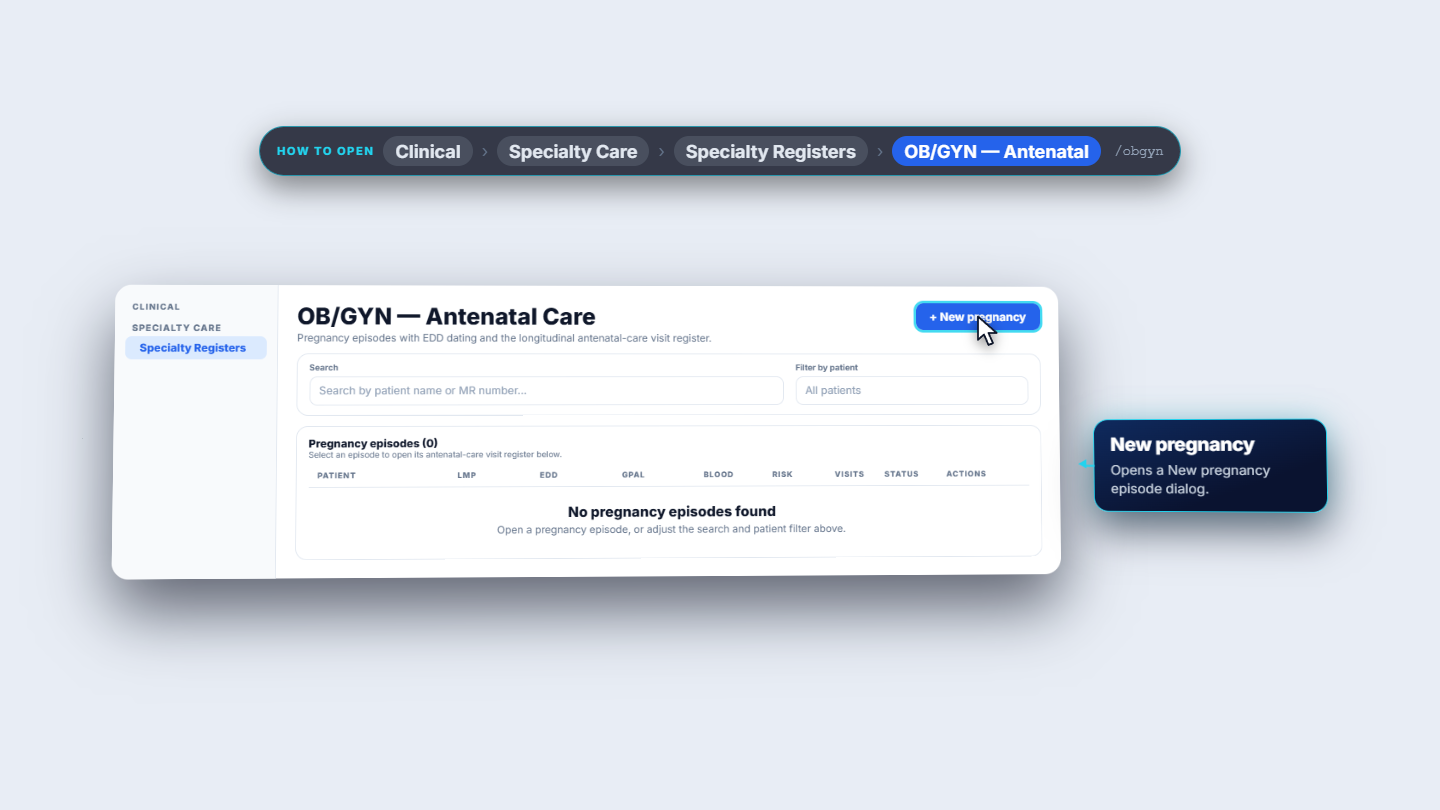
Go to Clinical > Specialty Care > Specialty Registers > OB/GYN. The page is OB/GYN — Antenatal Care. Use Search by patient name or MR number… or Filter by patient to find an episode. The columns are Patient, LMP, EDD, GPAL, Blood, Risk, Visits, Status and Actions.
OB/GYN antenatal care register page listing pregnancy episodes
2
Start a new pregnancy
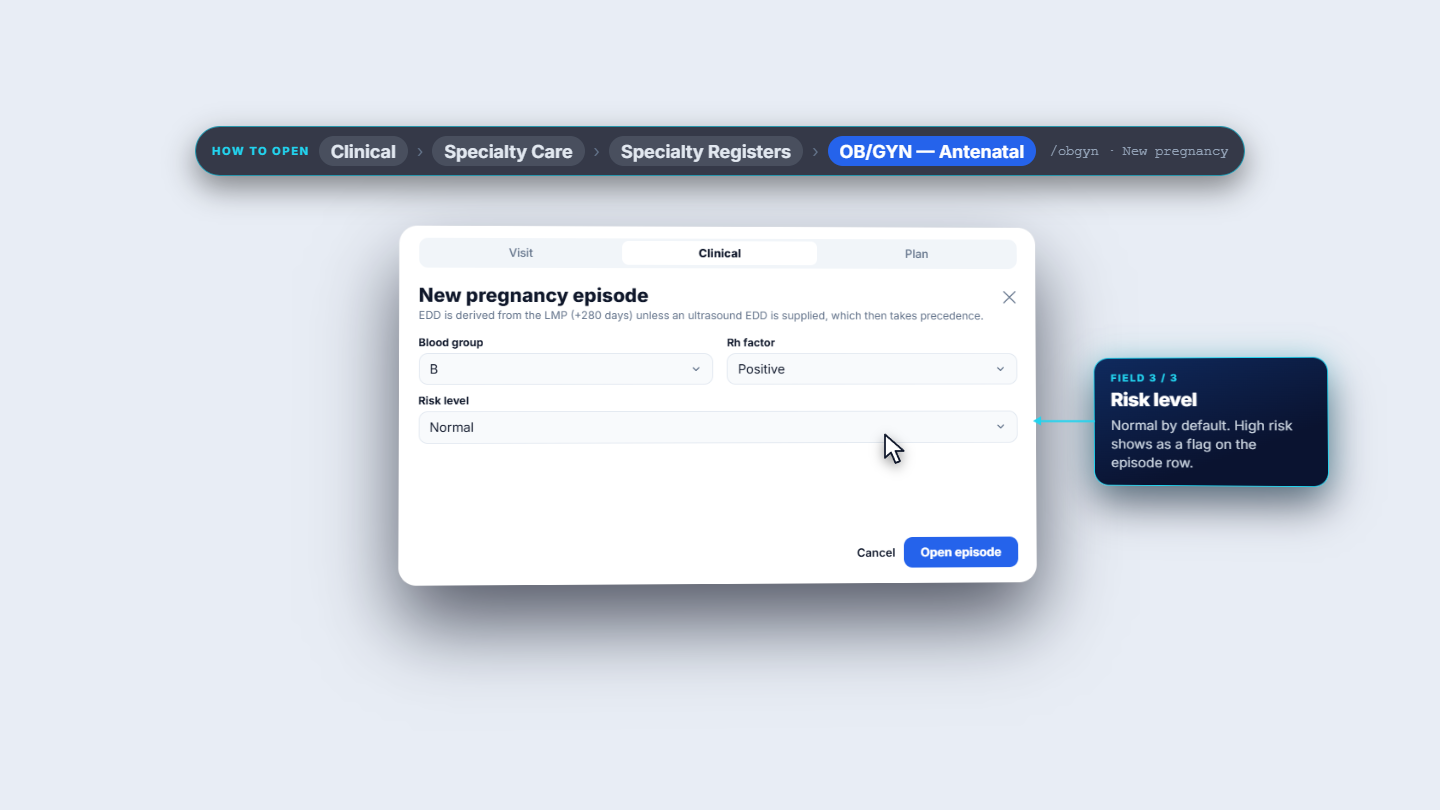
Click New pregnancy. On the Visit tab pick the Patient (search by name, MR number, phone or CNIC), then enter the LMP date, an optional Ultrasound EDD, and Gravida, Para, Abortions and Living. On the Clinical tab choose Blood group, Rh factor and Risk level (Normal or High risk). Notes go on the Plan tab.
New pregnancy episode dialog with the Clinical tab open
3
Open the episode
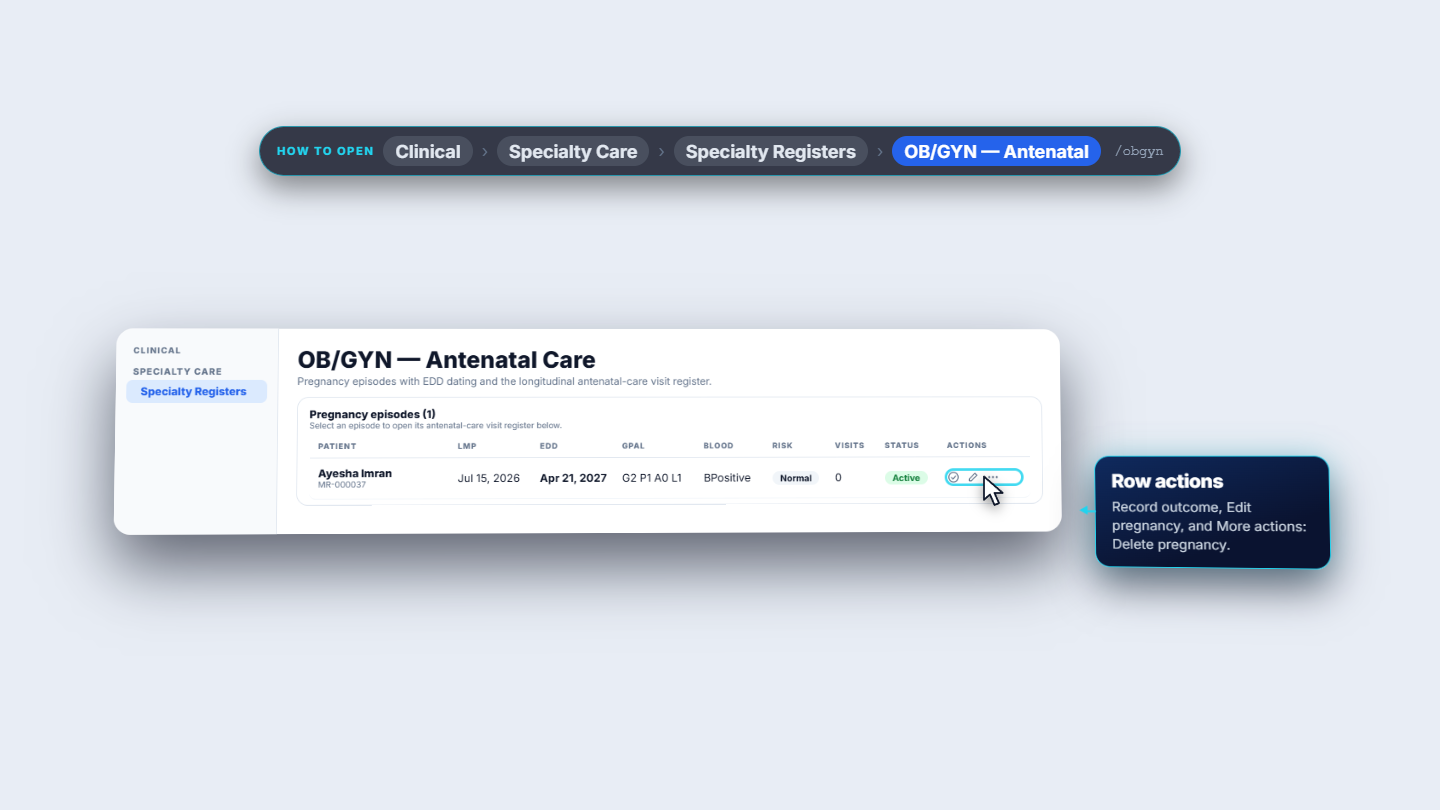
Click Open episode. The toast says "Pregnancy episode opened". The row shows the patient with the MR number, the LMP, the EDD, the GPAL (for example G2 P1 A0 L1), the blood group, a risk badge, the visit count and an Active badge.
Register row showing the new pregnancy episode as Active
4
Add the first antenatal visit
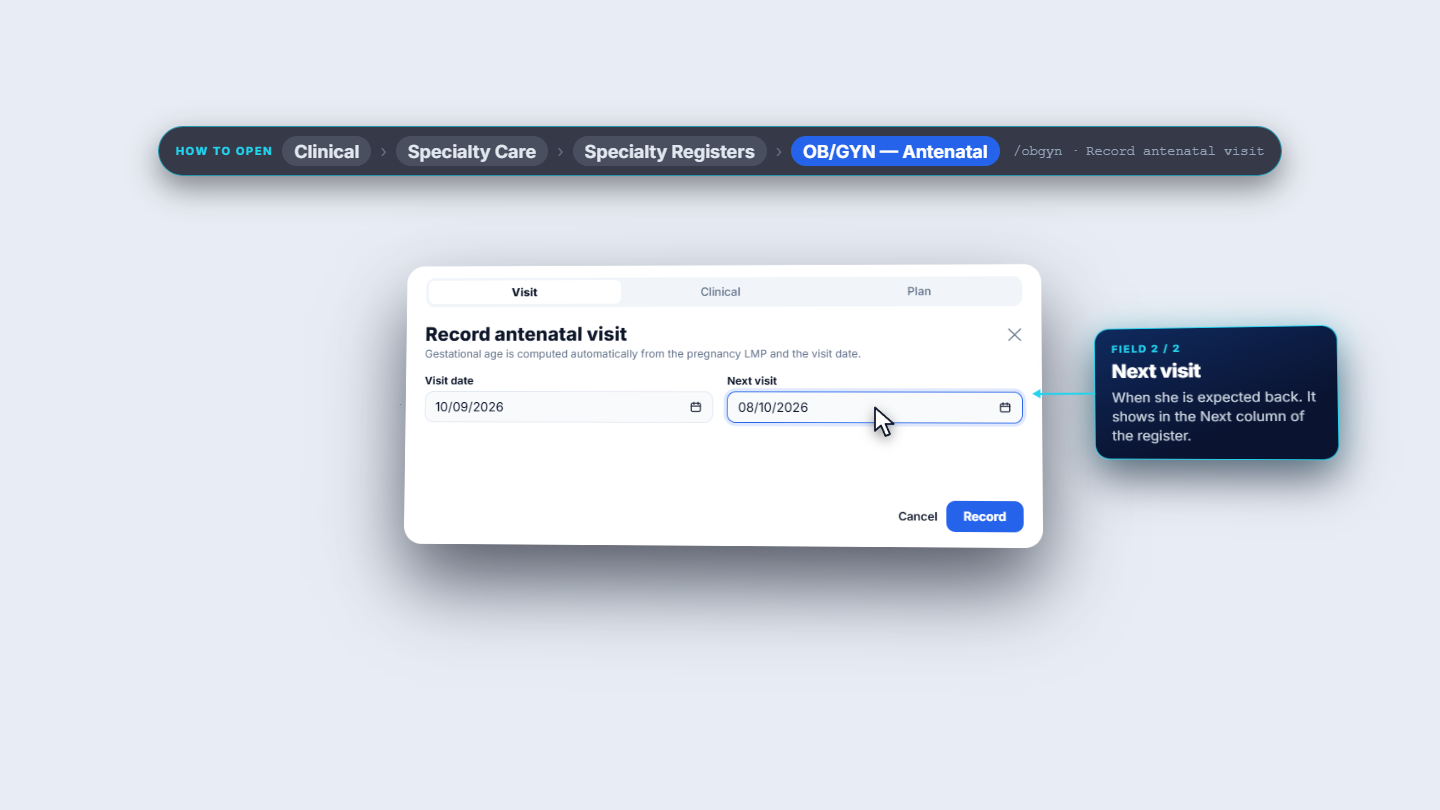
Click the row to open the episode. The card Antenatal-care visits shows the EDD and Add visit. Click Add visit. On the Visit tab set the Visit date and the Next visit date. On the Clinical tab enter weight, blood pressure (Systolic, Diastolic), Fundal height, Fetal heart rate and Presentation.
Record antenatal visit dialog, Visit tab with visit date and next visit
5
Add lab results and notes on the Plan tab
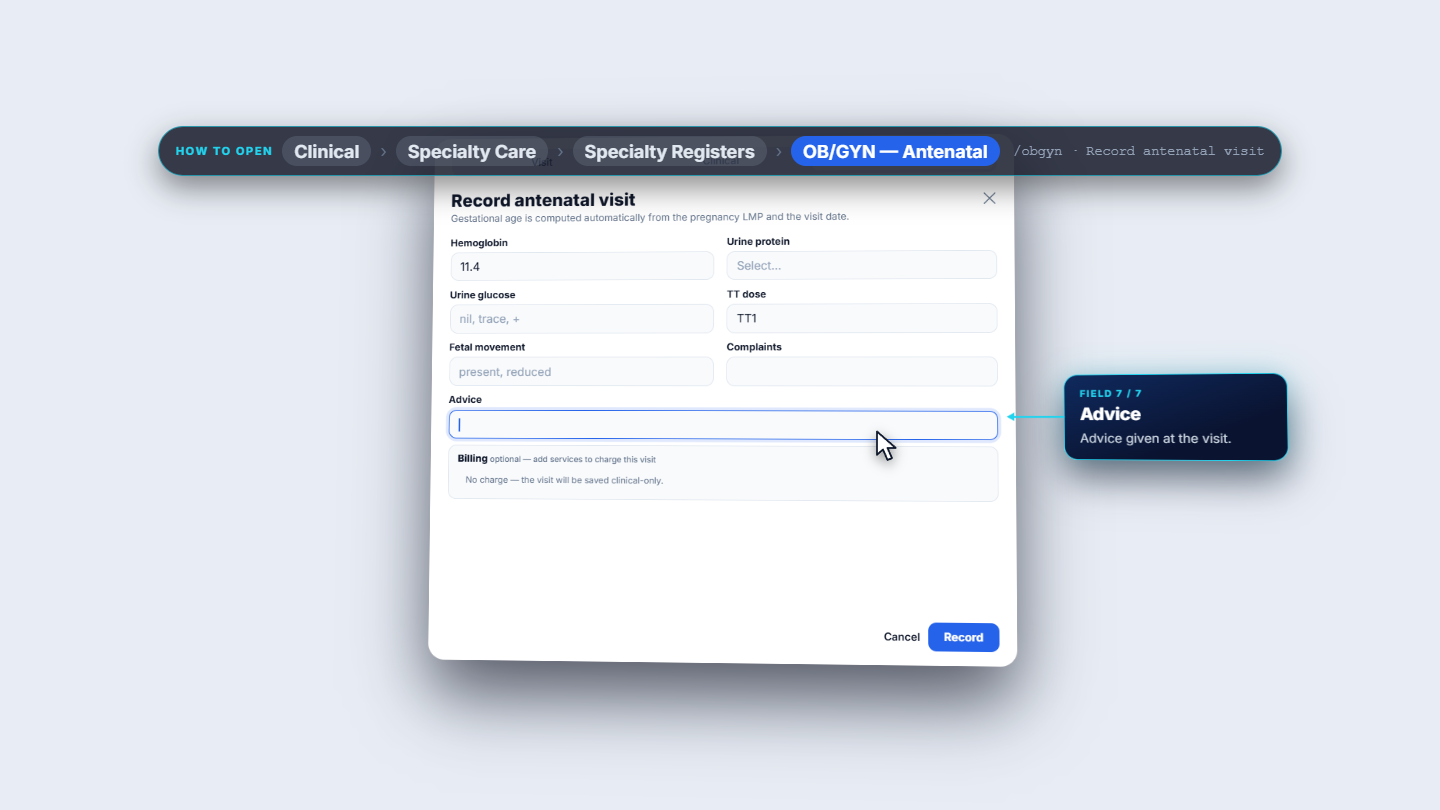
On the Plan tab enter Hemoglobin, Urine protein, Urine glucose, TT dose, Fetal movement, Complaints and Advice. The Billing card says "No charge — the visit will be saved clinical-only." until you add a service. Click Record; the toast says "Antenatal visit recorded".
Record antenatal visit dialog, Plan tab with billing card
6
Record a visit and charge it in one go
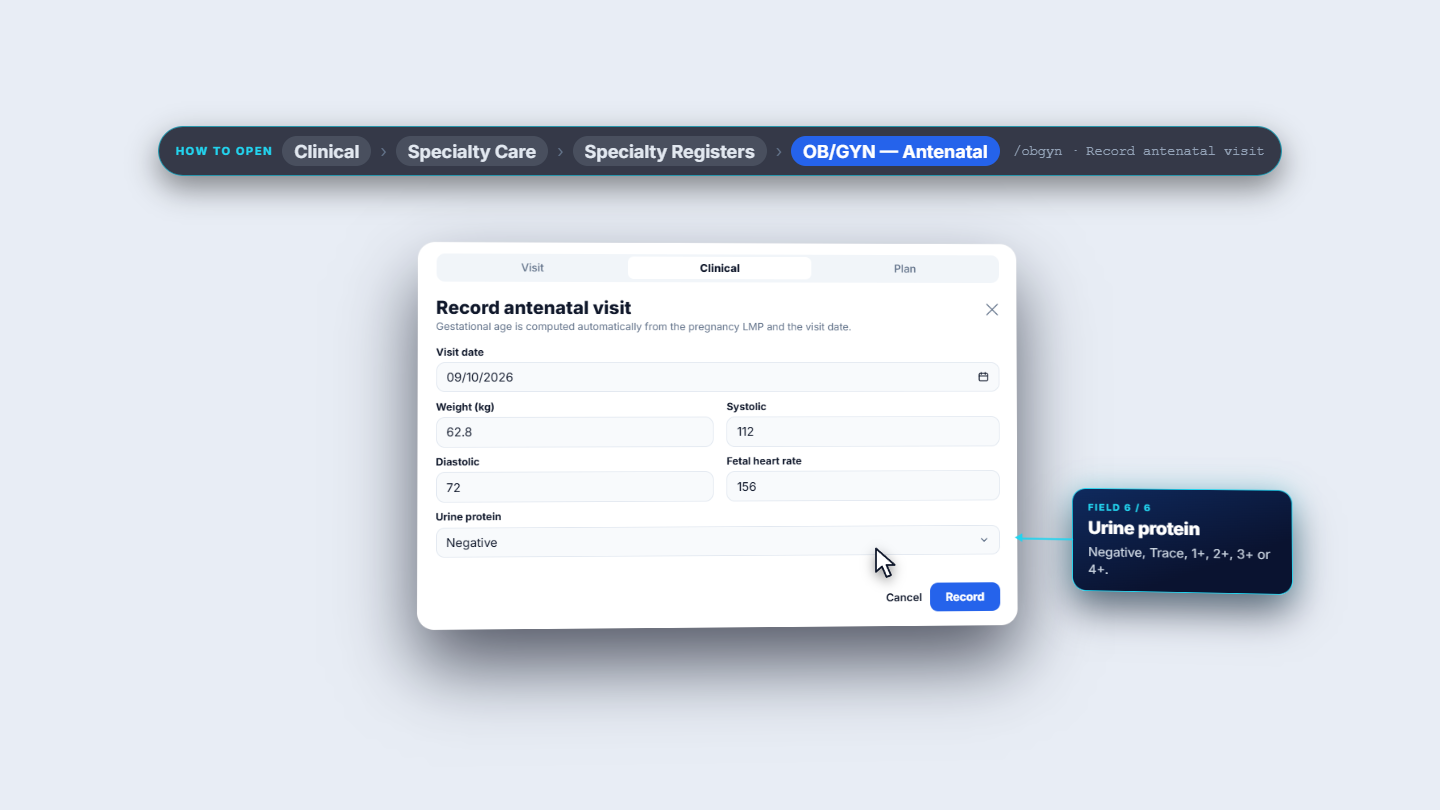
For a later visit, click Add visit again and fill the same fields. On the Plan tab use Add a service… and choose Antenatal Visit. Pick a Payment method (Cash, Card, Bank, Online, Credit or Insurance), check the amount, then click Record. The visit is saved as Billed.
Second antenatal visit with blood pressure, fetal heart rate and urine protein filled in
7
Read the visit register
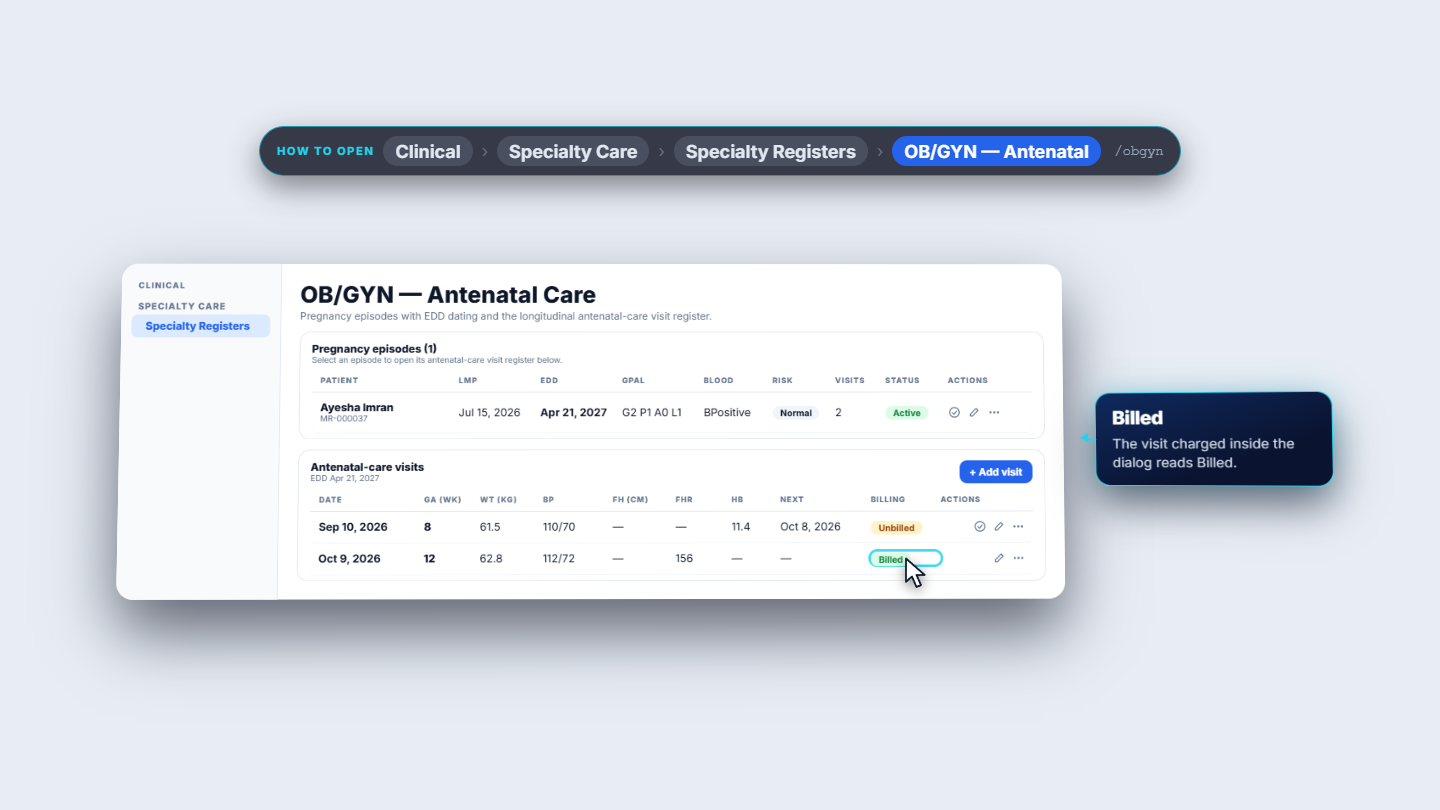
The table lists Date, GA (wk), Wt (kg), BP, FH (cm), FHR, Hb, Next and Billing for each visit. A visit saved without a service shows Unbilled; a charged one shows Billed. Row actions are Bill visit, Edit visit and More actions (Delete visit).
Visit register with gestational age, weight, blood pressure and billing status per visit
8
Bill an earlier visit
On an Unbilled row click Bill visit. The dialog Bill this visit asks for the Service, Payment method and Amount; a card payment also asks for a Bank account. Click Post charge. The toast says "Charge posted" and a specialty visit receipt appears with Done, Print A4 and Print thermal.
9
Check the accounts
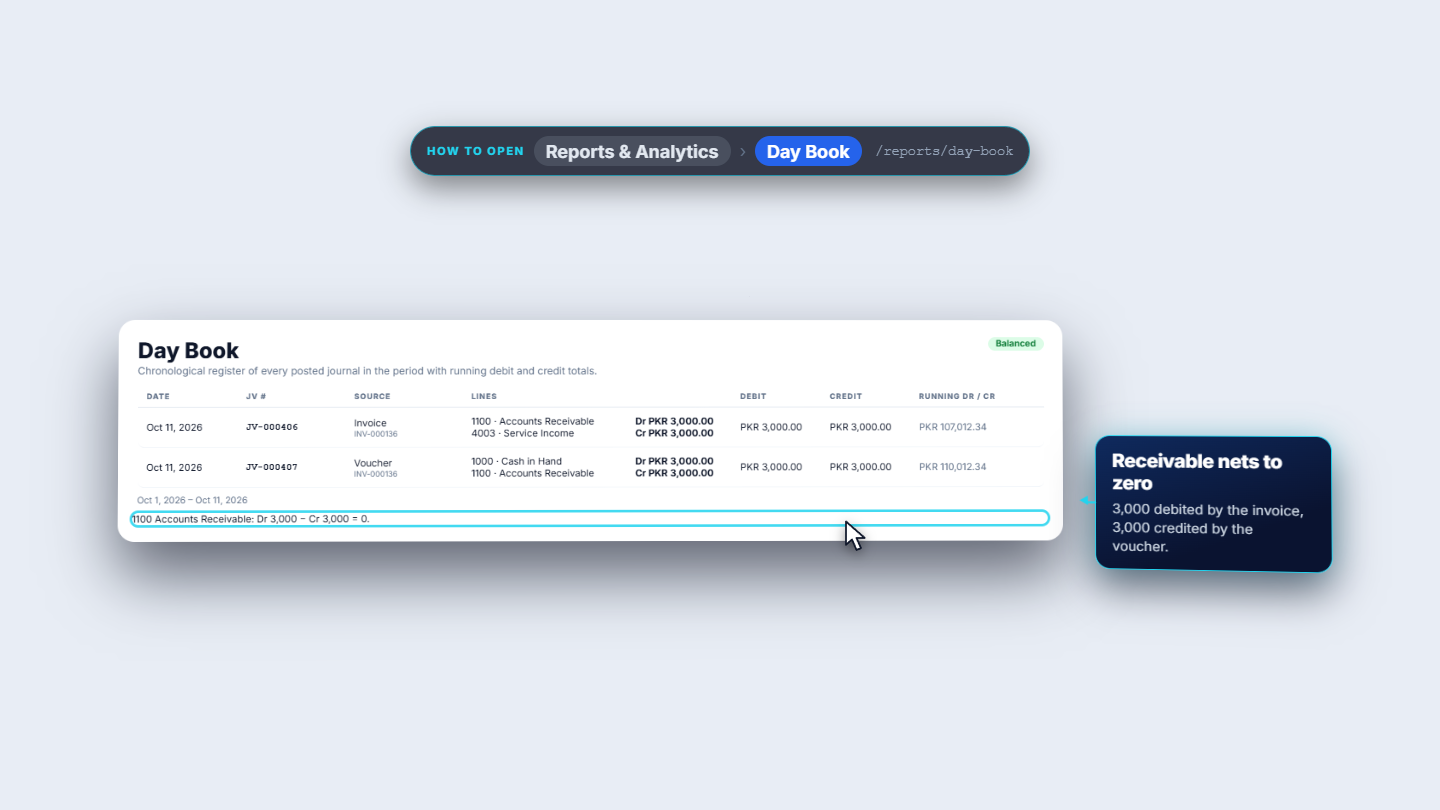
Open Reports & Analytics > Day Book. A cash-billed visit posts an invoice (Dr 1100 Accounts Receivable, Cr 4003 Service Income) and a voucher (Dr 1000 Cash in Hand, Cr 1100). Receivable nets to zero.
Day Book showing the invoice and the cash voucher for a billed visit
10
Close the pregnancy with an outcome
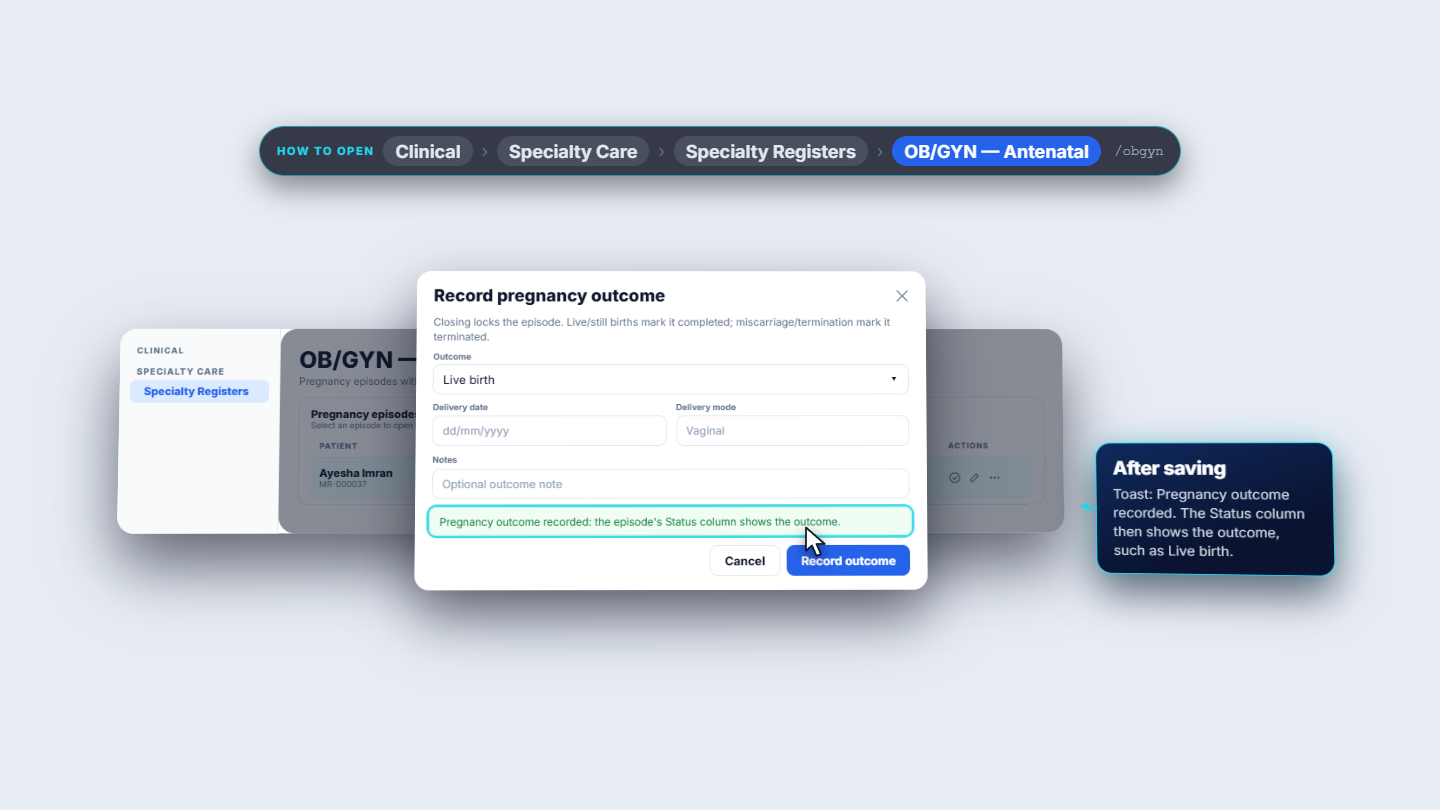
At delivery click Record outcome on the episode row. Choose the Outcome (Live birth, Still birth, Miscarriage or Termination), the Delivery date, the Delivery mode and a note, then click Record outcome. The toast says "Pregnancy outcome recorded" and the Status column shows the outcome.
Record pregnancy outcome dialog with the confirmation toast
Check it worked
The register row shows the patient, the EDD (for example Apr 21, 2027 for an LMP of Jul 15, 2026), the visit count and the right status.
Each visit row shows its gestational age (for example 8 weeks on Sep 10, 2026 and 12 weeks on Oct 9, 2026 for that LMP) and Billed or Unbilled.
A closed episode shows its outcome in the Status column.
Common mistakes
Mistake
What you see
Fix
Saving a pregnancy without choosing a patient
"Select a patient for this pregnancy episode"
Search and select the patient first
Closing an episode too early
The Record outcome button is gone
Check the date and outcome before you save; closing is final
Forgetting to add the service on a charged visit
Billing shows Unbilled
Use Bill visit on that row
Quick reference
Item
Meaning / rule
EDD
LMP + 280 days, or the ultrasound EDD when entered
GPAL
Gravida, Para, Abortions, Living
GA (wk)
Completed weeks since the LMP, computed for each visit
Billing
Unbilled until a service is charged, then Billed
Outcome
Live birth or Still birth completes the episode; Miscarriage or Termination terminates it
Frequently asked questions
How is the expected delivery date worked out? The EDD is the LMP plus 280 days. If you enter an ultrasound EDD, that date is used instead.
Do I have to enter the gestational age for each visit? No. It is computed from the pregnancy's LMP and the visit date and shown in the GA (wk) column.
Can I charge an antenatal visit later? Yes. A visit saved without a service shows Unbilled; click Bill visit on its row and post the charge.
Can I reopen a pregnancy after recording the outcome? No. Closing locks the episode and the Record outcome button is removed.