How to build a priced quotation and send it to the customer
A quotation is your priced offer for an event. This guide shows how to price a wedding with several service lines, save it as a draft, change it, mark it as sent and give the customer a PDF.
Who it is forSales person / event coordinatorTime12 minutesProductMMSLevelBeginner
Before you start
Steps
1
Open Quotations and start a new one
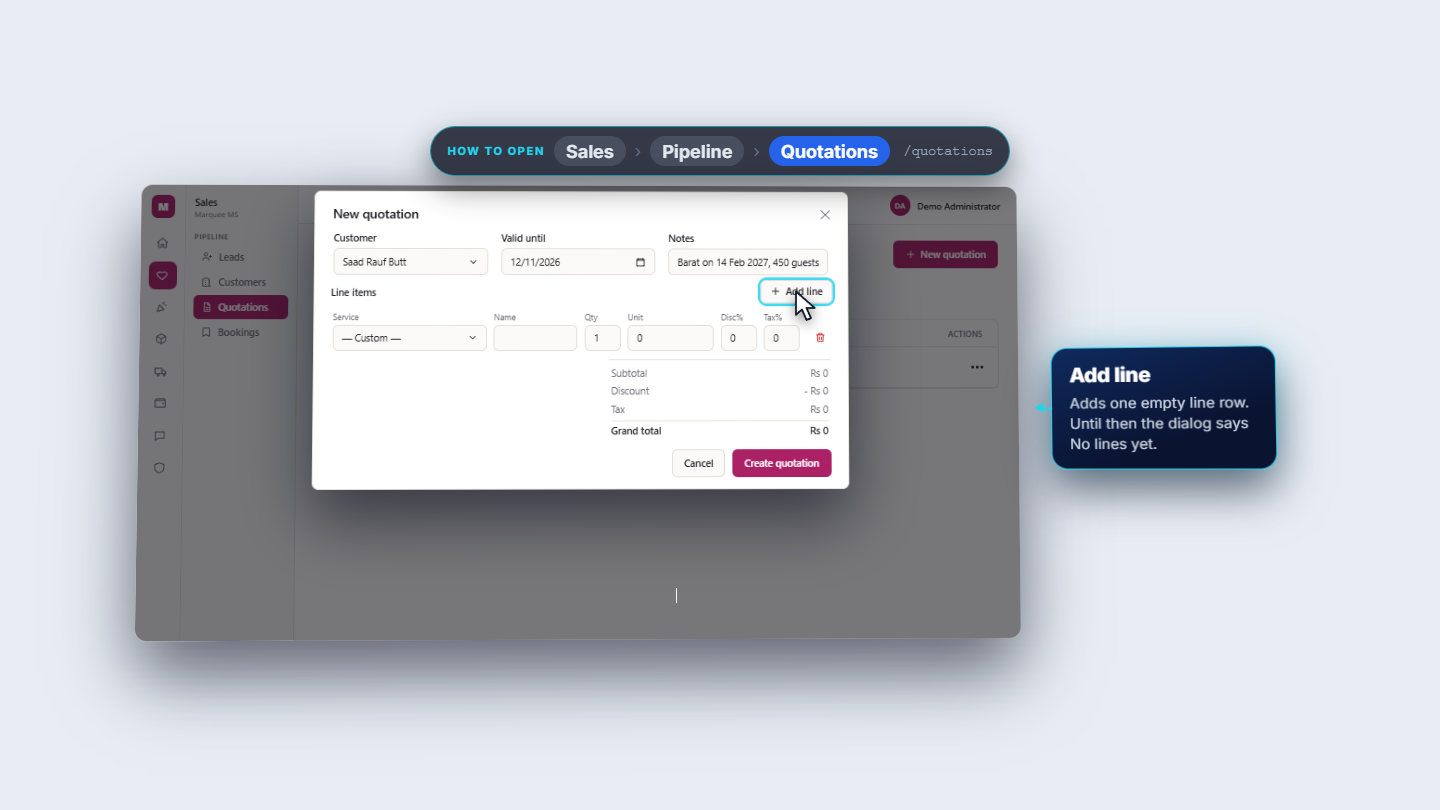
Click Sales › Pipeline › Quotations (/quotations). The chips on top filter by status: All, Draft, Sent, Approved, Rejected, Expired. Press New quotation at the top right. Choose the Customer (required, newest customer first), for example Saad Rauf Butt. Set Valid until, for example 12 November 2026, and write the event in Notes, for example "Barat on 14 Feb 2027, 450 guests".
New quotation dialog with customer, valid until and notes filled in
2
Add the service lines
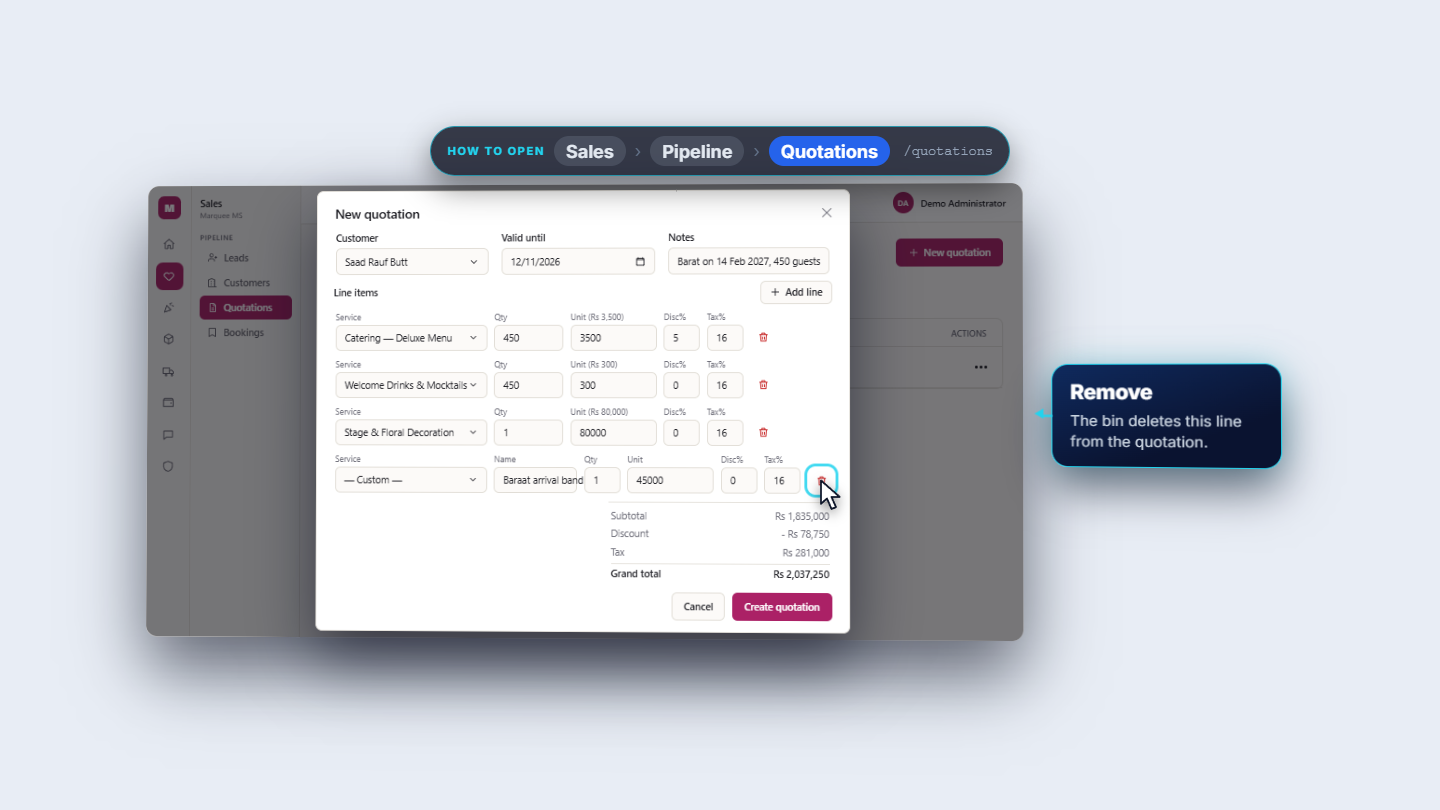
Press Add line. In Service choose a catalogue service, for example Catering — Deluxe Menu, or — Custom — for something that is not in the catalogue. Fill Qty, Unit, Disc% and Tax%. For the Barat the lines are: Catering — Deluxe Menu, 450 guests at 3,500, 5% discount, 16% tax; Welcome Drinks & Mocktails, 450 at 300, 16% tax; Stage & Floral Decoration, 1 at 80,000, 16% tax; and a Custom line named "Baraat arrival band", 1 at 45,000, 16% tax.
Four lines including a Custom line, with live totals
3
Check the totals
Under the lines the dialog shows the maths at once: Subtotal Rs 1,835,000, Discount - Rs 78,750, Tax Rs 281,000 and Grand total Rs 2,037,250. Each line is quantity times unit price, less the discount, and tax is charged on what is left. Press Create quotation; Cancel closes without saving.
Subtotal, discount, tax and grand total under the lines
4
See your draft in the list
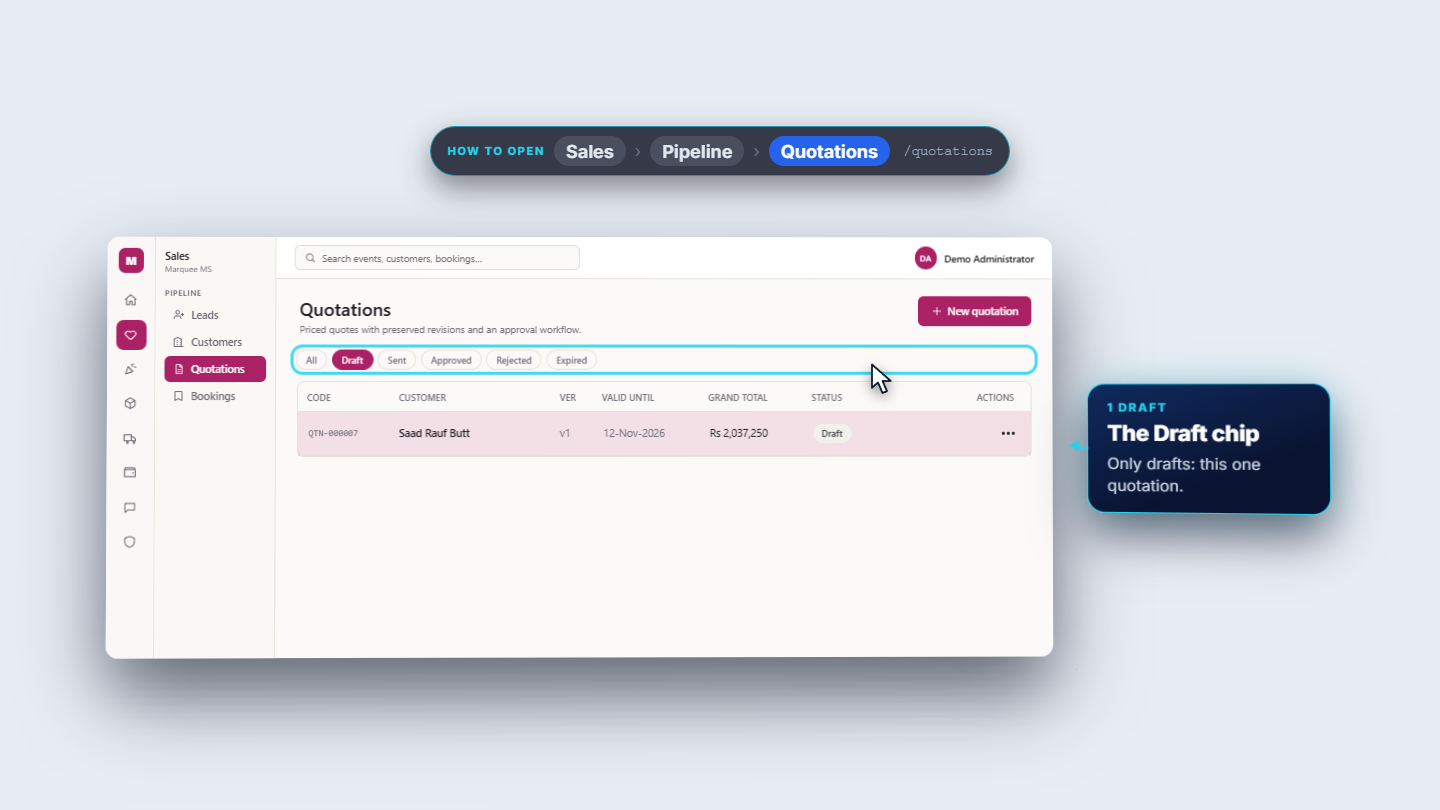
A message at the bottom right says Quotation created (QTN-000007). The new row is on top: customer, version v1, valid until, Rs 2,037,250 and a grey Draft badge. The Draft chip lists only this quotation.
Draft chip showing the new quotation QTN-000007
5
Edit the draft
In the row open Actions (the three dots). A draft offers Edit, Send and Download PDF. Choose Edit; the dialog is titled Edit QTN-000007 and every value is filled in. If the customer asks for more time, move Valid until from 12 to 15 November and press Save changes. The code and totals stay; you see Quotation saved (QTN-000007).
Quotations list after the change
6
Send it
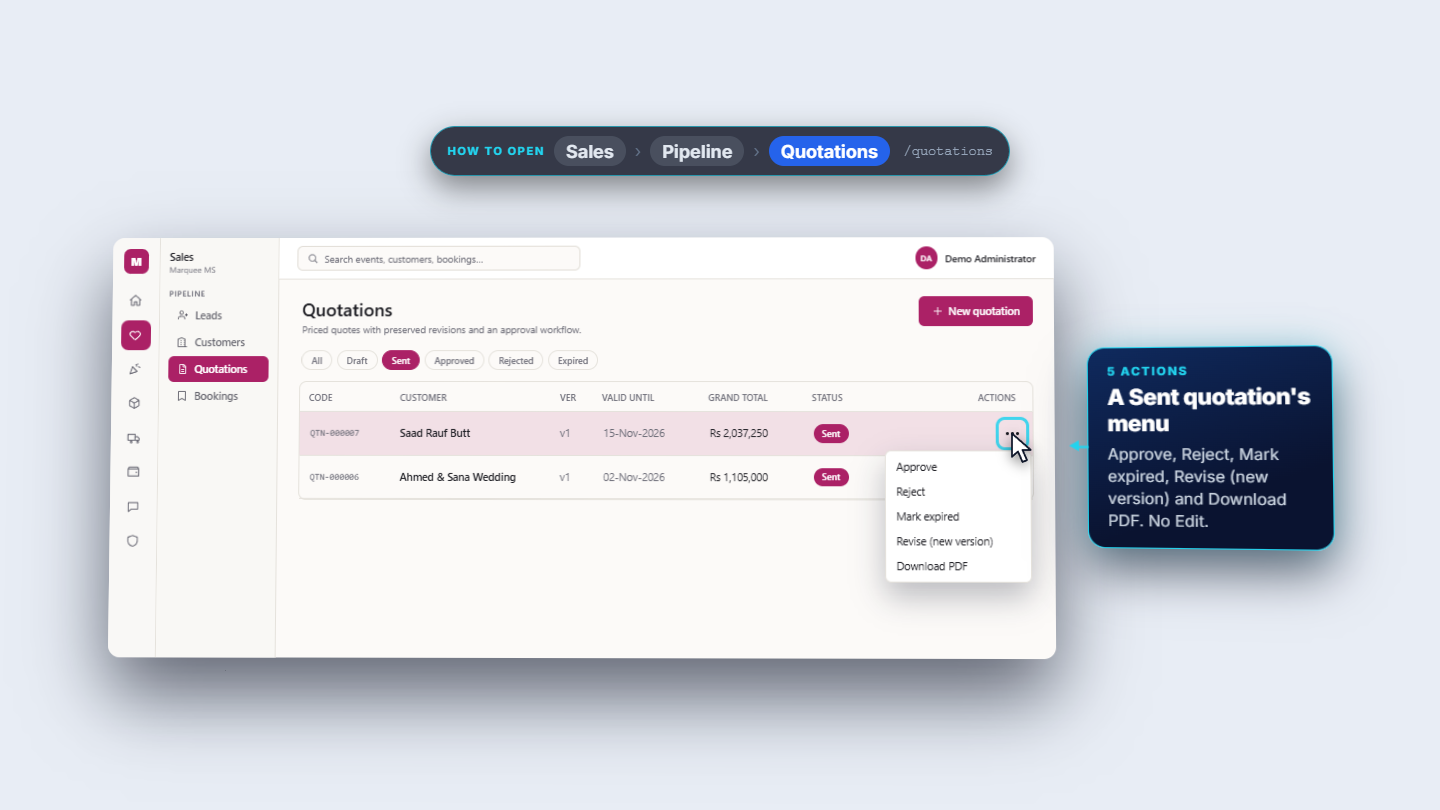
Open Actions and choose Send. The status turns to Sent in one click, with no confirmation box. The message reads: "QTN-000007 marked as sent. Email/WhatsApp delivery is not set up, so share the PDF with the customer." A sent quotation's menu offers Approve, Reject, Mark expired, Revise (new version) and Download PDF.
A sent quotation's Actions menu
7
Give the customer the PDF
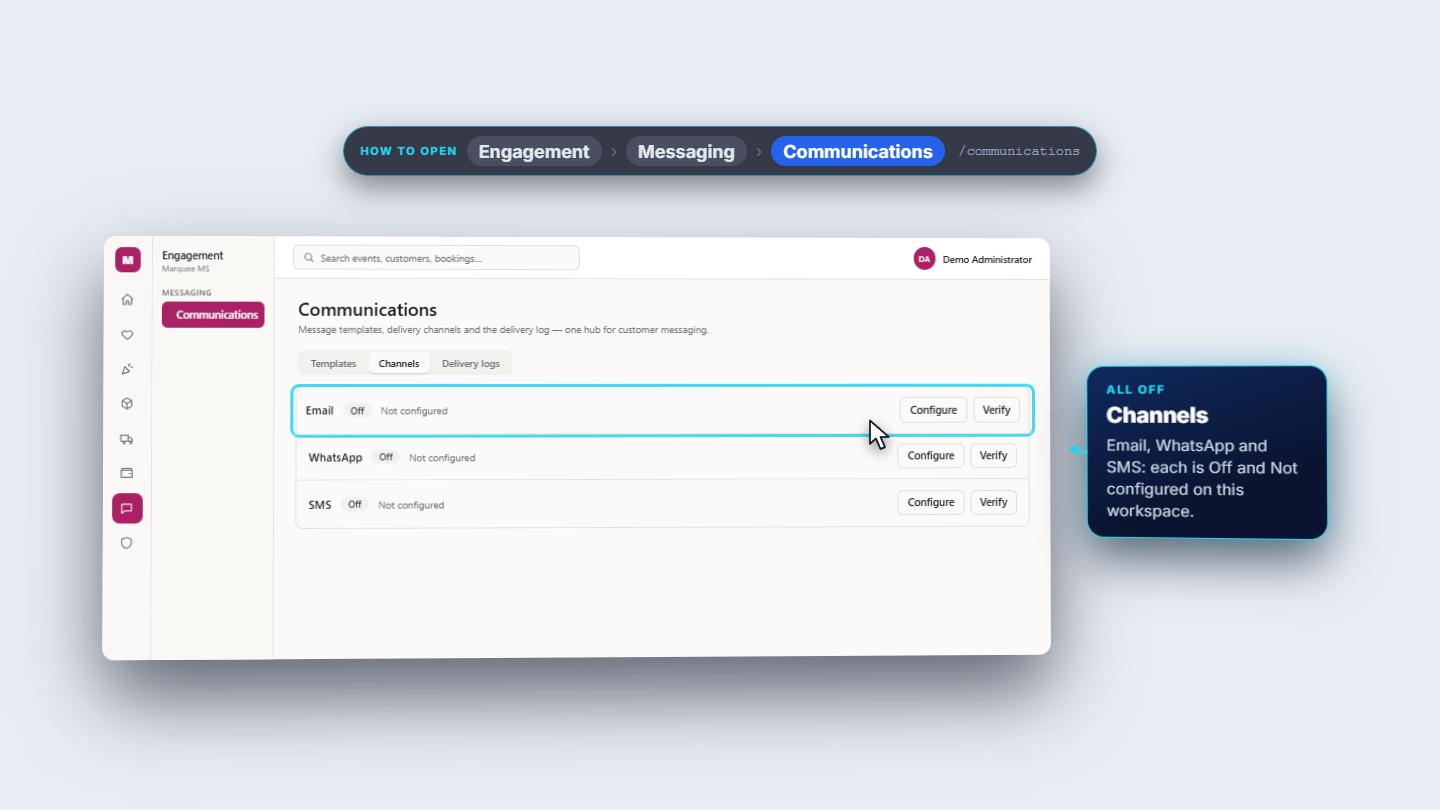
Choose Download PDF. It makes the customer's copy, QTN-000007.pdf, with the code, version, date, valid-until date, Bill to, each line with quantity, unit, discount and line total, the totals and your notes. Send does not message anybody here. Under Engagement › Messaging › Communications, Delivery logs says "No messages yet" and the Channels Email, WhatsApp and SMS are all Off and Not configured. Hand or send the PDF yourself.
Channels tab: Email, WhatsApp and SMS all off
Check it worked
Quotations shows QTN-000007 with Sent, valid until 15-Nov-2026 and Rs 2,037,250; the Sent chip lists it beside QTN-000006.
The PDF QTN-000007.pdf shows the same four lines and Grand total Rs 2,037,250.
Accounting shows no new voucher (newest is still JV-000006).
Common mistakes
Mistake
What you see
Fix
Choosing a service and expecting the price and tax to fill in
Unit, Disc% and Tax% are 0
Type them in on the line
Trying to change a sent quotation
The menu has no Edit
Use Revise (new version) (see MMS-S30)
Expecting Send to email the customer
Delivery logs says "No messages yet"
Share the downloaded PDF yourself
Quick reference
Item
Meaning / rule
Valid until
The last day the offer stands
Draft
Not sent; can be edited
Sent
Given to the customer; no Edit, only Approve, Reject, Mark expired, Revise
Grand total
Subtotal, less discount, plus tax
Journal
A quotation posts nothing
Frequently asked questions
Does choosing a service fill in its price and tax? No. Choosing a service only shows its catalogue price in the label, for example Unit (Rs 3,500). The Unit, Disc% and Tax% boxes stay at 0, so type them in on each line.
Can I change a quotation after sending it? Only a draft can be edited. After Send there is no Edit; use Revise (new version) from the Actions menu instead.
Does Send email or WhatsApp the quotation to the customer? No. Send marks the quotation as sent and the app says delivery is not set up, so you download the PDF and hand or send it to the customer yourself.
How is the grand total worked out? Each line is quantity times unit price, less the discount, and tax is charged on what is left. The dialog shows the subtotal, discount, tax and grand total before you save.