Some patients see the doctor over video instead of coming in. This guide shows how to find the patient with their MR card, book the visit as a video visit, and open the call when it is time.
Who it is forFront-desk receptionistTime6 minutesProductHMSLevelBeginner
Before you start
Steps
1
Open Appointments and start a new booking
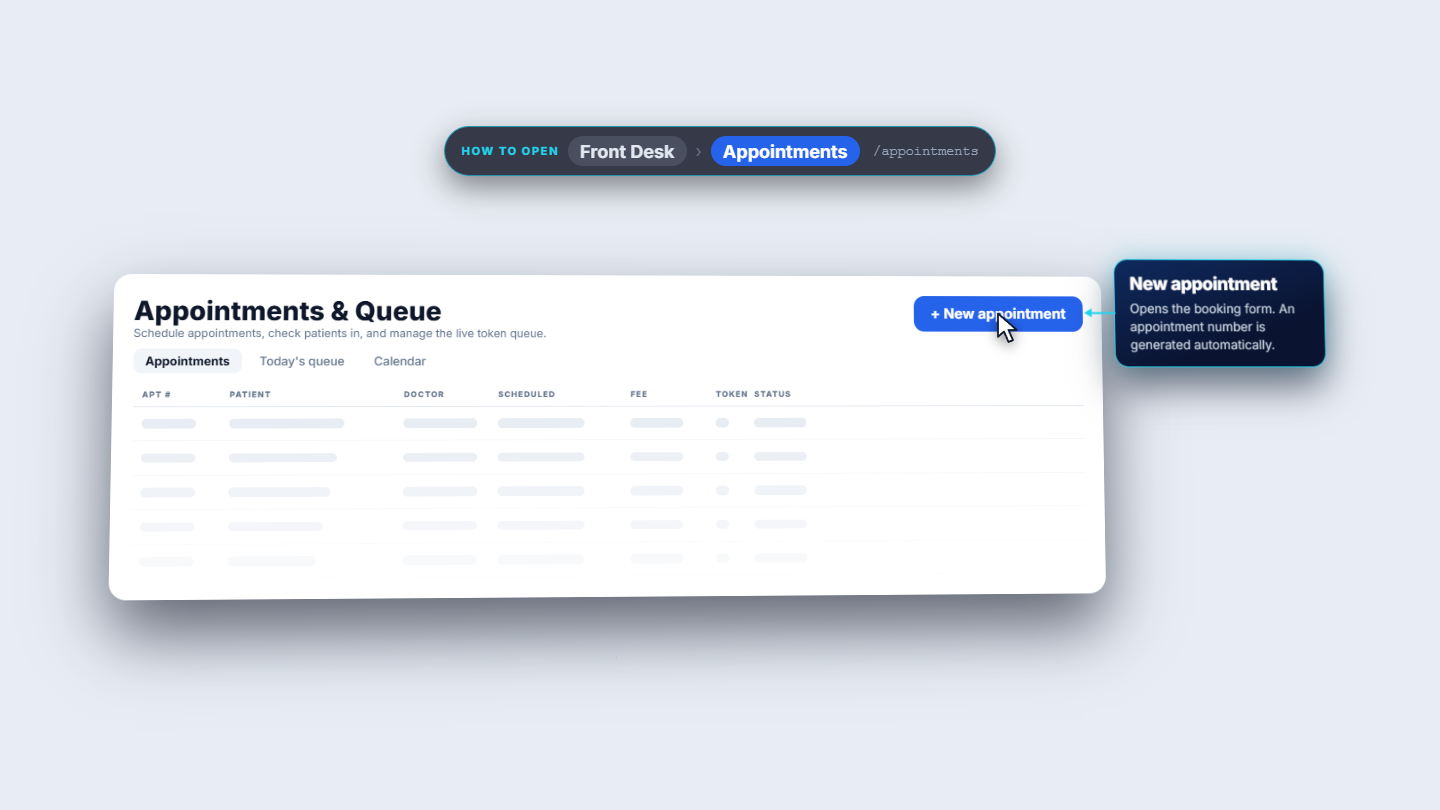
Click Front Desk › Appointments (/appointments). The page, Appointments & Queue, has the tabs Appointments, Today's queue and Calendar. Click + New appointment. The form says an appointment number is generated automatically.
Appointments and Queue page with the New appointment button
2
Scan the patient's card
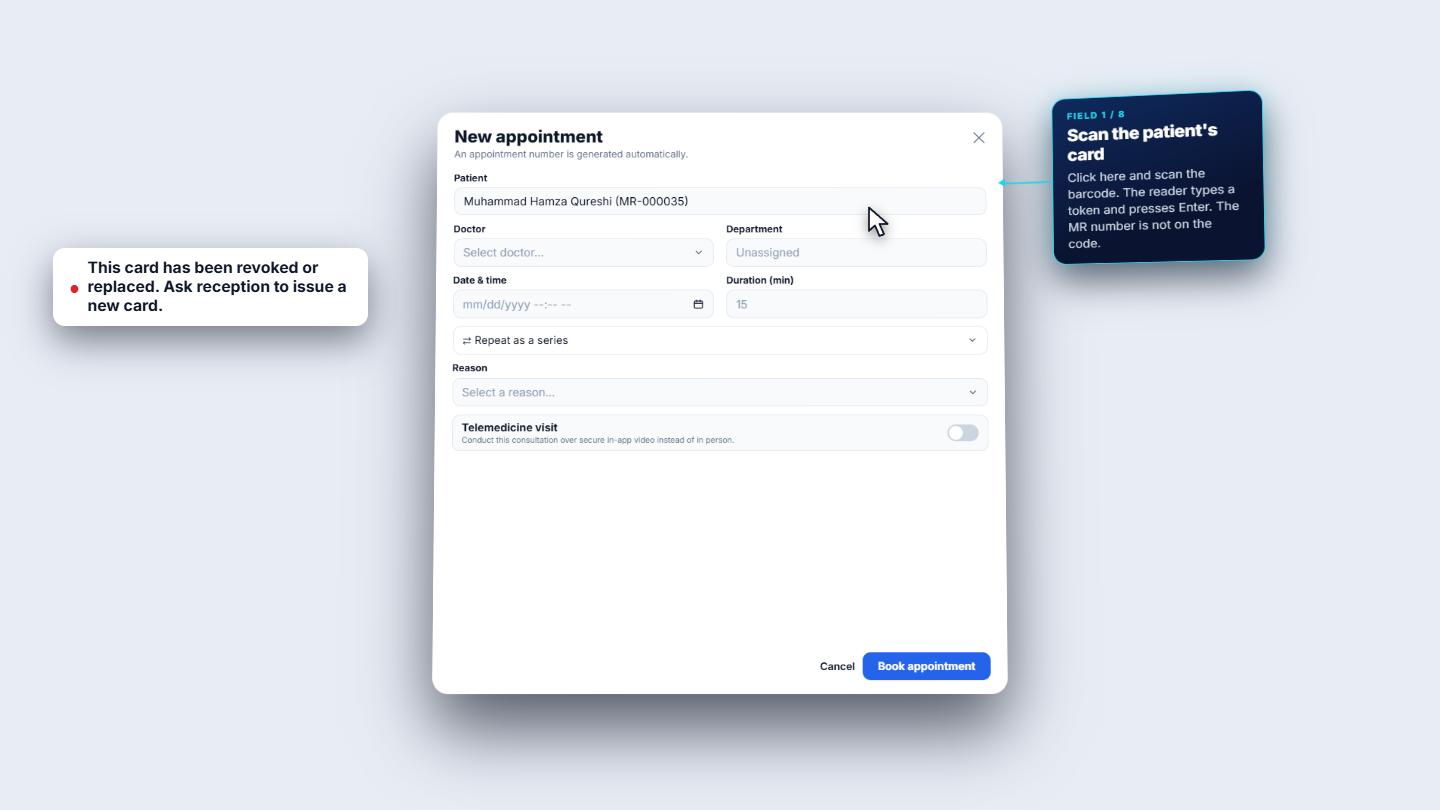
Click in the Patient box and scan the patient's MR card. The reader types a token and presses Enter; the patient's name fills in (Muhammad Hamza Qureshi, MR-000035). The token is not the MR number.
New appointment form with the revoked-card message
3
Pick the doctor
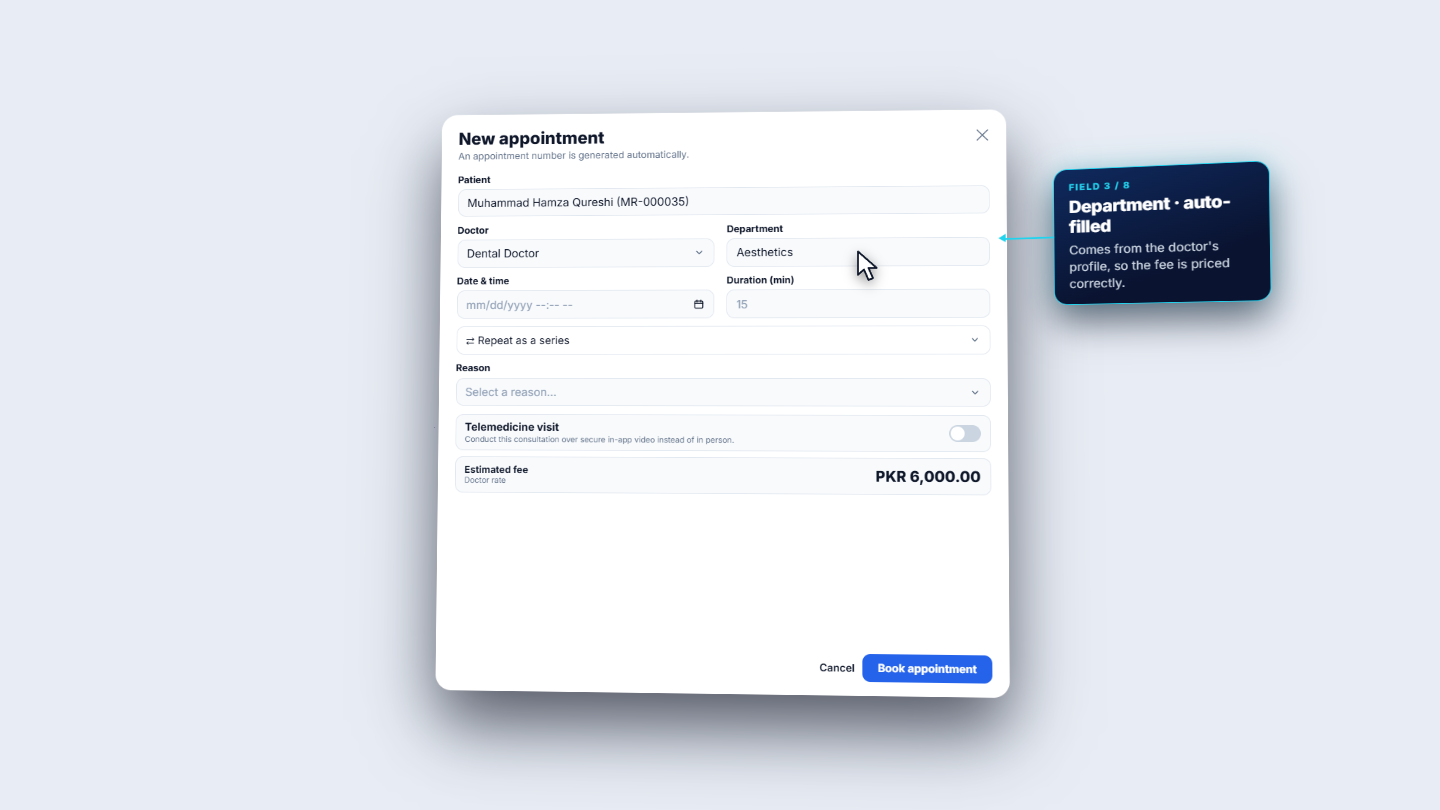
Choose the Doctor (Dental Doctor). The Department fills in automatically (Aesthetics) from the doctor's profile, and the Estimated fee appears: PKR 6,000.00.
Doctor Dental Doctor and department Aesthetics filled in, Estimated fee PKR 6,000.00
4
Choose the date, time and duration
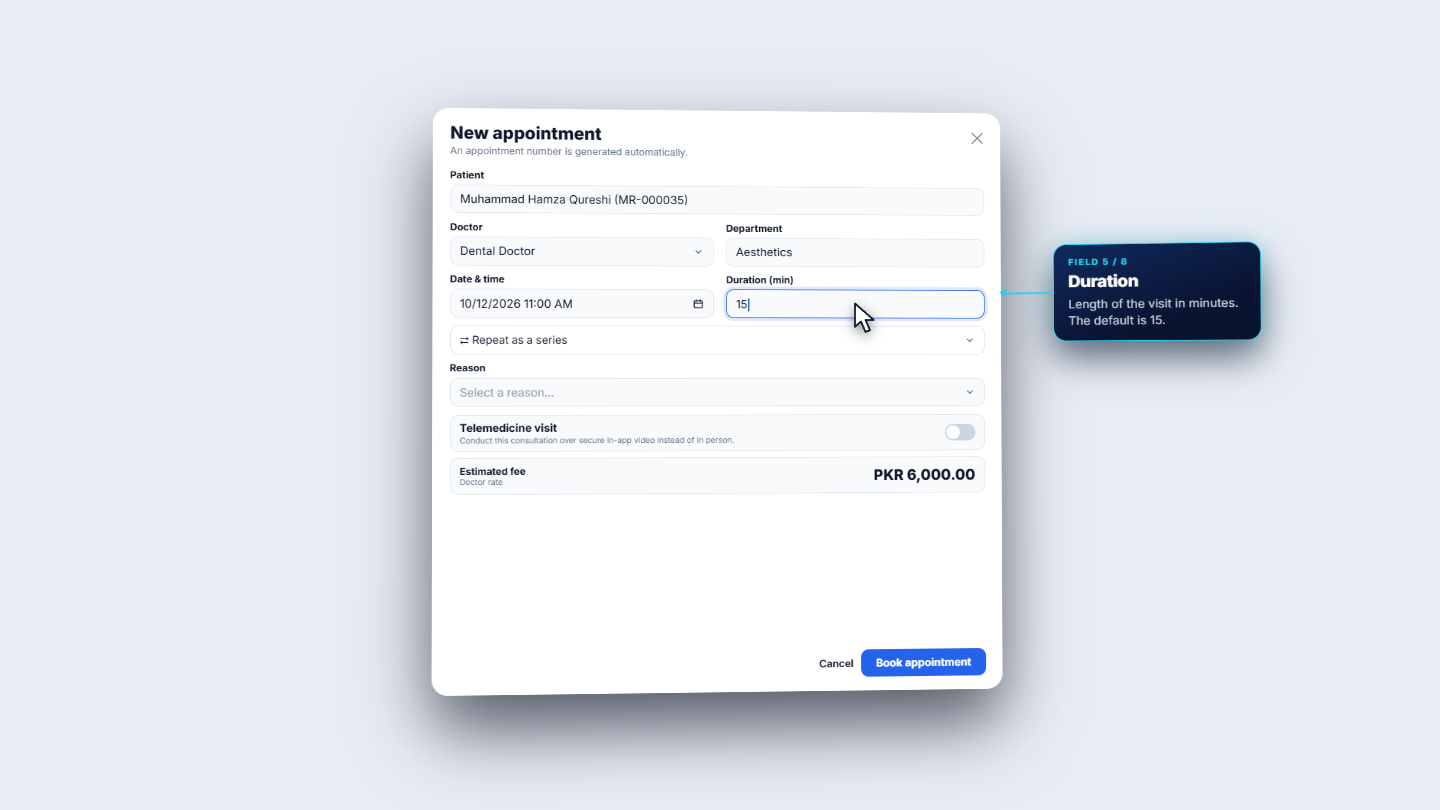
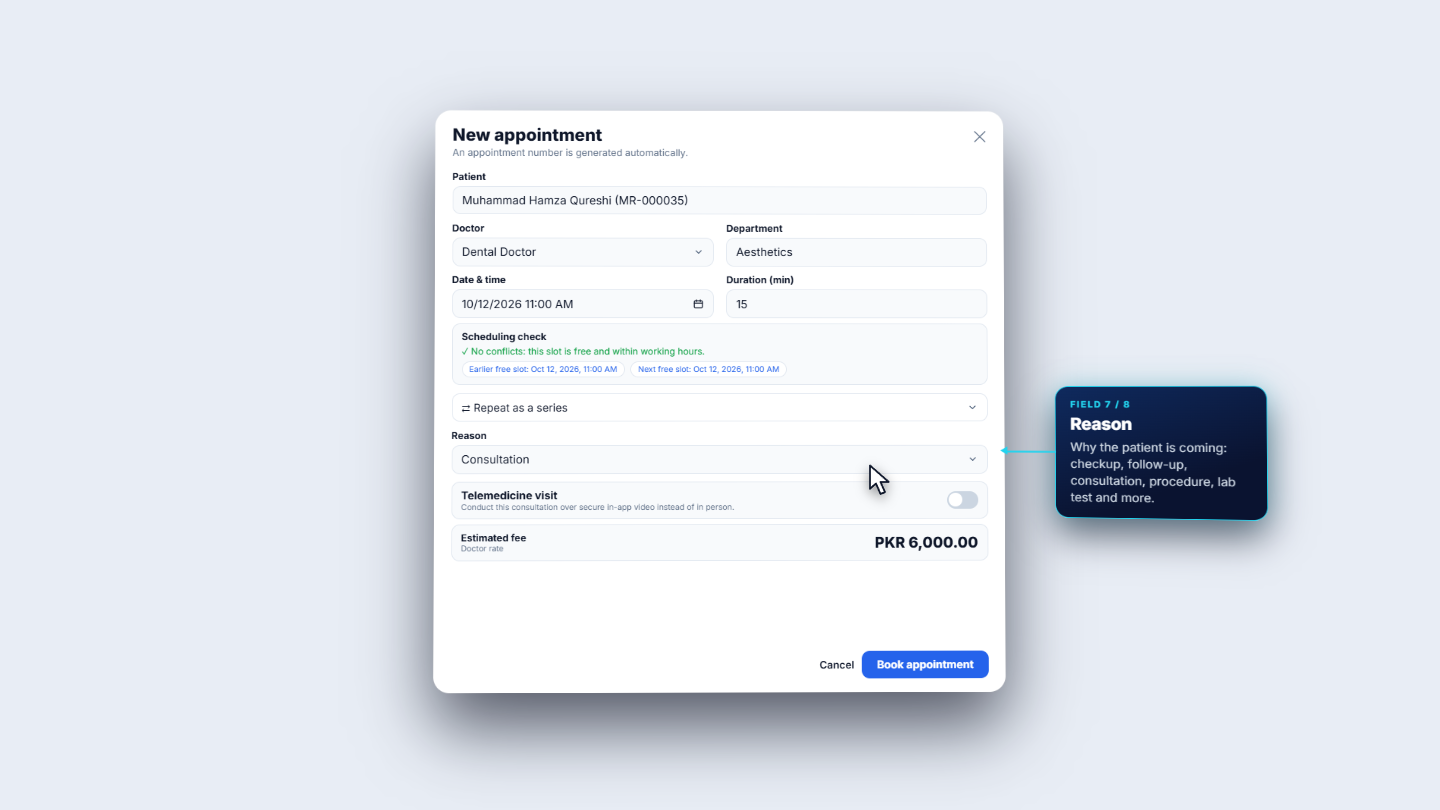
Choose Date & time (10/12/2026 11:00 AM). Duration (min) is 15 by default; change it if the consultation will be longer. Repeat as a series is optional; leave it closed for a single visit.
Date and time 10/12/2026 11:00 AM with Duration 15
5
Choose the reason
In Reason choose Consultation. The Scheduling check under the time says No conflicts: this slot is free and within working hours.
Reason set to Consultation with the Scheduling check showing no conflicts
6
Switch Telemedicine on
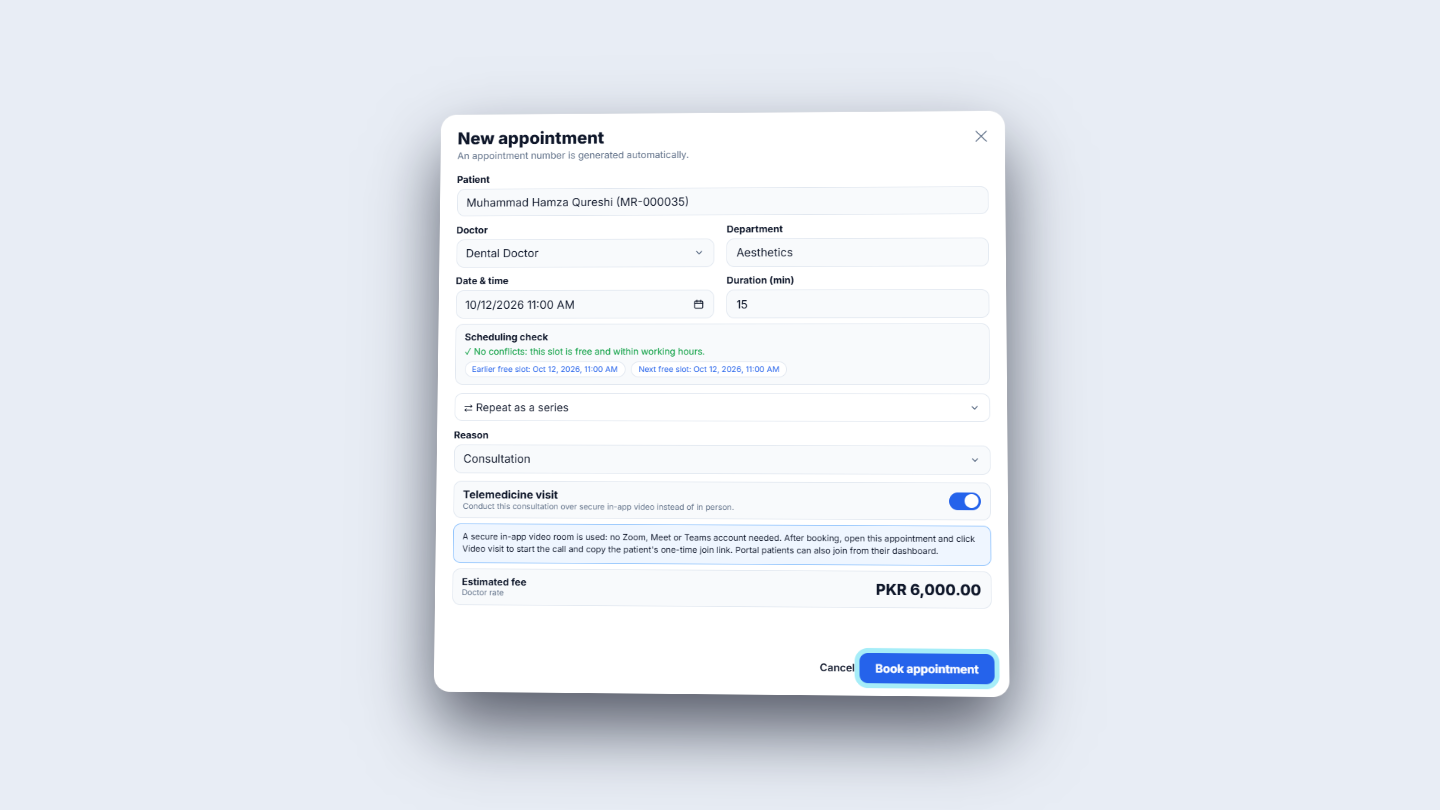
Turn on Telemedicine visit. A note appears: a secure in-app video room is used, so no Zoom, Meet or Teams account is needed. After booking, open the appointment and click Video visit to start the call and copy the patient's one-time join link. Portal patients can also join from their dashboard. Press Book appointment.
Telemedicine visit switch on with the video room note
7
Join the video visit and collect the fee
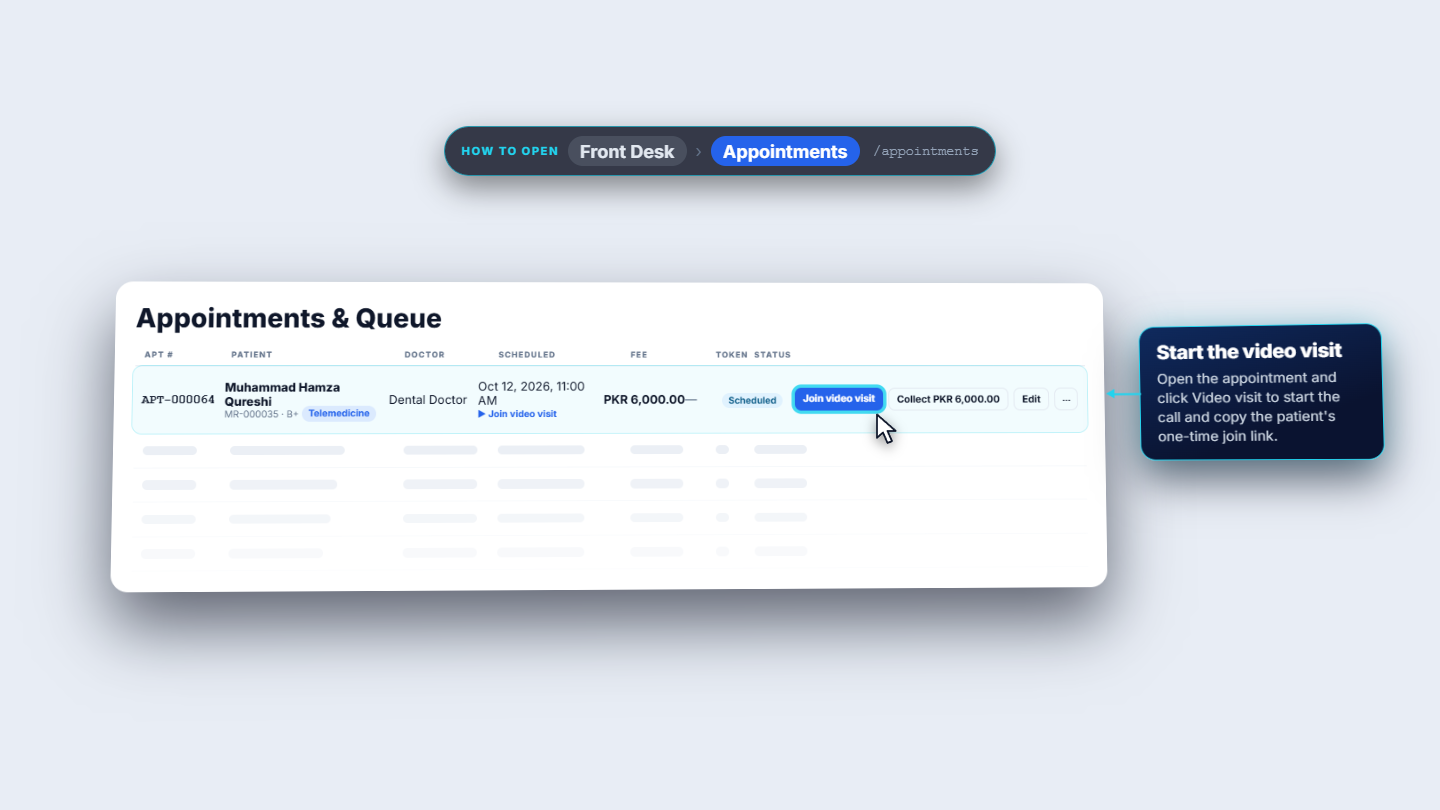
The appointment is booked and the number is generated: APT-000064, Muhammad Hamza Qureshi, Oct 12, 2026, 11:00 AM, marked Telemedicine. Click Join video visit to start the call. The row also offers Collect PKR 6,000.00 to take the fee, Edit and a More menu.
Appointment row APT-000064 with Join video visit and Collect PKR 6,000.00
Check it worked
The appointment appears in the list with its number, the Telemedicine tag and Join video visit under the time.
The fee shows PKR 6,000.00 and the status is Scheduled.
Common mistakes
Mistake
What you see
Fix
Scanning a card that was revoked
This card has been revoked or replaced. Ask reception to issue a new card.
Re-issue the card, then scan it
Forgetting the Telemedicine switch
No Join video visit on the row
Edit the appointment and turn Telemedicine visit on
Treating the scan as typing the MR number
The patient is not found
Scan the card token; or choose the patient by name
Quick reference
Item
Meaning
Telemedicine visit
Uses the built-in secure video room; no outside account needed
Department
Fills in from the chosen doctor
Duration (min)
Length of the visit; default 15
Join video visit
Starts the call from the appointment row
Frequently asked questions
Do the doctor and patient need a Zoom, Meet or Teams account for a video visit? No. A secure in-app video room is used, so no outside account is needed. Open the appointment and click Video visit to start the call and copy the patient's one-time join link.
How does a patient join the video visit? You can copy the patient's one-time join link after clicking Video visit on the appointment. Portal patients can also join from their dashboard.
What do I do if the card scan says the card has been revoked or replaced? The message reads: This card has been revoked or replaced. Ask reception to issue a new card. Issue a new card and scan that one, or choose the patient by name.
Why is there no Join video visit button on the appointment? The Telemedicine visit switch was left off. Edit the appointment and turn Telemedicine visit on.