A rate list is a dated price card that your quotations read from. This guide shows how to create a new version, change its prices, activate it from a date, delete a mistaken draft, and see which sell column a quote uses.
Who it is forEstimator or quantity surveyorTime15 minutesProductBuildFlowLevelBeginner
Before you start
Steps
1
Open the rate lists tab
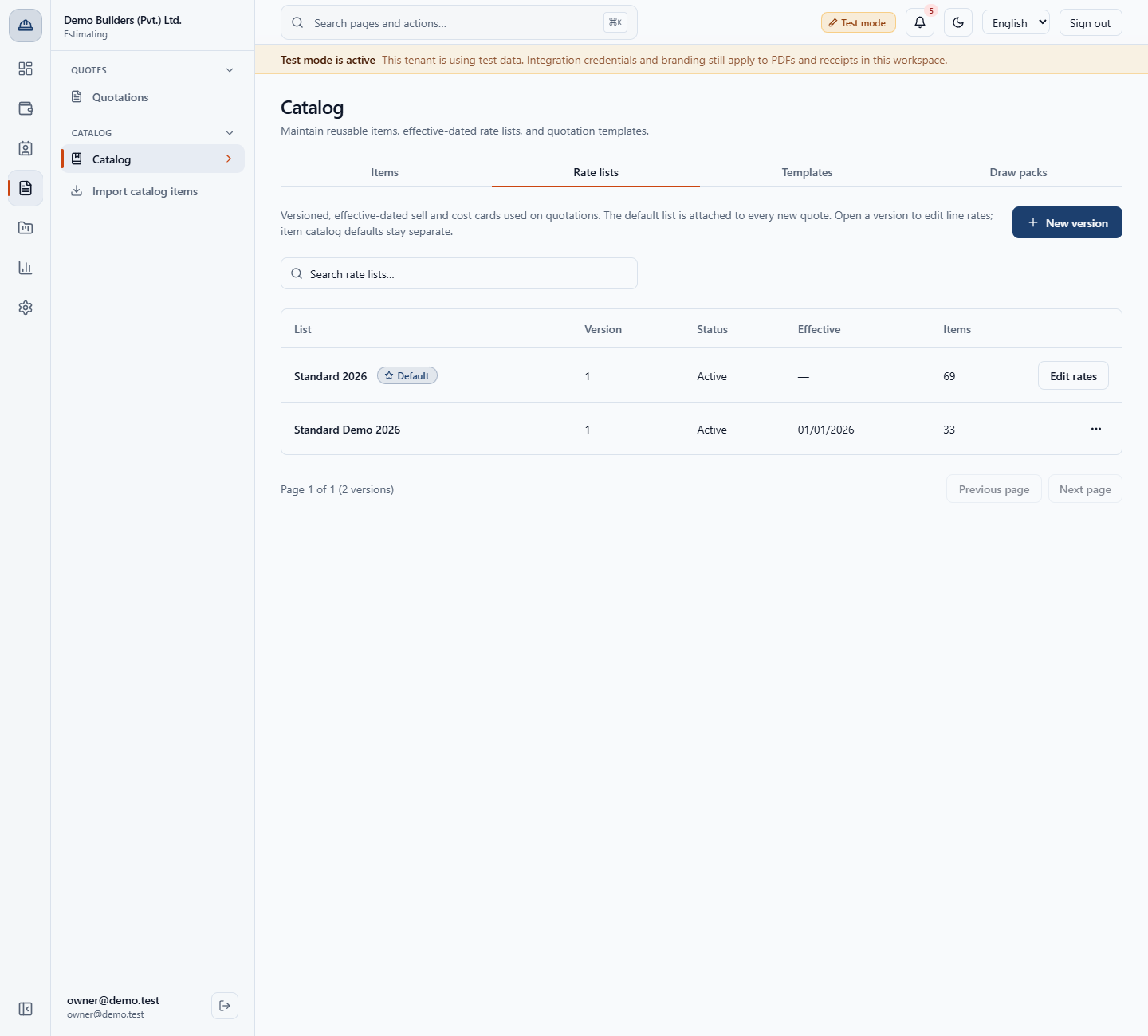
Open Estimating › Catalog › Catalog (/app/catalog) and click Rate lists. The tab shows List, Version, Status, Effective and Items. Standard 2026 is the default list: version 1, Active, 69 items. Standard Demo 2026 is version 1, active from 01/01/2026, with 33 items. Type in Search rate lists… to narrow the list by name.
Rate lists tab with Standard 2026 as the default list and Standard Demo 2026
2
See why a version is locked
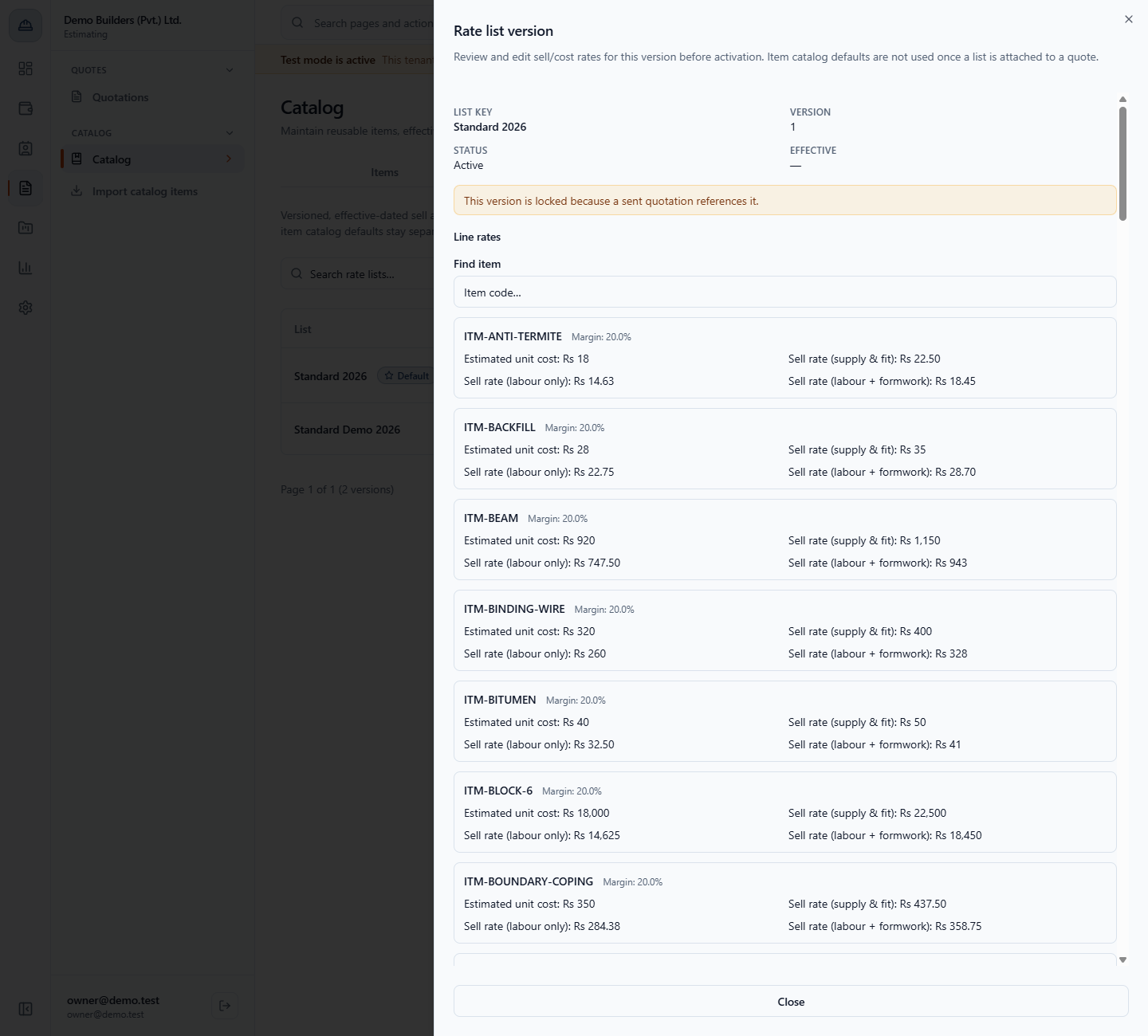
Click Edit rates on Standard 2026. The sheet shows This version is locked because a sent quotation references it. You can read all four prices and the Margin of each item, but you cannot change them.
Rate list version sheet showing the message that the version is locked because a sent quotation references it
3
Create a new version
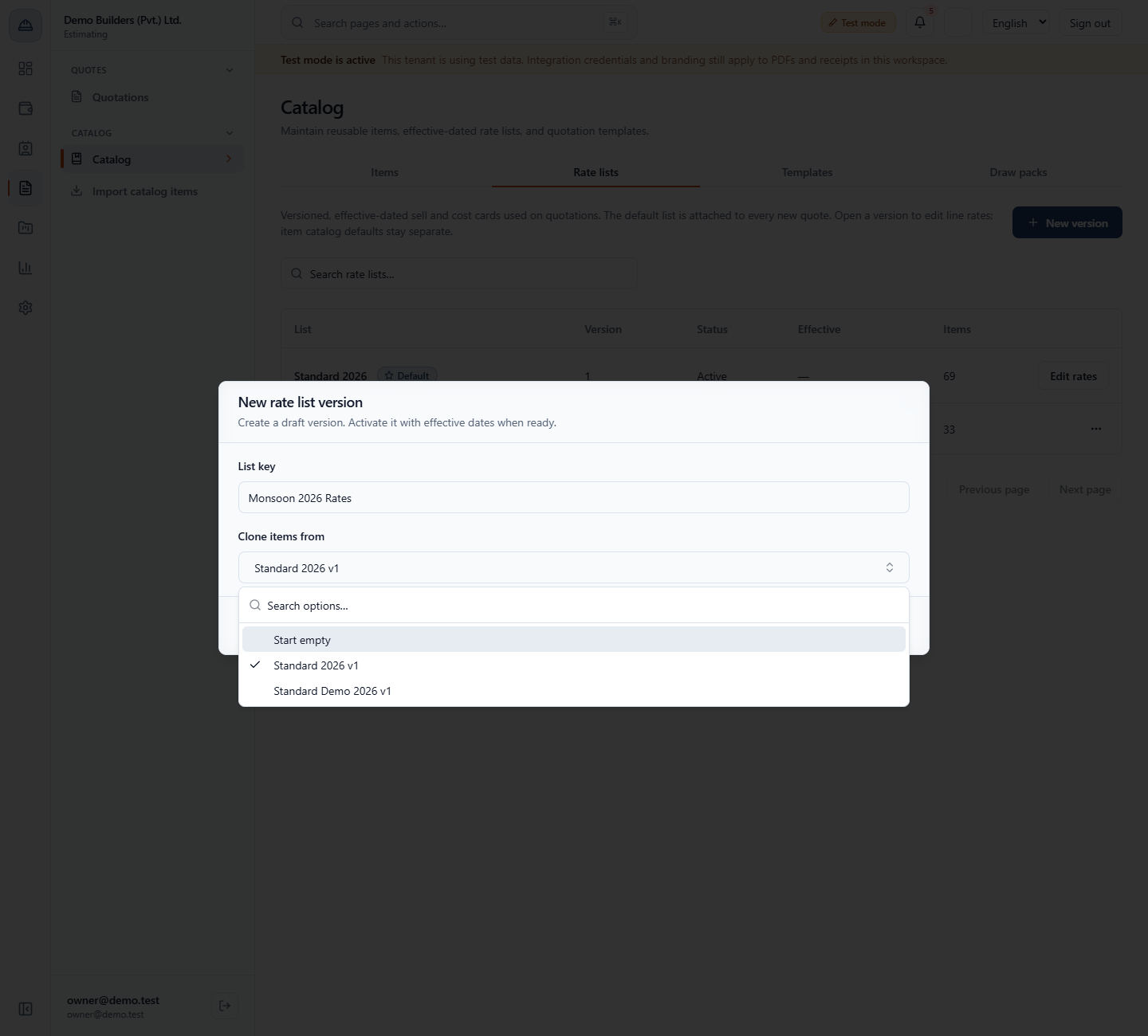
Click New version. Type a List key, here Monsoon 2026 Rates. Under Clone items from choose Standard 2026 v1 (the other choices are Start empty and every existing version). Click Create version. The toast says Rate list version created. and the new draft appears with 69 items.
New rate list version dialog with Monsoon 2026 Rates cloned from Standard 2026 v1 and the clone options open
4
Change the prices
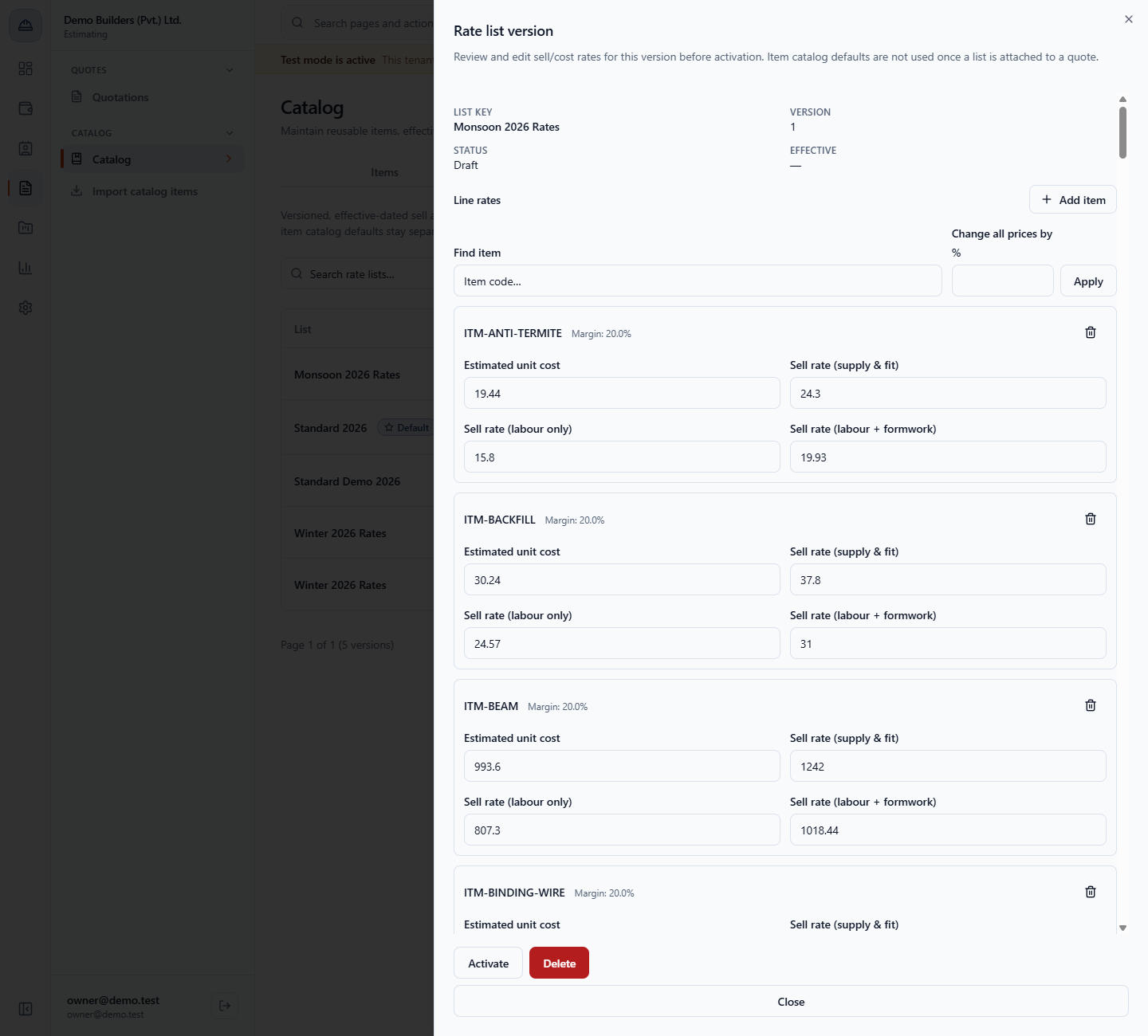
Open the draft with Edit rates in its row menu. Every item has four prices: Estimated unit cost, Sell rate (supply & fit), Sell rate (labour only) and Sell rate (labour + formwork), with its Margin. To raise everything at once, type 8 in Change all prices by % and click Apply: ITM-ANTI-TERMITE moves from 18 / 22.5 / 14.63 / 18.45 to 19.44 / 24.3 / 15.8 / 19.93. Find item narrows the sheet to one code.
Draft rate list sheet after changing all prices by 8 percent
5
Add an item and save
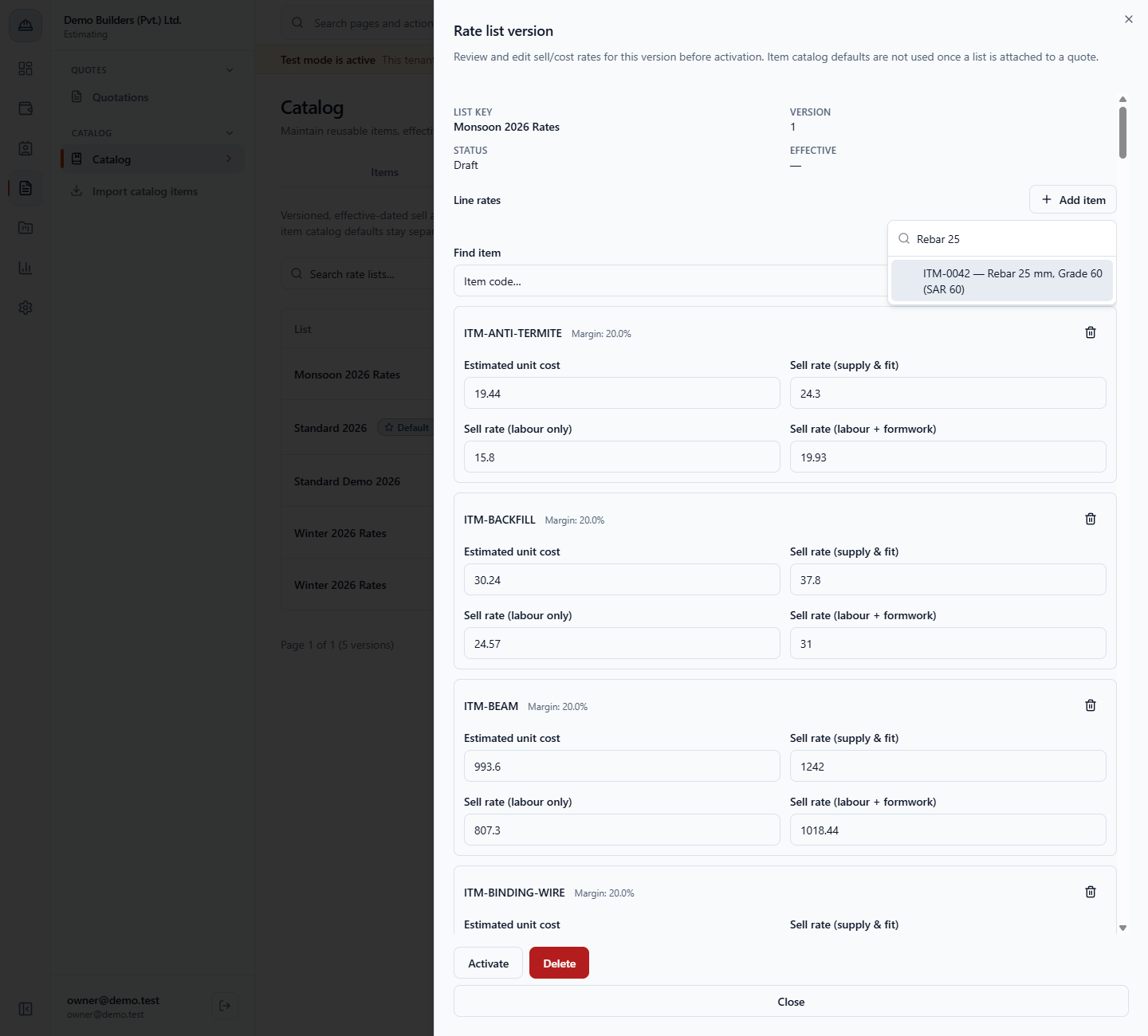
Click Add item and search, for example Rebar 25. Choose ITM-0042 — Rebar 25 mm, Grade 60 (SAR 60). The new line starts with the catalog cost 295 and the sell rate 368.75. Fill the labour columns, here 239.69 and 302.38, and click Save rates. The toast says Rate list items saved.
Add item search showing ITM-0042 Rebar 25 mm, Grade 60
6
Activate the version
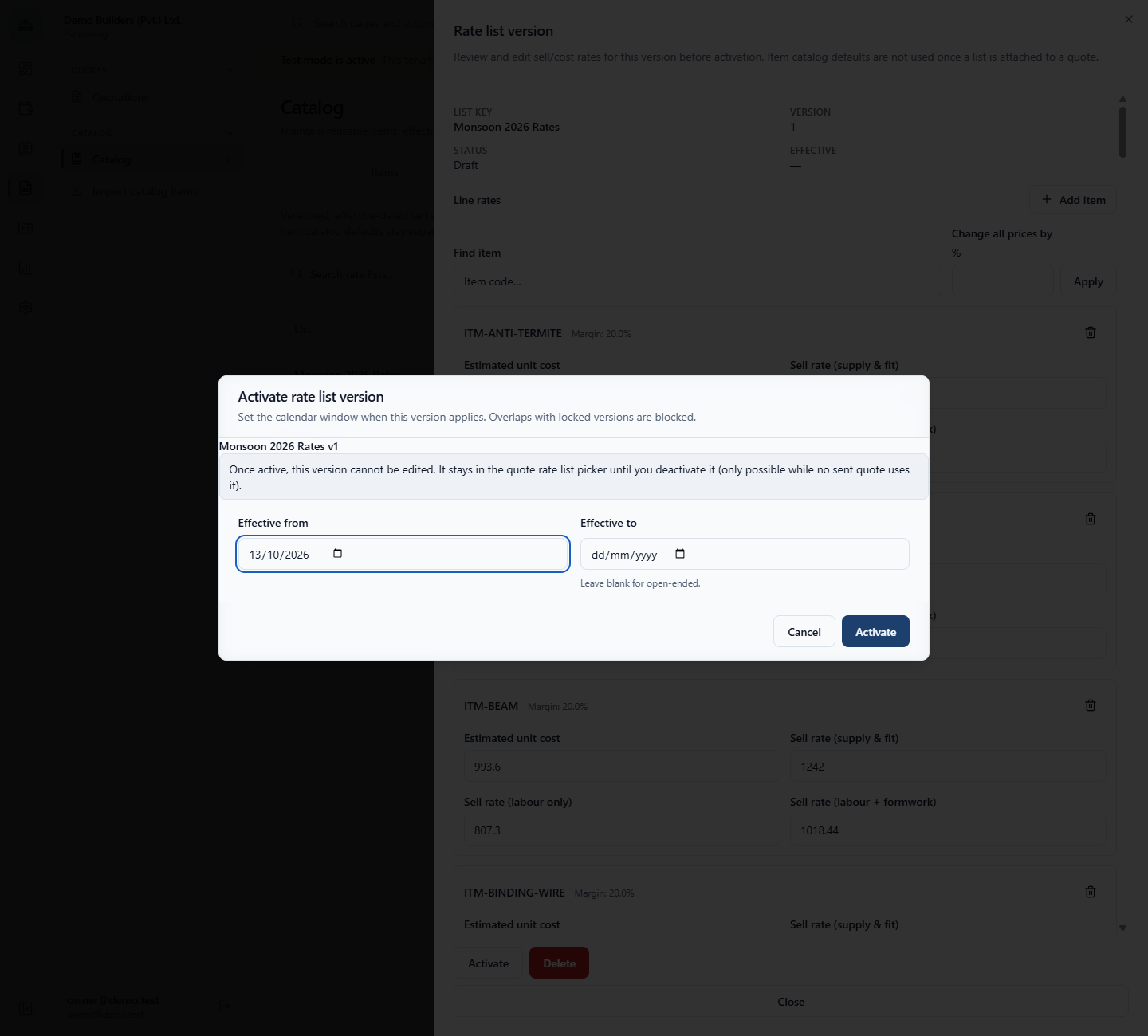
Click Activate. Set Effective from to 01/11/2026. Effective to can stay blank for an open-ended version. Click Activate. The toast says Rate list version activated. and the sheet becomes read-only with a Deactivate button.
Activate rate list version dialog with Effective from 01/11/2026
7
Create the next version
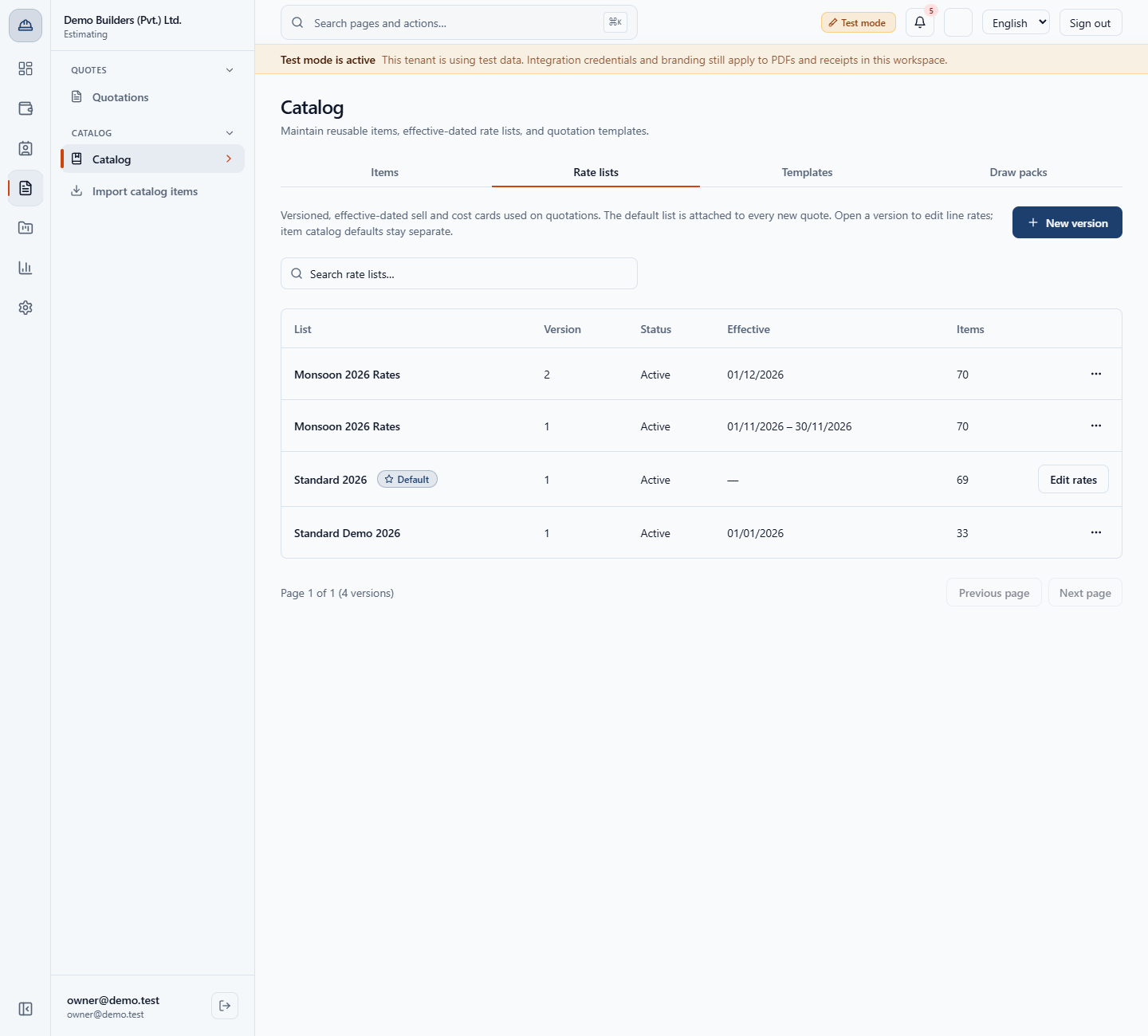
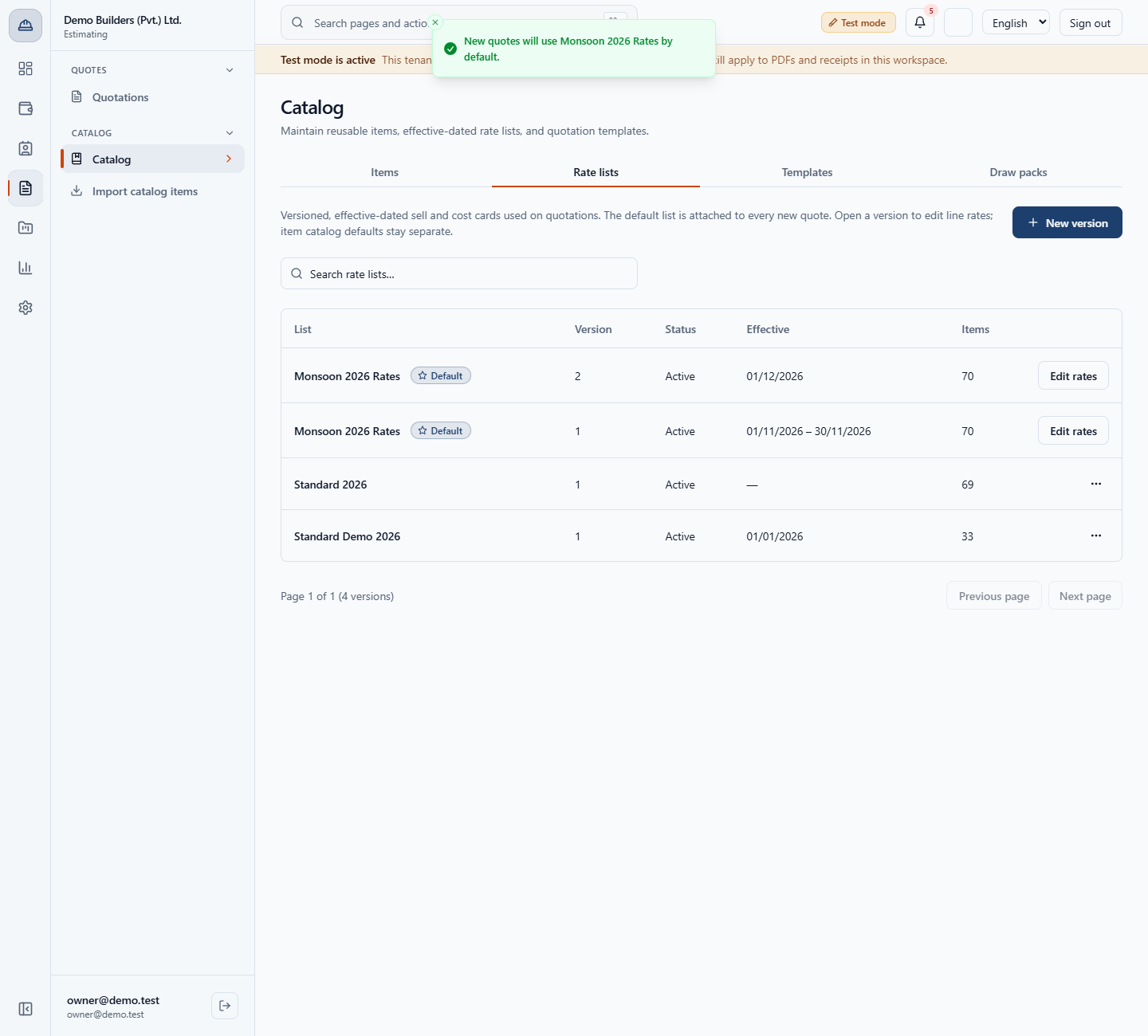
Click New version again, use the same list key Monsoon 2026 Rates and clone Monsoon 2026 Rates v1. It appears at once as version 2, a draft. Raise its prices (here by 5 percent), save, and activate it from 01/12/2026. Version 1 now ends on 30/11/2026, so every date has exactly one price card.
Rate lists tab with Monsoon 2026 Rates version 2 active from 01/12/2026 and version 1 ending 30/11/2026
8
Delete a mistaken draft
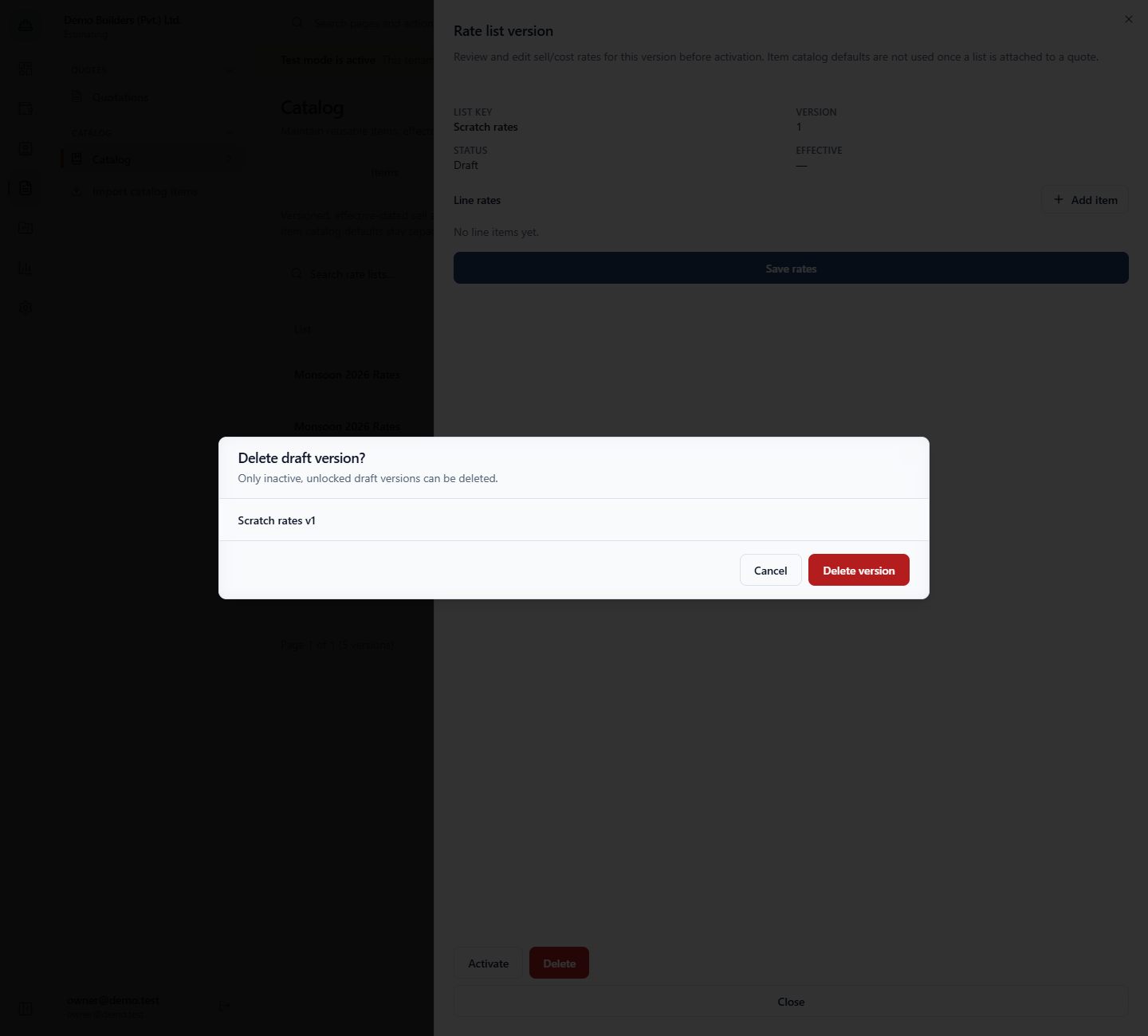
A draft can also start empty with Start empty. An empty version cannot be activated: Add at least one line item before activation. An end date before the start date is refused with Effective date range is invalid. To remove a draft, click Delete, then Delete version. The toast says Rate list version deleted. and the row leaves the list.
Delete draft version dialog for Scratch rates v1
9
Make a list the default
In a row menu choose Set as default. The toast says New quotes will use Monsoon 2026 Rates by default. To go back, set Standard 2026 again: New quotes will use Standard 2026 by default.
Rate lists tab with the toast that new quotes will use Monsoon 2026 Rates by default
10
See which list a quote gets
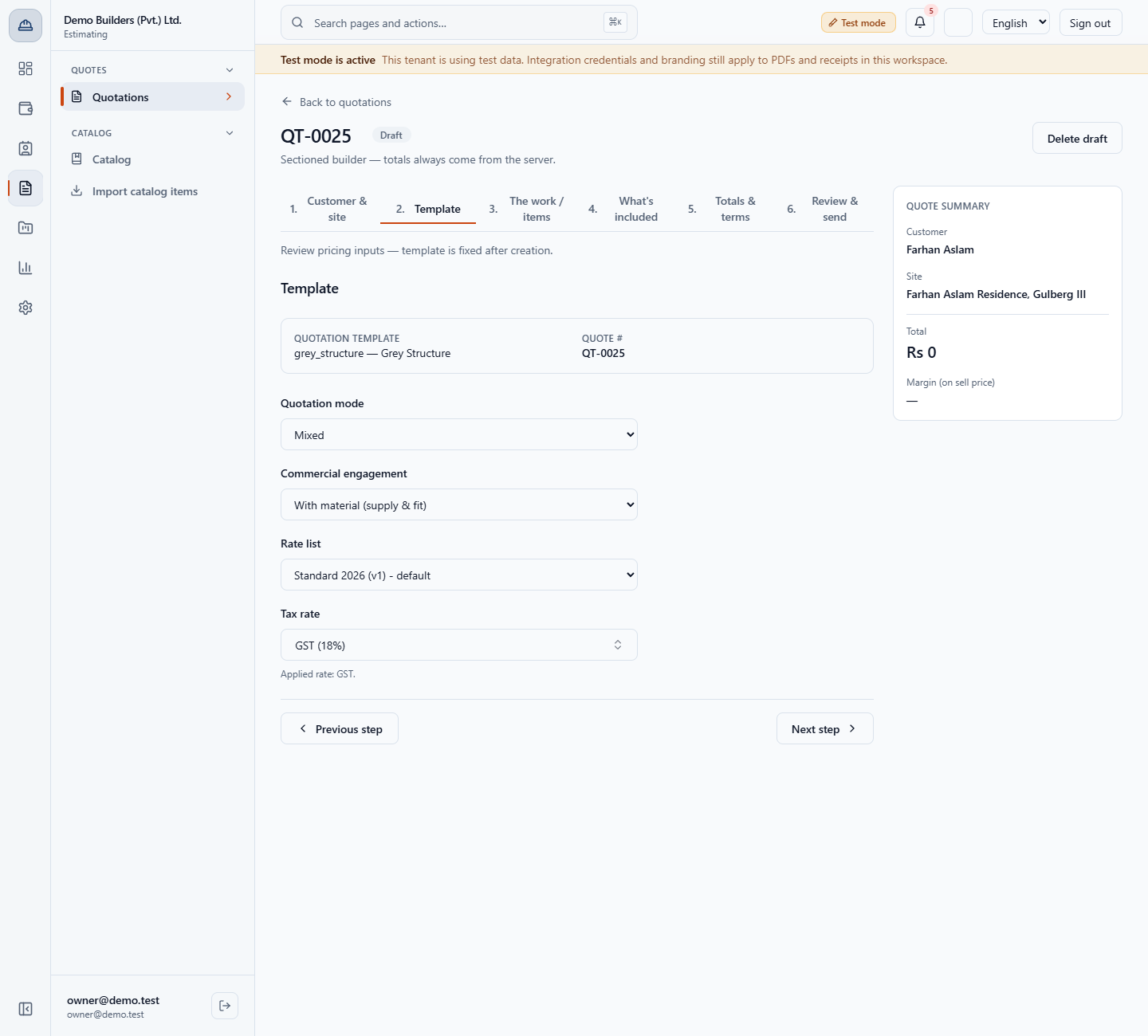
Open a quote and go to step 2, Template. You choose the Commercial engagement (Without material (labour only), Labour + formwork or With material (supply & fit)) and the Rate list. A new quote starts on Standard 2026 (v1) - default.
Quotation Template step with Commercial engagement and Rate list
11
See the sell column the engagement picks
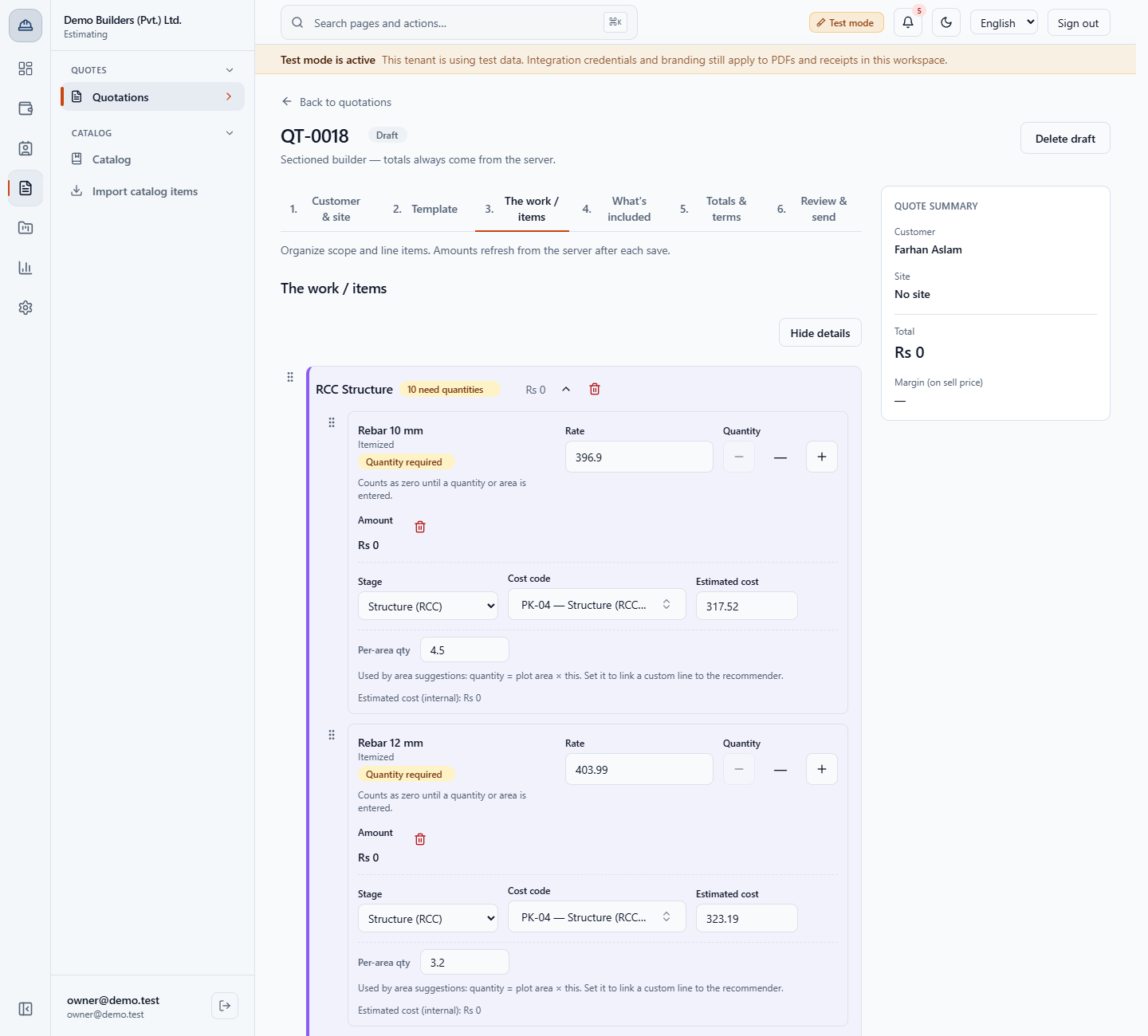
On step 3, The work / items, open the line details. On Monsoon 2026 Rates version 2 the same item, Rebar 10 mm, is priced 257.99 for labour only, 325.46 with formwork and 396.9 when you supply and fit; its estimated cost is 317.52. Change the engagement or the rate list and the line is re-priced.
Quotation line for Rebar 10 mm priced at 396.9 on Monsoon 2026 Rates v2
Check it worked
The Rate lists tab shows Monsoon 2026 Rates version 2 active from 01/12/2026 and version 1 from 01/11/2026 to 30/11/2026.
A new quote starts on the default list, and its lines use the sell column of the quote's engagement.
Common mistakes
Mistake
What you see
Fix
Trying to change a list a sent quote uses
This version is locked because a sent quotation references it.
Create a new version and change that
Activating an empty draft
Add at least one line item before activation.
Add items, then activate
An end date before the start date
Effective date range is invalid.
Correct the dates
Clearing the cost and sell rate of a line
Please check the highlighted fields and try again.
Enter the prices, then save
Quick reference
Item
Meaning / rule
List key
Same key creates the next version of that list
Draft
Editable, cannot price quotes
Active
Read only, in the quote rate list picker
Effective from / to
The dates a version applies; the earlier version ends the day before
Four prices
Estimated cost, supply & fit, labour only, labour + formwork
Default
The list new quotes start with
Frequently asked questions
How do I change prices without affecting old quotes? Create a new version of the list and change that. A version used by a sent quotation is locked, so earlier quotes keep their prices.
Which sell rate does a quote use? The one for its commercial engagement: labour only, labour plus formwork, or supply and fit. Changing the engagement or the rate list re-prices the lines.
Can I undo an activation? Yes, with Deactivate, as long as no sent quote uses the version. A mistaken draft can be deleted.
Who can manage rate lists? The Owner and the Estimator. The other seeded roles have no catalog permissions.