Open the Gift Cards page
Open Sell › Gift Cards. The table shows CODE, CUSTOMER, INITIAL VALUE, BALANCE, STATUS, EXPIRY and ACTIONS (Reload, History and a ... menu). Quick Lookup at the top finds one card by its exact code.
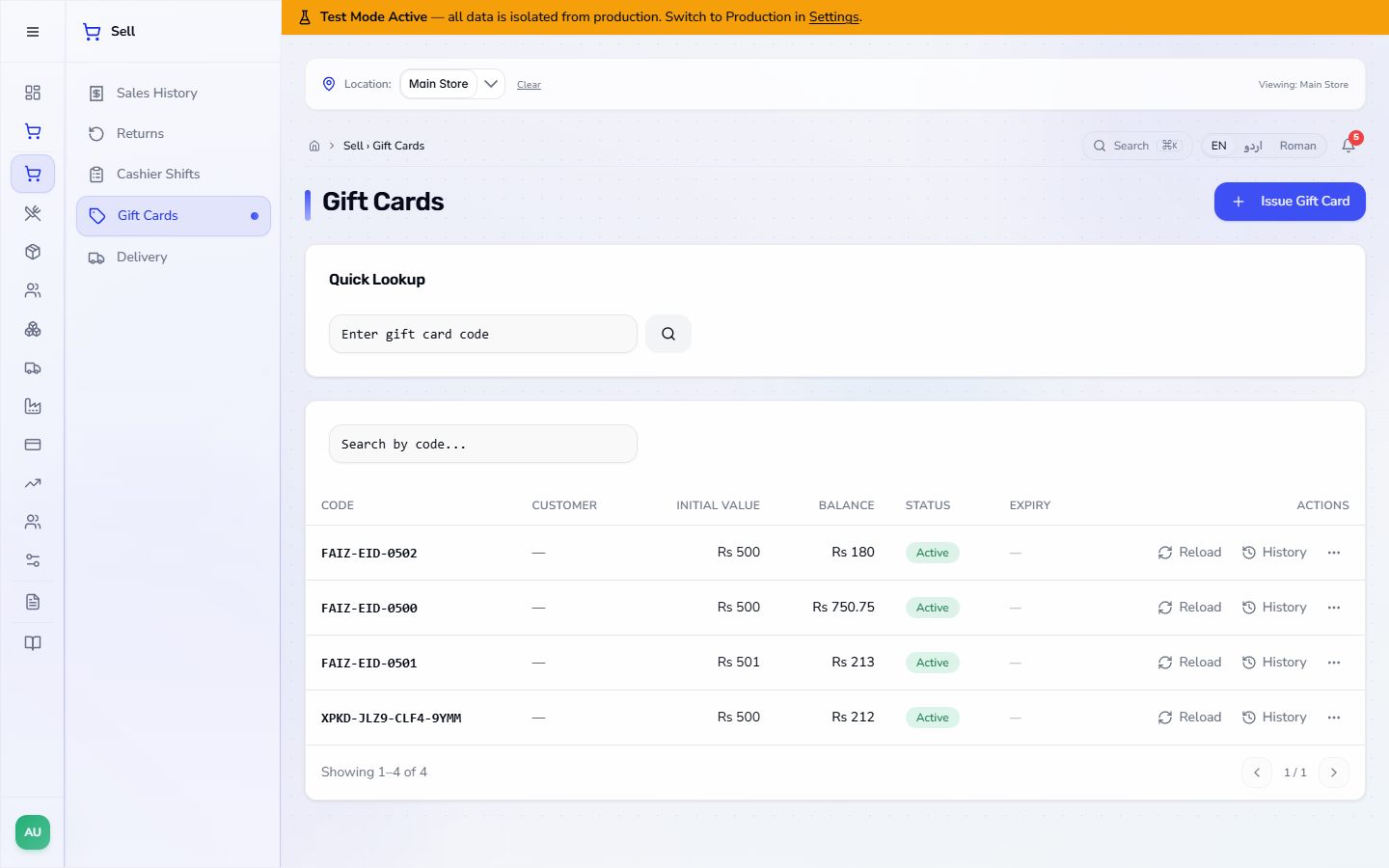
A gift card is stored value you sell to a customer, who spends it later in your shop. This guide shows how to issue a card for a customer, top it up, check its balance, take payment with it at the terminal, void a card and see what the books record.
Open Sell › Gift Cards. The table shows CODE, CUSTOMER, INITIAL VALUE, BALANCE, STATUS, EXPIRY and ACTIONS (Reload, History and a ... menu). Quick Lookup at the top finds one card by its exact code.
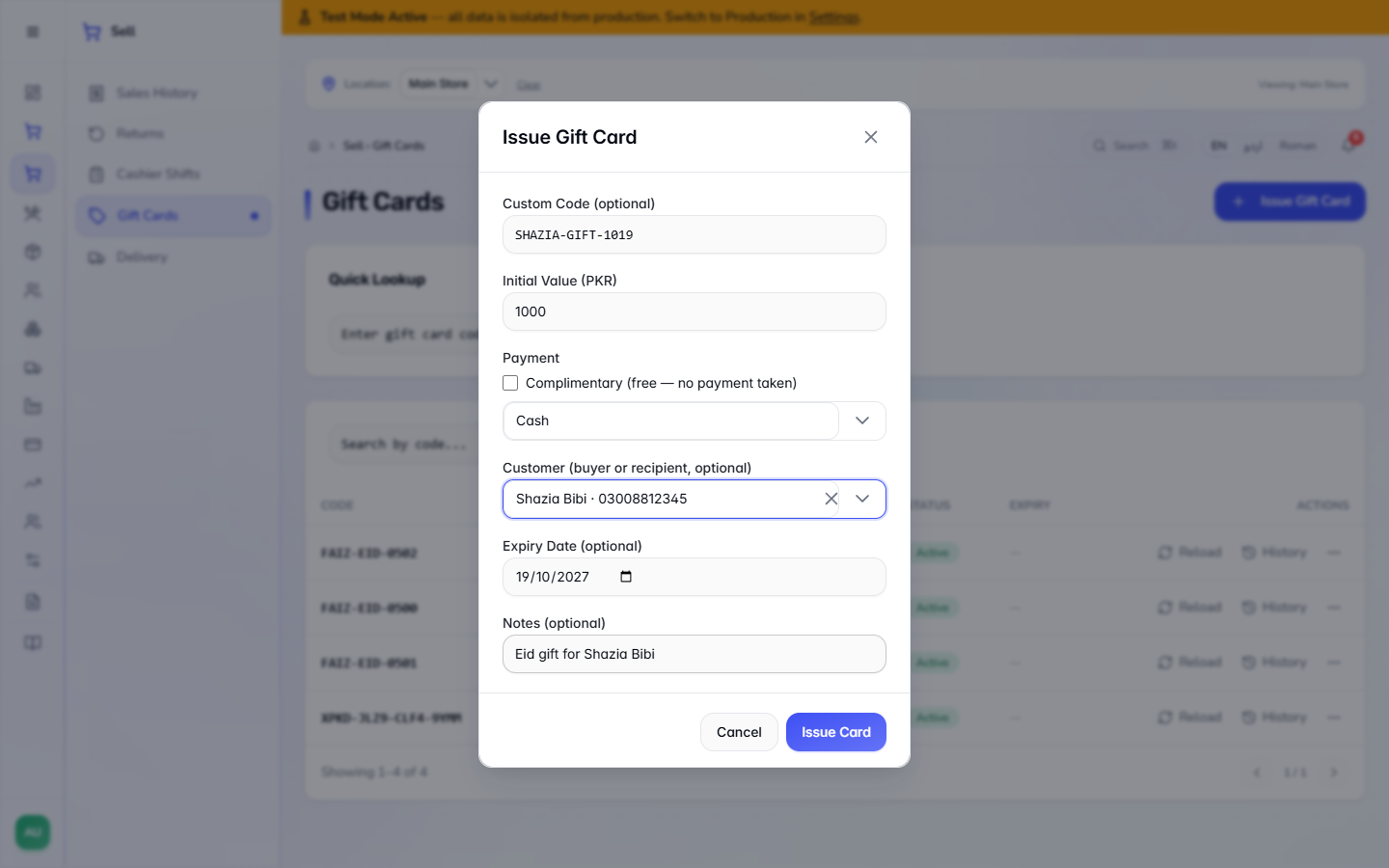
Press Issue Gift Card. Leave Custom Code empty and the app makes one, or type your own (for example SHAZIA-GIFT-1019). Type Initial Value (PKR) (1000), keep the payment method Cash, search the Customer by name or phone, set an Expiry Date and a Notes line, then press Issue Card.
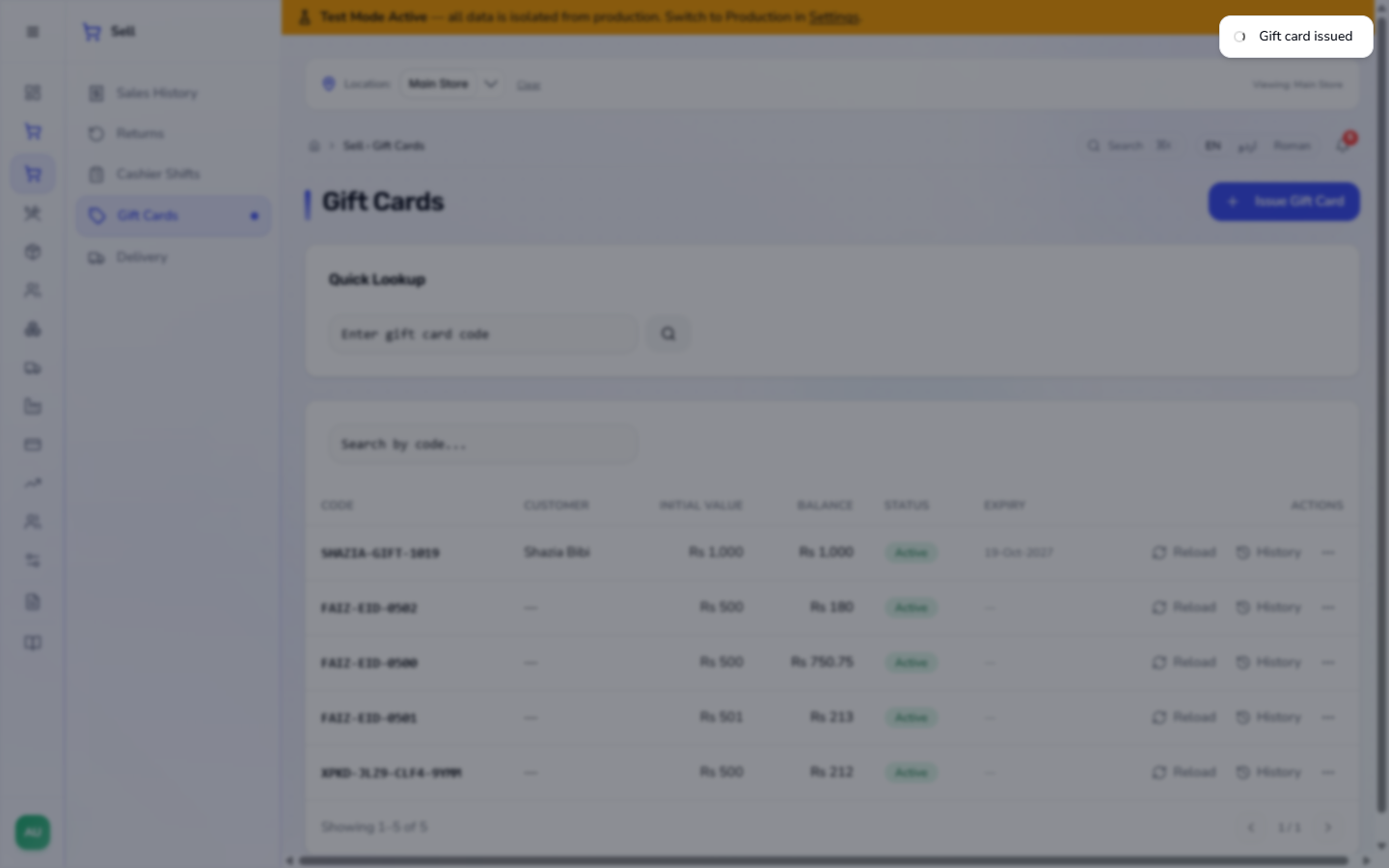
The app says Gift card issued and the new row appears at the top without reloading the page: the customer, Rs 1,000 initial value and balance, Active, and the expiry date (19-Oct-2027).
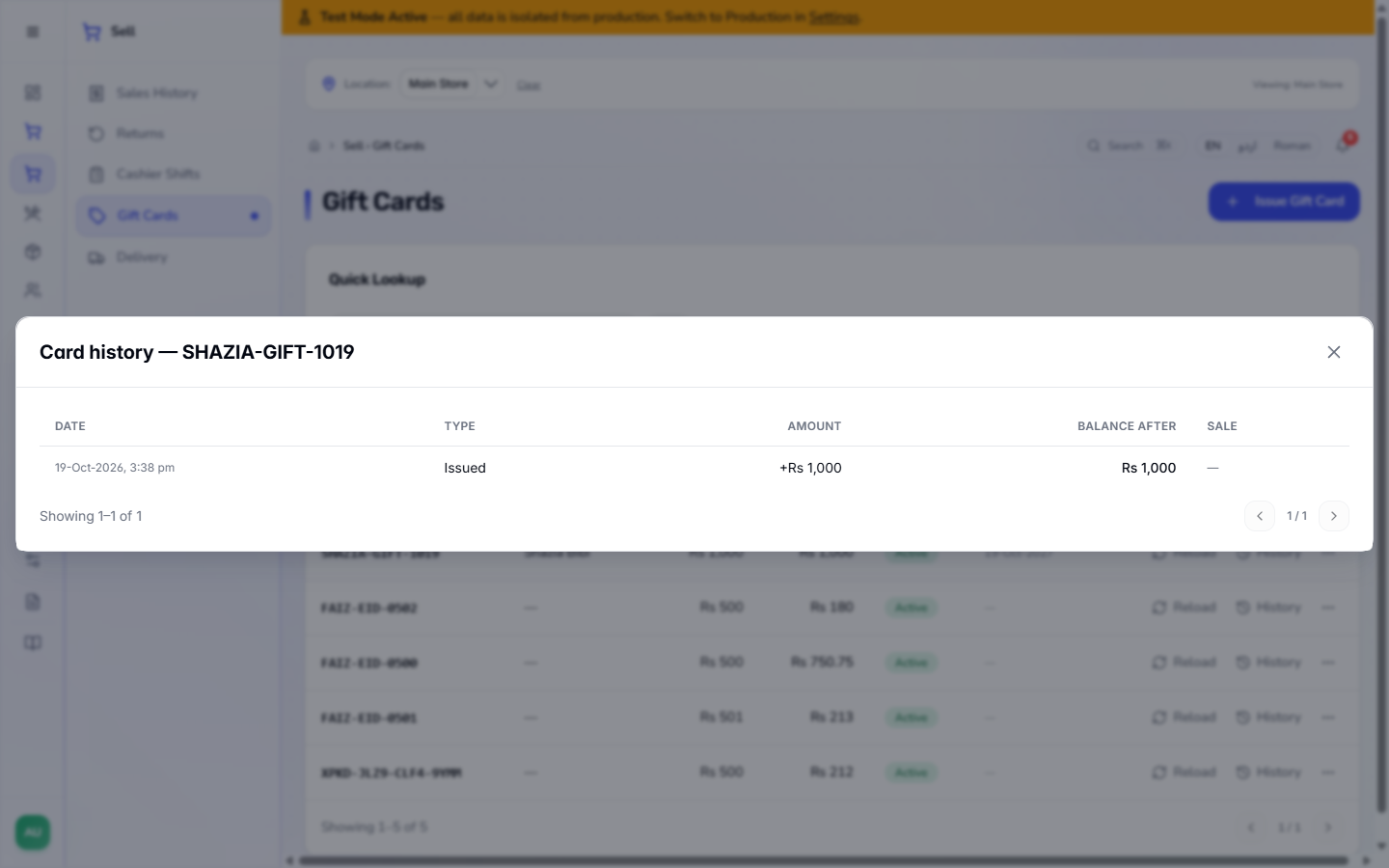
Press History on the row. It lists DATE, TYPE, AMOUNT, BALANCE AFTER and SALE. A new card has one line: Issued +Rs 1,000.
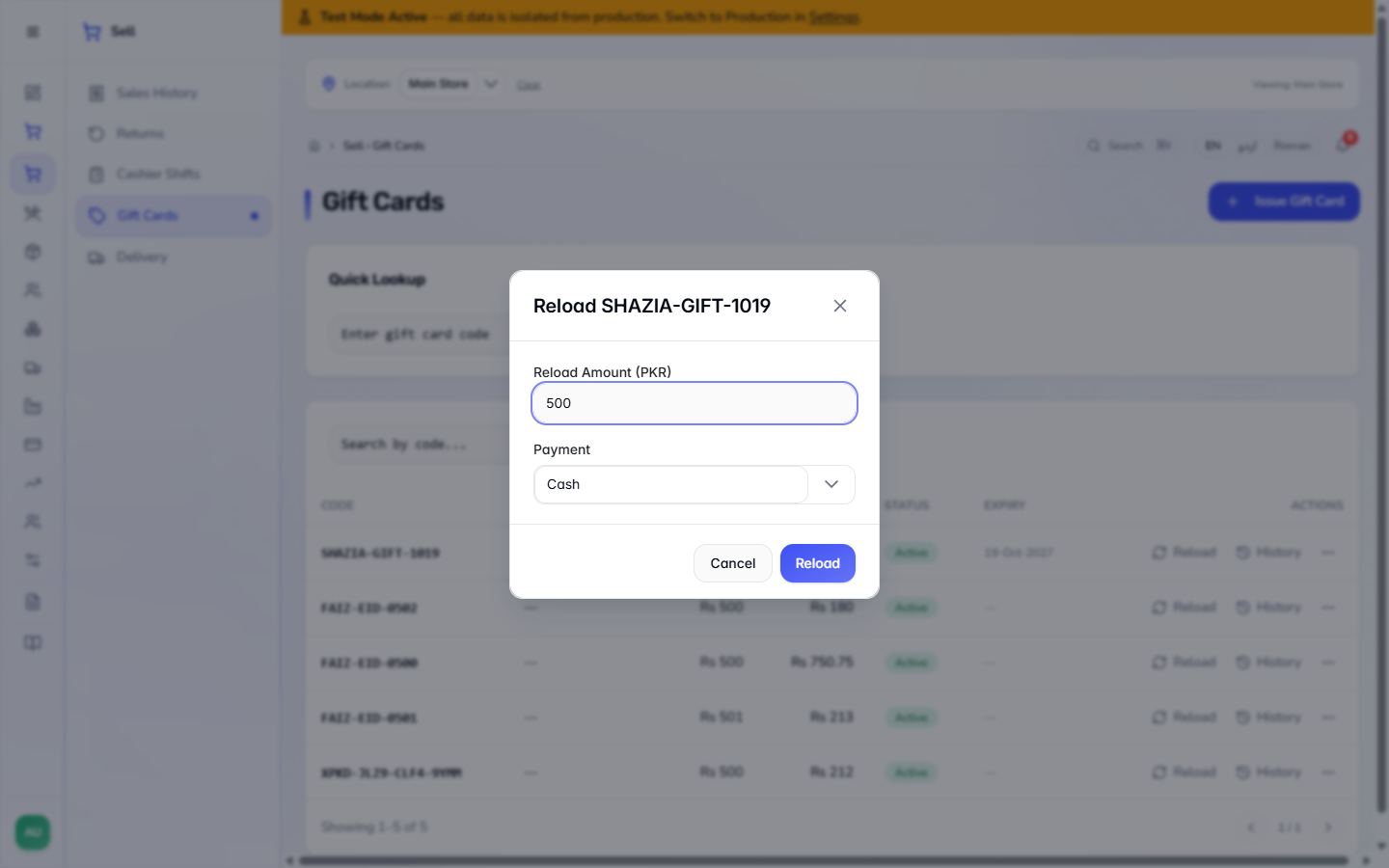
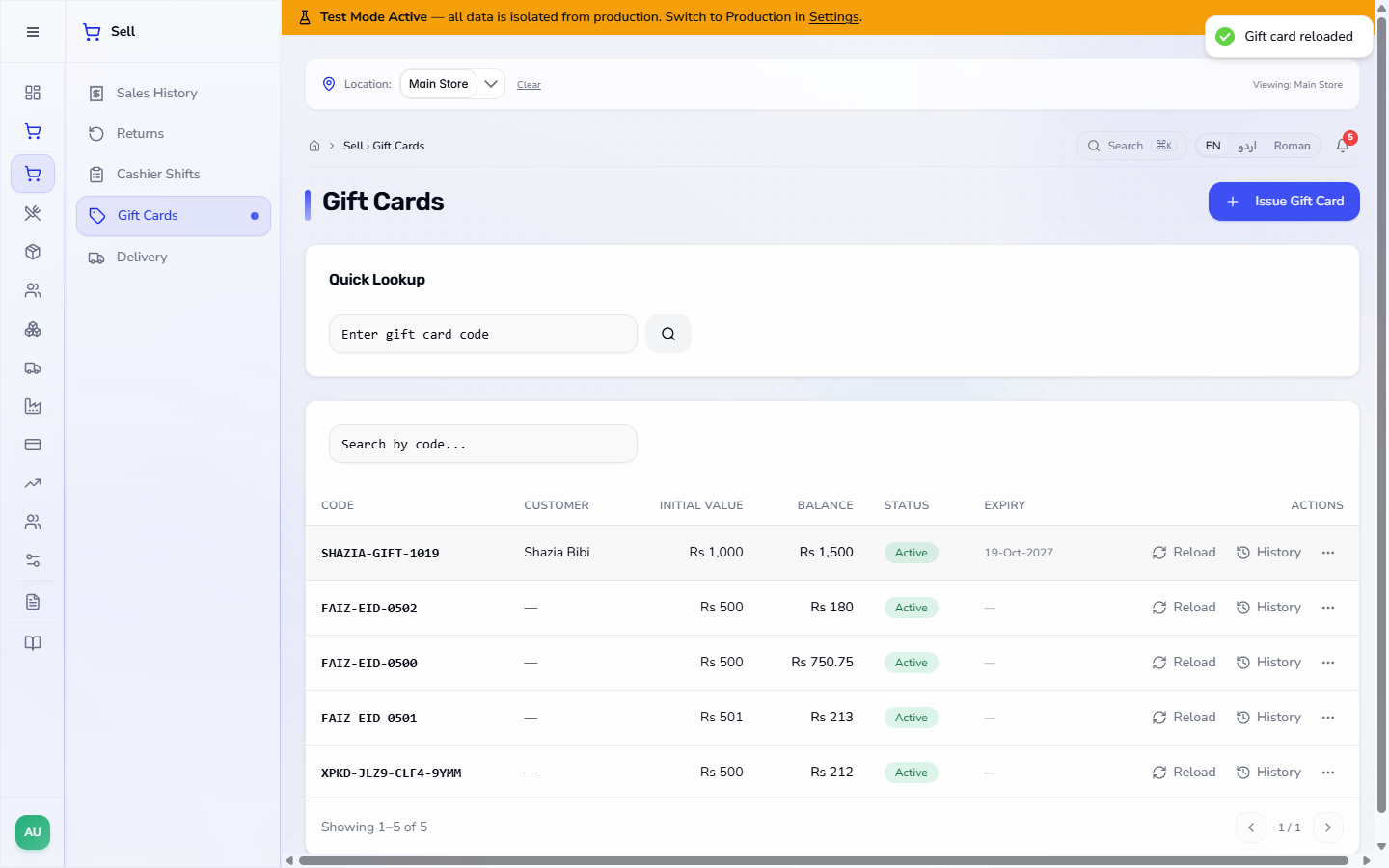
Press Reload on the row, type the Reload Amount (PKR) (500), choose the payment method and press Reload.
The app says Gift card reloaded. The balance is now Rs 1,500 while the initial value stays Rs 1,000.
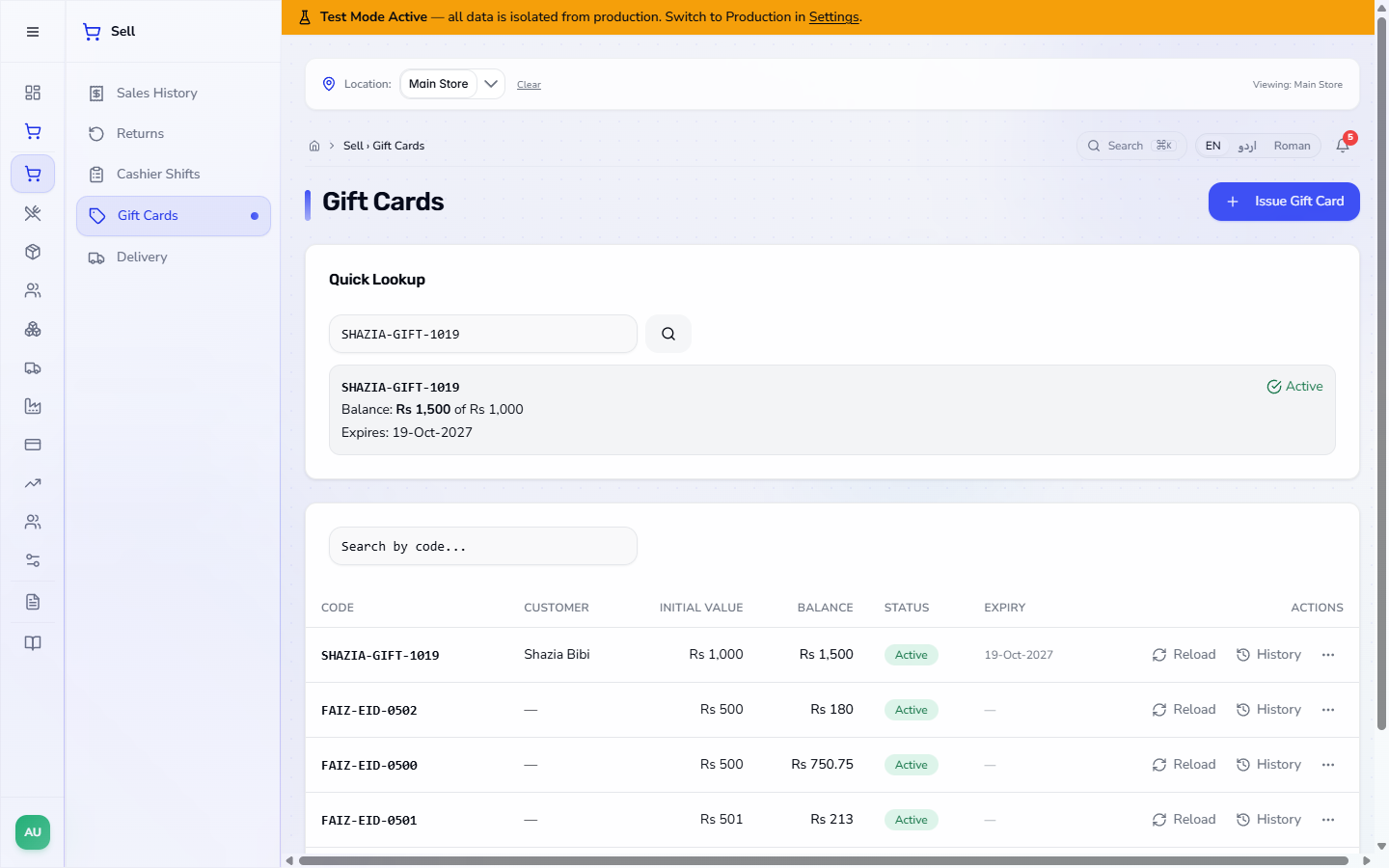
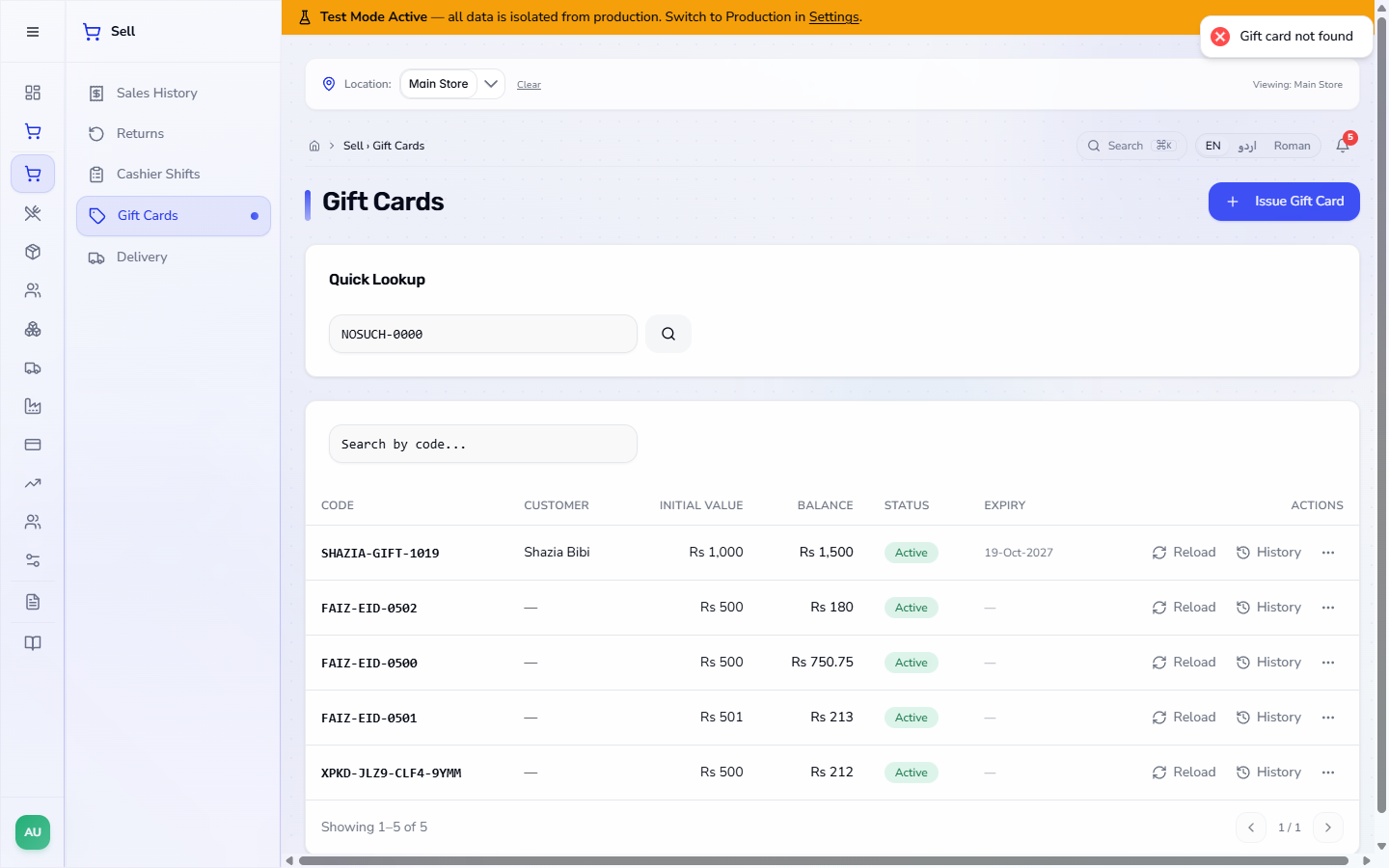
Type the code in Quick Lookup and press the search button. The app shows the code, the Active chip, Balance: Rs 1,500 of Rs 1,000 and the expiry date. A code that does not exist gives Gift card not found.
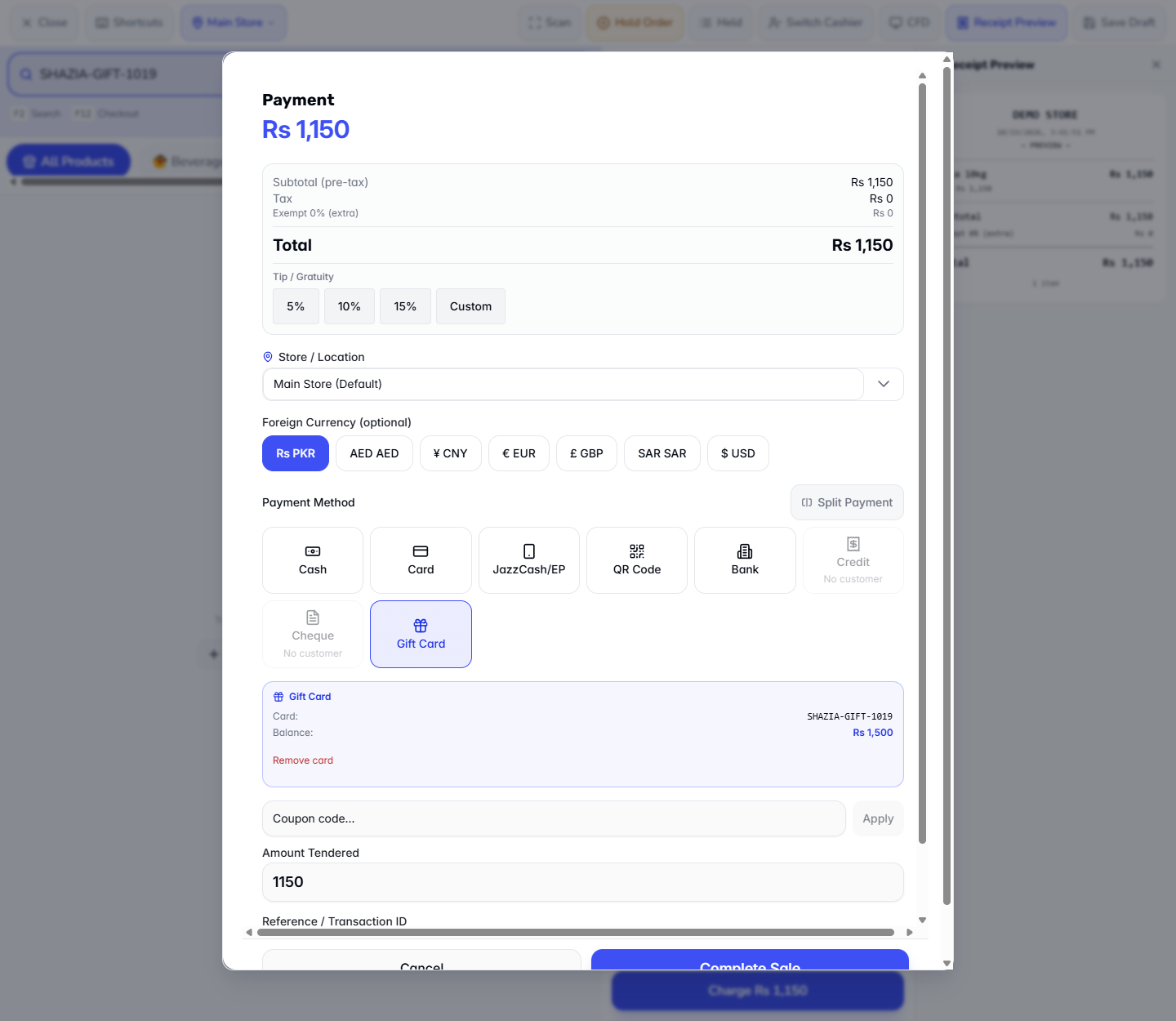
On the terminal add the items and press Charge. Choose Gift Card, type the code and press Lookup. The app shows the card and its Balance. Enter the amount (here the total of Rs 1,150; a promotion such as Weekend 10% Off only lowers it on the days it runs, and today it does not) and press Complete Sale.
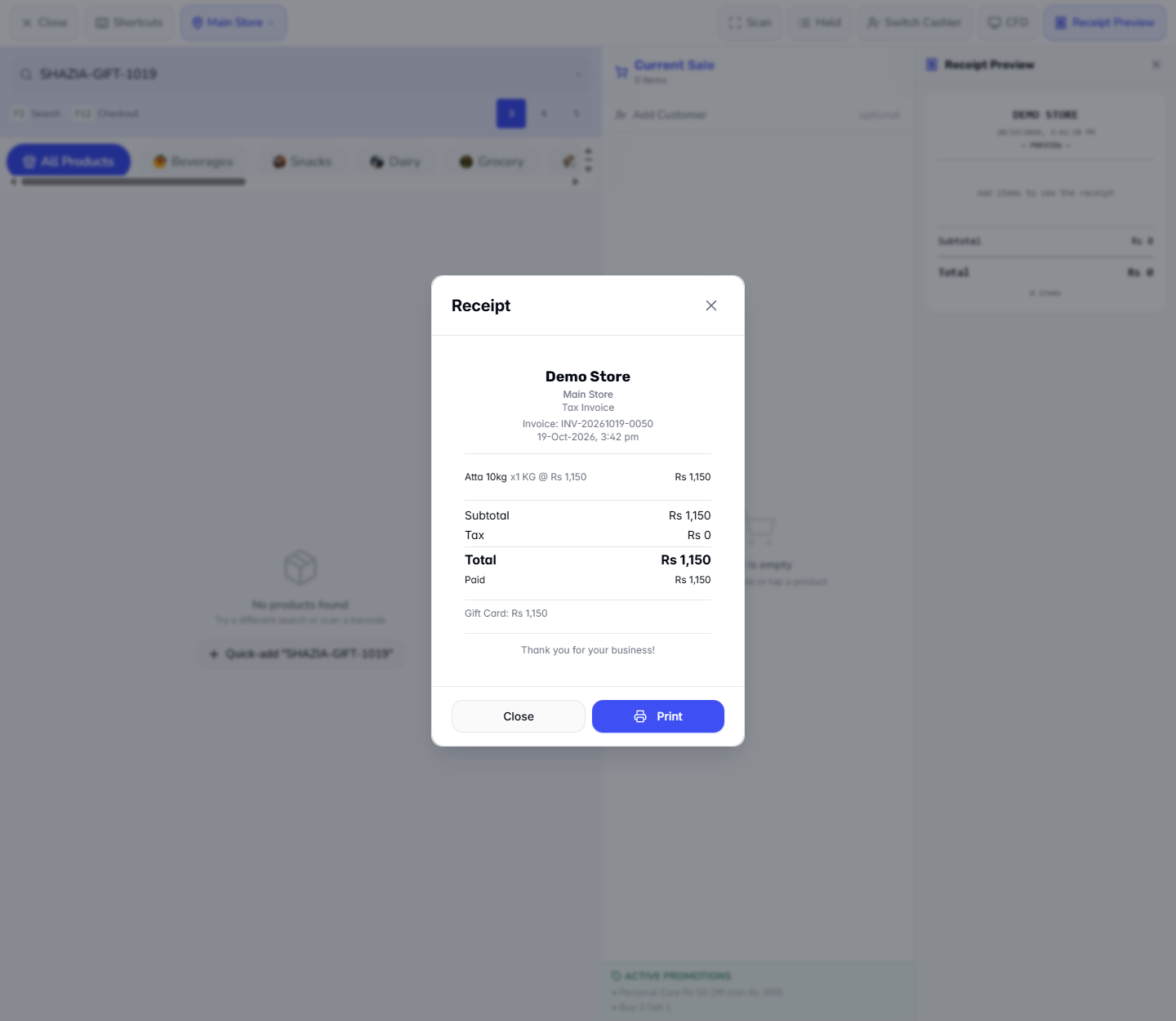
The receipt shows Gift Card: Rs 1,150 as the payment.
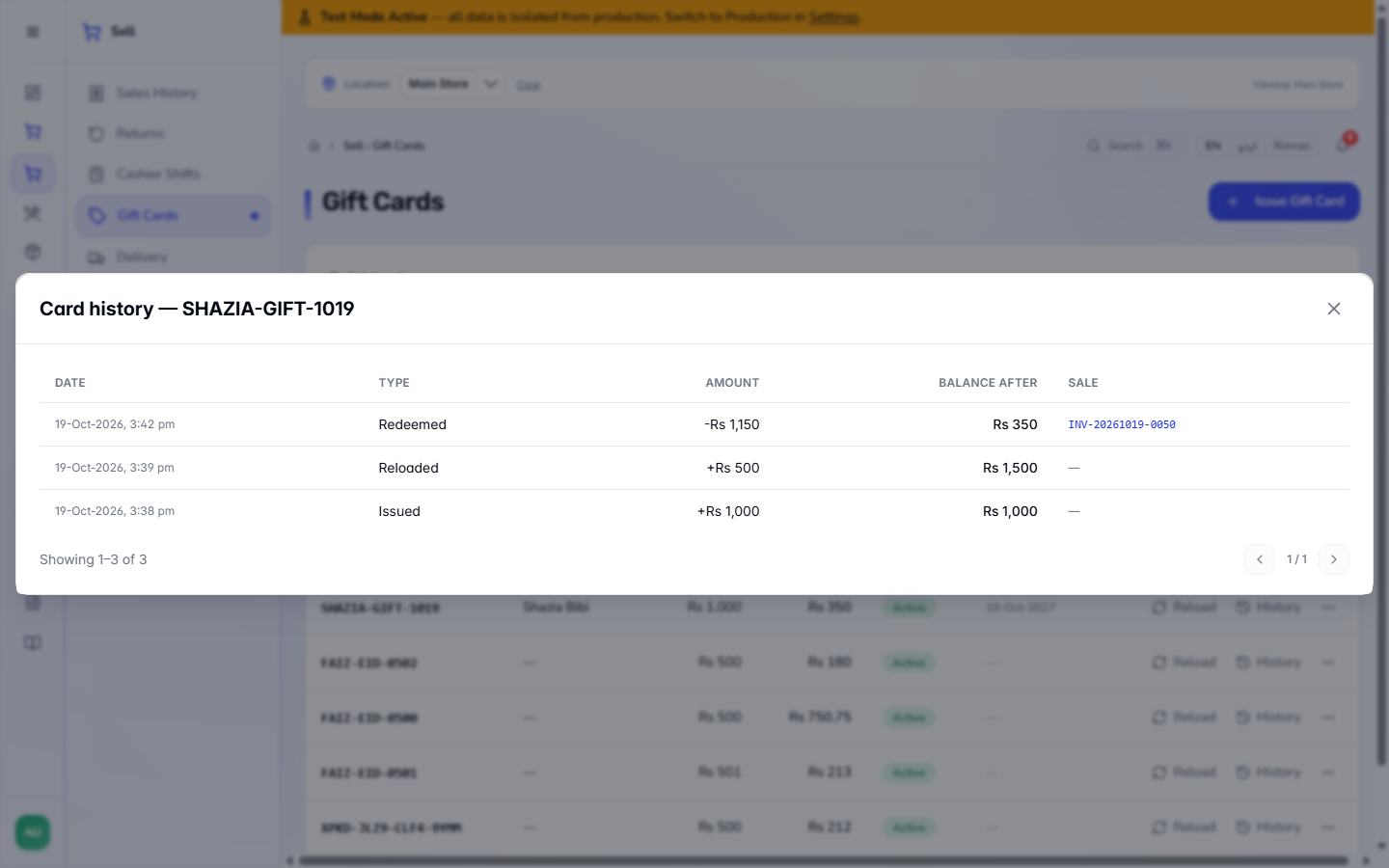
Back in History the card shows Redeemed -Rs 1,150 with the invoice in SALE, leaving a balance of Rs 350.
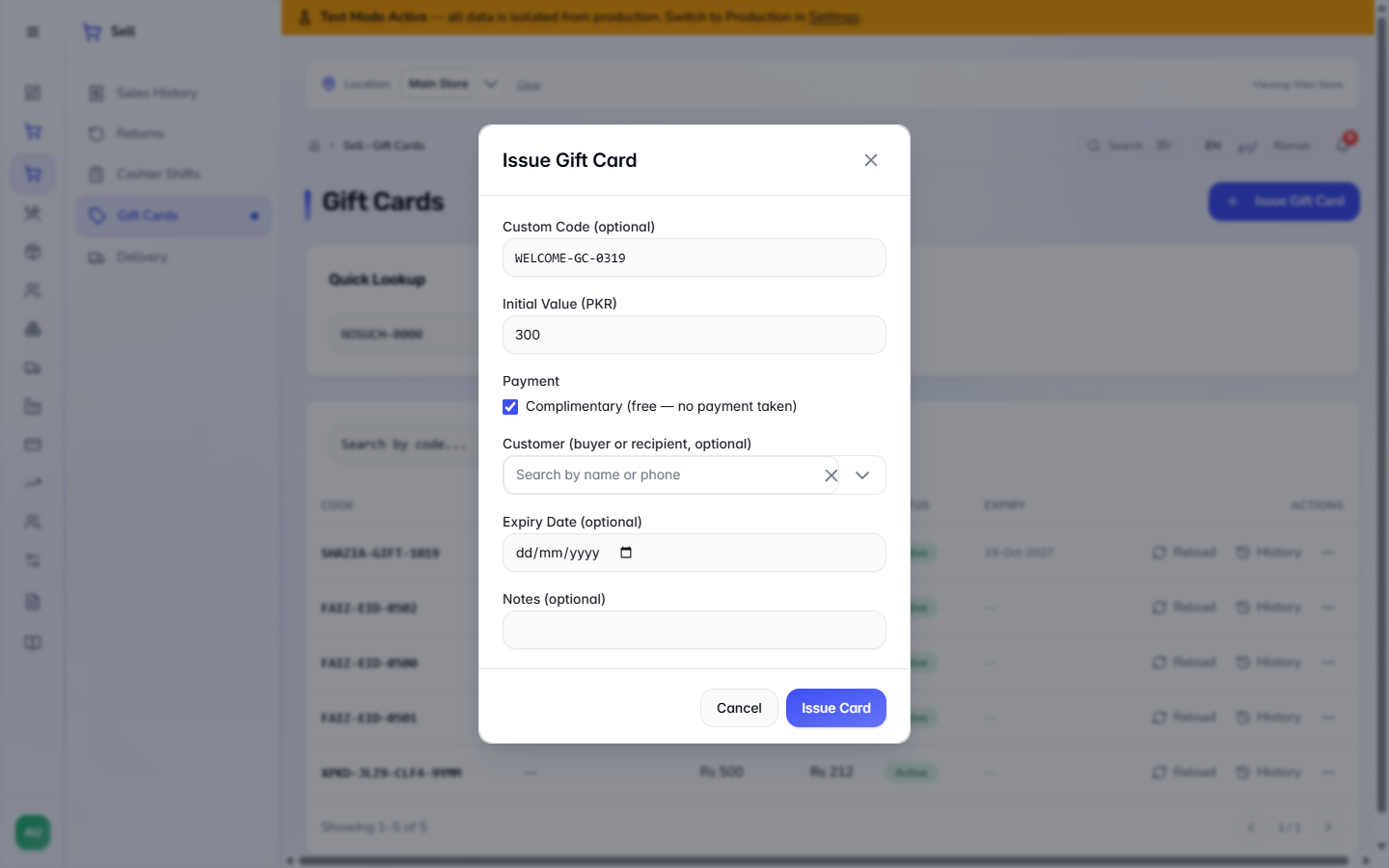
To give a card away, tick Complimentary in the issue dialog. The payment method list disappears because no money is taken. The value is booked as a marketing expense, not as cash.
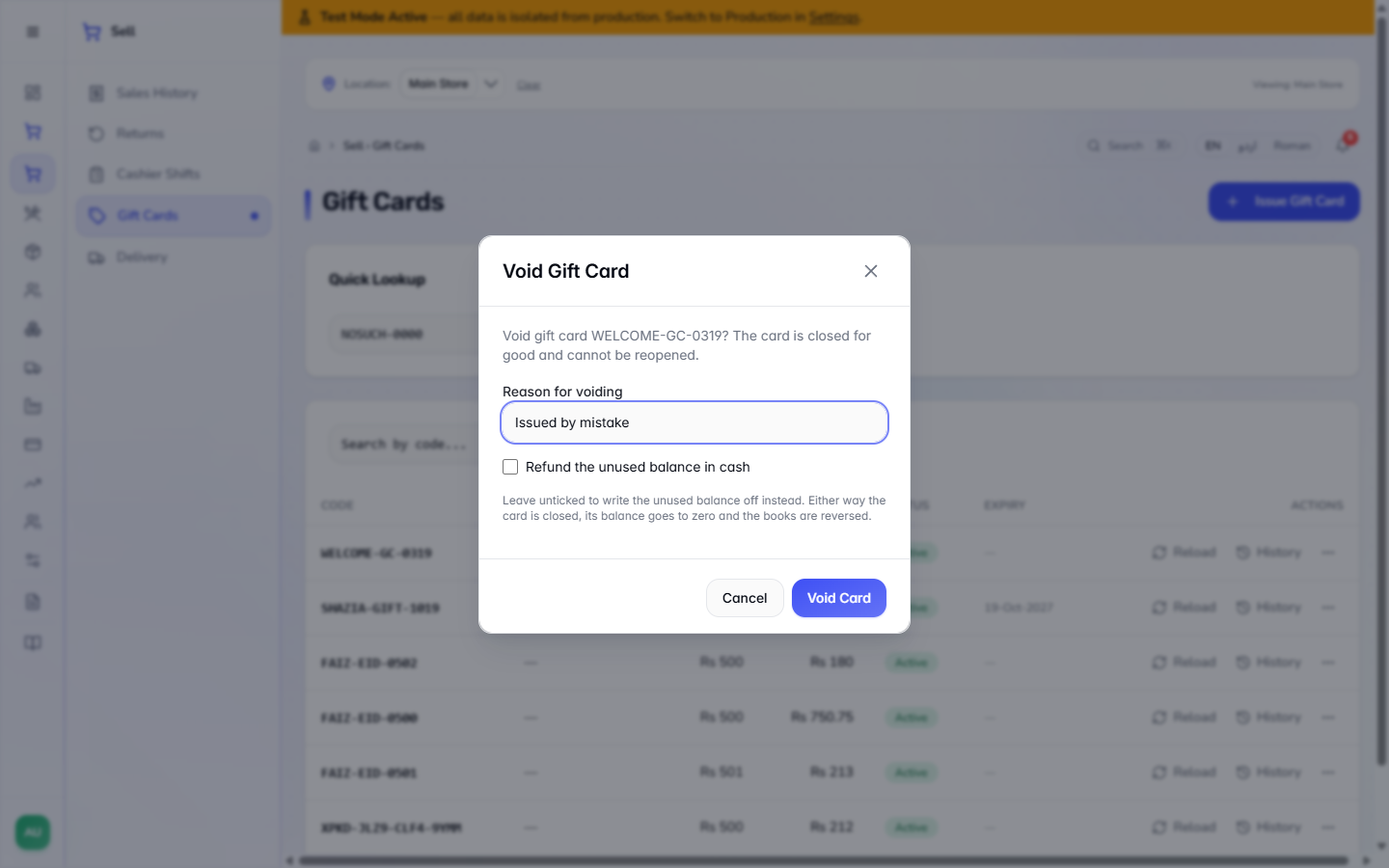
Open the ... menu on the row and choose Void. The dialog says the card is closed for good and cannot be reopened. Type the Reason for voiding (required, for example "Issued by mistake"). Tick Refund the unused balance in cash only if you pay the balance back; unticked, it is written off. Press Void Card.
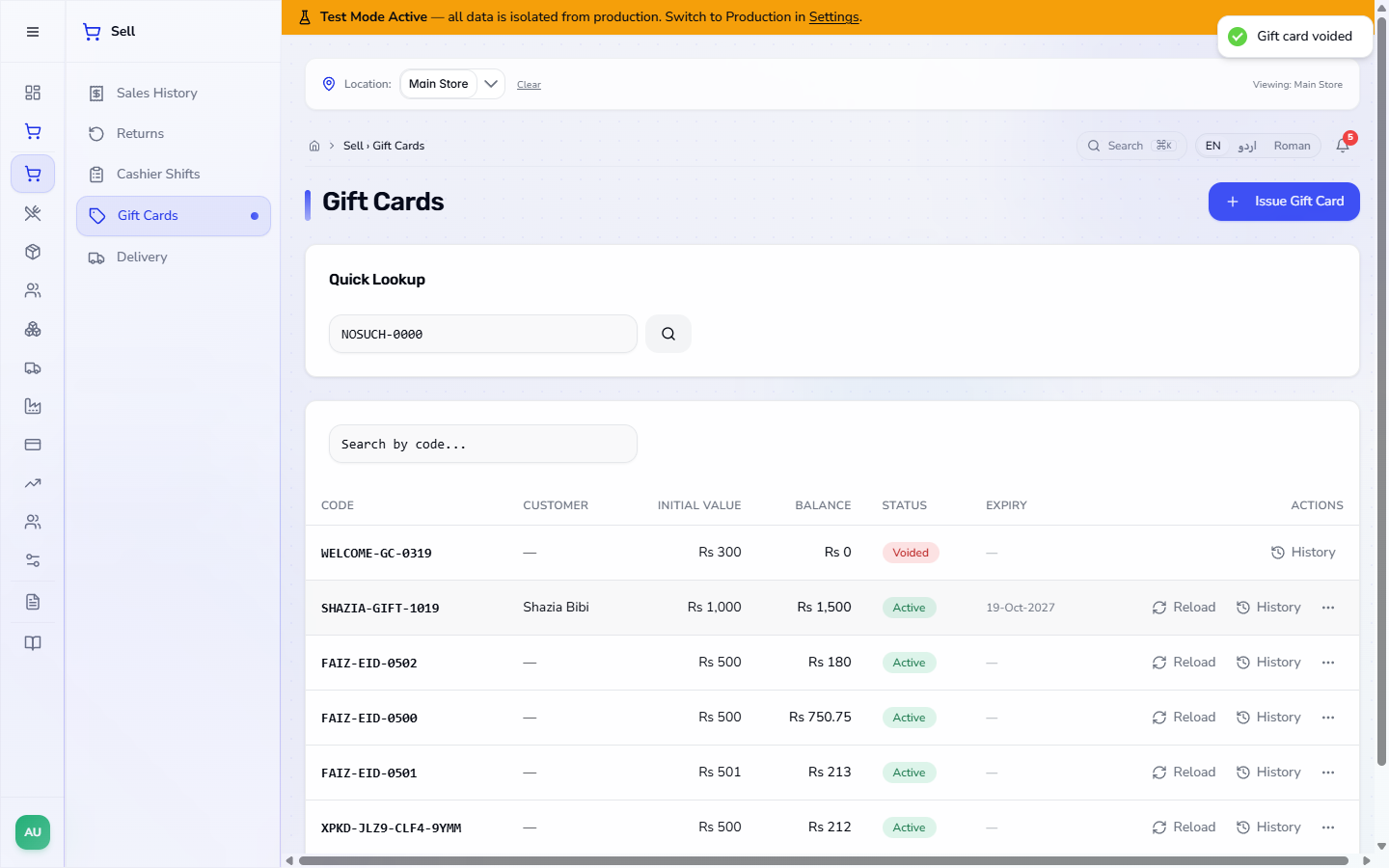
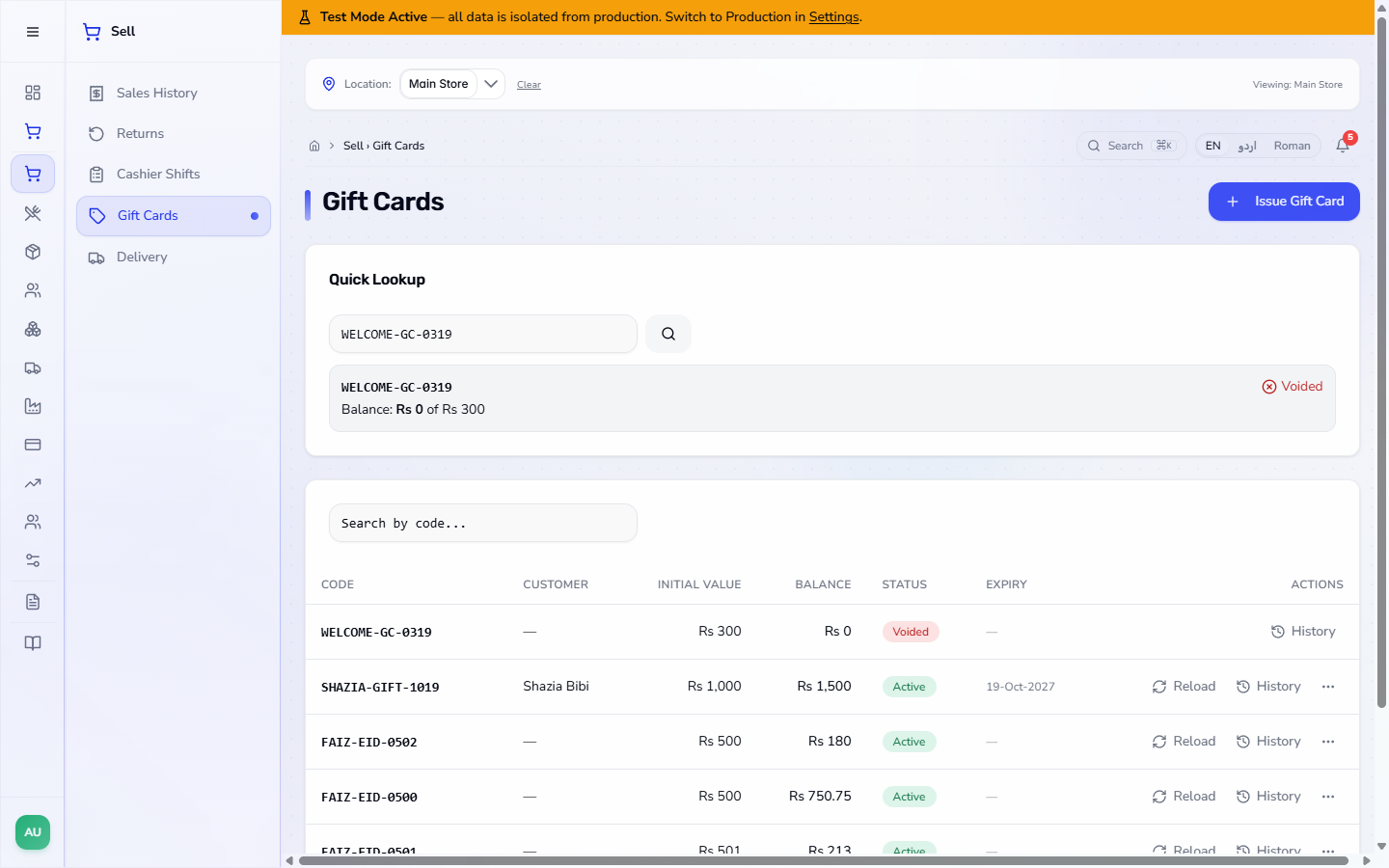
The app says Gift card voided; the row shows Voided with a balance of Rs 0, and Quick Lookup shows it as voided too.
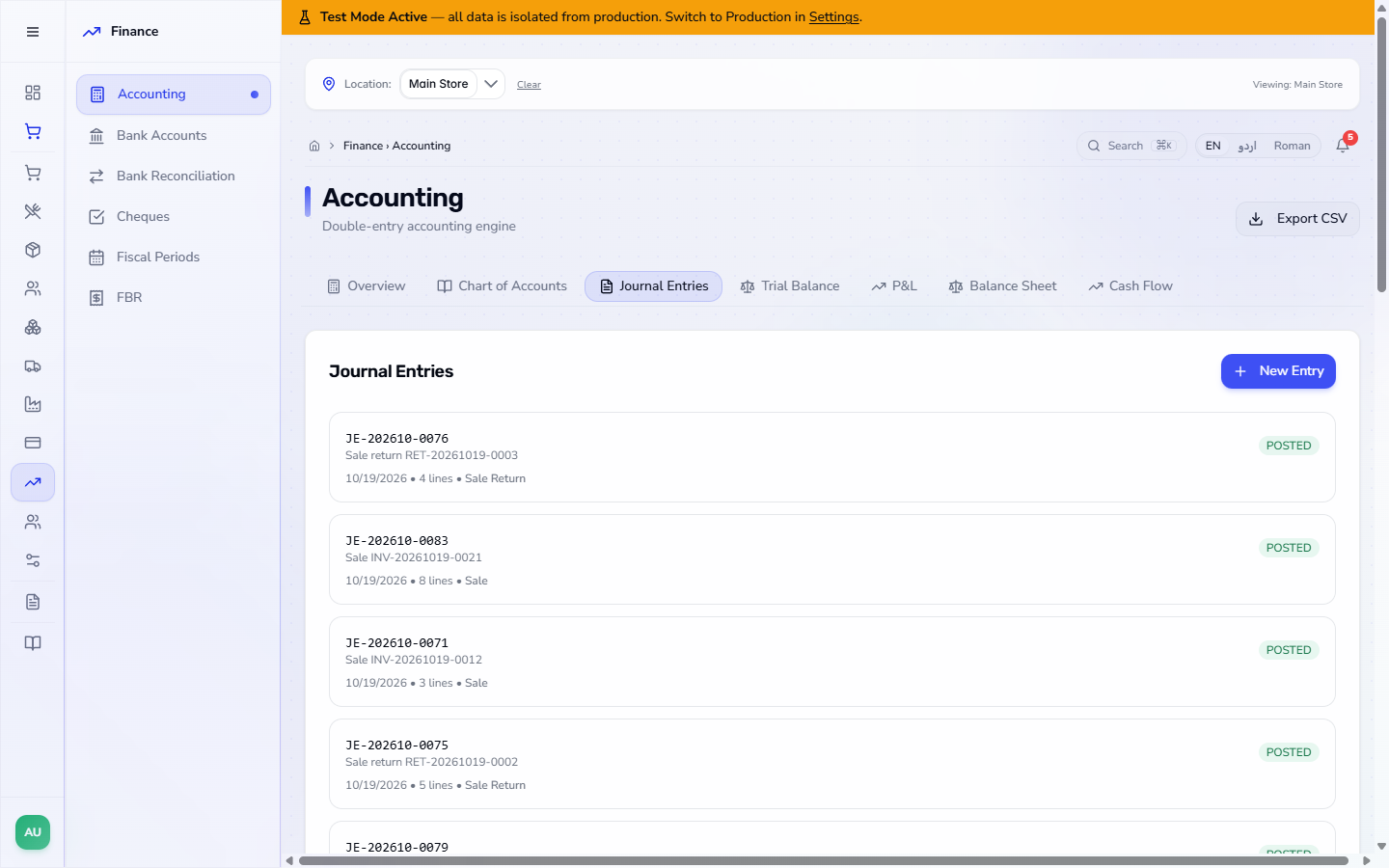
Open Finance › Accounting › Journal Entries (or the Trial Balance, where the Gift Card Liability balance moves) to follow the entries. Issuing or reloading for cash debits Cash in Hand and credits Gift Card Liability. The sale paid by card debits Gift Card Liability. The void reverses what was left of the card.
| Mistake | What you see | Fix |
|---|---|---|
| Typing the code wrongly | Gift card not found | Type the code again, exactly as printed |
| Voiding without a reason | Enter a reason for voiding the card | Type the reason, then press Void Card |
| Voiding the wrong card | The card shows Voided, balance Rs 0, and cannot be reopened | Check the code before you confirm; issue a new card if needed |
| Selling with a card but no open shift | The sale asks you to open a shift | Open one in Sell › Cashier Shifts |
| Item | Meaning / rule |
|---|---|
| Initial Value | What the card was issued for; a reload does not change it |
| Balance | Initial value plus reloads, less spending |
| Complimentary | A free card; no payment is taken |
| Void | Closes the card for good; the balance goes to zero |
| Gift Card Liability | The money owed to card holders |
Can a voided card be used again? No. Voiding closes the card for good and its balance goes to Rs 0.
What happens to the money when I void a card? If you tick Refund the unused balance in cash it is paid back; otherwise it is written off. Either way the balance goes to zero and the books are reversed.
Why is the balance higher than the initial value? Because the card was reloaded. The initial value stays what it was issued for.
ClearRing runs this whole workflow. See what ClearRing does and what it costs, or browse all step-by-step guides.