How to see who owes your shop money and collect an udhar payment
Khata, or udhar, is the money your customers owe you from credit sales. The Khata / Udhar page lists every customer with a balance, with the total at the top and a check against your books. Use it each morning to see who owes what, and when a customer comes to pay.
Who it is forShop owner or counter managerTime8 minutesProductPOSLevelBeginner
Before you start
Steps
1
Open the udhar list and read the totals
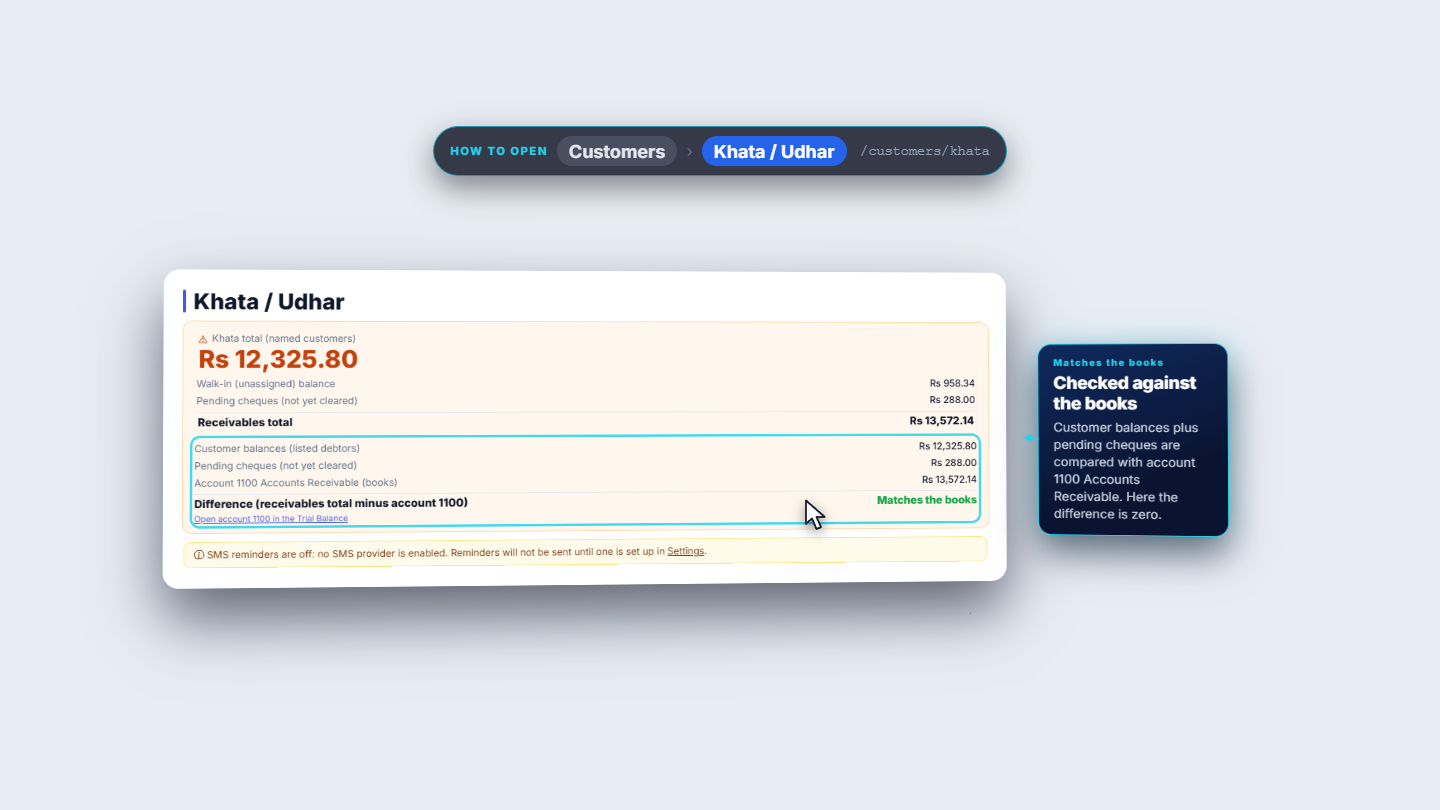
Go to Customers › Khata / Udhar. The orange card shows Khata total (named customers), then the Walk-in (unassigned) balance, the Pending cheques (not yet cleared) and the Receivables total, which adds the three. Under it the card lists Customer balances (listed debtors), the pending cheques and Account 1100 Accounts Receivable (books), and the Difference line says Matches the books when they agree. Open account 1100 in the Trial Balance takes you to the books. A banner says whether text reminders are on. If no SMS provider is set up, it says "SMS reminders are off" and reminders are not sent until you set one up in Settings.
The Khata / Udhar page with the khata total, the receivables total and the check against the books
2
Read the list
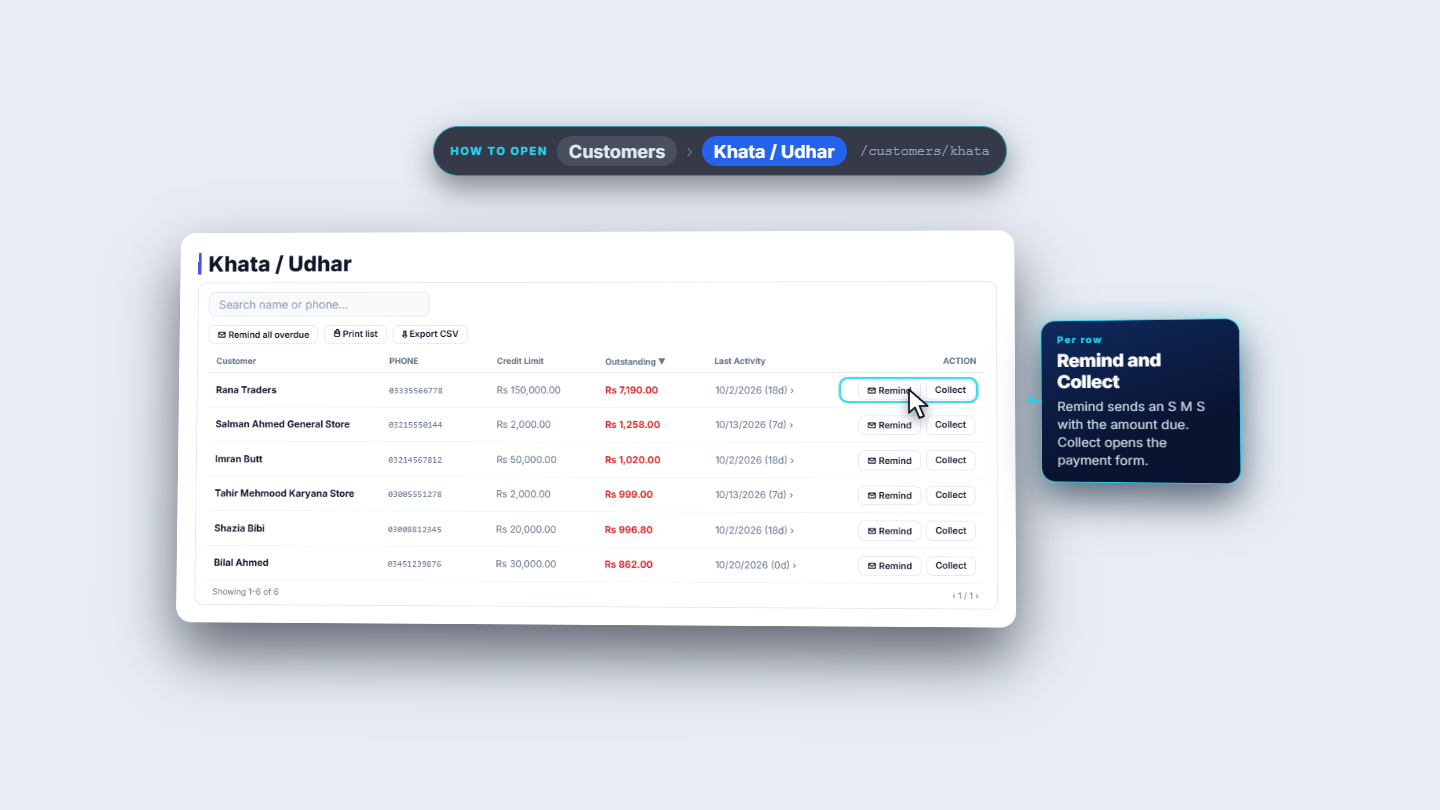
Above the table are Remind all overdue, Print list and Export CSV. The table shows Customer, Phone, Credit Limit, Outstanding (in red, largest first), Last Activity with how many days ago it was, and an Action column with Remind and Collect on every row.
The list of debtors with the buttons above it and Remind and Collect on every row
3
Search for a customer
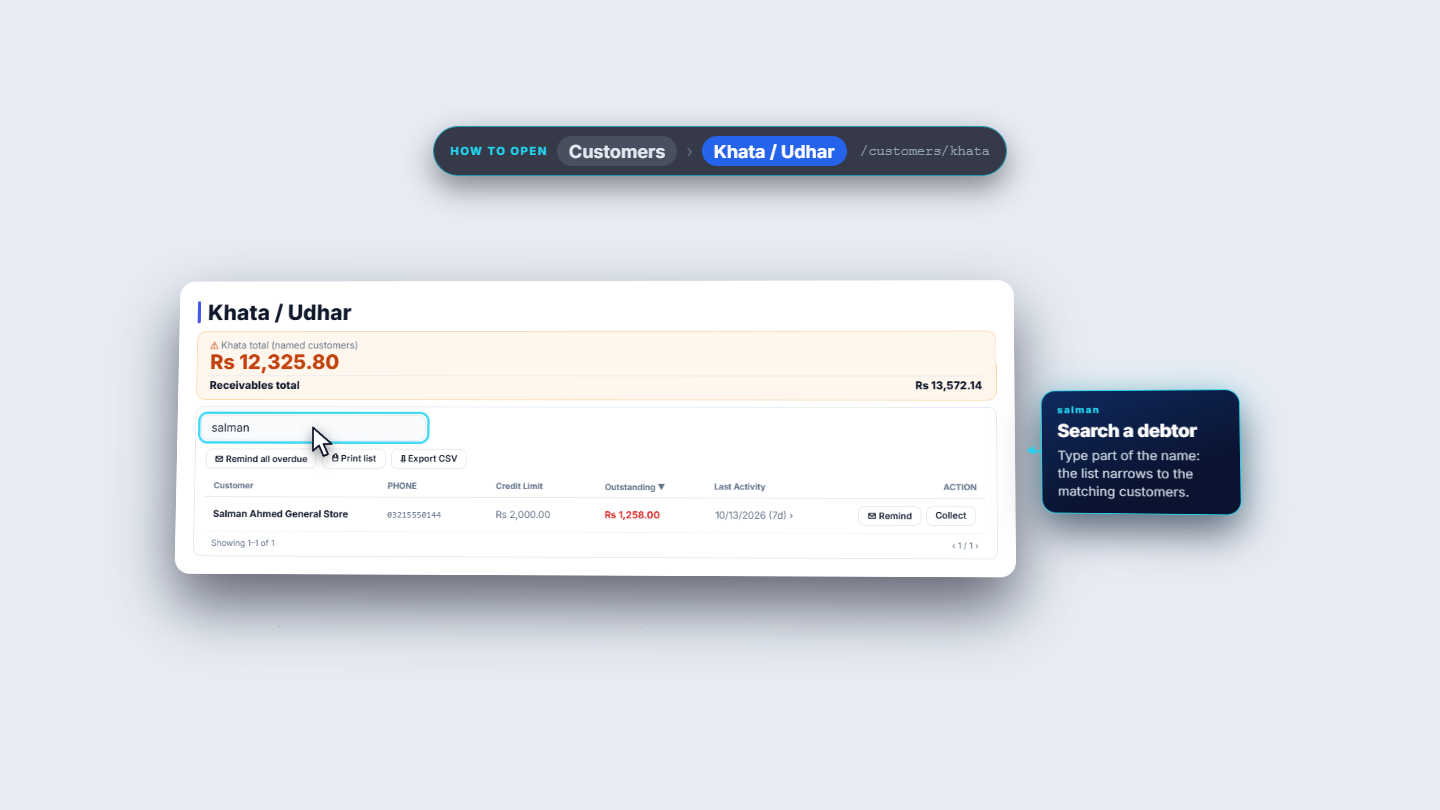
Type part of a name or a phone number in Search name or phone.... The list narrows to the matching customers.
The list narrowed to one customer after typing a name
4
Press Collect
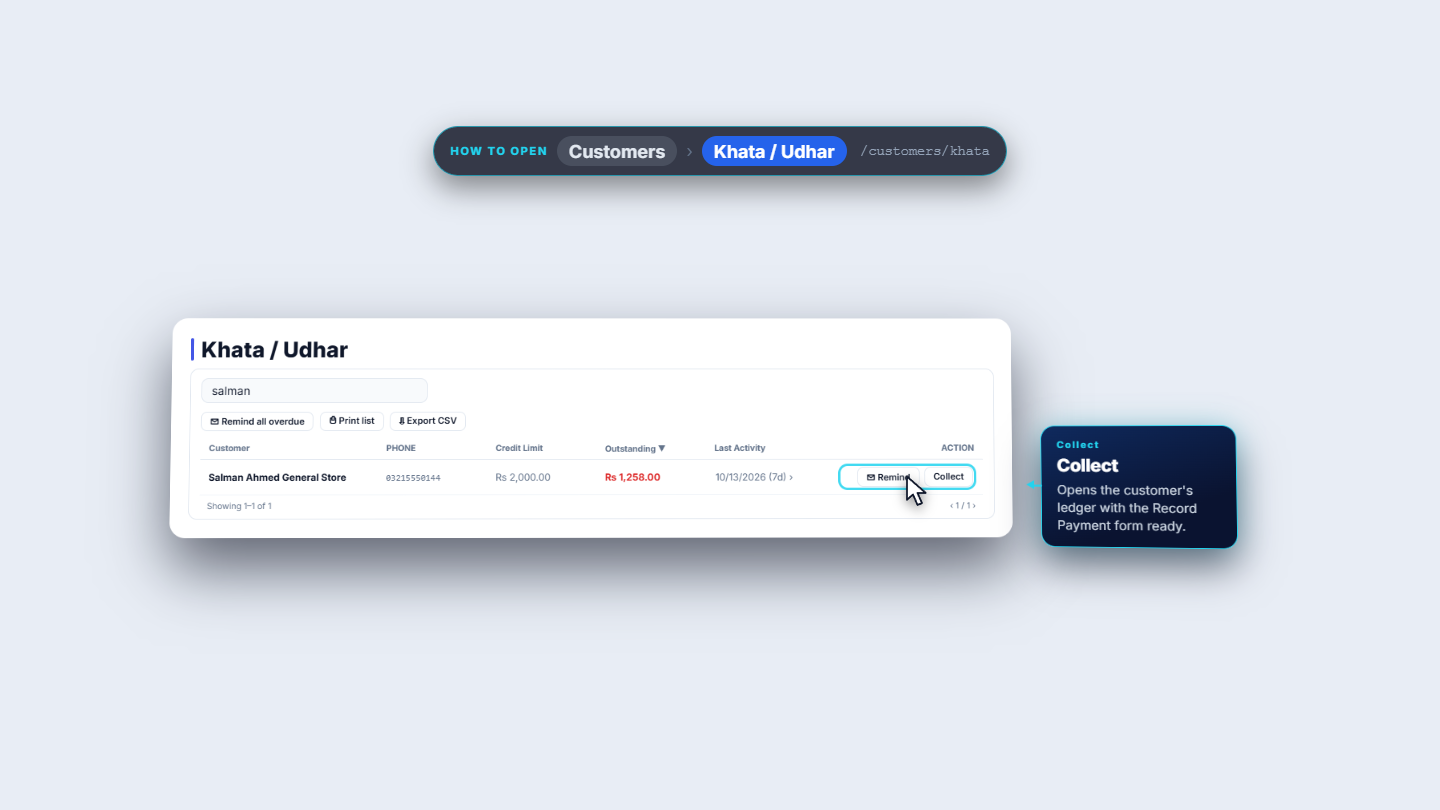
Press Collect on the customer's row. The customer's Ledger (Khata) page opens with the Record Payment form already open. Behind it the ledger shows the Outstanding Balance, the Credit Limit and what is Available, the Debt aging cards and the unpaid invoices.
The customer's row with the Collect button
5
Record the payment
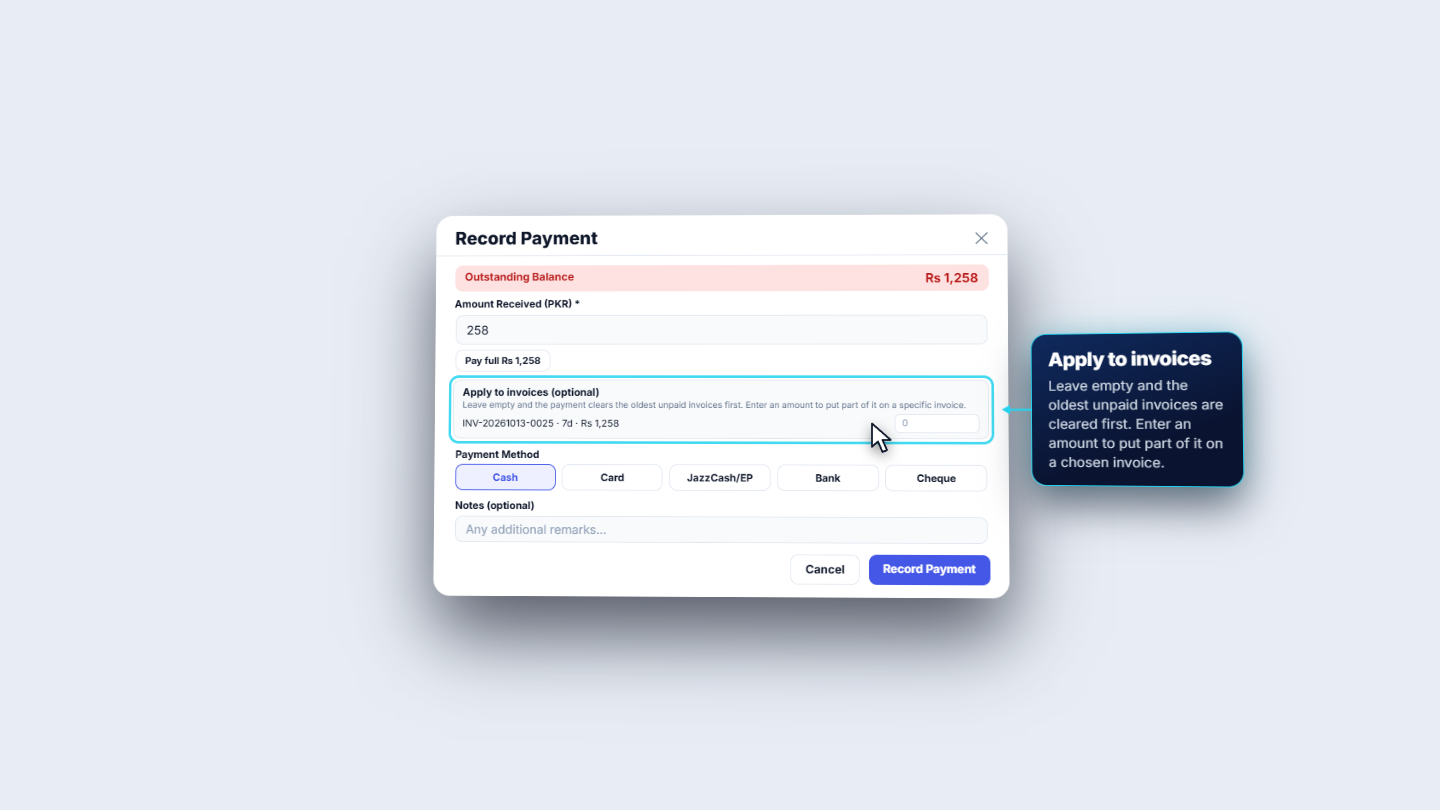
Type the Amount Received (PKR), for example 258, or press Pay full to fill the whole balance. Leave Apply to invoices empty and the oldest unpaid invoice is cleared first. Choose Cash (or Card, JazzCash/EP, Bank, Cheque) under Payment Method, add a note such as "Cash received at the counter", and press Record Payment.
The Record Payment dialog with the amount, invoices, payment method and note
6
Hand over the receipt
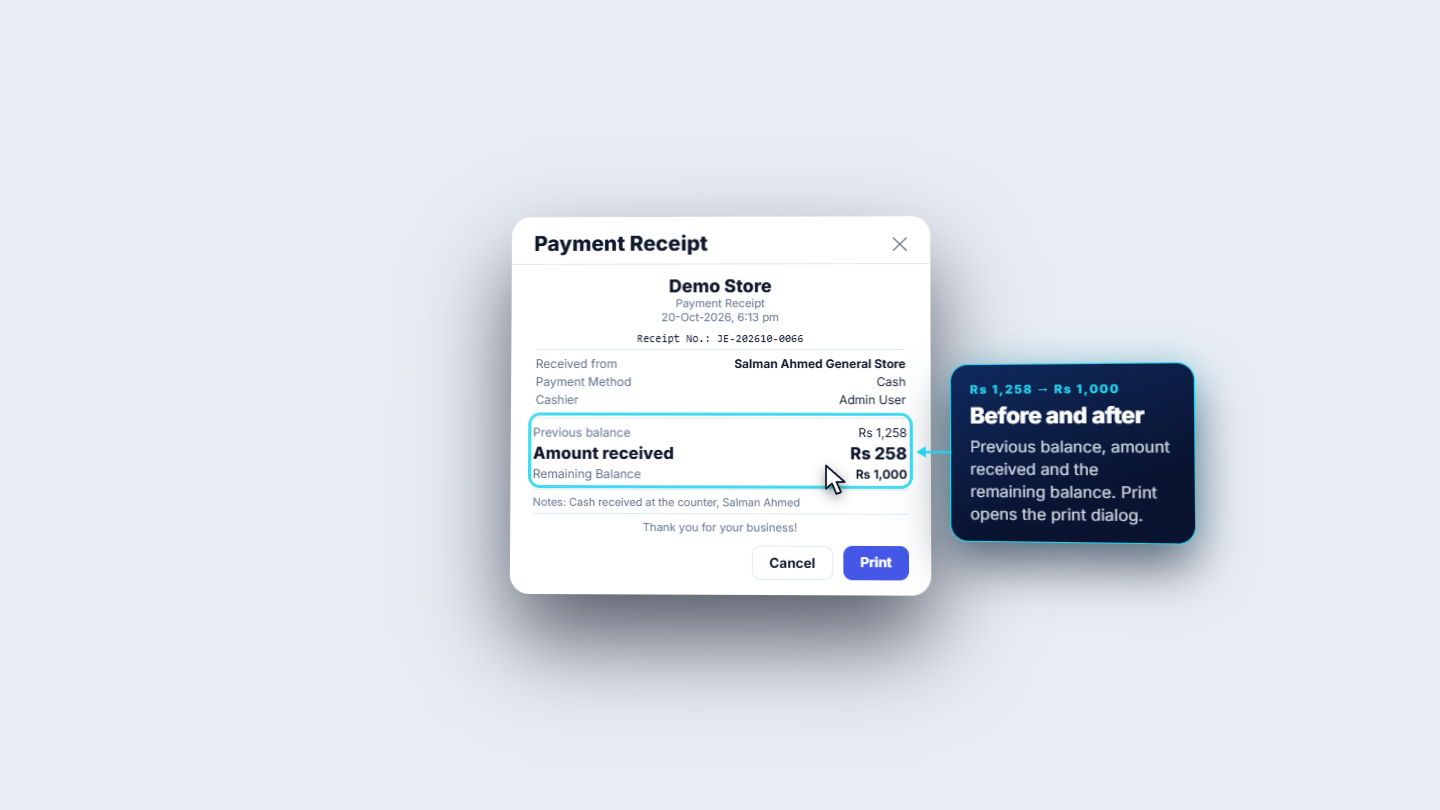
The app shows a Payment Receipt with its own Receipt No., who paid, the method, the cashier, the Previous balance, the Amount received and the Remaining Balance. Press Print to give it to the customer, then Close.
The payment receipt with its number and the balance before and after
7
Check the ledger and the list
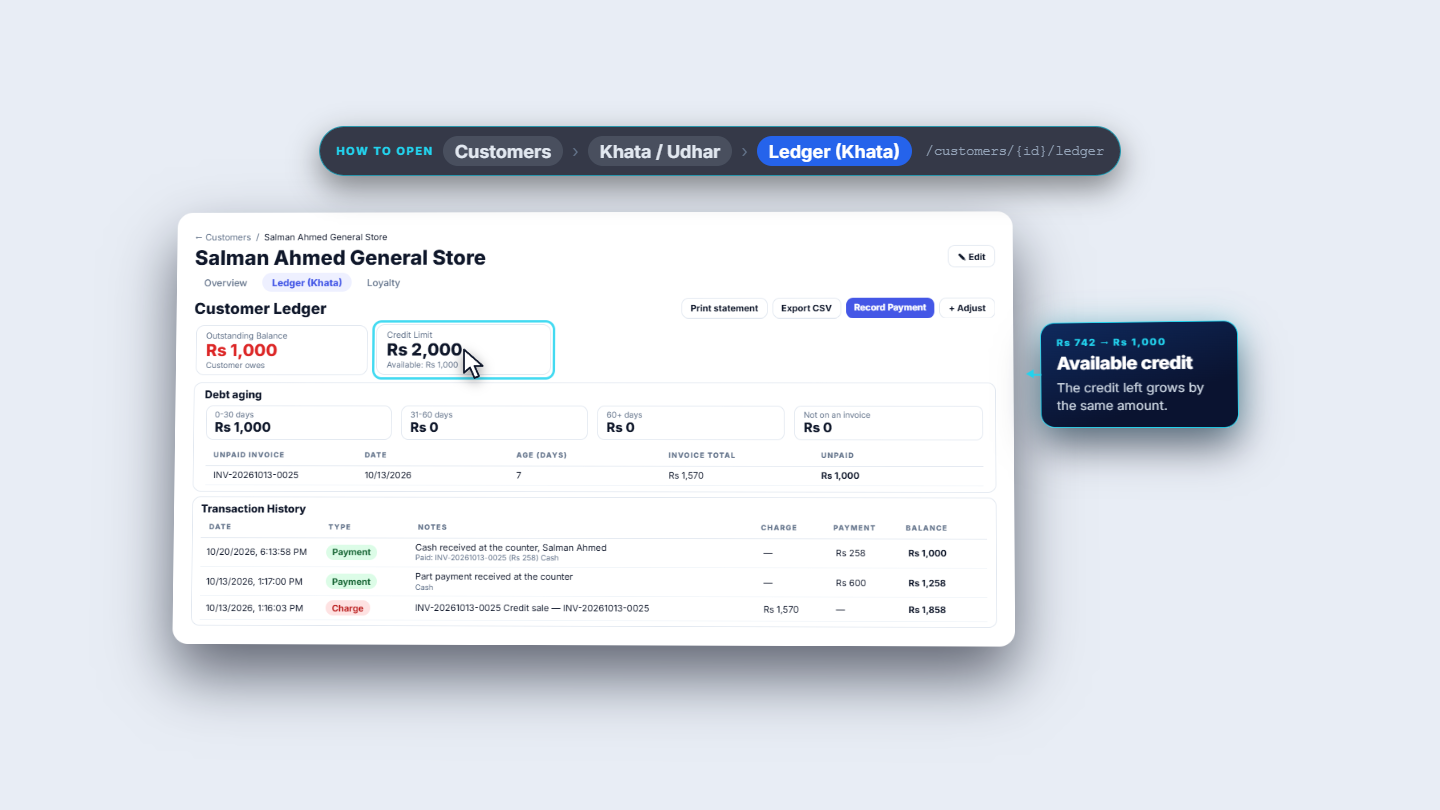
The ledger shows the payment on top, the lower Outstanding Balance and more Available credit.
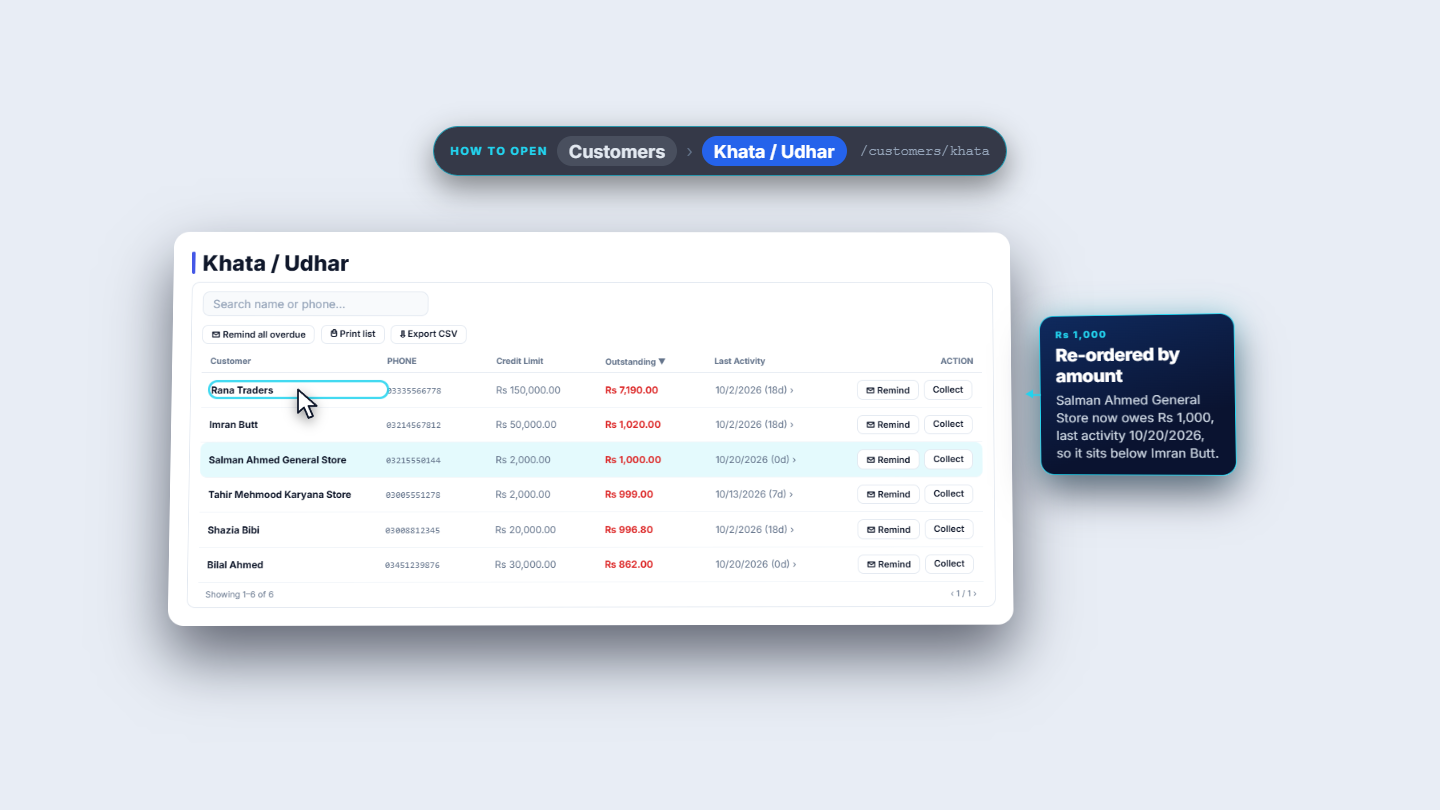
Go back to Customers › Khata / Udhar. The customer's row shows the new balance and today's date under Last Activity, the list is ordered by amount again, and the Khata total and Receivables total are lower by the same amount.
The customer's ledger with the new, lower balance and more available credit
The udhar list after the payment, with the customer's new balance and today's date
8
See it in the books
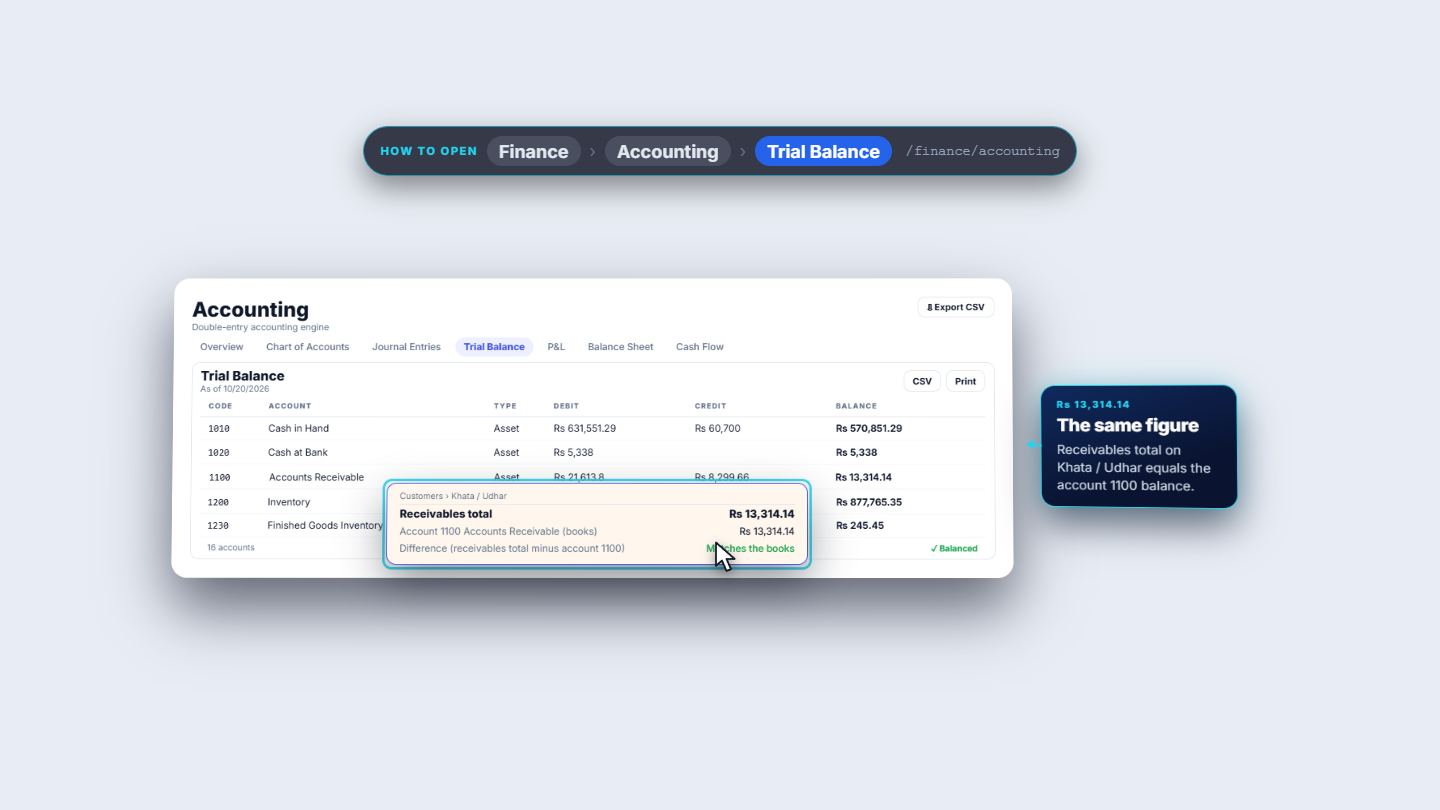
Go to Finance › Accounting › Trial Balance. The row 1100 Accounts Receivable is what your customers owe according to your accounts, and it equals the Receivables total on the udhar page.
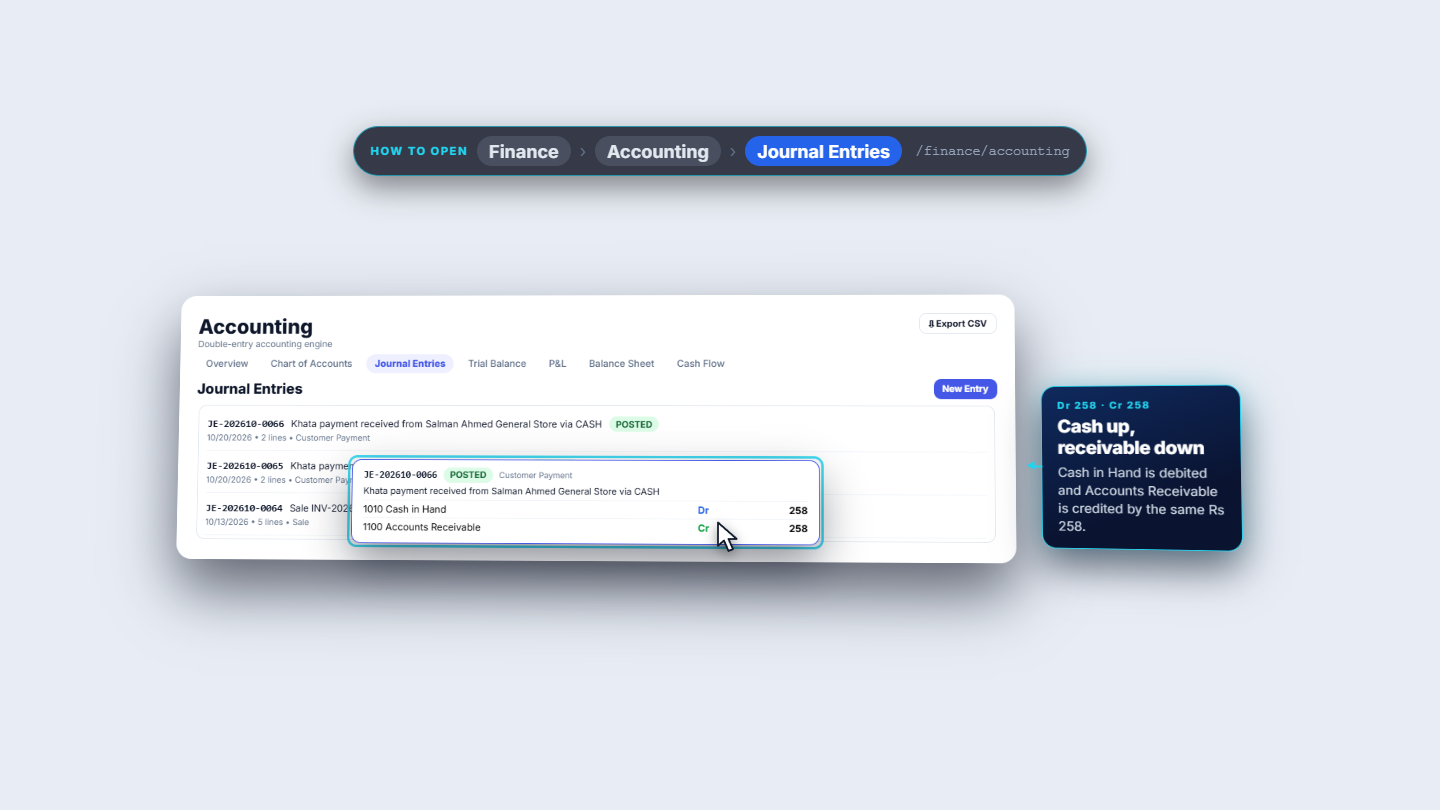
Open Journal Entries. The top entry has the same number as your receipt. It adds the cash to Cash in Hand and takes the same amount off Accounts Receivable.
The Trial Balance with the Accounts Receivable row
The journal entry list with the khata payment on top and its two lines
Check it worked
The receipt shows Remaining Balance equal to the old balance less the amount you took (for example Rs 1,258 less Rs 258 gives Rs 1,000).
The udhar list shows the same balance for that customer, and the Khata total is Rs 258 lower.
Account 1100 Accounts Receivable in the Trial Balance equals the Receivables total, and Journal Entries has an entry with the receipt number.
Common mistakes
Mistake
What you see
Fix
Expecting the totals to follow your search
The totals stay the same
Read the totals as the whole shop's figure
Pressing Remind with no SMS provider
"SMS reminders are off" and nothing is sent
Set up an SMS provider in Settings first
Trying to take more than the balance
The app refuses the amount
Enter the balance or less, or press Pay full
Quick reference
Item
Meaning / rule
Khata total (named customers)
What customers with a record owe
Walk-in (unassigned) balance
Credit sales that were not given to a named customer
Pending cheques (not yet cleared)
Cheques received that have not cleared yet
Receivables total
The three amounts added
Difference
Receivables total minus account 1100; "Matches the books" when equal
Outstanding
What that customer owes now
Last Activity
Date of the latest charge or payment, and its age in days
Frequently asked questions
Why is a customer missing from the udhar list? The list shows only customers who owe money. A customer who has paid everything is not listed.
Can I take the payment from the udhar list itself? Yes. Press Collect on the customer's row. The customer's ledger opens with the payment form ready.
Can I search by phone number? Yes. The search box takes a name or part of a phone number.
Where does the payment go in my accounts? Every payment is a journal entry with the same number as the receipt: cash in hand goes up and Accounts Receivable goes down by the same amount.