How to sell on khata (credit) within a credit limit
Many regular customers buy now and pay later. This guide shows how to give a customer a credit limit, sell to them on khata, stop a sale that goes over the limit, and record the money when they pay you back.
Who it is forCashier and shop ownerTime12 minutesProductPOSLevelBeginner
Before you start
Steps
1
Give the customer a credit limit
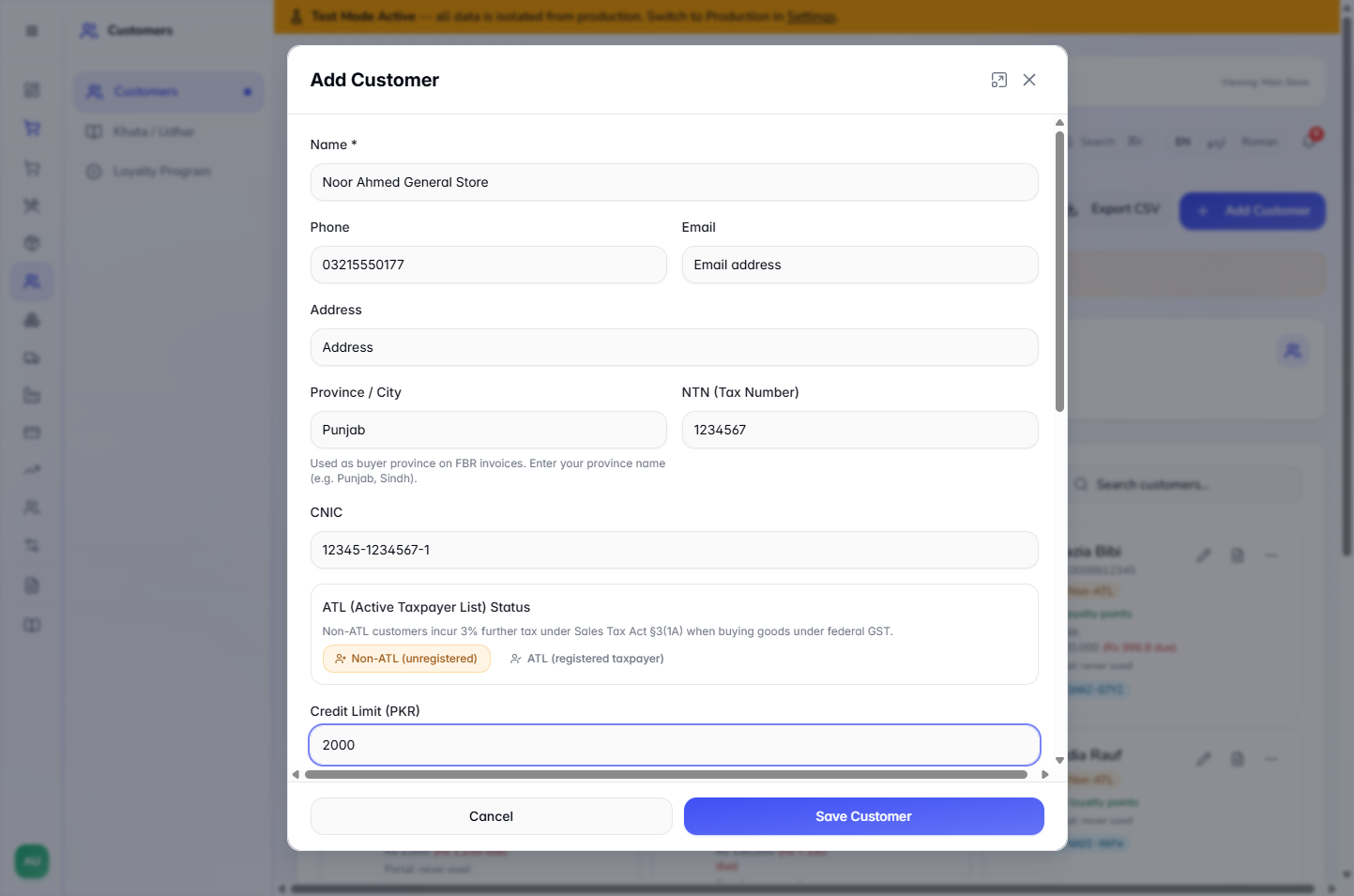
Open Customers › Customers and press Add Customer. Fill in Name (Noor Ahmed General Store), Phone (03215550177) and Province / City, then type 2000 in Credit Limit (PKR). Press Save Customer. The app says Customer added.
Add Customer form filled in for Noor Ahmed General Store with a Credit Limit of 2000
2
Put the customer on the cart
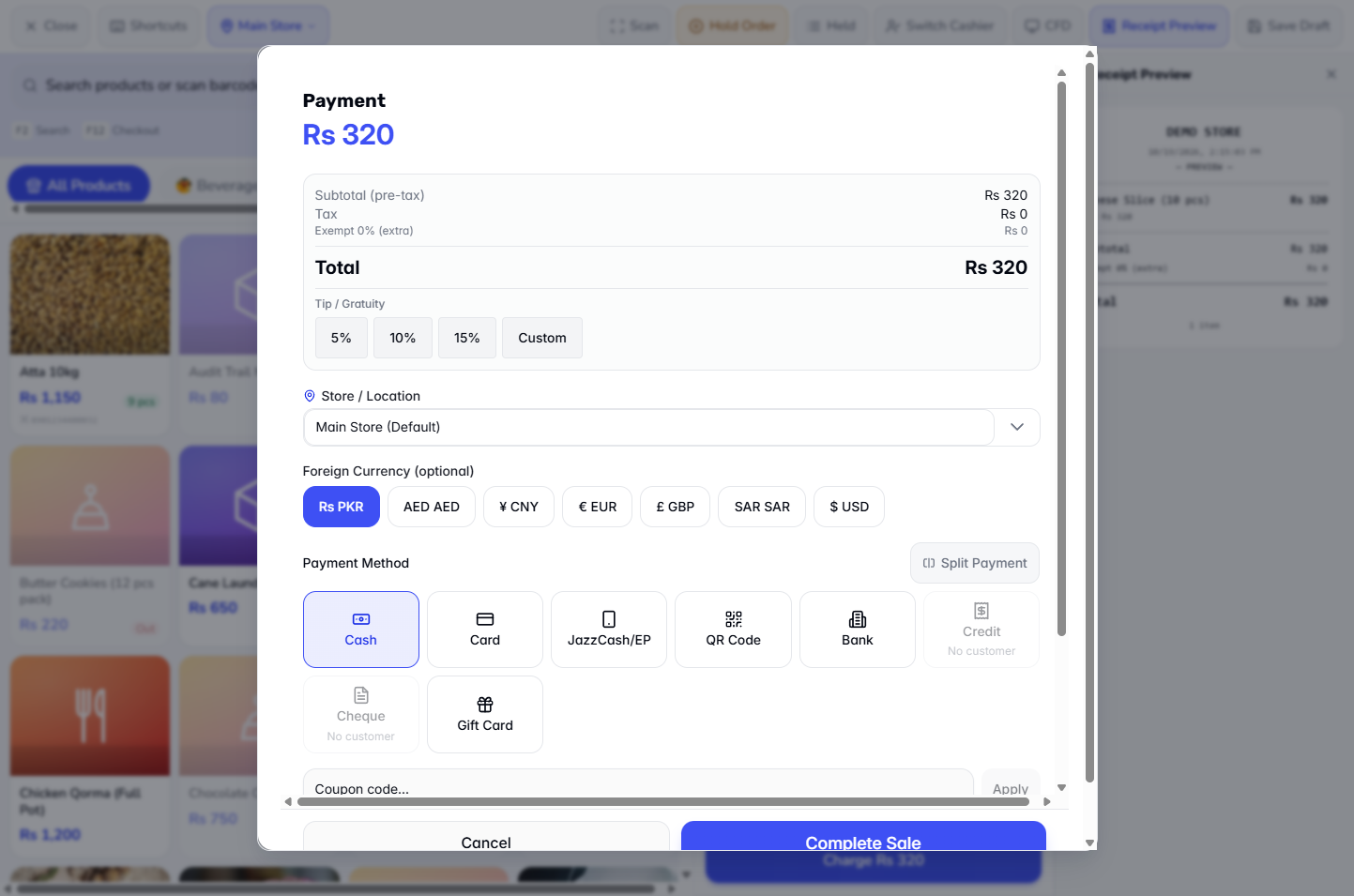
Add the product, Cheese Slice (10 pcs), and press Charge. With no customer, Credit is greyed out and says No customer. Close the dialog, press Add Customer, search "Noor" and pick the customer. The name and phone appear on the cart, and the Payment dialog now shows Points to earn +32 pts.
Payment dialog with Credit and Cheque greyed out and marked No customer
3
Choose Credit and read the limit panel
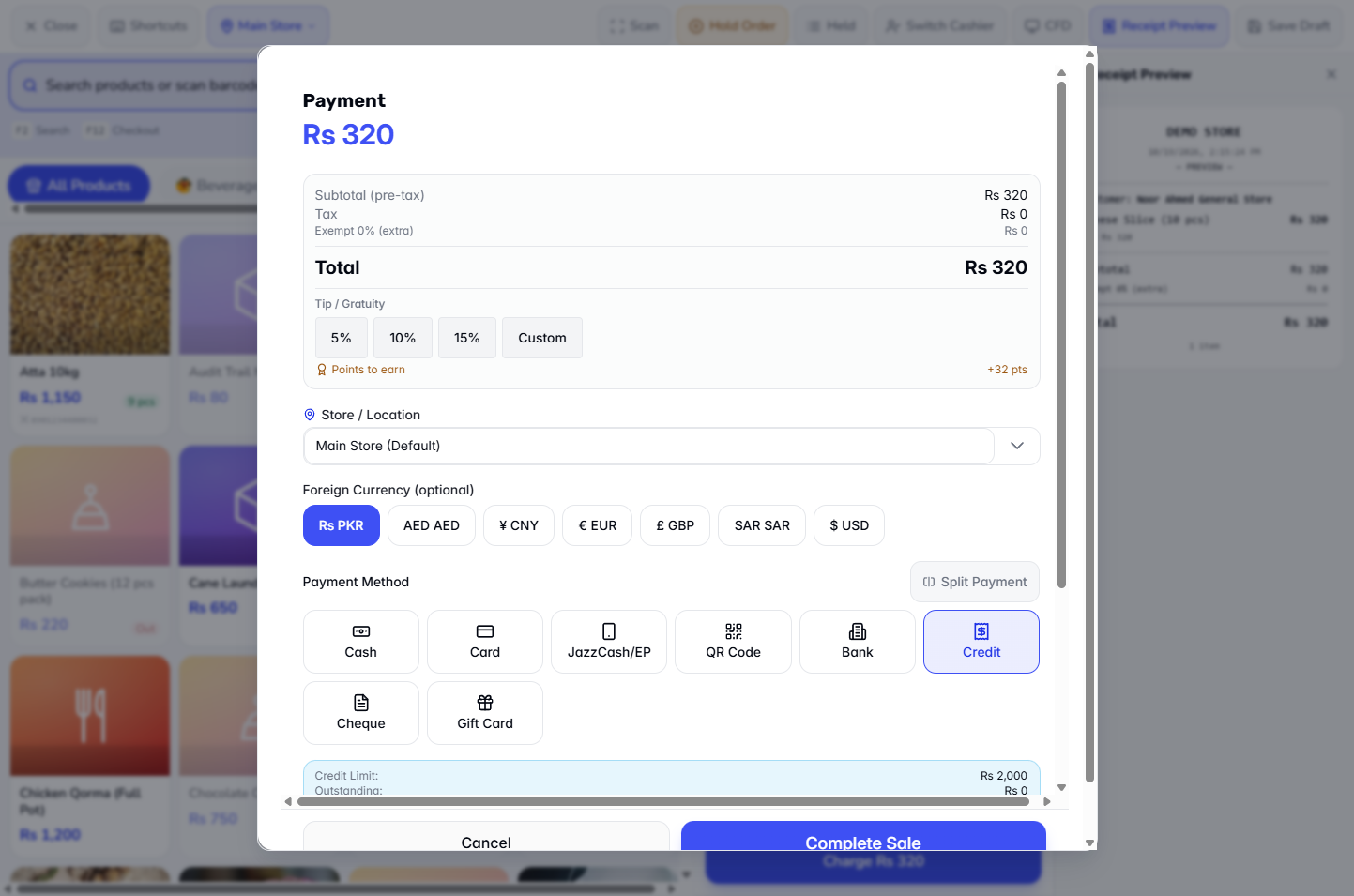
Press Credit. A blue panel shows Credit Limit: Rs 2,000, Outstanding: Rs 0 and Available: Rs 2,000. The sale total is Rs 320, so it fits. Press Complete Sale. The app shows the receipt for INV-20261019-0033. The receipt shows Paid Rs 0, On account (balance due) Rs 320 and Points earned +32.
Credit panel showing Credit Limit Rs 2,000, Outstanding Rs 0 and Available Rs 2,000
4
Meet the limit
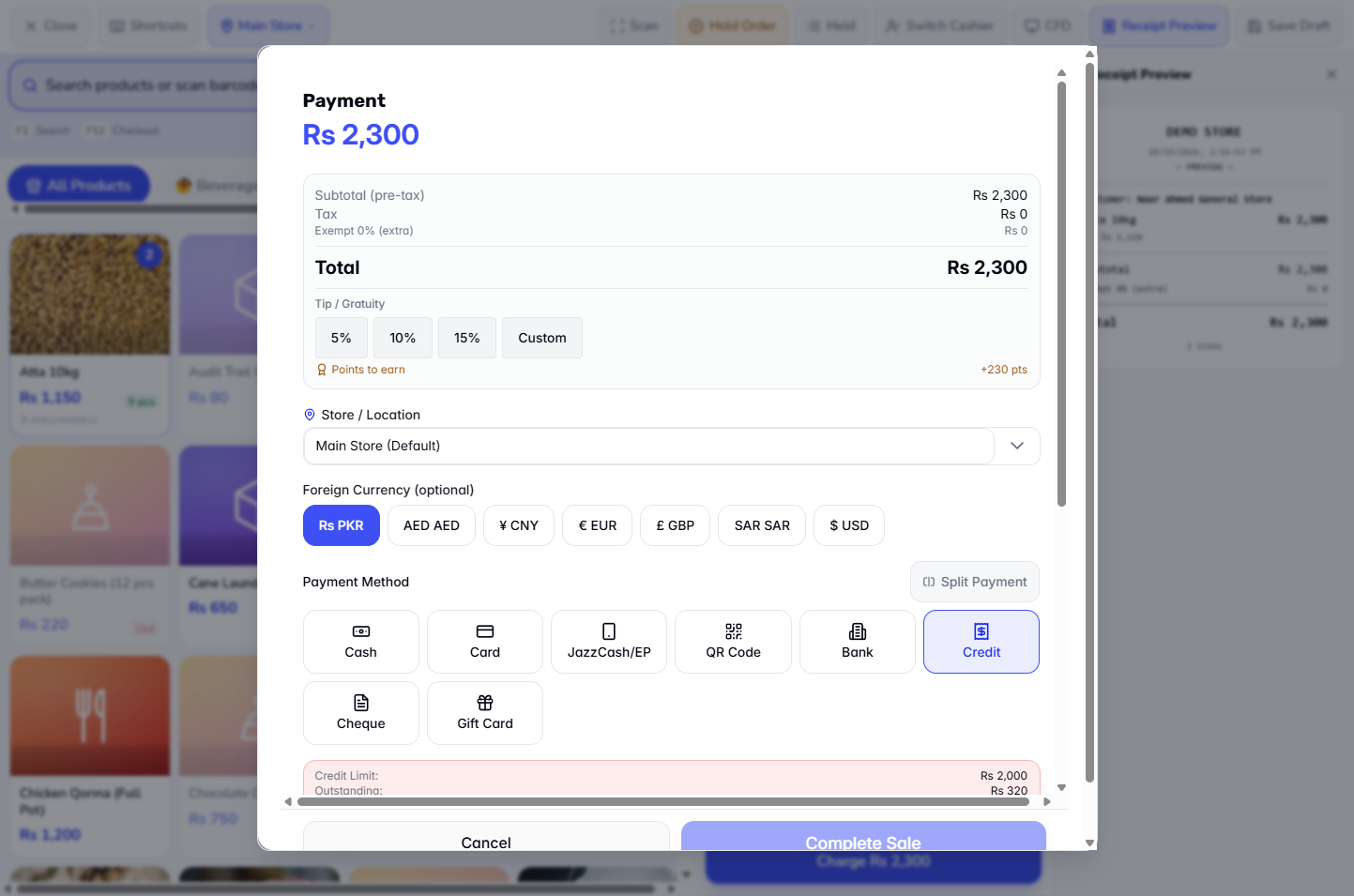
The customer now owes Rs 320, so Available is Rs 1,680. Add two bags of Atta 10kg, total Rs 2,300, and choose Credit again. The panel turns red and says Insufficient credit for this sale. Complete Sale is disabled.
Red credit panel saying Insufficient credit for this sale with Complete Sale disabled
5
Take part in cash, the rest on credit
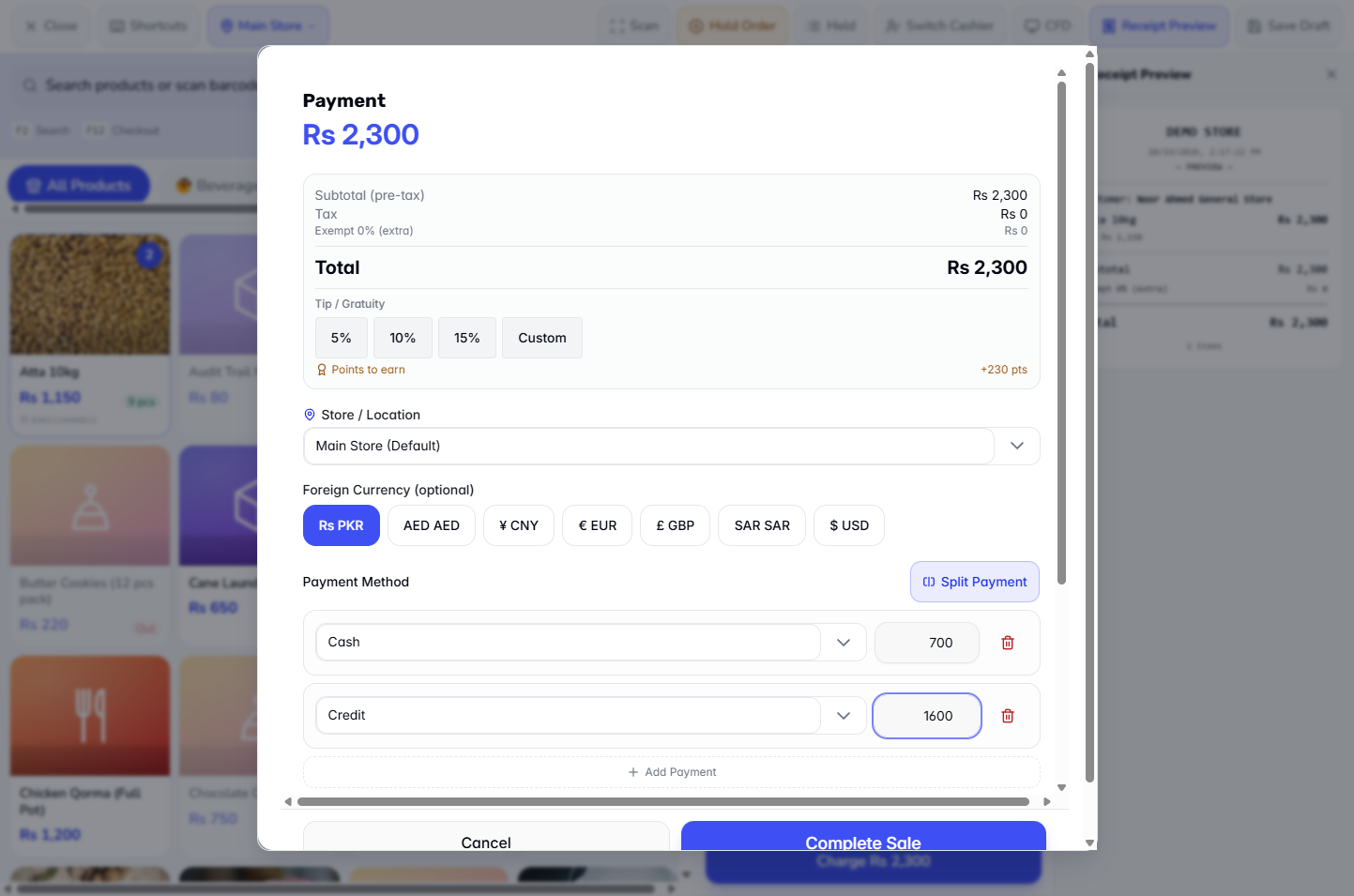
Press Split Payment. Set one line to Cash 700 and add a second line, Credit 1,600. Remaining reads Rs 0, so press Complete Sale. The app says Sale completed! Invoice: INV-20261019-0034. The receipt shows Cash: Rs 700 and On account (Credit): Rs 1,600. Only the credit part is added to the customer's khata, which rises from Rs 320 to Rs 1,920.
Split Payment dialog with Cash 700 and Credit 1600 and Remaining Rs 0
6
Read the customer's khata ledger
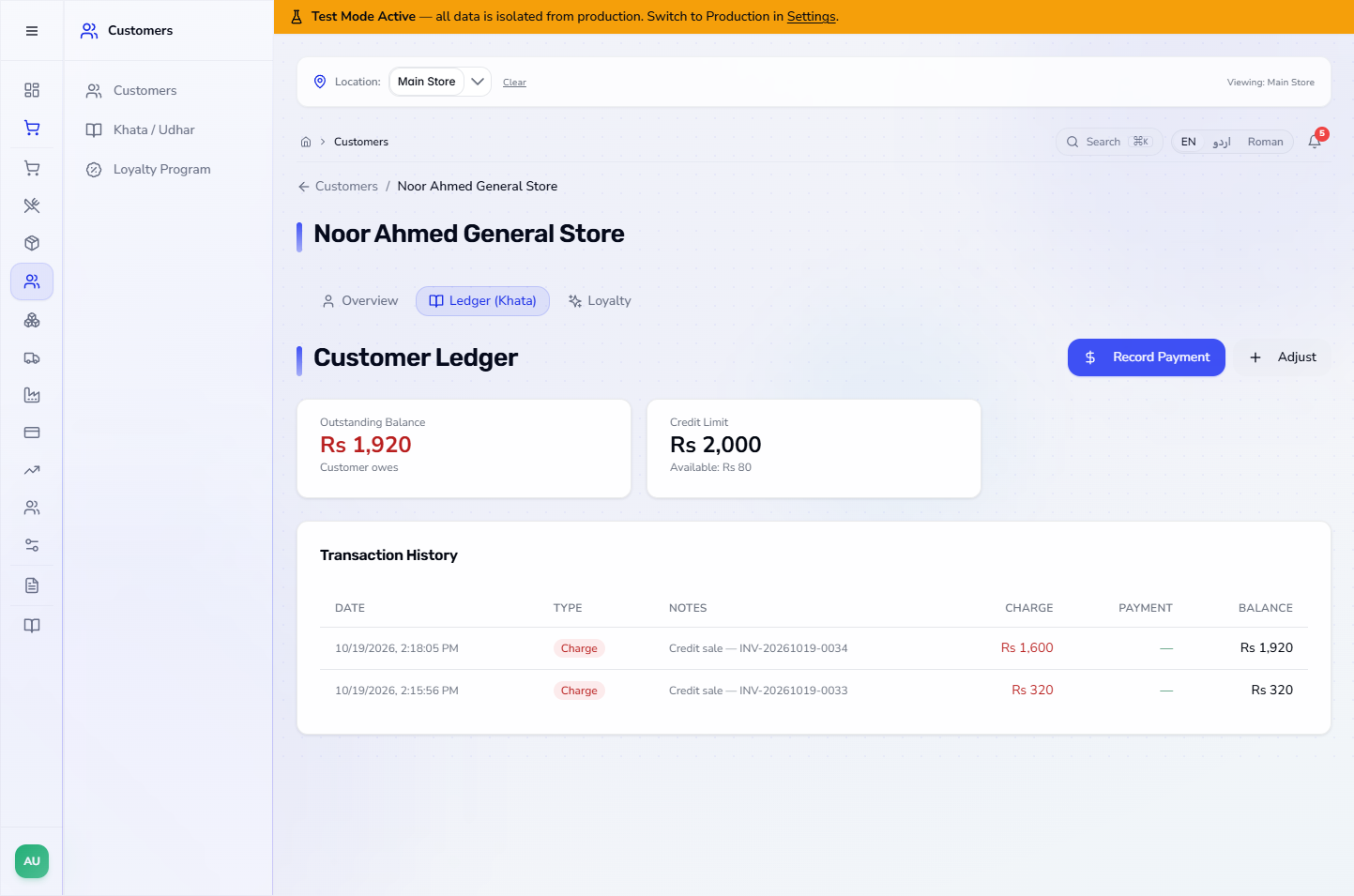
Open Customers, pick the customer and go to the Ledger (Khata) tab. You see Outstanding Balance Rs 1,920 (Customer owes), Credit Limit Rs 2,000 and Available Rs 80. The list shows each credit sale as a Charge, for example "Credit sale — INV-20261019-0034" Rs 1,600, with the running balance.
Customer Ledger (Khata) tab listing two credit sales as charges with the running balance
7
Record a payment at the counter
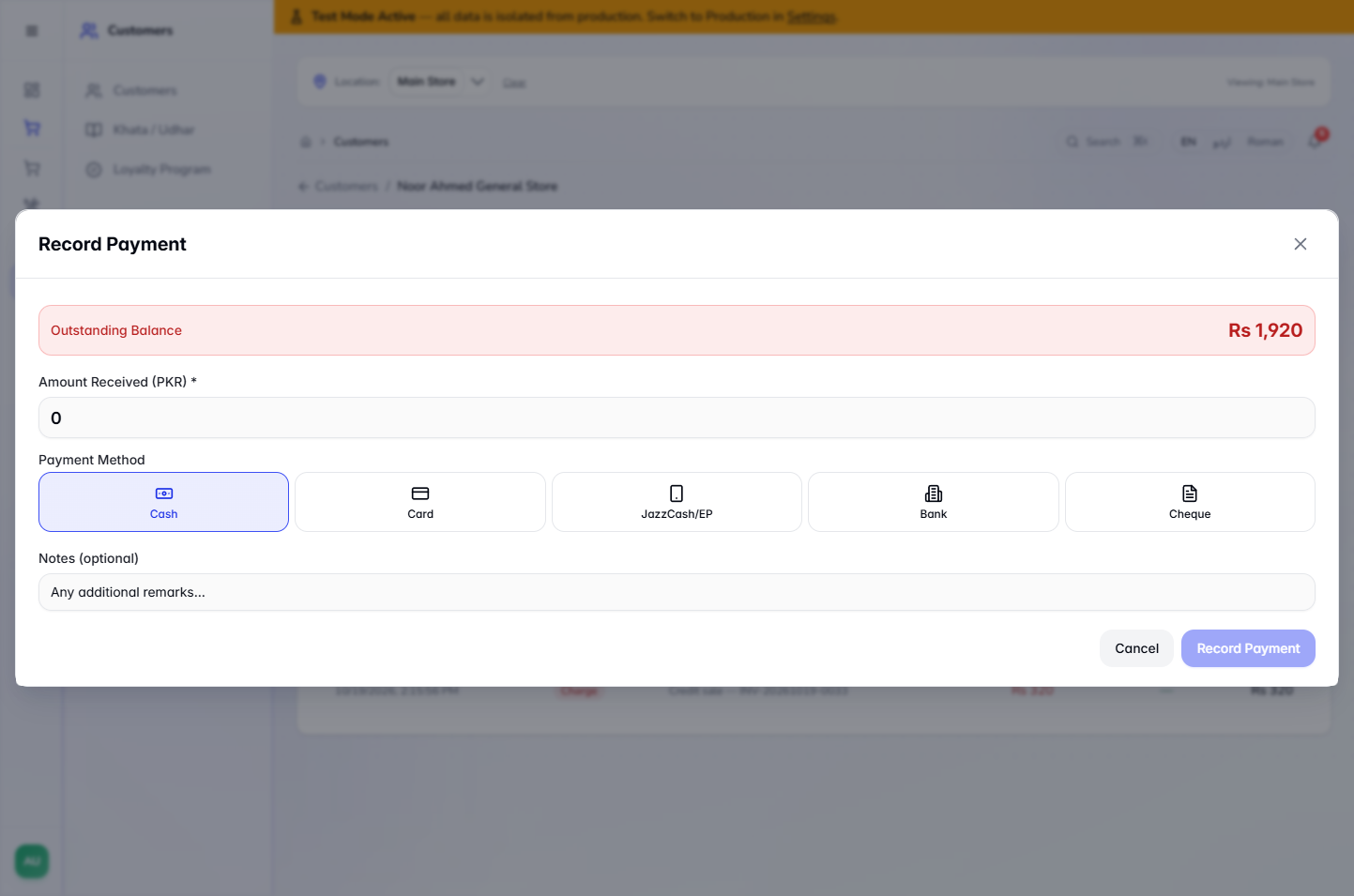
On the ledger press Record Payment. The dialog shows Outstanding Balance Rs 1,920. Type Amount Received (PKR) 600, choose Cash under Payment Method and add a note such as "Part payment received at the counter". Press the save button. The app says Payment recorded.
Record Payment dialog with Amount Received 600 and Cash selected
8
Give the payment receipt
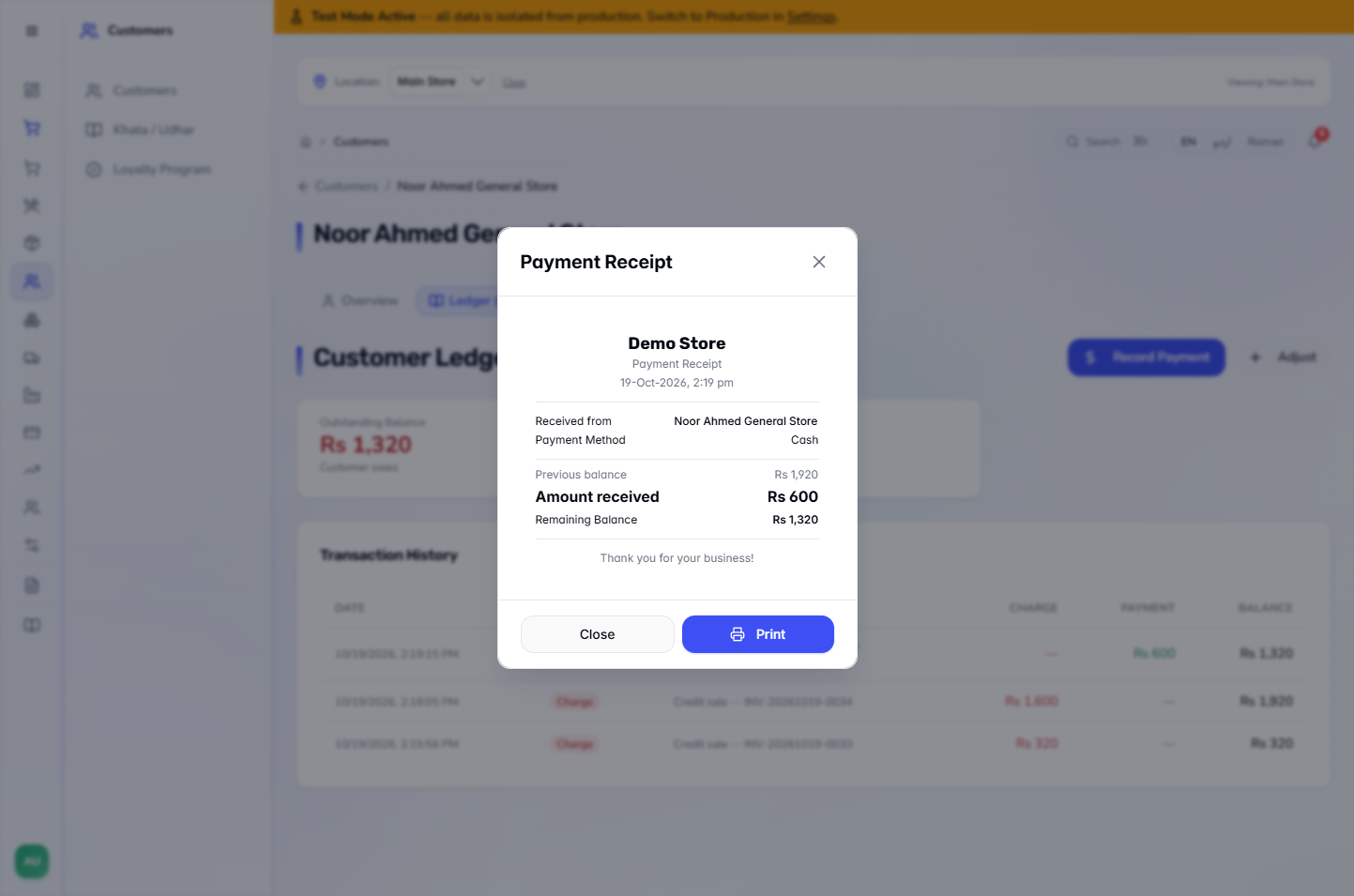
The Payment Receipt shows Previous balance Rs 1,920, Amount received Rs 600 and Remaining Balance Rs 1,320. Press Print or Close. On the ledger a Payment row of Rs 600 appears and Available rises to Rs 680.
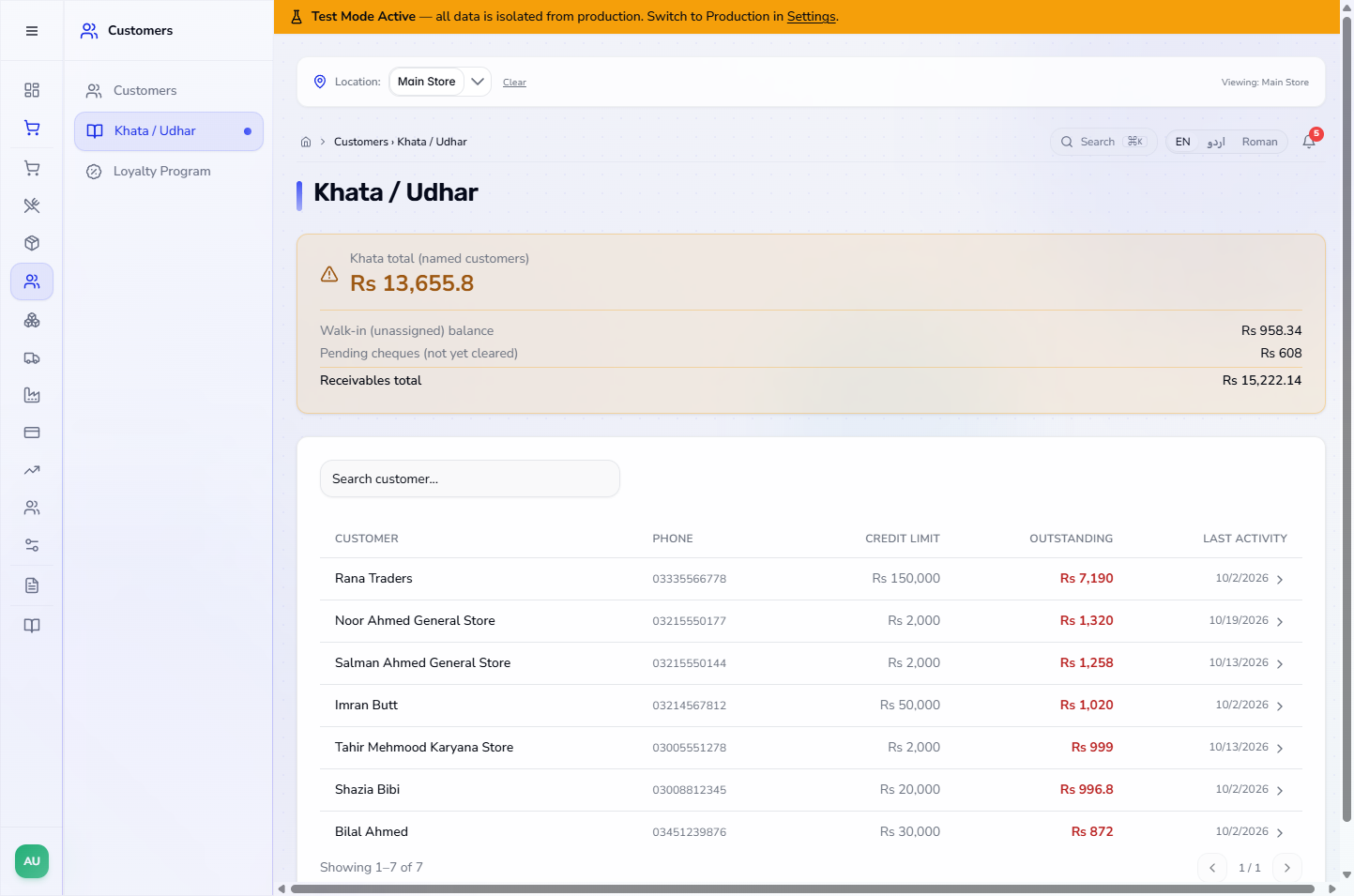
Open Customers › Khata / Udhar. The top shows Khata total (named customers), the Walk-in (unassigned) balance, Pending cheques (not yet cleared) and the Receivables total. The table lists each customer with CREDIT LIMIT, OUTSTANDING and LAST ACTIVITY, for example Noor Ahmed General Store at 1,320.
Khata / Udhar screen with the receivables totals and every customer who owes money
Check it worked
The credit sale shows the receipt for INV-20261019-0033.
The ledger balance equals sales on credit less payments: 320, then 1,920, then 1,320.
Finance › Accounting › Journal Entries shows the credit sale debiting Accounts Receivable, and the Rs 600 payment as "Khata payment received from Noor Ahmed General Store via CASH" (debit Cash in Hand, credit Accounts Receivable).
Common mistakes
Mistake
What you see
Fix
No customer on the cart
Credit greyed out, No customer
Add the customer first
Sale above Available
Red panel, Insufficient credit for this sale
Lower the basket or pay part in cash with Split Payment
Limit left empty by mistake
The customer can owe without a cap
Set Credit Limit (PKR) when adding the customer
Quick reference
Item
Meaning / rule
Credit Limit
The most a customer may owe
Outstanding
What the customer owes now
Available
Limit minus Outstanding
Charge
A credit sale on the ledger
Record Payment
Takes money back from the customer and reduces the balance
Frequently asked questions
What happens if I leave the Credit Limit empty? The customer has unlimited credit. The field says Leave empty for unlimited credit, so set a limit when you want a cap.
Why is Credit greyed out in the Payment dialog? There is no customer on the cart. Credit and Cheque read No customer until you add one with Add Customer.
Can I sell more than the available credit if the customer pays part in cash? Yes, as long as the credit part fits what is Available. In Split Payment, a Credit line that is too large gives Insufficient credit. Available: Rs X.
Where do I see everything customers owe? In Customers › Khata / Udhar, which lists each customer with limit and outstanding balance and shows the Receivables total.
Does a payment taken at the counter reach the books? Yes. A Rs 600 cash payment posts an entry that debits Cash in Hand and credits Accounts Receivable.