How to keep a student's wellbeing and records in Student 360
Health, discipline, counselling, the ID card, certificates, achievements and the activity timeline each have a place on a student's profile. This guide walks through them for Hira Javed, STU-2026-00046, a new student.
Who it is forSchool nurse / counsellor / registrarTime15 minutesProductSCMLevelBeginner
Before you start
Steps
1
Open Wellbeing and fill in the medical information
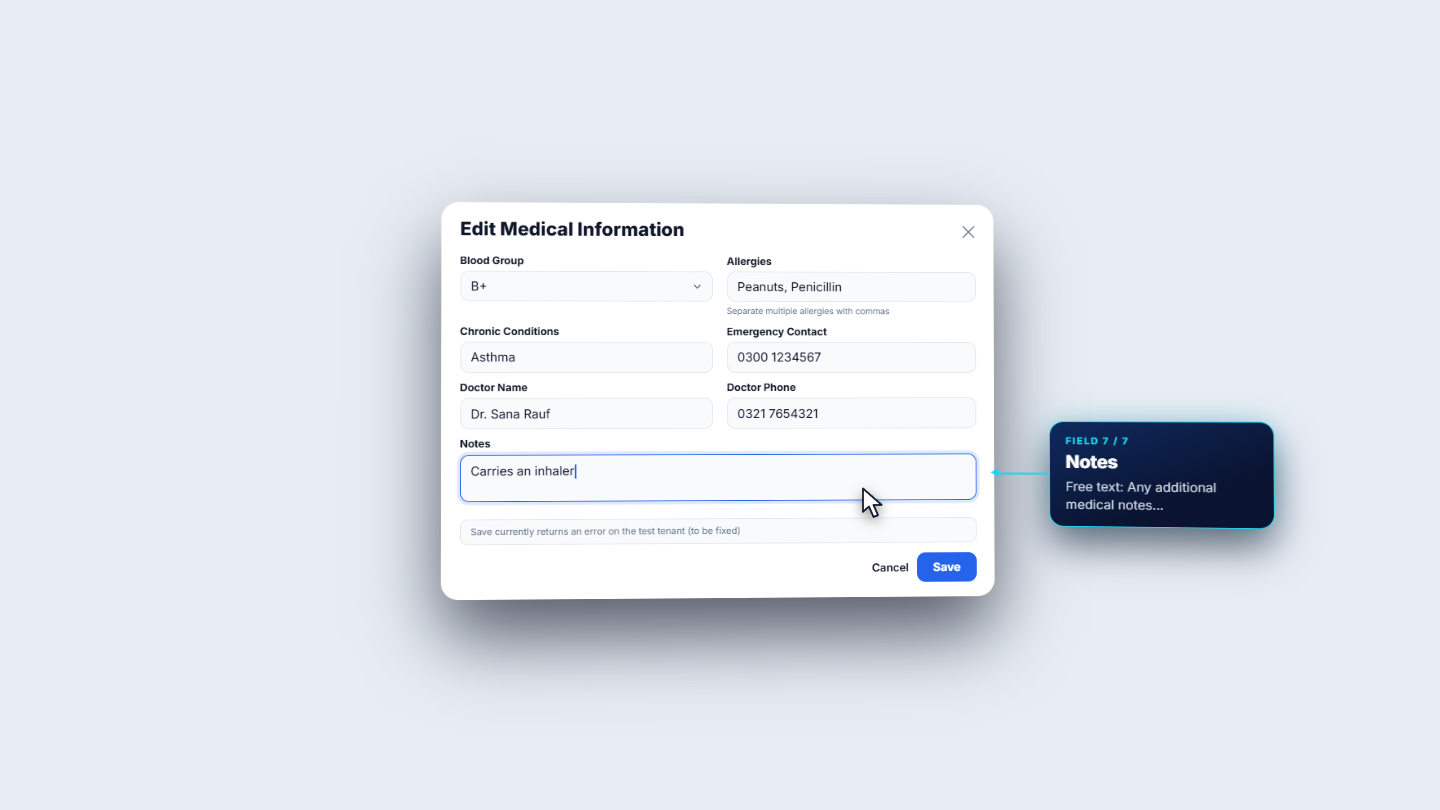
On the profile, open Wellbeing. It has Health, Discipline and Counseling. Health shows Medical Information, empty for a new student, with Edit. In Edit Medical Information choose the Blood Group (a select), then Allergies and Chronic Conditions (separated by commas), Emergency Contact, Doctor Name, Doctor Phone and Notes. Press Save: the toast says Medical information updated, and the card shows the allergies, conditions, emergency contact, doctor and the notes line.
Edit Medical Information dialog
2
Record a vaccination or a medical incident
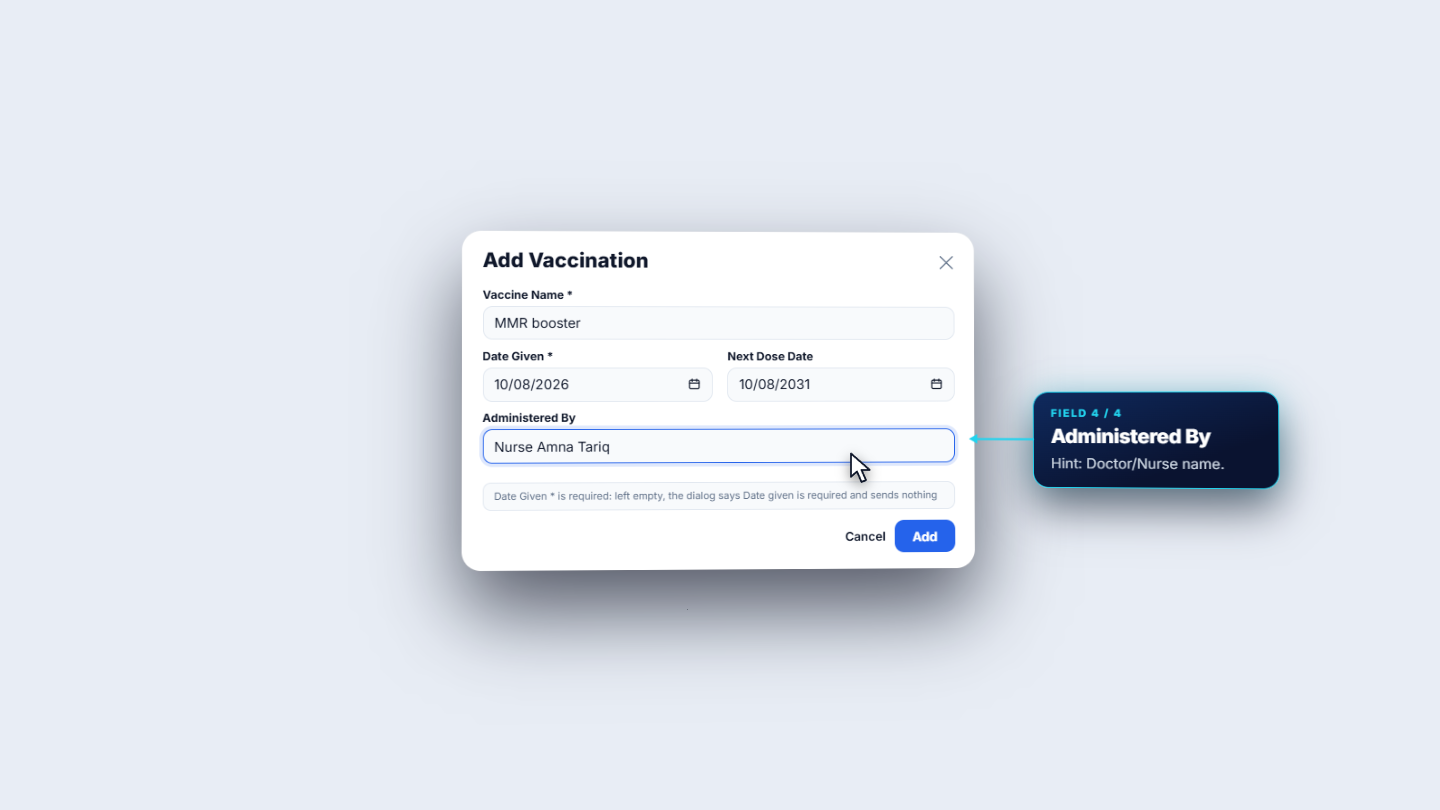
Vaccinations says No vaccination records and has an Add button. Vaccine Name and Date Given are required; left empty, the dialog says Date given is required and sends nothing. Add the Next Dose Date and Administered By, then Add. Medical Incidents has its own Add: Record Medical Incident takes a date, Severity (minor, moderate or severe; minor by default), a required Description and the Action Taken, with Cancel and Record.
Add Vaccination dialog
3
Discipline records
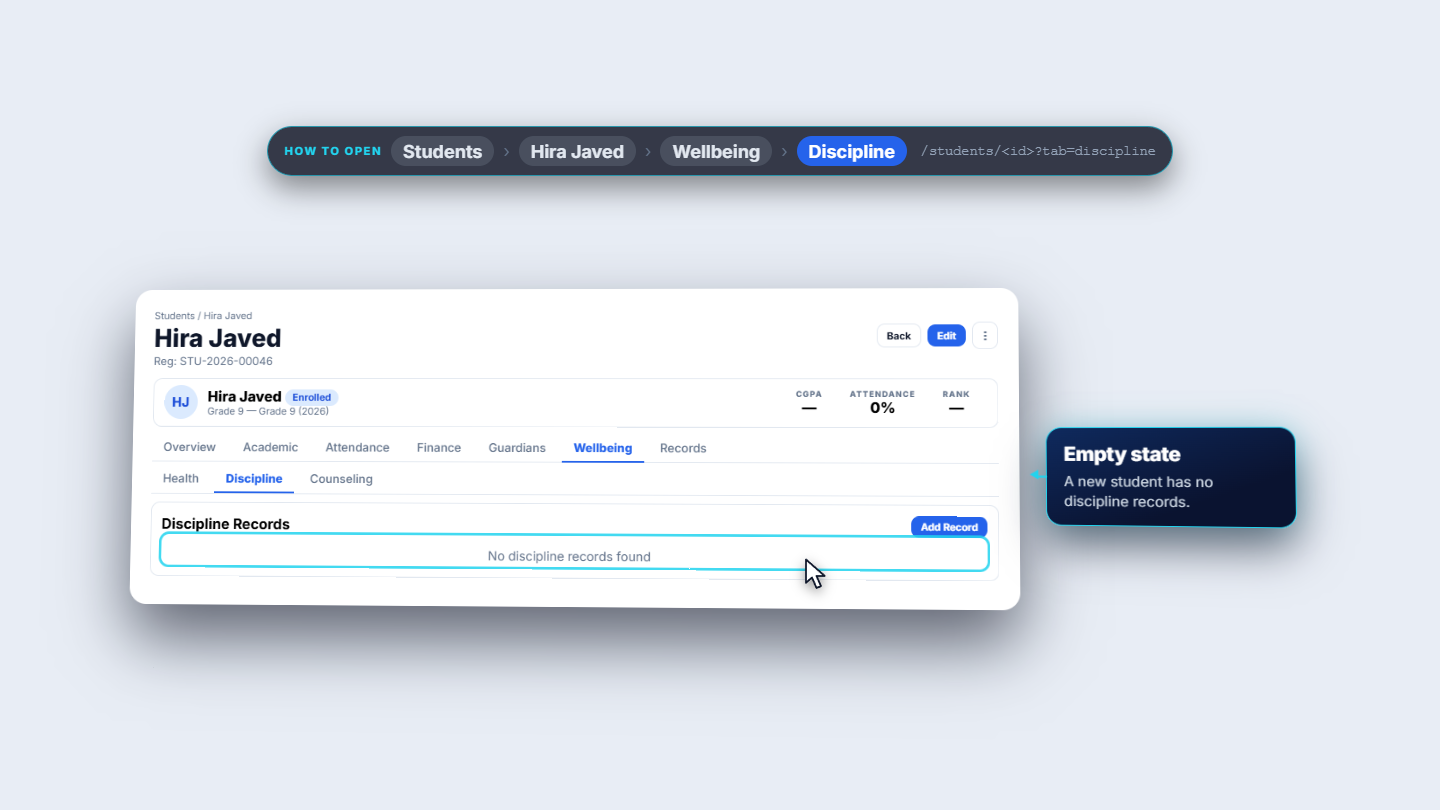
Open Discipline. The card is Discipline Records with Add Record. A new student has none: No discipline records found. In Add Discipline Record the Title and Description are required; choose the Category (minor, major or critical), the date and the action taken, then Save Record.
Discipline Records card with Add Record button
4
Counselling sessions
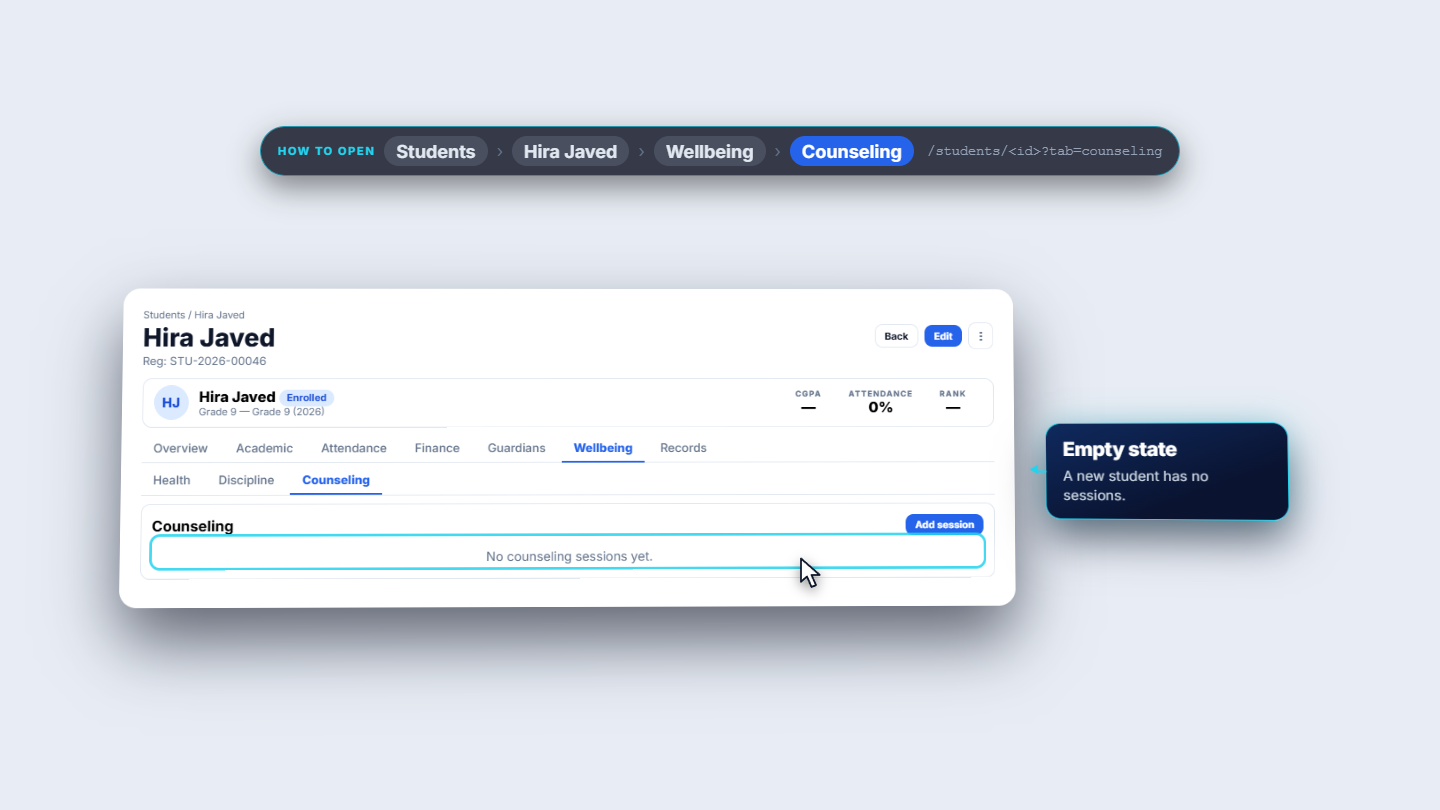
Open Counseling. It says No counseling sessions yet and has Add session. The dialog takes a Date and time (both required), the Mode (a select, starting at in person), a Zoom or Teams link, the outcome and Confidential notes, with Cancel and Save session.
Counseling tab with Add session button
5
Records: the ID card
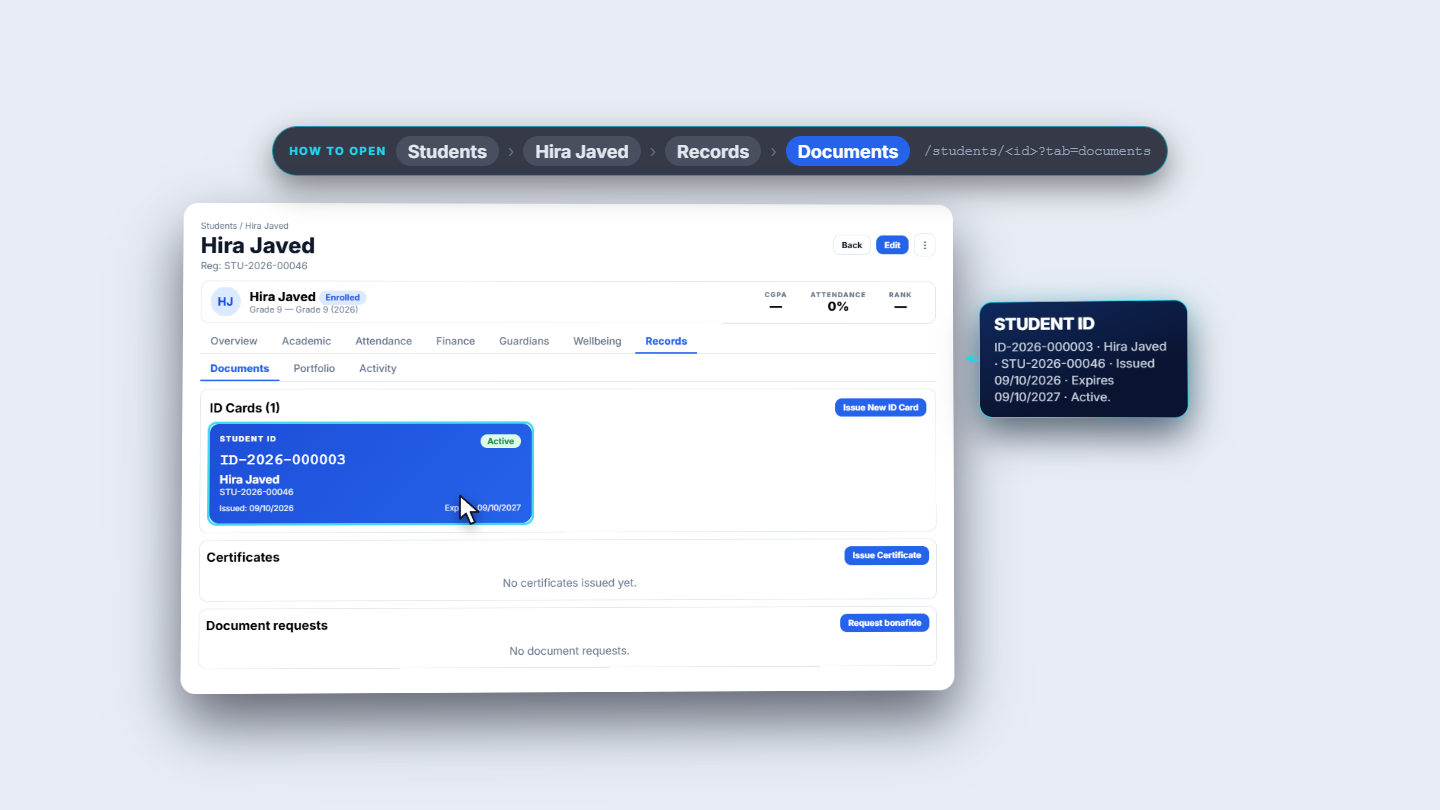
Open Records, which opens on Documents: ID Cards, Certificates and Document requests. Issue New ID Card issues straight away, with no dialog. The card reads Student ID, the ID number (ID-2026-000003), Hira Javed and her registration number, issued 9 October 2026, expiring a year later, Active.
Records Documents tab with the student ID card
6
Certificates
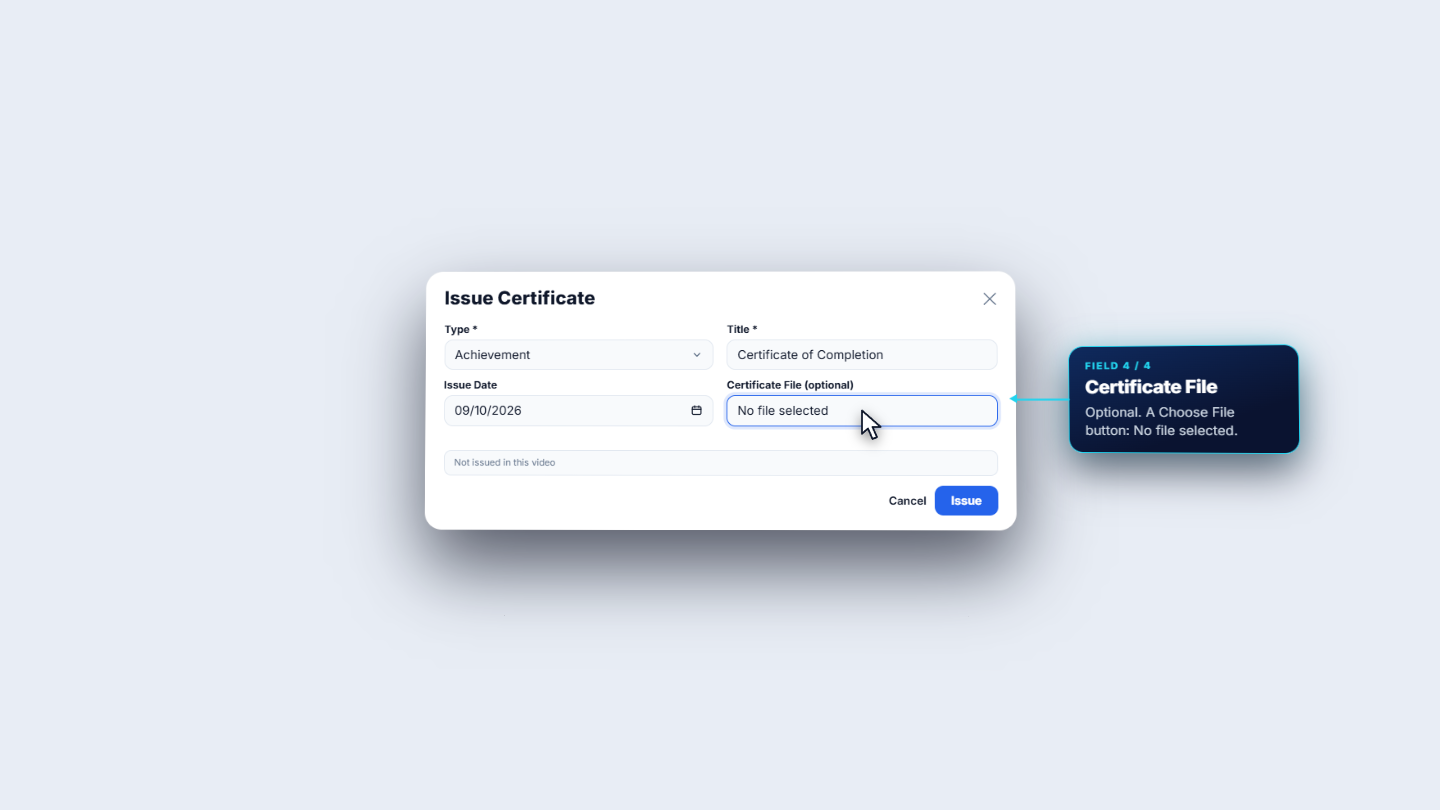
Certificates says No certificates issued yet and has Issue Certificate. The Type and Title are required; add the issue date and an optional Certificate File, then Issue. Document requests says No document requests and has Request bonafide.
Issue Certificate dialog
7
Portfolio, activity and the privacy menu
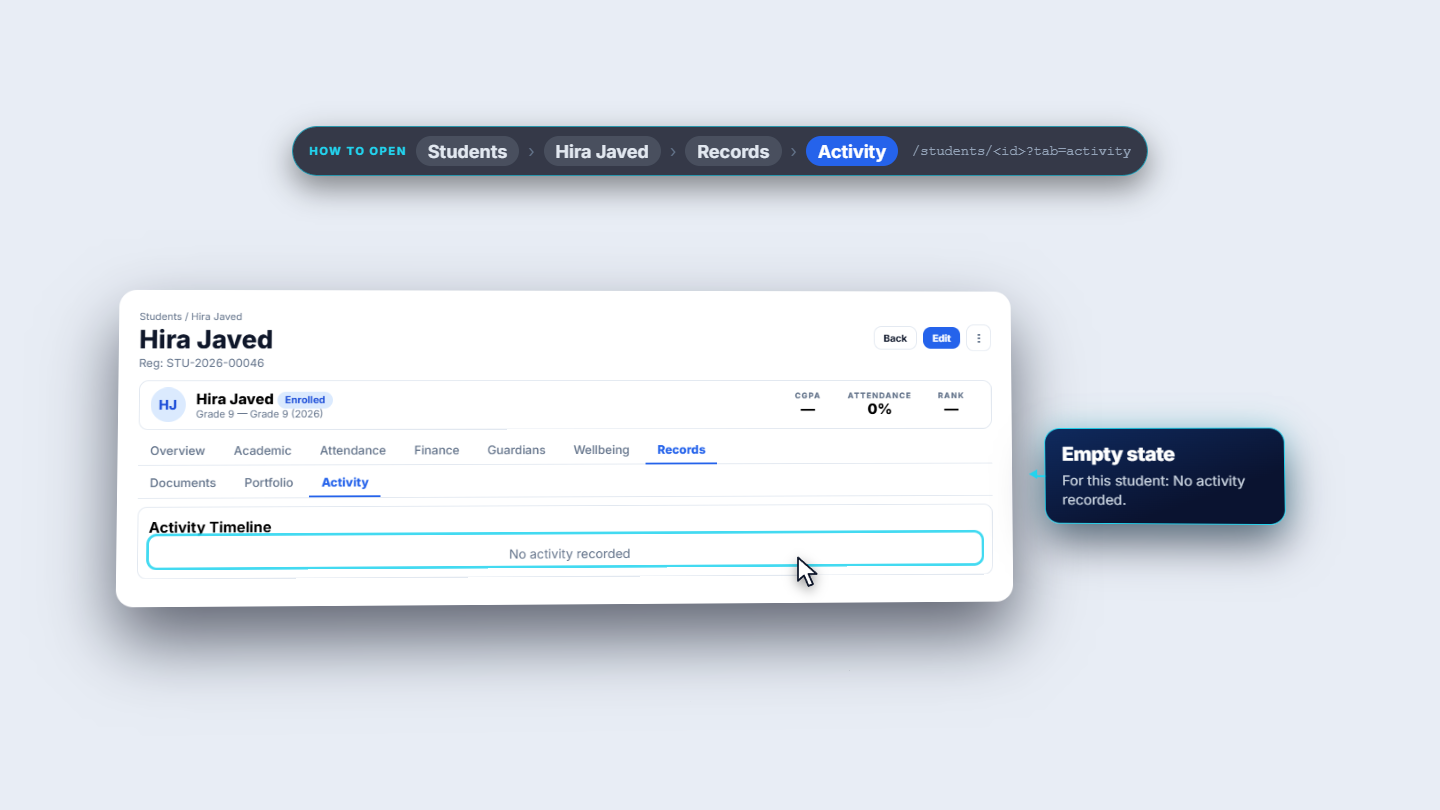
Portfolio is Achievements and Portfolio, with Add Achievement; empty it says No achievements yet. Add one to get started.Activity shows the Activity Timeline; for this student No activity recorded. The three-dot menu in the header is Privacy and data: it lists Export personal data and Erase personal data in red.
Activity Timeline with no activity recorded
Check it worked
After saving, the Health card shows the allergies, conditions, emergency contact, doctor and notes.
The Records tab shows the ID card as Active with its issue and expiry dates.
Empty cards still show their message until something is added.
Common mistakes
Mistake
What you see
Fix
Leaving Date Given empty on a vaccination
Date given is required, nothing is sent
Enter the date
Description or title left blank
The required field blocks saving
Fill the required field
Looking for a dialog on Issue New ID Card
None opens; the card is issued at once
Check the ID Cards card
Quick reference
Item
Meaning / rule
Wellbeing
Health, Discipline and Counseling
Records
Documents, Portfolio and Activity
Severity
Minor, moderate or severe
Discipline category
Minor, major or critical
Privacy and data
Export personal data; Erase personal data
Frequently asked questions
Why does Add Vaccination not save? Vaccine Name and Date Given are required. With Date Given empty the dialog says "Date given is required" and sends nothing.
Does Issue New ID Card open a dialog? No. It issues the card straight away. The ID Cards card then shows the ID number, the issue and expiry dates and the status Active.
Can I undo Erase personal data? No. Erasing personal data cannot be undone, so check the student and the school's rules first. Export personal data is in the same Privacy and data menu.