How to set up loyalty points and use them at the till
You will set how many points a customer earns and what a point is worth, save membership tiers, see your best customers on the leaderboard, adjust points by hand, and watch points being earned and redeemed on a real sale.
Who it is forShop owner or store managerTime10 minutesProductPOSLevelBeginner
Before you start
Steps
1
Open the leaderboard
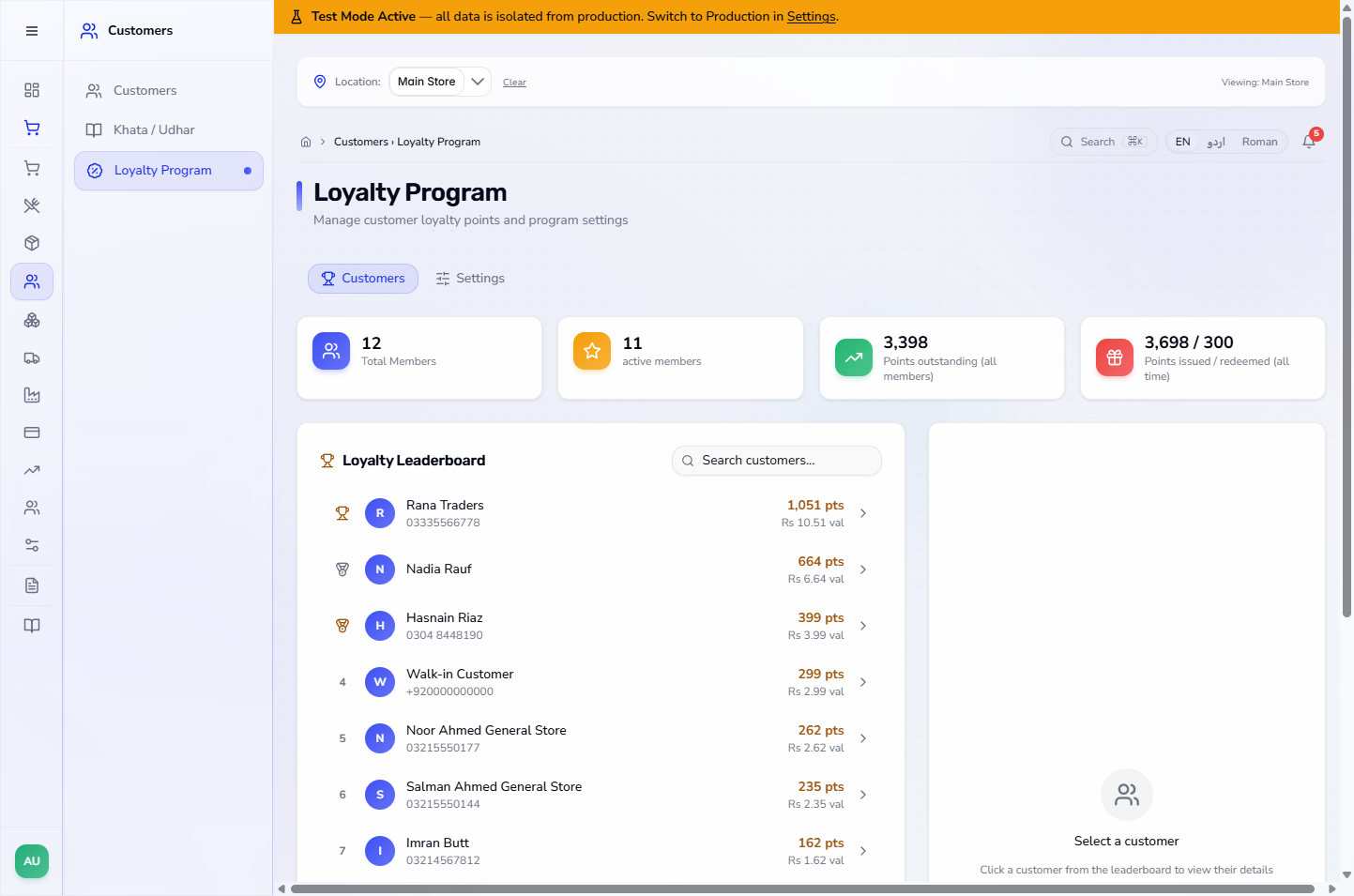
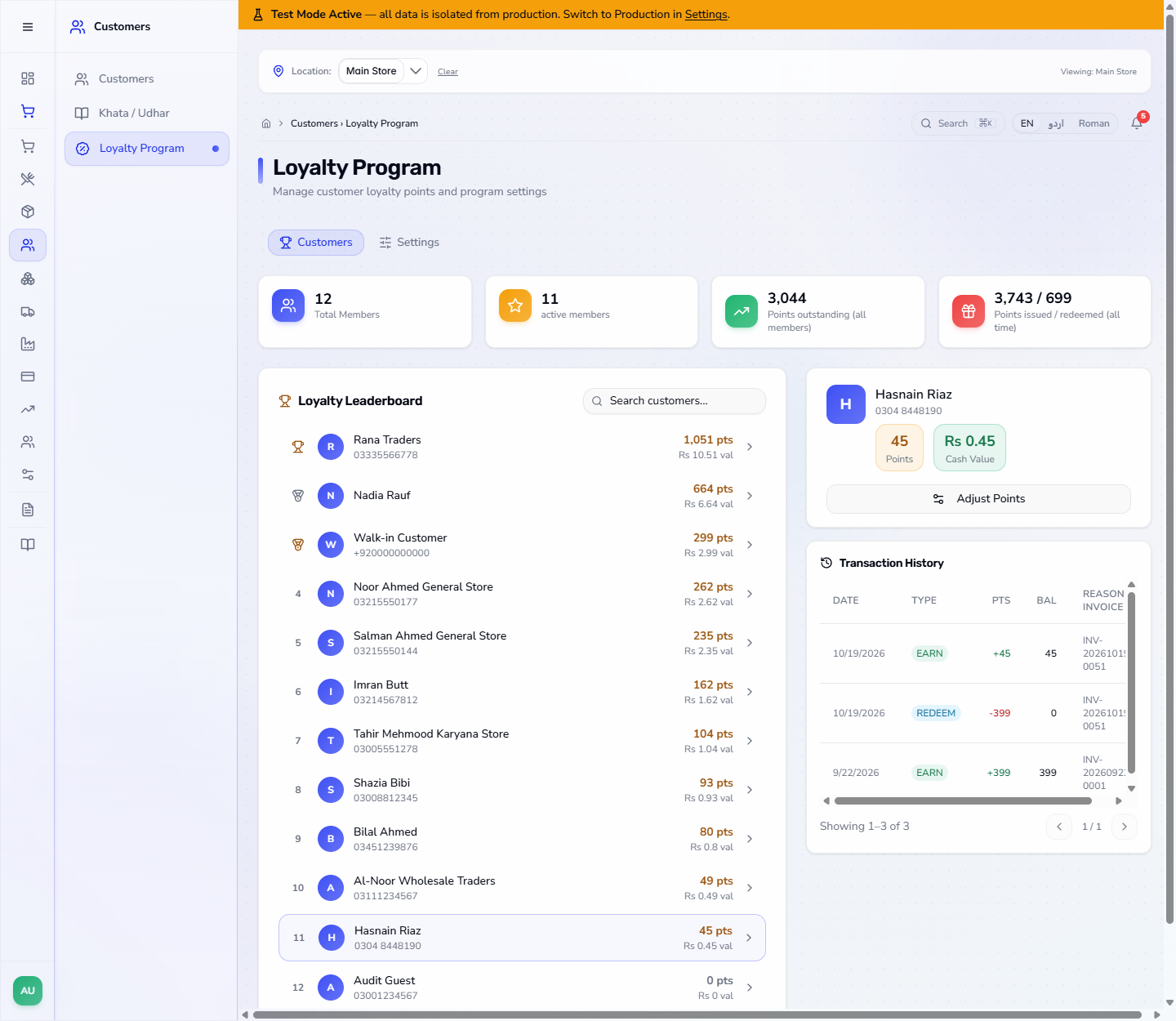
Open Customers › Loyalty Program. Four cards show Total Members, active members, Points outstanding and Points issued / redeemed. The Loyalty Leaderboard ranks customers by points, with medals for the top three. Use Search customers... to find one.
Loyalty Program page with the cards and the leaderboard
2
Look at one customer
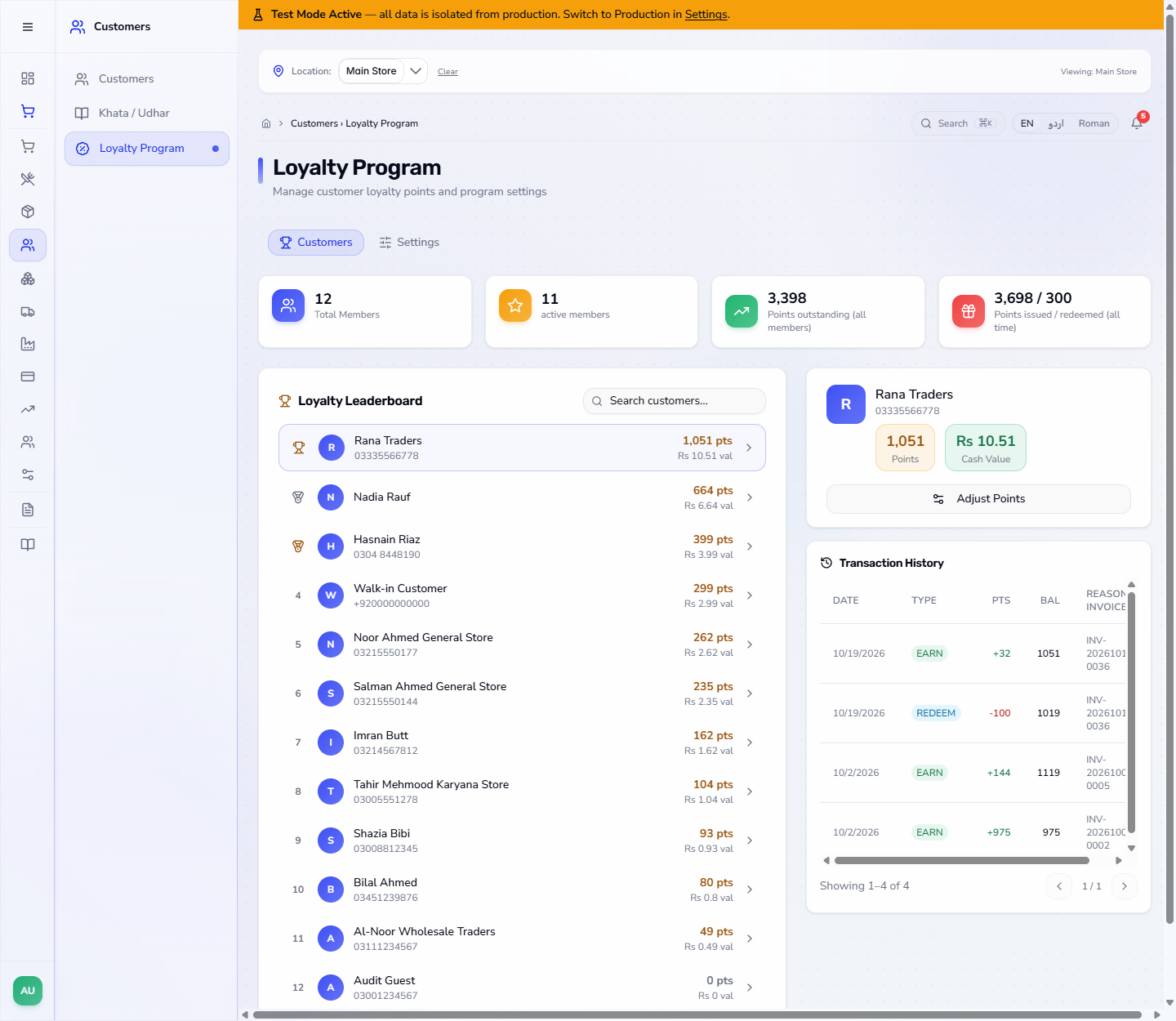
Click a row. A tier chip appears next to the name once you have saved tiers (Step 6). The panel shows the Points, the Cash Value (points times the redeem rate) and the Transaction History with DATE, TYPE, PTS, BAL and REASON / INVOICE.
Customer points, cash value and transaction history
3
Add or remove points by hand
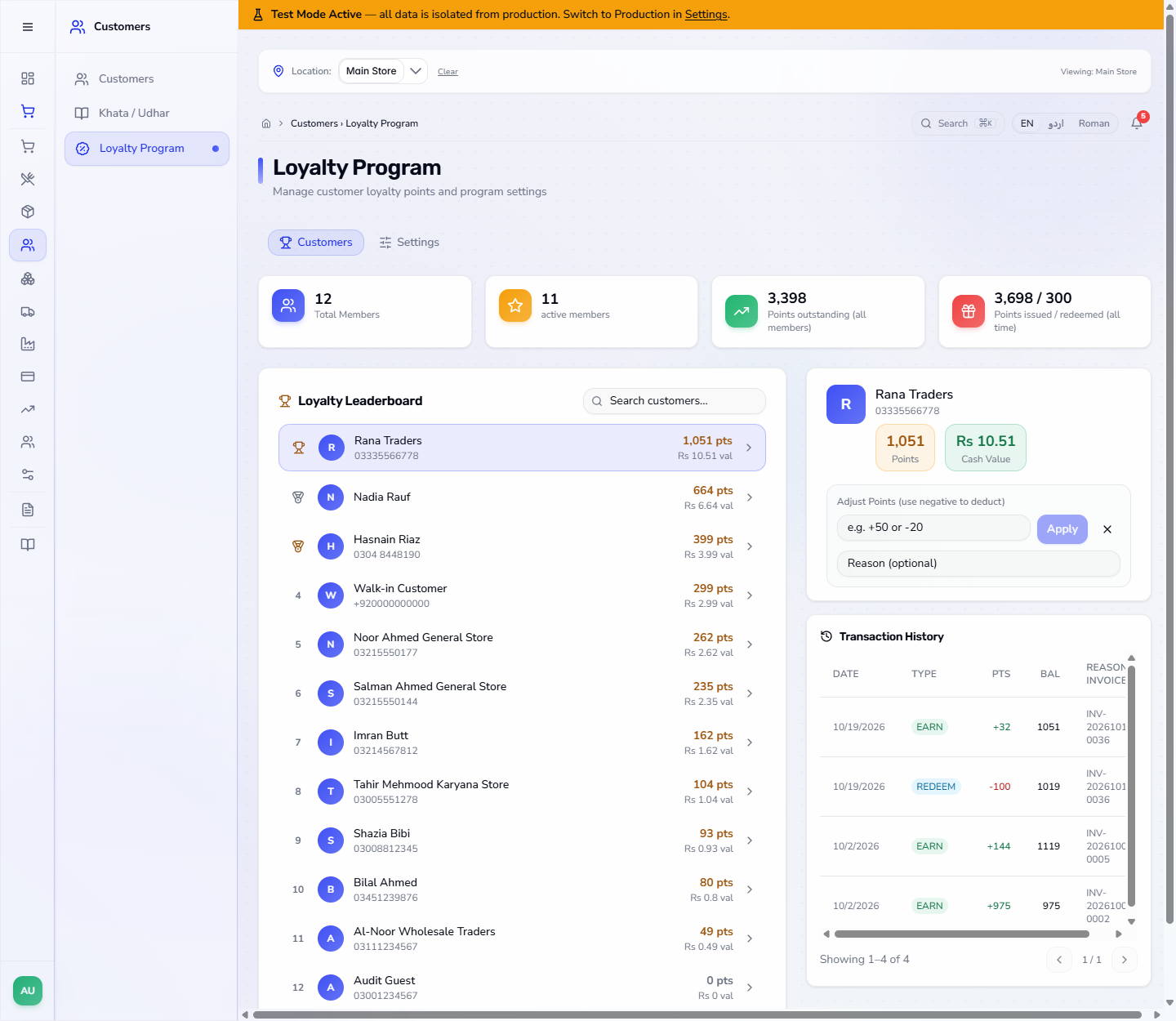
Press Adjust Points. Type a number such as +50 or -20 and, if you like, a Reason. Apply stays disabled until you type a number.
Adjust Points panel opened on a customer
4
The app refuses to remove more than the customer has
Typing a number larger than the balance, for example -5000, gives Cannot remove 5000 points: the customer only has and the balance, and the balance does not change. A valid change, such as +50 with a reason, gives Points adjusted with the new balance. The history gets an ADJUST line with your reason and the name of the user who made it.
5
Set the earn and redeem rules
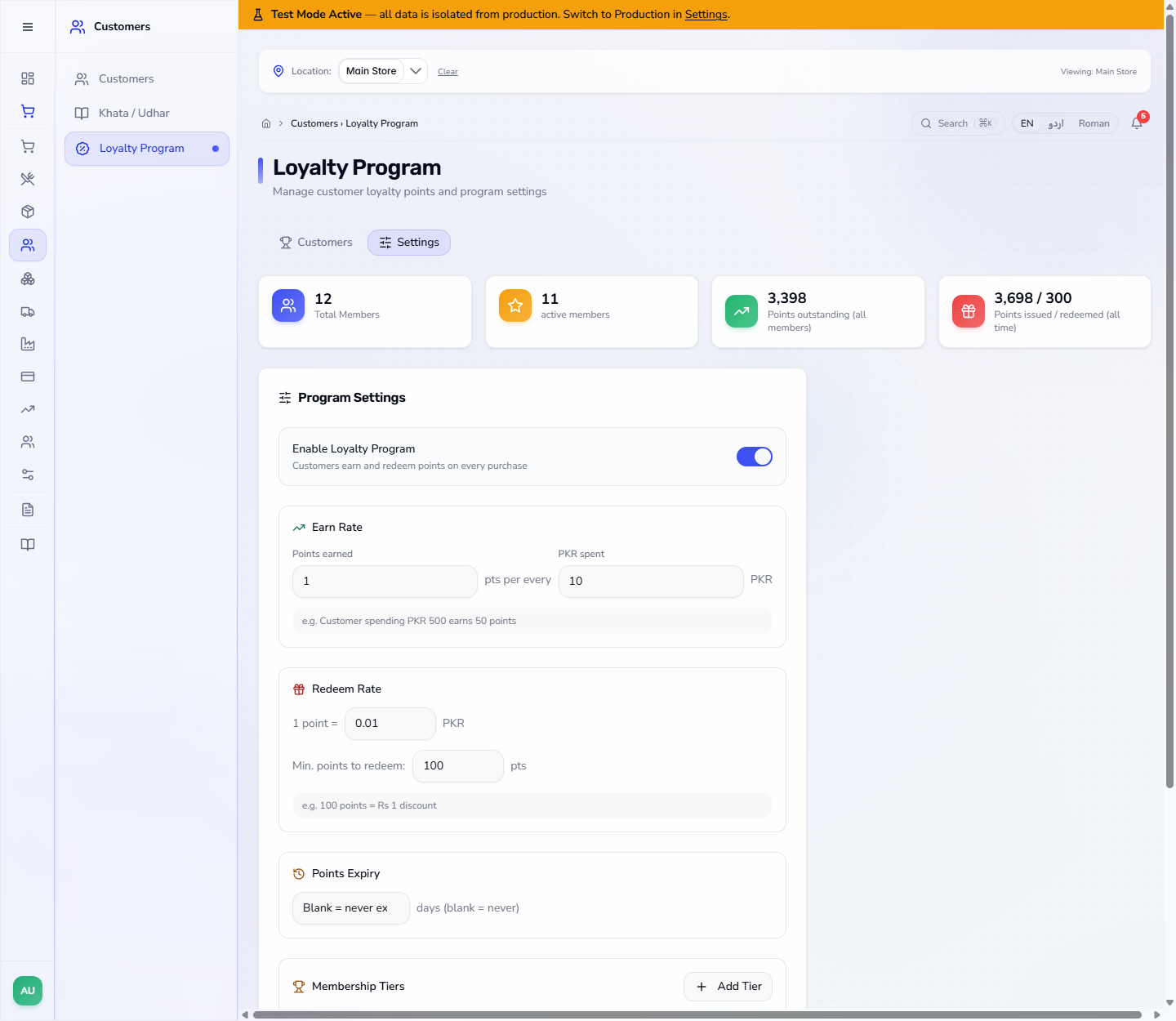
Open the Settings tab. Switch Enable Loyalty Program on. Earn Rate reads "1 pts per every 10 PKR spent". Redeem Rate reads "1 point = 0.01 PKR", so 100 points are worth Rs 1. Min. points to redeem (100) is the smallest balance a customer can use at the till. Points Expiry left blank means points never expire.
Settings tab with Earn Rate, Redeem Rate and Min. points to redeem
6
Tiers and referrals
Scroll down to Membership Tiers. If none are saved it says No tiers configured; press Use Defaults to fill Bronze (0 points, x1), Silver (2000, x1.5) and Gold (5000, x2). Each level has a Name, Min Points Earned, Multiplier and Badge, and Add Tier adds a row. Under Referral Program, untick Disabled to set the Referrer Bonus (50 points) and the Referee Signup Bonus (25 points).
7
Save, and check that the tiers stay
Set Points Expiry if you want one, then press Save Settings. The app says Settings saved. Reload the page and open Settings again: the tier rows, the expiry and the referral choice come back as you saved them.
8
Earn points at the till
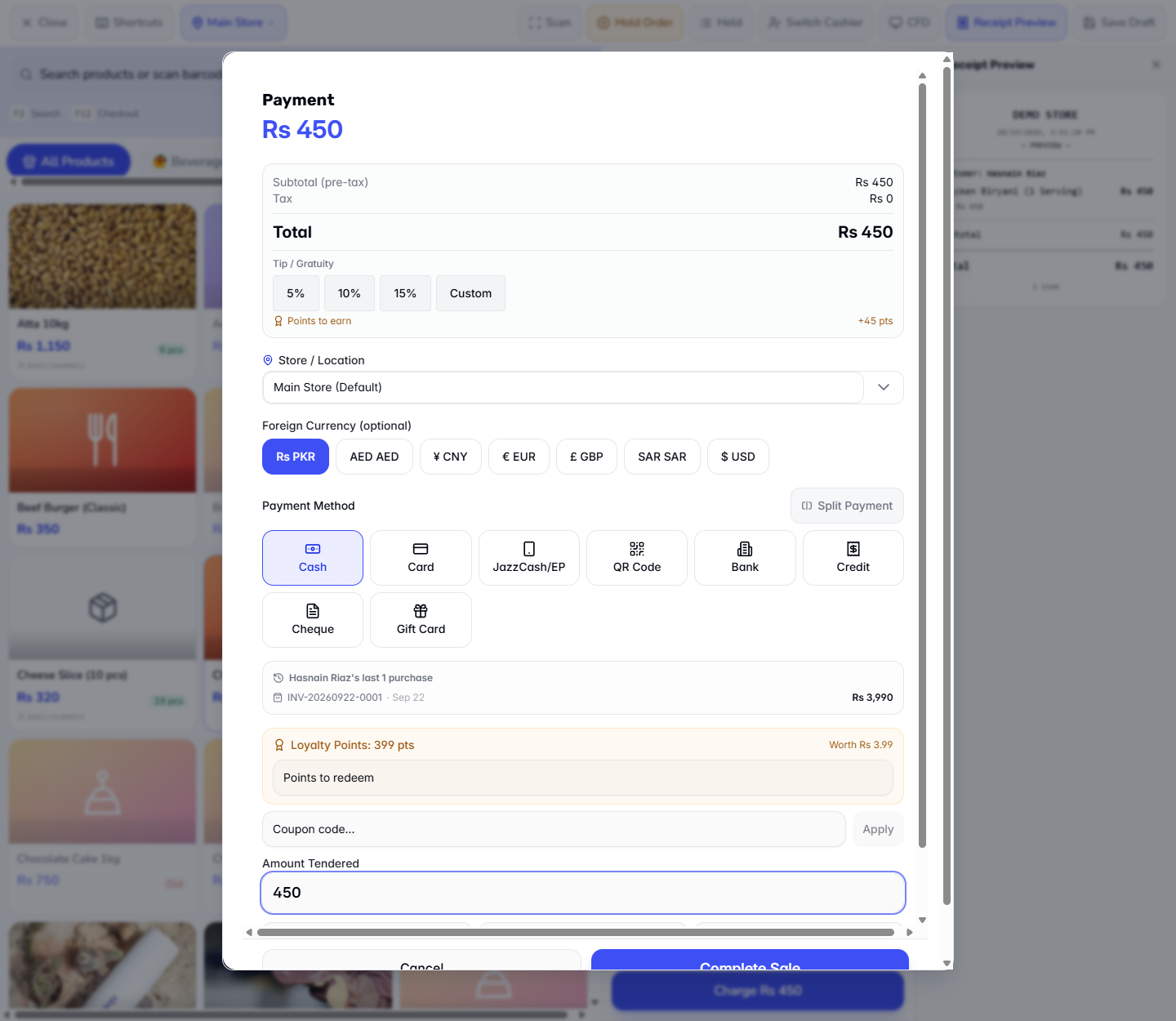
On the terminal add the items, pick the customer and press Charge. The dialog shows Total Rs 450 and Points to earn +45 pts (Rs 450 divided by 10), and the customer's Loyalty Points with what they are Worth.
Payment dialog showing Total Rs 450, points to earn and the customer's points
9
Redeem points
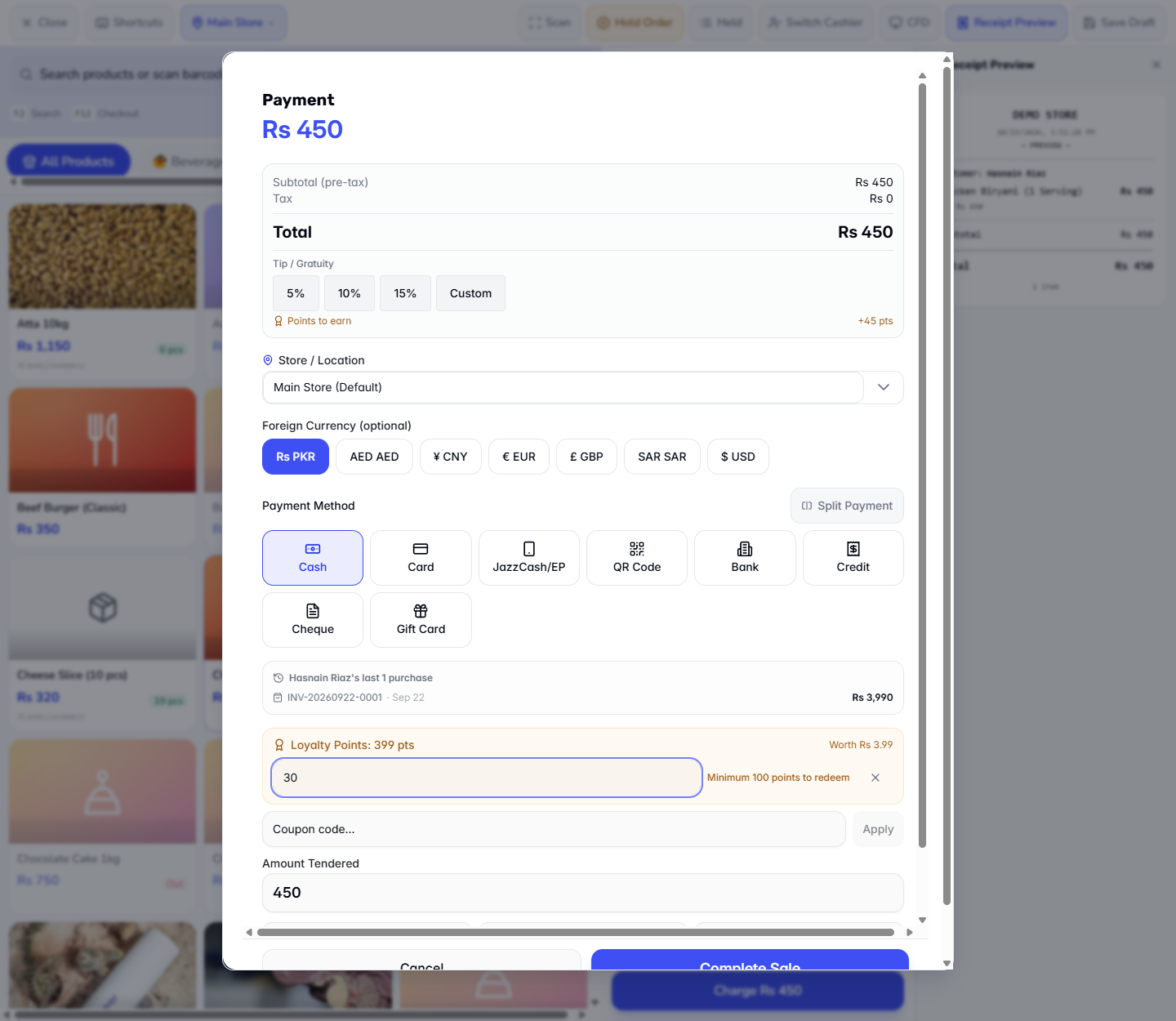
Type the points in Points to redeem. Below the minimum, the box says Minimum 100 points to redeem at once and nothing is discounted.
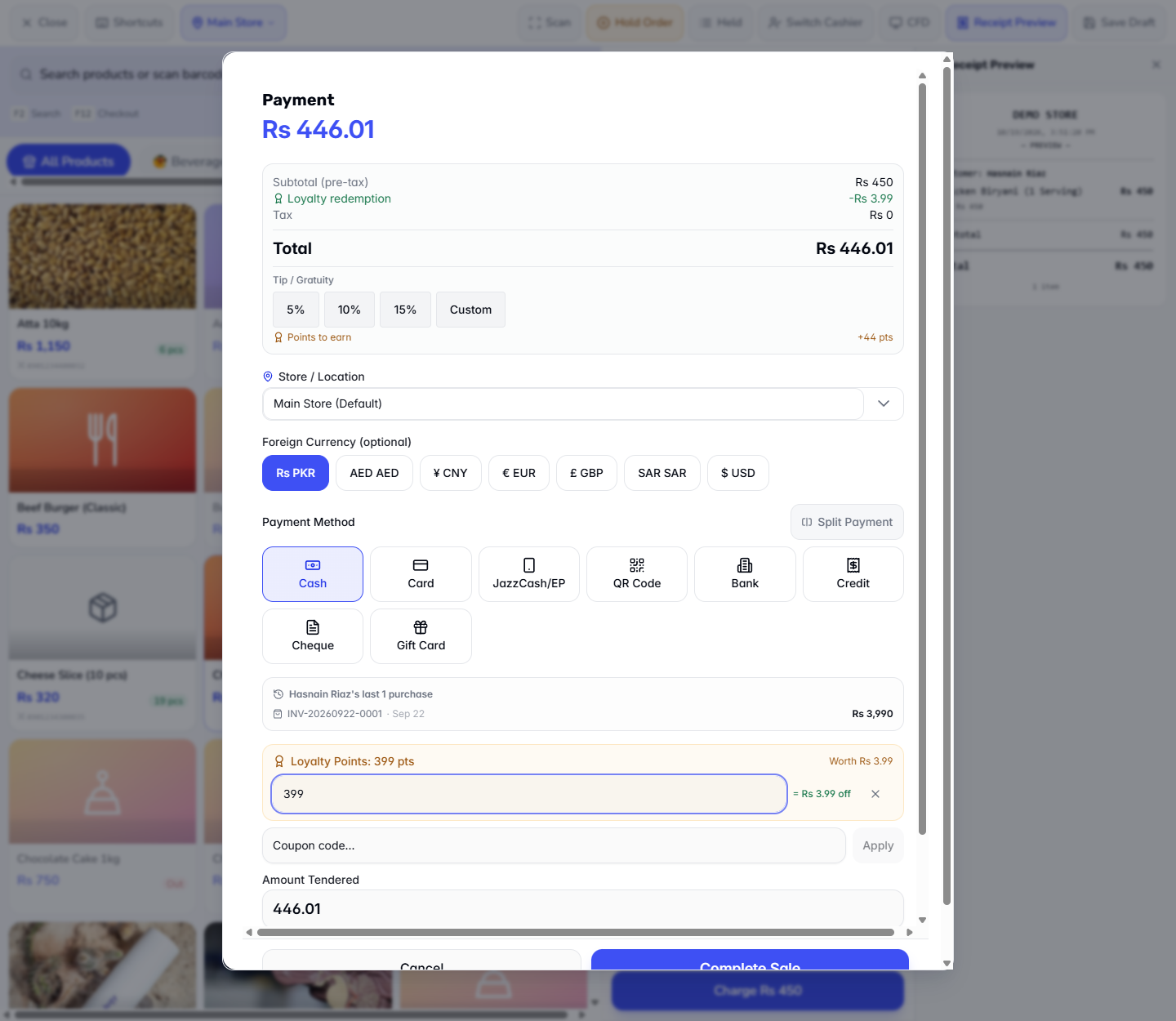
With 399 points, Apply takes Loyalty redemption -Rs 3.99 off, so the total falls to Rs 446.01. The x clears the redeemed points. The Points to earn preview may drop by one point after a redemption; the receipt gives the final figure.
Minimum 100 points to redeem message when 30 points are typed
Redeeming all 399 points with the discount applied
10
Check the receipt and the history
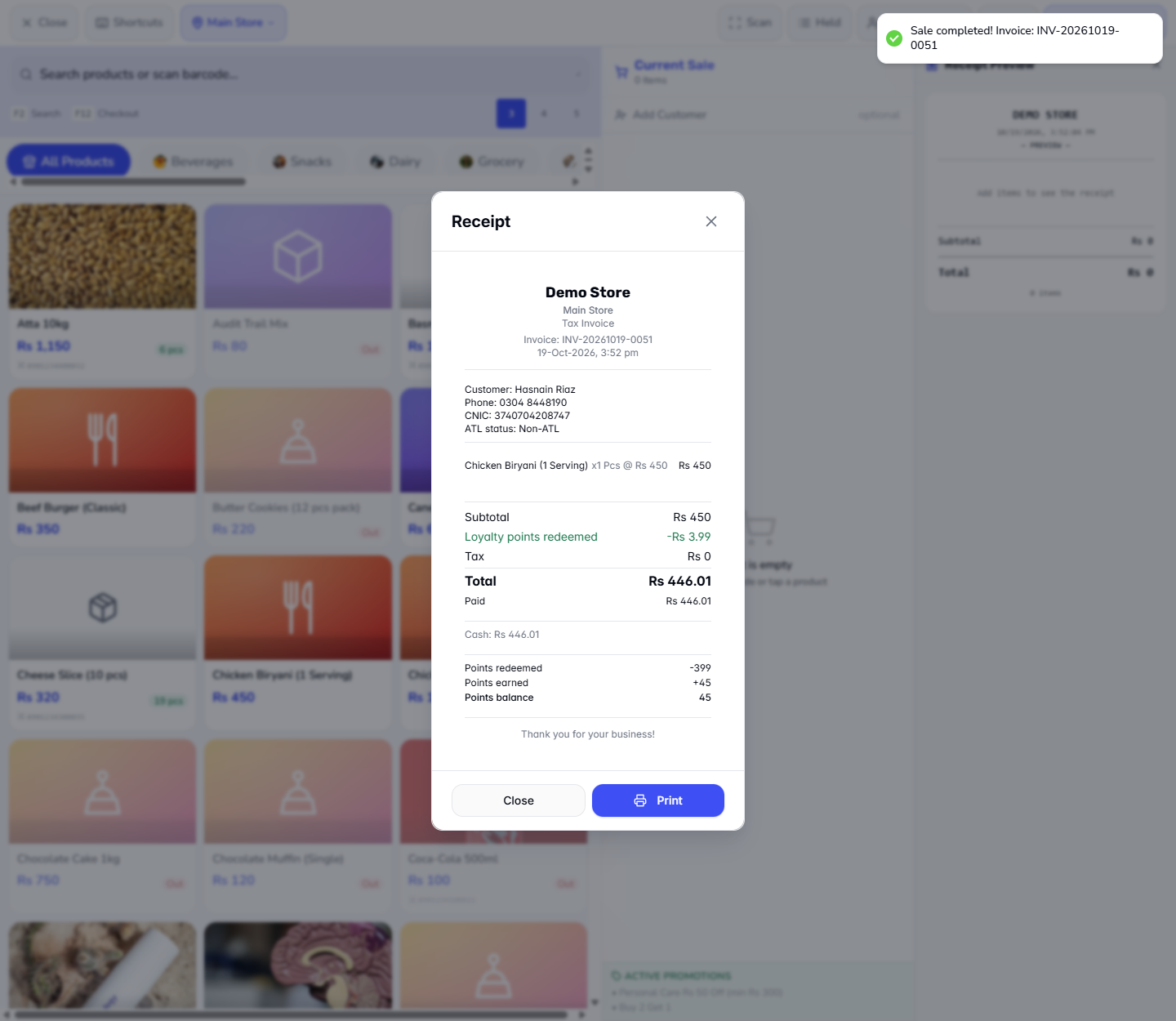
Press Complete Sale. The receipt shows Loyalty points redeemed -Rs 3.99, then Points redeemed -399, Points earned +45 and Points balance 45.
Back on the Loyalty Program page, the customer's history shows one REDEEM line and one EARN line for the same invoice.
Receipt with the loyalty discount, points redeemed, points earned and balance
Customer history with the EARN and REDEEM lines of the sale
Check it worked
The customer had 399 points; after the sale the history shows REDEEM -399 and EARN +45, so the balance is 45.
The sale total fell from Rs 450 to Rs 446.01.
The tiers are still filled in after a reload.
Common mistakes
Mistake
What you see
Fix
Removing more points than owned
Cannot remove 5000 points: the customer only has the balance
Check the balance first
Redeeming below the minimum
Minimum 100 points to redeem
Wait until the balance reaches the minimum
Selling without a shift
Please open a shift before making sales
Open a shift in Sell › Cashier Shifts
Quick reference
Item
Meaning / rule
Earn rate
1 point per 10 PKR spent (this store)
Redeem rate
1 point = 0.01 PKR; 100 points = Rs 1
Min. points to redeem
100, set in Settings and enforced at the till
Tier multiplier
Earn faster at higher tiers
Frequently asked questions
Do points expire? Only if you fill Points Expiry with a number of days; blank means never.
Where do I see why points were adjusted? In the customer's history, the ADJUST line shows your reason and the name of the user who made the change.
Why is there no Weekend discount on my sale? Promotions such as Weekend 10% Off only apply on the days they are set for; points are earned on what the customer actually pays after discounts.
Can a customer redeem a few points? Not below the Min. points to redeem set in Settings; the till shows "Minimum 100 points to redeem".