How to take a gift card and redeem loyalty points at the till
Customers bring gift cards and collect loyalty points. This guide shows how to look up a card, pay a bill with it, check the card's balance afterwards, and let a regular customer use points to take money off the bill.
Who it is forCashierTime10 minutesProductPOSLevelBeginner
Before you start
Steps
1
Look up the gift card
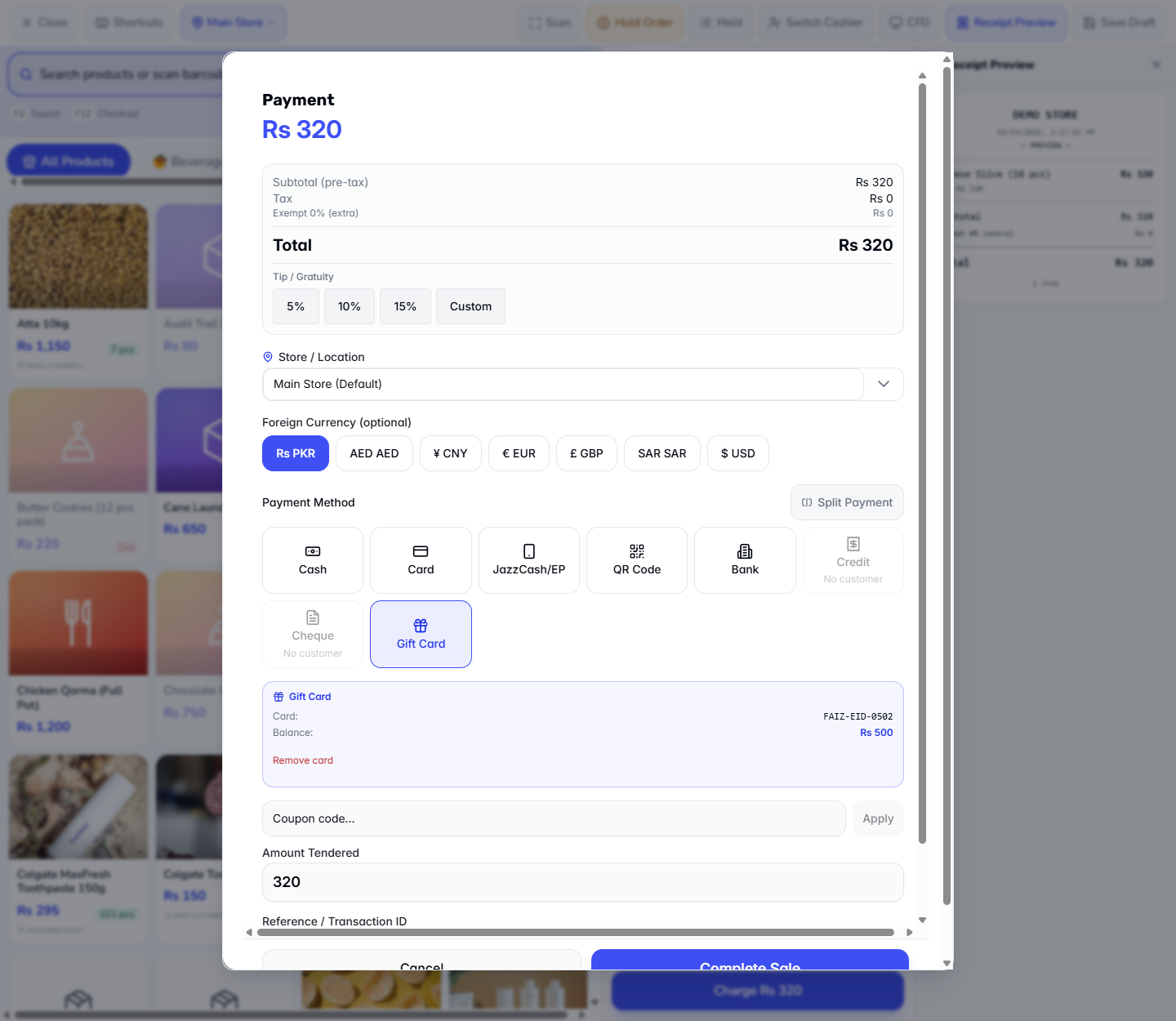
Add Cheese Slice (10 pcs) to the cart (Rs 320) and press Charge. Choose Gift Card. In Enter gift card code… type the code, for example FAIZ-EID-0502, and press Lookup. The panel shows Card: FAIZ-EID-0502, Balance: Rs 500 and a Remove card link.
Gift Card panel with the card found and its balance
2
Know where cards come from
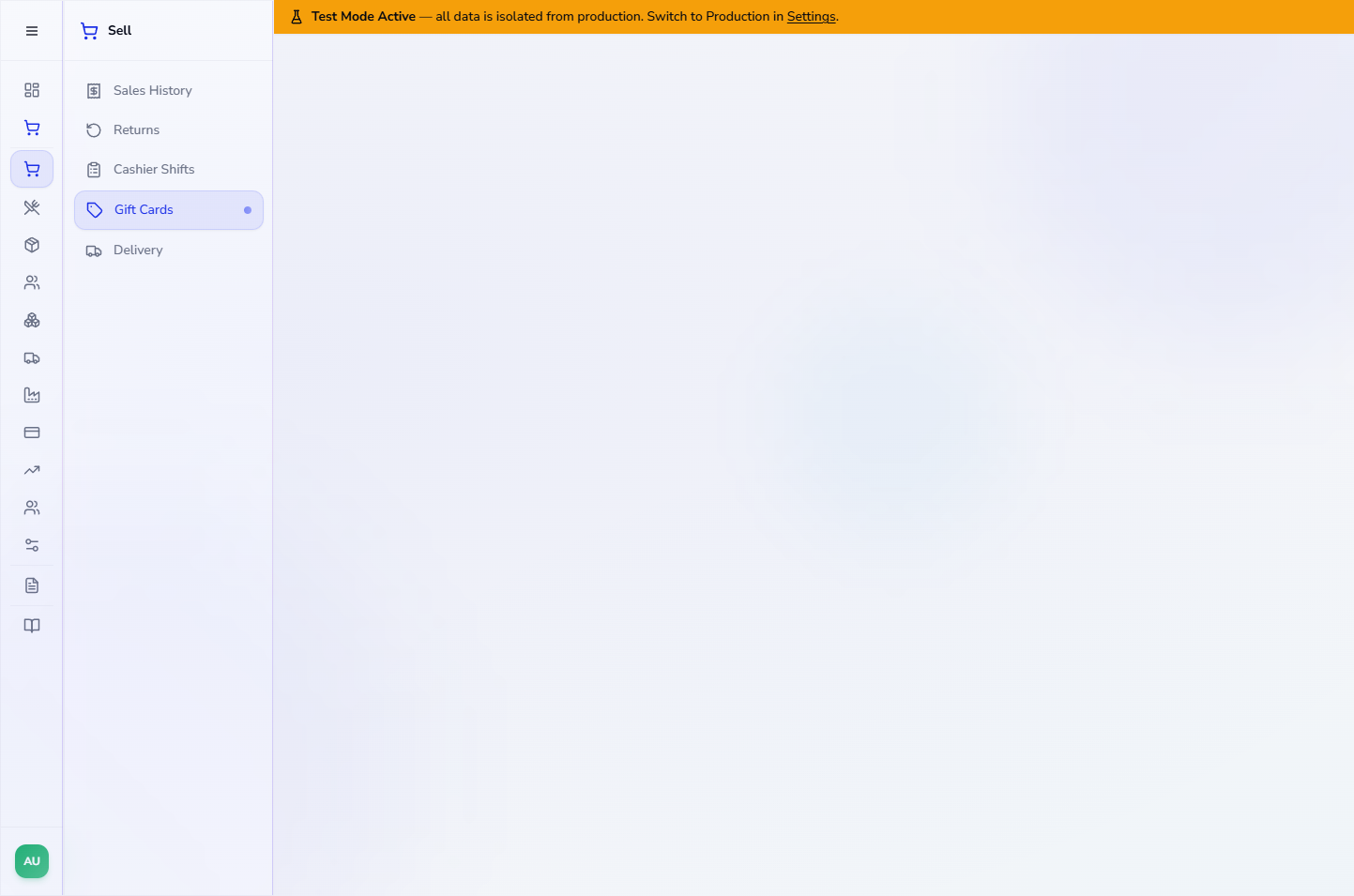
Open Sell › Gift Cards. The table lists each card with CODE, CUSTOMER, INITIAL VALUE, BALANCE, STATUS and EXPIRY, and row buttons for Reload and History. Quick Lookup finds a card by its code.
Gift Cards screen with the card table
3
Issue a new card when a customer buys one
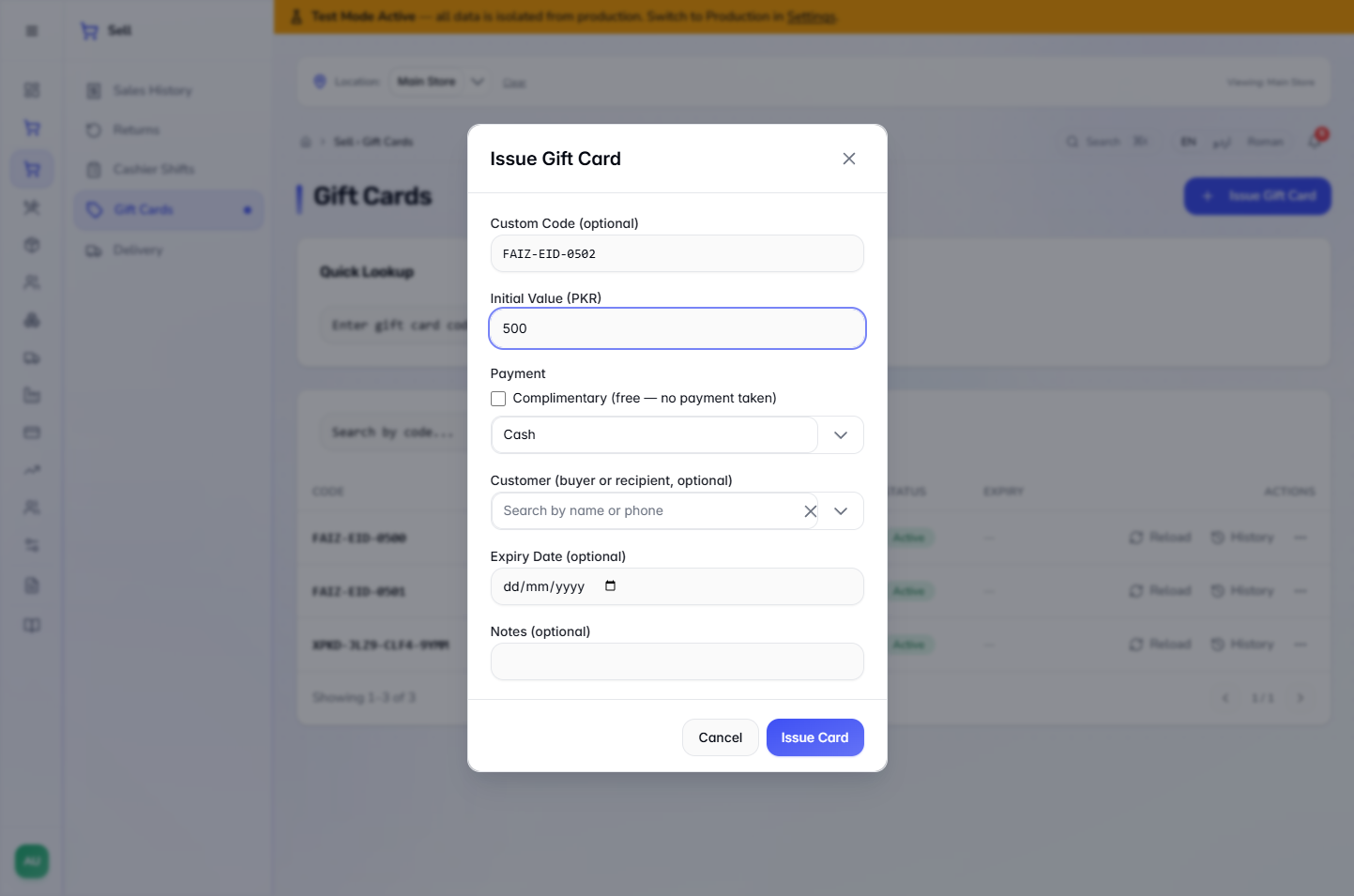
Press Issue Gift Card. You can type a Custom Code (optional) (it is made automatically if left blank), the Initial Value (PKR), how it is paid (for example Cash, or tick the Complimentary (free — no payment taken) box), the customer who receives it, an Expiry Date (optional) and Notes (optional). Press Issue Card. The new card appears in the table at once.
Issue Gift Card dialog with the code, value, payment, customer, expiry and notes fields
4
Pay the bill with the card
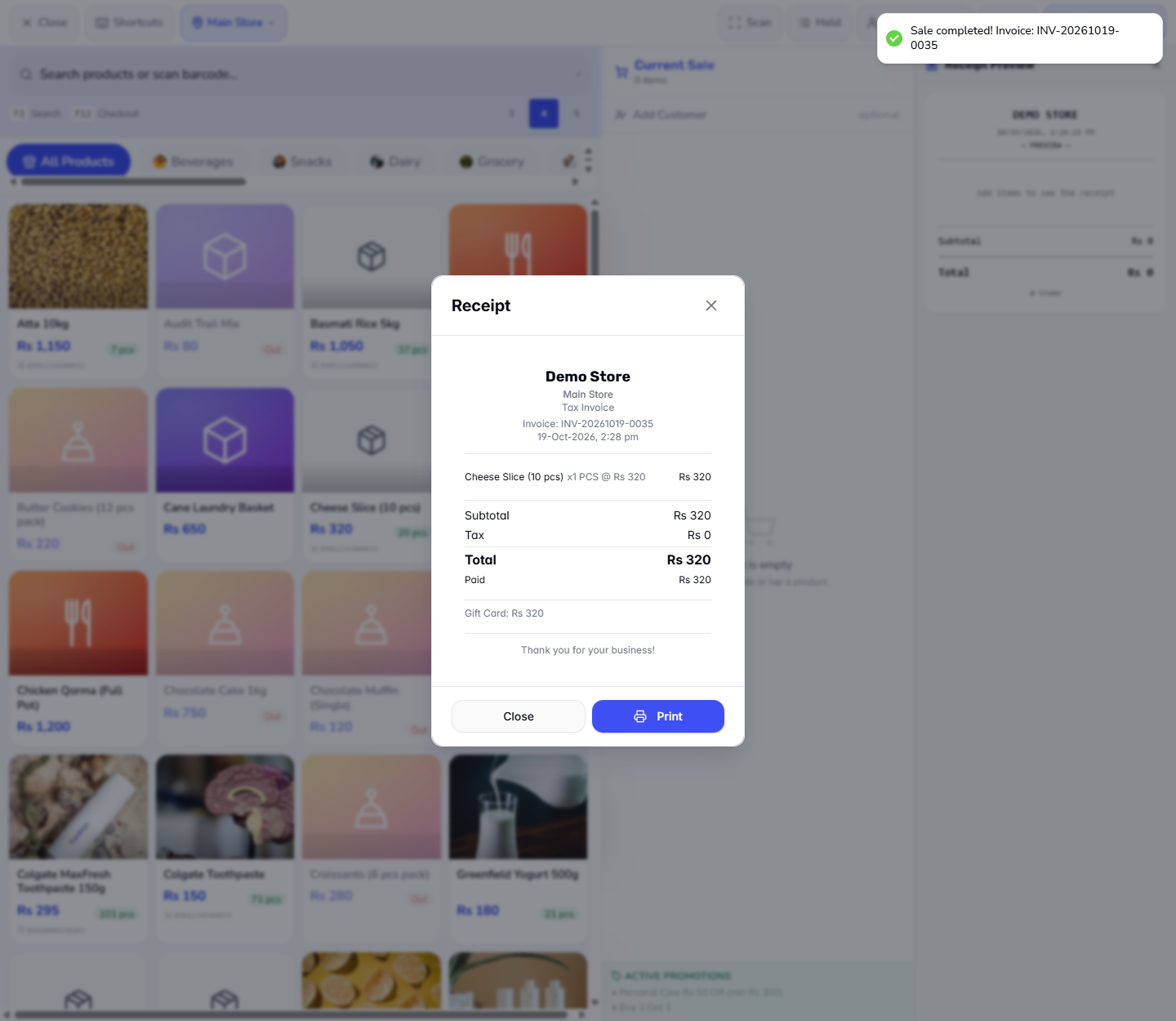
Back in the Payment dialog, check Amount Tendered is 320 and press Complete Sale. The app says Sale completed! Invoice: INV-20261019-0035. The receipt shows Total Rs 320, Paid Rs 320 and Gift Card: Rs 320.
Receipt after paying with the gift card
5
Check the card's balance and history
In Sell › Gift Cards the card now shows Rs 500 initial value and a balance of Rs 180, status Active. Press History: it lists Issued +Rs 500 and Redeemed -Rs 320 with the invoice number.
Gift card balance 180 after the sale
6
See the points a sale will earn
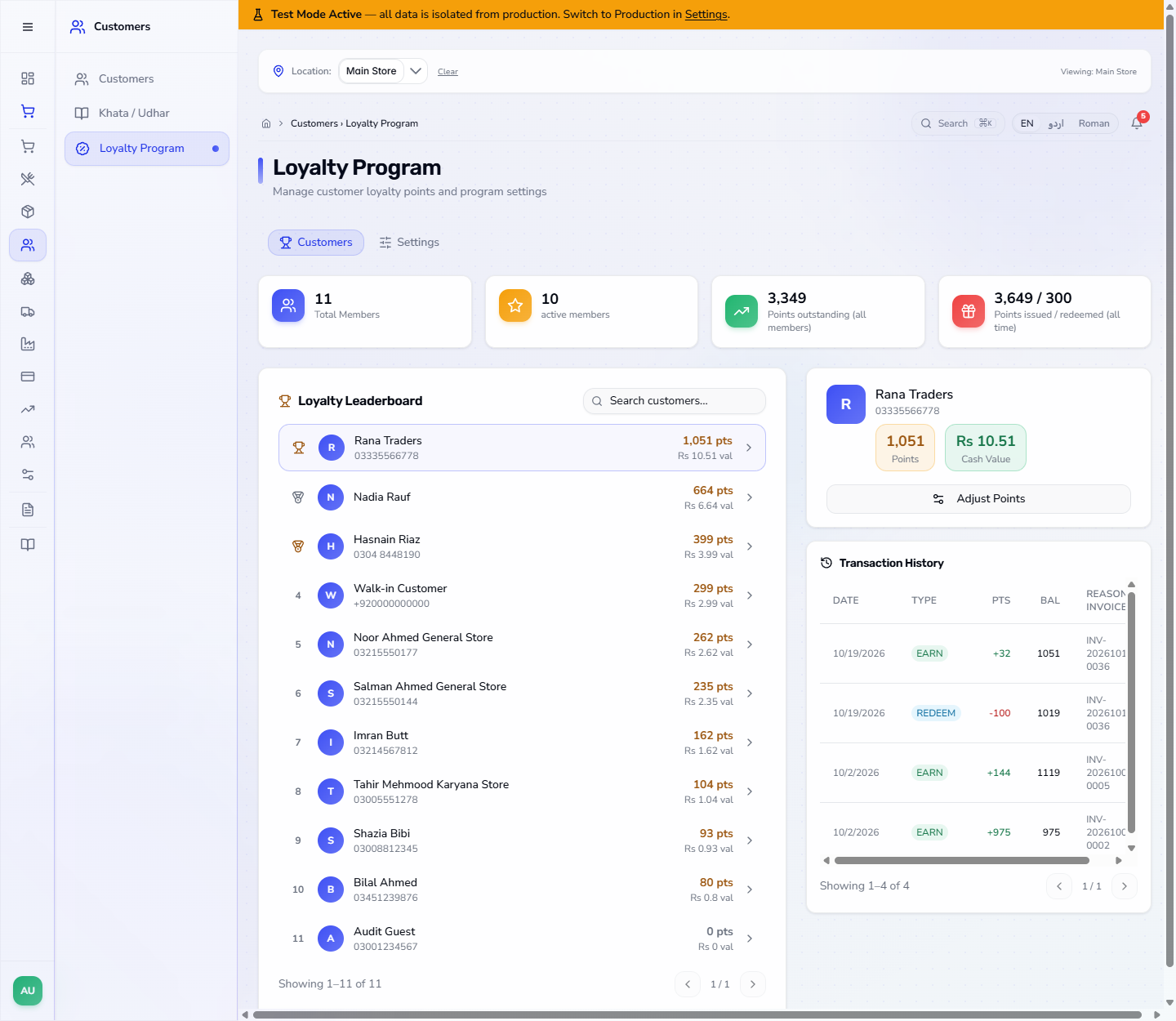
With a customer on the cart, the Payment dialog shows Points to earn, for example +32 pts for a Rs 320 bill, and the customer's Loyalty Points balance. The Customers › Loyalty Program screen ranks members by points in the Loyalty Leaderboard.
Loyalty Program screen with the leaderboard
7
Redeem points on a sale
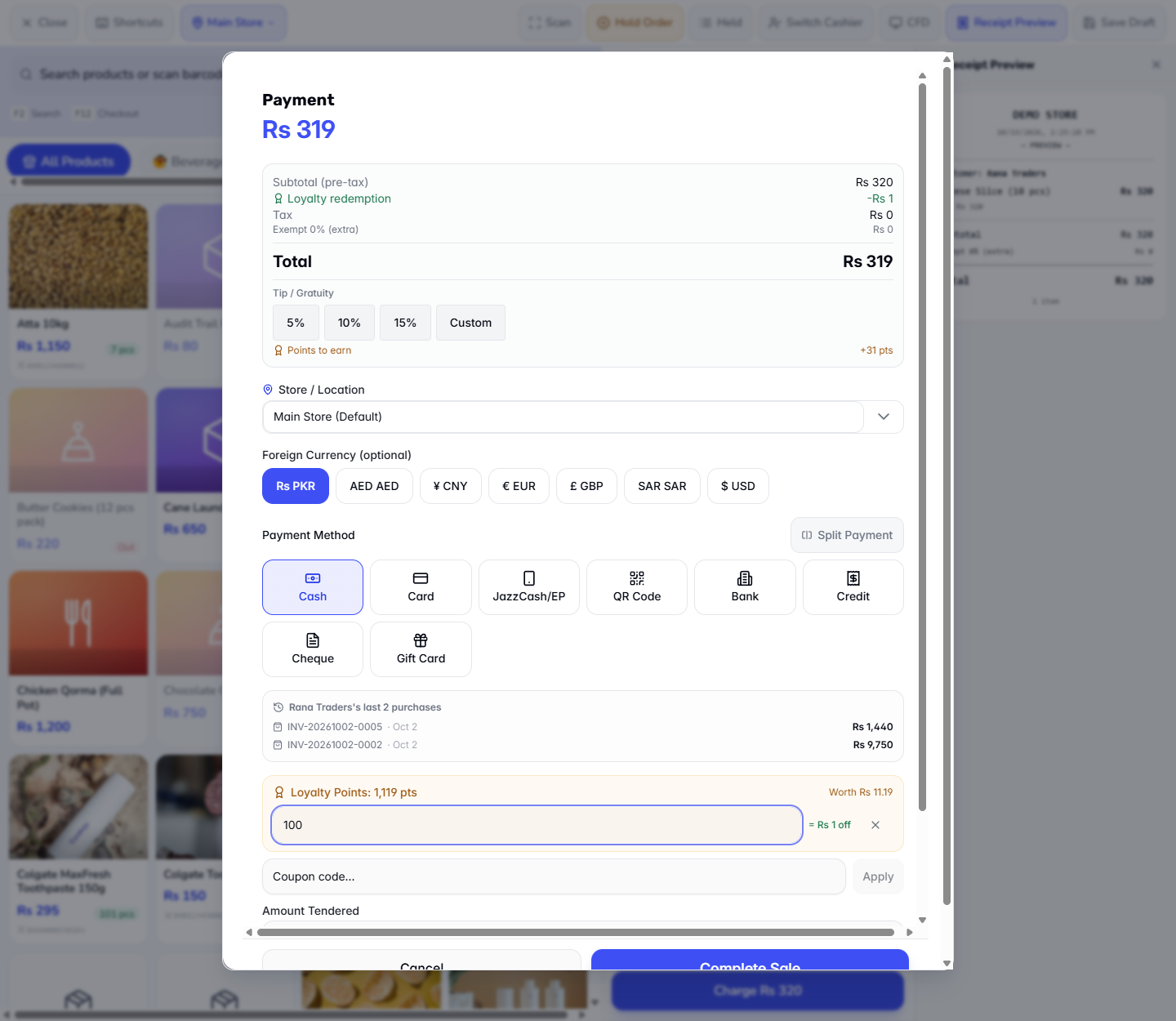
Add Rana Traders to the cart. The dialog shows Loyalty Points: 1,119 pts worth Rs 11.19. Type 100 in Points to redeem. The dialog shows Loyalty redemption -Rs 1 and the total falls to Rs 319. Take Cash 319 and press Complete Sale.
Points to redeem box with the discount applied
8
Check the receipt
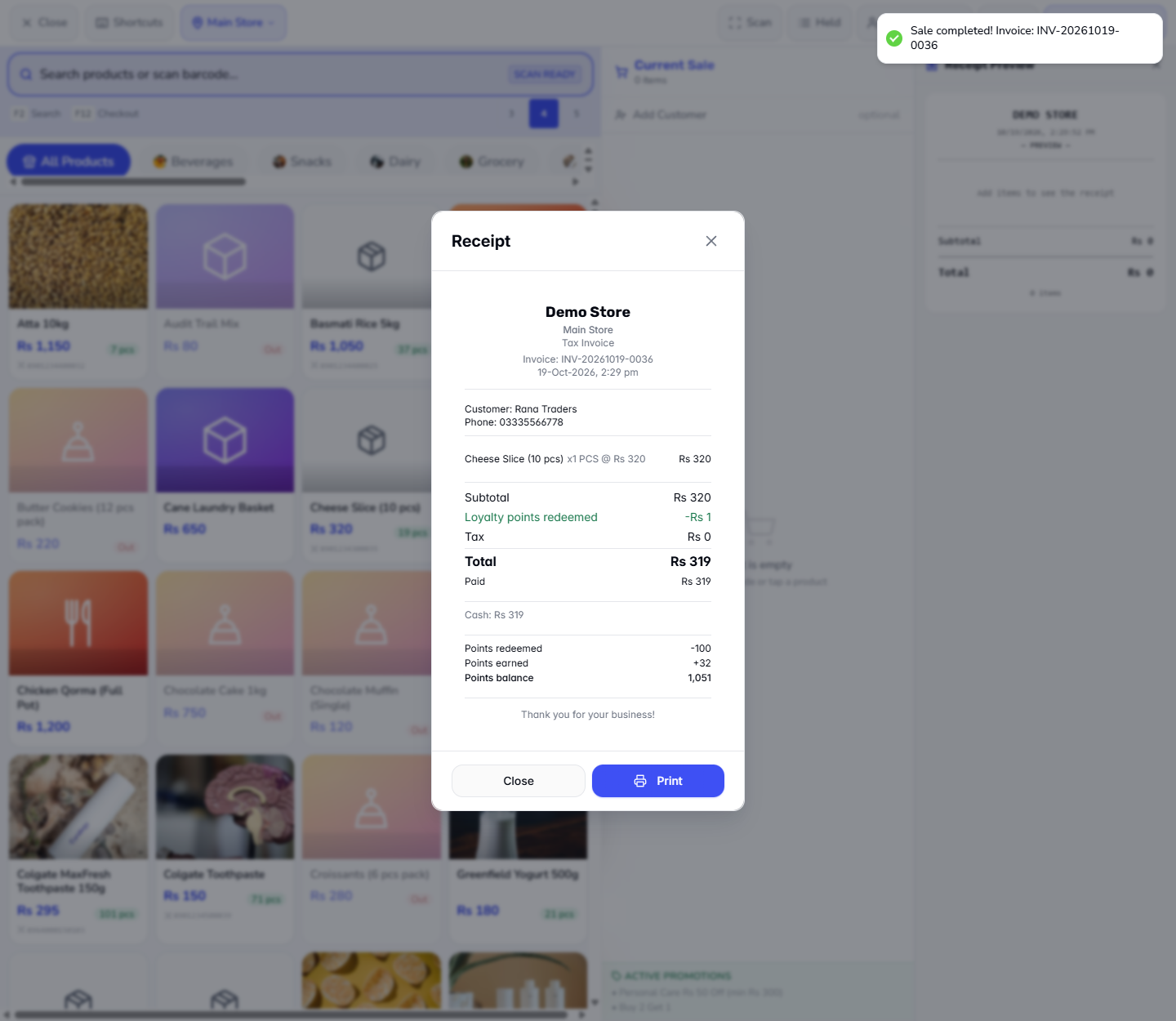
The receipt lists Subtotal Rs 320, Loyalty points redeemed -Rs 1, Tax Rs 0 and Total Rs 319, with Cash: Rs 319, then Points redeemed -100, Points earned +32 and Points balance 1,051. In Customers › Loyalty Program select the customer: the history shows REDEEM -100 and EARN +32.
Receipt with the loyalty points redeemed line
Loyalty Program history for the customer
9
See what the books recorded
Open Finance › Accounting. Paying with the card debits Gift Card Liability Rs 320 instead of cash. The points sale debits Cash in Hand Rs 319 and settles Rs 1 of Loyalty Rewards Liability, and the new points are booked as Loyalty Rewards Expense. The Trial Balance stays Balanced.
Trial Balance after the gift card and loyalty sales
Check it worked
The toast reads Sale completed! Invoice: INV-20261019-0035.
The card balance is Rs 180 and History shows the redemption.
The points sale total is Rs 319, and the customer's points go from 1,119 to 1,051.
Common mistakes
Mistake
What you see
Fix
Code typed wrongly
Gift card not found
Re-enter the code from the card
Forgetting to press Lookup
No Card: and Balance: panel shows
Press Lookup and wait for the panel
Quick reference
Item
Meaning / rule
Lookup
Finds the gift card and shows its balance
Remove card
Detaches the card from the sale
Gift Card Liability
What you owe holders of unspent cards
Points to earn
1 point per Rs 10 of the bill
Points to redeem
100 points take Rs 1 off the bill
Frequently asked questions
What happens if I type the wrong gift card code? The app answers Gift card not found and nothing is applied to the sale. Check the code on the card and press Lookup again.
Does paying with a gift card take cash from the till? No. The receipt shows Gift Card: Rs 320 and the books debit Gift Card Liability, not Cash in Hand. The card balance falls from Rs 500 to Rs 180.
How many points does a customer need before they can redeem? At least 100. This shop earns 1 point per Rs 10 spent, and 100 points take Rs 1 off the bill.
Where do I see a customer's earn and redeem history? In Customers › Loyalty Program: select the customer to see their points, cash value and Transaction History with EARN and REDEEM rows.