How a full batch waitlists applicants and a freed seat becomes an offer
When a batch is full, an admitted applicant goes on a waitlist instead of getting a seat. When a seat is freed, the first waitlisted applicant is offered it automatically. This guide follows Grade 9 (2026) and the applicant Zohaib Malik.
Who it is forRegistrar / admissions officerTime12 minutesProductSCMLevelIntermediate
Before you start
Steps
1
Check the batch's capacity
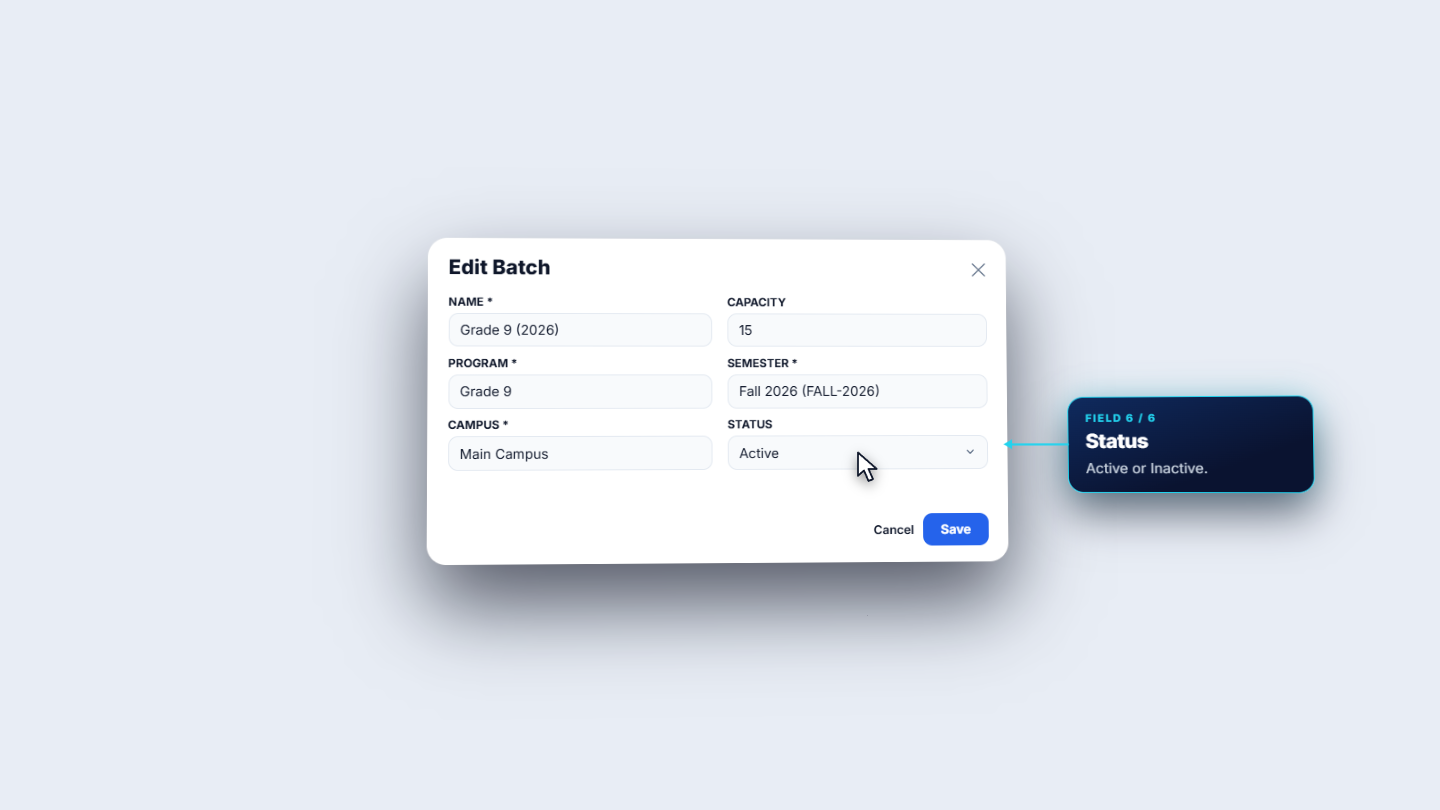
Open Academic, then Batches. The table lists batch, program, semester, capacity, enrollments, sections and status. Grade 9 2026 has capacity sixty, fifteen enrollments and two sections. Each row has Edit, Enrolled Students and More actions. In Edit Batch only the name, capacity and status can be changed; the program, semester and campus are greyed out. In the example the capacity is changed from sixty to fifteen, the number of enrollments, so the batch becomes full. After Save the table shows capacity fifteen and fifteen of fifteen seats.
Edit Batch dialog with capacity changed from sixty to fifteen
2
Admit an applicant to a full batch
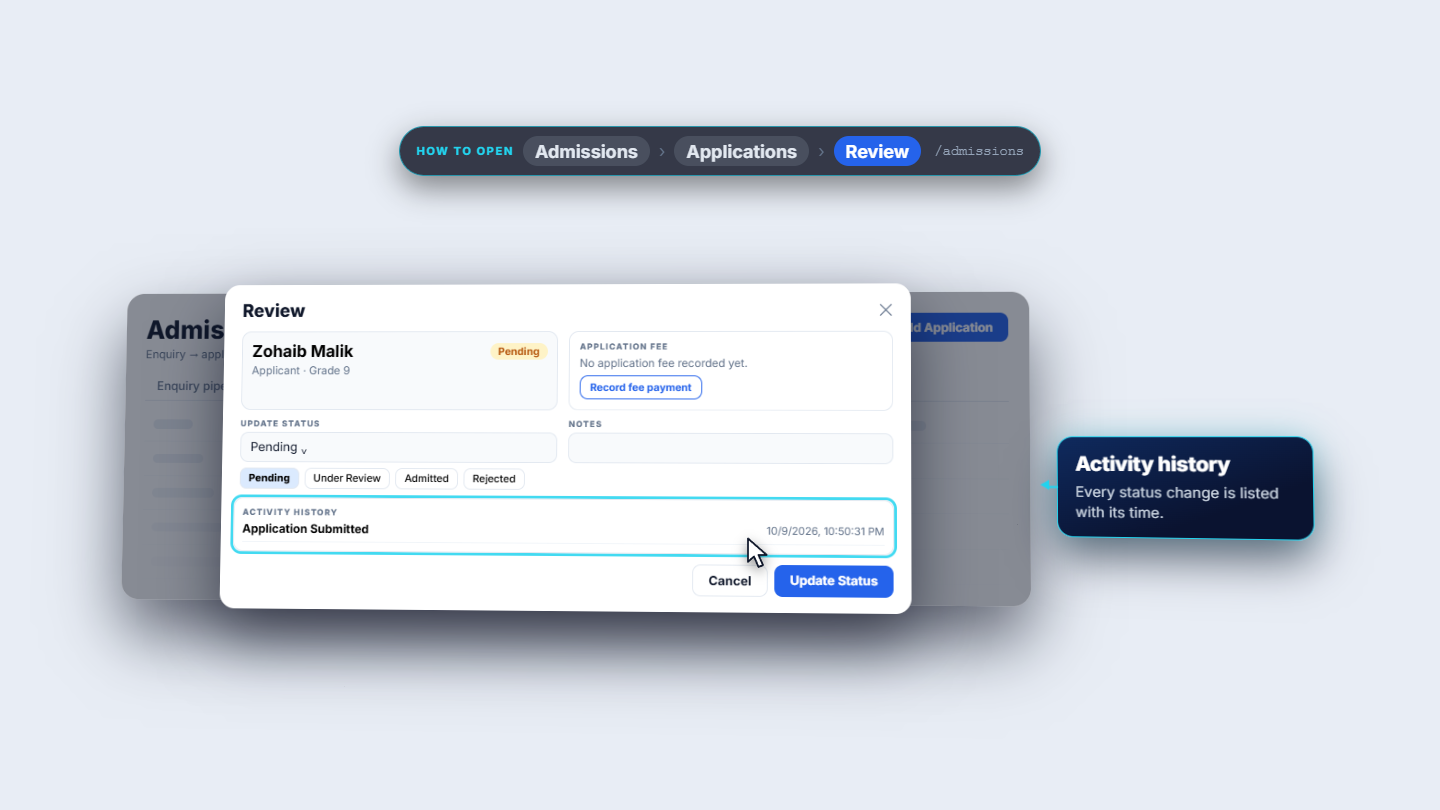
In Applications, open Review (the eye) for Zohaib Malik. The top box shows the applicant and the status, Pending. The application fee box says no fee is recorded yet. Update Status offers Pending, Under Review, Admitted or Rejected; Waitlisted is not a choice. Choose Admitted and click Update Status. A green toast says Waitlisted at rank one, and the badge changes to Waitlisted. The note reads: Batch capacity full, waitlisted at rank 1. Reopen the application and the history shows Waitlisted from Pending.
Review dialog for Zohaib Malik with status choices
3
See the counters add up
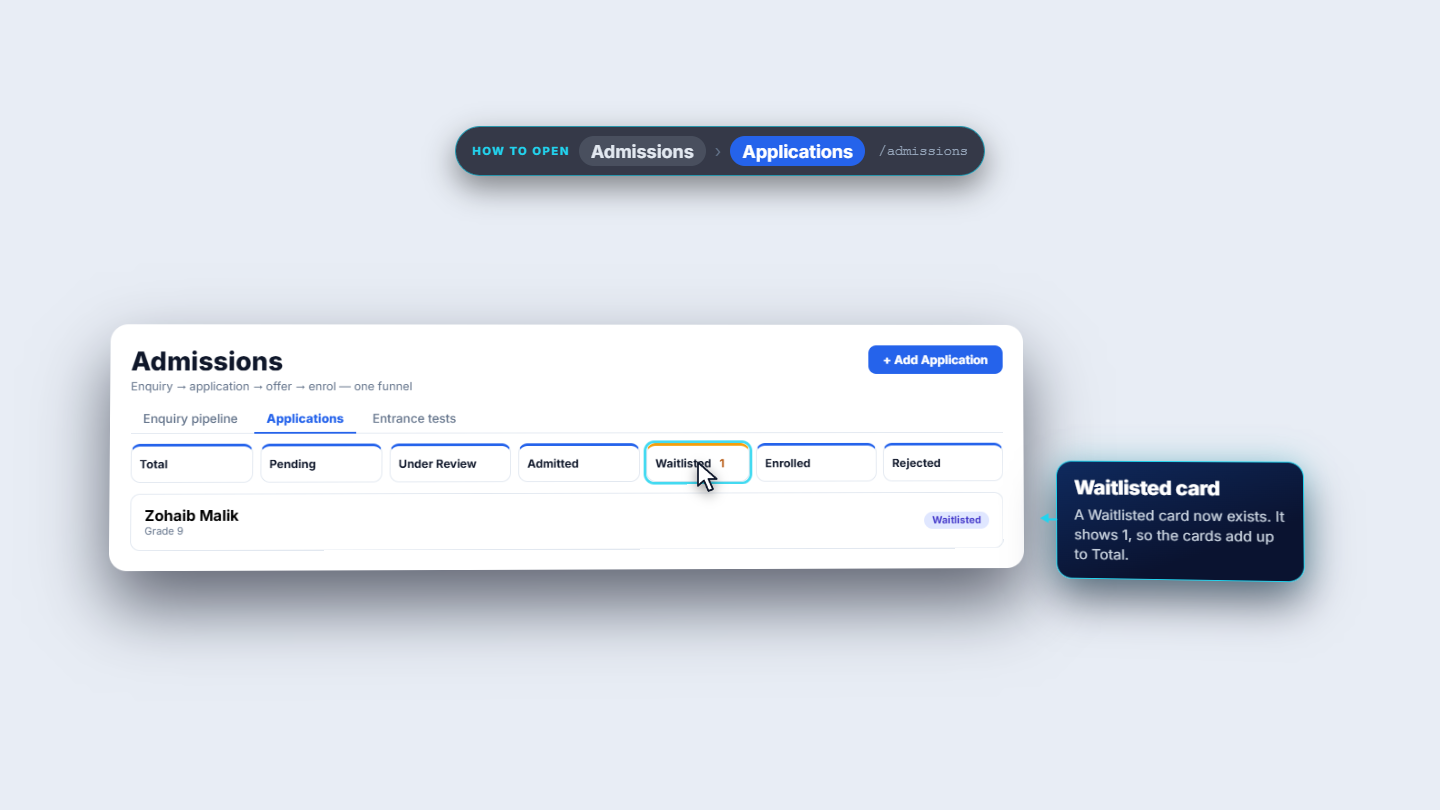
After a reload the Applications list shows the status Waitlisted. The counters above are Total, Pending, Under Review, Admitted, Waitlisted, Enrolled and Rejected. Waitlisted counts one, so the cards add up to Total.
Applications list showing Waitlisted status and the counters
4
Understand why enrolling is refused
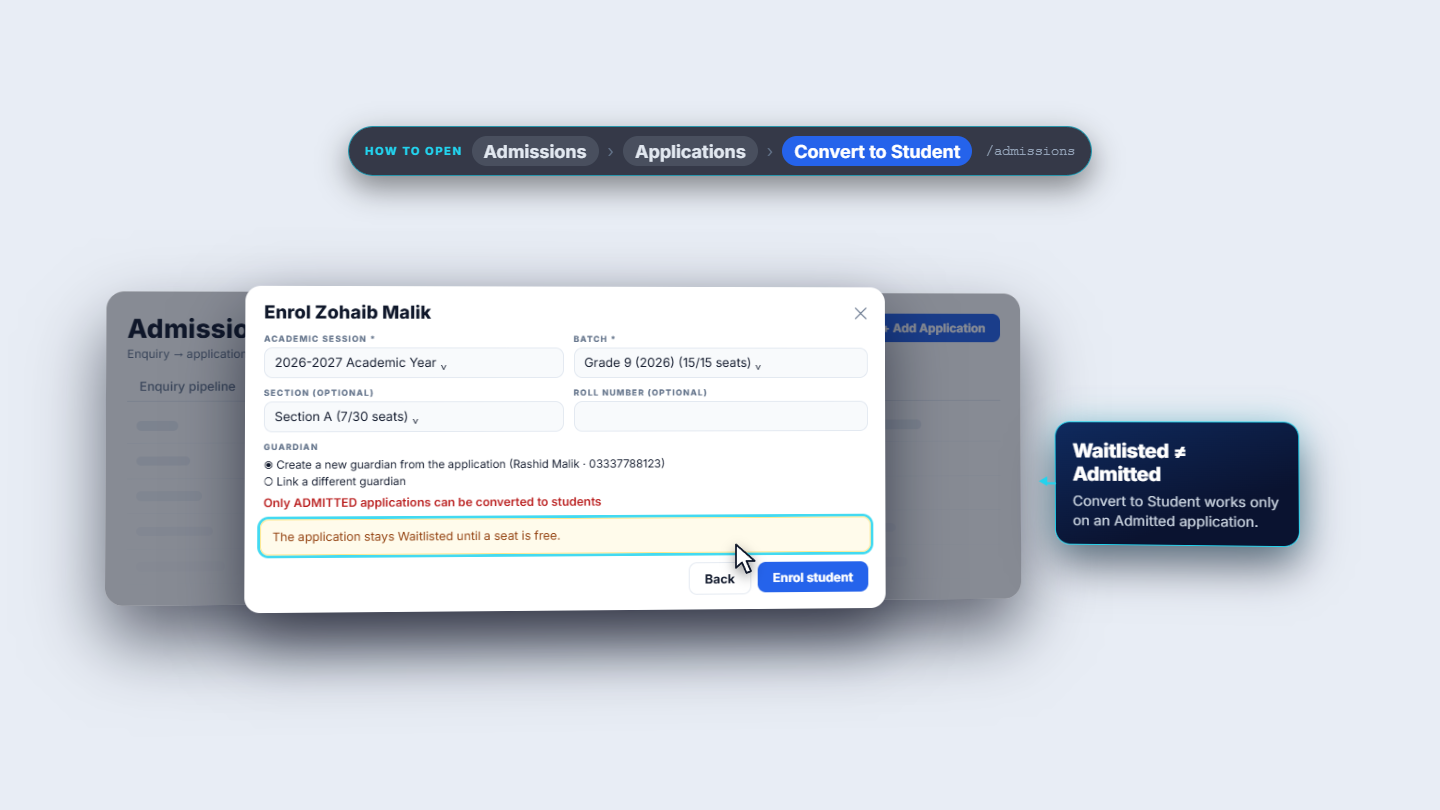
Convert to Student opens Enrol Zohaib Malik: the academic session (2026 to 2027), the batch with its seats (Grade 9 2026 reads fifteen of fifteen, and a full batch is still selectable), an optional section and roll number, and the guardian: create a new one from the application (Rashid Malik) or link a different guardian. Click Enrol student while the application is still Waitlisted and a red message appears: Only ADMITTED applications can be converted to students.
Enrol dialog refusing a waitlisted application
5
Free a seat
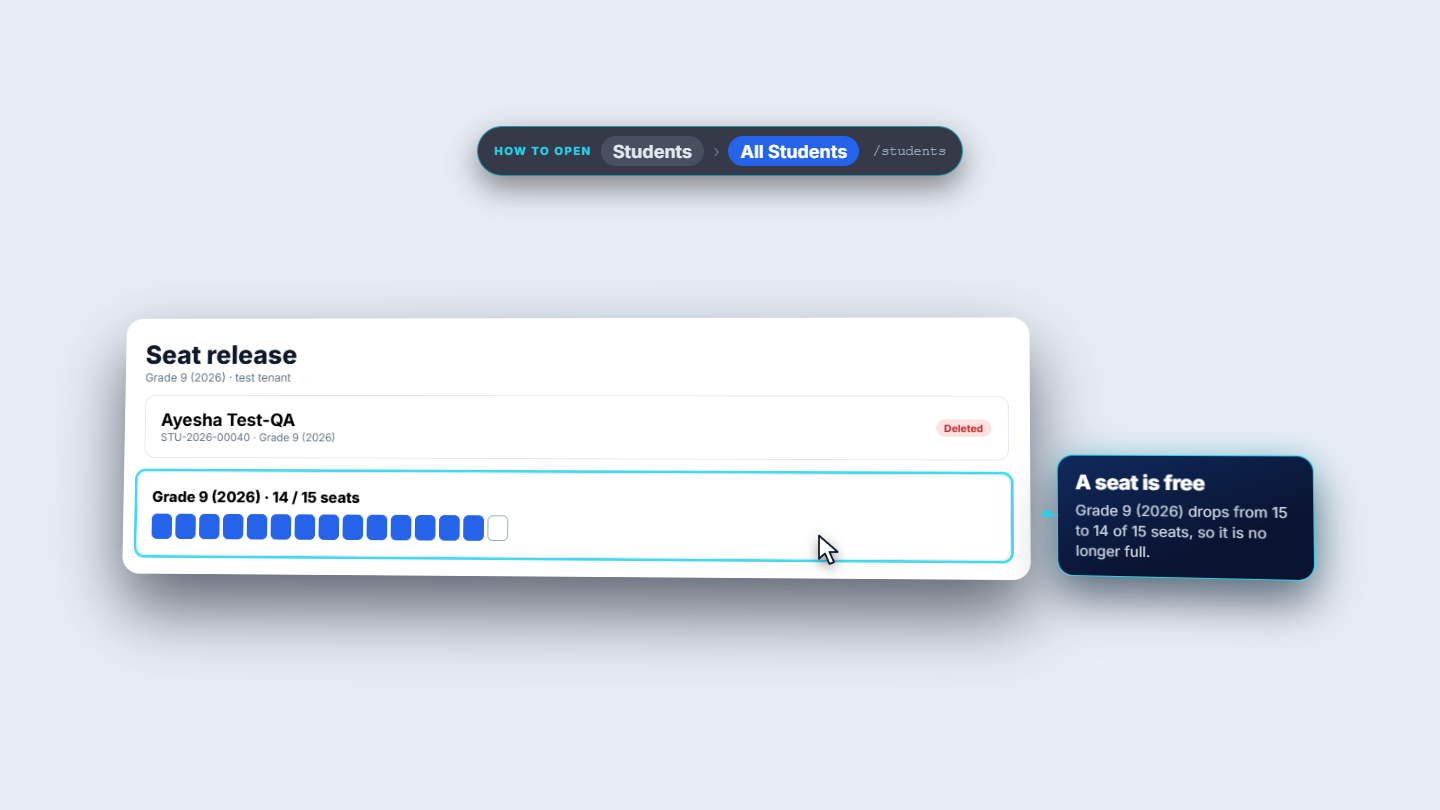
A seat is freed when an enrolled student leaves. In the example, student Ayesha Test-QA, STU-2026-00040, is in Grade 9 and is deleted. That releases a seat, and Grade 9 is no longer full.
Grade 9 (2026) drops from 15 to 14 of 15 seats after a student is deleted
6
The waitlisted applicant is offered the seat
A freed seat can trigger an offer. Settings › Automation lists the notification rules, which also drive fee reminders, absence alerts, birthdays and exam publishes. One rule is Waitlist auto-offer on seat release; its trigger is the enrollment cancelled event. About three seconds after the seat is freed the waitlisted application becomes Admitted. The history shows Admitted from Waitlisted with the note Auto-offered after seat release, and Convert to Student is available again so staff can enrol Zohaib.
Seat released: waitlisted applicant is admitted automatically
Check it worked
The batch table shows the new capacity and enrollment counts.
The application shows Waitlisted with the note about the full batch, then Admitted after the seat is released.
Convert to Student appears again once the application is Admitted.
Common mistakes
Mistake
What you see
Fix
Looking for Waitlisted in Update Status
It is not in the list
It is set by SCM when the batch is full
Enrolling a waitlisted applicant
Only ADMITTED applications can be converted to students.
Wait for the seat release or free a seat
Trying to change the program of a batch
The field is greyed out
Create the batch under the right program
Quick reference
Item
Meaning / rule
Waitlisted
Admission wanted on a full batch; given a rank
Seat release
A student leaving the batch frees a seat
Auto-offer rule
Moves the waitlisted application to Admitted
Frequently asked questions
Why can I not choose Waitlisted in Update Status? Update Status offers Pending, Under Review, Admitted or Rejected. SCM sets Waitlisted itself when you choose Admitted and the batch is full, and records the rank.
Why can I not enrol a waitlisted applicant? Convert to Student only accepts Admitted applications, so a red message appears while the application is Waitlisted. Free a seat and the application becomes Admitted.
How does a waitlisted applicant get the freed seat? The rule Waitlist auto-offer on seat release under Settings, Automation runs when an enrolment is cancelled. About three seconds later the application becomes Admitted and Convert to Student is available again.