How to keep the alumni register and run clubs and sports activities
Schools want to know where their graduates went, and which students are in which club. This guide covers both: the alumni register under Student Records and the clubs and sports list under Campus Services.
Who it is forRegistrar and activities coordinatorTime12 minutesProductSCMLevelBeginner
Before you start
Steps
1
Open the alumni register
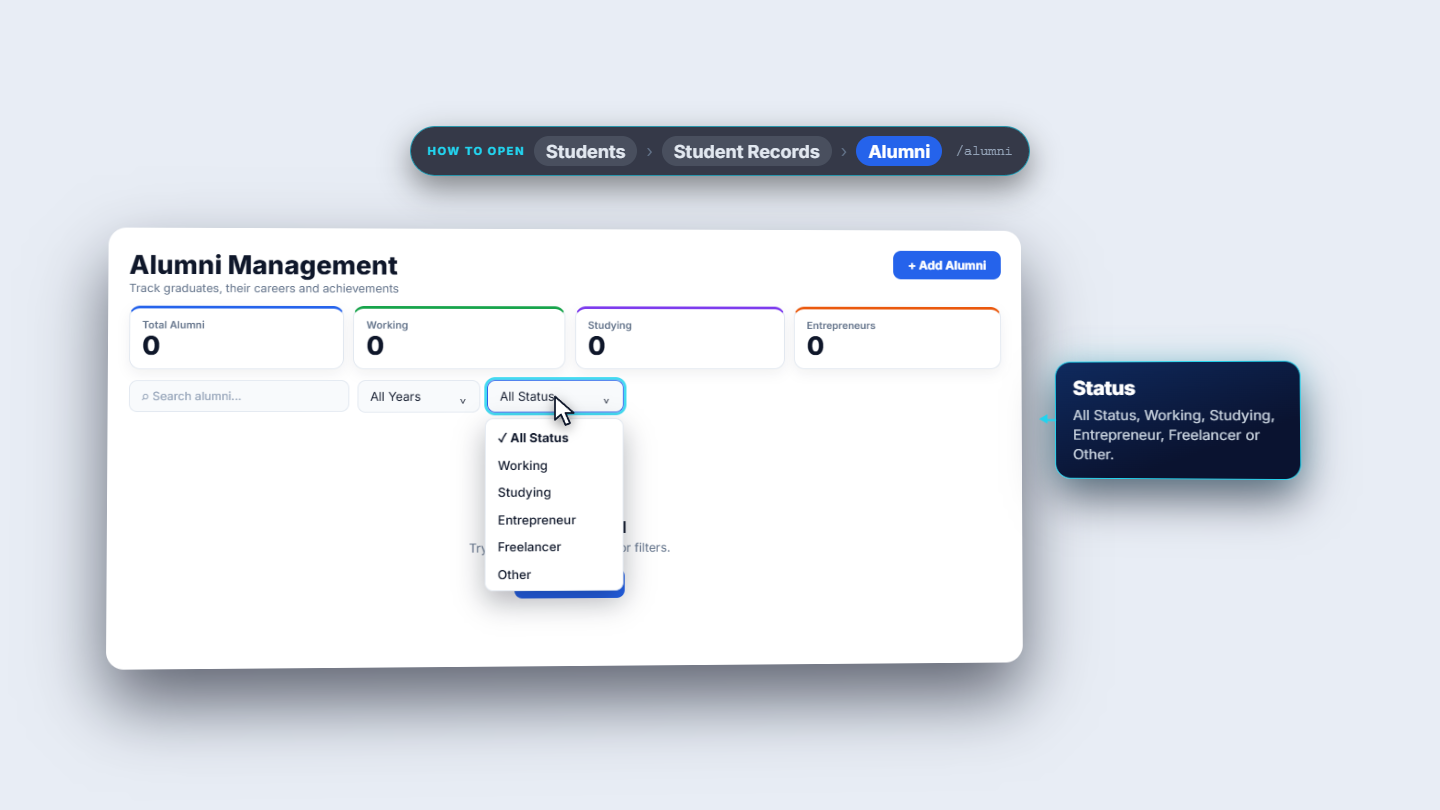
Click Students › Student Records › Alumni. The page Alumni Management says "Track graduates, their careers and achievements". Four cards count the register: Total Alumni, Working, Studying and Entrepreneurs. An empty register shows No data found and an Add Alumni button. Above the table use Search alumni, the year list (All Years, then 2026 back to 1996) and the status list (All Status, Working, Studying, Entrepreneur, Freelancer, Other).
Alumni Management with search and the year and status filters
2
Add a graduate
Press Add Alumni. Only Full Name is required: type Hira Nadeem. Then choose Graduation Year 2021, Current StatusStudying, Program / DegreeGrade 11 (picked from the school's programs), and type the Employer / Institution (University of Engineering and Technology, Lahore), Contact Email and City / Location. Press save.
3
Read the register
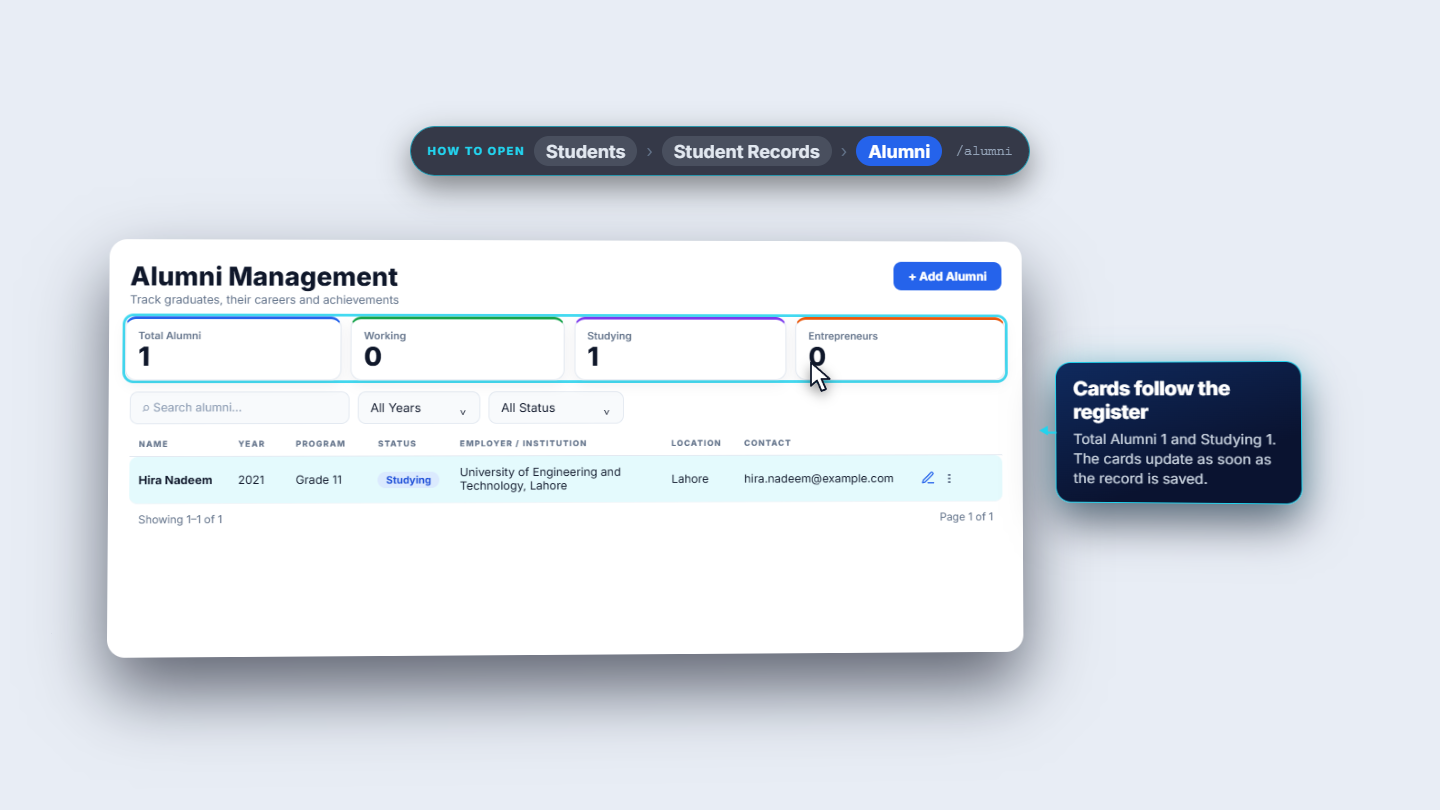
The dialog closes and the register lists Hira Nadeem with year, program, status, institution, location and contact. The cards move at once: Total Alumni 1, Studying 1. Each row ends with an edit pencil and a three-dot menu.
The register after saving: Hira Nadeem, cards updated
4
Update or remove a record
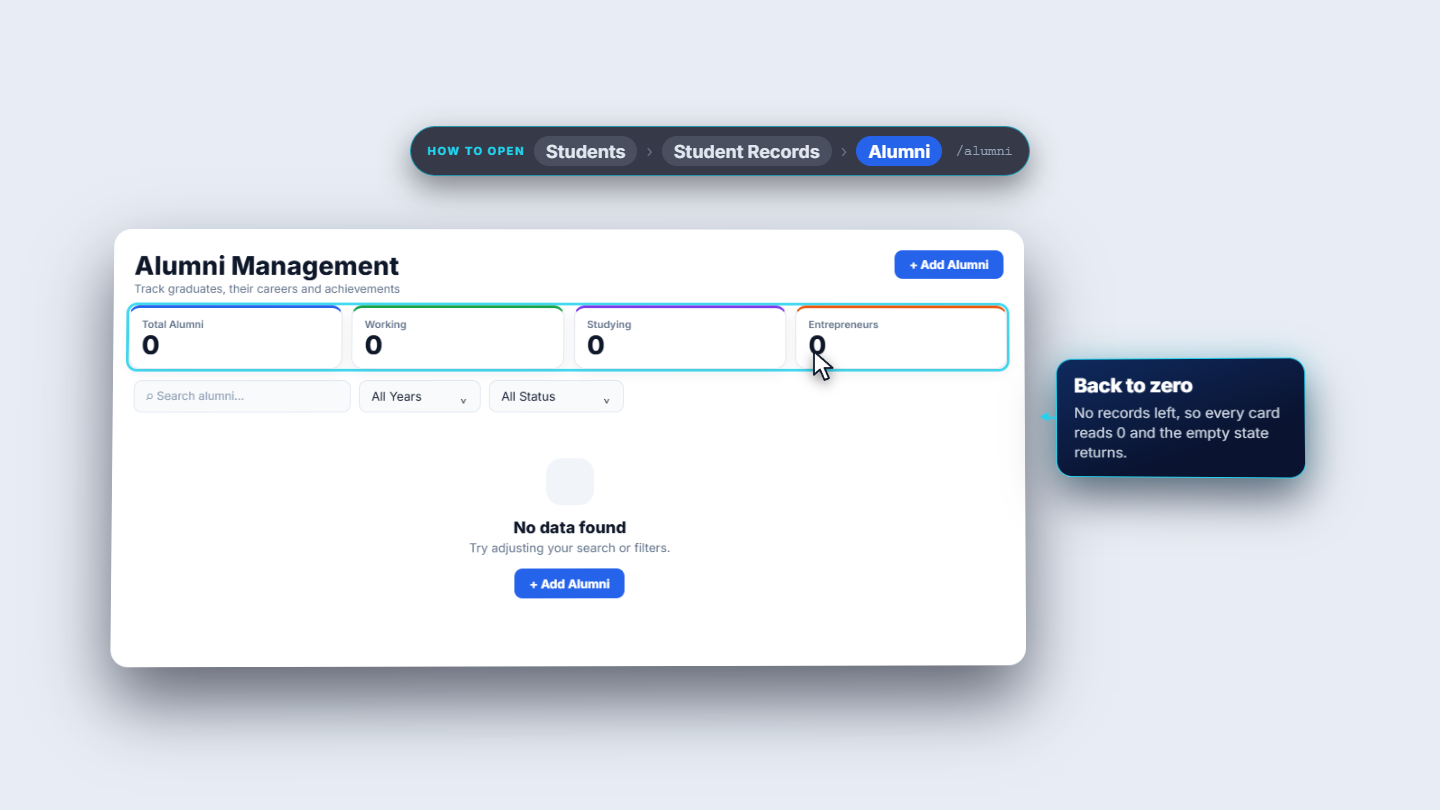
The pencil opens Edit Alumni with every field filled and the button Update. Hira has started work, so change Current Status to Working and the employer to Systems Limited, Lahore. The Working card reads 1 and Studying drops to 0. The three dots hold Delete. It asks first (Delete alumni record for Hira Nadeem); choose Confirm and the register is empty again.
Delete alumni confirmation
5
Add a club or sport
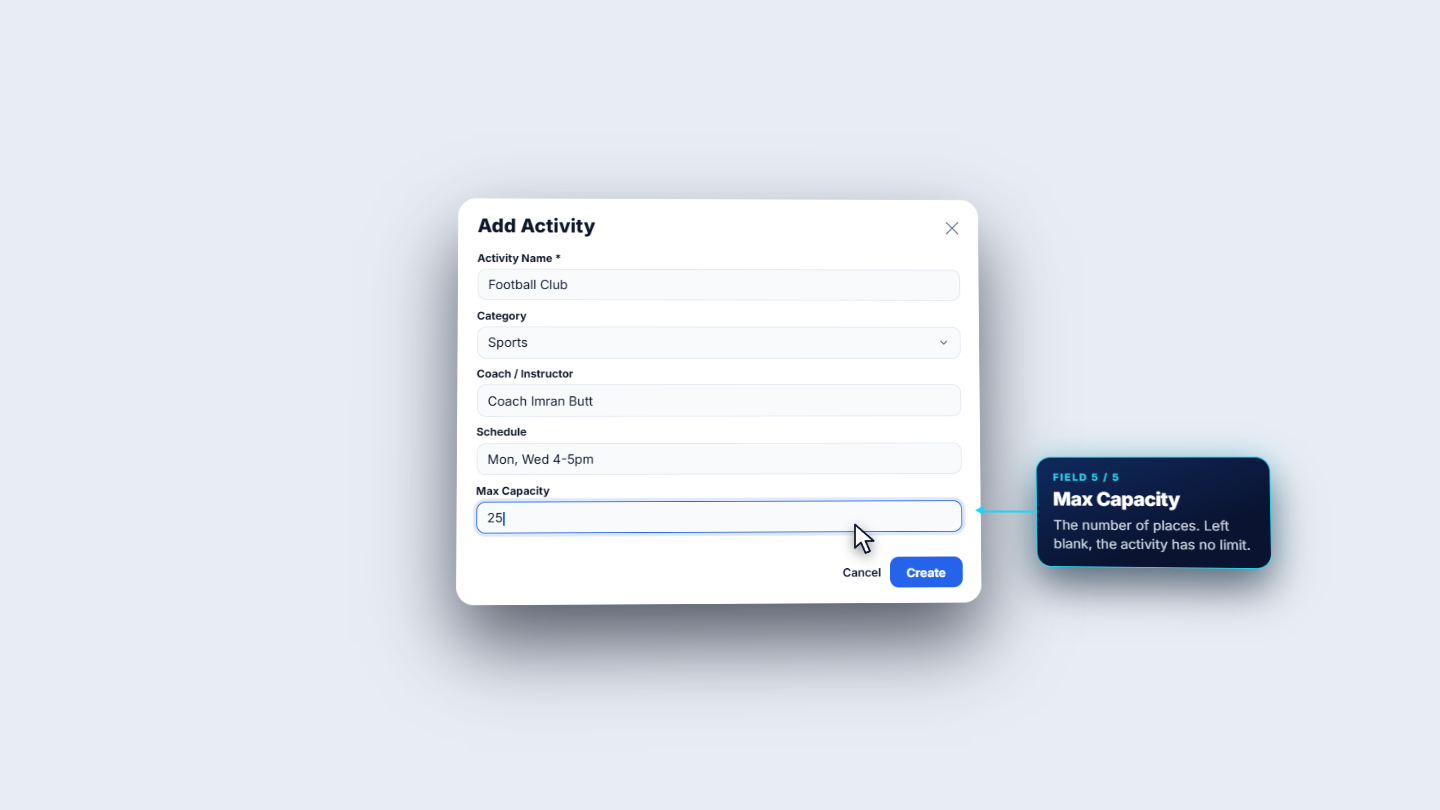
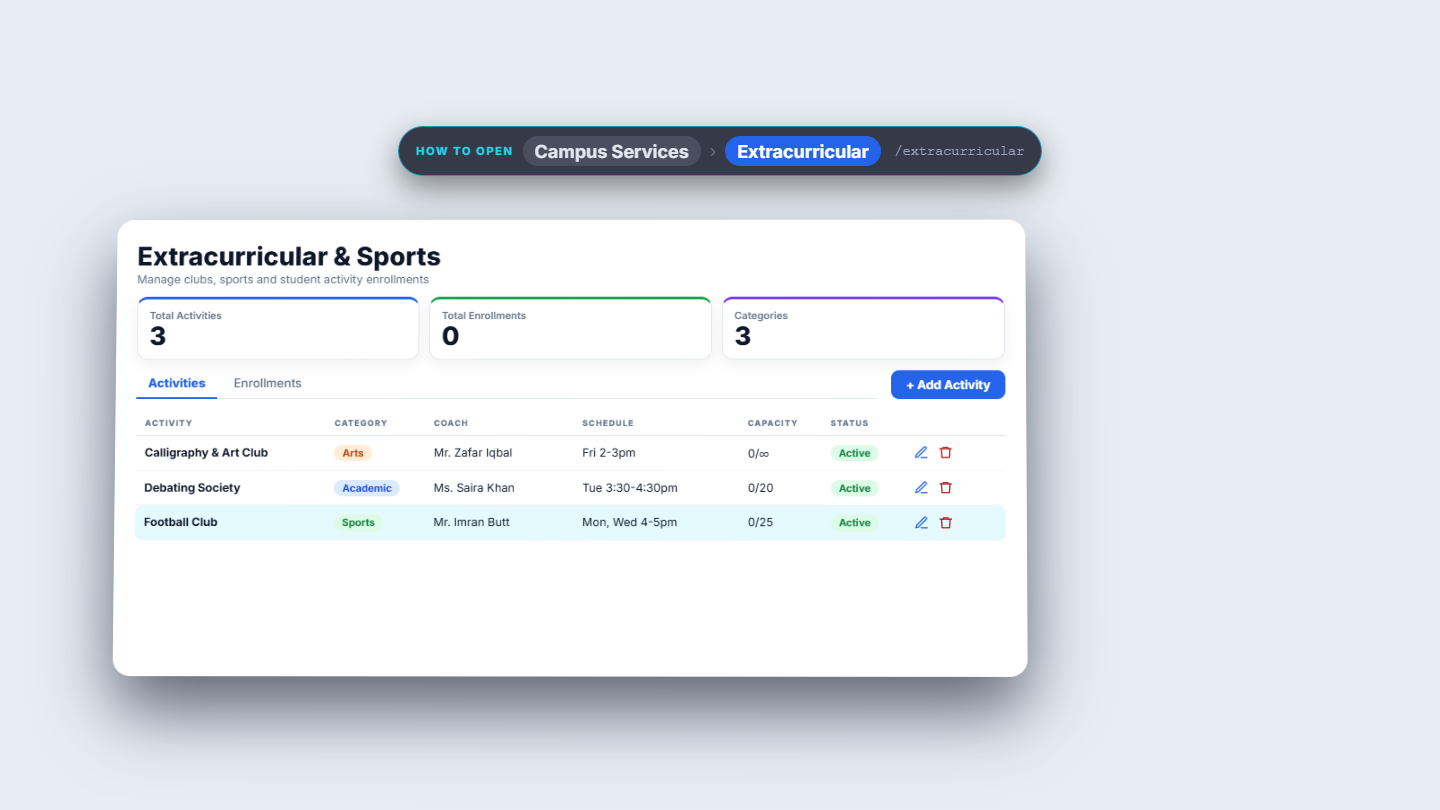
Click Campus Services › Extracurricular. The page is Extracurricular & Sports with the cards Total Activities, Total Enrollments and Categories, and the tabs Activities and Enrollments. Press Add Activity and fill Activity Name (required, Football Club), Category (Sports, Academic, Arts or Other), Coach / Instructor (Coach Imran Butt), Schedule (Monday and Wednesday, 4 to 5 p.m.) and Max Capacity (25).
Add Activity dialog for Football Club
6
Edit an activity
The pencil on a row opens Edit Activity with the five fields filled; the button is Save. Change the coach to Mr. Imran Butt, press Save, and the list shows the new name. Add the other activities the same way: Debating Society (Academic, Ms. Saira Khan, 20 places) and Calligraphy and Art Club (Arts, Mr. Zafar Iqbal, no capacity).
Edit Activity dialog with the coach changed
7
Enrol students and watch capacity
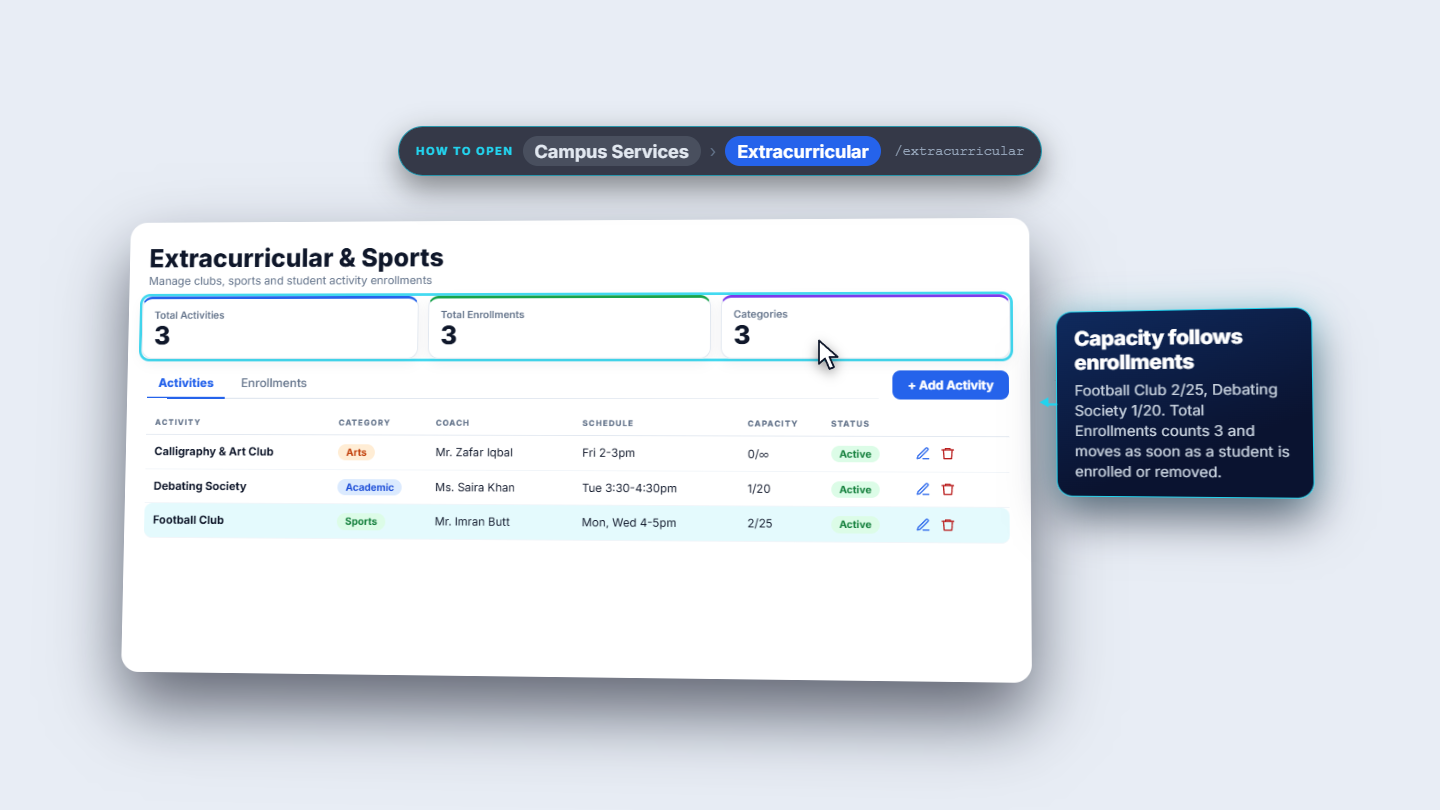
Open the Enrollments tab and press Enroll Student. Choose the Student (type to search, for example Danish Mehmood) and the Activity (Football Club); Enroll stays grey until both are chosen. Each enrollment row shows the student, the activity, Active and the Enrolled On date. Back on Activities, Capacity reads places taken over places in all: Football Club 2/25, Debating Society 1/20. Total Enrollments follows every enrolment and removal.
Activities list with capacity 2/25, 1/20 and 0/∞
Check it worked
Alumni cards match the rows in the register.
Each activity shows taken over capacity, and Total Enrollments equals the number of rows on the Enrollments tab.
After removing an activity, Total Activities drops by one.
Common mistakes
Mistake
What you see
Fix
Enrolling without choosing both fields
Enroll stays grey
Choose the student and the activity
Looking for a success toast after saving an alumnus
None appears
Check the register row and the cards
Deleting an activity by accident
A confirmation asks first
Choose Cancel if unsure
Quick reference
Item
Meaning / rule
Current Status
Working, Studying, Entrepreneur, Freelancer or Other
Category
Sports, Academic, Arts or Other
Capacity
Taken over places in all; ∞ means no limit
Categories card
How many different categories are in use
Frequently asked questions
Is only the full name required when adding an alumnus? Yes. Full Name is the only required field, but filling in the email and city makes it easy to invite graduates back later.
What does 0/∞ mean on an activity? The activity has no Max Capacity. Leave the field blank and the list shows places taken over infinity.
Can I undo deleting an activity or an alumni record? No. Both ask for confirmation first and cannot be undone, so choose Cancel if you are unsure.
Why can I not press Enroll? The button stays grey until both a student and an activity are chosen.