How to edit guardian records and group siblings into a family
Parents change phone numbers, a second child joins the school, a record was added by mistake. This guide shows how to keep guardian records correct and how to tie brothers and sisters into one family for fees and messages.
Who it is forRegistrar or school adminTime12 minutesProductSCMLevelBeginner
Before you start
Steps
1
Find the guardian
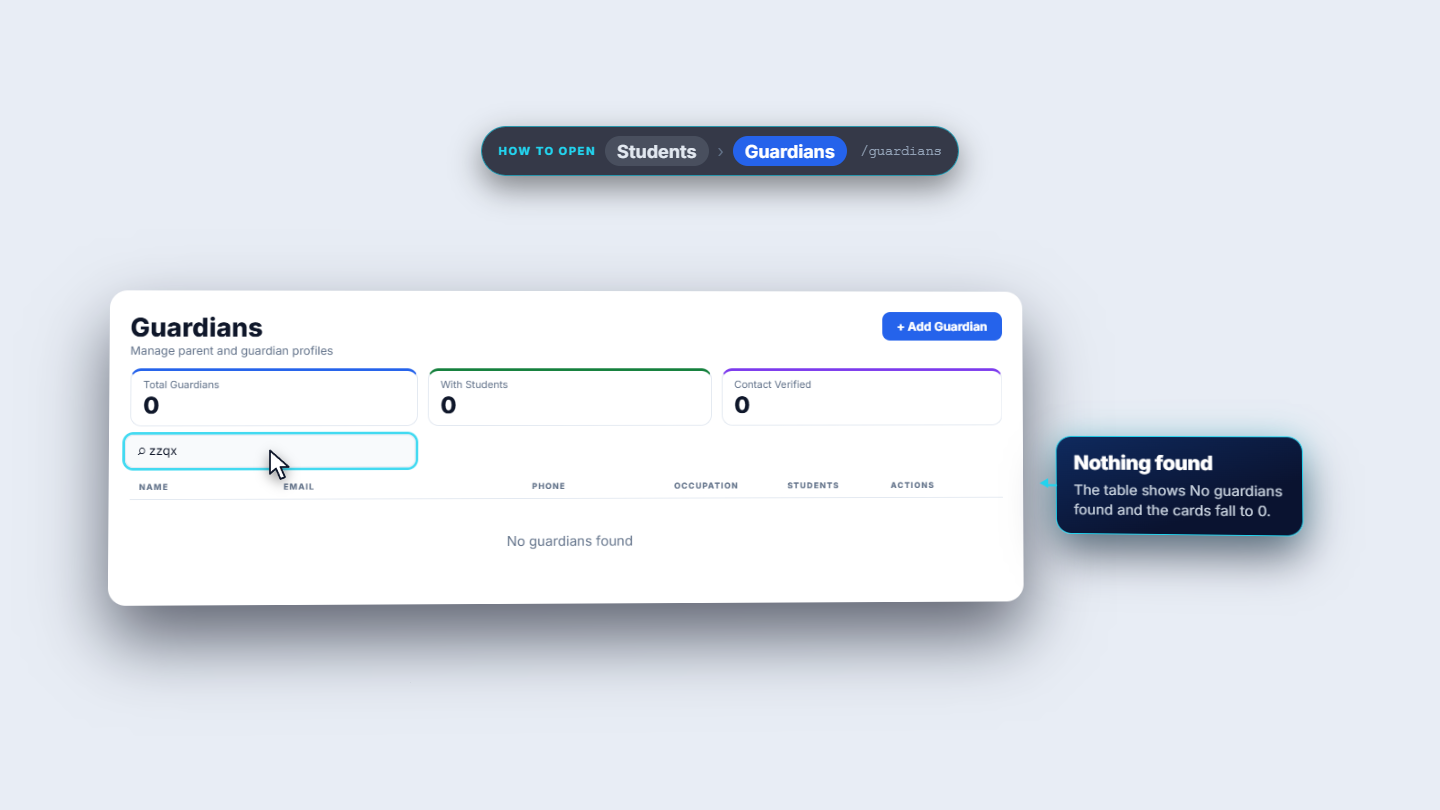
Click Students › Guardians. The three cards at the top (Total Guardians, With Students, Contact Verified) count the whole school: 44. The table shows 20 rows to a page with columns Name, Email, Phone, Occupation, Students and Actions. Type siddiqui in the search box to find two guardians; a part of a phone number also works. When nothing matches, the table says No guardians found.
Guardians list filtered by a search
2
Open the guardian
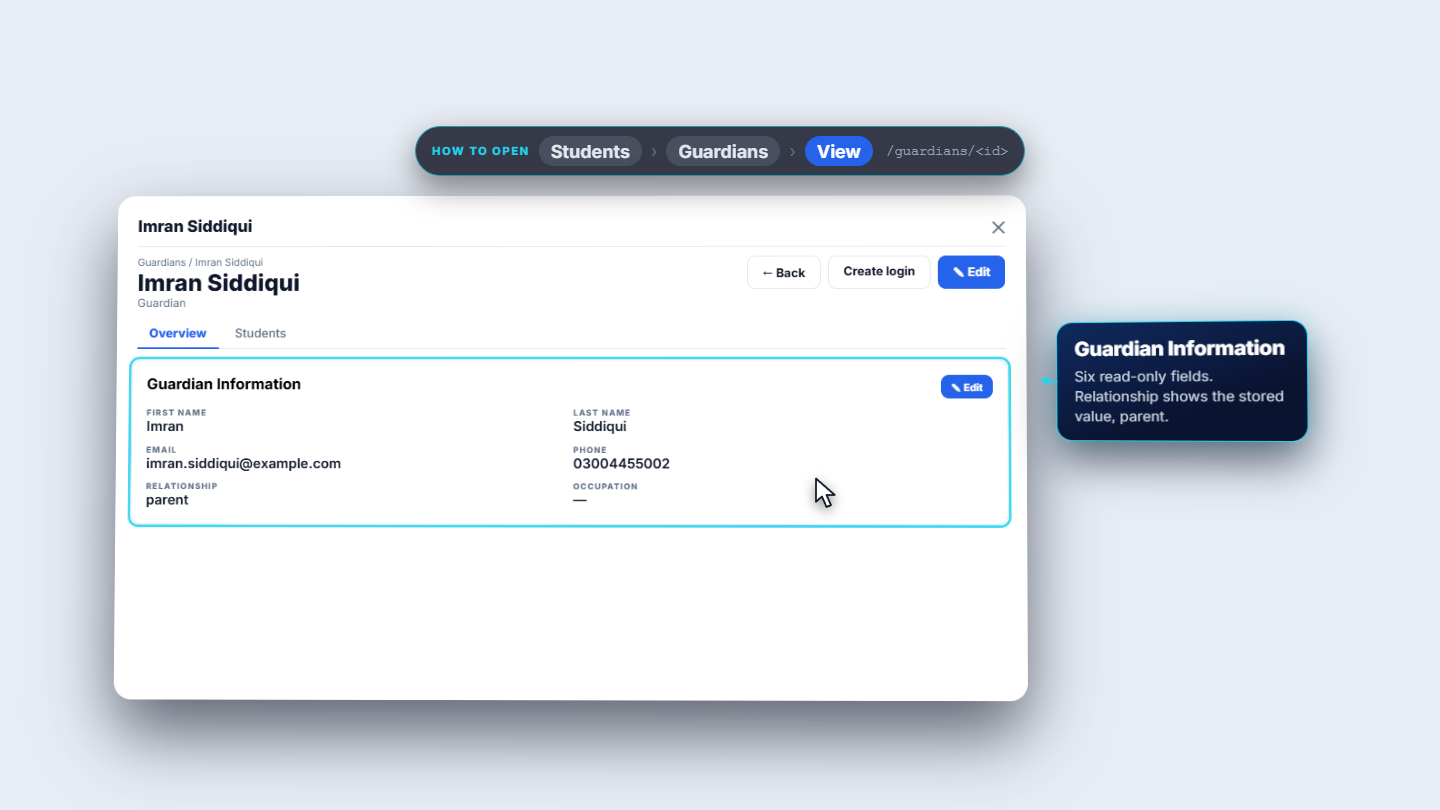
On the row, the eye opens the guardian, the pencil edits, and the three dots hold Delete. Open Imran Siddiqui. At the top you see Back, Create login and Edit, above the tabs Overview and Students. Guardian Information shows six fields: first name, last name, email, phone, relationship and occupation.
Guardian detail with Overview and Students tabs
3
Edit the details
Press Edit. First Name, Last Name and Phone are required. Change Relationship (Father, Mother, Guardian, Sibling or Other) to Father, type Civil engineer in Occupation, add an Alternate Phone, choose a Gender, add the CNIC / Passport number and any Notes. Press Save Changes.
4
Check the saved record
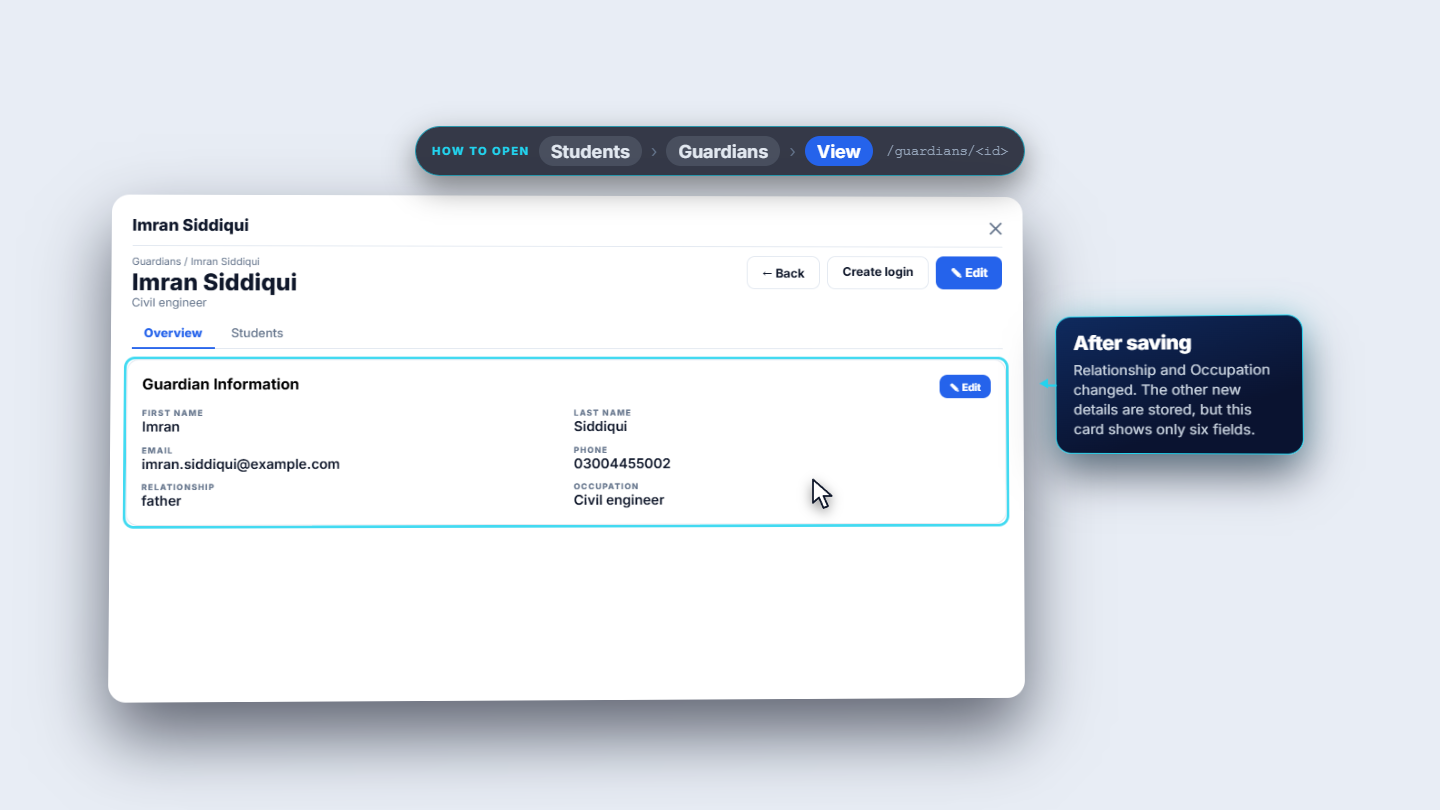
You see the toast Guardian updated. The page now says Civil engineer under the name and the relationship reads father. The alternate phone, gender, CNIC and notes are saved too, but this card only shows six fields.
Guardian Information after saving: Civil engineer, father
5
See the change on the child's page
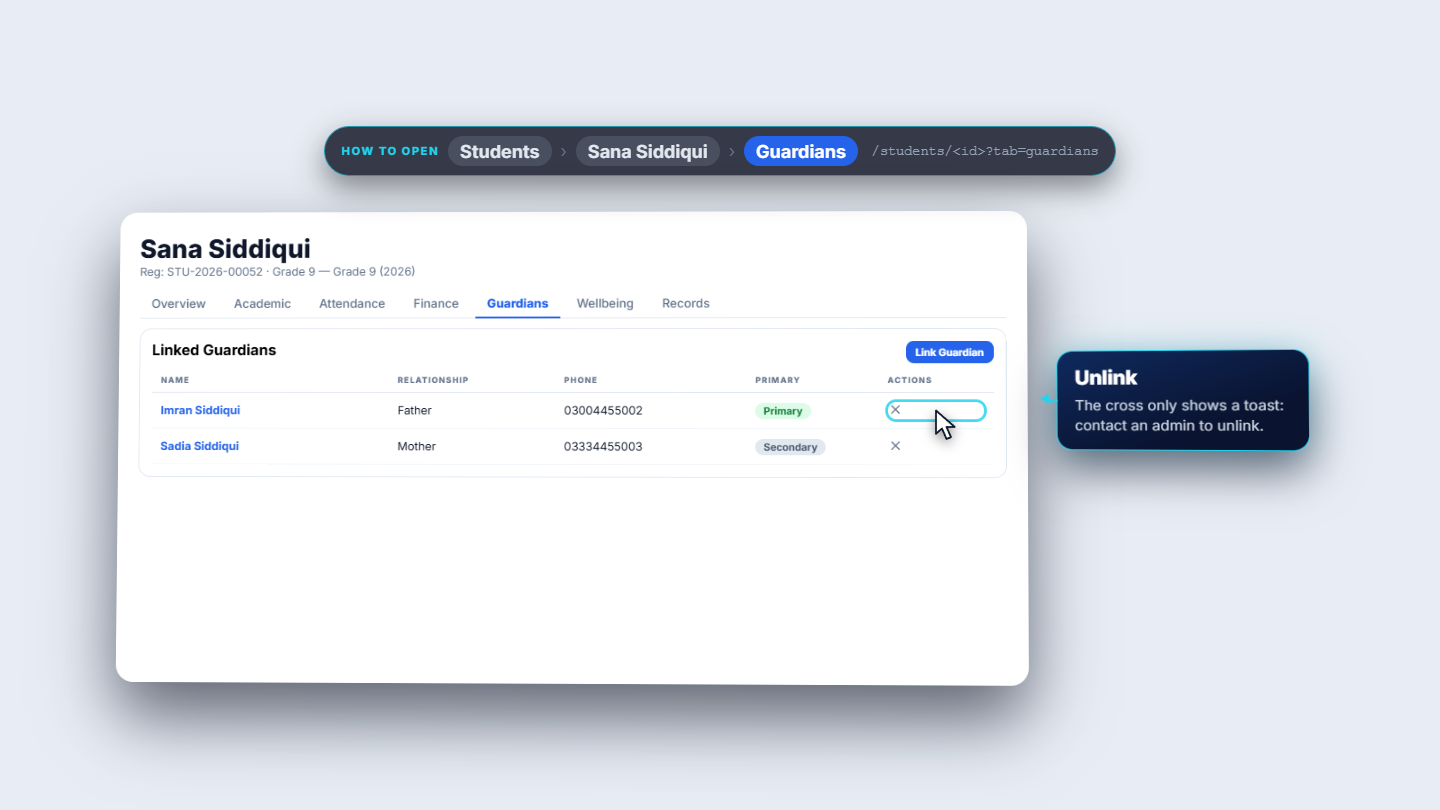
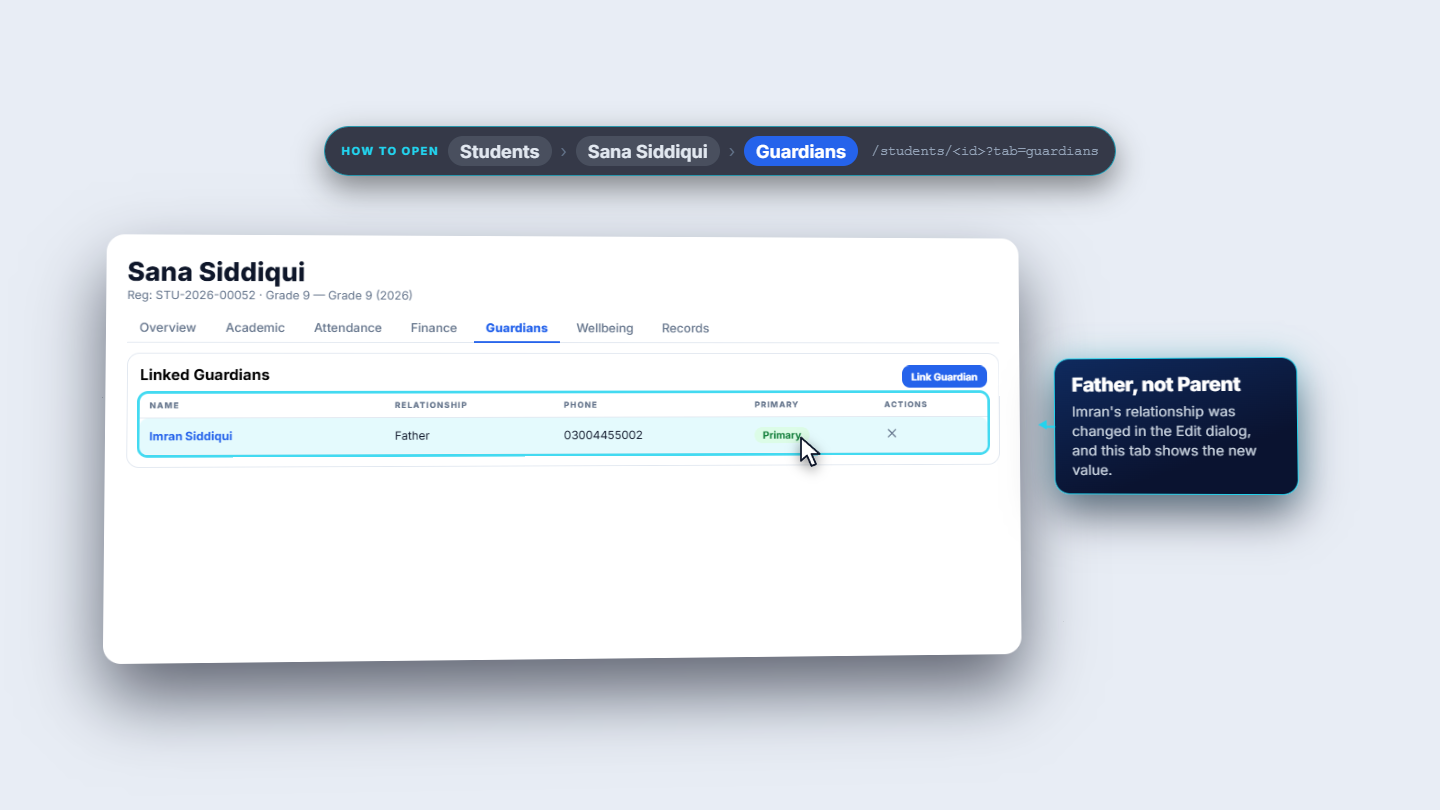
Open Students, choose Sana Siddiqui and the Guardians tab. Linked Guardians lists each guardian with relationship, phone and Primary or Secondary. Imran now reads Father instead of Parent. To link another guardian press Link Guardian, search by name or phone, and tick Mark as primary guardian only if this person becomes the main contact. The toast is Guardian linked. From the guardian's own Students tab, Link Student does the same from the other side (toast Student linked successfully).
Linked Guardians on Sana Siddiqui's Guardians tab
6
Group the siblings into a family
Under the guardians, the Family / siblings card names the family (for example the Siddiqui family) and says it is used for consolidated fees and one parent thread. The balance line adds up every sibling's invoices. With only Sana in it, it reads PKR 6,500. Search for Ayesha Siddiqui under Search sibling to link and press Add sibling. The toast says Sibling linked, and the balance becomes PKR 10,000 straight away (6,500 plus 3,500).
Family and siblings card on the student's Guardians tab
7
Add a guardian and delete one added by mistake
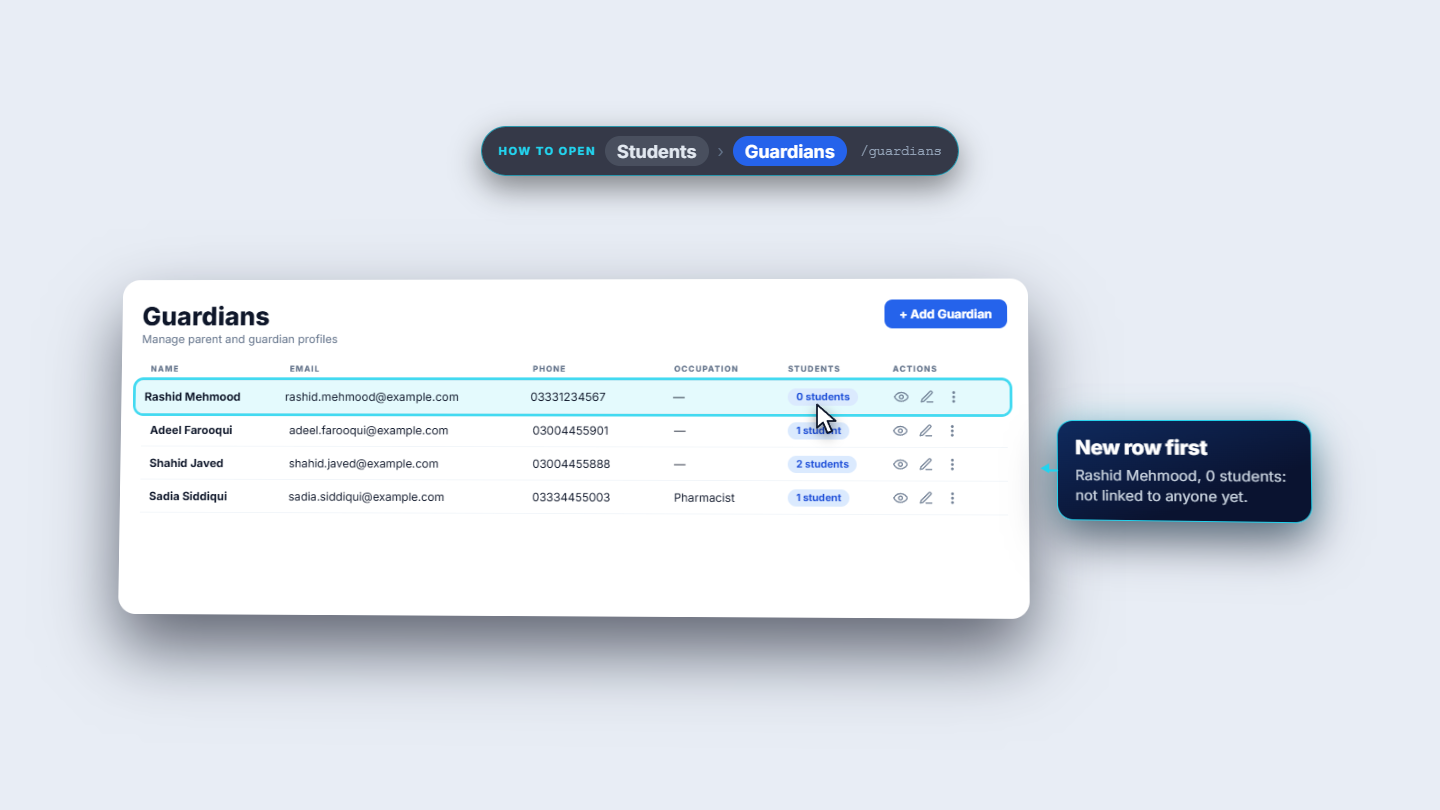
Press Add Guardian and fill First Name, Last Name, Email, Phone, Relationship and Occupation. For Rashid Mehmood the toast is Guardian added and the new row shows 0 students. To remove a record, open the three dots on its row and choose Delete. You are asked: Are you sure you want to delete Rashid Mehmood? This action cannot be undone. Confirm and the toast says Guardian deleted.
Guardians list with a new guardian at the top
Check it worked
After saving, the toast reads Guardian updated and the page shows the new occupation and relationship.
The child's Guardians tab shows the same relationship.
The family balance equals the sum of the siblings' open invoices.
A deleted guardian no longer appears in the search.
Common mistakes
Mistake
What you see
Fix
Clicking the red cross to unlink
A toast: Contact admin to unlink
Ask an administrator
Saving with First Name empty
Save Changes is grey
Type the first name again
Expecting every edited field on the card
Only six fields show
The other details are saved; open Edit to see them
Quick reference
Item
Meaning / rule
Primary / Secondary
The main contact for a child, and the others
Family / siblings
Brothers and sisters sharing one fee balance and one parent thread
Link Student / Link Guardian
Connects the same pair from either side
Delete
Permanent; removes links to students
Frequently asked questions
Can I unlink a guardian from a student myself? No. The red cross only shows Contact admin to unlink this guardian, so ask an administrator.
What happens to the fee balance when I add a sibling to a family? The family balance adds up every sibling's invoices straight away. In the example, PKR 6,500 plus PKR 3,500 becomes PKR 10,000.
Can I undo deleting a guardian? No. Delete is permanent and removes the links to students, so check the Students tab first.