How to collect what a patient owes and bill the work that is still unbilled
You will see everything a patient owes in one place, collect several credit invoices with one payment, read the patient's statement, and find the finished work that no invoice carries yet. Use it whenever a patient comes to the counter to settle an account, and at the end of the day to chase unbilled work.
Who it is forBilling clerk and receivables officerTime20 minutesProductHMSLevelIntermediate
Before you start
Steps
1
See what the patient owes
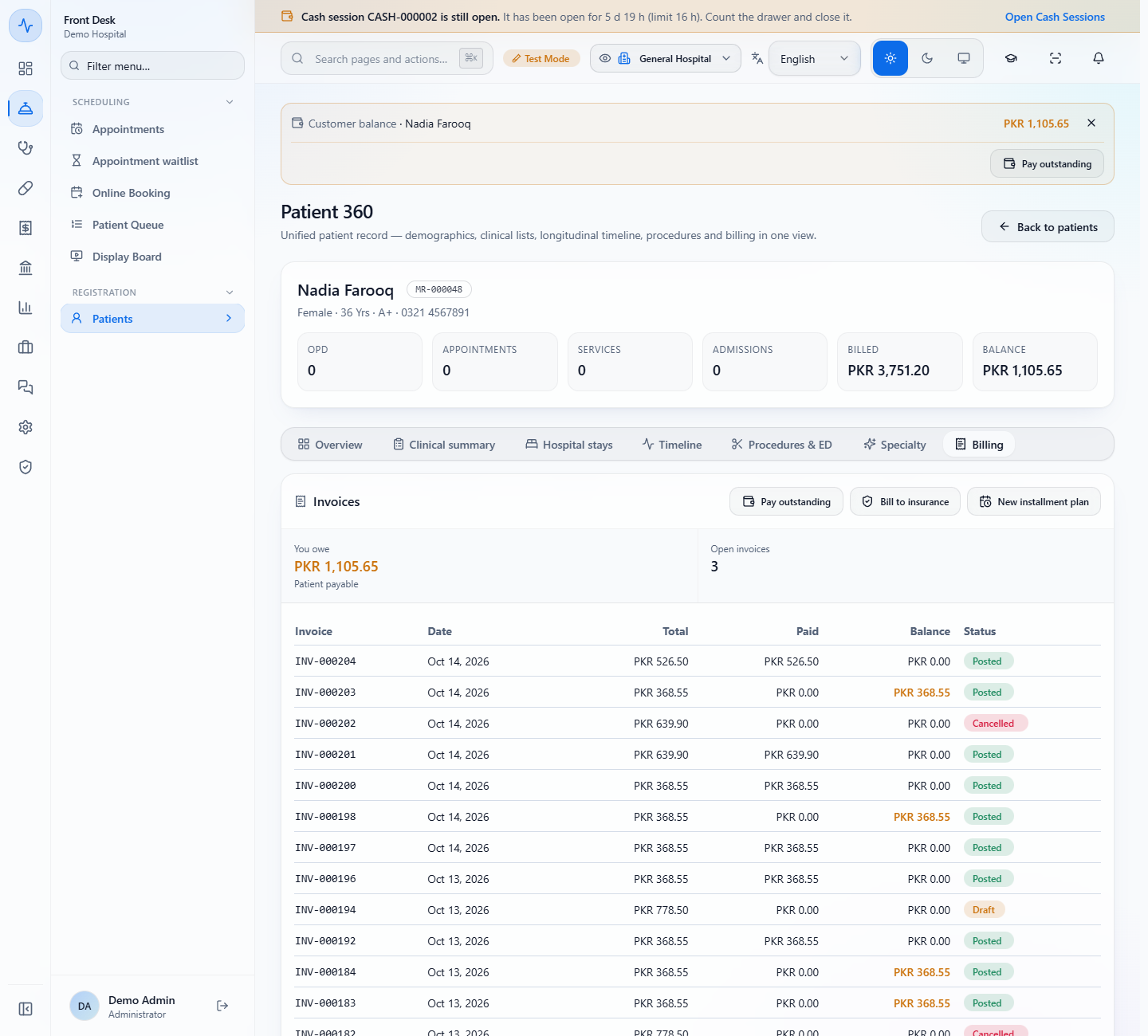
Open Front Desk › Registration › Patients, open the patient, and choose the Billing tab. The banner Customer balance and the BALANCE tile show PKR 1,105.65. Under Invoices, You owe says Patient payable and Open invoices says 3. The balance turns amber on every invoice that still has something to pay.
Patient 360 for Nadia Farooq with Customer balance PKR 1,105.65, the Billing tab and the Pay outstanding, Bill to insurance and New installment plan buttons
2
Find the same balance in the invoice screen
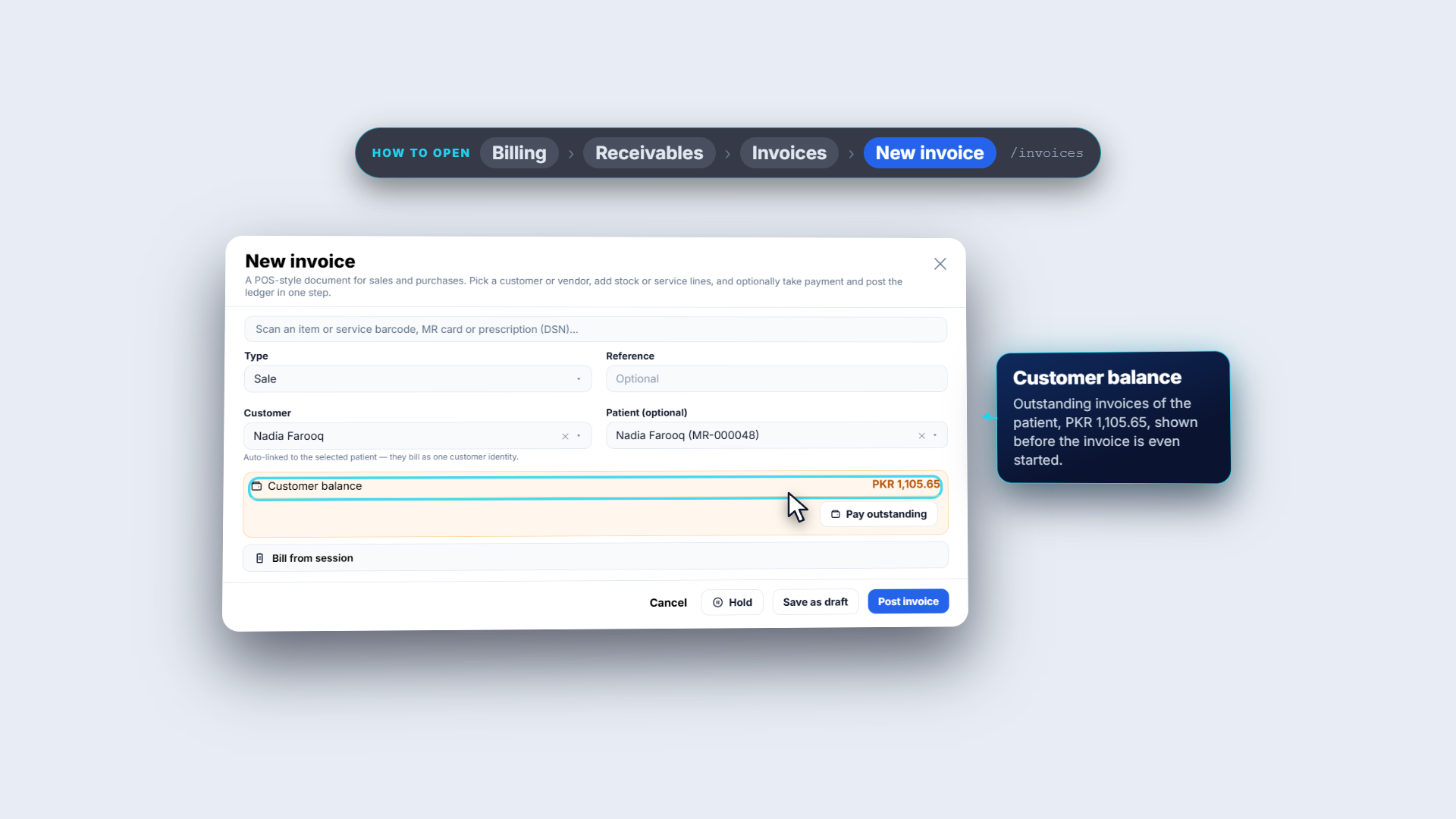
Open Billing › Receivables › Invoices and press New invoice. As soon as you choose the Patient, the Customer balance strip shows PKR 1,105.65 with Pay outstanding and Bill from session under it. Pay outstanding opens the same dialog as on the Billing tab.
New invoice with Nadia Farooq chosen, the Customer balance strip with Pay outstanding and the Bill from session button
3
Open Pay outstanding and read the list
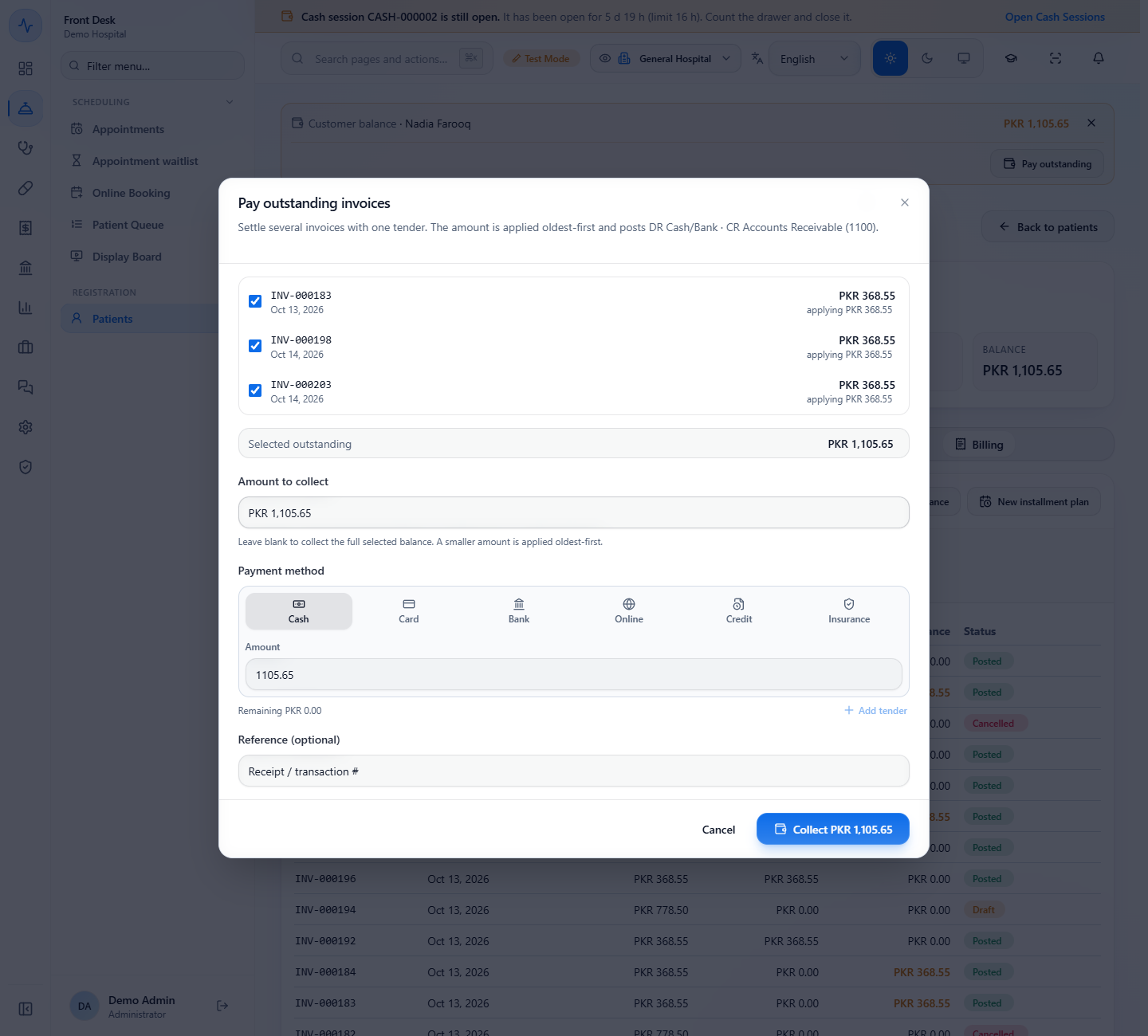
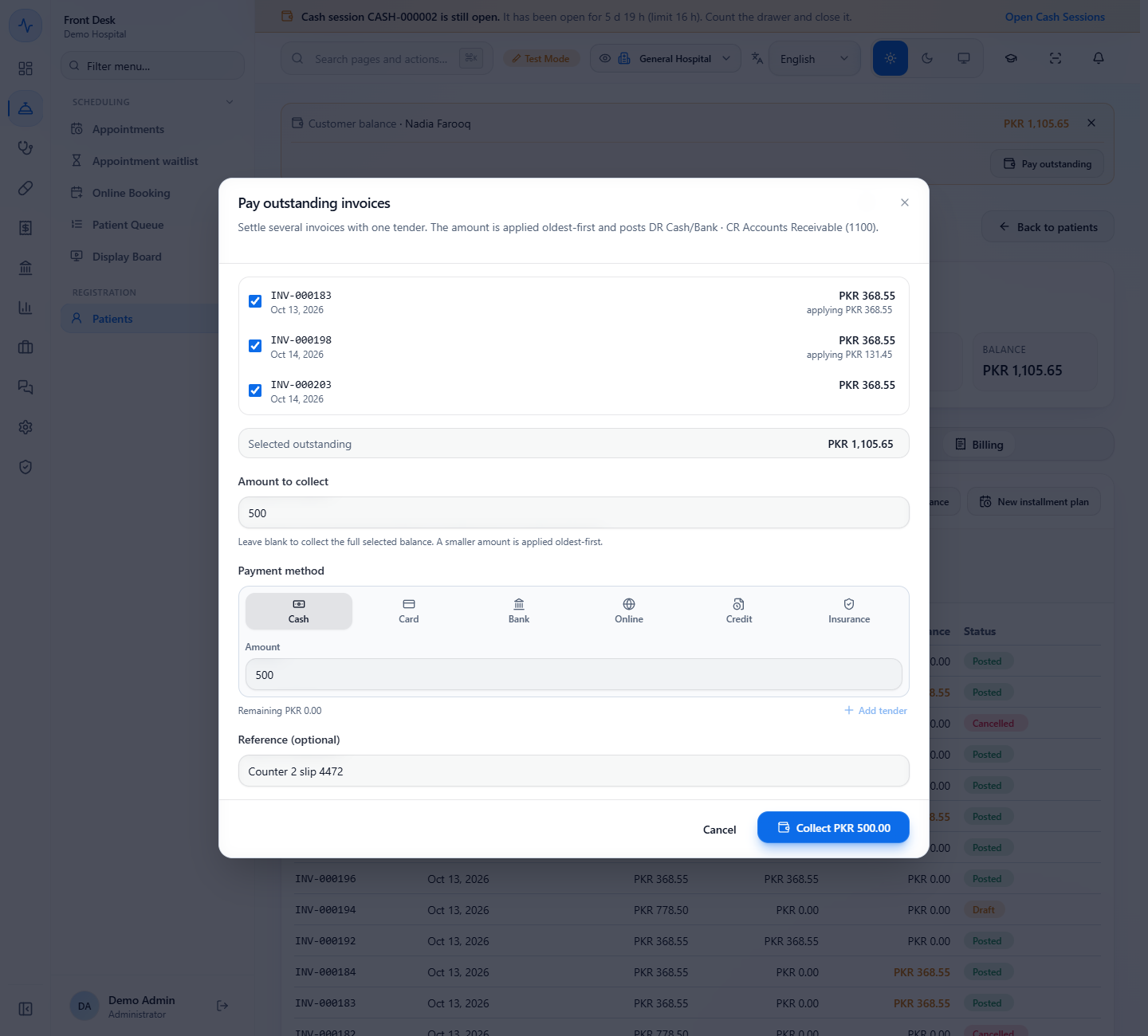
Press Pay outstanding. The dialog lists the patient's open invoices, all ticked, each with what will be applied. Selected outstanding is PKR 1,105.65. Leave Amount to collect blank to collect everything. A smaller amount is applied oldest first, so INV-000183 of Oct 13 is cleared before the two of Oct 14.
Pay outstanding invoices dialog listing INV-000183, INV-000198 and INV-000203 with Selected outstanding PKR 1,105.65
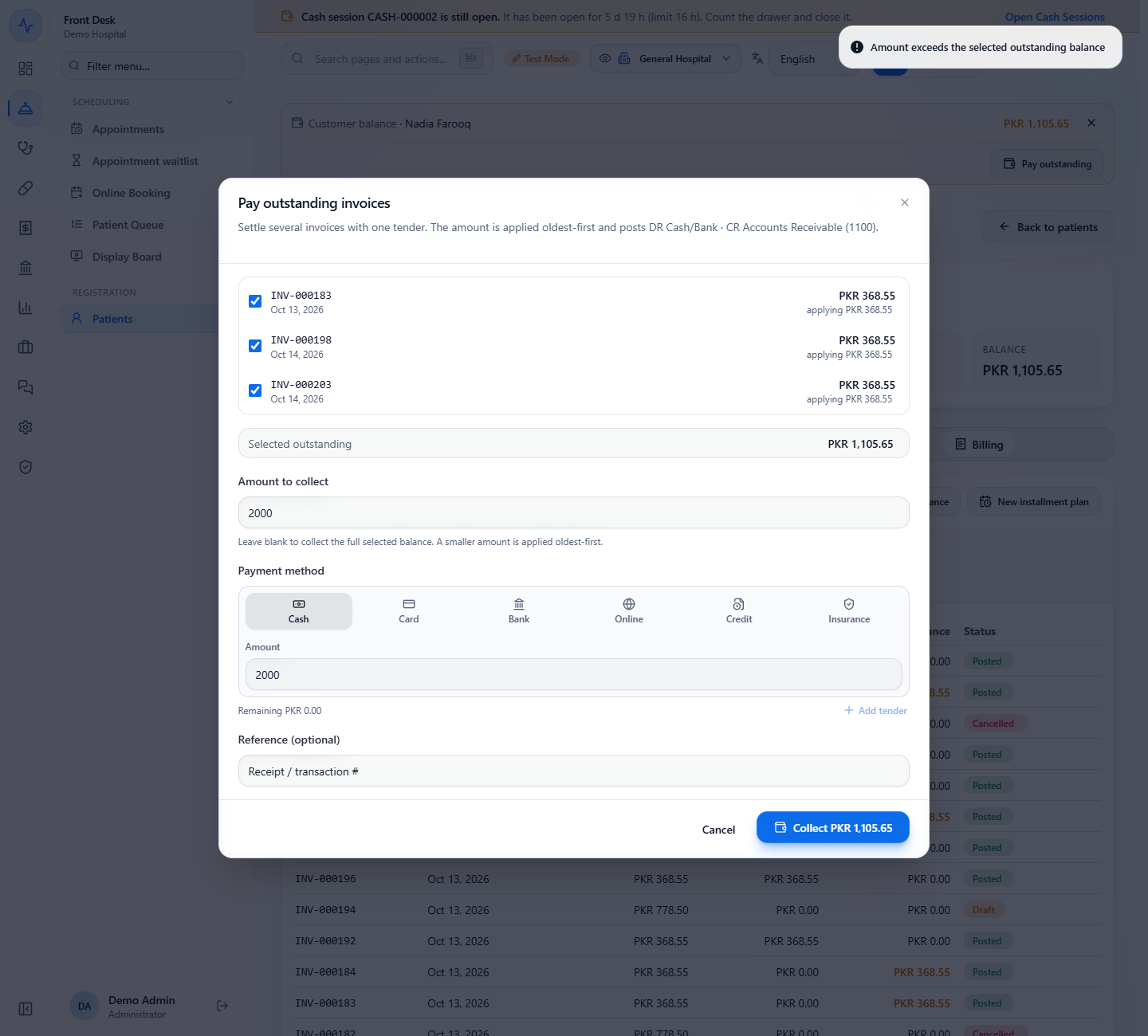
Amount to collect 2000 with the message Amount exceeds the selected outstanding balance
4
Collect a part payment
Type 500 in Amount to collect. The rows now say INV-000183 takes PKR 368.55 and INV-000198 takes PKR 131.45; INV-000203 is not touched. Under Payment method choose Cash, Card, Bank, Online, Credit or Insurance; card, bank and online ask for the bank account, and Add tender splits the payment. Type the slip number in Reference (optional), here "Counter 2 slip 4472", and press Collect PKR 500.00.
Amount to collect 500, Cash, reference Counter 2 slip 4472 and the button Collect PKR 500.00
5
Check the receipt
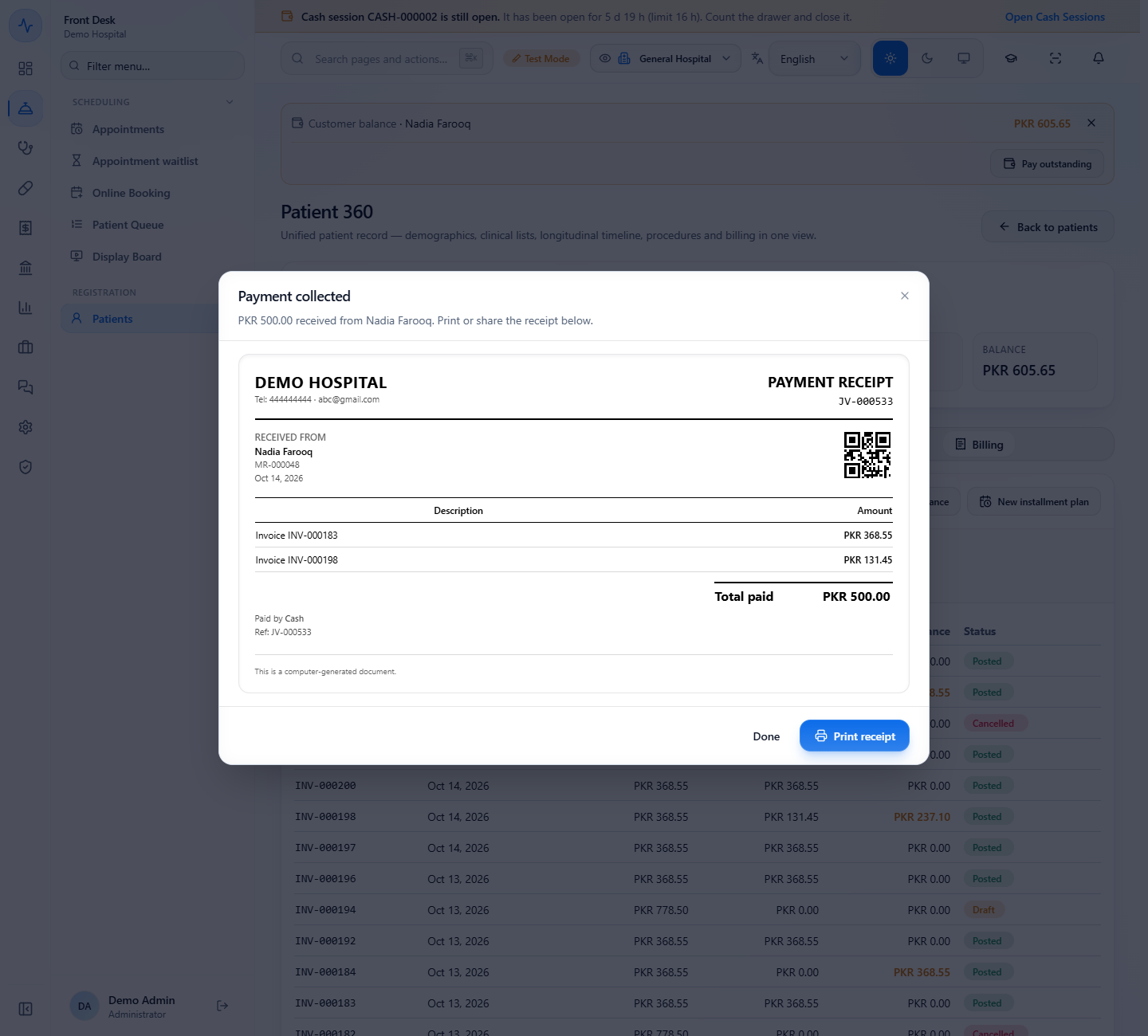
A message says "Collected PKR 500.00 across 2 invoice(s)", then the payment receipt opens. It lists what went to each invoice, Total paid PKR 500.00, Paid by Cash and the voucher number JV-000533. Press Print receipt for the patient, then Done.
Payment collected dialog with PAYMENT RECEIPT JV-000533, Invoice INV-000183 PKR 368.55, Invoice INV-000198 PKR 131.45, Total paid PKR 500.00
6
Check the new balance
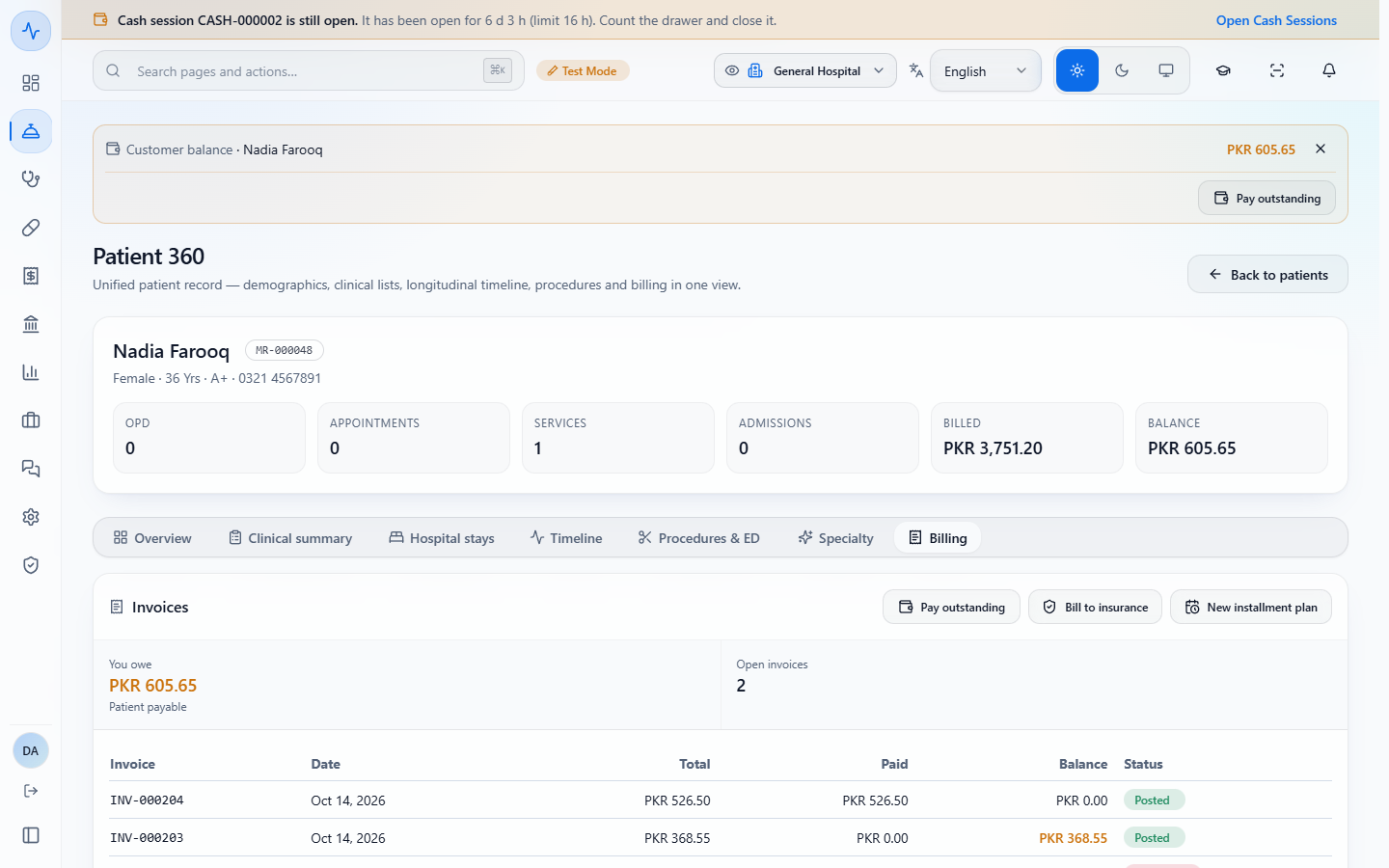
Back on the Billing tab the balance reads PKR 605.65 and Open invoices says 2. INV-000183 is paid in full. INV-000198 shows paid PKR 131.45 with PKR 237.10 left, and INV-000203 still owes PKR 368.55. The two together make the PKR 605.65.
Billing tab after the collection with Customer balance PKR 605.65, You owe PKR 605.65 and Open invoices 2
7
Bill credit invoices to an insurer
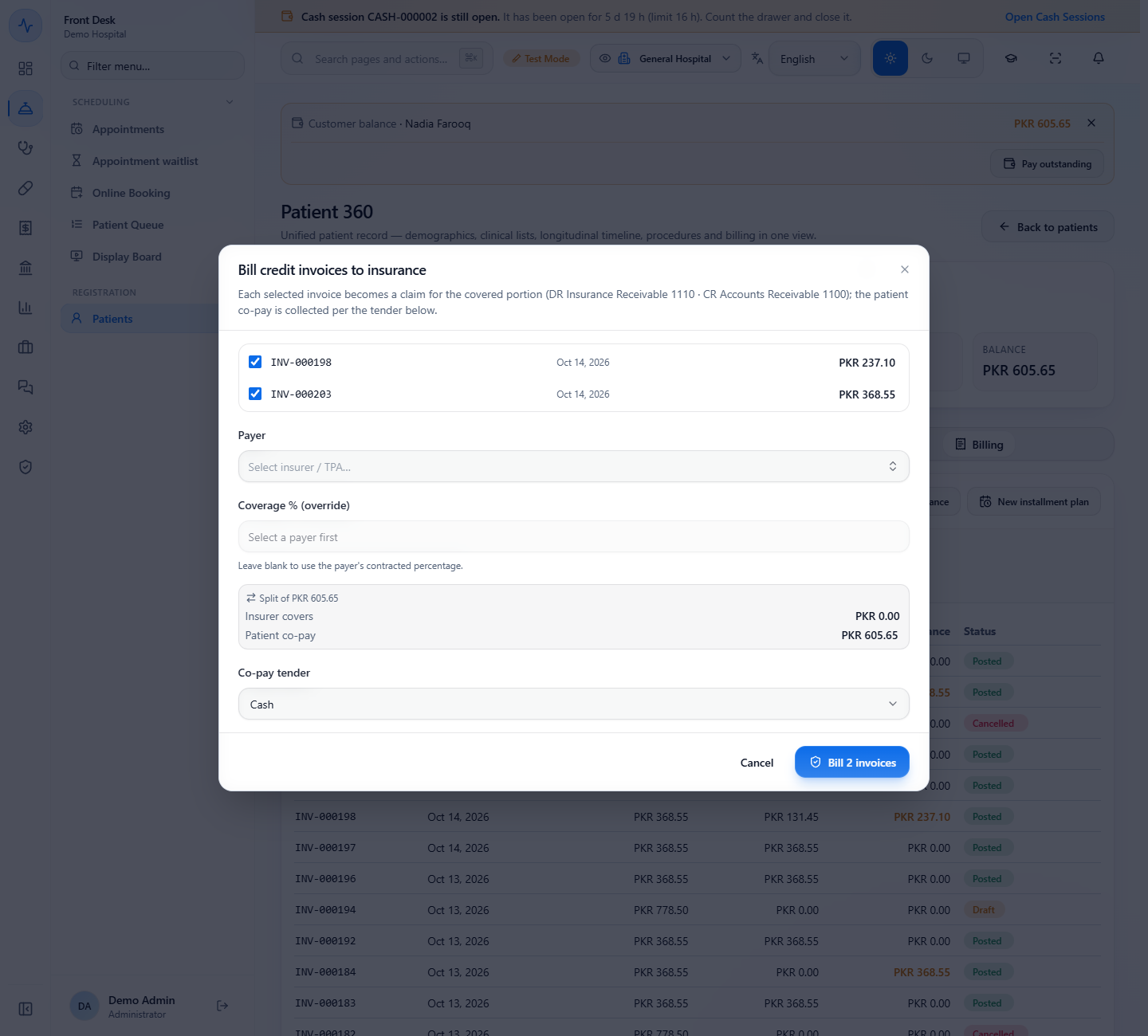
Press Bill to insurance when the patient's insurer covers part of the open invoices. Tick the invoices, choose the Payer (insurer or TPA) and, only if needed, a Coverage % (override); leave it blank to use the payer's contracted percentage. Split shows what the insurer covers and the Patient co-pay, collected with the Co-pay tender. Bill 2 invoices creates a claim for each.
Bill credit invoices to insurance dialog with INV-000198, INV-000203, Payer, Coverage % override and the split of PKR 605.65
8
Read the patient's statement
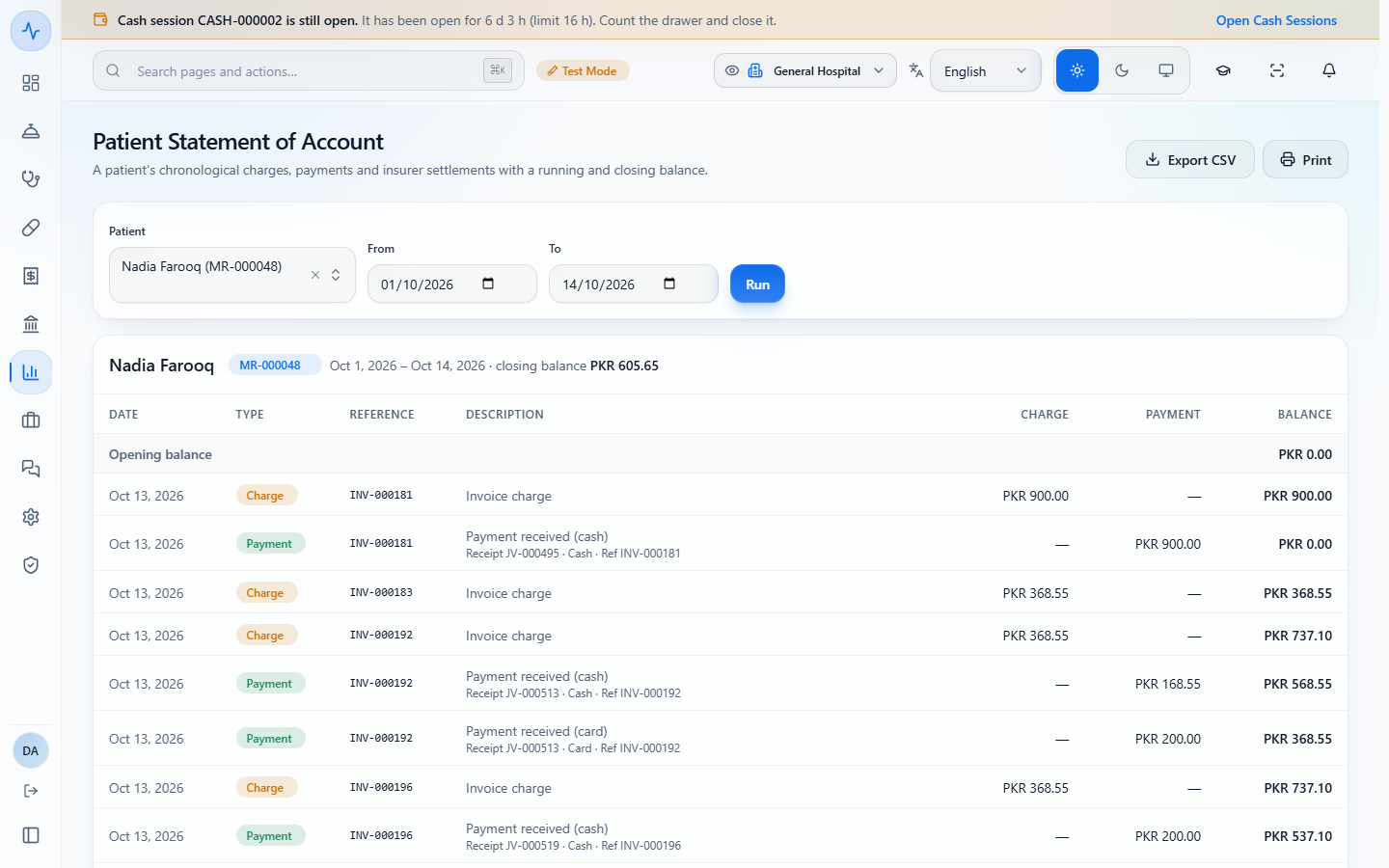
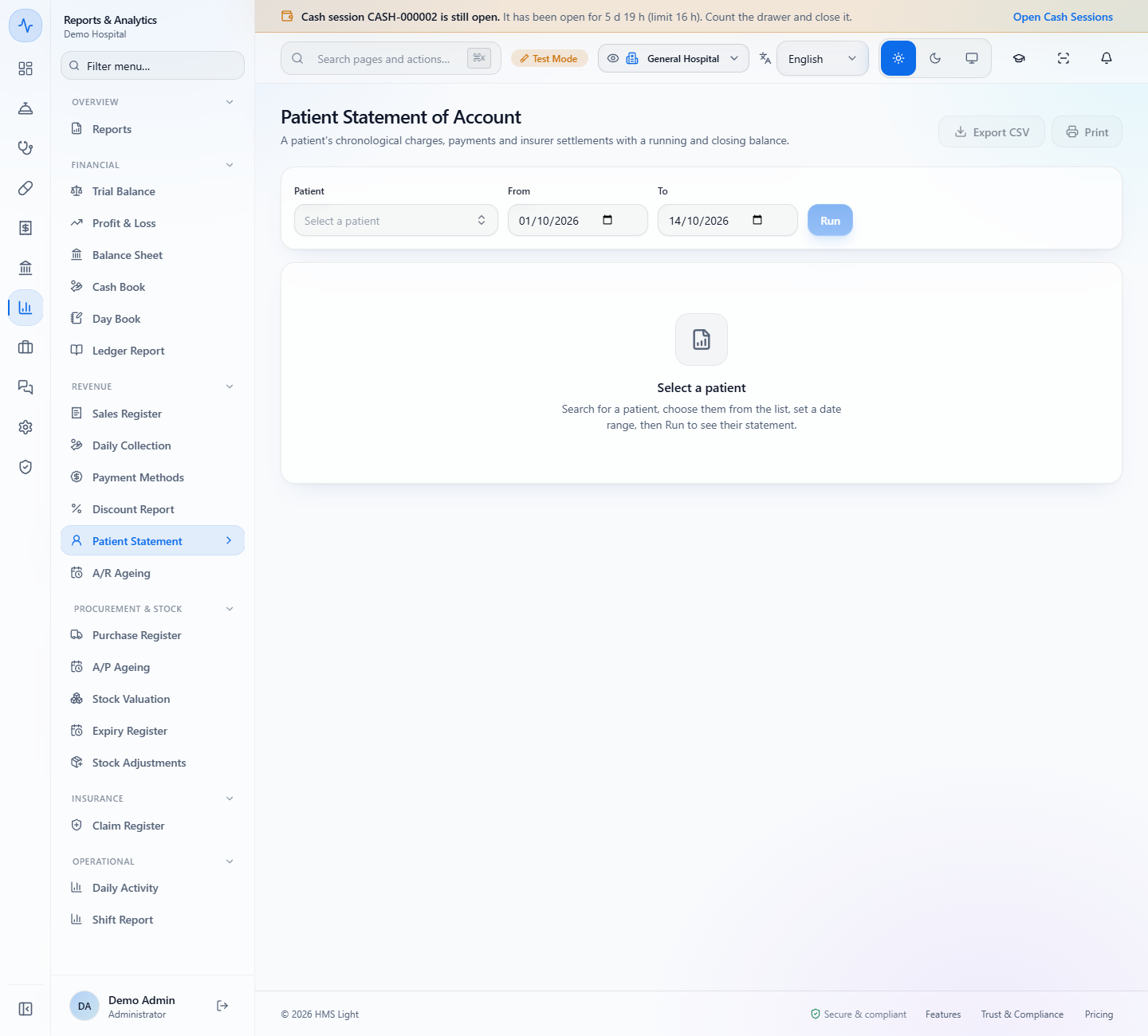
Open Reports & Analytics › Patient Statement. The page starts empty: choose the Patient, set From and To, and press Run. The statement lists each Charge and Payment in order with a running BALANCE, and every payment says how it was paid, for example "Receipt JV-000513 · Card · Ref INV-000192". Your PKR 500 shows as two payments, 368.55 and 131.45, with receipt JV-000533 and the reference. The last row, Total · closing balance, reads PKR 3,751.20 charged, PKR 3,145.55 paid and PKR 605.65 still owed.
Patient Statement of Account for Nadia Farooq with charges, payments and a running balance ending at PKR 605.65
Patient Statement before it is run: Select a patient, then Run
9
Find work that no invoice carries
Open Billing › Receivables › Unbilled Work. It lists finished lab and radiology work that no invoice carries yet: 15 items worth PKR 4,400.00. Filter by source, then press Open to bill on a row to go to the screen where it is billed. A row with no price reads "Unpriced - set price, then bill": set the price first. The list is read-only.
Unbilled work with 15 unbilled items worth PKR 4,400.00, source filters and rows with Open to bill
10
Settle a visit with one invoice
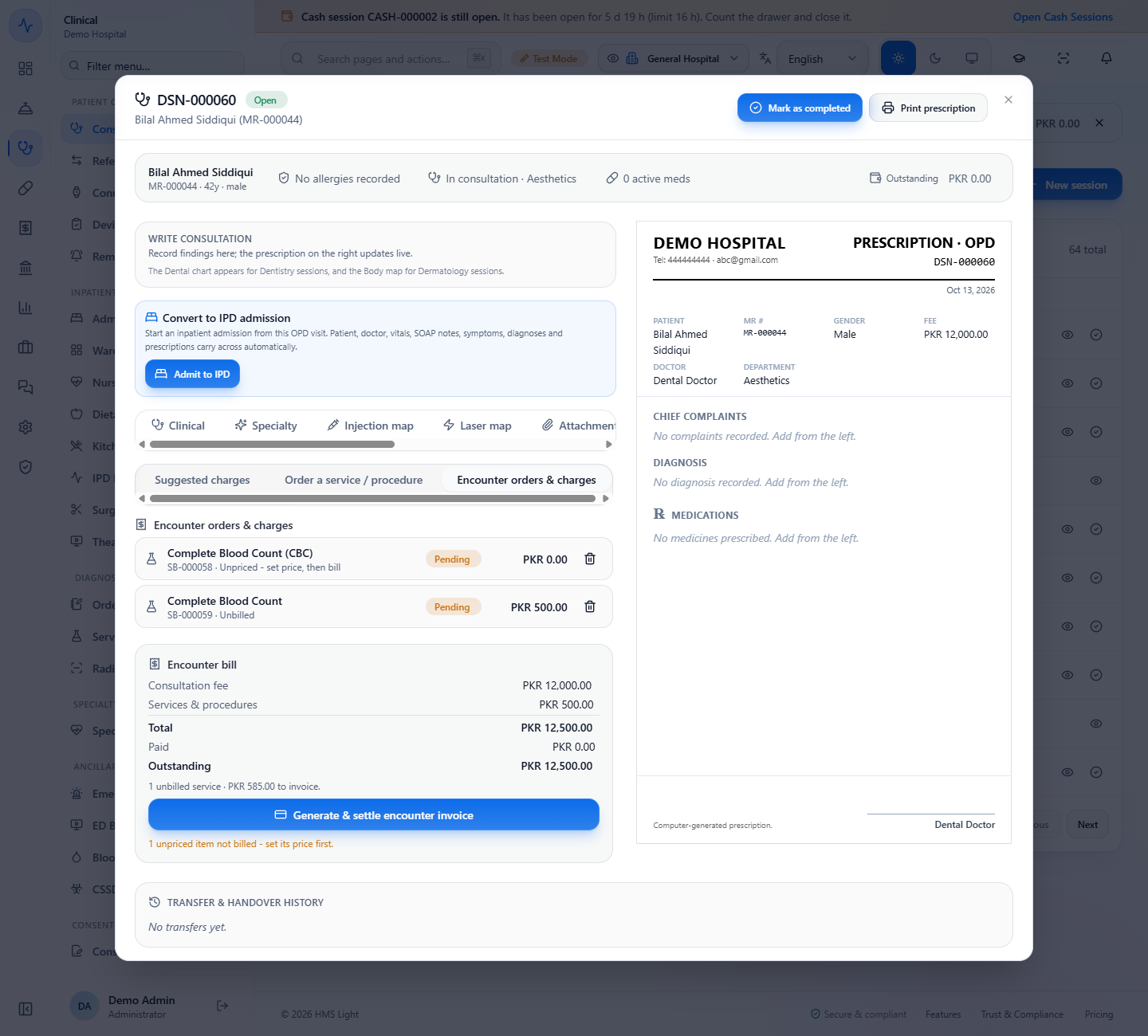
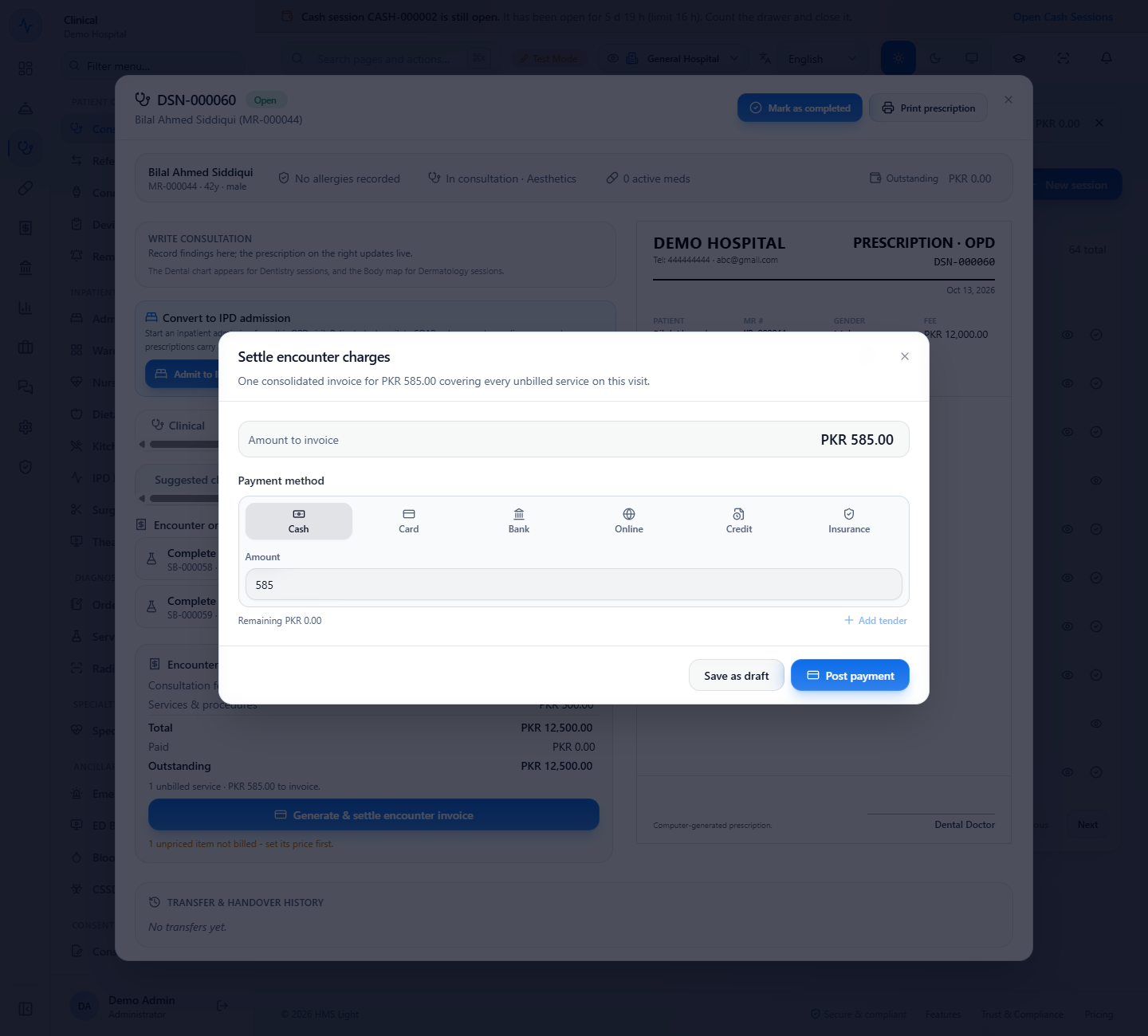
Open the visit and its Orders & bill area. Encounter orders & charges lists the orders, here an unpriced Complete Blood Count and a Complete Blood Count at PKR 500.00. The Encounter bill shows the consultation fee, the services and "1 unbilled service · PKR 585.00 to invoice". Press Generate & settle encounter invoice.
Choose the payment method and press Post payment.
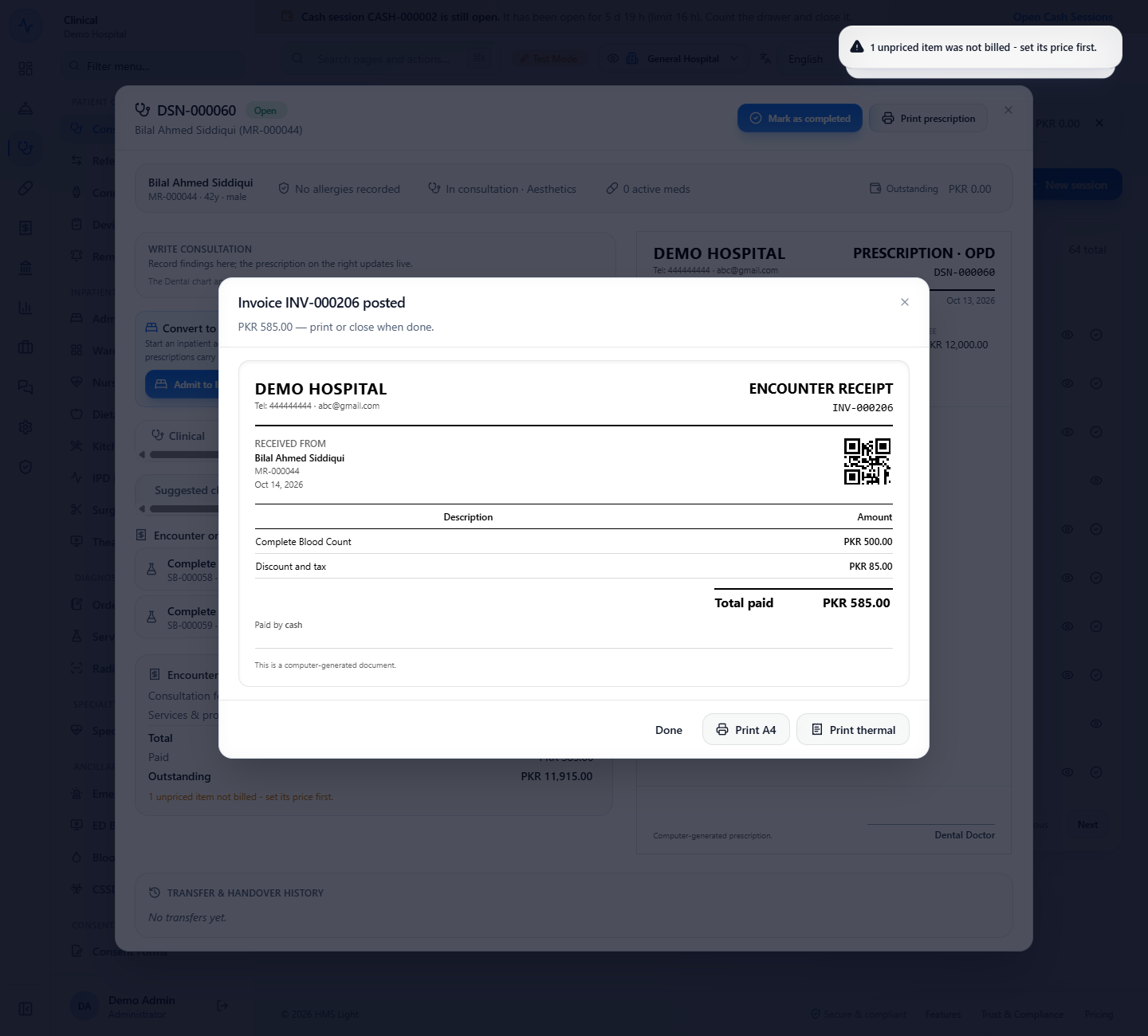
The receipt shows Complete Blood Count PKR 500.00, Discount and tax PKR 85.00 and Total paid PKR 585.00, and a message says the unpriced item was not billed: set its price first. The order line now reads "Billed on INV-000206".
Visit DSN-000060 with the Encounter bill: Consultation fee PKR 12,000.00, Services PKR 500.00, 1 unbilled service PKR 585.00 to invoice
Settle encounter charges dialog with Amount to invoice PKR 585.00, Cash and the Post payment button
Invoice INV-000206 posted with the encounter receipt and the message that one unpriced item was not billed
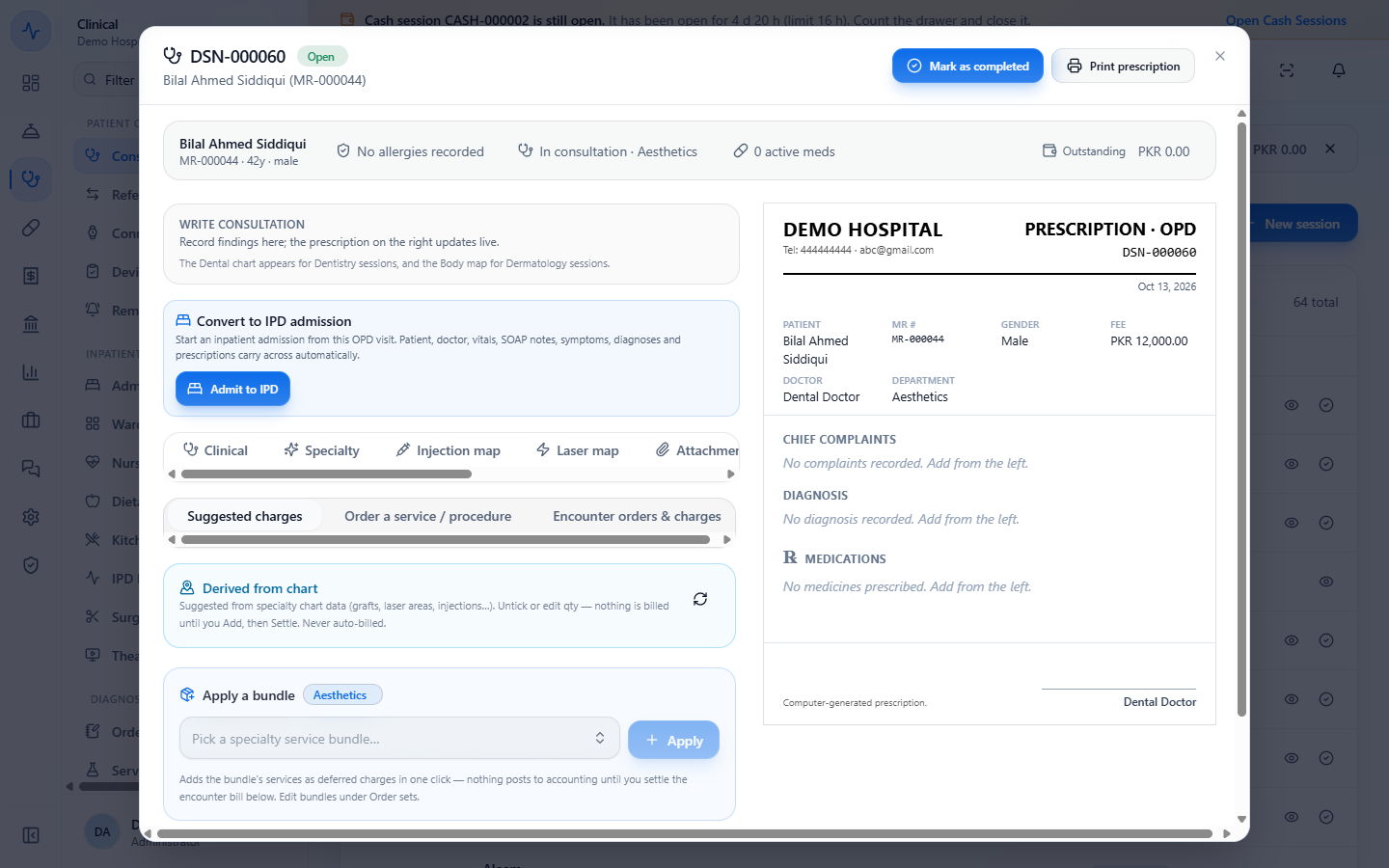
Derived from chart and Apply a bundle in Suggested charges
11
Pull a visit's services into an invoice
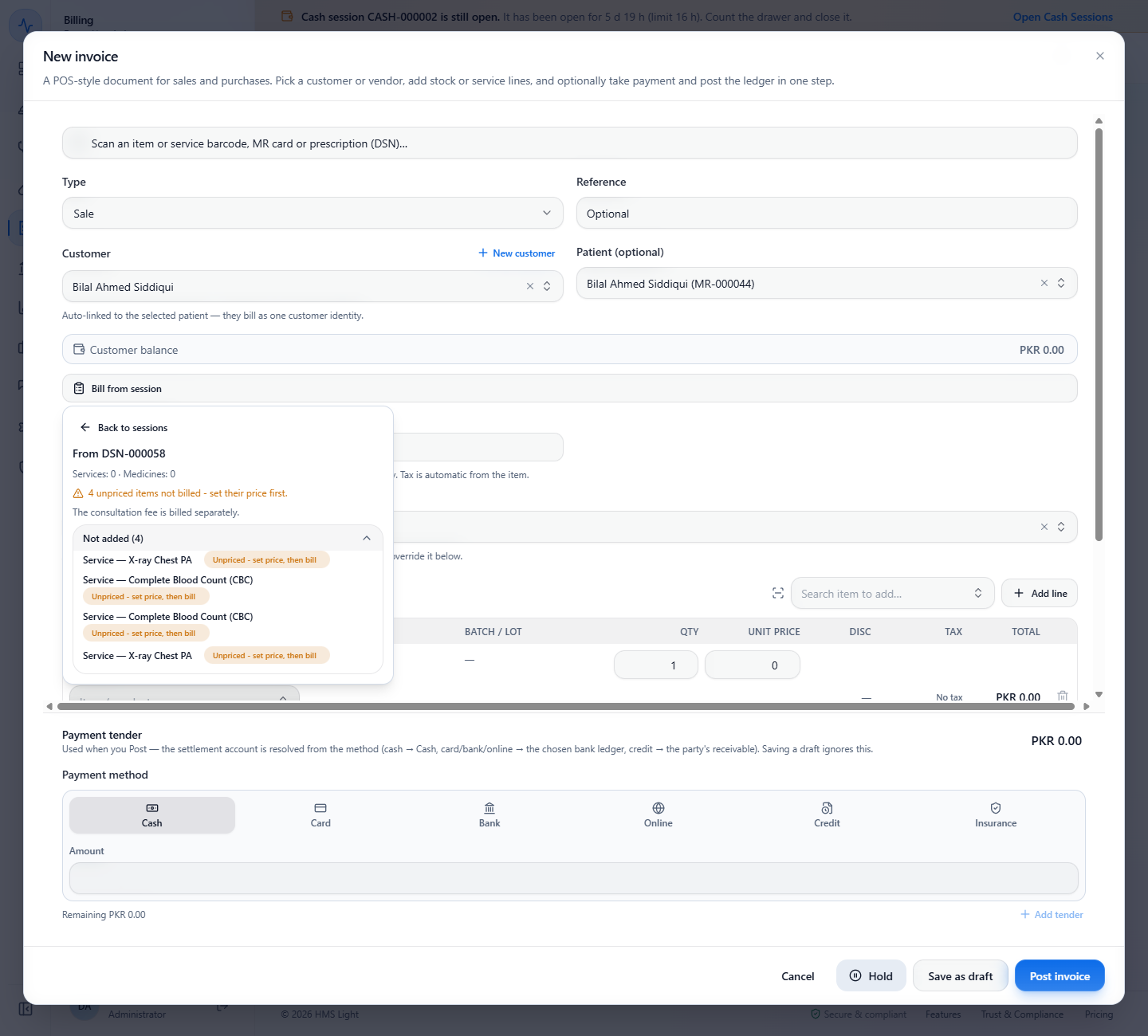
In New invoice, press Bill from session and pick a consultation session. The services and medicines that are ready are added to the invoice. Anything that could not be added appears under Not added with its reason, for example "Unpriced - set price, then bill". The consultation fee is billed separately.
Bill from session result listing the four unpriced services that were not added with their reason
Check it worked
The Billing tab shows the lower balance (PKR 605.65) and Open invoices 2, and the receipt voucher JV-000533 is on the patient statement.
Unbilled Work no longer lists work that you billed, and the visit's order line says "Billed on INV-000206".
Common mistakes
Mistake
What you see
Fix
Typing more than the selected balance
"Amount exceeds the selected outstanding balance"
Collect the selected amount or less
Leaving the reference empty
The receipt has no counter slip number to trace
Type the slip or transaction number before you collect
Expecting an unpriced service to be billed
"Unpriced - set price, then bill" and the message that it was not billed
Set the price on its own screen, then bill it
Choosing Bill to insurance without a payer
Insurer covers PKR 0.00
Pick the insurer or TPA first
Quick reference
Item
Meaning / rule
Pay outstanding
One tender settles several credit invoices, oldest first, partial amounts allowed
Customer balance
Outstanding invoices of the patient, on the Billing tab and in the invoice screen
Receipt voucher
One voucher for the whole collection: Cash in Hand debited, Accounts Receivable credited
Patient Statement
Charges and payments in order with a running and closing balance
Unbilled Work
Finished work no invoice carries yet; unpriced rows need a price first
Generate & settle
One invoice for every unbilled, priced service of a visit
Frequently asked questions
Can I collect only part of what a patient owes? Yes. Type a smaller amount in Amount to collect. It is applied to the oldest invoices first and the rows show how much goes to each.
Where does a payment taken here show up afterwards? On the Billing tab as a lower balance, on the patient statement as payment rows with the receipt voucher and your reference, and in the books as one receipt voucher.
Why is a lab order not on the invoice of the visit? If it has no price it is never billed at 0. Set its price, then bill it from Unbilled Work, the encounter bill or Bill from session.
What does Bill to insurance do with the patient's share? It splits each invoice into the insurer's covered amount and the patient's co-pay, and the co-pay is collected with the co-pay tender you choose.