How to create, post, cancel and refund a hospital invoice
You will compose a bill for a patient with a service and a pharmacy item, see the patient's discount and the tax worked out, take the payment in two methods, post it, park a sale, sell on credit, cancel a paid invoice with a refund and return a sale. Use it at the billing counter whenever a bill is not a simple visit fee.
Who it is forBilling clerk and cashierTime20 minutesProductHMSLevelIntermediate
Before you start
Steps
1
Open the invoices list
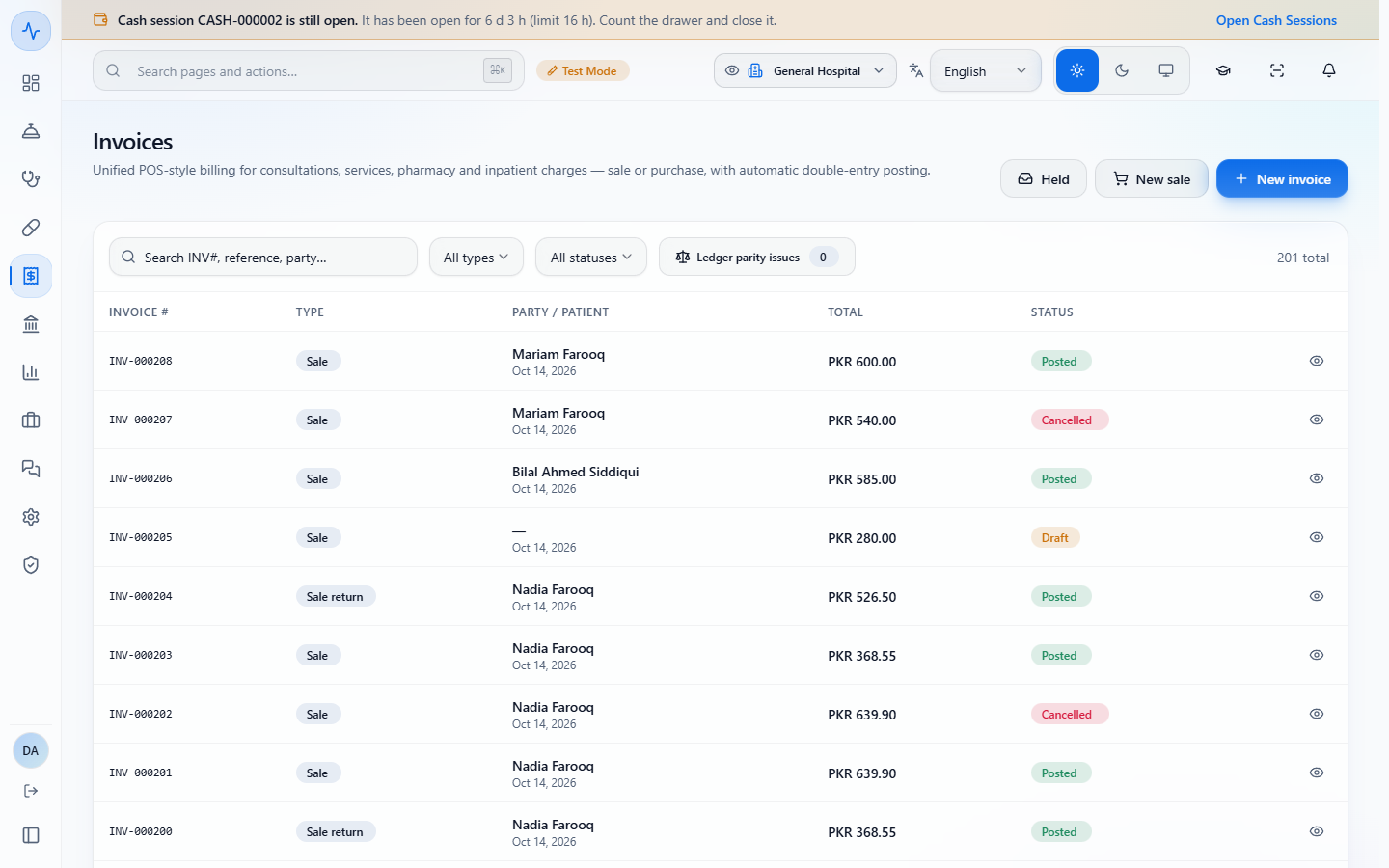
Open Billing › Receivables › Invoices. Each row is one bill: the INVOICE #, its TYPE (Sale, Purchase, Sale return, Purchase return or Adjustment), the PARTY / PATIENT, the TOTAL and the STATUS (Draft, Posted or Cancelled). Search by invoice number, reference or party, and filter by type and status. Held opens the sales you parked.
Invoices list with INV-000208 down to INV-000202, filters, Held, New sale and New invoice, 201 total
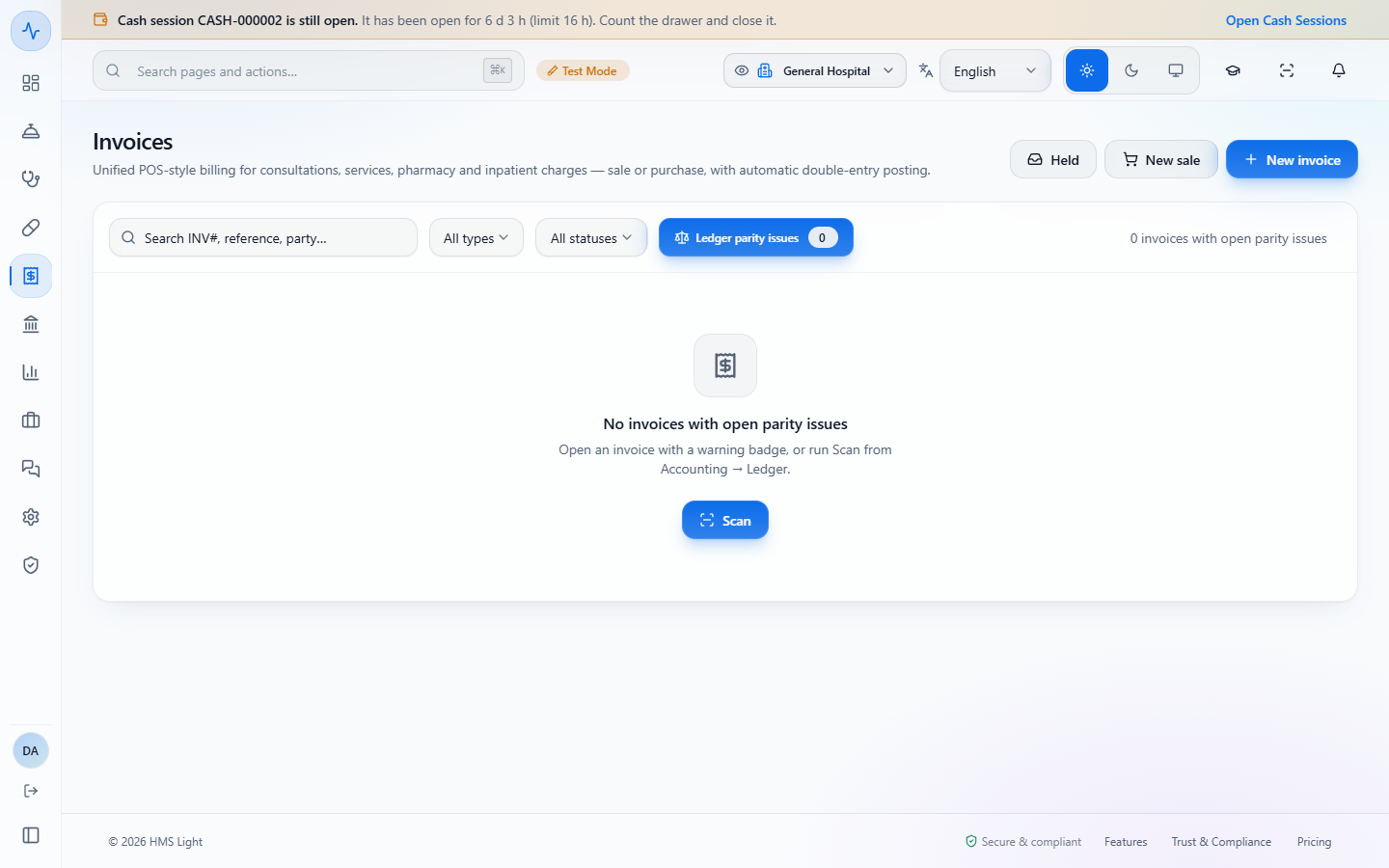
Ledger parity issues switched on, showing 0 invoices with open parity issues and a Scan button
2
Check the customer and the default discount
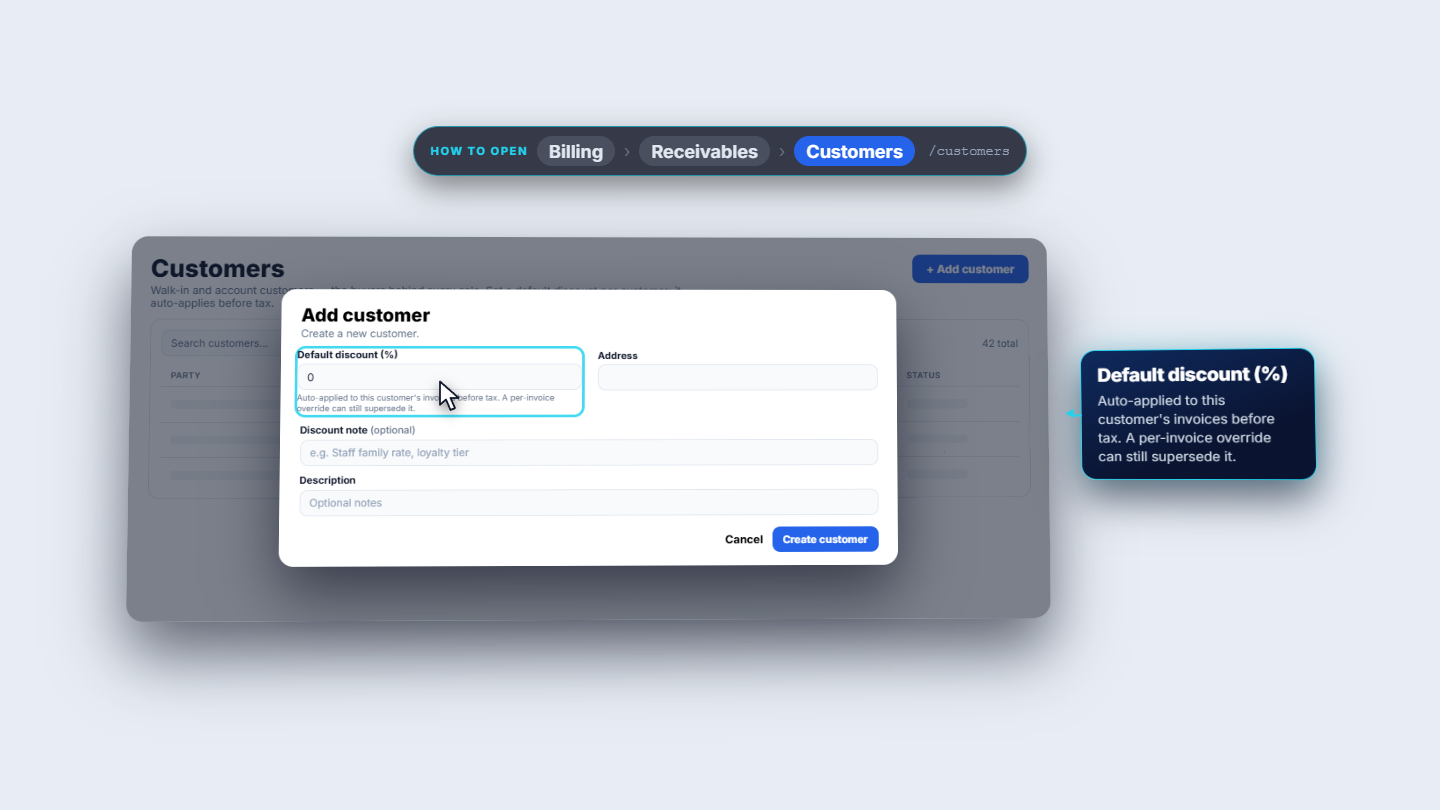
Every buyer is a customer (Billing › Receivables › Customers). Default discount (%) is applied to that customer's invoices before tax, and a single invoice can still be overridden. A patient can also carry a discount of their own, as Nadia Farooq does.
Add customer form with Default discount (%) and the note that it is auto-applied before tax
3
Start the invoice and pick the patient
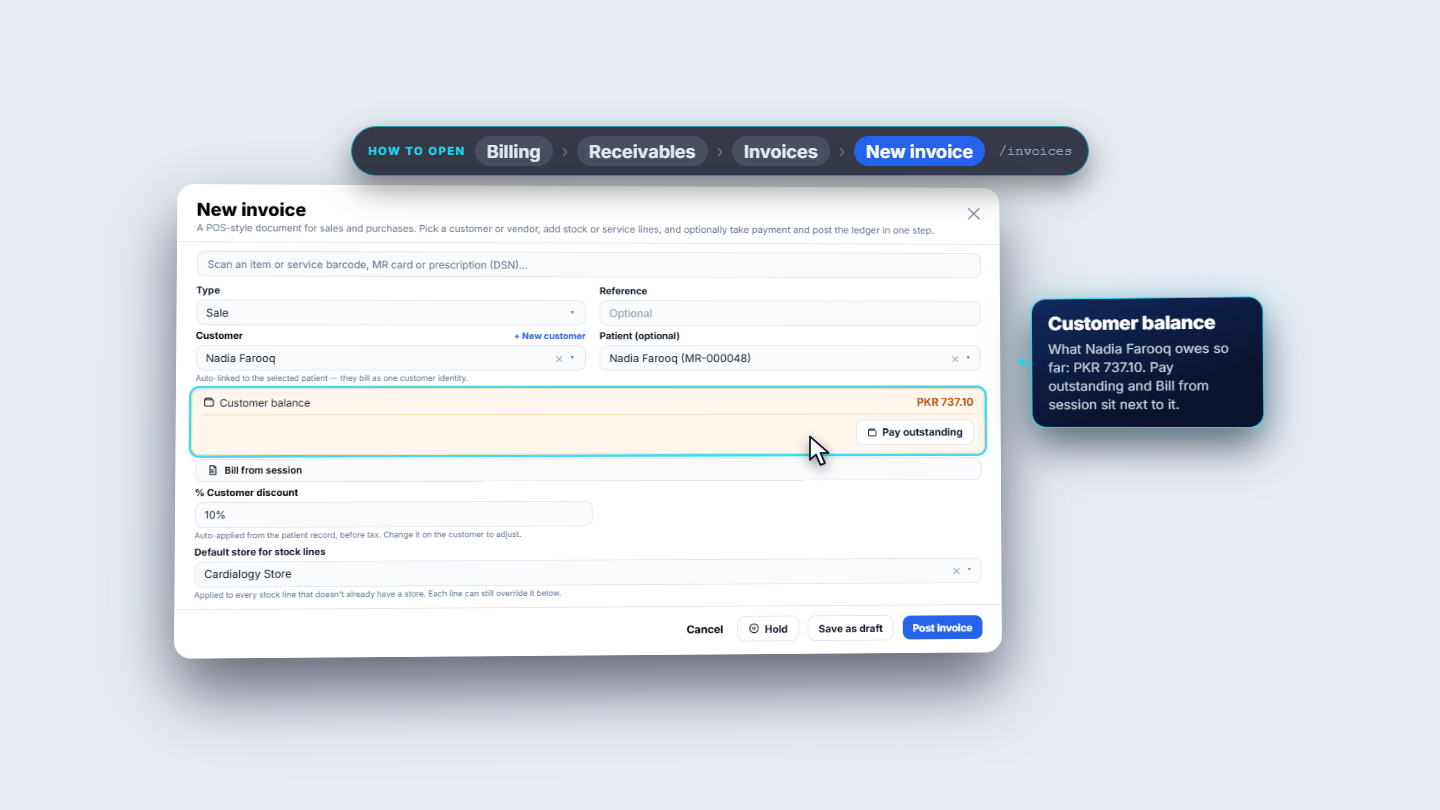
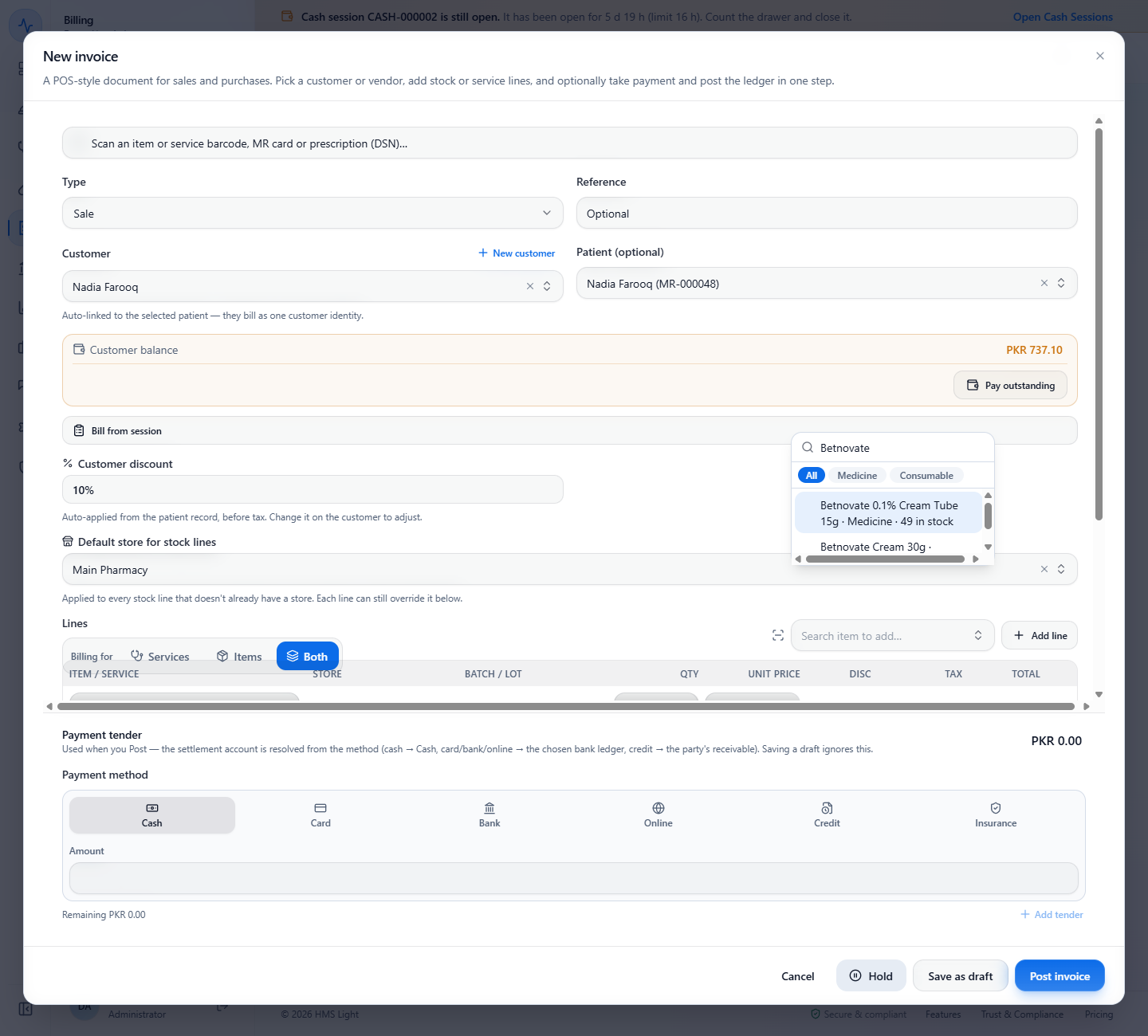
Press New invoice. Leave Type on Sale. Choose the Patient (Nadia Farooq, MR-000048): the Customer fills in by itself, the Customer balance shows PKR 737.10 with Pay outstanding, and Customer discount 10% appears. Set Default store for stock lines to Main Pharmacy.
New invoice with Nadia Farooq (MR-000048), Customer balance PKR 737.10 and Customer discount 10%
4
Add the service and the stock item
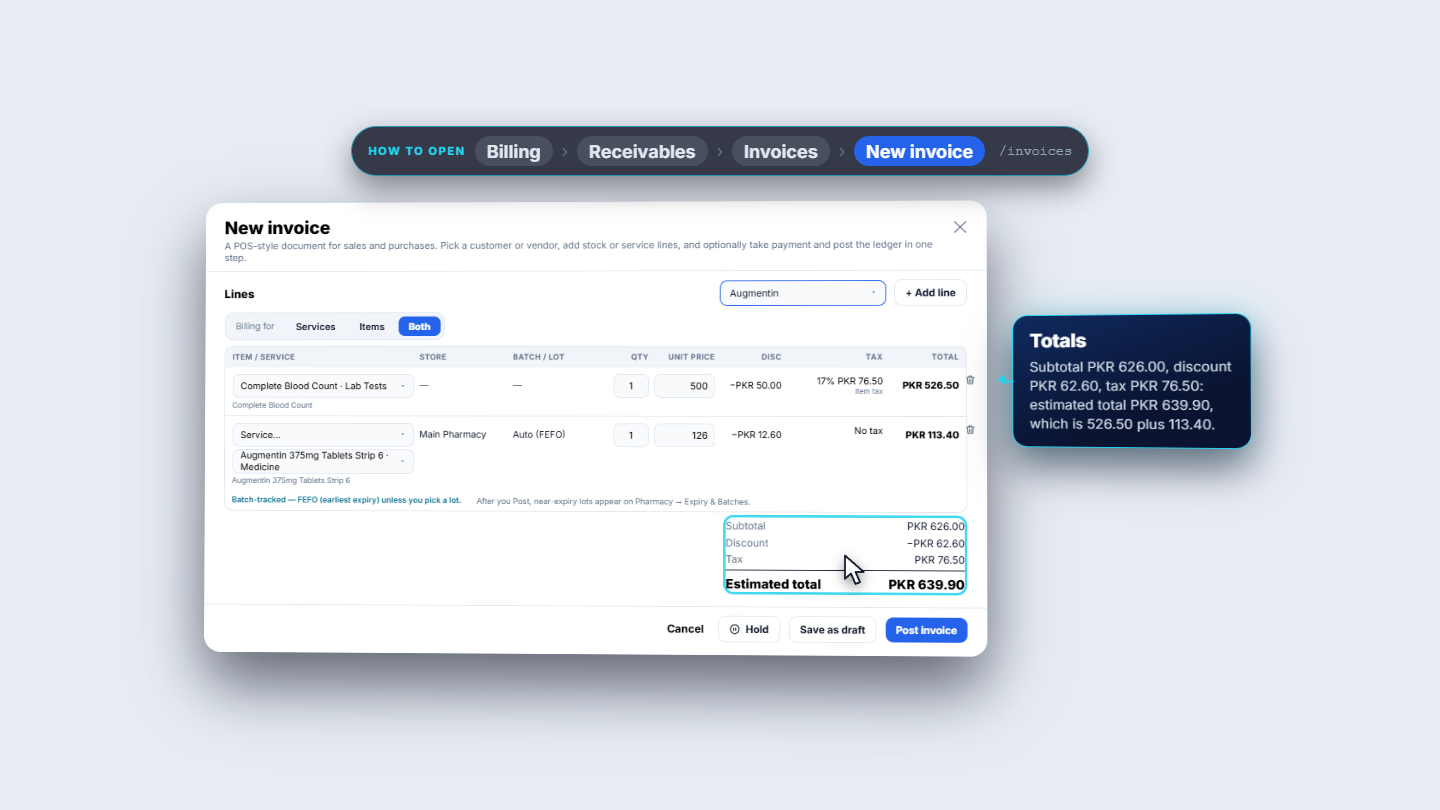
Add Complete Blood Count (PKR 500.00, discount PKR 50.00, 17% tax PKR 76.50, total PKR 526.50). Then search the item Augmentin 375mg Tablets Strip 6 (PKR 126.00, discount PKR 12.60, no tax, total PKR 113.40). The totals read Subtotal PKR 626.00, Discount PKR 62.60, Tax PKR 76.50 and Estimated total PKR 639.90.
Lines with Complete Blood Count and Augmentin 375mg Tablets Strip 6, discount and tax per line, estimated total PKR 639.90
Item search showing each item with the quantity in stock of the default store
5
Choose how it is paid, and split it
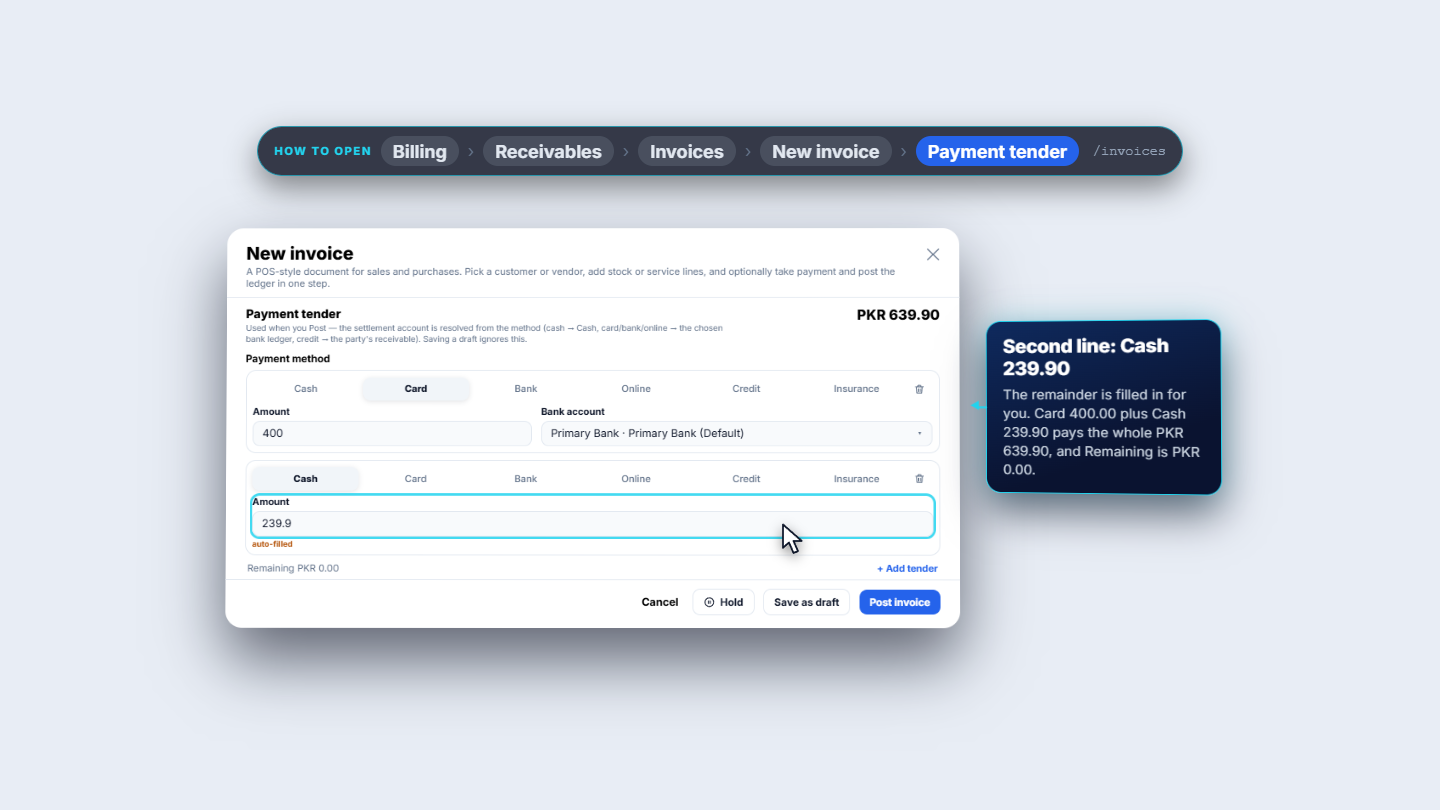
Under Payment tender choose Cash, Card, Bank, Online, Credit or Insurance (Insurance only appears with a patient and asks for the Payer). Card, Bank and Online ask for the Bank account (Primary Bank). Enter 400 on Card, press Add tender and the second line fills in Cash 239.9. Remaining shows PKR 0.00.
Payment tender with Card 400 on Primary Bank and a second line Cash 239.9, Remaining PKR 0.00
6
Post the invoice and hand over the receipt
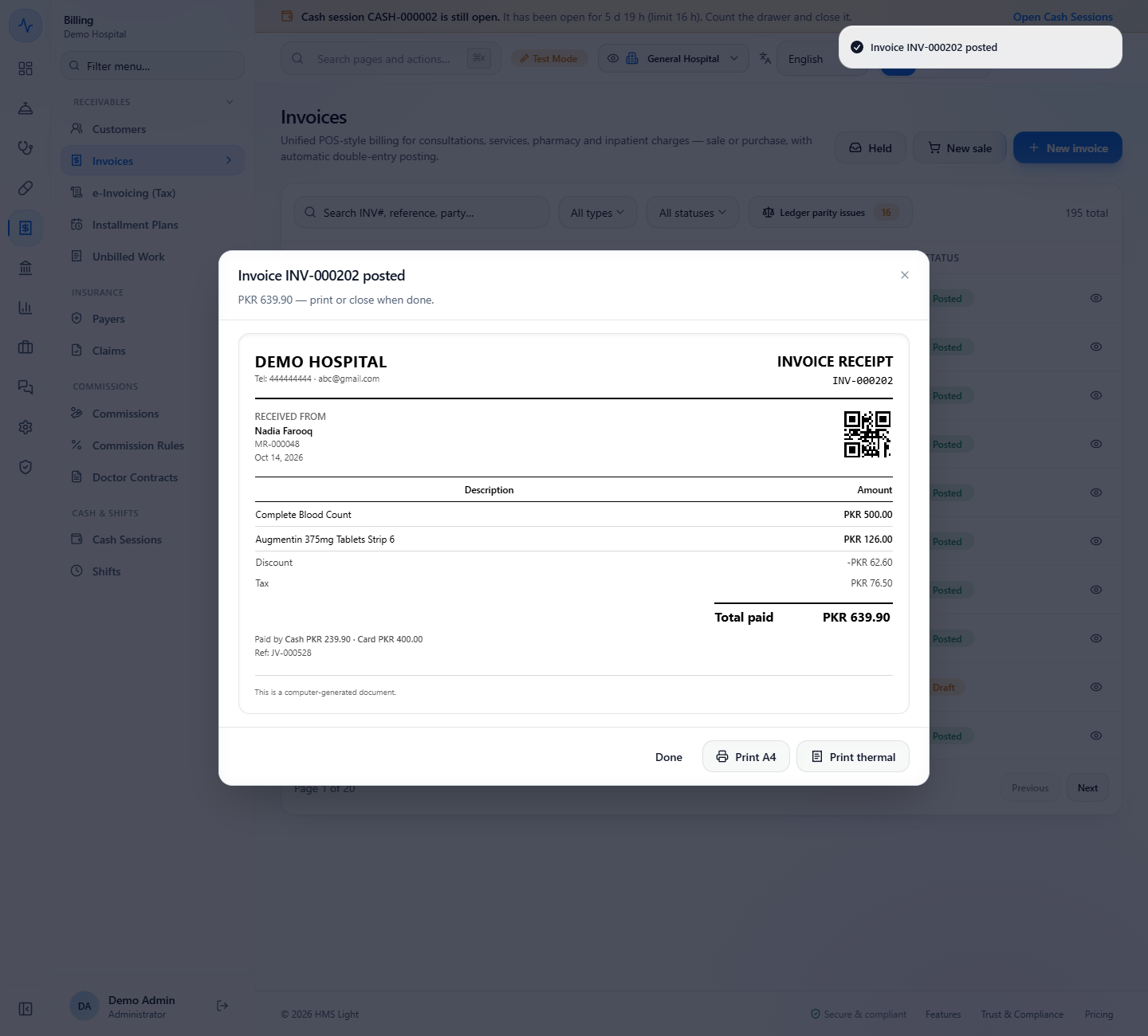
Press Post invoice. The toast says "Invoice INV-000202 posted" and the receipt lists the lines, Discount -PKR 62.60, Tax PKR 76.50 and Total paid PKR 639.90, paid by Cash PKR 239.90 and Card PKR 400.00. Use Print A4 or Print thermal, then Done.
Invoice INV-000202 posted receipt: Complete Blood Count, Augmentin 375mg, discount, tax and Total paid PKR 639.90 paid by Cash and Card, Ref JV-000528
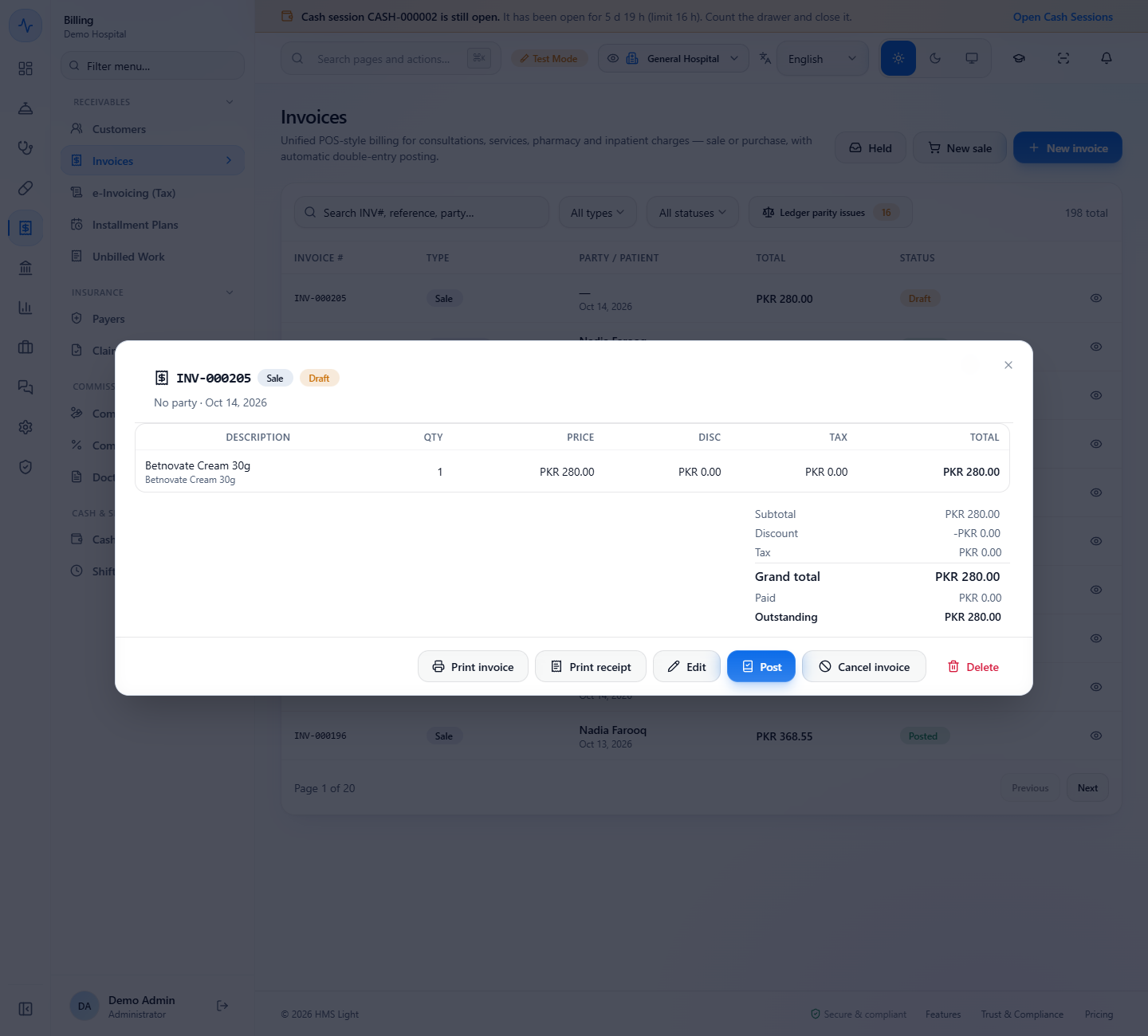
Draft invoice INV-000205 saved after posting was refused for an item with no stock valuation cost
7
Park a sale with Hold
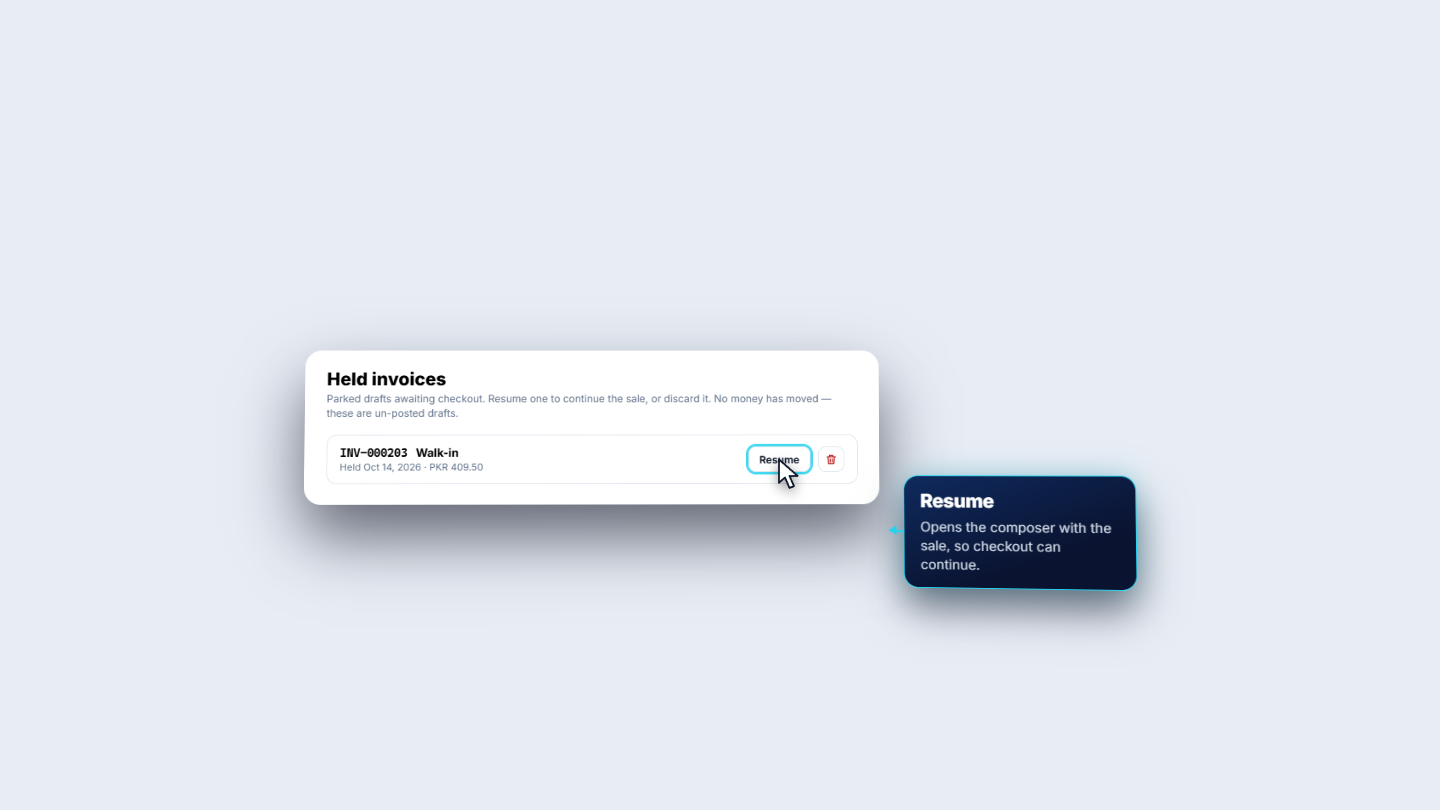
When a customer steps away, press Hold. The toast says "Invoice INV-000203 held". Open Held to see it (Walk-in, PKR 409.50) and press Resume to carry on. The discard button asks "Discard held invoice?" and removes the draft for good.
Held invoices tray with INV-000203, Walk-in, held Oct 14, 2026, PKR 409.50, with Resume and the discard button
8
Sell on credit
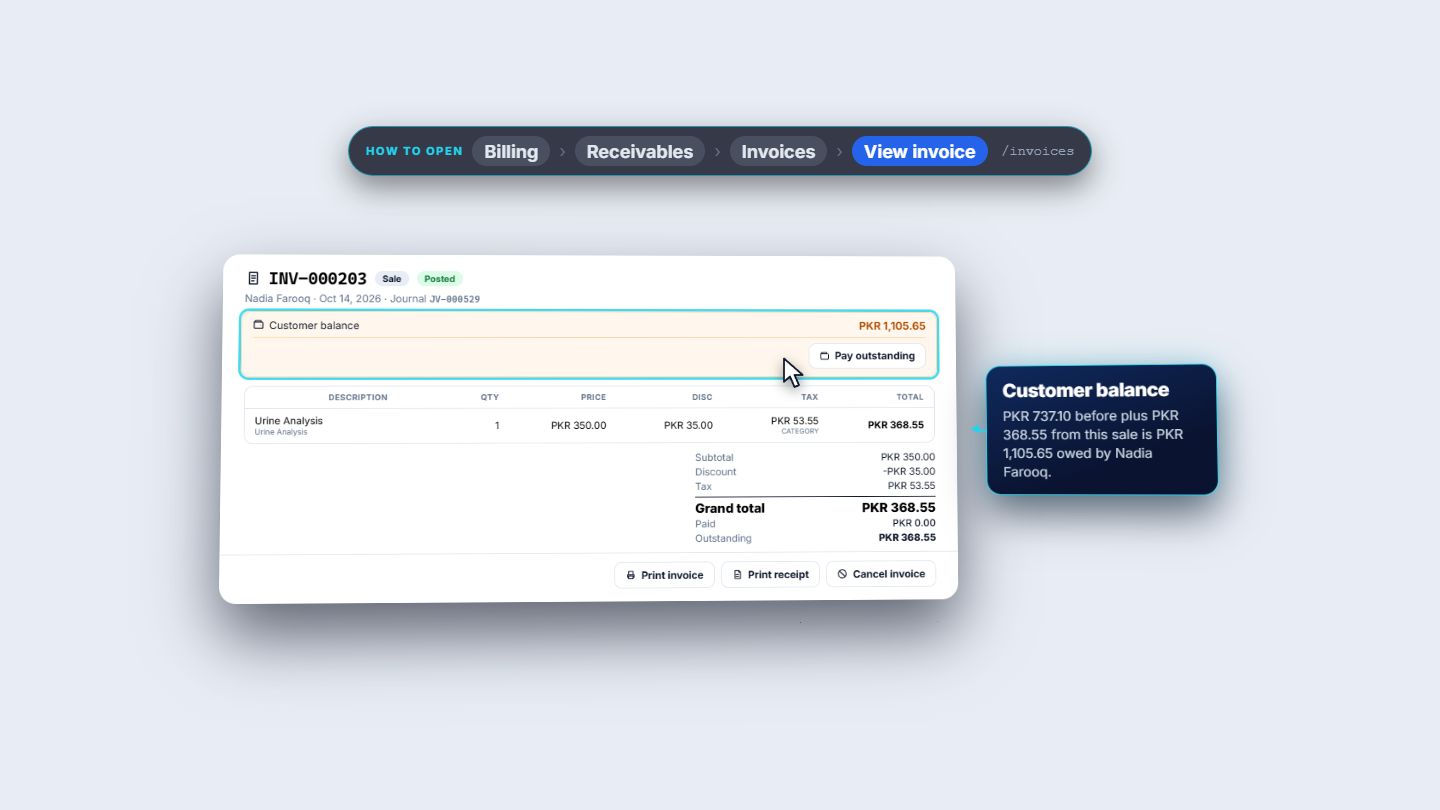
After Resume, choose the patient Nadia Farooq: her 10% discount brings the sale from PKR 409.50 down to PKR 368.55. Choose Credit and press Post invoice. The receipt says "Total left on account" and the invoice stays Outstanding PKR 368.55, so her balance goes from PKR 737.10 to PKR 1,105.65 until it is collected with Pay outstanding.
Invoice INV-000203 with Paid PKR 0.00, Outstanding PKR 368.55 and Customer balance PKR 1,105.65
9
Open the invoice and its ledger
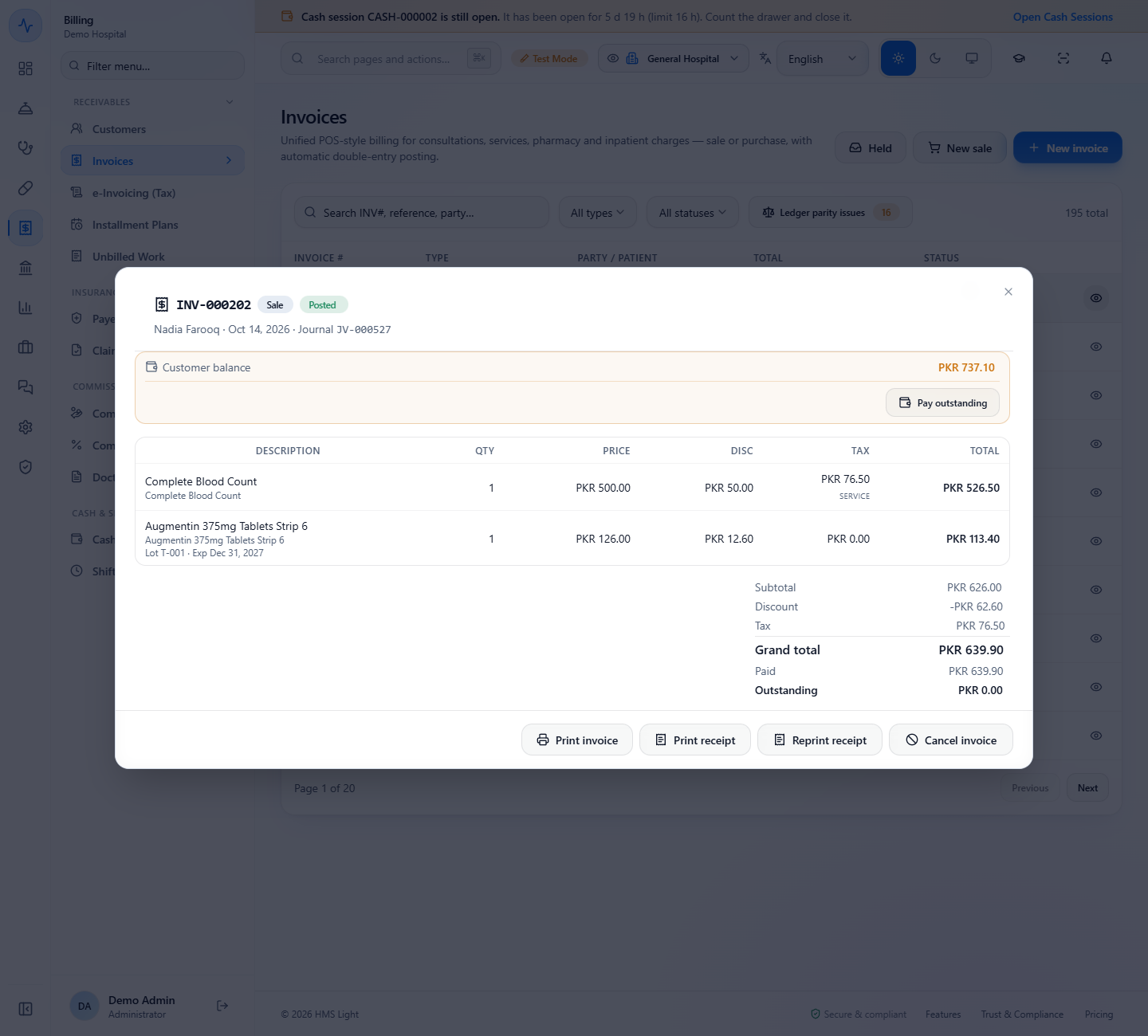
In the list, press the eye on a row. The detail shows the lines, Subtotal, Discount, Tax, Grand total, Paid and Outstanding, and the journal of the sale (JV-000527). Buttons: Print invoice, Print receipt, Reprint receipt, Cancel invoice.
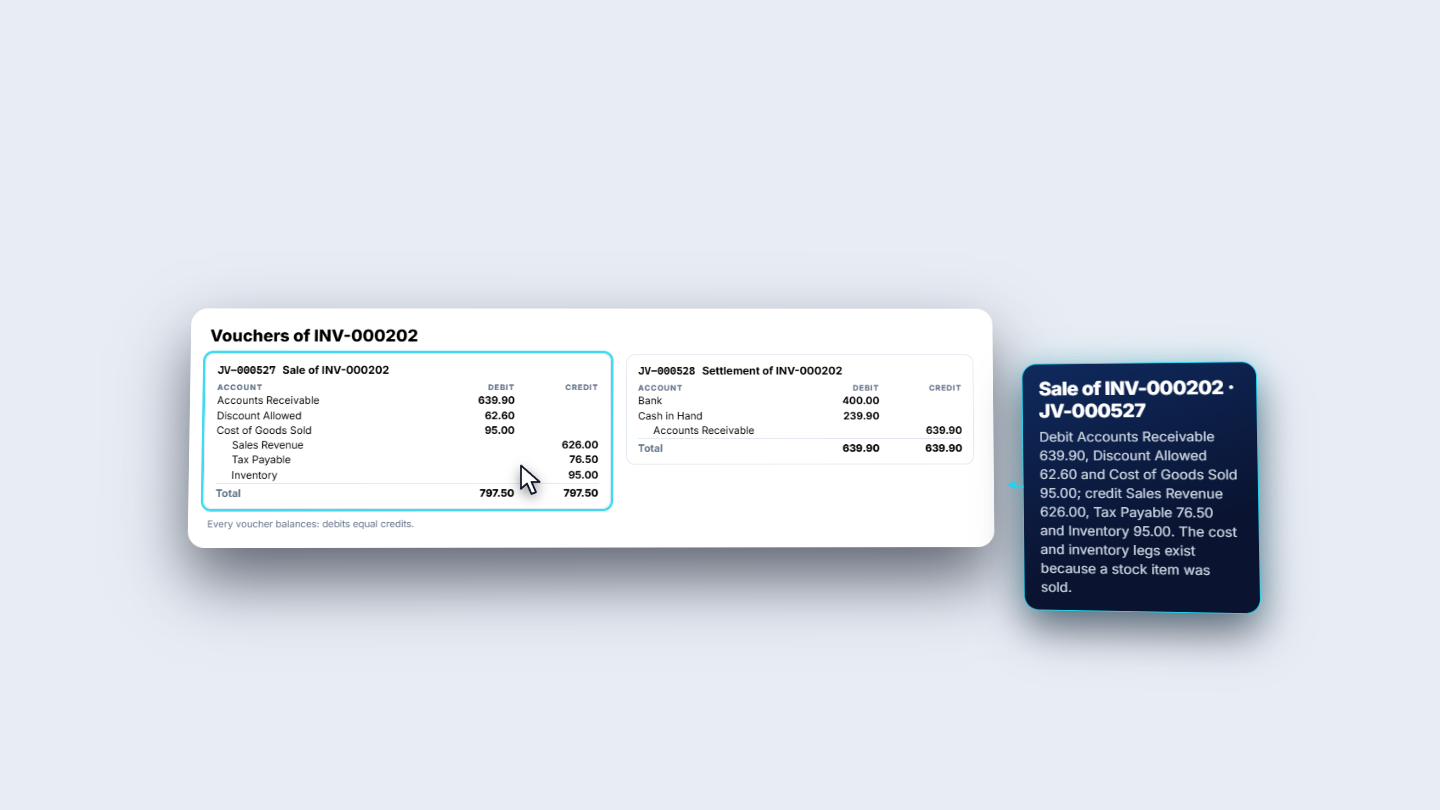
In Accounting › Ledgers › Account Ledger a sale leaves two vouchers: the sale (Accounts Receivable, Discount Allowed and Cost of Goods Sold against Sales Revenue, Tax Payable and Inventory) and the settlement (Bank PKR 400.00 and Cash in Hand PKR 239.90 against Accounts Receivable).
Invoice detail INV-000202 with the lines, totals, Paid PKR 639.90 and the journal JV-000527
Account Ledger voucher JV-000527, Sale of INV-000202, and JV-000528, Settlement of INV-000202
10
Cancel a paid invoice and refund it
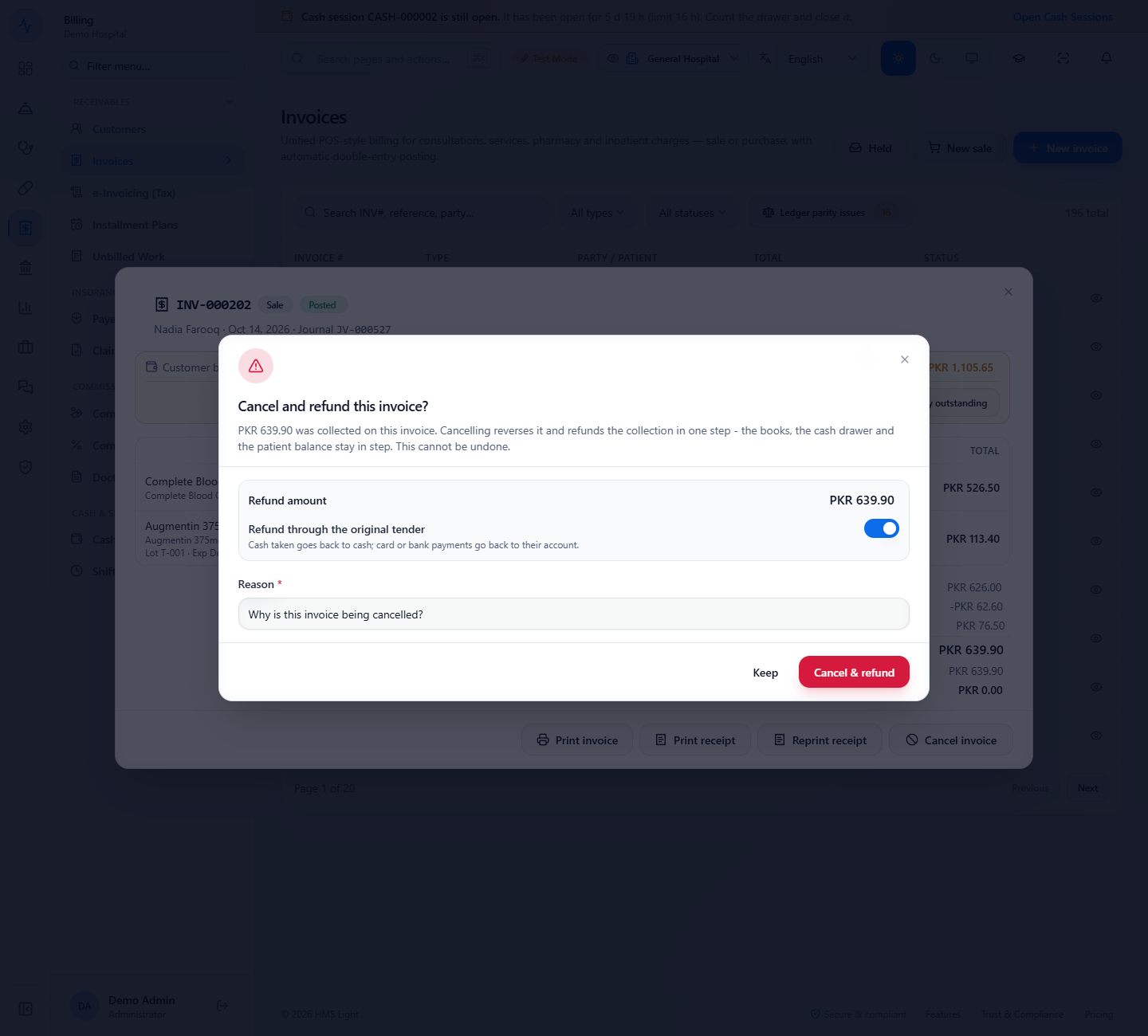
On the invoice, press Cancel invoice. The dialog shows Refund amount PKR 639.90 and Refund through the original tender: cash goes back to cash, card or bank payments go back to their account. Write the Reason (for example "Blood test done at another lab, patient asked for a refund") and press Cancel & refund.
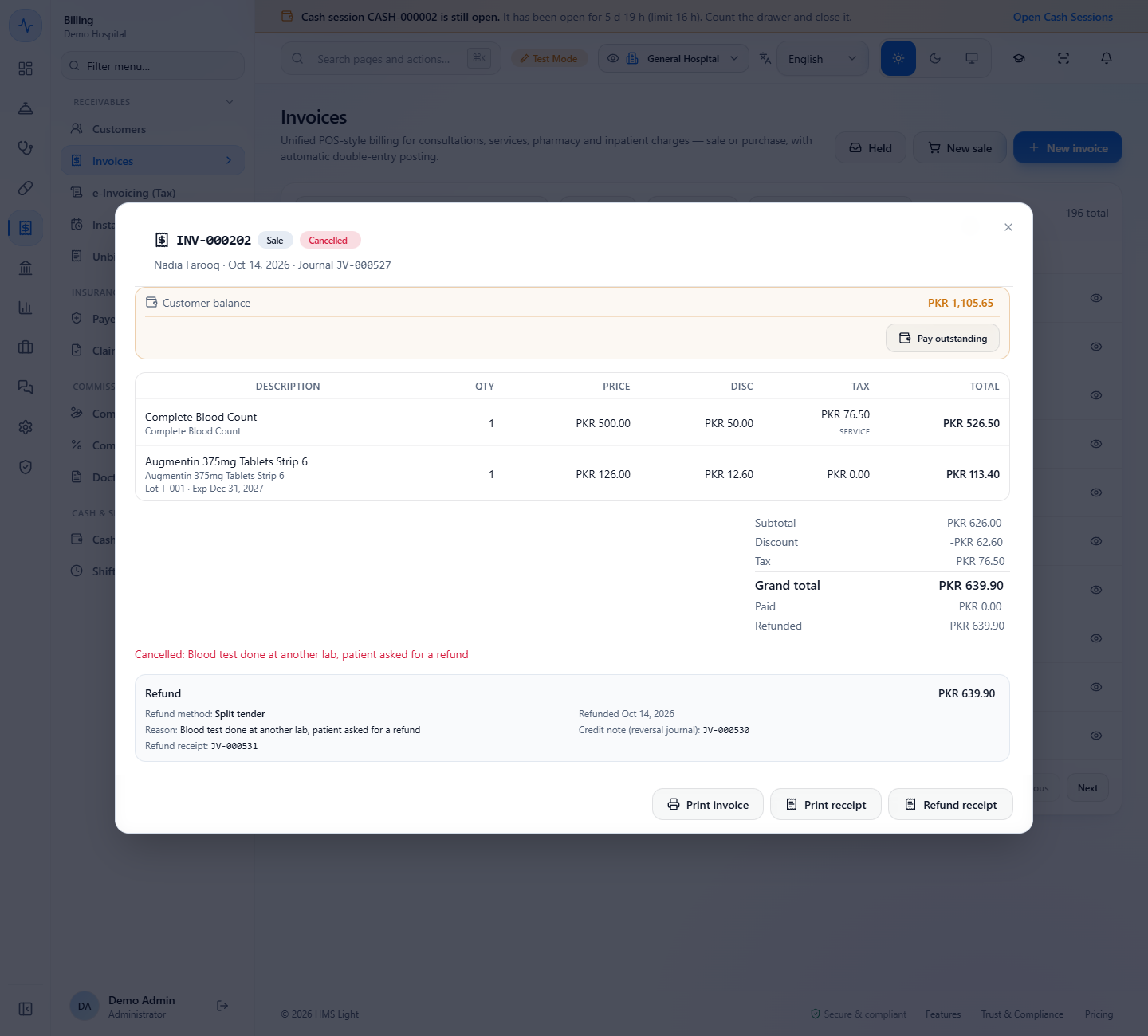
The toast says "Invoice cancelled and refunded". The invoice shows Cancelled, Refunded PKR 639.90, Refund method: Split tender, the Credit note (reversal journal) JV-000530 and the Refund receipt JV-000531. Refund receipt prints it.
Cancel and refund this invoice dialog with Refund amount PKR 639.90 and Refund through the original tender switched on
Cancelled invoice INV-000202 with Refunded PKR 639.90, Refund method Split tender, reversal journal JV-000530 and refund receipt JV-000531
11
Return a sale
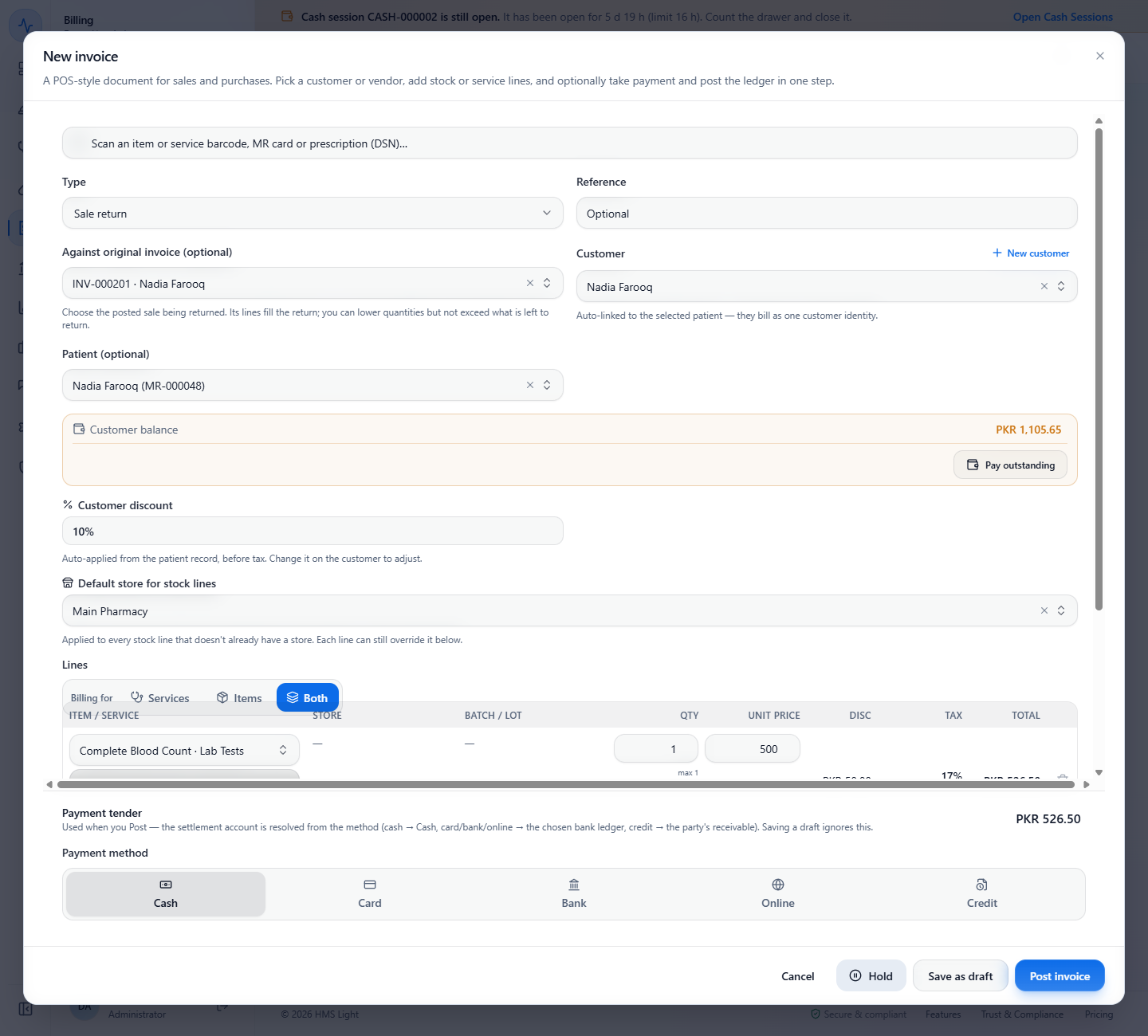
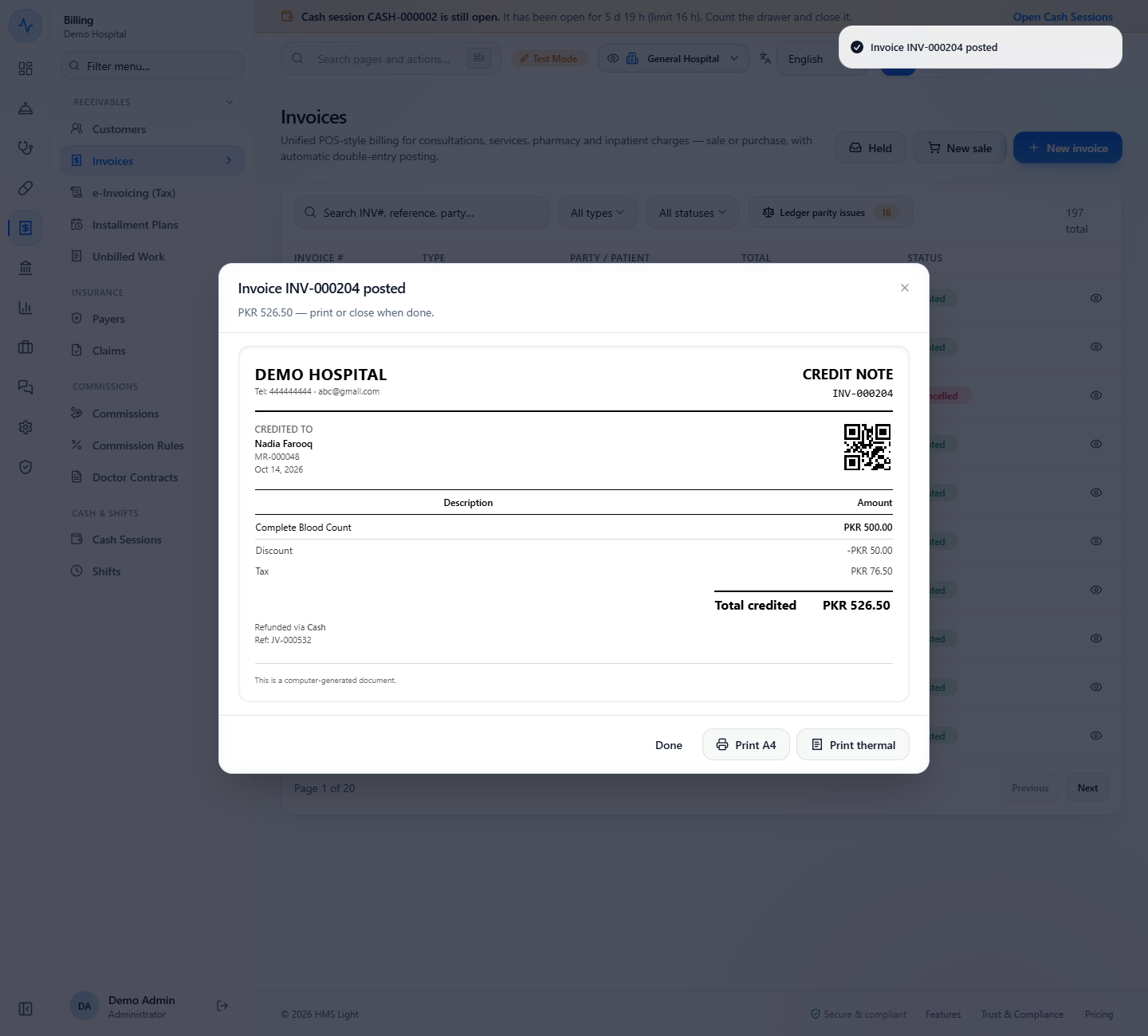
Press New invoice and set Type to Sale return. In Against original invoice (optional) choose the posted sale (INV-000201 · Nadia Farooq): the customer, the patient, the 10% discount and both lines come from it, each with "max 1". Remove the stock line to return only Complete Blood Count: PKR 526.50. Choose Cash and press Post invoice.
Sale return composer with Against original invoice INV-000201, Customer balance PKR 1,105.65 and the lines of the original
Credit note INV-000204 credited to Nadia Farooq, Total credited PKR 526.50, refunded via Cash, Ref JV-000532
Check it worked
Invoices lists INV-000202 as Cancelled, INV-000203 as Posted (its detail shows PKR 368.55 outstanding), and INV-000204 as a Sale return of PKR 526.50.
The Account Ledger shows "Sale of INV-000202" and "Settlement of INV-000202" (JV-000527 and JV-000528), then "Reversal of INV-000202" and "Refund of INV-000202" (JV-000530 and JV-000531).
Ledger parity issues still shows 0.
Common mistakes
Mistake
What you see
Fix
Posting a stock item that has no stock valuation cost
"Saved INV-000205 but posting failed: Cannot post: these items have no stock valuation cost ..."
Set the cost on the inventory stock screen first, as the message says. The draft stays saved.
Cancelling a paid invoice without a reason
"Enter a reason - it is required when refunding a paid invoice."
Write the reason, then press Cancel & refund.
Leaving the patient empty
No customer discount and no customer balance
Pick the patient before adding the lines.
Expecting Hold to post the sale
The sale stays a draft in the Held tray: no journal and no payment
Resume it and press Post invoice with a payment tender.
Quick reference
Item
Meaning / rule
Customer discount
The default discount of the patient or customer, applied before tax.
Payment tender
Cash, Card, Bank, Online, Credit or Insurance; Add tender splits one bill.
Post invoice
Saves, posts the journal and collects the tenders in one step.
Hold
Parks a sale as a draft; no money moves.
Cancel invoice
Reverses the sale and refunds the payment through the original tender in one step.
Sale return
Starts from the original invoice and posts a credit note.
Frequently asked questions
Can I split one bill between card and cash? Yes. Enter the card amount, press Add tender and the second line fills in the remainder. Remaining must show PKR 0.00 before you post.
What happens to the stock when I post a sale? The stock item is taken from the lot that expires first unless you pick a lot, and the sale also posts the cost of goods and inventory legs in the ledger.
Can I undo a posted invoice? A posted invoice can only be cancelled. If it was paid, the cancel reverses the sale and refunds the payment through the original tender in one step, and it needs a reason.
Does a sale return need the original invoice? It is optional, but choosing the original fills the patient, the customer, the discount and the lines and limits the quantities to what is left to return.