How to grant or revoke an add-on and read the feature flags
You will switch a paid add-on off and on for one customer company, then look at the company's feature flags as its owner. You need this when a customer upgrades, stops paying for a module, or asks why a screen or switch is closed.
Who it is forPlatform administrator who manages customer companies, and the tenant owner who wants to know why a feature is missingTime8 minutesProductFMSLevelIntermediate
Before you start
Steps
1
Open the platform console
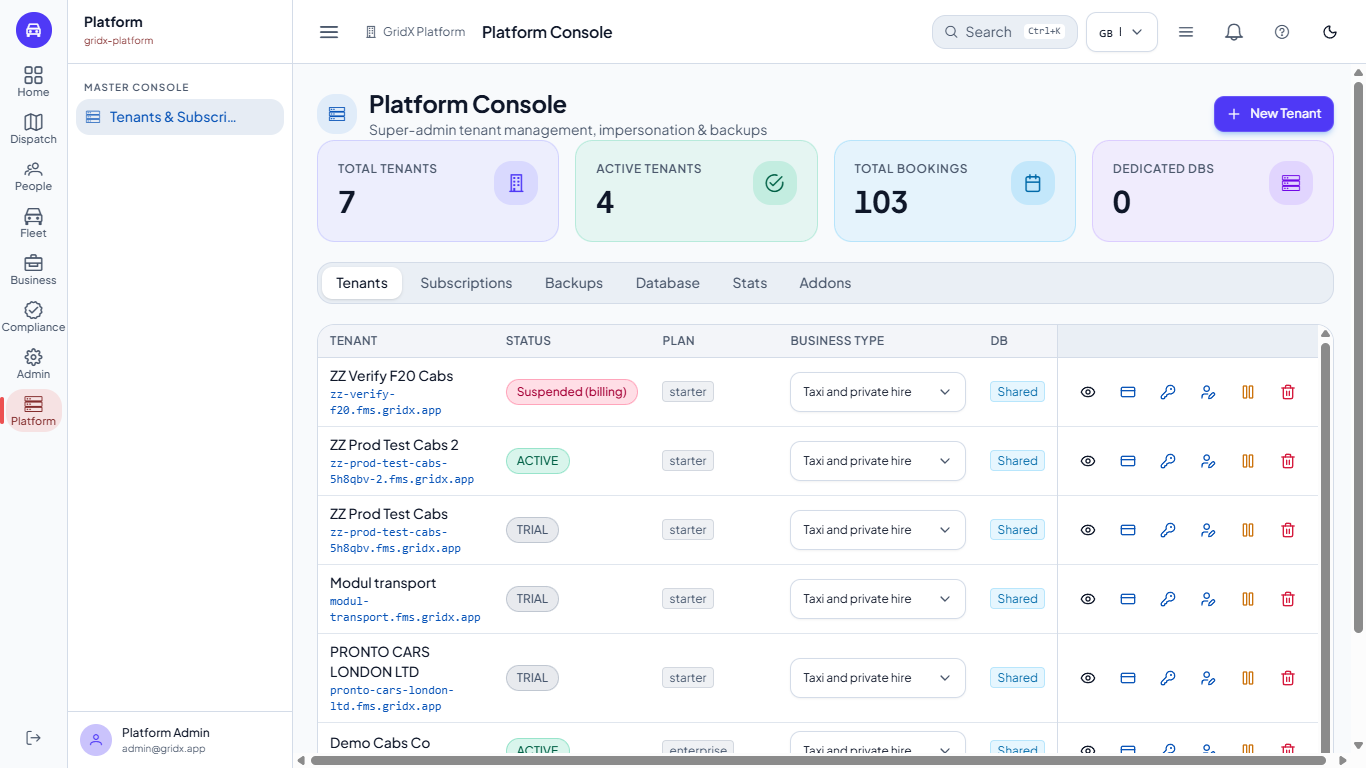
Open Platform. The console shows how many tenants there are, how many are active, their bookings and dedicated databases. On the Tenants tab each company has a Status (Trial, Active or Suspended (billing)) and its plan. The tabs are Tenants, Subscriptions, Backups, Database, Stats and Addons.
Platform Console with the four counters and the tabs Tenants to Addons
2
Choose the tenant
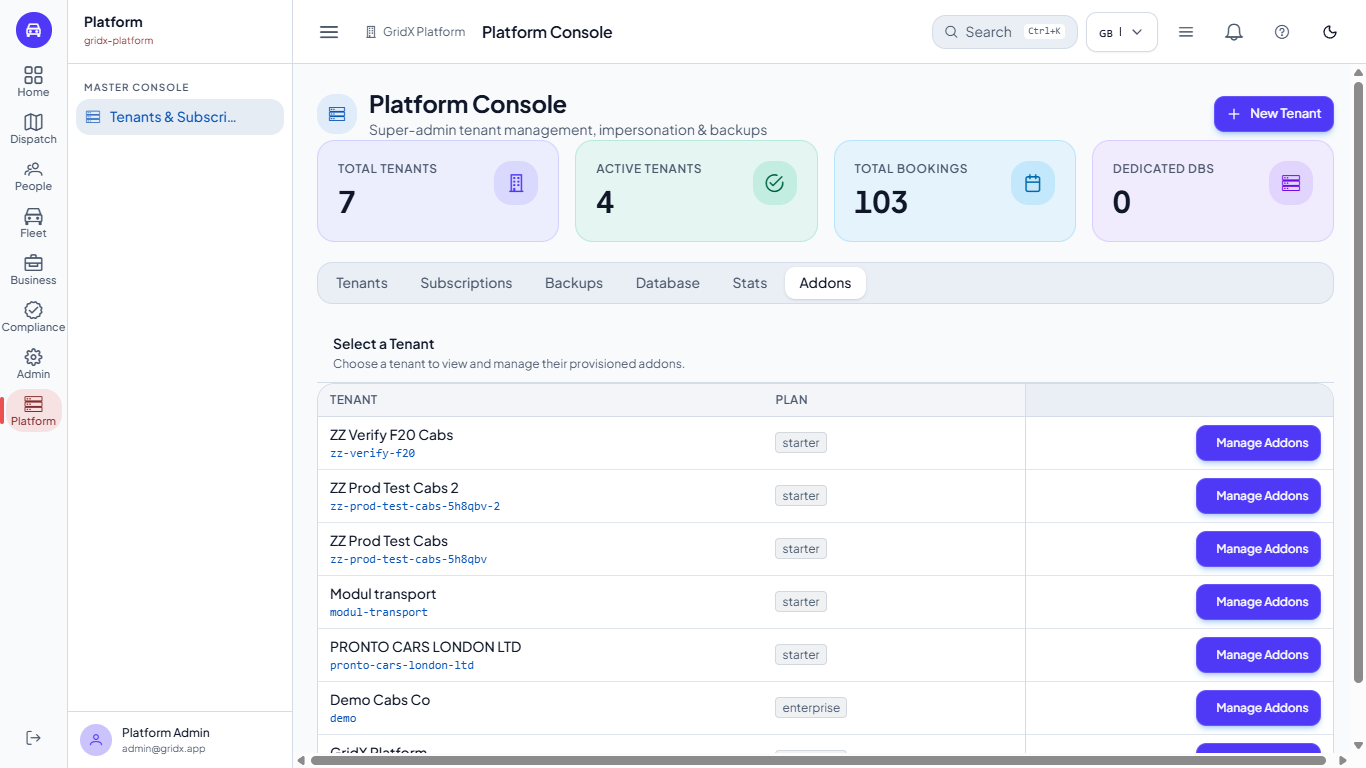
Open the Addons tab. Each row is one tenant with its name, its plan and a Manage Addons button. Press it on Demo Cabs Co.
Addons tab with one row per tenant, its plan and the Manage Addons button
3
Read the add-on cards
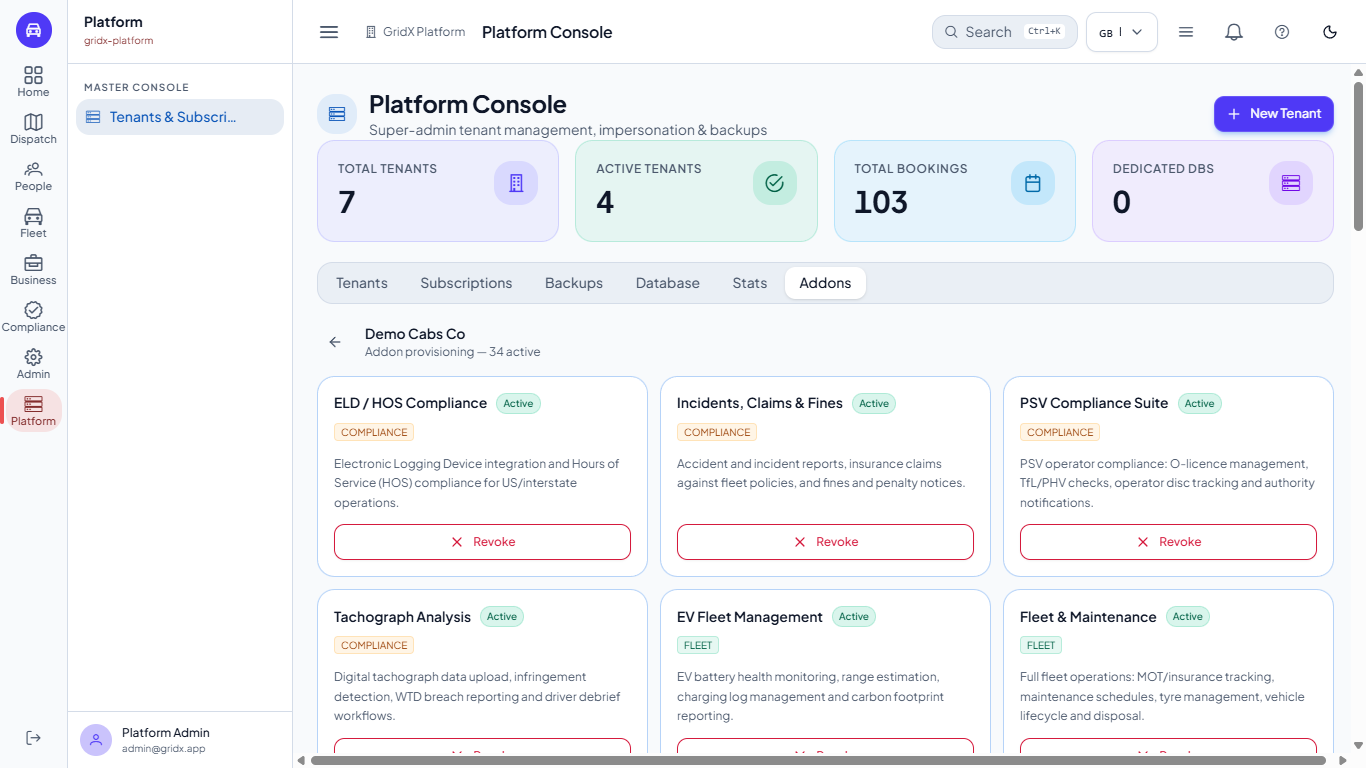
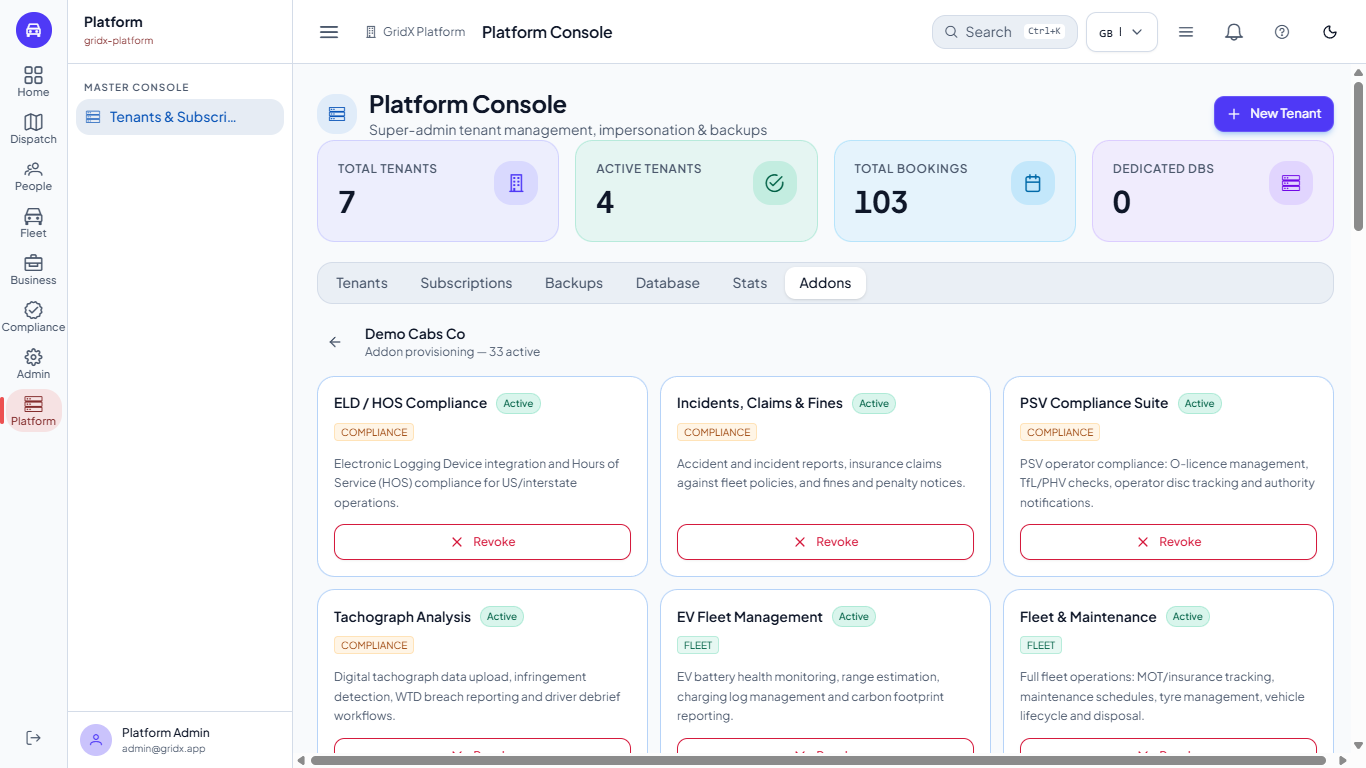
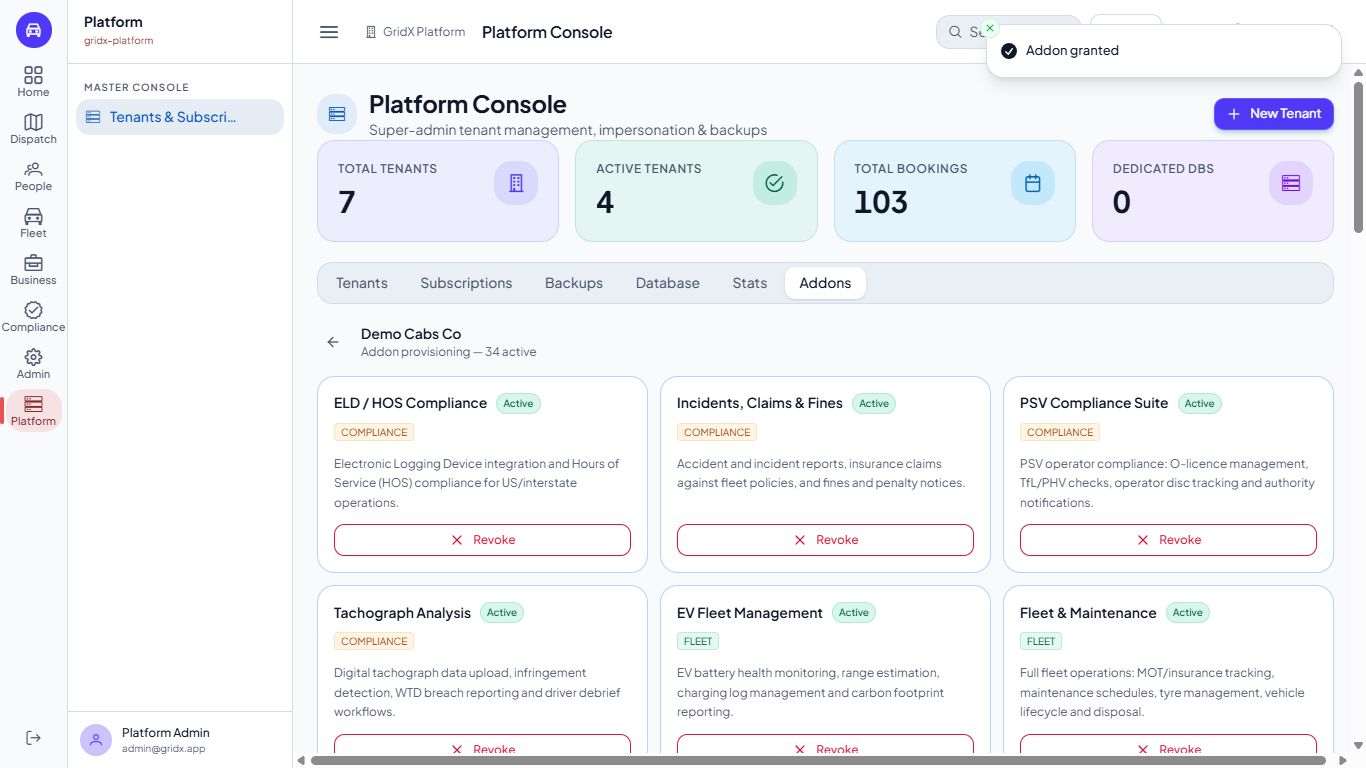
The heading reads Demo Cabs Co, Addon provisioning, 34 active. Every add-on is a card in a group (Compliance, Fleet, Dispatch, Finance, Integration, Analytics, Comms) with an Active badge and a one-line description. An active card offers Revoke; a card the tenant does not have offers Grant.
Addon provisioning of Demo Cabs Co with 34 active add-ons as cards
4
Revoke an add-on
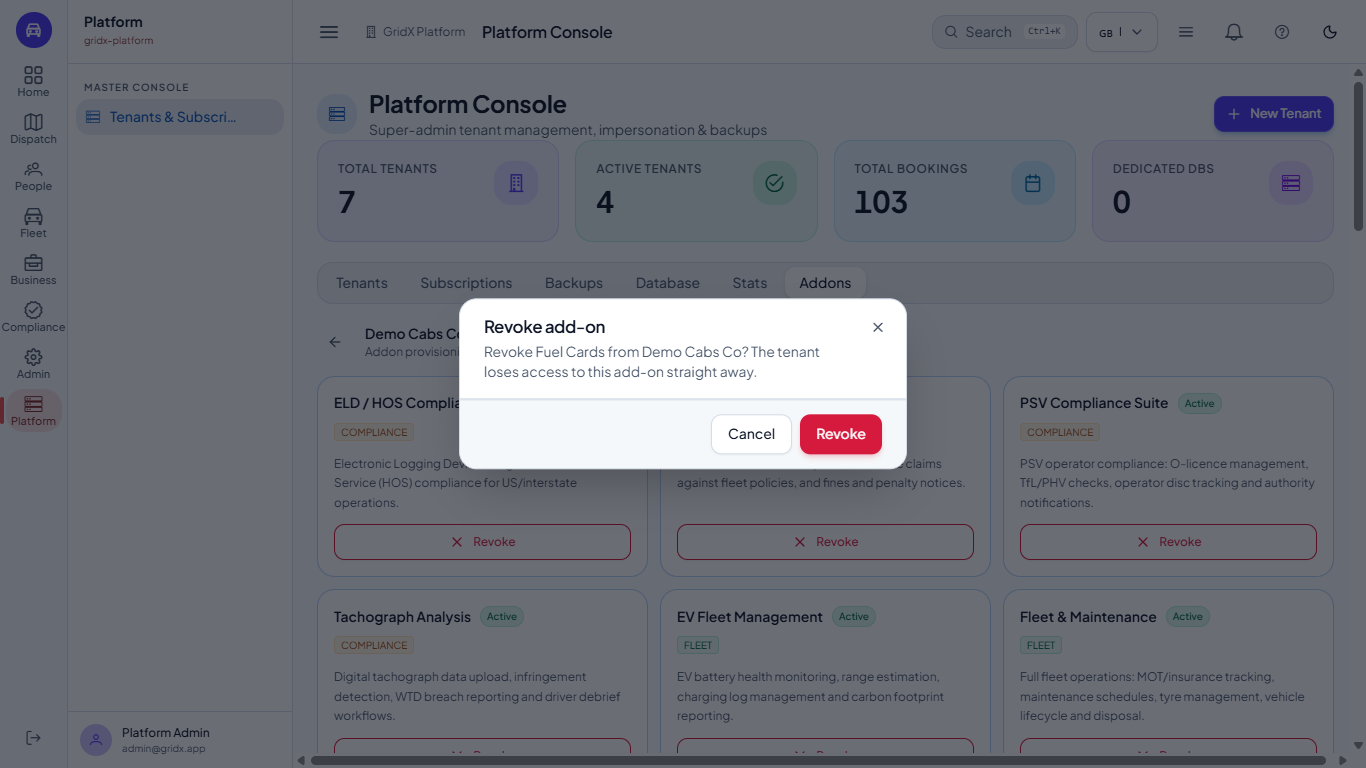
Press Revoke on Fuel Cards. FMS asks: "Revoke Fuel Cards from Demo Cabs Co? The tenant loses access to this add-on straight away." Press Revoke. The message Add-on revoked appears, the card turns to Grant and the heading reads 33 active.
Revoke add-on dialog asking to confirm Fuel Cards for Demo Cabs Co
Addon provisioning showing 33 active after the revoke
5
Look at the tenant's feature flags
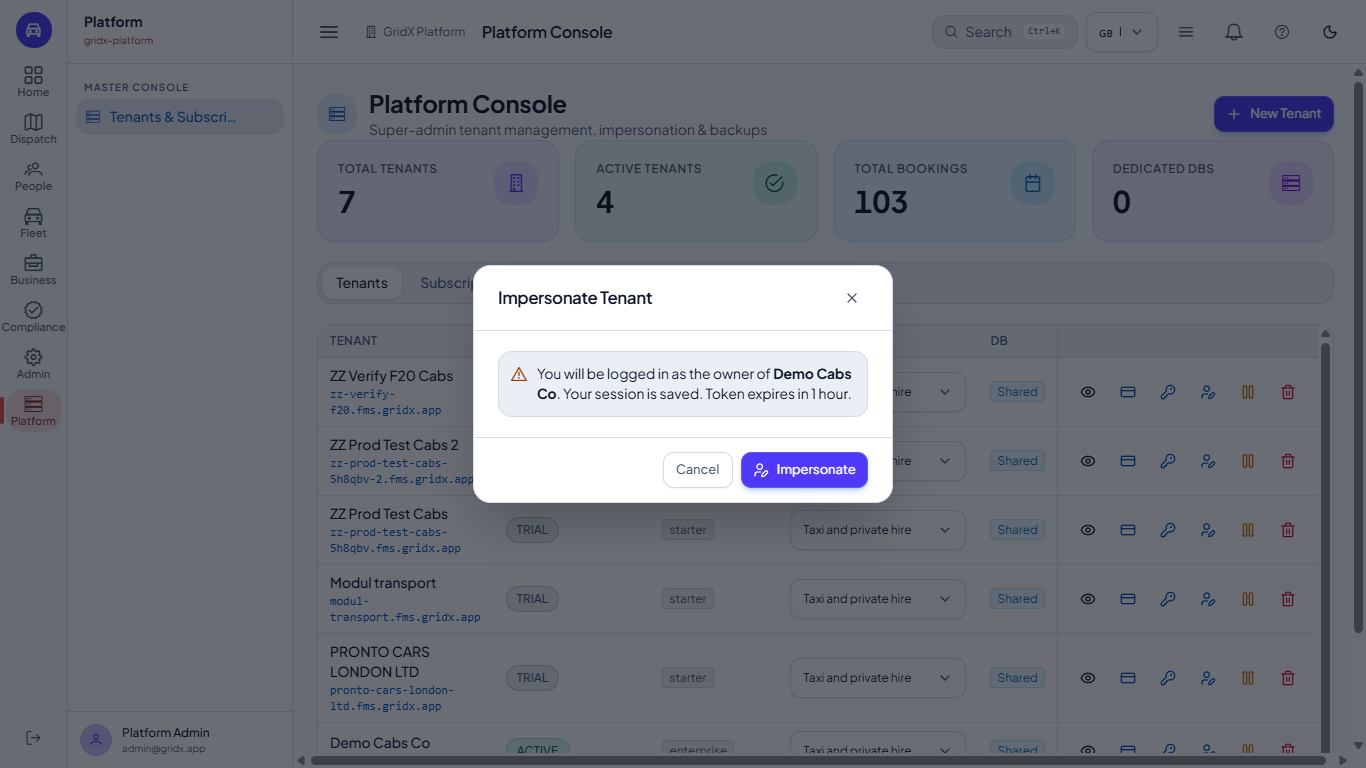
To see what the customer sees, open Tenants and press Impersonate tenant on the company. The dialog says you will be logged in as its owner and that the token expires in one hour. Press Impersonate; a banner ("You are impersonating ... actions and data changes affect this tenant only") shows on every page until you press End Impersonation. Then go to Admin > Settings > Feature Flags.
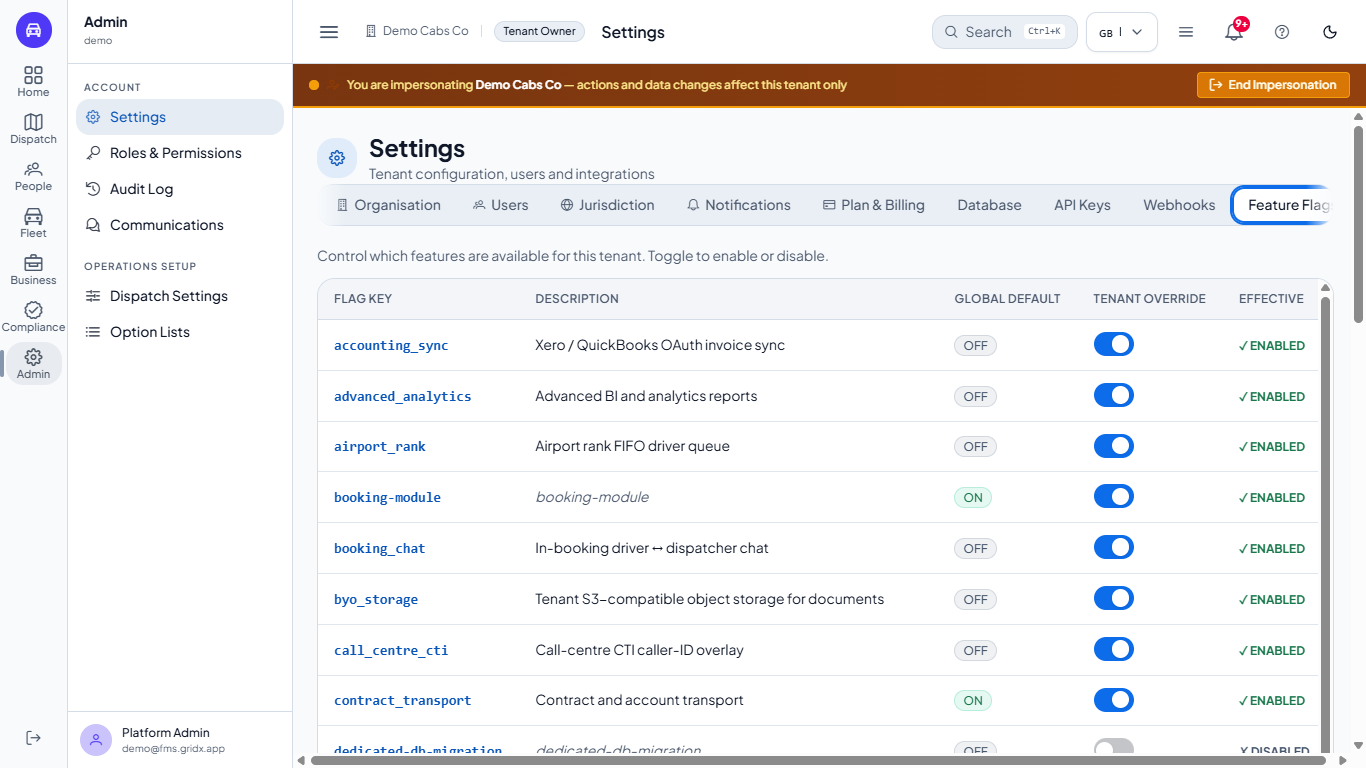
Each row has the flag key, a description, the Global default (a green ON or a grey OFF badge), the tenant's own Override switch and the Effective result (green ENABLED or grey DISABLED). After the revoke, fuel_cards reads OFF and DISABLED.
Impersonate Tenant dialog explaining that you will be signed in as the owner for one hour
Feature Flags tab with the flag key, description, global default, tenant override and effective state
6
See what a revoked add-on does
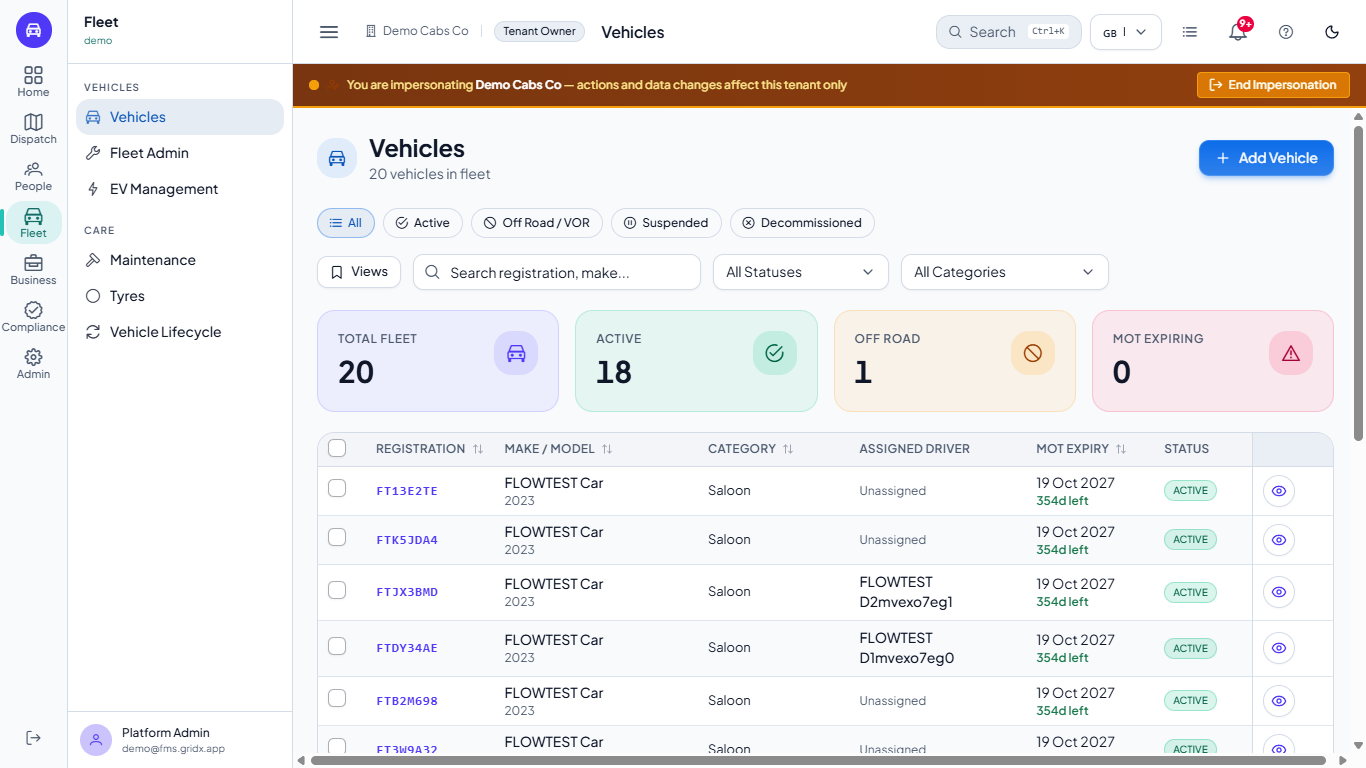
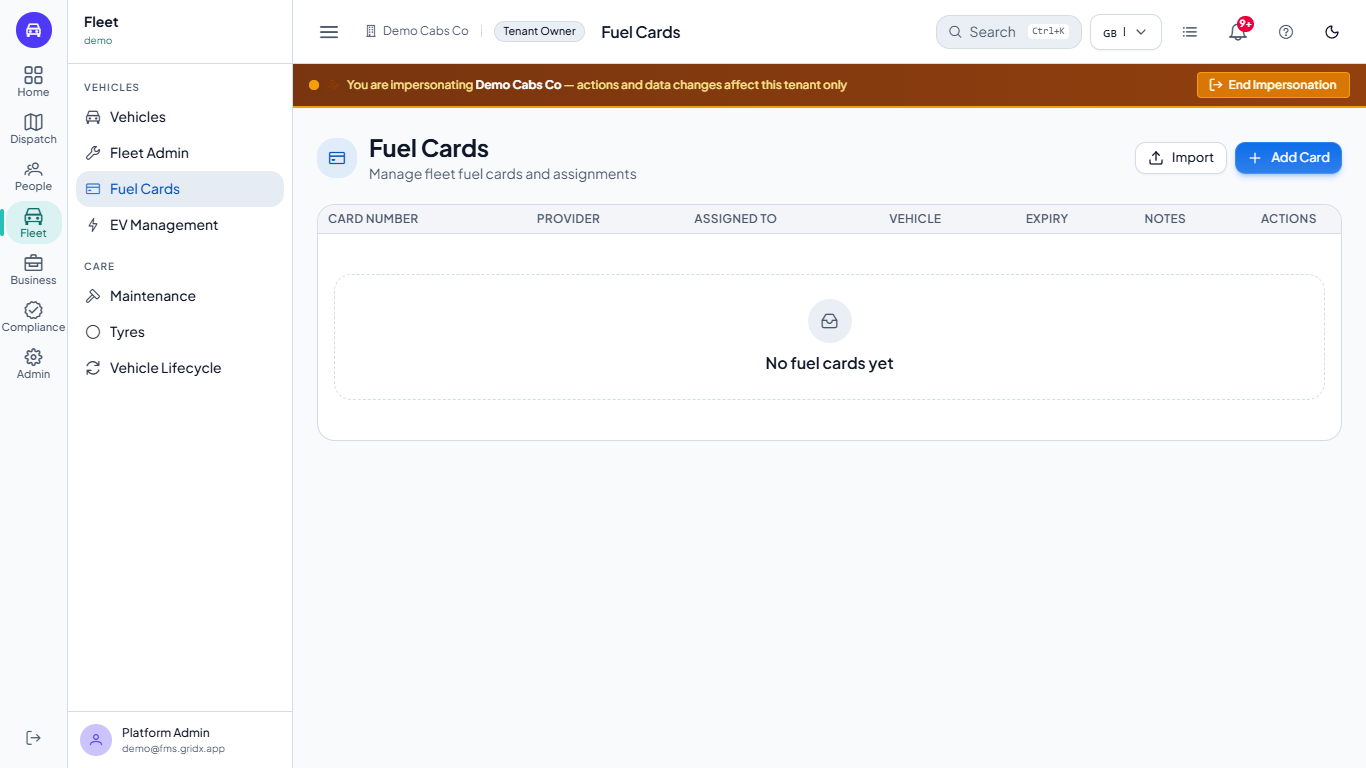
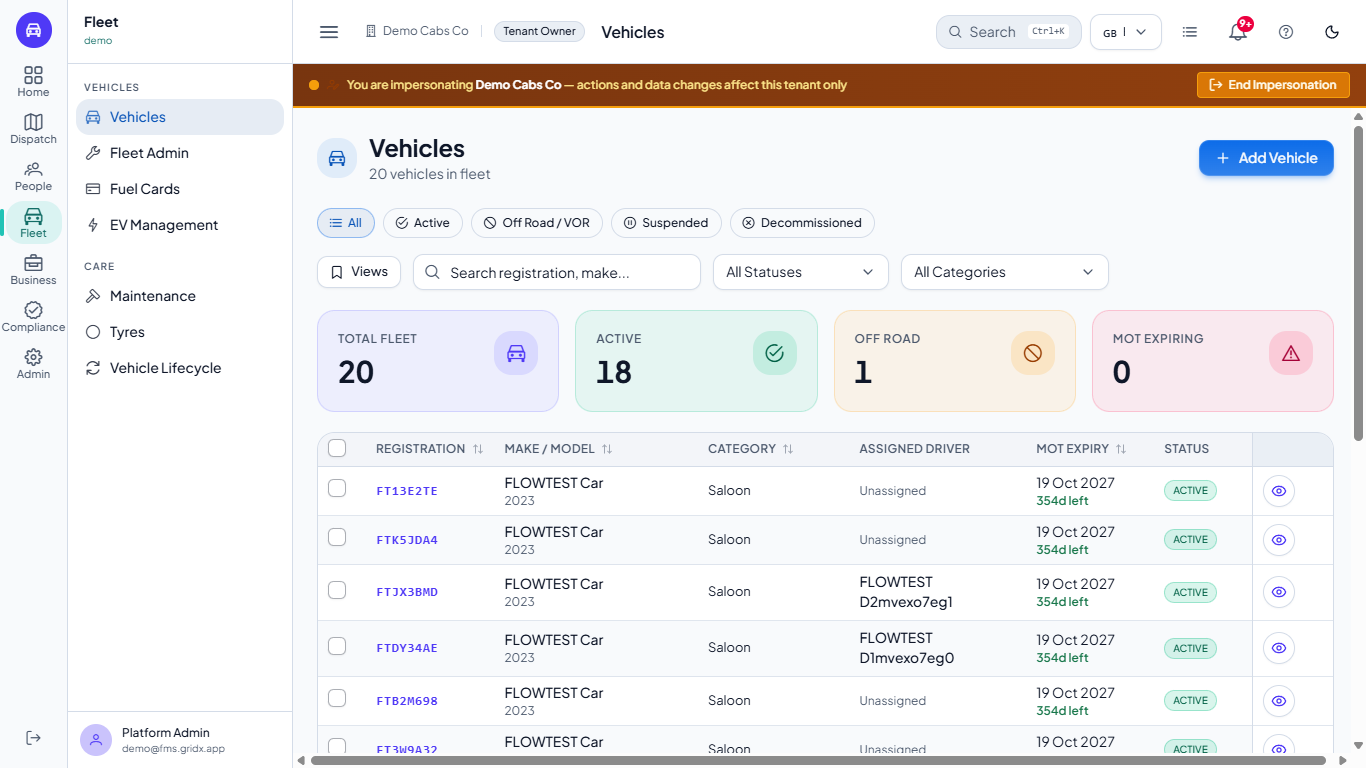
In the owner's Fleet menu (groups Vehicles and Care) the Fuel Cards entry has gone, without reloading the page.
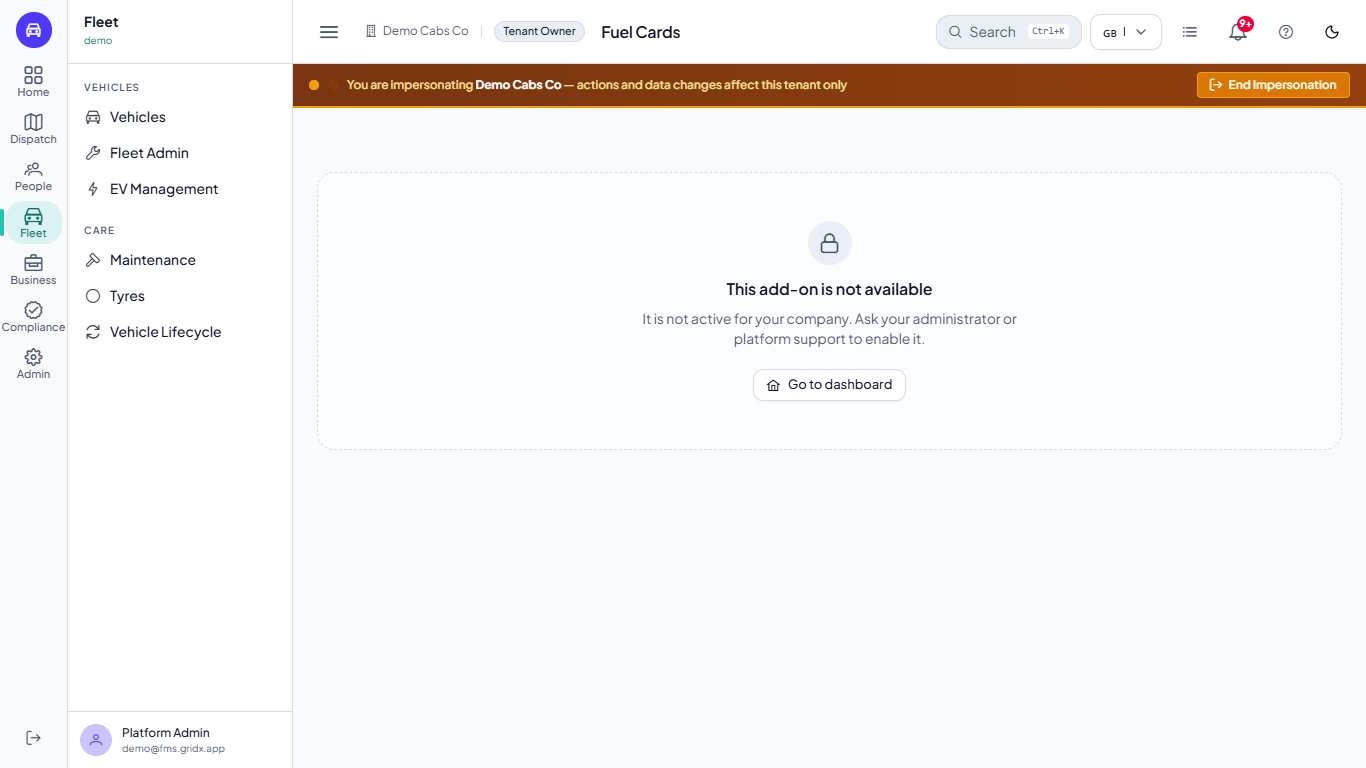
If the owner opens the address anyway, the Fuel Cards page now says This add-on is not available and "It is not active for your company. Ask your administrator or platform support to enable it.", with Go to dashboard. The company's servers refuse the data too.
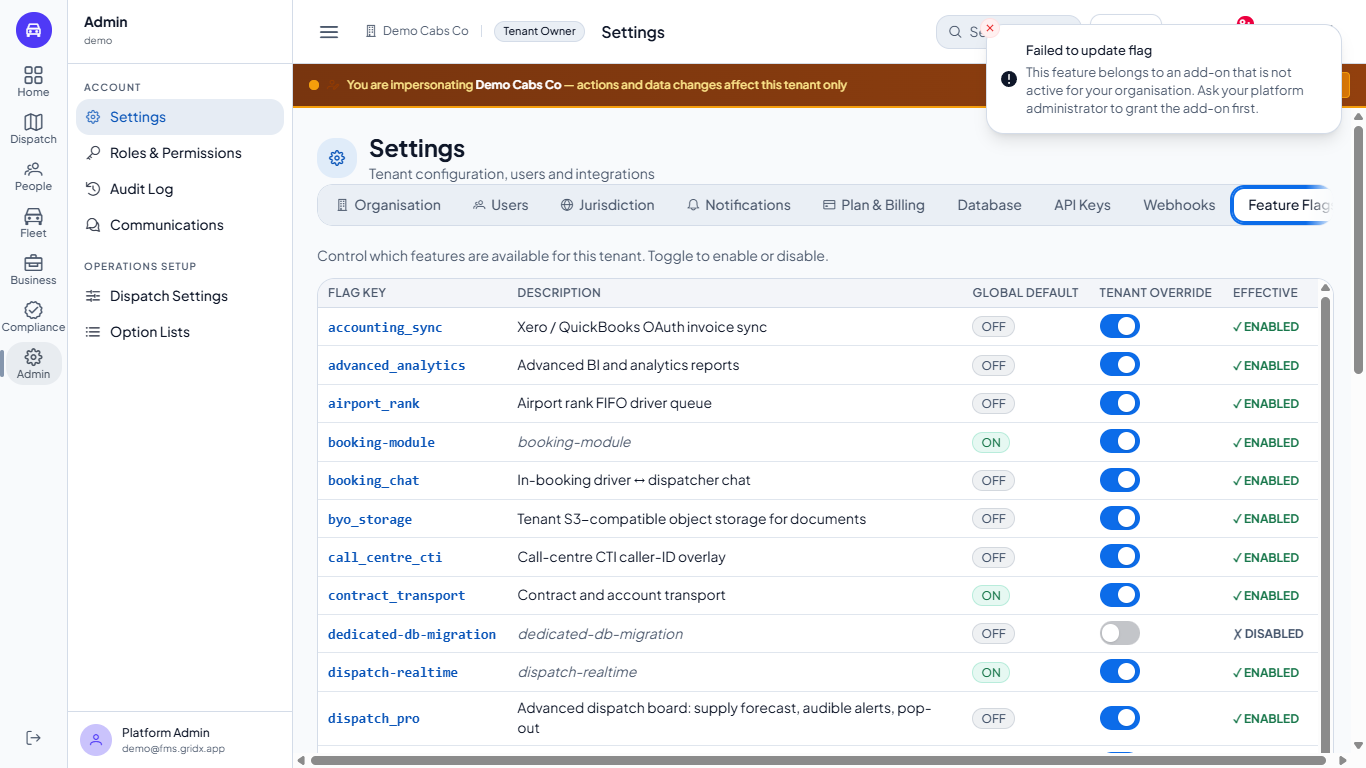
The owner cannot switch the fuel_cards override on either: the message Failed to update flag explains that the feature belongs to an add-on that is not active and that the platform administrator has to grant it first.
Fleet menu of the owner without a Fuel Cards entry
Fuel Cards page replaced by the message This add-on is not available
Failed to update flag message when switching the fuel_cards override on
7
Grant it again
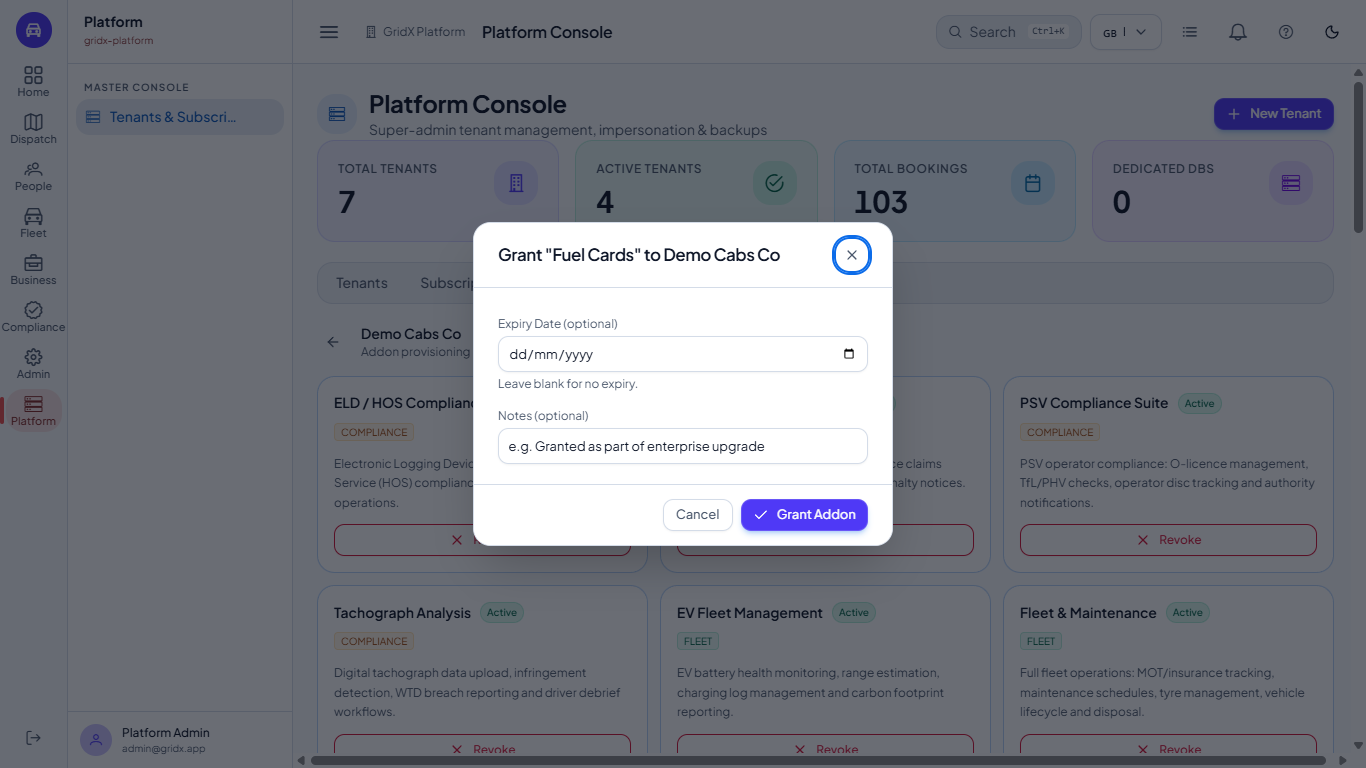
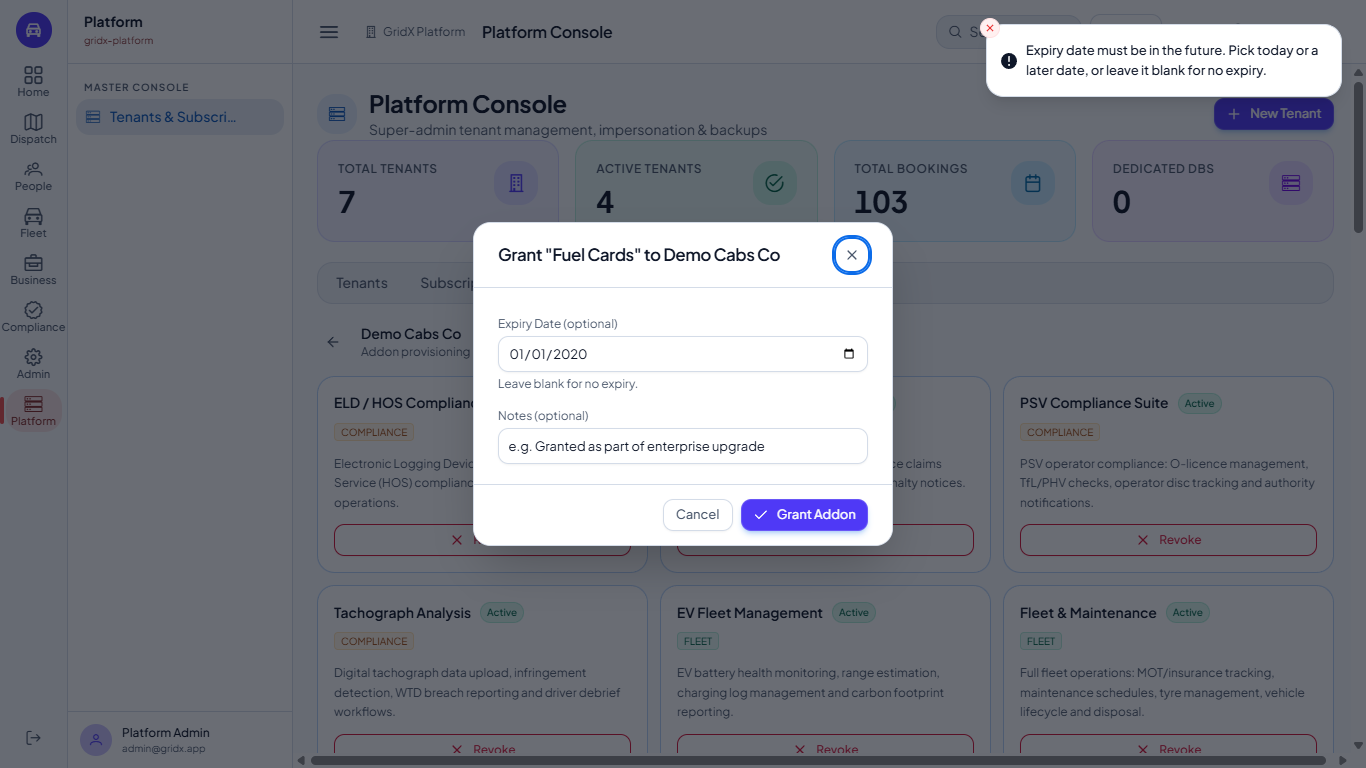
Press End Impersonation, open Addons, Manage Addons and press Grant on Fuel Cards. Leave Expiry Date blank for no end date (or pick today or a later date; the picker starts at today) and add a note if you want one. A date in the past is refused with "Expiry date must be in the future. Pick today or a later date, or leave it blank for no expiry."
Press Grant Addon. The message Addon granted shows and the heading returns to 34 active; a card with an expiry shows Expires and the day.
As the owner Fuel Cards is back in the Fleet menu, the fuel_cards flag is ON and ENABLED again and the Fuel Cards page opens.
Grant Fuel Cards to Demo Cabs Co dialog with Expiry Date and Notes
Past expiry date refused with a message and the dialog still open
Addon granted message after the grant
Fuel Cards page open again for the owner
Fleet menu of the owner with the Fuel Cards entry back
Check it worked
The heading of the tenant's add-ons shows the number you expect (34 active after the grant).
As the owner, the page of the add-on opens and its flag reads ENABLED.
Common mistakes
Mistake
What you see
Fix
Revoking without warning the customer
The page shows "This add-on is not available" at once
Tell the customer, then revoke
Picking an expiry date in the past
The grant is refused with "Expiry date must be in the future"
Leave the date blank or pick today or a later date
The owner tries to switch a revoked add-on's flag on
"Failed to update flag"
Grant the add-on first
Forgetting to end the impersonation
The banner stays and you act as the tenant owner
Press End Impersonation
Quick reference
Item
Meaning / rule
Revoke
Takes the add-on away from the tenant straight away, after a confirmation
Grant
Gives it back, with an optional expiry date and note
Global default
The platform-wide value of a flag
Tenant override
The company's own switch; refused while the add-on is revoked
Effective
The value the company really gets
Impersonate tenant
Signs you in as the company's owner for one hour
Frequently asked questions
What does revoking change for the company? The add-on's screens close at once, the server refuses its data, and its flag cannot be switched on until the platform administrator grants it again.
Can a tenant owner grant an add-on to themselves? No: only the platform administrator can grant it; the owner can only switch flags of add-ons the company has.
Where do I find the Fuel Cards page after the grant? Open Fleet and choose Fuel Cards; the entry returns to the menu as soon as the add-on is granted.