How to see all your events by date on the Marquee calendar
Before you quote a date or call a customer back, you want to see what the hall already has on. The Calendar lays out every event of the month so you can check a date in seconds and open the event behind any tile.
Who it is forEvent coordinator / venue managerTime6 minutesProductMMSLevelBeginner
Before you start
Steps
1
Open the calendar
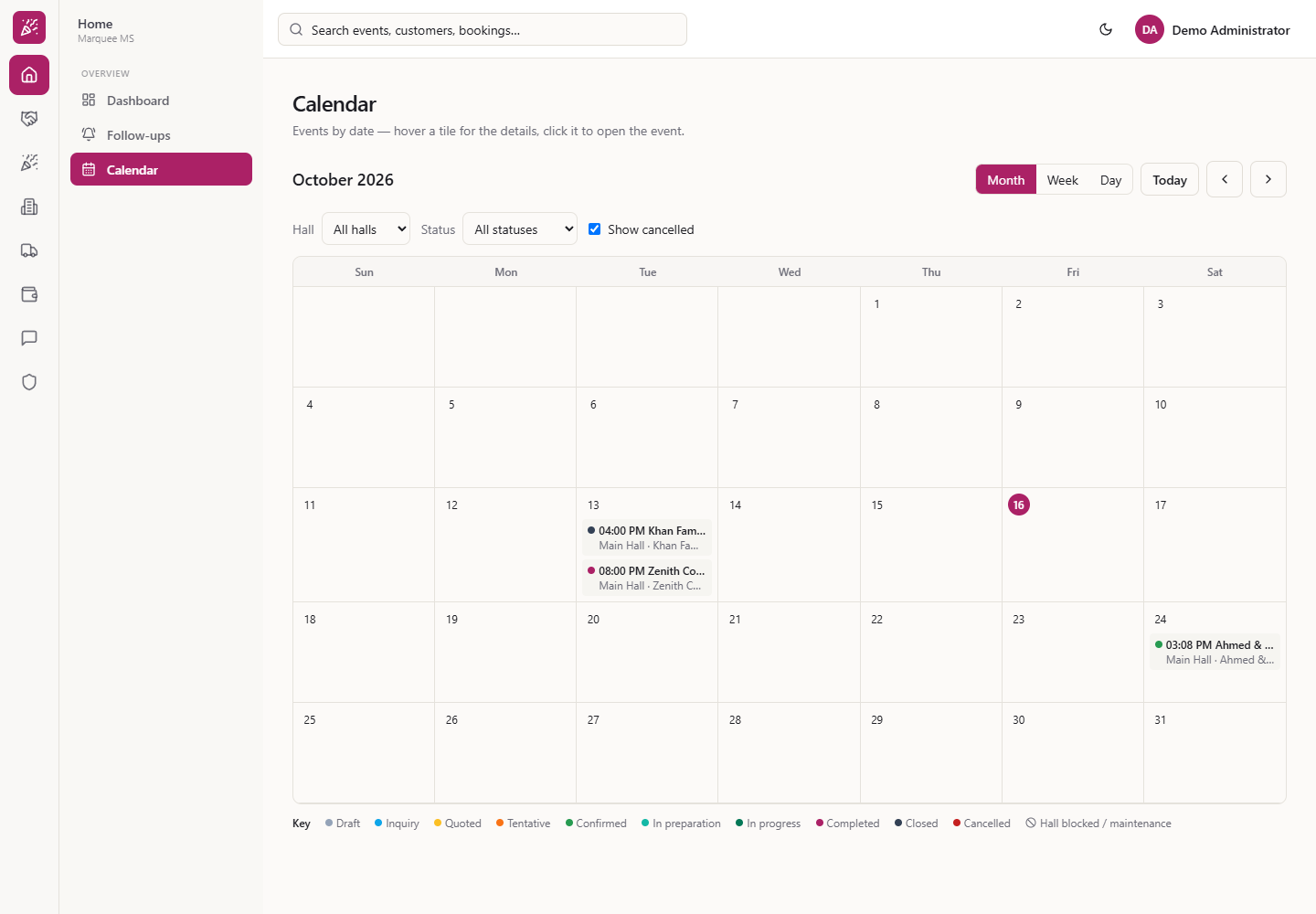
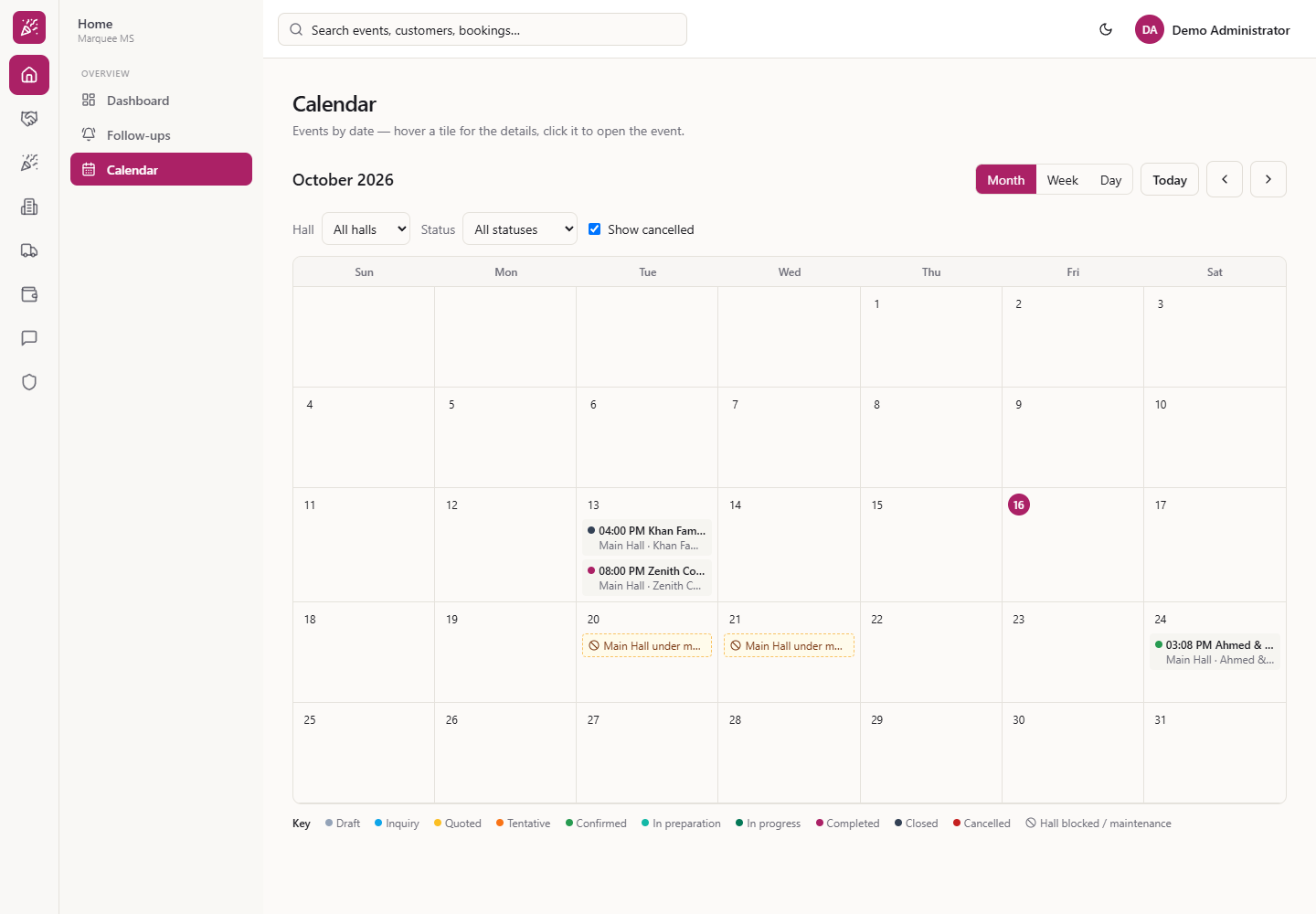
Click Home, then Overview › Calendar. The page says "Events by date — hover a tile for the details, click it to open the event." You see the month name, the Month, Week and Day buttons, Today, the previous and next arrows, the Hall and Status filters and a Show cancelled tick box. Under them is one cell per day from Sun to Sat, with today circled. Every event is a tile with a coloured dot, its start time, its title and the line "Hall · Customer". When two events fall on one day, such as 13 October, the tiles stack in that day. A Key under the grid names every colour.
Calendar page with October 2026 and its events
2
Move between months
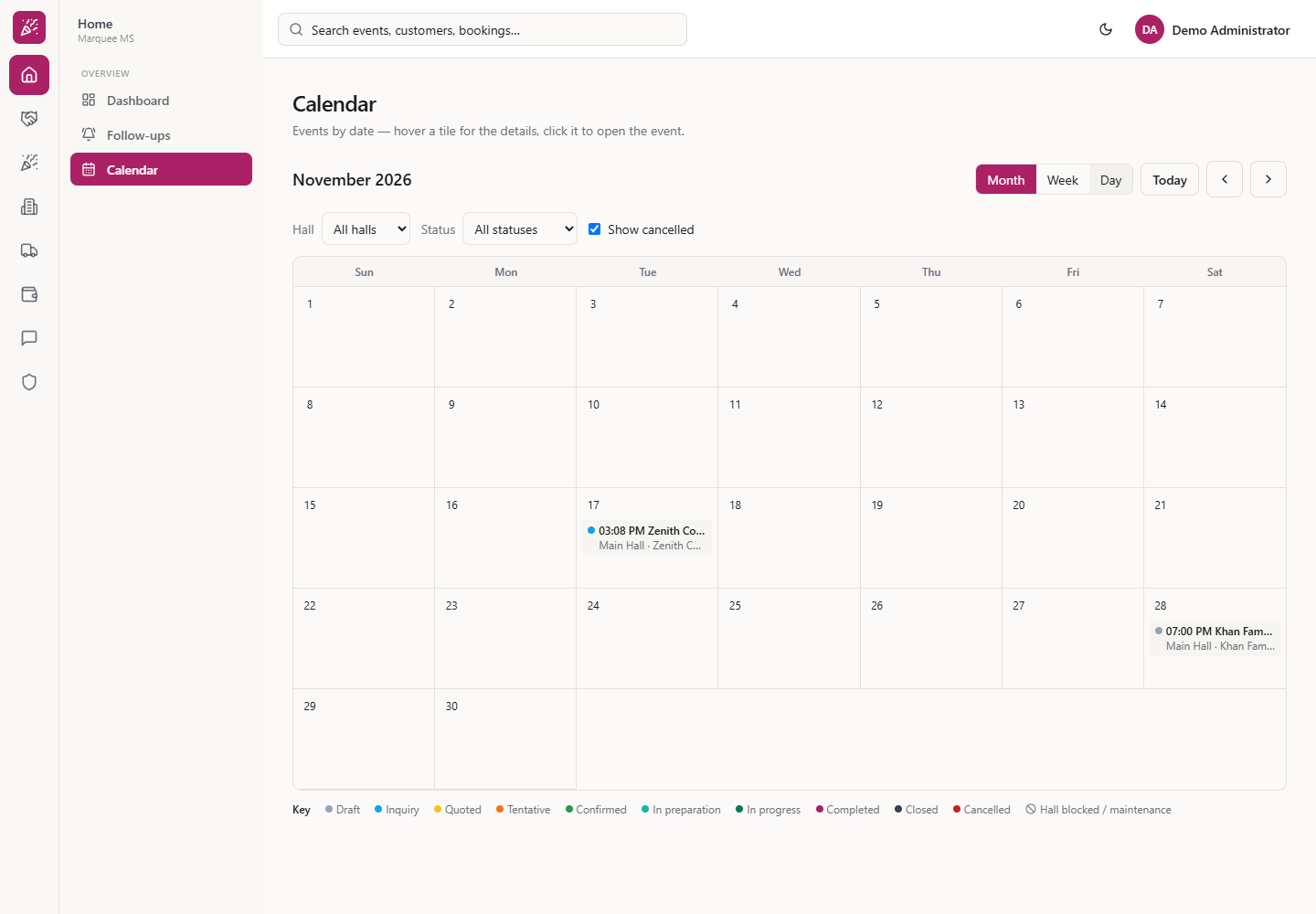
Press the Next month arrow to see November, or Previous month to go back. Press Today to come straight back to the current month.
November 2026 after pressing the next month arrow
3
Switch to week or day view
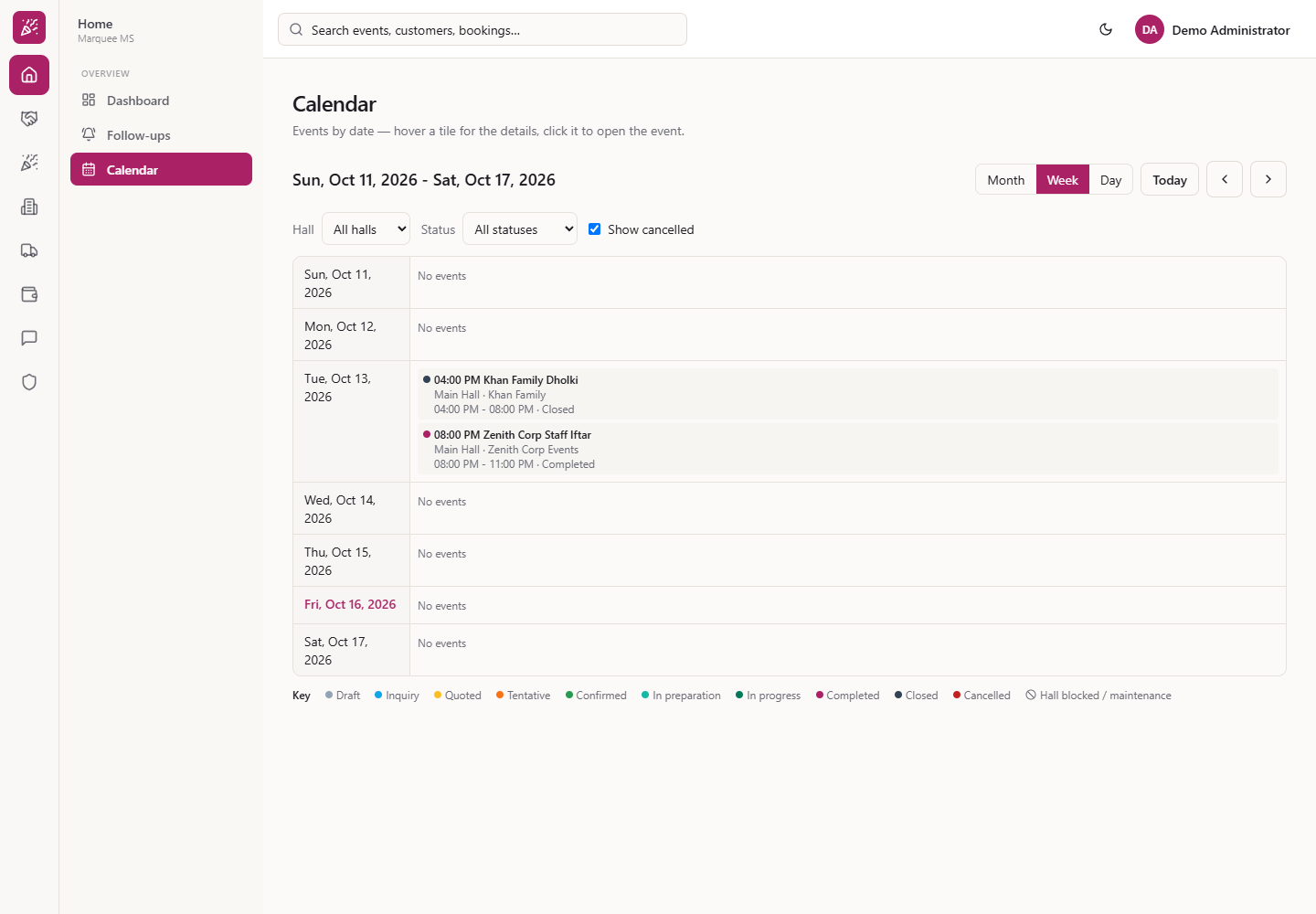
Press Week to get one row per day, such as "Sun, Oct 11, 2026 - Sat, Oct 17, 2026". A day with nothing on shows "No events"; otherwise each event shows its full time range and status, for example "04:00 PM - 08:00 PM · Closed".
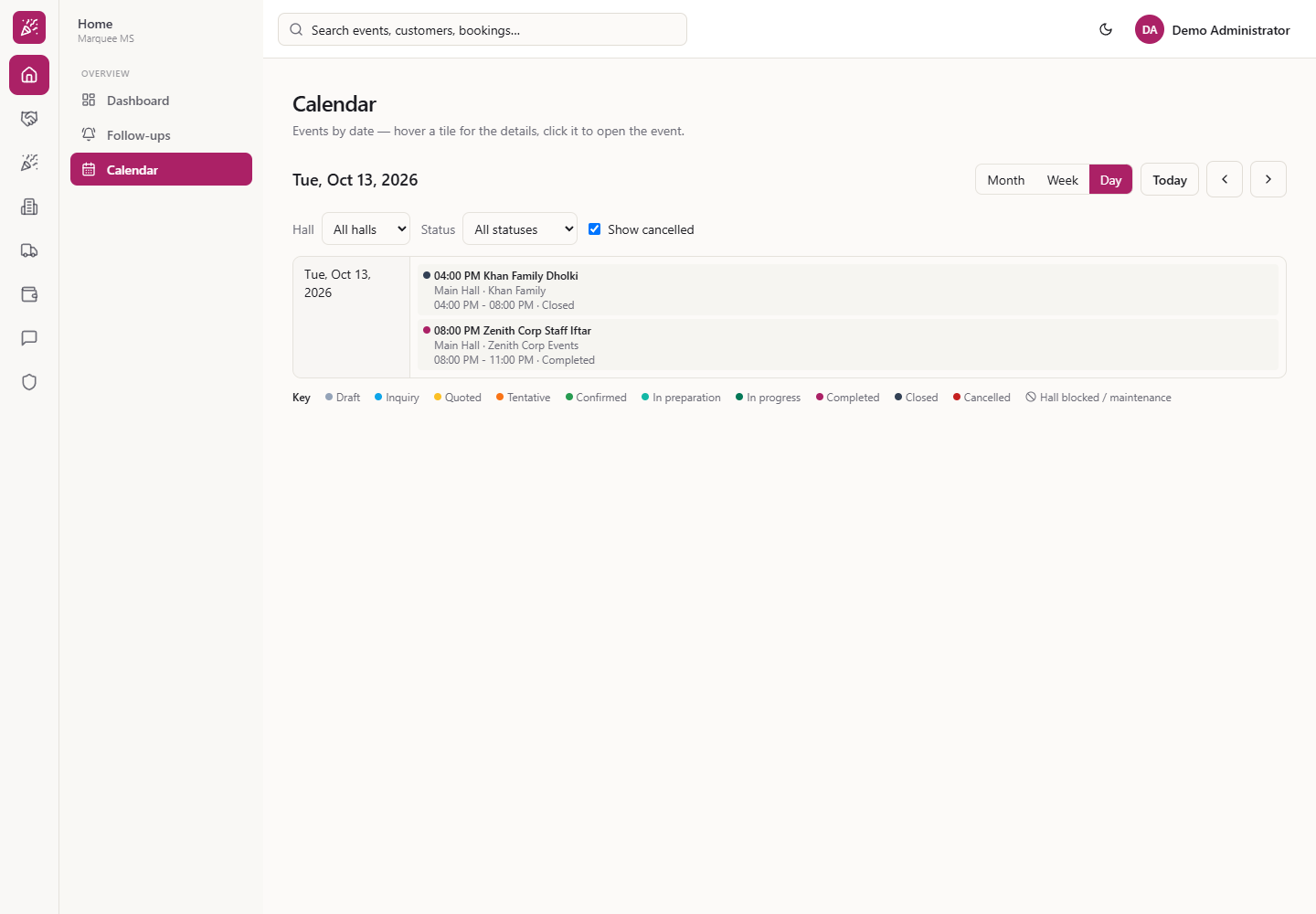
Press Day to see a single date. On Tuesday 13 October it lists the Khan Family Dholki (4:00 pm to 8:00 pm, Closed) and the Zenith Corp Staff Iftar (8:00 pm to 11:00 pm, Completed). The arrows now move one week or one day at a time.
Week view for 11 to 17 October 2026
Day view for Tuesday 13 October 2026
4
Filter by hall and status
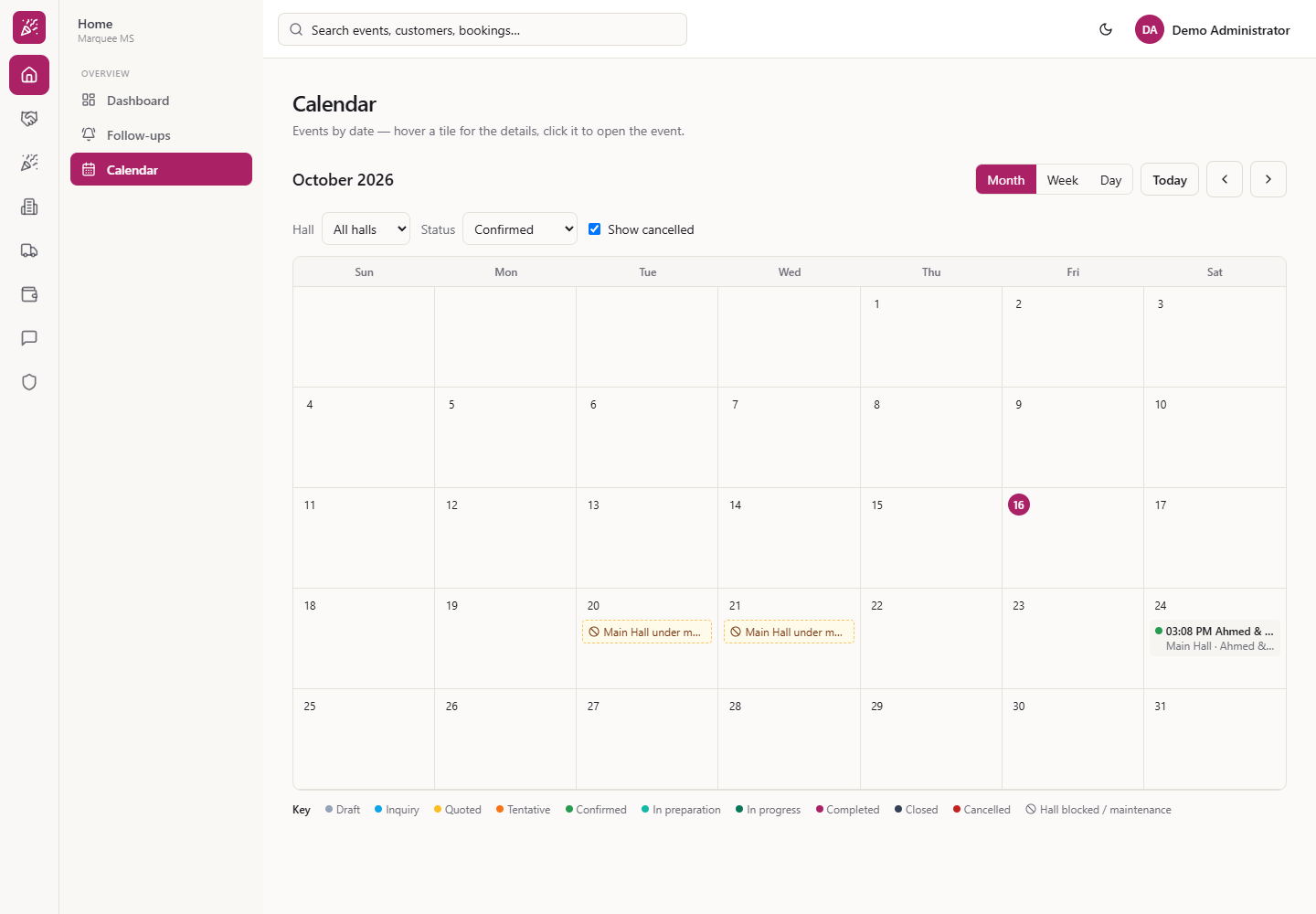
Use the Hall list (All halls, Main Hall) and the Status list (All statuses, Draft, Inquiry, Quoted, Tentative, Confirmed, In preparation, In progress, Completed, Closed, Cancelled). With Confirmed chosen, October keeps only Ahmed & Sana Wedding on the 24th. The hall maintenance tiles on the 20th and 21st stay. Untick Show cancelled to hide called-off events.
October 2026 filtered to Confirmed events
5
Read the status dots and the key
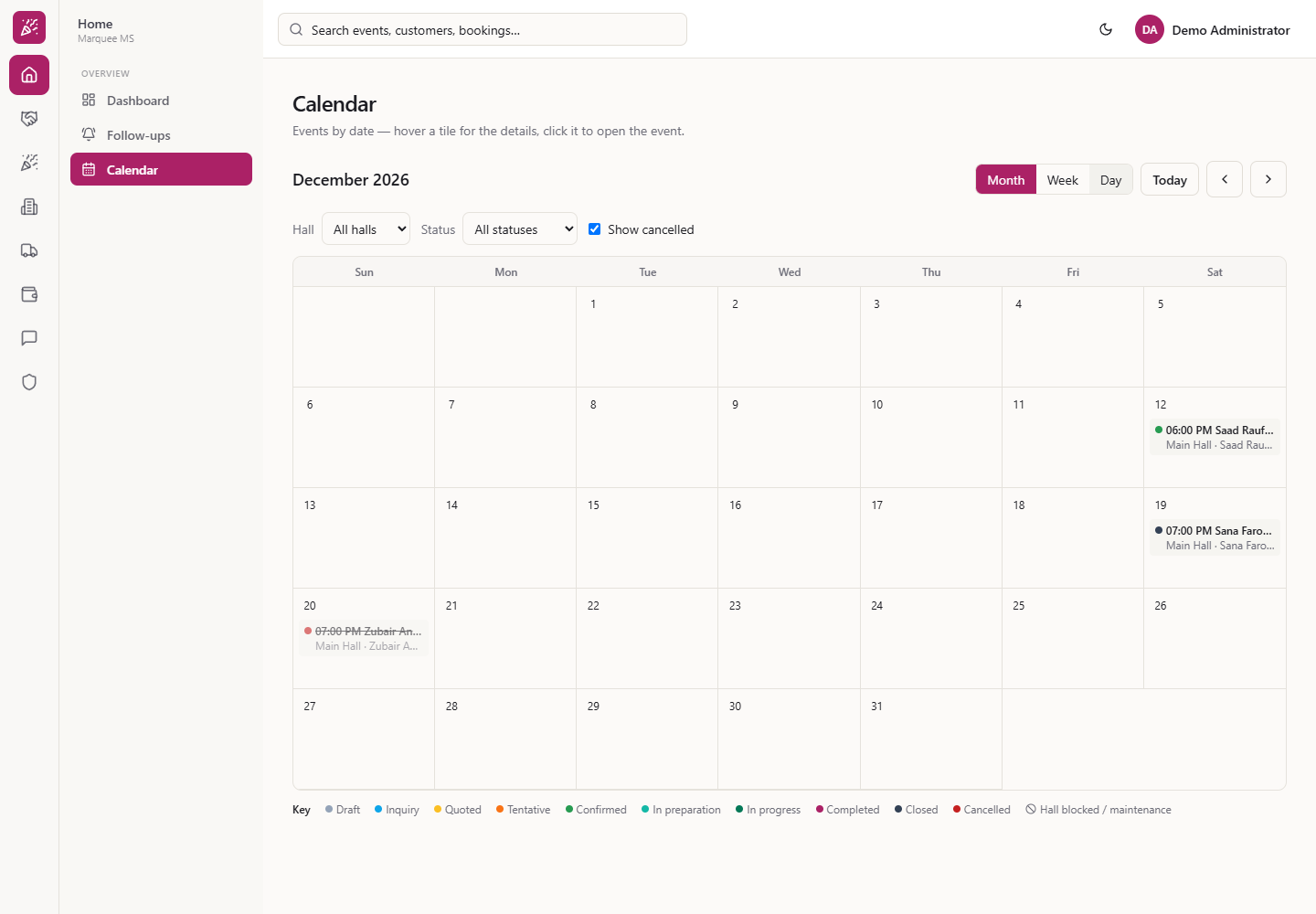
The dot in front of each title shows the event's state, and the Key under the grid names every colour: Draft, Inquiry, Quoted, Tentative, Confirmed, In preparation, In progress, Completed, Closed, Cancelled and Hall blocked / maintenance. In December the Saad Rauf Butt Barat (12th) is confirmed, the Sana Farooq Mehndi Night (19th) is closed and the Zubair Anwar Nikah (20th) is cancelled and shown in red.
December 2026 with a green, a dark slate and a red event
6
See when a hall is blocked or under maintenance
A hall that is out of use shows as a dashed amber tile, here "Main Hall under maintenance" on 20 and 21 October. Hover the tile for the reason and the time window.
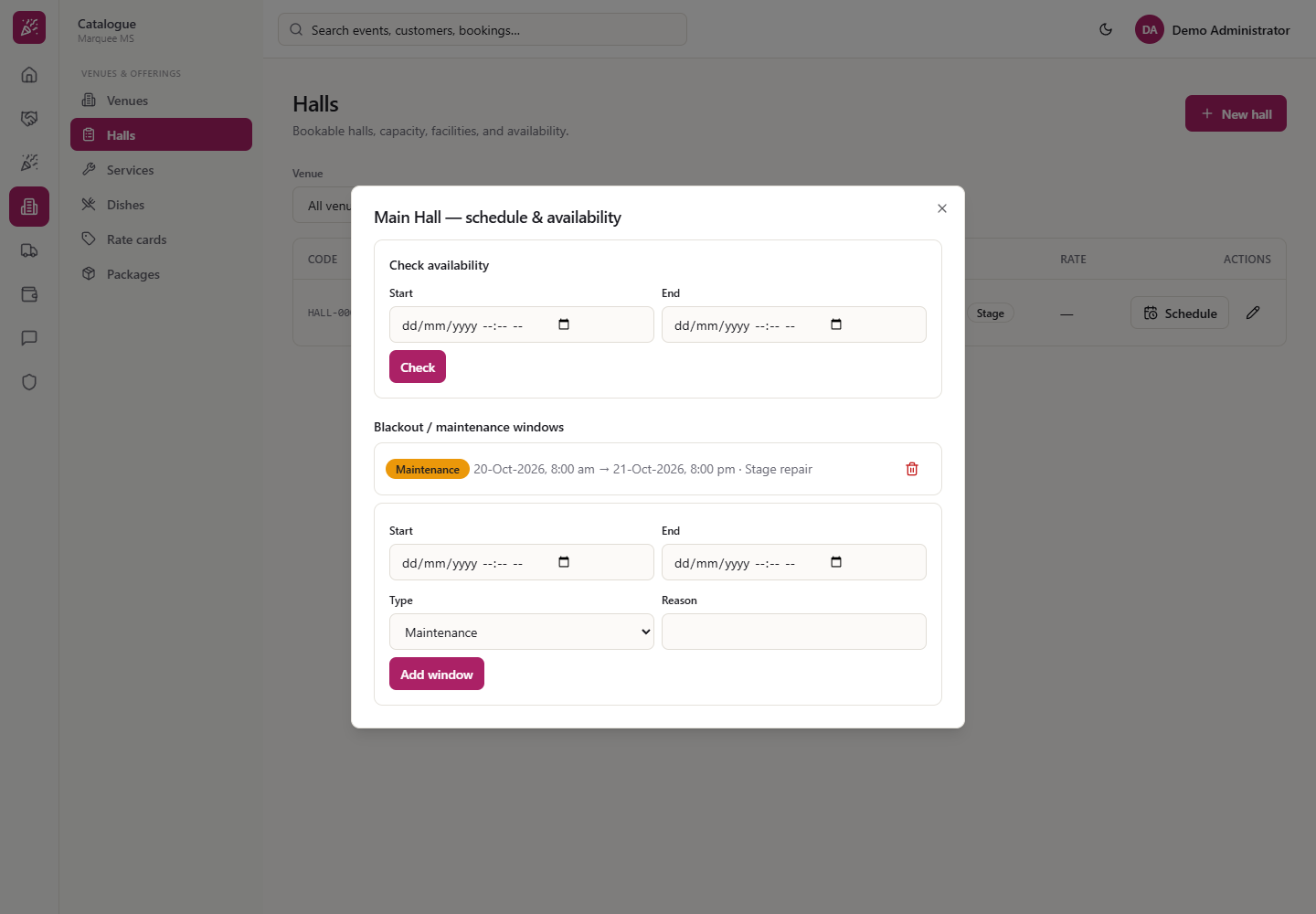
The window is set in Catalogue › Halls › Schedule. The dialog "Main Hall — schedule & availability" has Check availability (Start, End, Check) and Blackout / maintenance windows, where this one reads "Maintenance 20-Oct-2026, 8:00 am → 21-Oct-2026, 8:00 pm · Stage repair". To add one, fill Start, End, Type (Blackout or Maintenance) and Reason, then press Add window.
October 2026 with Main Hall under maintenance on the 20th and 21st
Main Hall schedule and availability dialog
7
See a wedding's functions on their dates
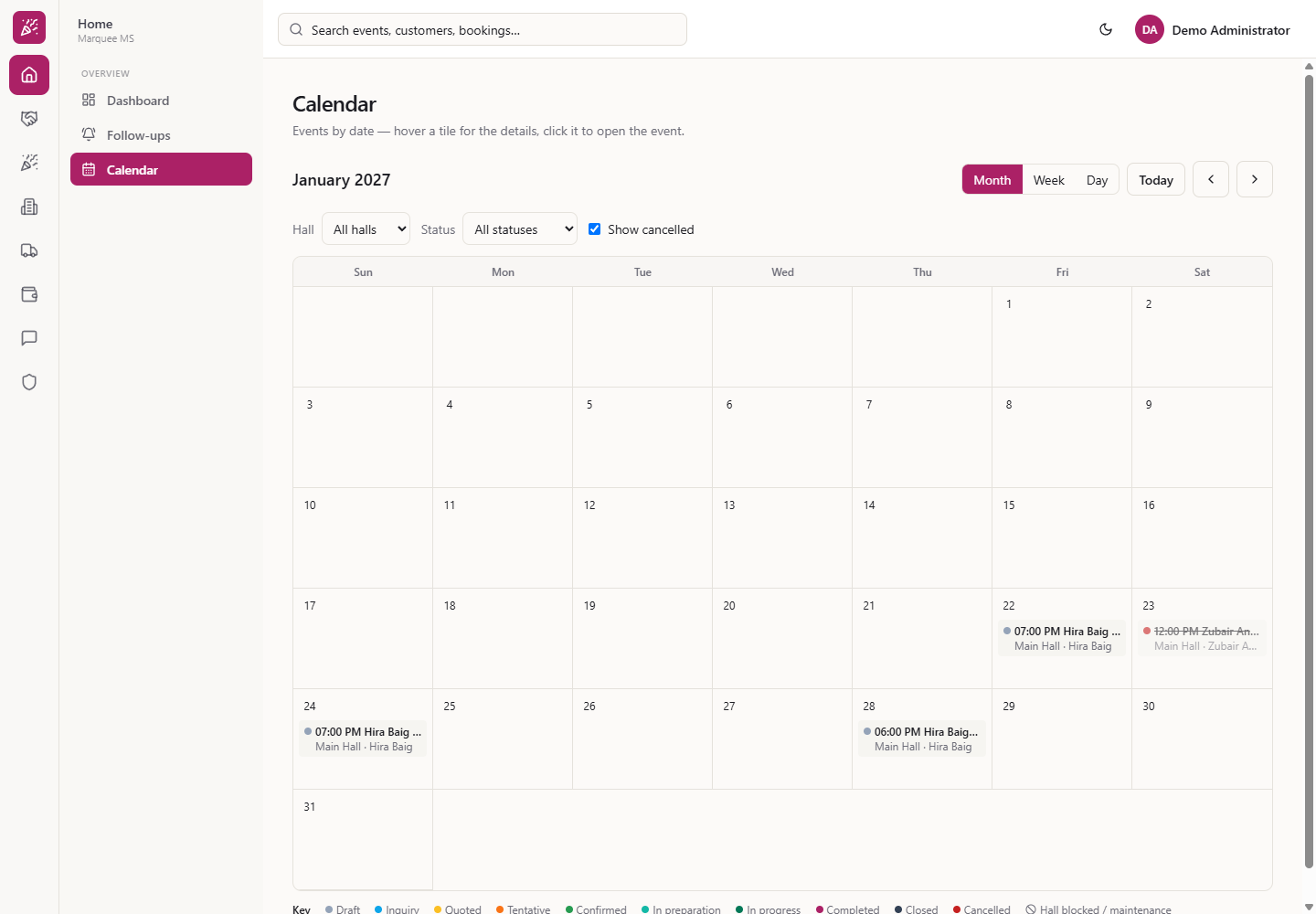
The functions of a wedding series are ordinary events, so the Hira Baig nikah (22 January), mayun (24 January) and barat (28 January) each sit on their own day, all drafts. Zubair Anwar Engagement (23 January) is cancelled and stays on the grid in red. Titles longer than the tile are cut.
January 2027 with the nikah, mayun and barat of one family
8
Open an event
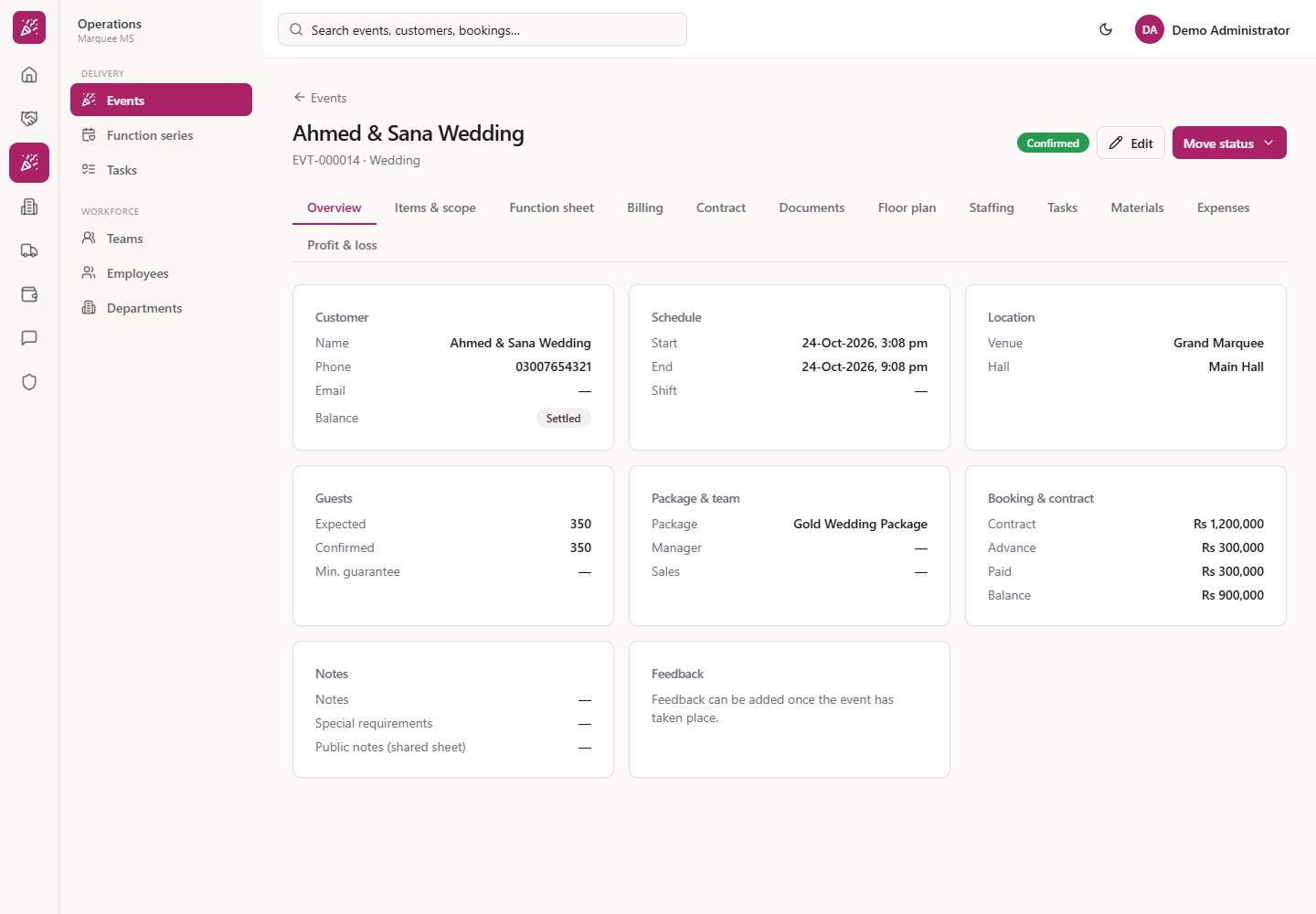
Click a tile, for example Ahmed & Sana Wedding on 24 October. The event opens as EVT-000014, Wedding, Confirmed, on its Overview, with the schedule (24-Oct-2026, 3:08 pm to 9:08 pm), Grand Marquee, Main Hall, 350 guests and the booking figures, and the tabs Overview, Items & scope, Function sheet, Billing, Contract, Documents, Floor plan, Staffing, Tasks, Materials, Expenses and Profit & loss.
The event page that opens from a calendar tile
9
Show the same events in your phone calendar
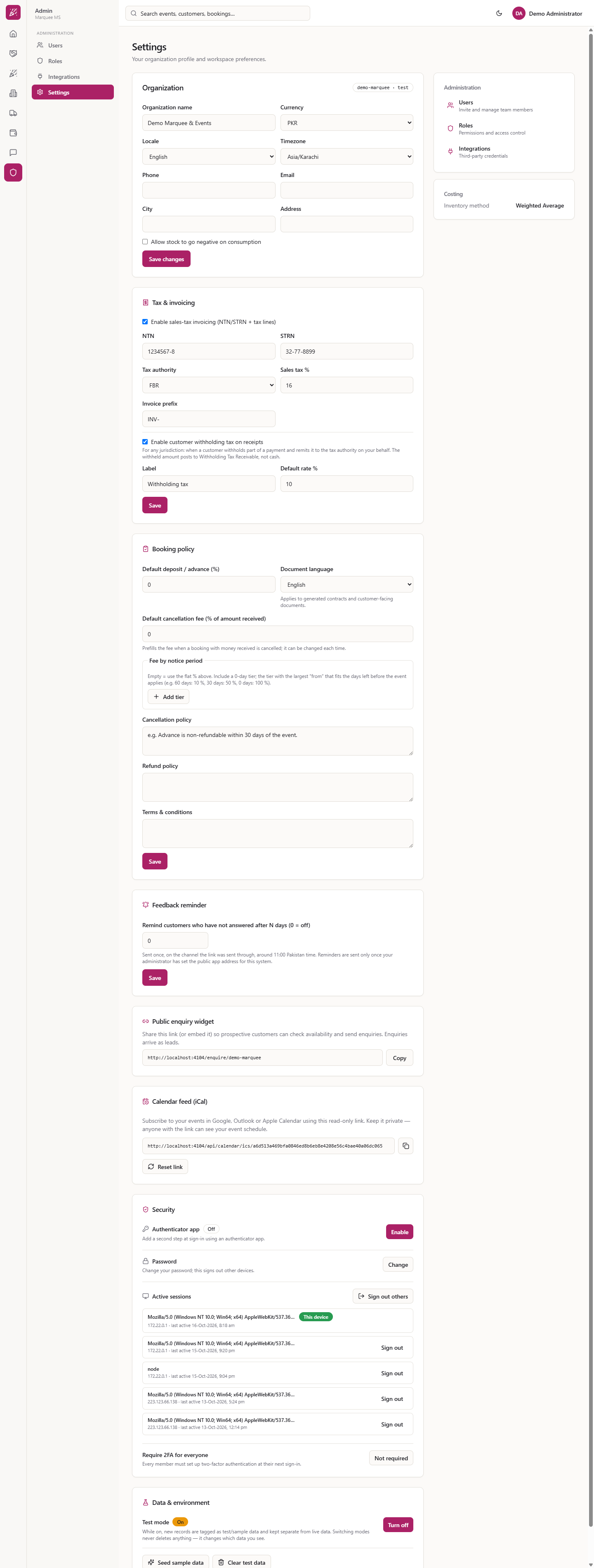
Open Settings and find Calendar feed (iCal). It says "Subscribe to your events in Google, Outlook or Apple Calendar using this read-only link." Copy the link with the copy button and add it as a subscription in Google, Outlook or Apple Calendar.
Settings page with the Calendar feed (iCal) card
Check it worked
On Calendar, October 2026 shows Khan Family Dholki and Zenith Corp Staff Iftar on the 13th, Ahmed & Sana Wedding on the 24th, and any blocked hall as a dashed tile.
Clicking a tile opens that event's page.
Common mistakes
Mistake
What you see
Fix
Looking for an event that is not on its month
The month is empty
Use the arrows; the event sits in the month of its start date
Treating a dashed amber tile as an event
It is a blocked or maintenance window of the hall
Hover it for the reason and window; add or remove it in Catalogue › Halls › Schedule
Sharing the feed link in a group
Everyone with the link can read your schedule
Press Reset link in Settings
Quick reference
Item
Meaning / rule
Green dot
Confirmed
Teal / dark green dot
In preparation / In progress
Plum dot
Completed
Amber / orange dot
Quoted / Tentative
Sky blue / grey dot
Inquiry / Draft
Dark slate dot
Closed
Red dot
Cancelled
Dashed amber tile
Hall blocked / maintenance
Today
Returns to the current month
Frequently asked questions
How do I check whether a date is free? Go to the month on the Calendar and look at the day's cell. Cancelled events also stay on the grid in red, and a blocked hall shows as a dashed tile, so look at the dot and the tile before you treat a date as free.
Can I see the time or the hall on the calendar? Yes. Each tile shows its start time, title and the line Hall · Customer, and Week and Day views show the full time range and status.
How do I get the events into my phone's calendar? Copy the link under Calendar feed (iCal) in Settings and subscribe to it in Google, Outlook or Apple Calendar.