How to create an event and move it through its statuses
Every function you host, from a nikah to a corporate dinner, is an event. This guide shows how to create one, how the hall is protected from double-booking, and how an event moves from Draft to Closed or Cancelled.
Who it is forEvent coordinator / operations managerTime15 minutesProductMMSLevelIntermediate
Before you start
Steps
1
Read the Events list
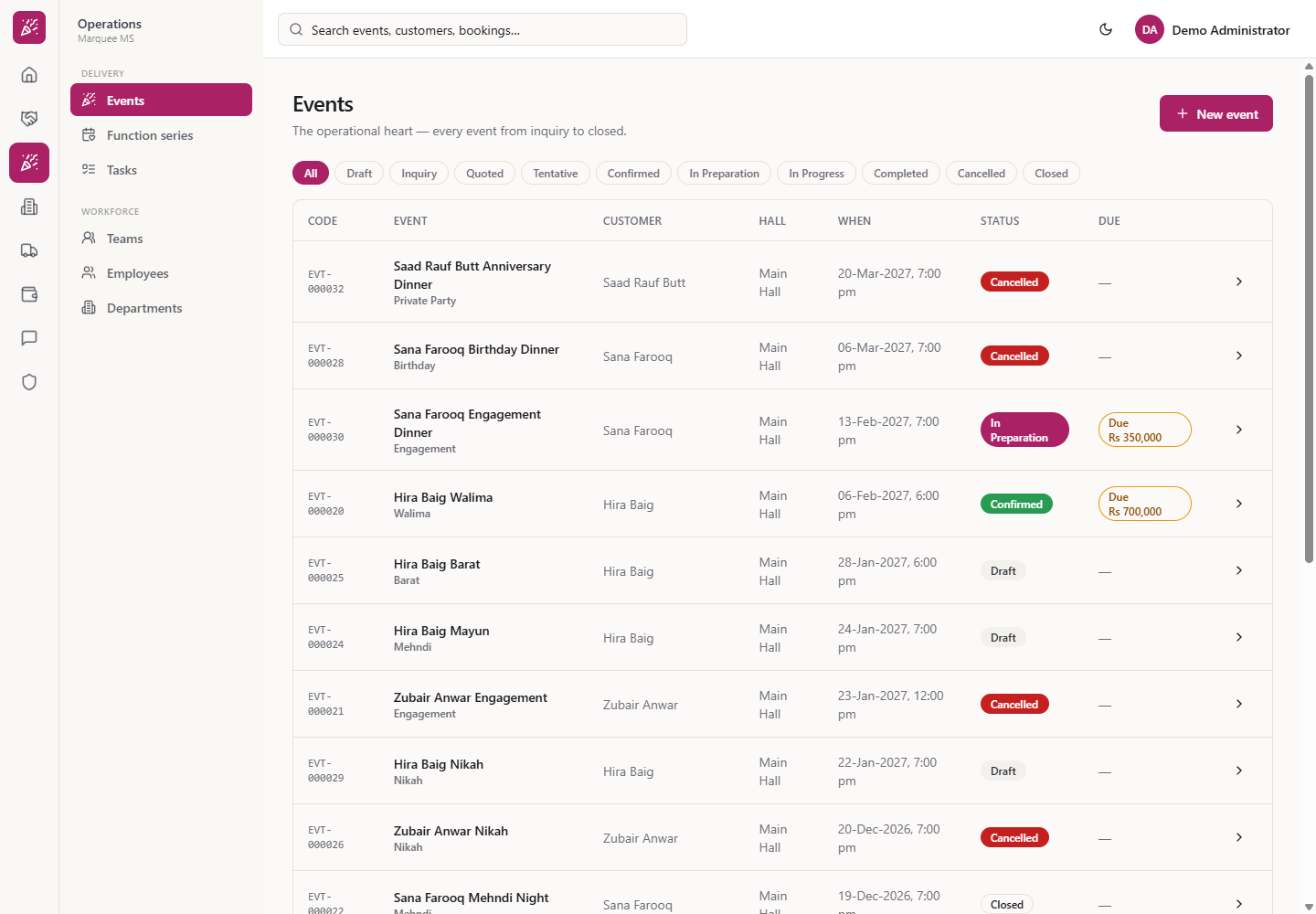
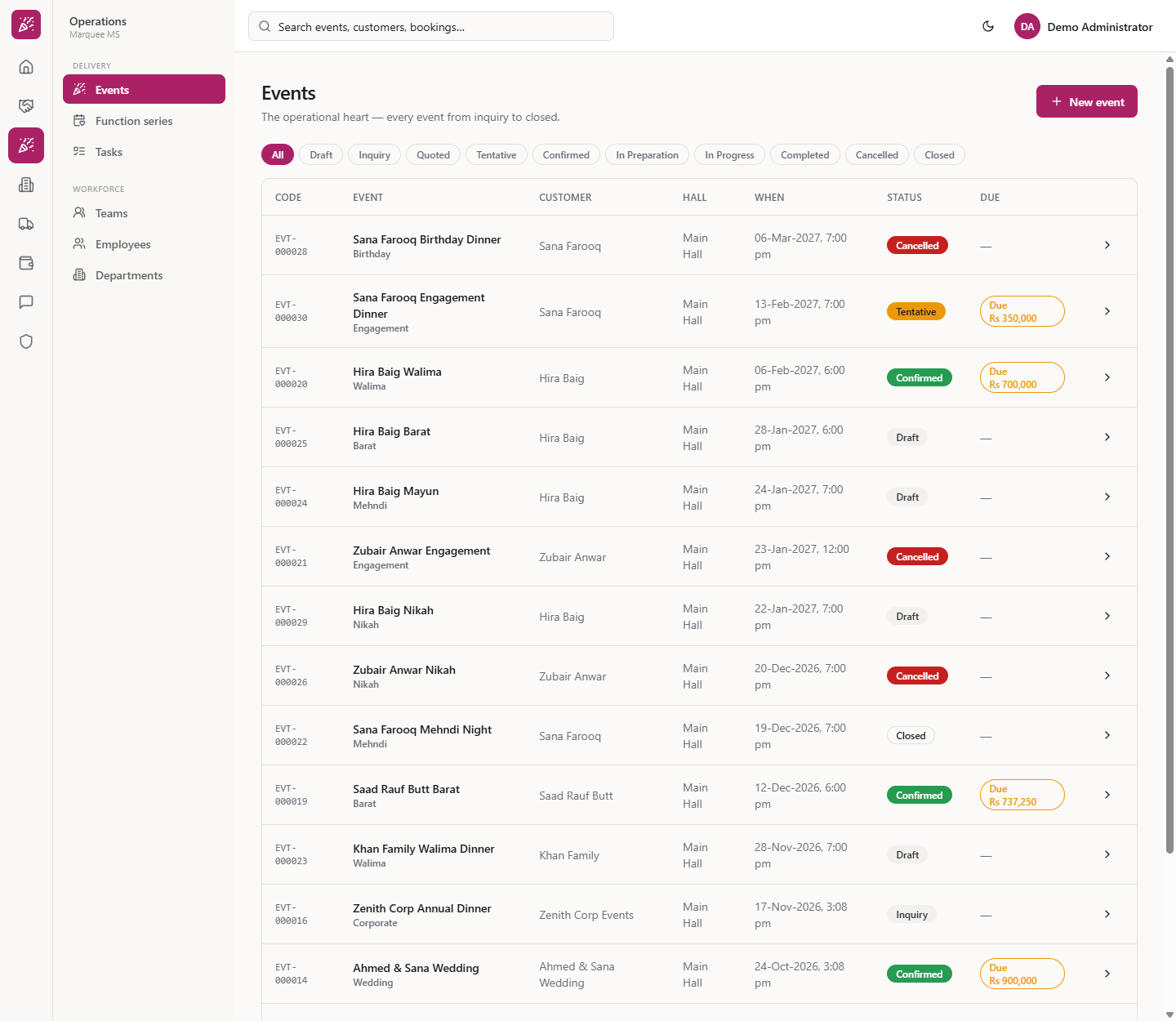
Click Operations › Delivery › Events (/events). The page reads "The operational heart — every event from inquiry to closed." The table is sorted by start date, latest first: Code, Event (title and type), Customer, Hall, When, Status, Due. Due shows what the customer still owes on the booking, for example "Due Rs 700,000", or a dash. The chips filter by status: All, Draft, Inquiry, Quoted, Tentative, Confirmed, In Preparation, In Progress, Completed, Cancelled, Closed. A status with no events shows "No events here" and a New event button.
Events list with status chips and the Due column
2
Fill the New event form
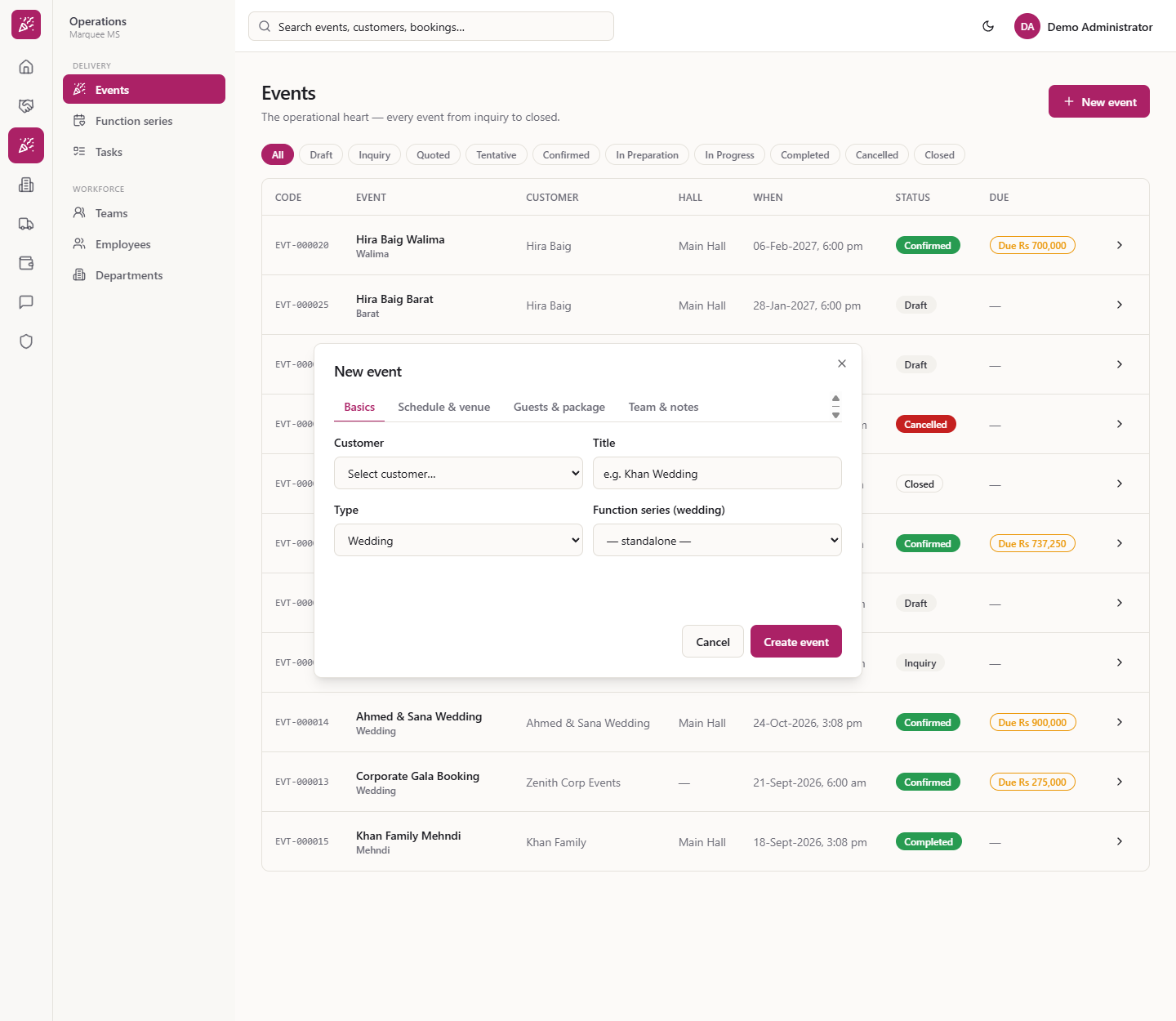
Press New event. The form has four tabs. Basics: Customer, Title (for example "Zubair Anwar Nikah"), Type (wedding, mayun, dholki, mehndi, nikah, barat, rukhsati, walima, engagement, birthday, corporate and more) and Function series (wedding). Schedule & venue: Start, End, Shift (Lunch, Dinner, Full day), Venue and Hall. Guests & package: Expected guests 180, Confirmed guests, Min. guarantee, Package. Team & notes: Event manager, Sales person, Notes, Special requirements.
New event dialog
3
Required fields
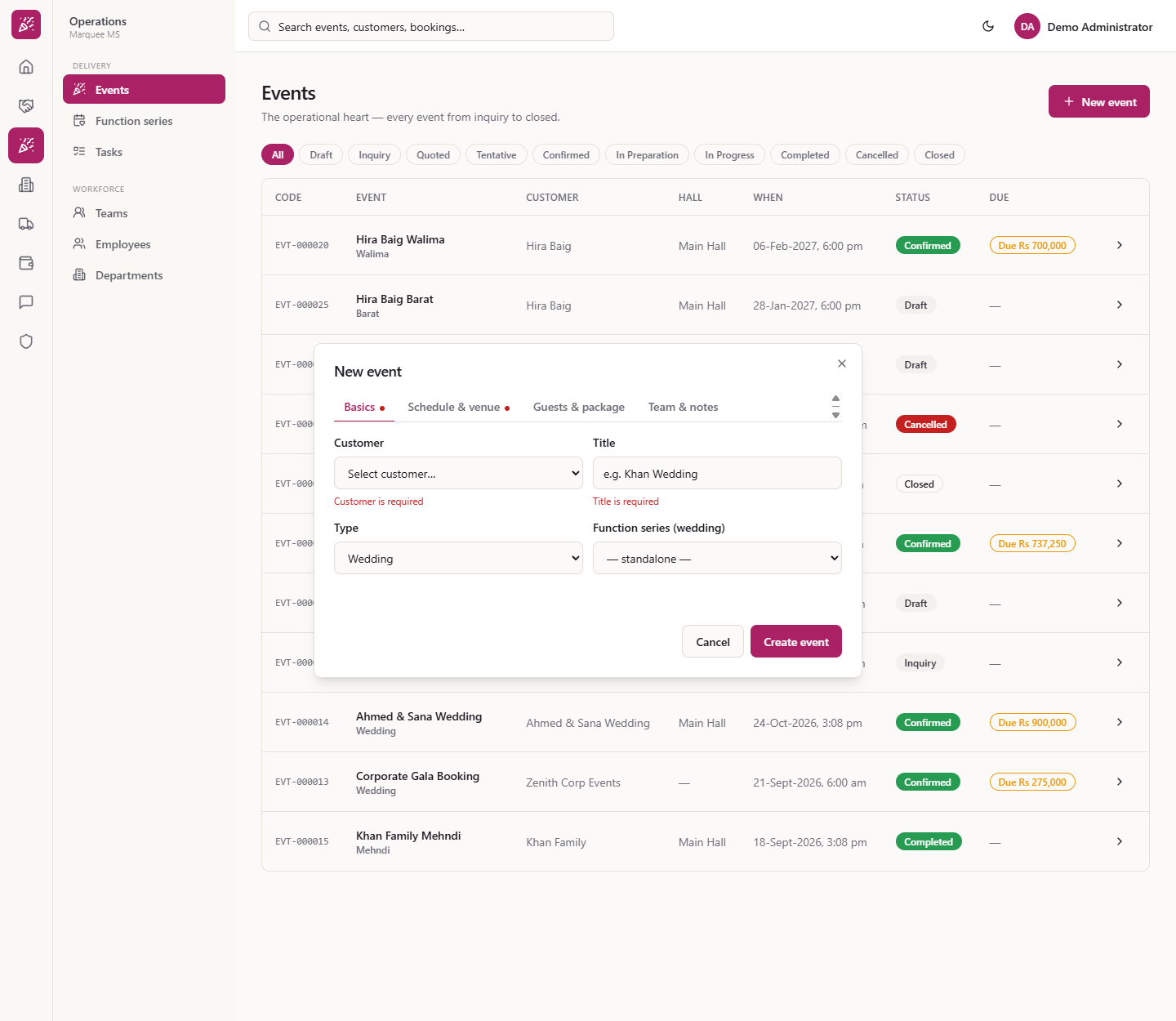
Press Create event with the form empty. The dialog shows "Customer is required", "Title is required", "Start is required" and "End is required", and jumps to the first tab with an error.
Validation messages when the form is empty
4
Watch the hall hint
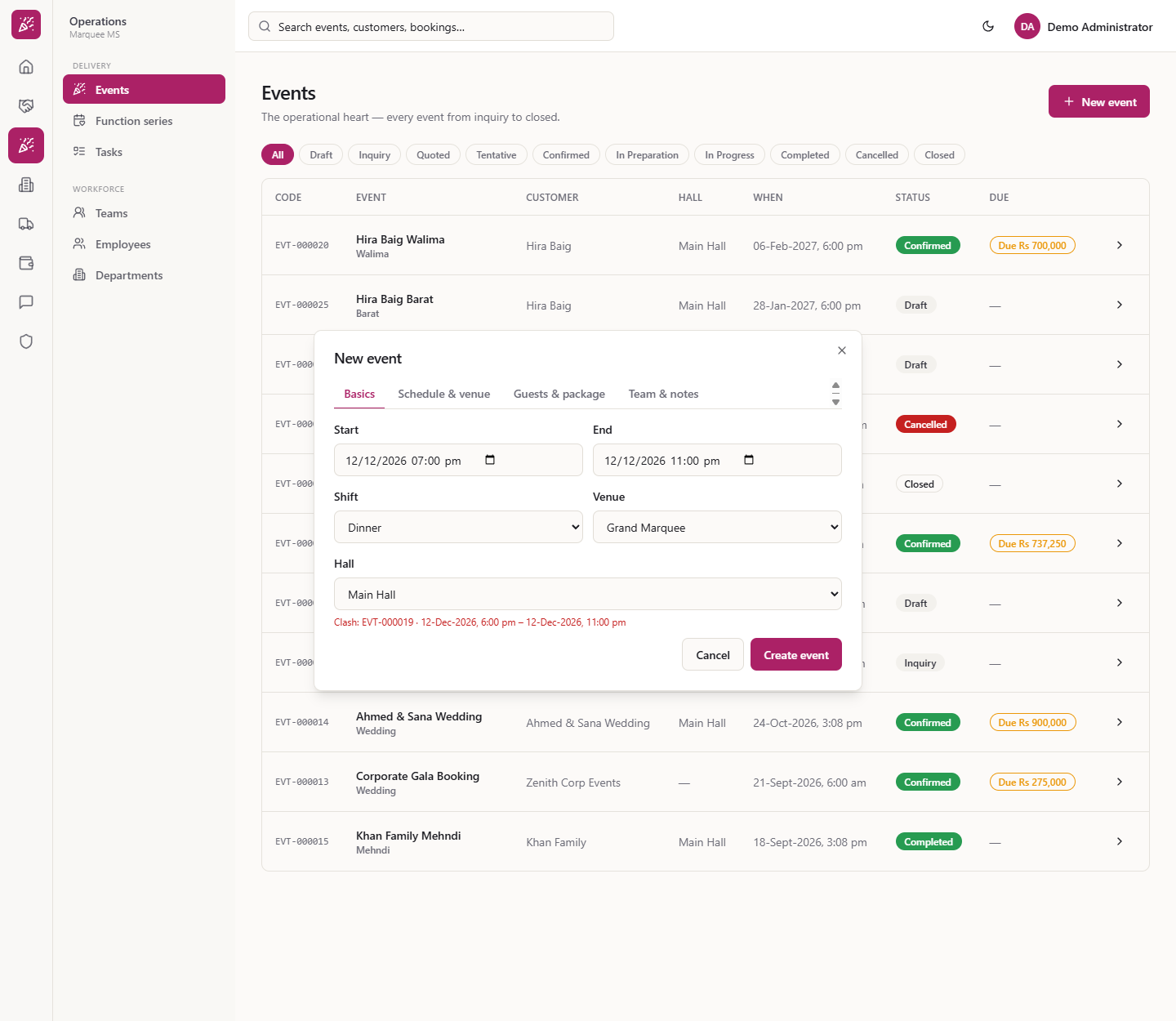
On Schedule & venue choose Main Hall and the times. If the slot is taken, a red line under Hall says, for example, "Clash: EVT-000019 · 12-Dec-2026, 6:00 pm – 12-Dec-2026, 11:00 pm". Pick a free date (20-Dec-2026 here) and the hint disappears.
Clash message under the Hall box
5
Create the event
Press Create event. The dialog closes with no message and the event appears in the list as a Draft. On its page the Guests card shows Expected 180, with Confirmed and Min. guarantee left empty.
The new event in the list as a Draft
6
Hold the hall with Tentative
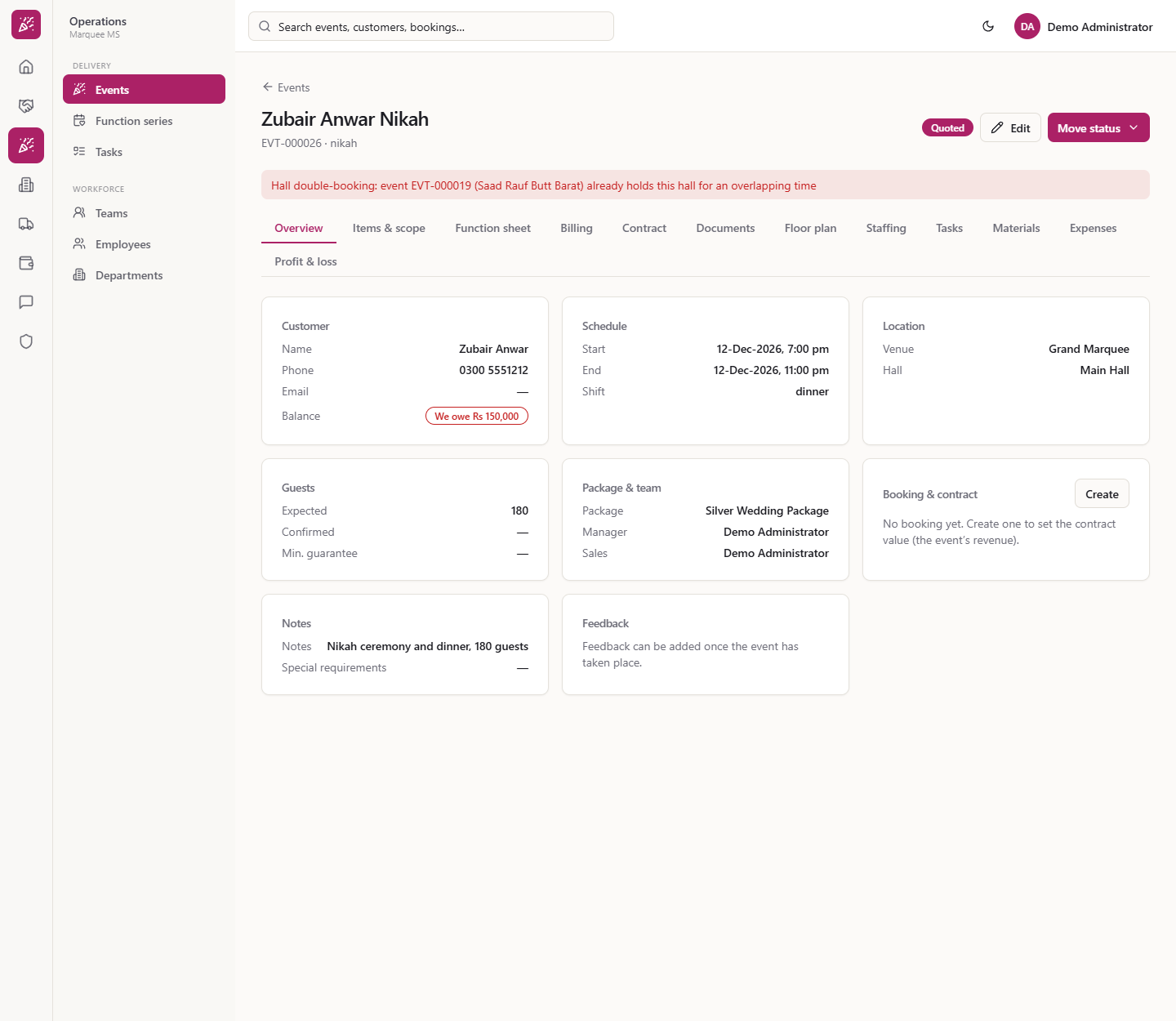
Open the event and press Move status. A Draft offers Inquiry, Quoted, Tentative, Cancelled; Inquiry offers Quoted, Tentative, Cancelled; Quoted offers Tentative, Confirmed, Cancelled. Tentative holds the hall. If another event already holds it, the status stays Quoted and a red banner says "Hall double-booking: event EVT-000019 (Saad Rauf Butt Barat) already holds this hall for an overlapping time". On a free date the badge turns amber.
Red banner when the hall is already held
7
Confirm, then prepare
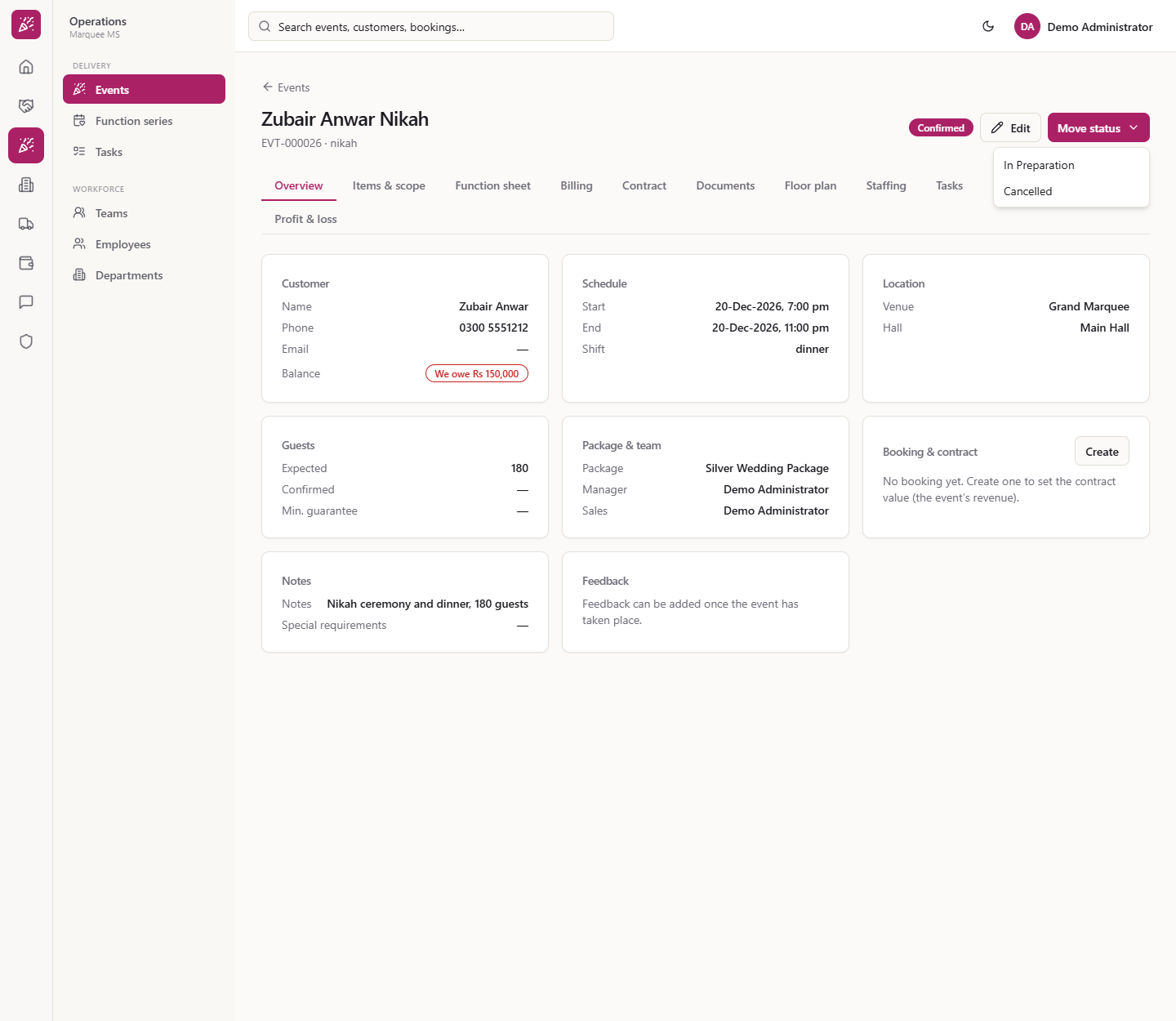
From Tentative you can go to Confirmed, and from Confirmed to In Preparation; at every stage Cancelled is also offered. The hall stays held in Tentative, Confirmed, In Preparation and In Progress.
Confirmed event with the Move status menu
8
In progress only on the day
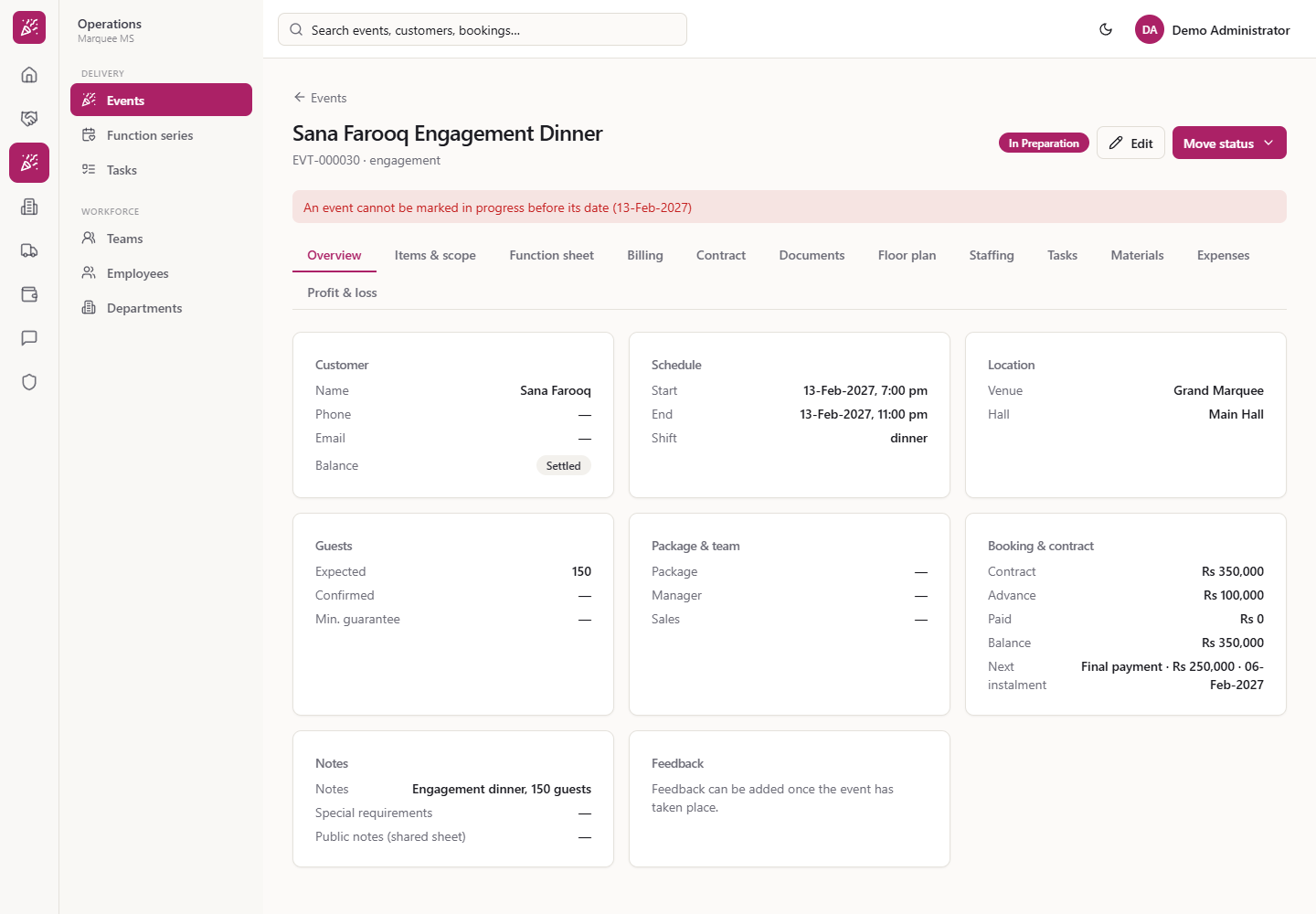
In Progress is offered from In Preparation, but not before the event's date: "An event cannot be marked in progress before its date (13-Feb-2027)". On the day, move to In Progress, then Completed, then Closed.
Message refusing In progress before the event date
9
Close the event
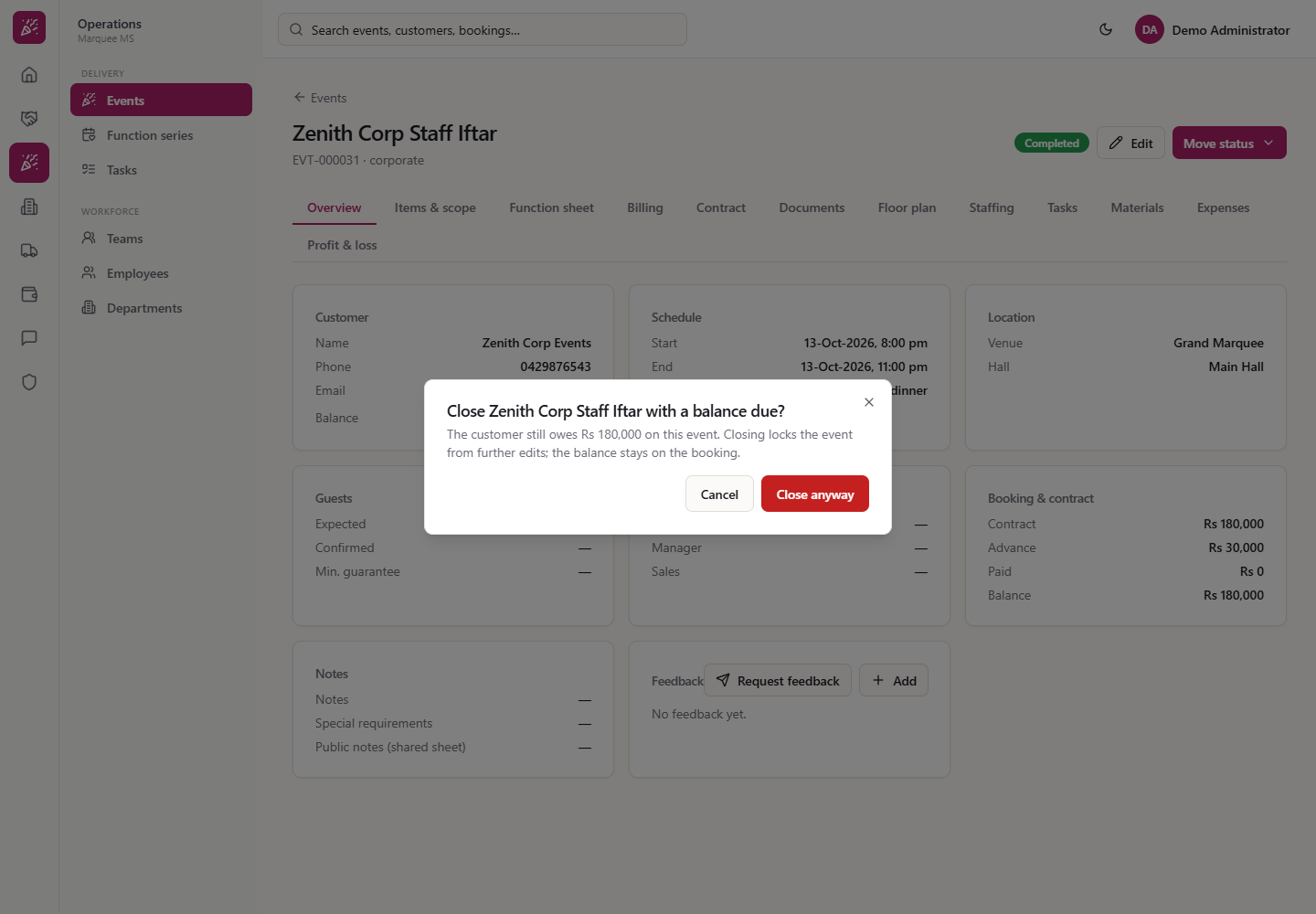
A Completed event offers Closed only. If money is still due, a dialog asks "Close Zenith Corp Staff Iftar with a balance due?": "The customer still owes Rs 180,000 on this event. Closing locks the event from further edits; the balance stays on the booking." Choose Cancel or Close anyway. A closed event has no Edit and no Move status, and stays in the All list and under the Closed chip.
Close with a balance due dialog
10
Cancel an event
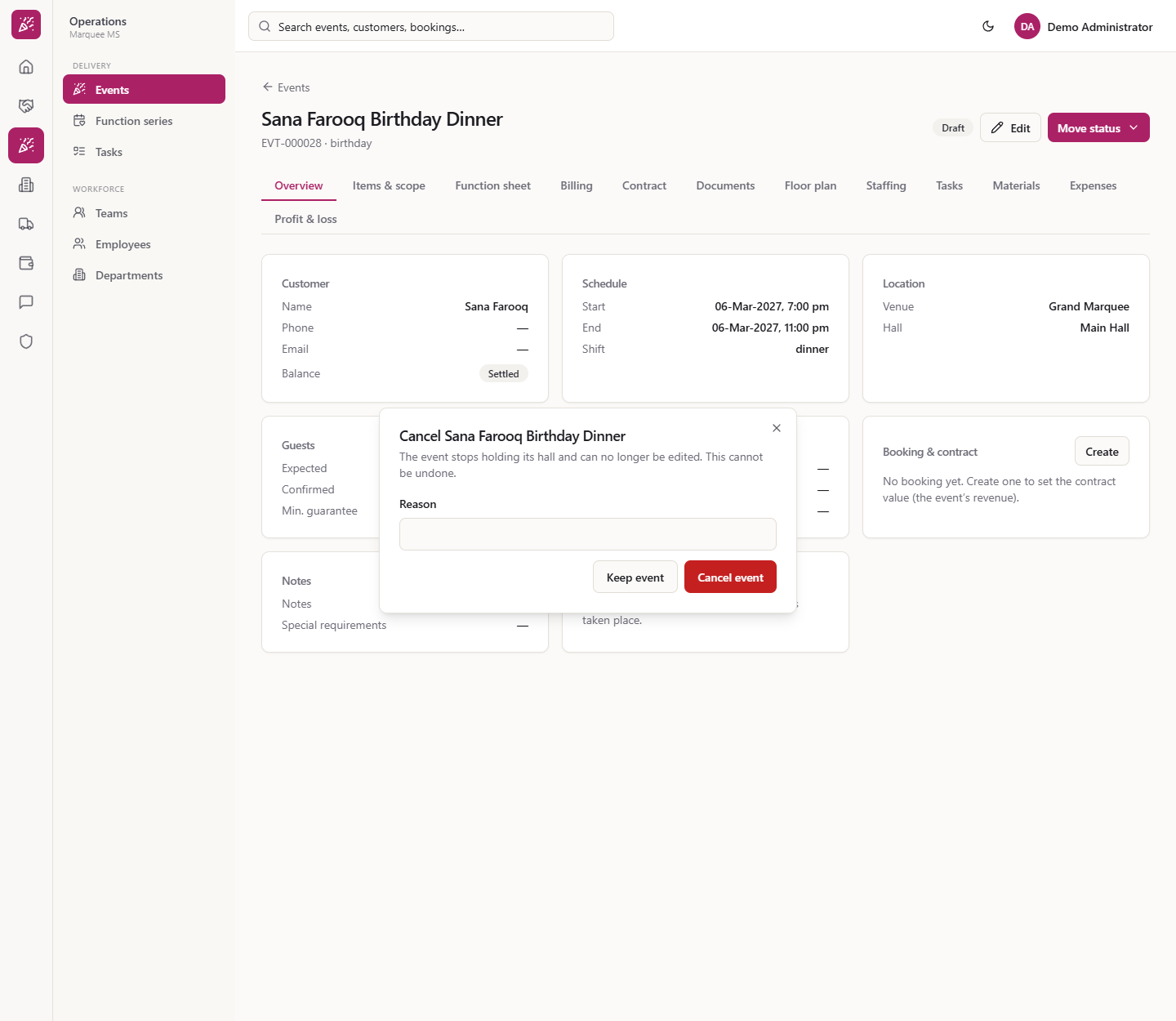
Choose Cancelled from Move status. The dialog says "The event stops holding its hall and can no longer be edited. This cannot be undone." Enter the Reason (empty gives "A reason is required") and press Cancel event, or Keep event. The badge turns Cancelled with a red bar showing your reason.
Cancel event dialog with a required reason
11
Edit an event
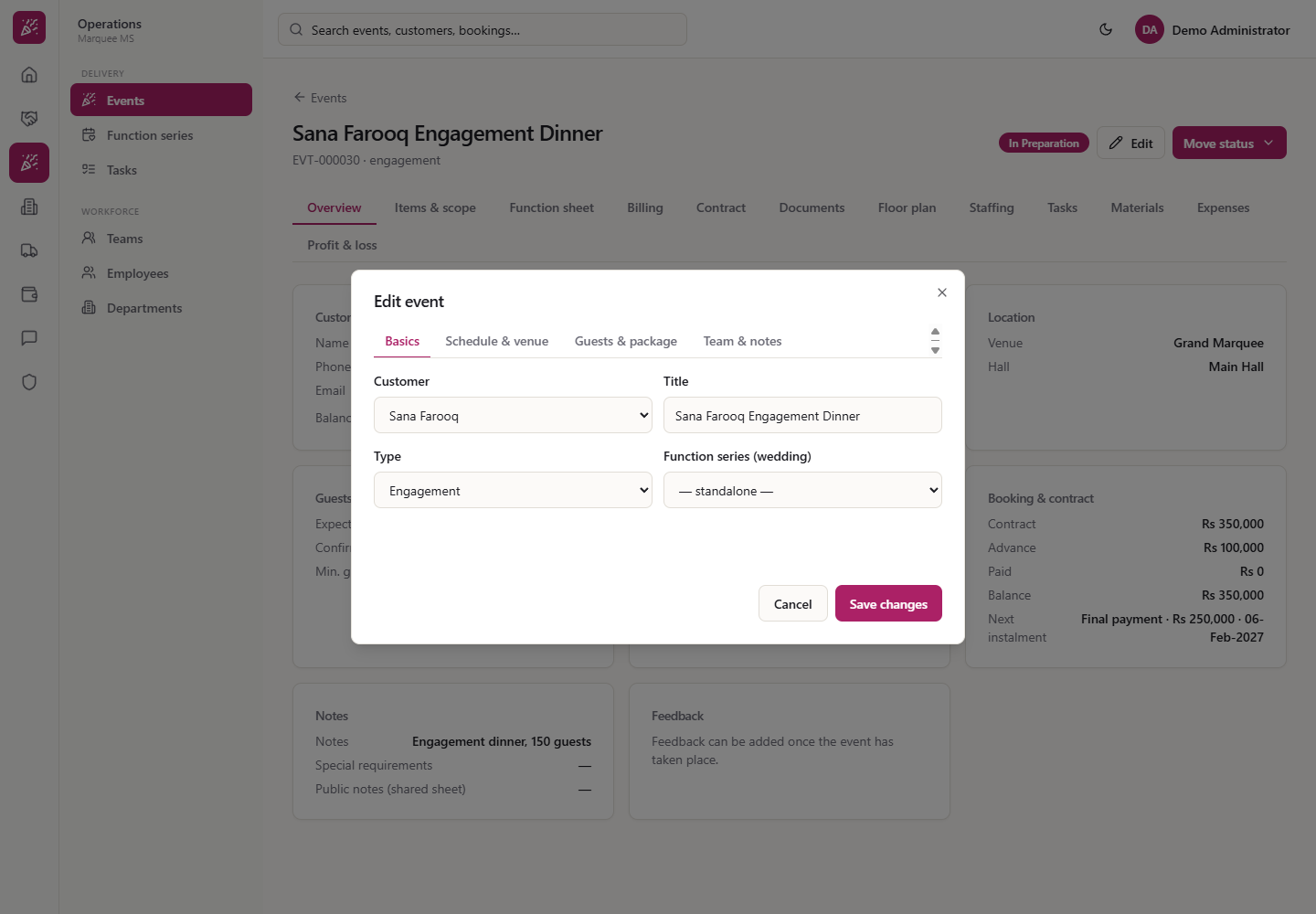
While an event is not closed or cancelled, press Edit on its page. The same four tabs open with the saved values, including the saved hall. Change what you need and press Save changes; empty guest boxes stay empty.
Edit event dialog with saved values
Check it worked
The new event is in the list with the right title, customer, hall, date and status.
Tentative on a taken slot is refused with the double-booking banner.
A closed or cancelled event shows no Edit and no Move status.
Common mistakes
Mistake
What you see
Fix
Leaving Customer, Title, Start or End empty
"... is required"
Fill them in
Holding a hall another event holds
Red double-booking banner, status unchanged
Choose a free date or hall
Marking In progress too early
"cannot be marked in progress before its date"
Wait for the event day
Cancelling without a reason
"A reason is required"
Type the reason
Quick reference
Item
Meaning / rule
Draft
Created, not holding the hall
Tentative
Holds the hall
Closed / Cancelled
Final; the event is locked
Due
What the customer still owes on the booking
Min. guarantee
Guests billed even if fewer attend
Frequently asked questions
Does a Draft event hold the hall? No. A Draft does not hold the hall, so another event can still take the date. The hall is held from Tentative through In Progress.
What happens if I move an event to Tentative and the hall is taken? The status stays Quoted and a red banner says the hall is already held by another event for an overlapping time. Choose a free date or hall and try again.
Why can't I mark an event In Progress? It cannot be marked in progress before its date. Wait for the event day, then move to In Progress, Completed and Closed.
Can I close an event that still has a balance due? Yes. A dialog warns that the customer still owes the amount and that closing locks the event. Choose Close anyway and the balance stays on the booking.