How to group a wedding's functions into one function series
A wedding is rarely one evening: a family books a nikah, a mayun, a barat and a walima. A function series groups them so you see all functions, their guests and their money together.
Who it is forEvent coordinator / sales personTime10 minutesProductMMSLevelBeginner
Before you start
Steps
1
Open Function series
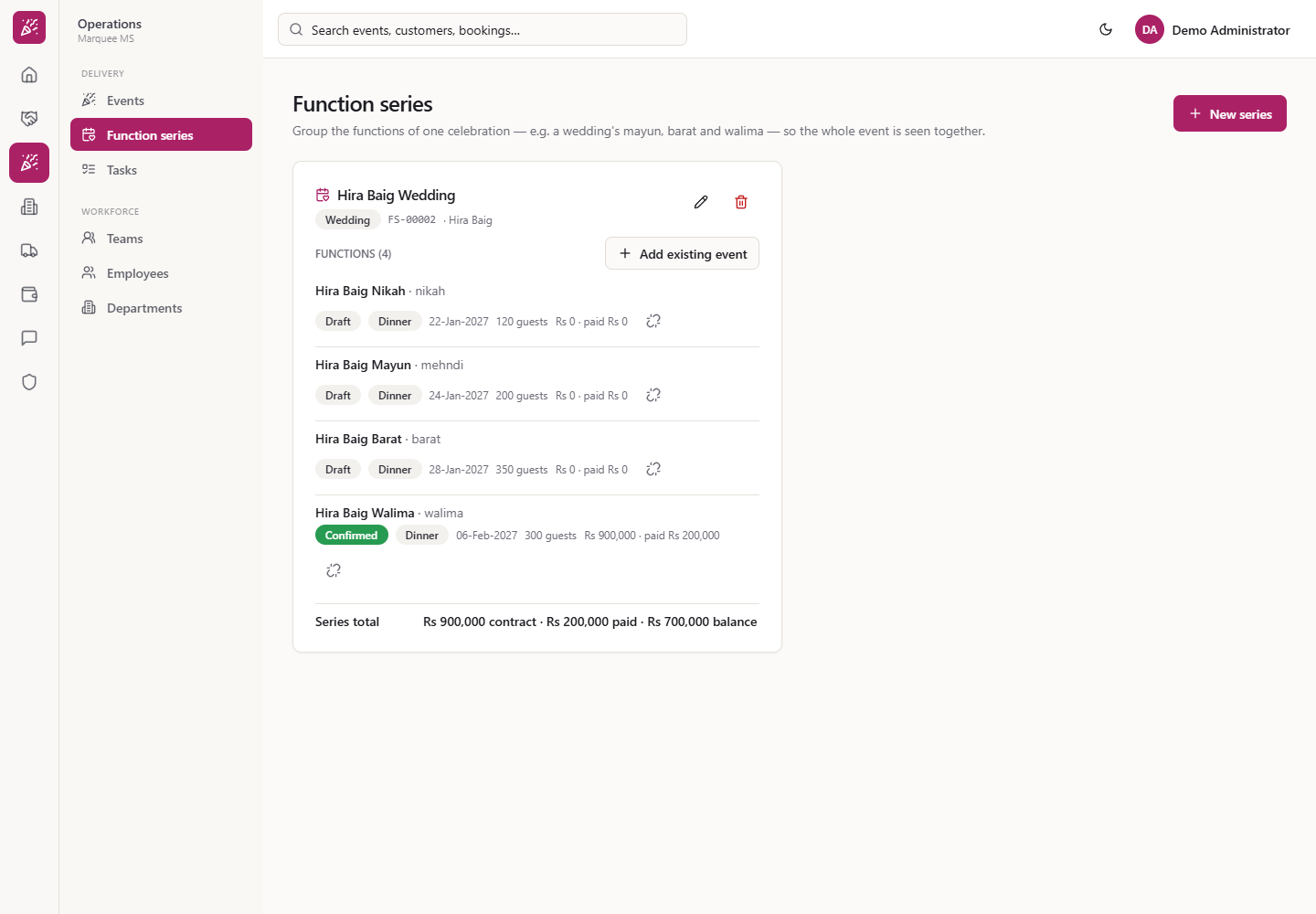
Click Operations › Delivery › Function series (/function-series). The page reads "Group the functions of one celebration — e.g. a wedding's mayun, barat and walima — so the whole event is seen together." There is one card per series with its name, type chip, code (for example FS-00002), customer, FUNCTIONS (n), Add existing event, the Series total and the pencil and bin buttons.
Function series list with one card per celebration
2
Start a new series
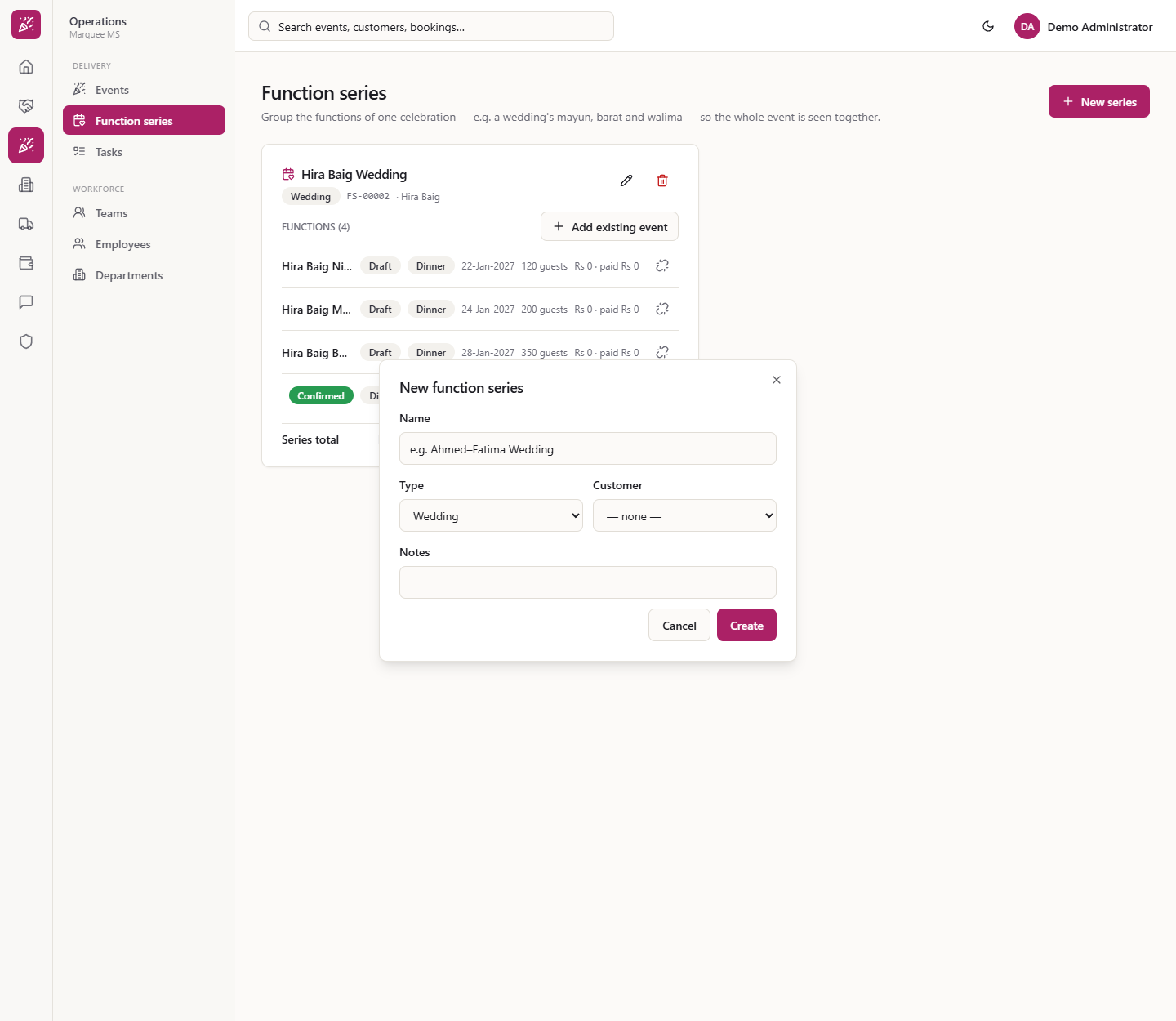
Press New series. The form has Name (for example "Ahmed–Fatima Wedding"), Type (wedding, corporate, festival, other; wedding by default), Customer and Notes.
New function series dialog
3
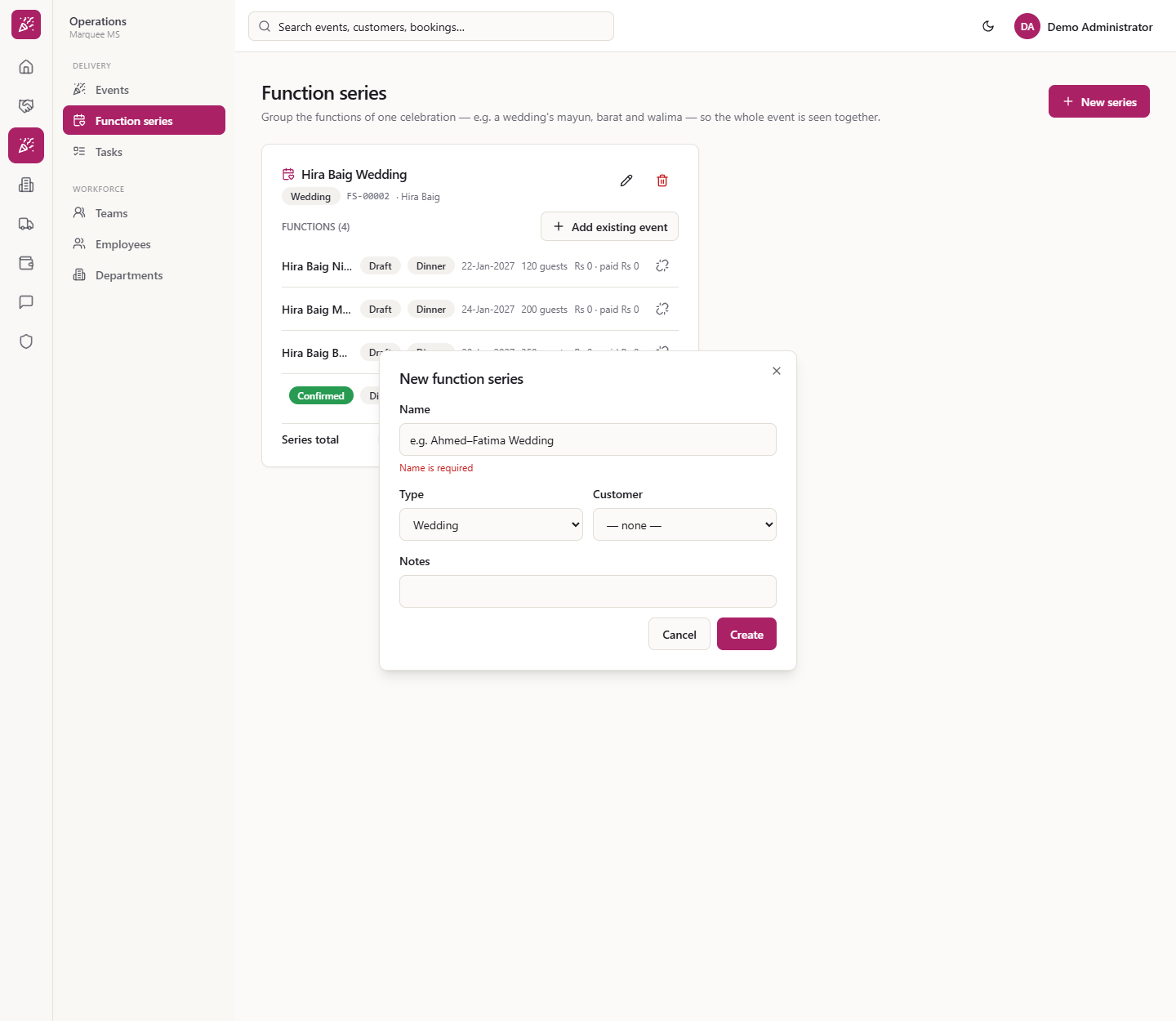
Name is required
Press Create with everything empty. "Name is required" appears under Name and the dialog stays open.
Name is required under the Name box
4
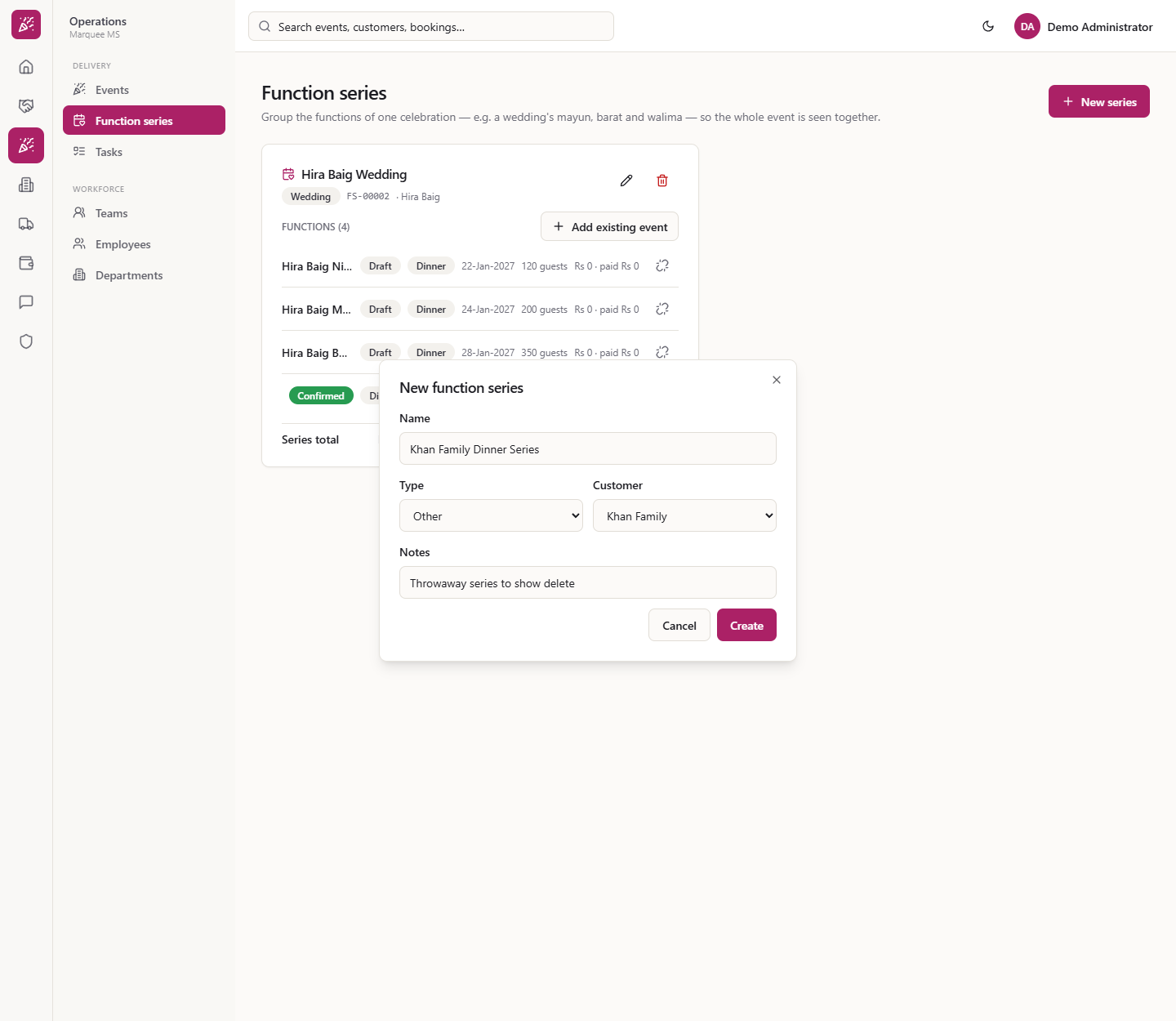
Fill the form and create
Enter the name (here Hira Baig Wedding), keep Type wedding, choose the Customer Hira Baig and write a note ("Nikah, mayun, barat and walima, 22 January to 6 February 2027"). Press Create. The new card shows FUNCTIONS (0) and "No events attached yet. Use “Add existing event”, or set the series on an event."
New series form filled in
5
Create an event inside the series
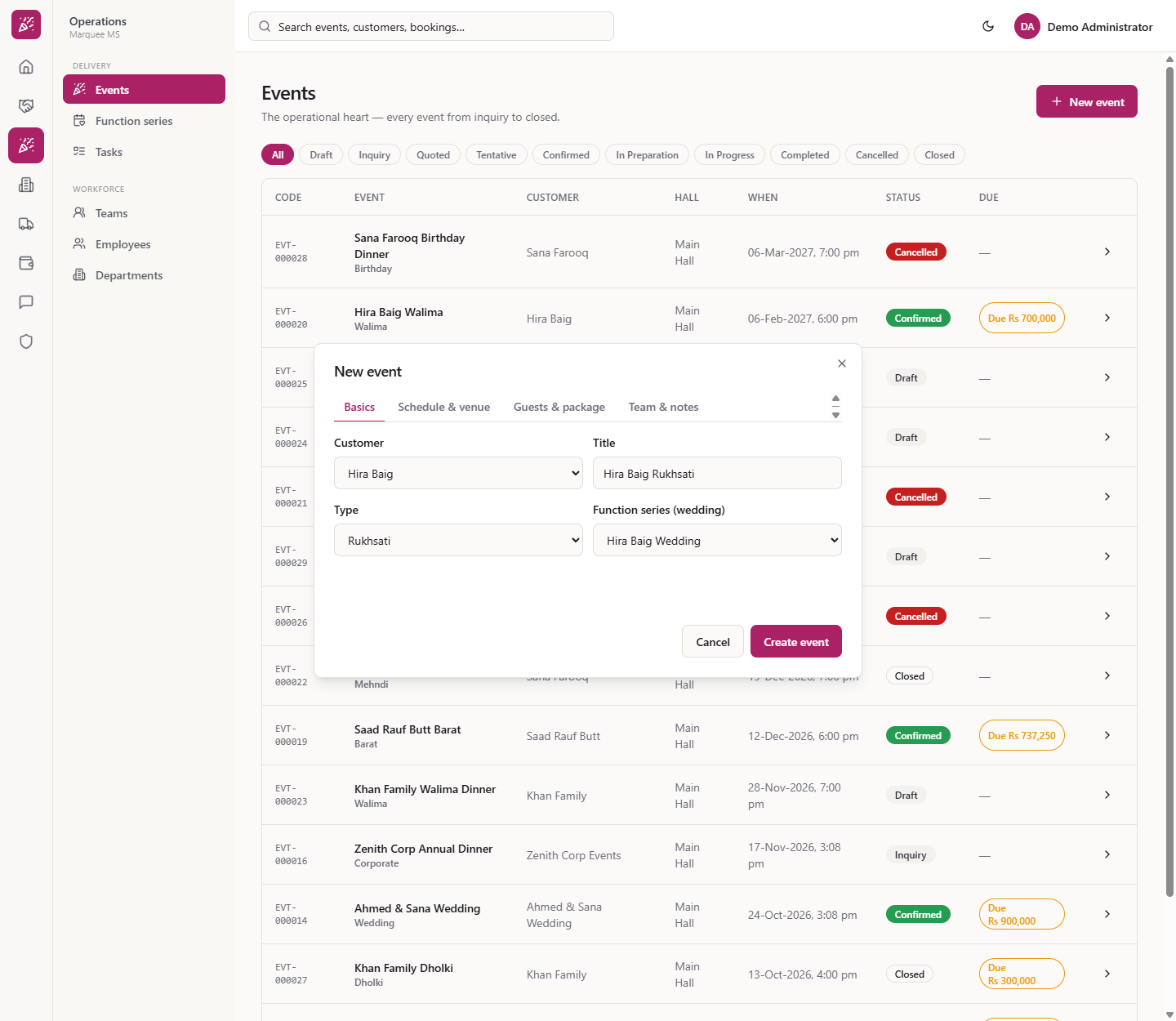
Open Operations › Delivery › Events, press New event and fill Basics. The Function series (wedding) box lists "— standalone —" and only the chosen customer's series. Choose Hira Baig Wedding and finish the event (for example a Mayun on 24 January 2027 or a Barat on 28 January 2027).
New event with the Function series box on the Basics tab
6
Add an event that already exists
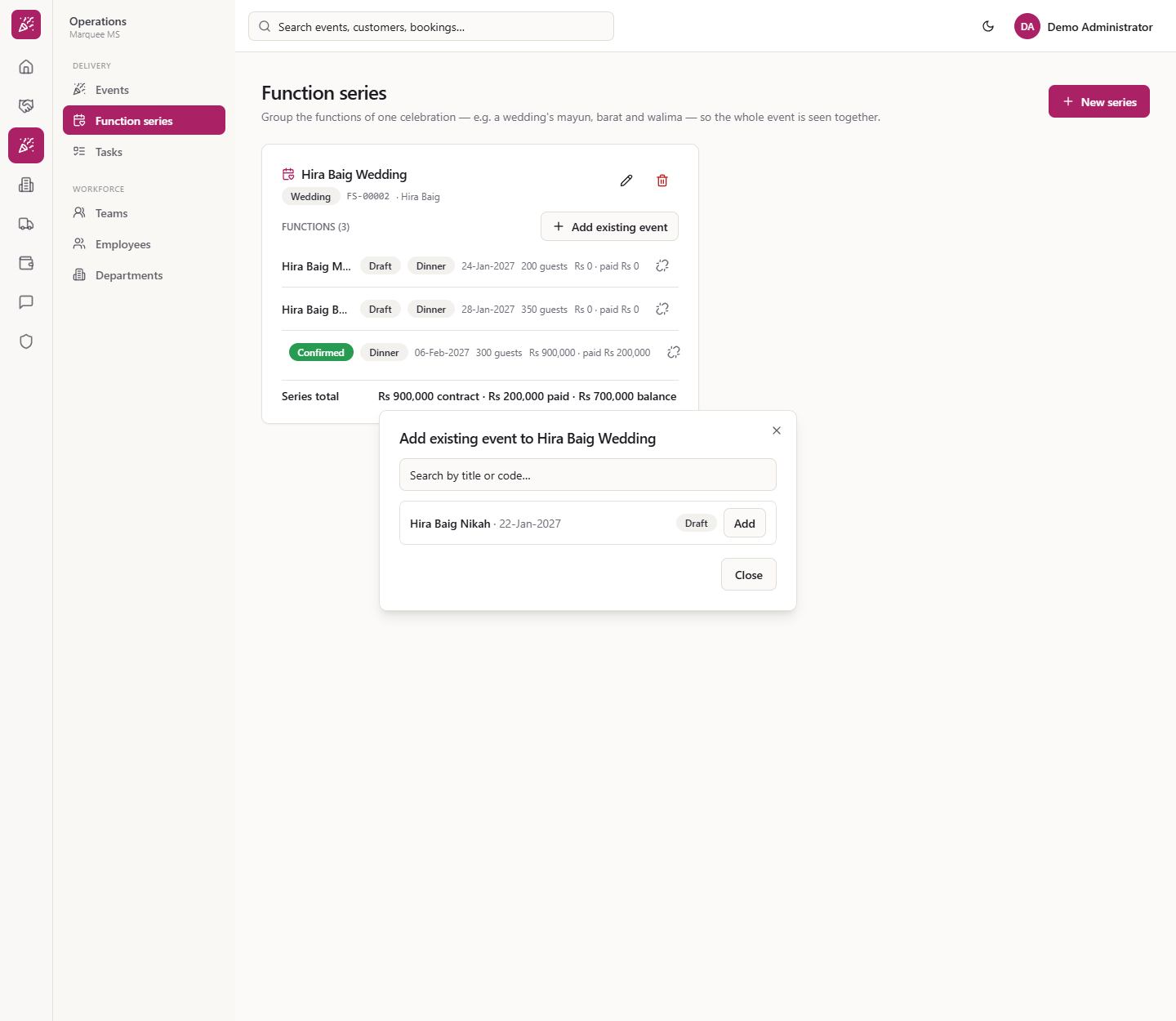
On the series card press Add existing event. Search by title or code and press Add on a row such as "Hira Baig Nikah · 22-Jan-2027 · Draft". Only this customer's events that are not in a series, and not cancelled or closed, can be added; otherwise it says "No events to add".
Add existing event dialog with search
7
See the functions together
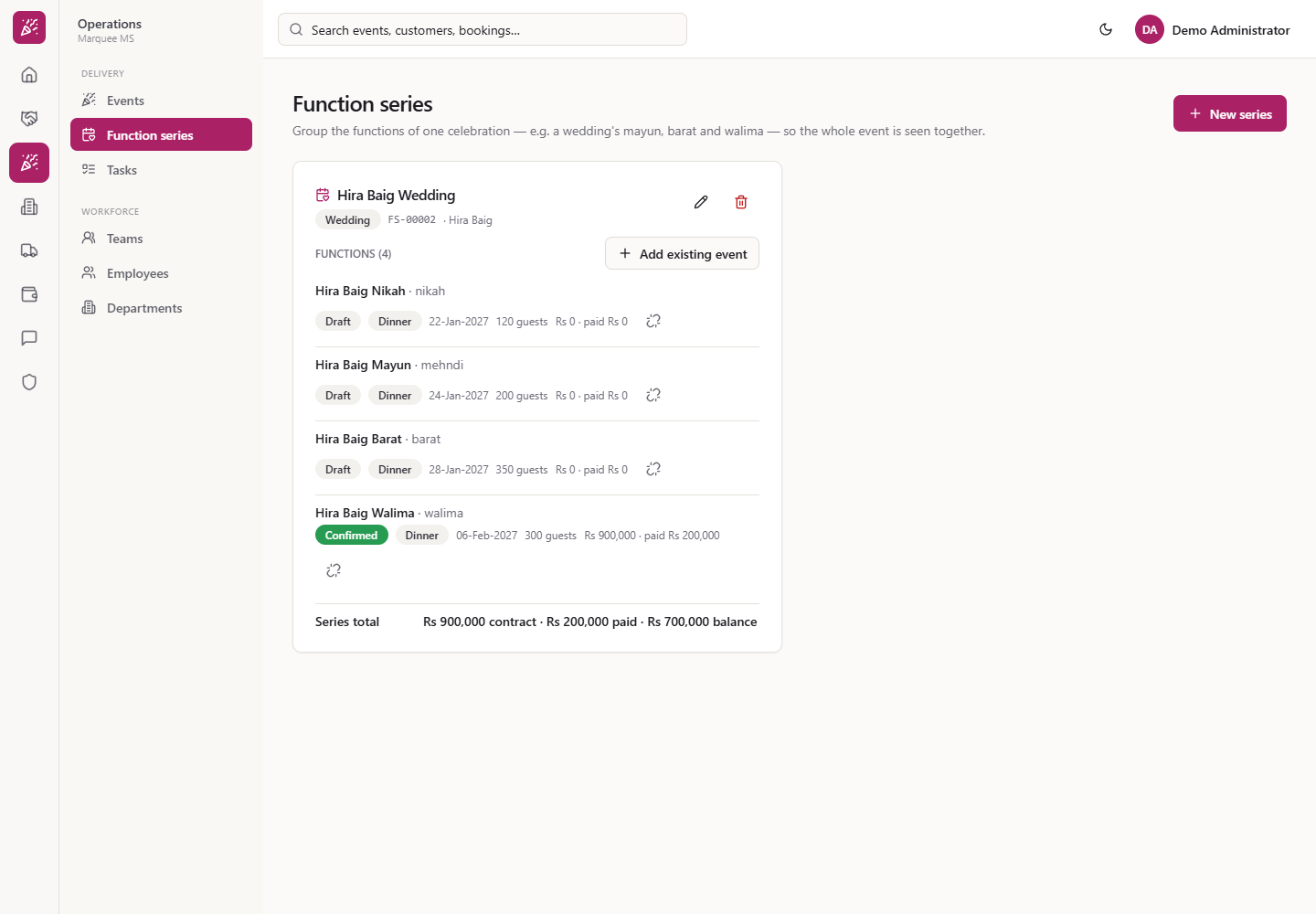
The card now shows FUNCTIONS (4) by date: Nikah, Mayun, Barat and Walima, each with status, shift, date, guests and money. The Series total reads Rs 900,000 contract · Rs 200,000 paid · Rs 700,000 balance. Each title links to its event.
Series card with four functions and the series total
8
See the series from an event
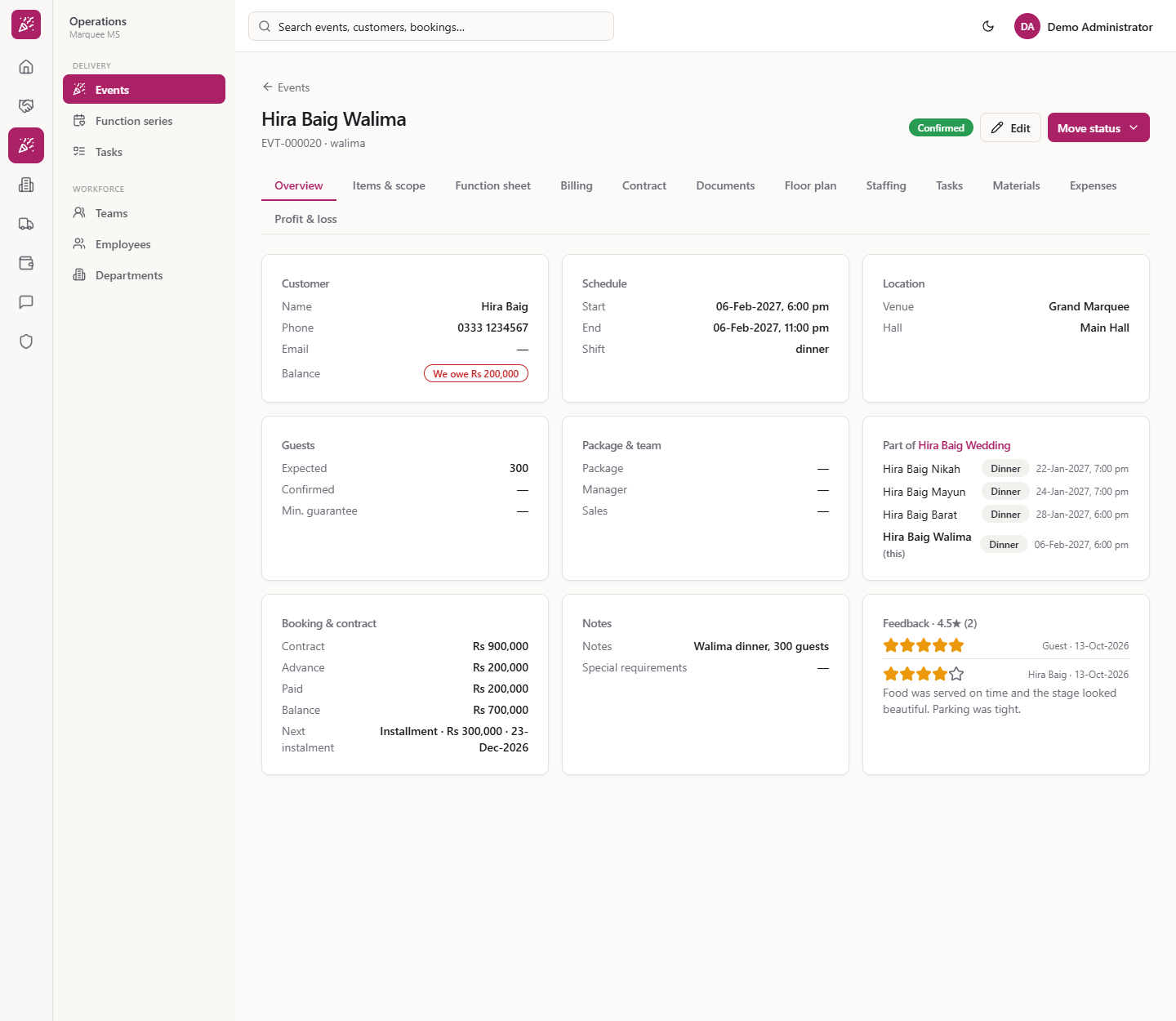
Open any of those events. On Overview the card Part of Hira Baig Wedding lists every function with its shift and start. The current one reads "(this)"; the others are links. The card title opens Function series.
Part of Hira Baig Wedding card on the event overview
9
Edit the series
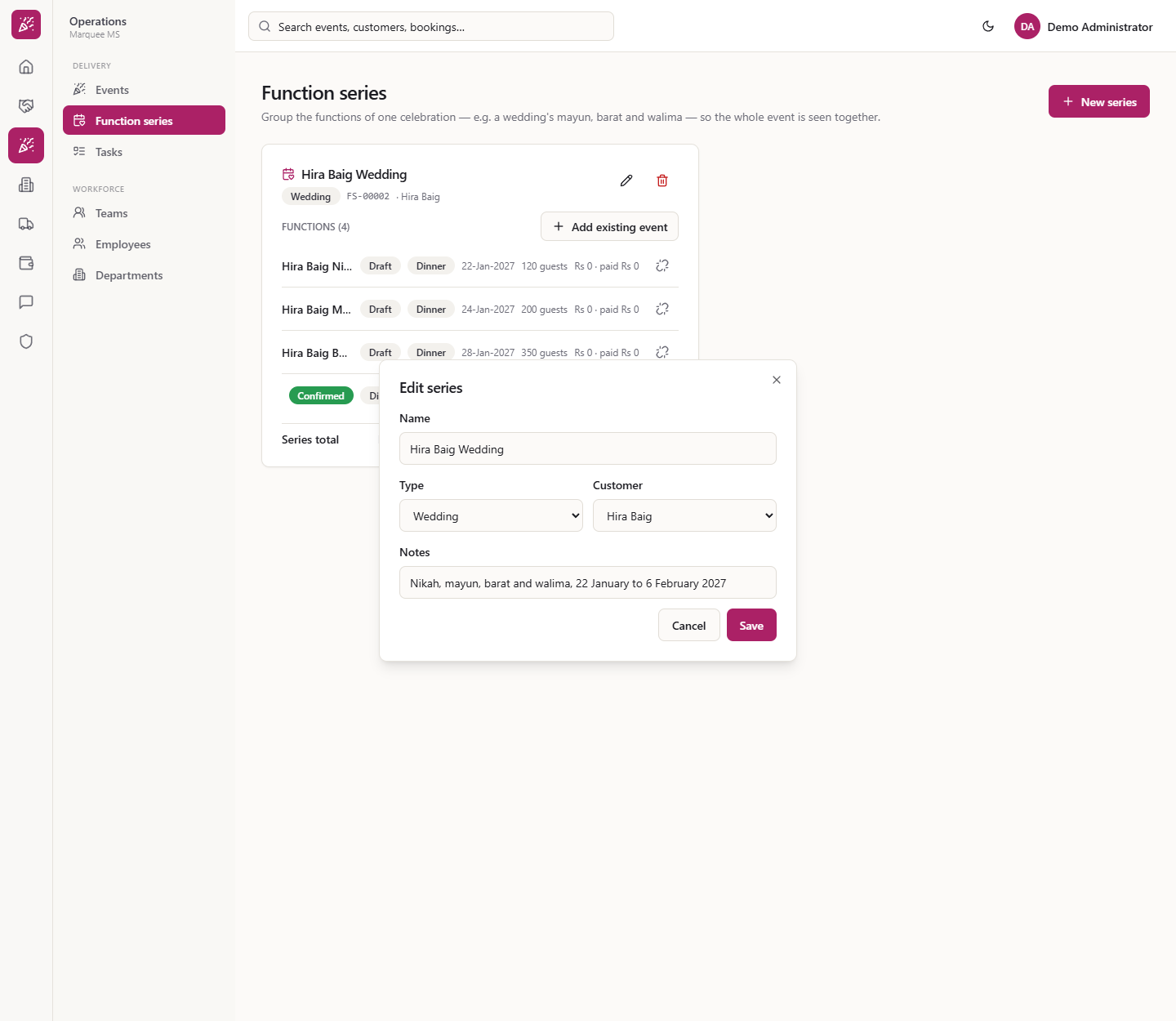
Press the pencil on the card. Edit series opens with the current values. Change the name, type, customer or notes and press Save.
Edit series dialog
10
Delete a series
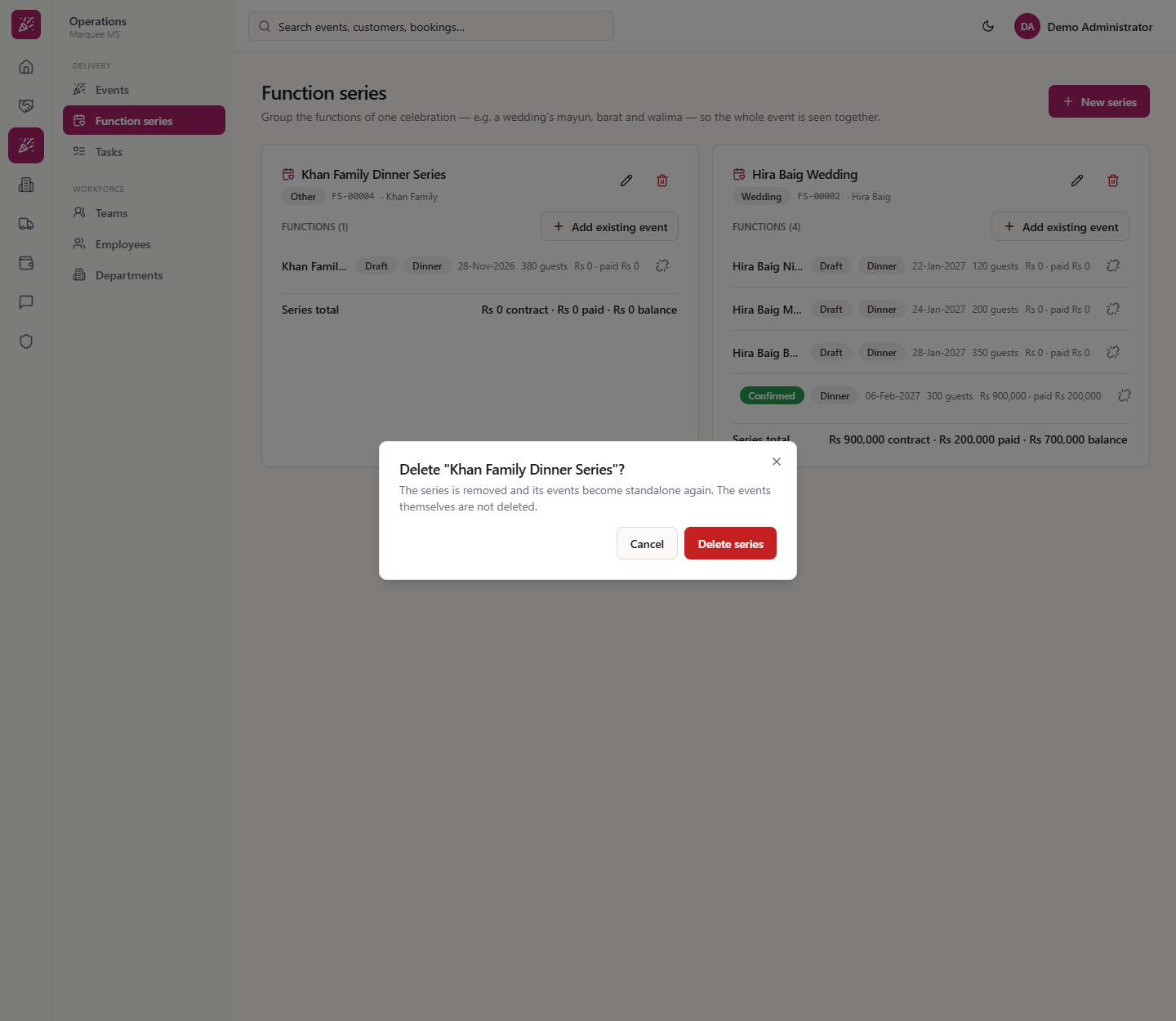
Press the bin. The dialog says the series is removed and its events become standalone again; the events themselves are not deleted. Choose Cancel or Delete series.
Delete series confirmation
11
Check what is left
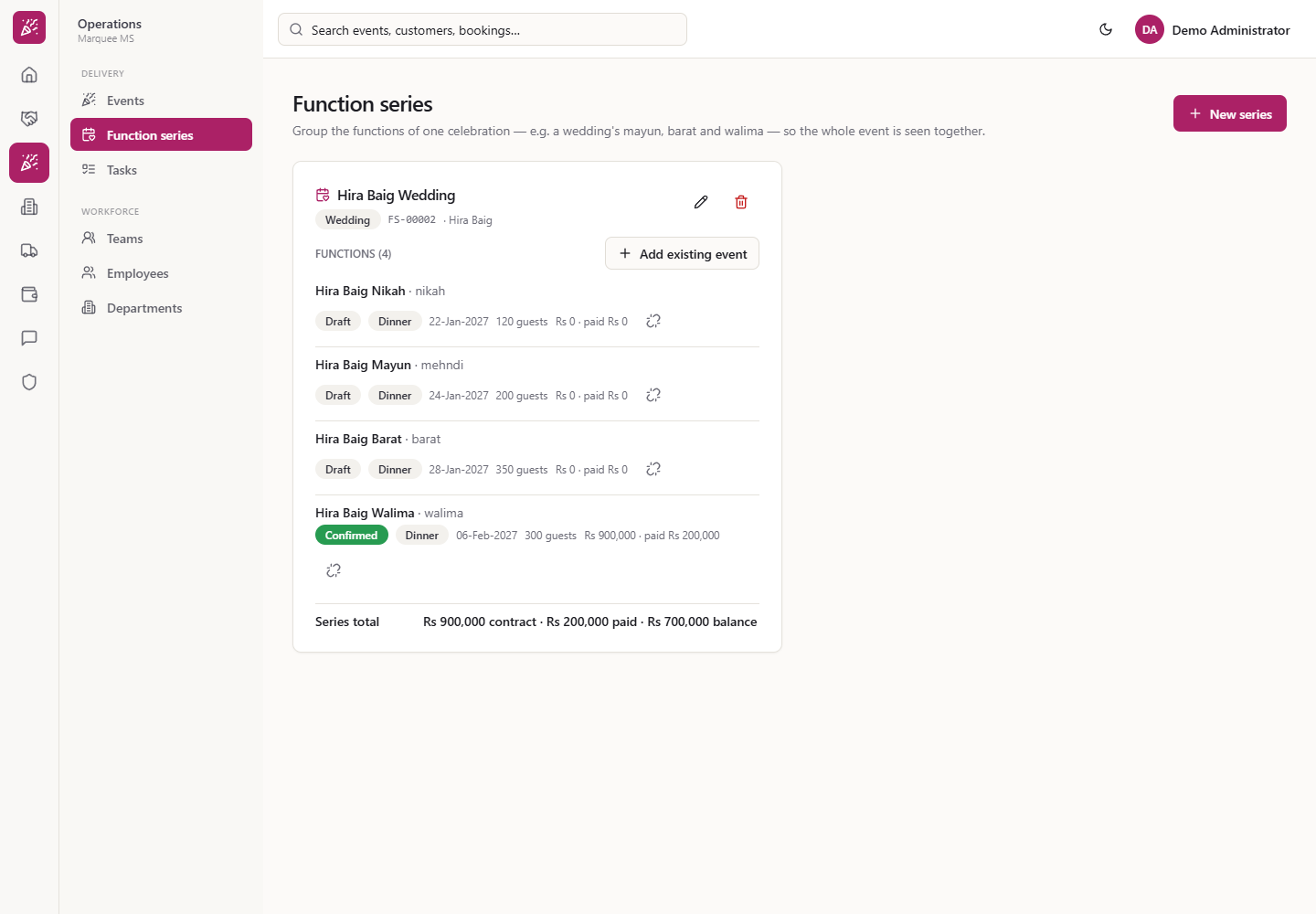
Only the remaining series stay, with their functions. An event that was in the deleted series still exists as a standalone event.
Function series after the delete
Check it worked
The series card shows the right functions, sorted by date, with the Series total.
Each event's Part of card lists the series.
After a delete the events remain in the Events list.
Common mistakes
Mistake
What you see
Fix
Saving with no name
"Name is required"
Type a name
Adding another customer's event
Only that customer's events are offered
Create the series for the right customer
Deleting the series to remove one function
All functions become standalone
Use the unlink button on that function instead
Quick reference
Item
Meaning / rule
Function series
One card per celebration, grouping its functions
Series total
Contract, paid and balance of all functions
Add existing event
Only the customer's standalone, open events
Delete series
Events stay and become standalone
Frequently asked questions
Can I put any event into a function series? Only events of the same customer as the series, that are not already in a series and are not cancelled or closed. Add existing event lists only those, and the Function series box in New event lists only the chosen customer's series.
What does the series total show? The contract, the paid amount and the balance of all the functions added together, read from each function's booking. In the Hira Baig Wedding that is Rs 900,000 contract, Rs 200,000 paid and Rs 700,000 balance.
What happens to the events when I delete a series? Nothing is deleted: the series is removed and its events become standalone again, still in the Events list.
How do I take one function out of a series? Press the unlink button on its row and confirm Remove from series. The event stays as it is, becomes standalone, and the series totals update at once.