Open the Materials tab of the event
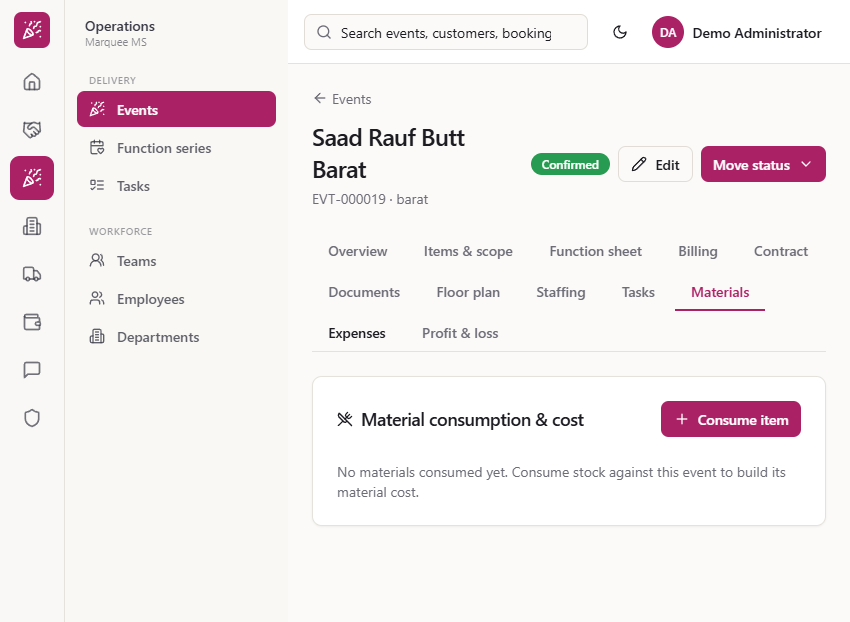
Go to Operations > Events, open the event and click the Materials tab. Until stock is issued you see "No materials consumed yet". The Consume item button is at the top right of the card.
When an event uses linen, chairs or tables from your store, the cost belongs to that event. This guide shows how to record what the event used, how to return what it did not use, what happens to the store's stock and the books, and where the cost shows up in the event's profit.
Go to Operations > Events, open the event and click the Materials tab. Until stock is issued you see "No materials consumed yet". The Consume item button is at the top right of the card.
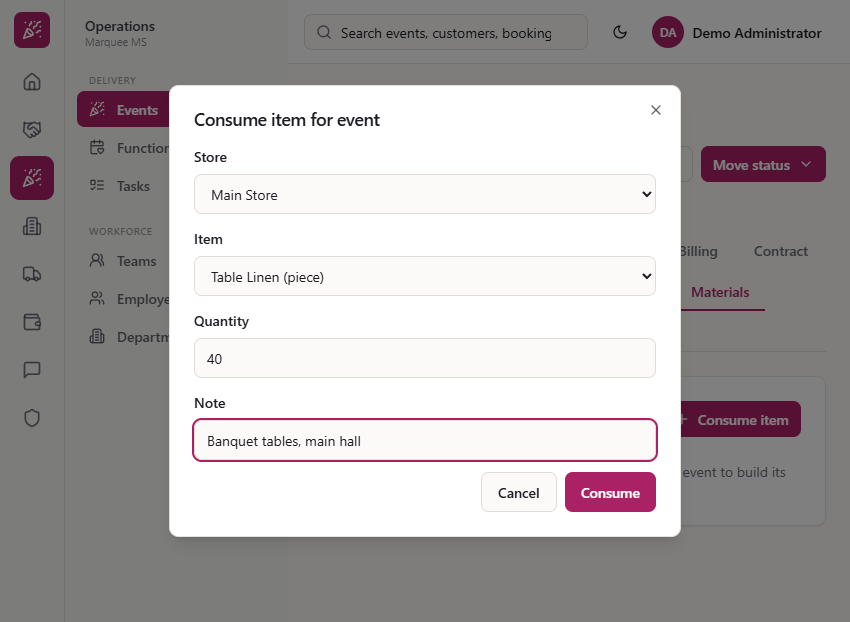
Click Consume item. Pick the Store (Main Store), the Item (Table Linen, in pieces), type the Quantity (40) and add a Note that says what it was for, such as "Banquet tables, main hall". Click Consume.
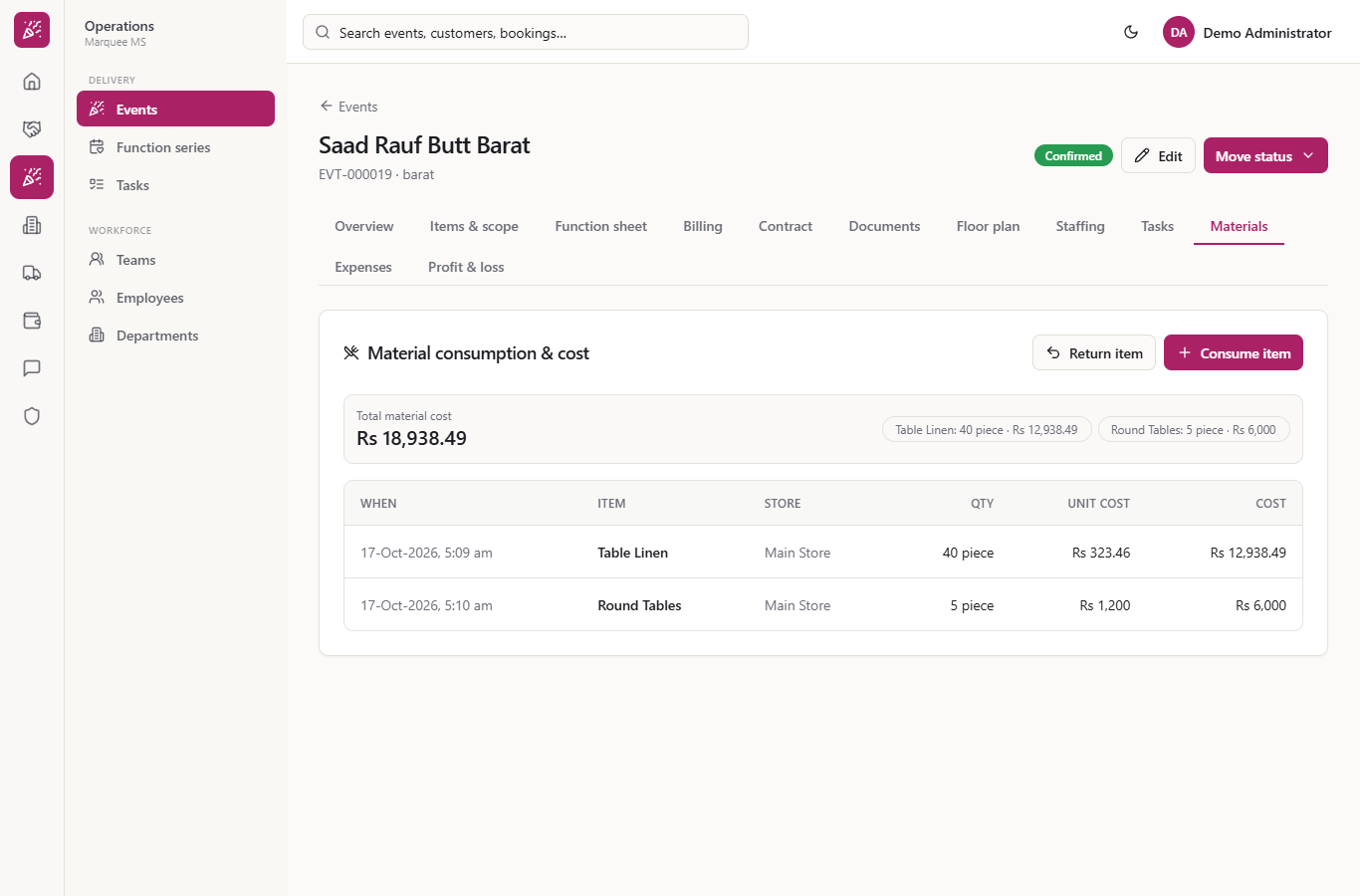
Each issue is a row: when, item, store, quantity, unit cost and cost. The unit cost is the store's average cost at that moment, so 40 linens at Rs 323.46 cost Rs 12,938.49. After a second issue of 5 round tables at Rs 1,200 (Rs 6,000), the Total material cost is Rs 18,938.49, with a chip for each item.
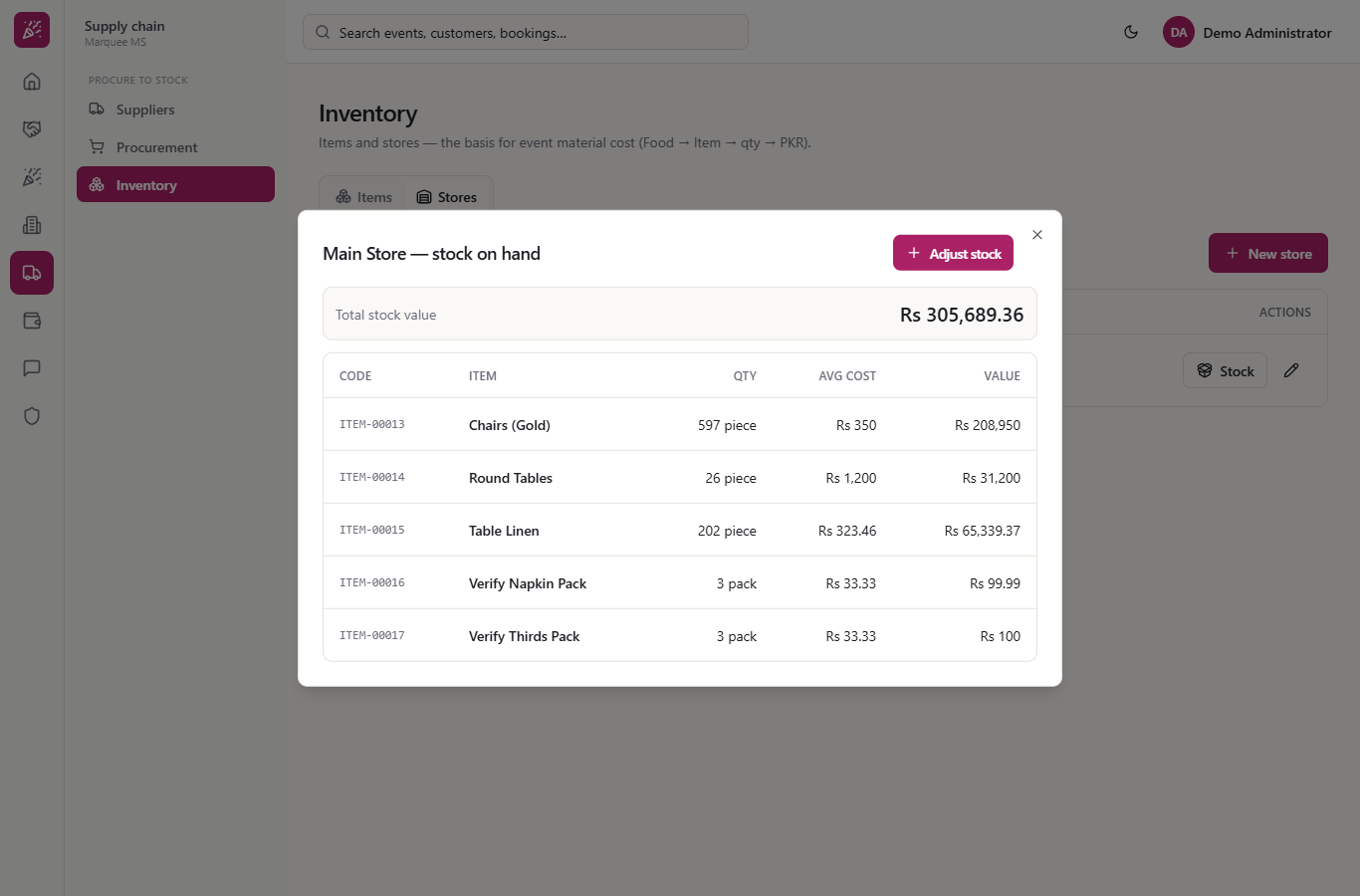
Open Supply chain > Inventory > Stores and click Stock on Main Store. Table Linen fell from 237 to 197 pieces and Round Tables from 31 to 26, and the total stock value fell by the same cost. The average cost per piece does not change on an issue.
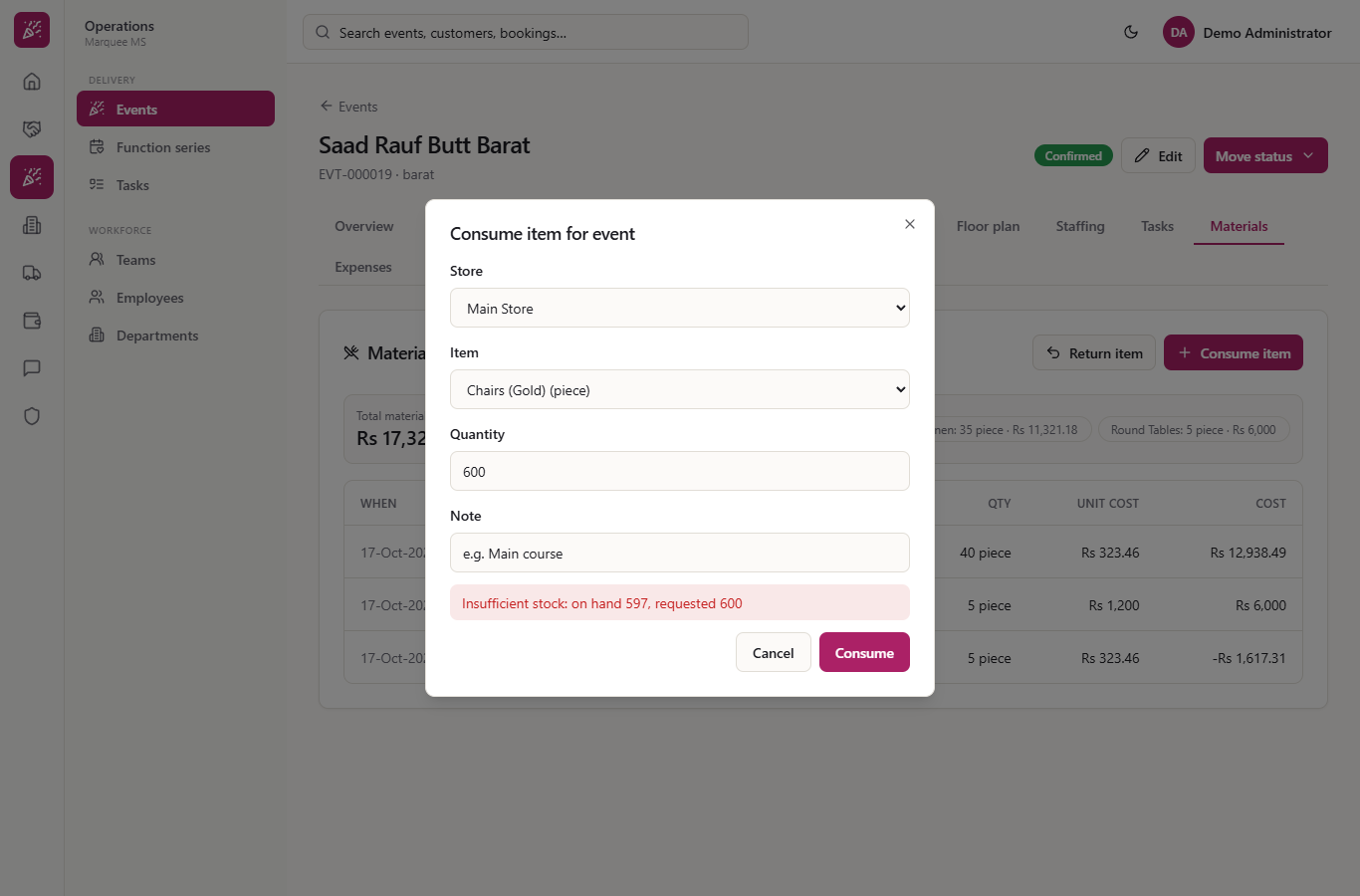
Try to issue 600 Chairs (Gold) when the store holds 597. The dialog shows "Insufficient stock: on hand 597, requested 600" and nothing is saved. Lower the quantity or receive more stock first.
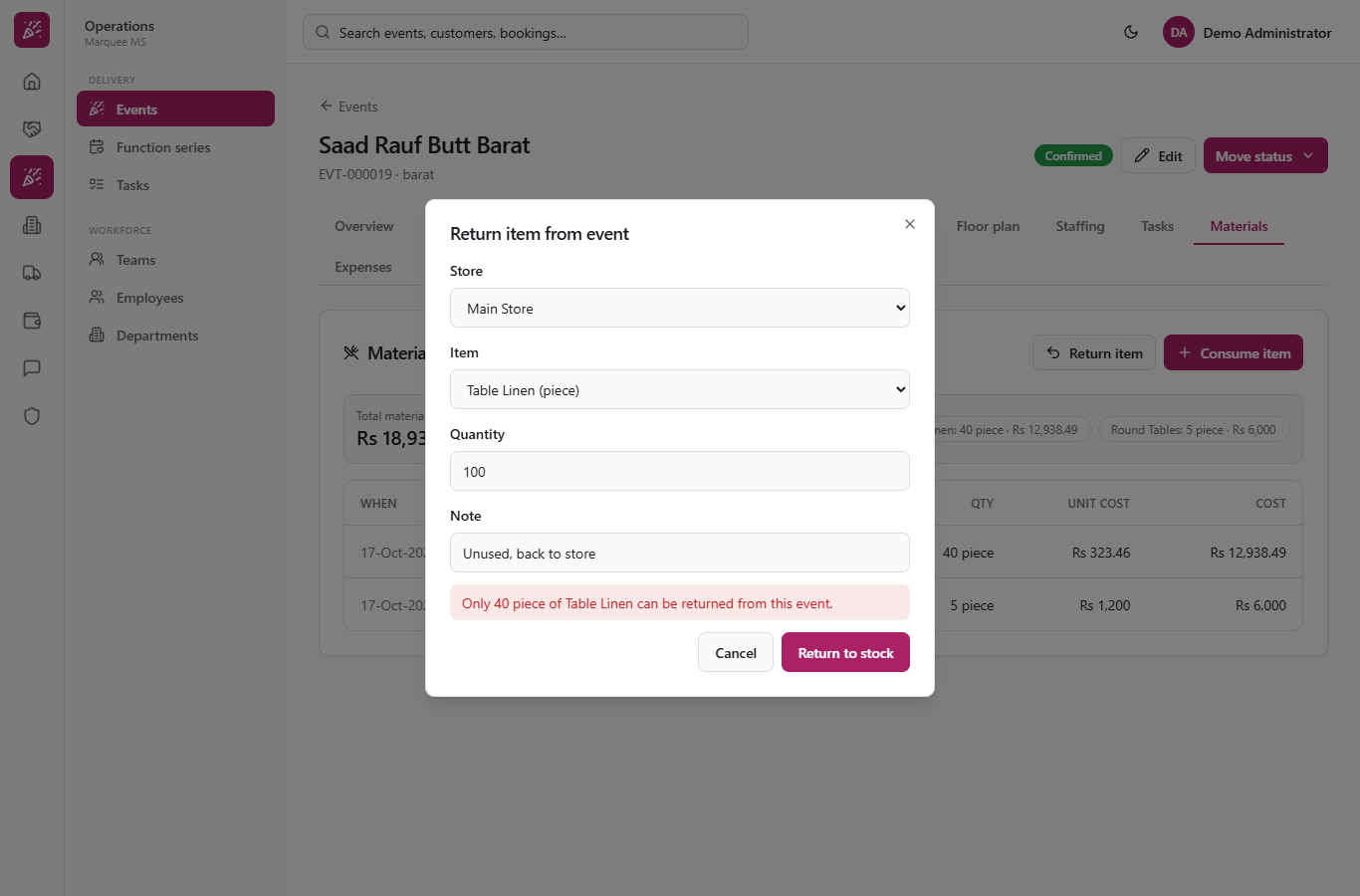
Click Return item, pick the store and item, the quantity and a note. You cannot return more than the event took out: 100 linens is refused with "Only 40 piece of Table Linen can be returned from this event."
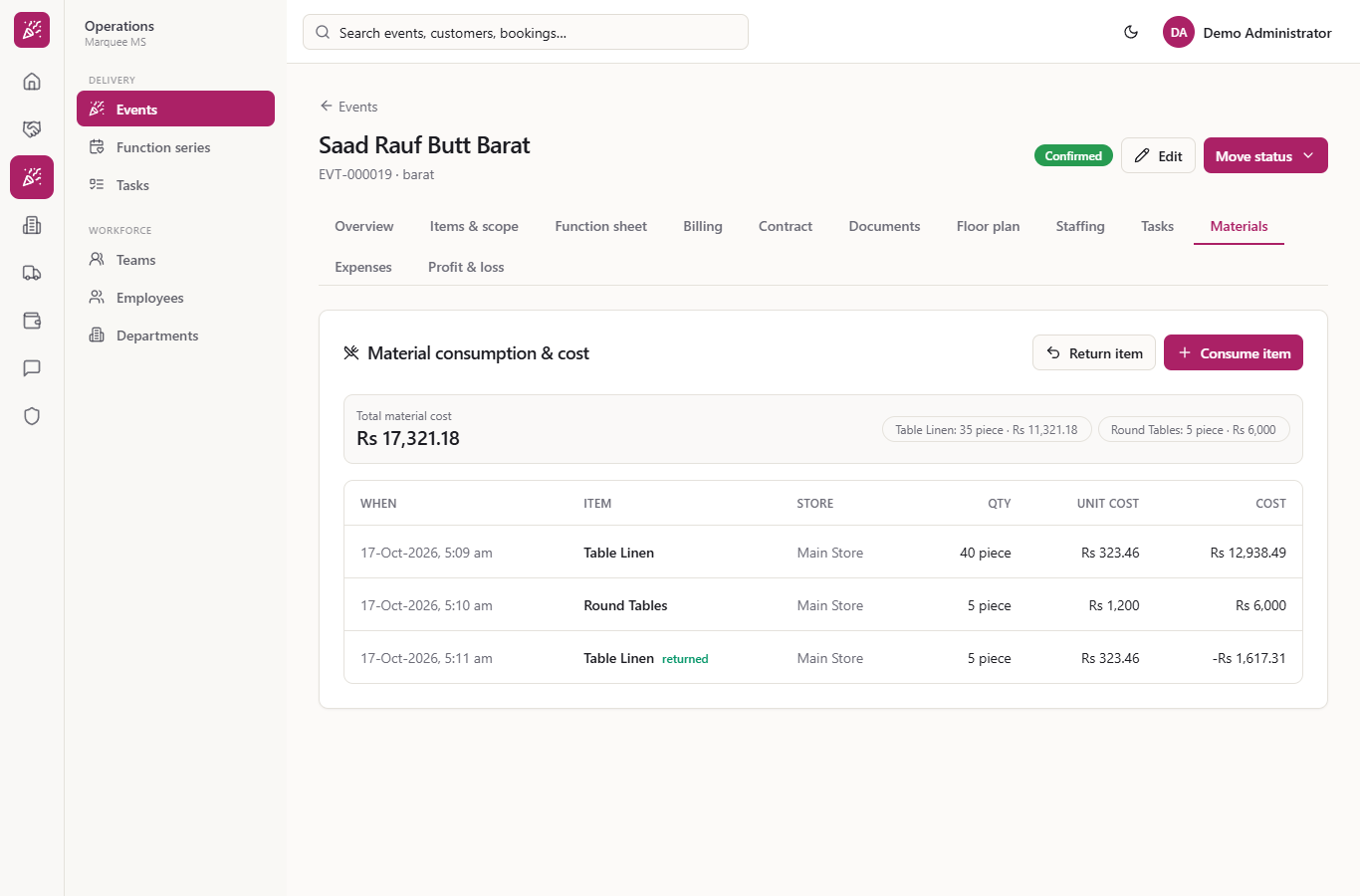
Return 5 linens with the note "Unused, back to store" and press Return to stock. A new row appears with a returned tag and a negative cost (Rs 1,617.31), the total material cost falls to Rs 17,321.18, the stock goes up by 5 and the books reverse the cost: Inventory debited, Cost of Goods Sold credited.
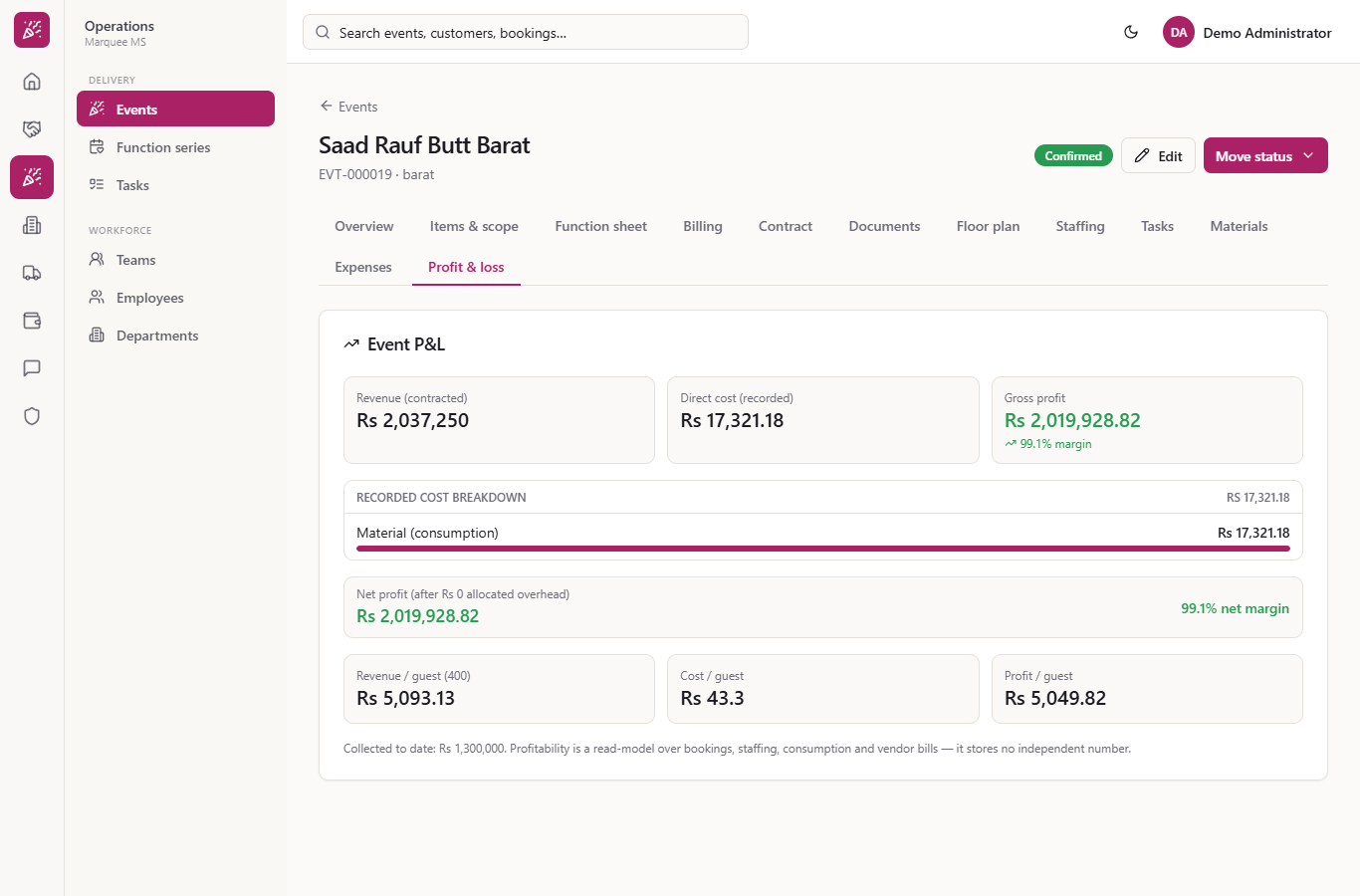
Open the Profit & loss tab. Direct cost (recorded) is the same Rs 17,321.18, shown as Material (consumption). Against the contracted Rs 2,037,250 the gross profit is Rs 2,019,928.82, and the cost per guest for 400 guests is Rs 43.3.
| Mistake | What you see | Fix |
|---|---|---|
| Issuing more than the store holds | "Insufficient stock: on hand 597, requested 600" | Lower the quantity or receive stock first |
| Issuing to a cancelled event | "This event is cancelled. Stock cannot be consumed against a cancelled event." | Use the right, active event |
| Returning more than the event took | "Only 40 piece of Table Linen can be returned from this event." | Return at most what was issued |
| Leaving the quantity at 0 | The issue is refused | Enter a quantity of at least 0.001 |
| Item | Meaning / rule |
|---|---|
| Unit cost | The store's average cost for the item when it is issued |
| Cost | Quantity times unit cost |
| Total material cost | Sum of issues less returns, also shown in the event's Profit & loss |
| Return item | Puts unused stock back at its cost, limited to what the event took |
| Journal | Issue: Cost of Goods Sold debited, Inventory credited; return: the reverse |
How is the cost of materials for an event worked out? Each issue is valued at the store's average cost for that item, multiplied by the quantity. The Materials tab adds the rows up and the Profit & loss tab shows the same total.
What if the event did not use everything it took? Use Return item. The stock goes back to the store, the material cost falls and the books are reversed. You can only return what that event took out.
Can I issue stock to a cancelled event? No. The app refuses with "This event is cancelled. Stock cannot be consumed against a cancelled event."
Marquee runs this whole workflow. See what Marquee does and what it costs, or browse all step-by-step guides.