Open the purchase orders
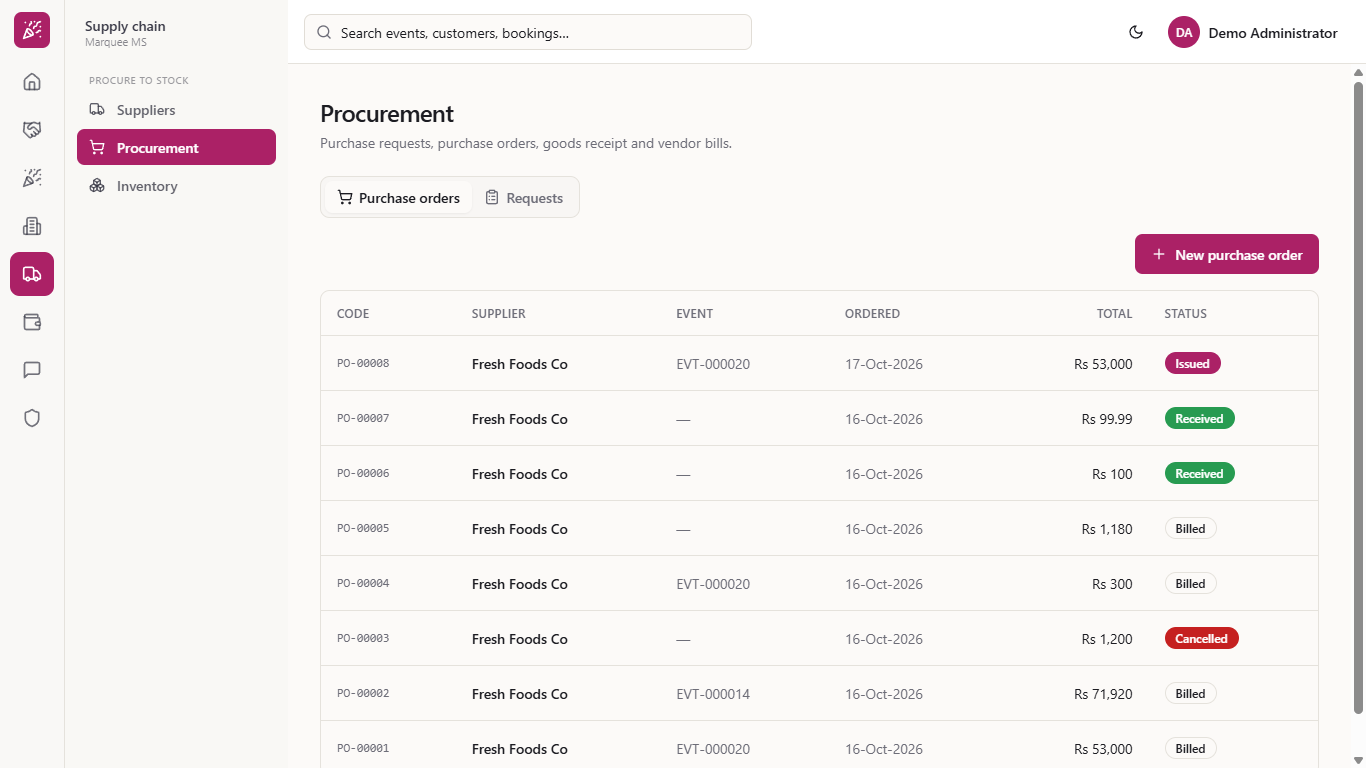
Go to Supply chain > Procurement. The Purchase orders tab lists each order with its supplier, event, date, total and Status: Issued, Partially Received, Received, Billed or Cancelled.
When a venue buys linen, chairs or kitchen stock, the order and the delivery are two separate jobs. This guide shows how to raise the purchase order for an event, receive the goods when they arrive (even in two deliveries) and check that the store now holds them.
Go to Supply chain > Procurement. The Purchase orders tab lists each order with its supplier, event, date, total and Status: Issued, Partially Received, Received, Billed or Cancelled.
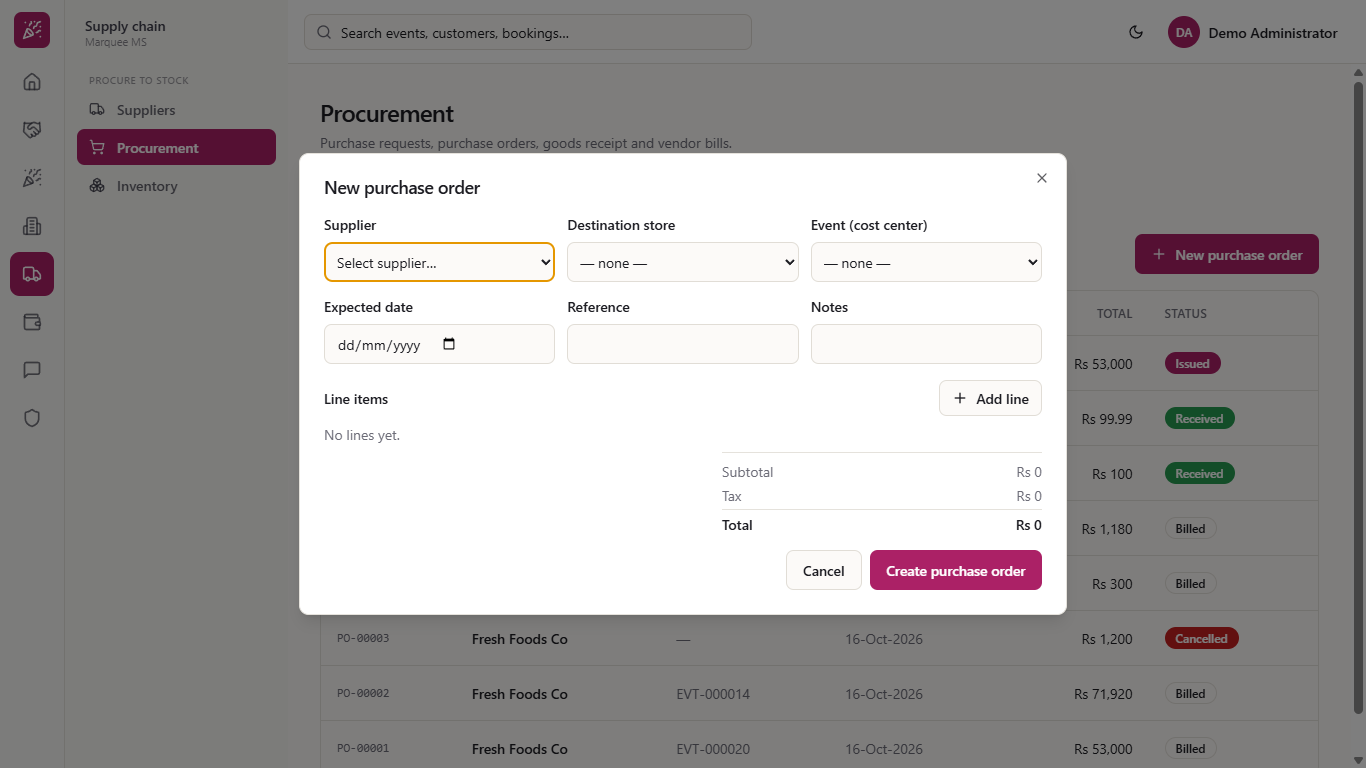
Press New purchase order. Choose the Supplier, the Destination store where the goods will arrive and the Event (cost center) the cost belongs to. Add an Expected date, a Reference (for example the supplier's quotation number) and a note.
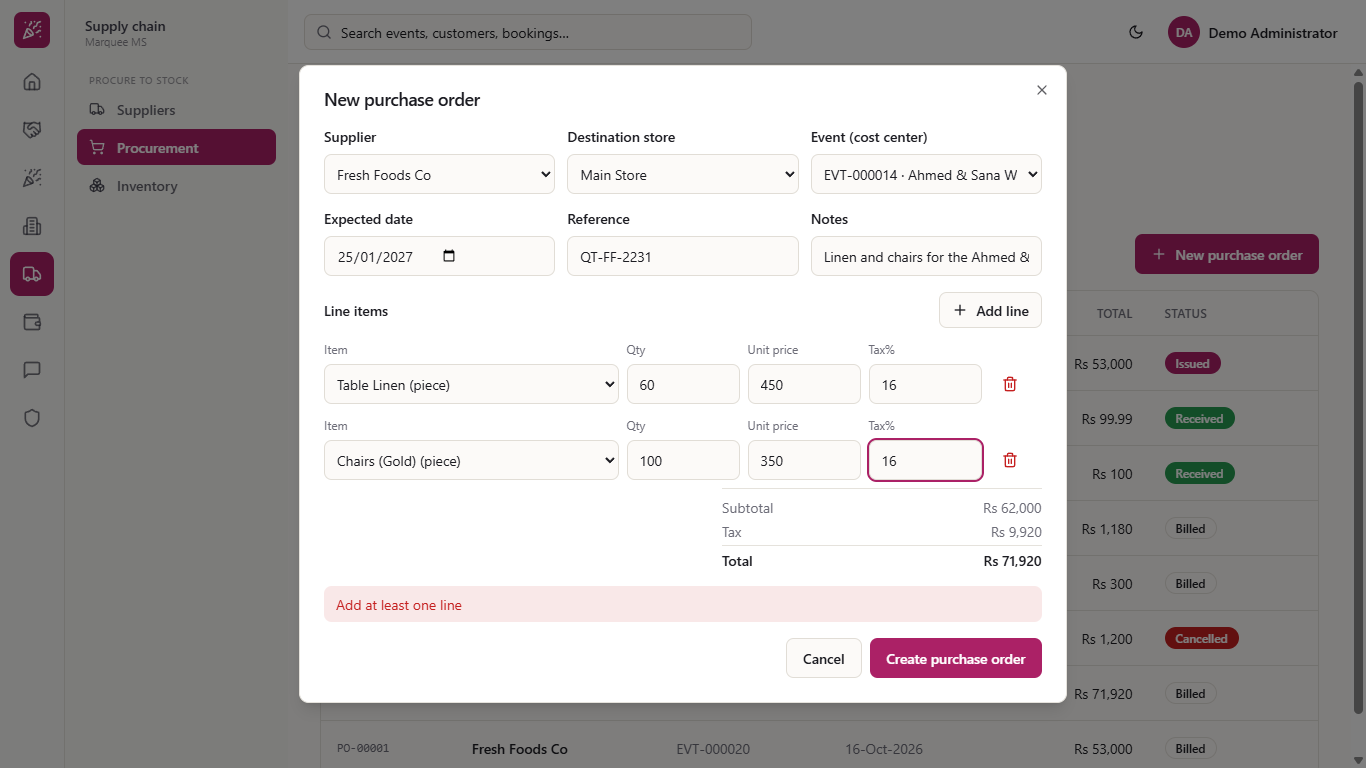
Press Add line for each item. Choose the item, the Qty, the Unit price and the Tax%. The price fills in from the item, and you change it to what the supplier quoted. The totals update as you type: 60 table linen at Rs 450 and 100 gold chairs at Rs 350, with 16% tax, give Rs 71,920.
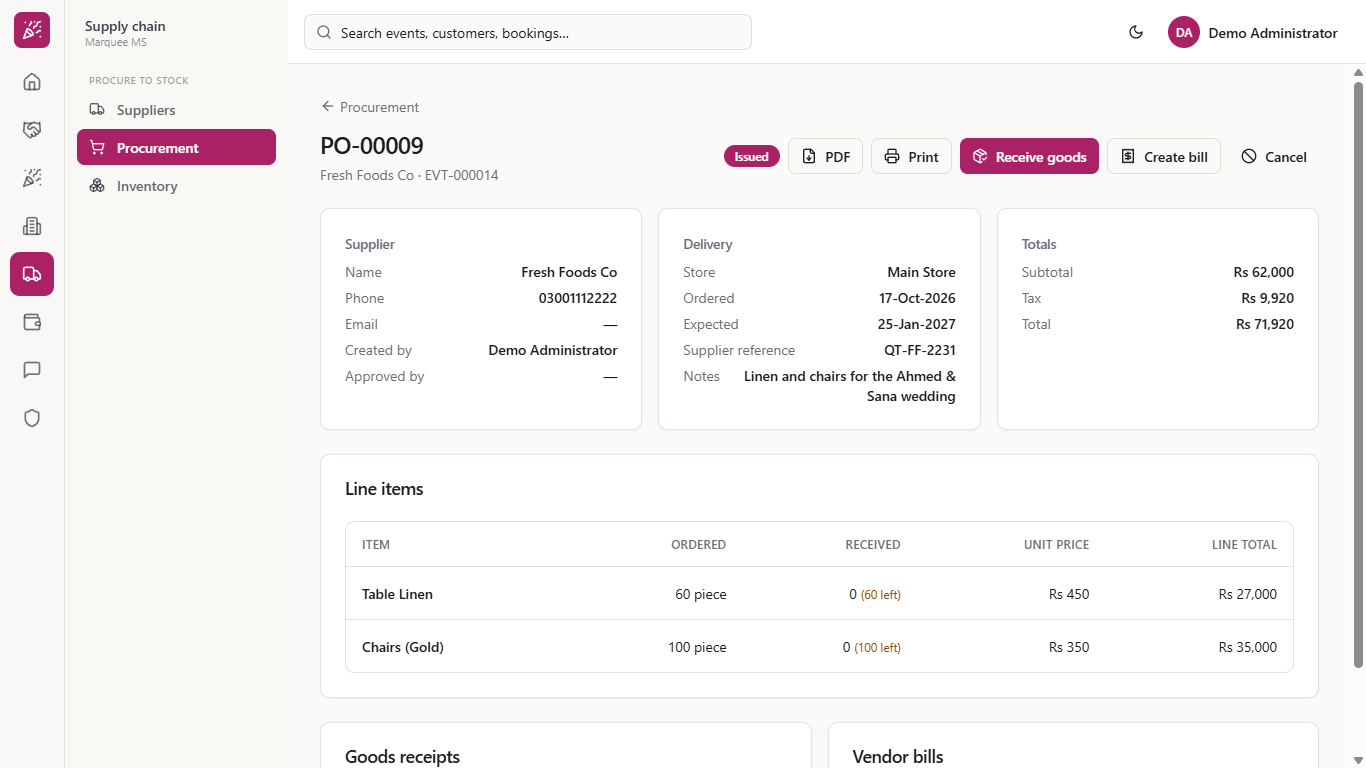
Press Create purchase order. The order is issued at once and appears at the top of the list. Click it to see the supplier, the delivery details with your reference and notes, the totals and, for every line, how many pieces are still to come (for example 60 left). The reference and the note you typed show in the Delivery card. PDF and Print give you the order as a document for the supplier.
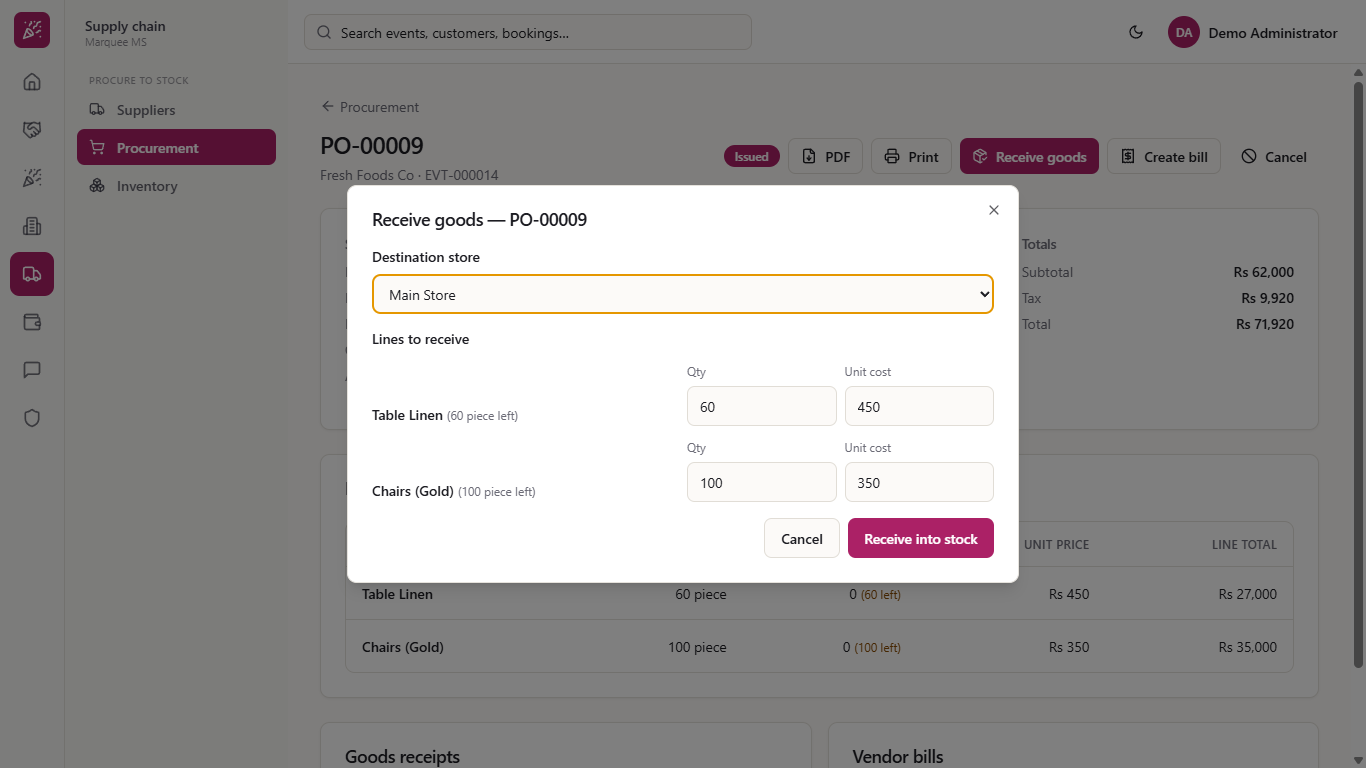
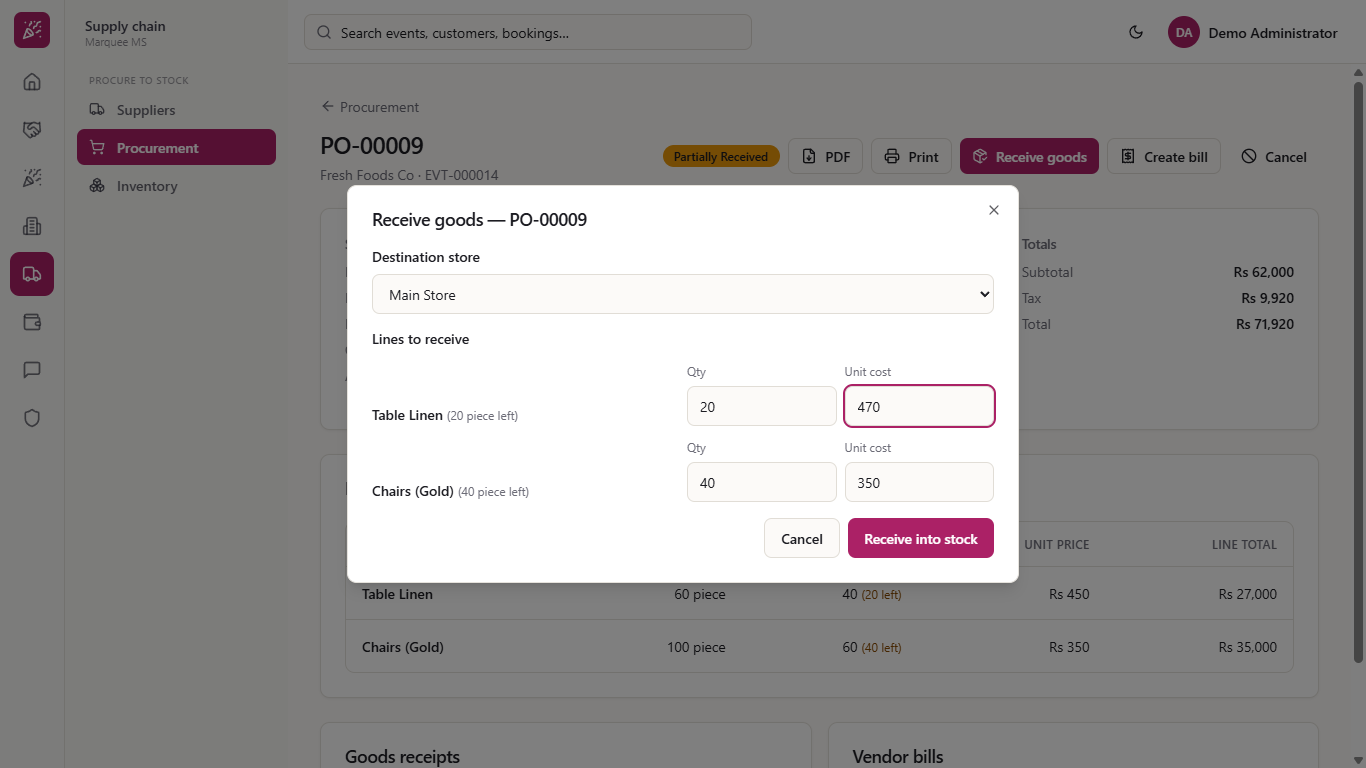
When the truck arrives, press Receive goods. The store is already chosen and every line starts with what is still outstanding. Change the Qty to what really arrived, here 40 linens and 60 chairs, and keep or change the Unit cost.
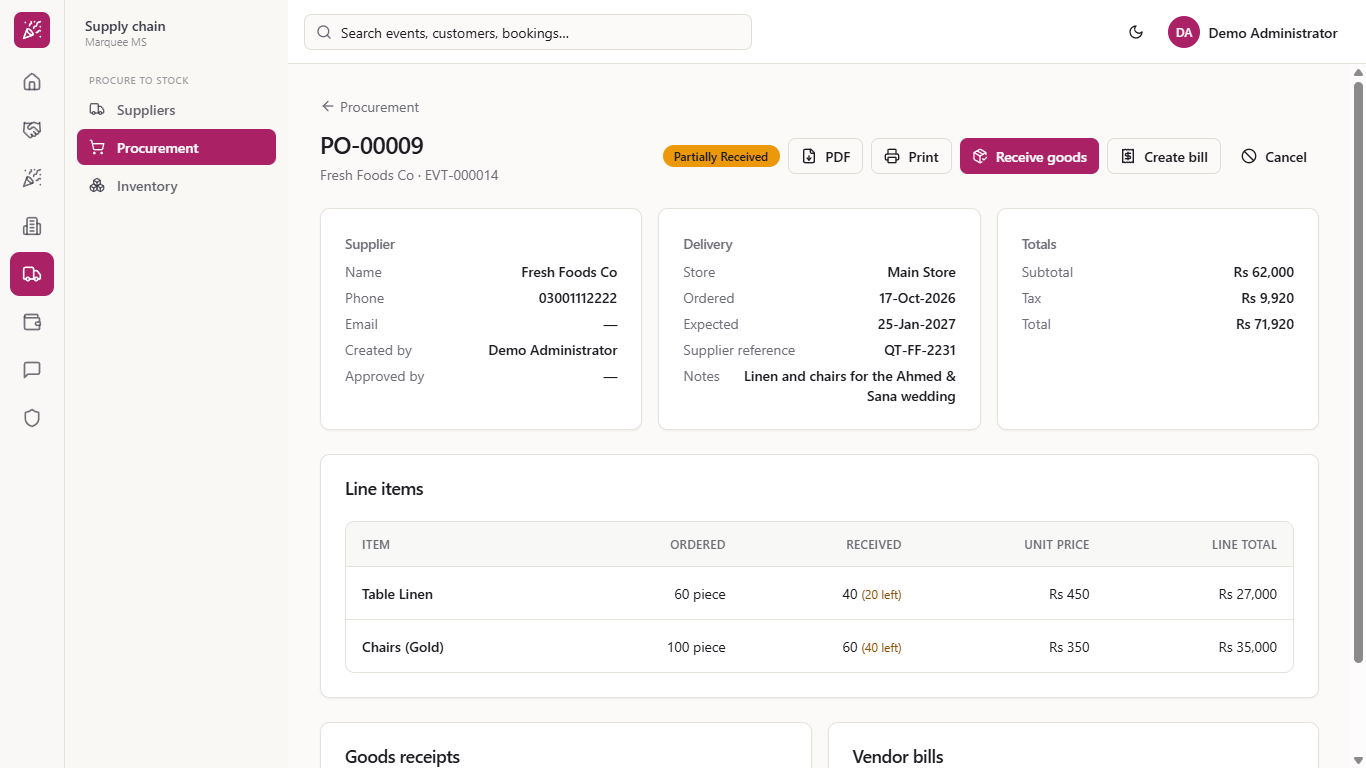
Press Receive into stock. The order becomes Partially Received, the Received column shows how many are still to come, and the goods receipt GRN-00007 (Rs 39,000, before tax) is listed. The receipt is also posted to the books.
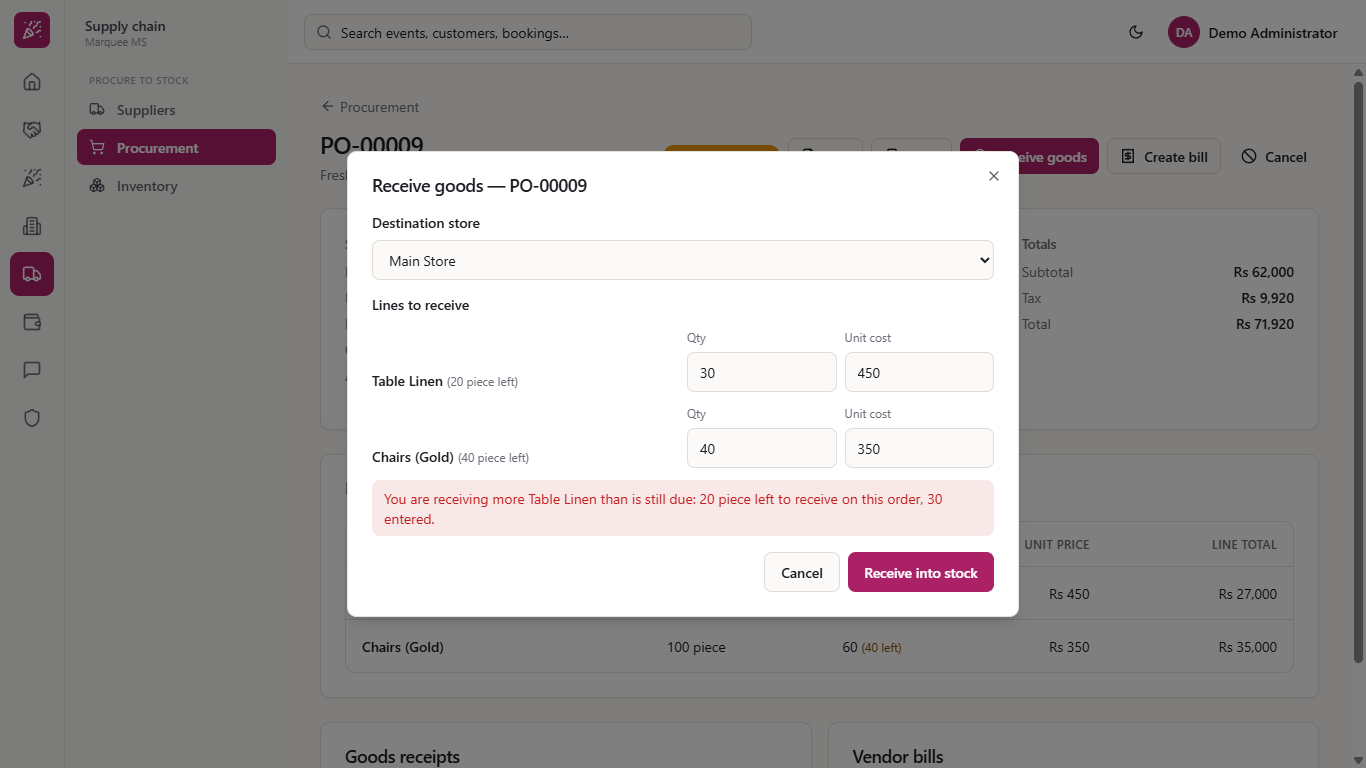
If you enter more than is outstanding, the app says "You are receiving more Table Linen than is still due: 20 piece left to receive on this order, 30 entered." and saves nothing. Close and reopen the dialog, then enter at most what is left.
Open Receive goods again. If the supplier charged a different price this time, change the Unit cost of that line, here Rs 470 for the linen. Press Receive into stock.
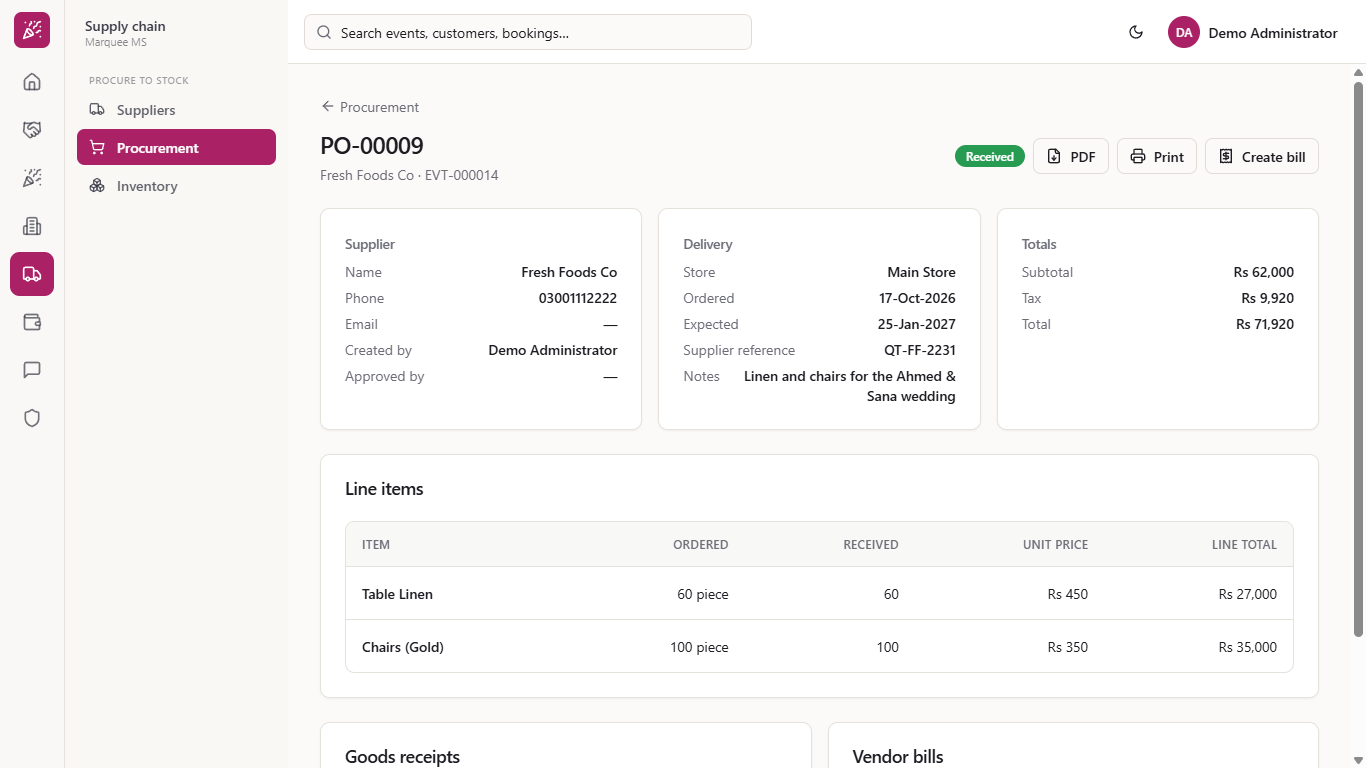
The order shows Received, both goods receipts are listed and Create bill remains for the supplier's invoice. The Receive goods and Cancel buttons are gone.
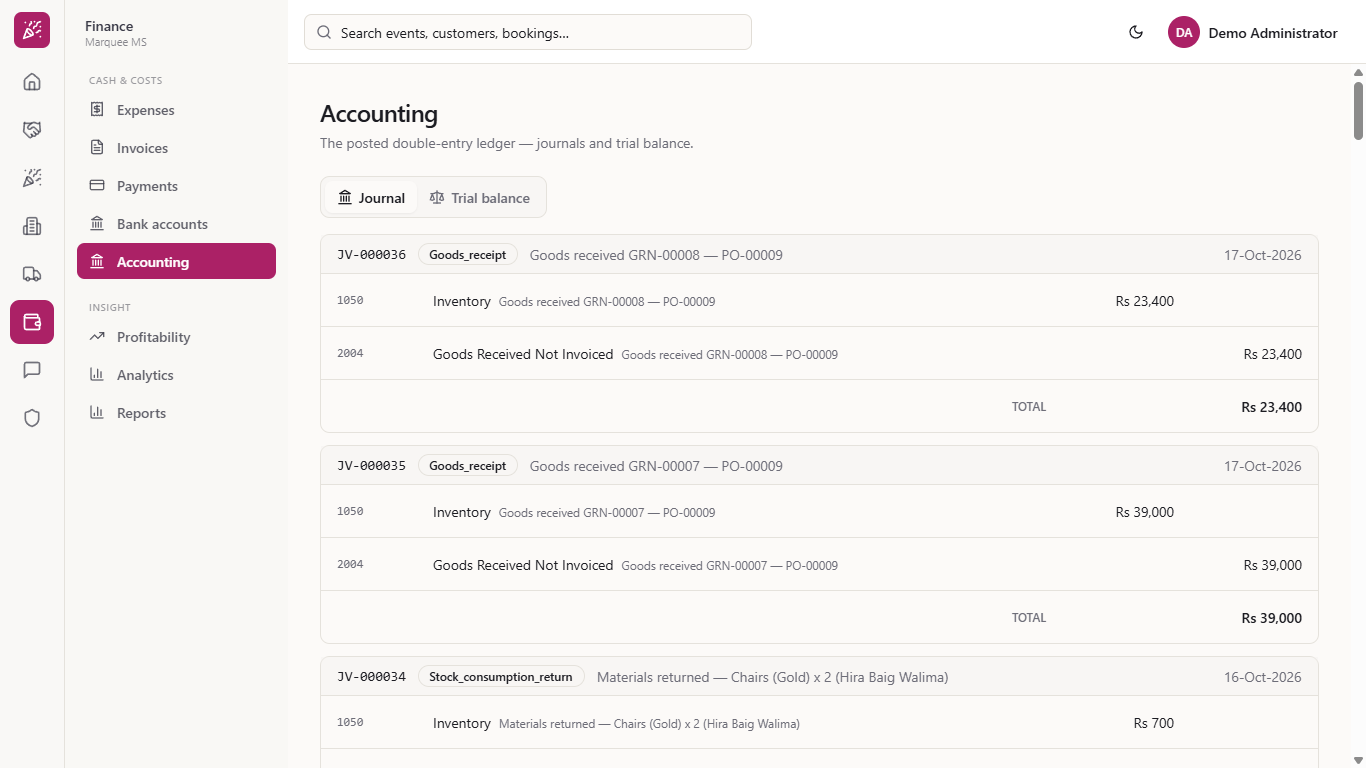
Open the accounting Journal: each receipt is its own entry of type Goods_receipt ("Goods received GRN-00008 - PO-00009"), with Inventory (1050) debited and Goods Received Not Invoiced (2004) credited for the same amount (Rs 39,000 and Rs 23,400).
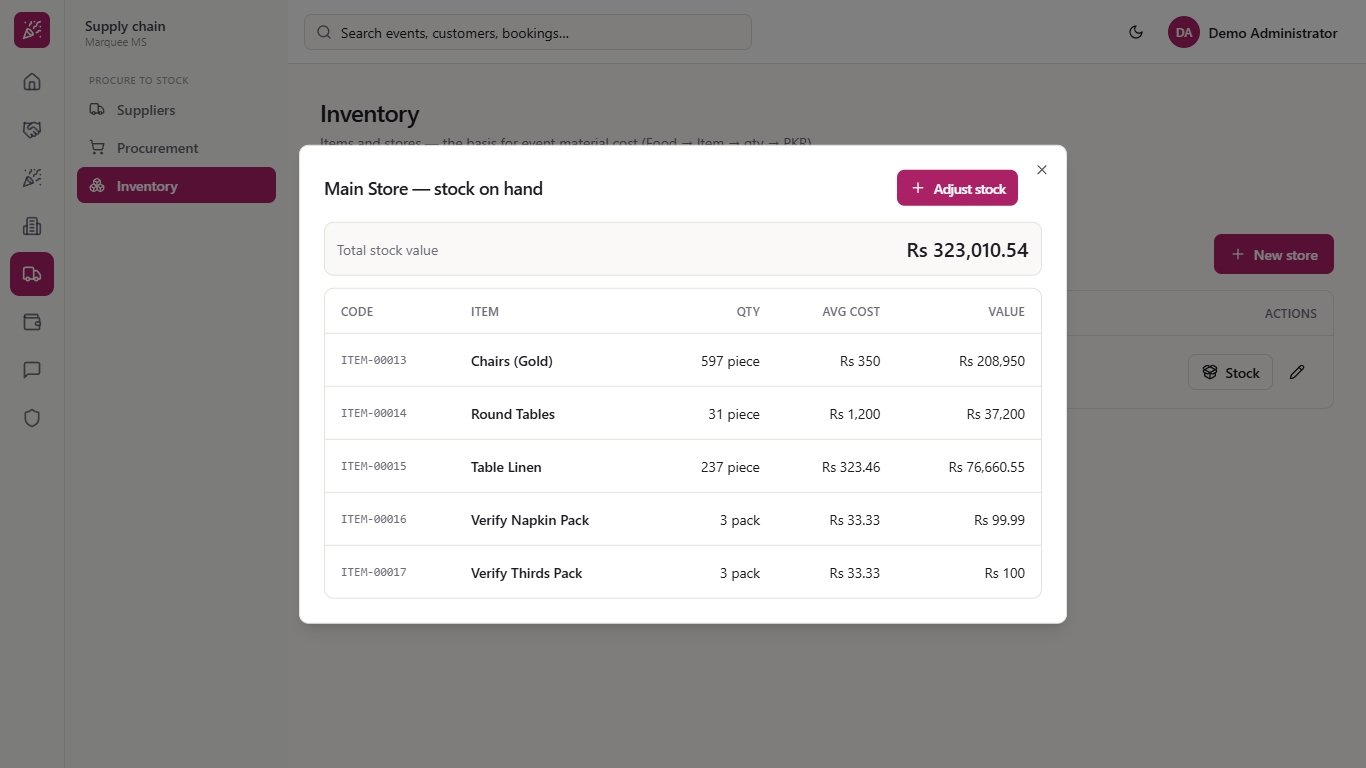
Go to Supply chain > Inventory, open the Stores tab and press Stock on the store. Quantities have grown, and the Avg cost of the linen is now a blend of the old stock and the new deliveries.
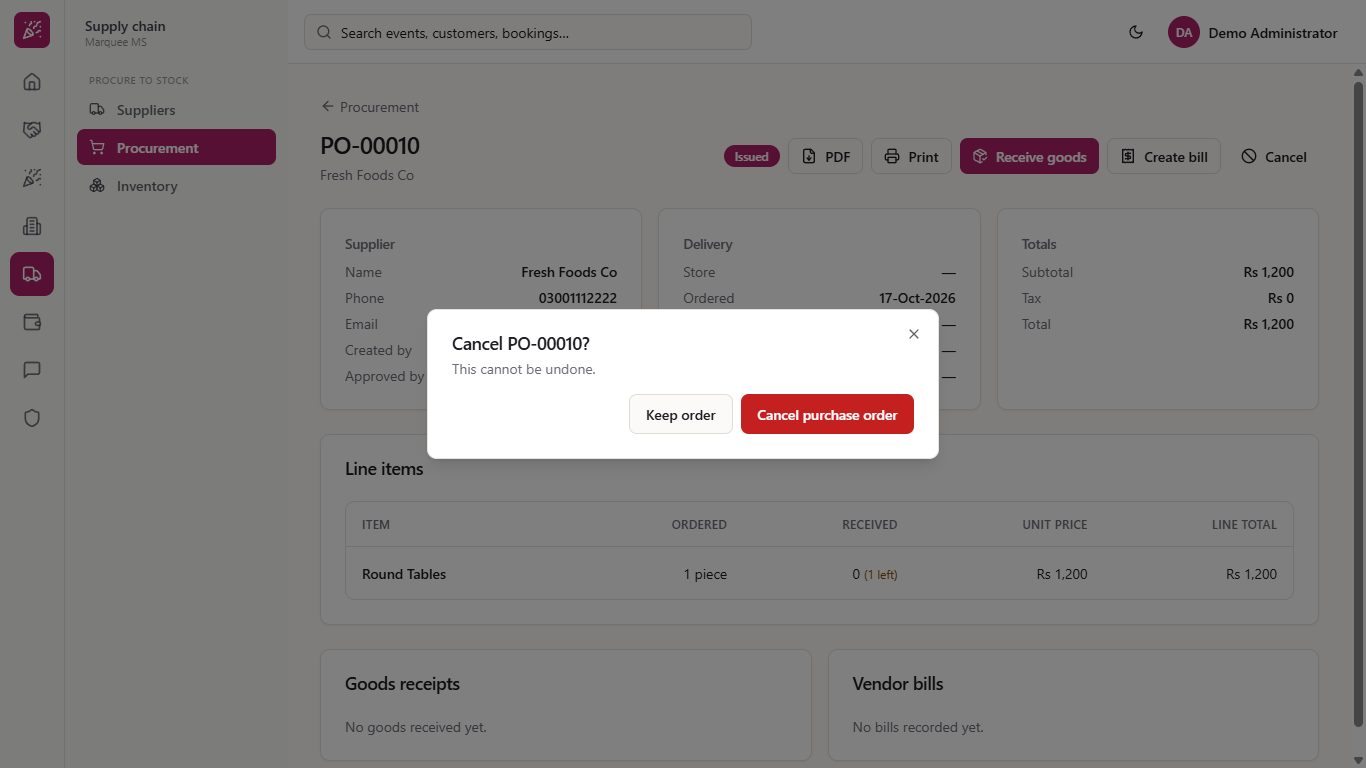
On an order that has not been fully received, press Cancel and confirm with Cancel purchase order. This cannot be undone. The order stays in the list as Cancelled, with only PDF and Print left.
| Mistake | What you see | Fix |
|---|---|---|
| Receiving more than is outstanding | A red message and nothing is saved | Enter at most the quantity still to come |
| Pressing Create with no supplier | "Supplier is required" | Choose the supplier first |
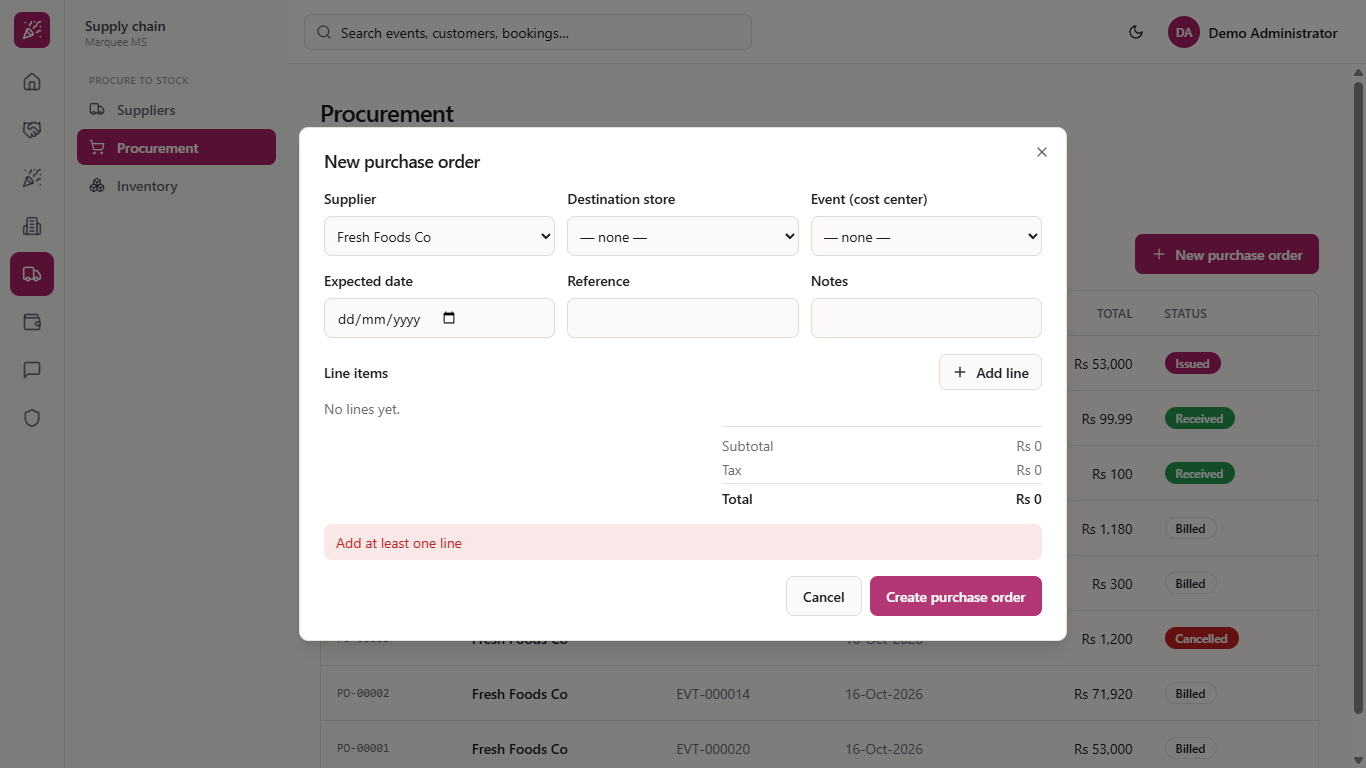
| Creating an order with no lines | "Add at least one line" | Add a line for each item |
| Item | Meaning / rule |
|---|---|
| Issued | The order is live and nothing has arrived |
| Partially Received | Some goods arrived, some are still to come |
| Received | Everything arrived; ready to bill |
| Cancelled | Closed for good; it cannot be undone |
| Goods receipt (GRN) | The record of one delivery with its value before tax |
Can I receive an order in more than one delivery? Yes. Receive what arrived, and the order stays Partially Received until every line is complete.
What if the supplier charges a different price on delivery? Change the Unit cost on the Receive goods dialog. The item's average cost in the store then blends the old and new prices.
Where do the goods receipts show in the books? Each receipt posts its own journal: Inventory is debited and Goods Received Not Invoiced is credited, until the supplier's bill clears it.
Can I cancel an order after some goods arrived? A fully received order has no Cancel button. Cancelling asks for confirmation and cannot be undone.
Marquee runs this whole workflow. See what Marquee does and what it costs, or browse all step-by-step guides.