How to record a supplier's bill and see what you owe
When the goods arrive, the supplier sends an invoice. This guide shows how to record that bill against the purchase order, choose the right cost type and check the amount you now owe in the books and on the supplier's balance.
Who it is forProcurement officer and accounts clerkTime8 minutesProductMMSLevelBeginner
Before you start
Steps
1
Open the received order
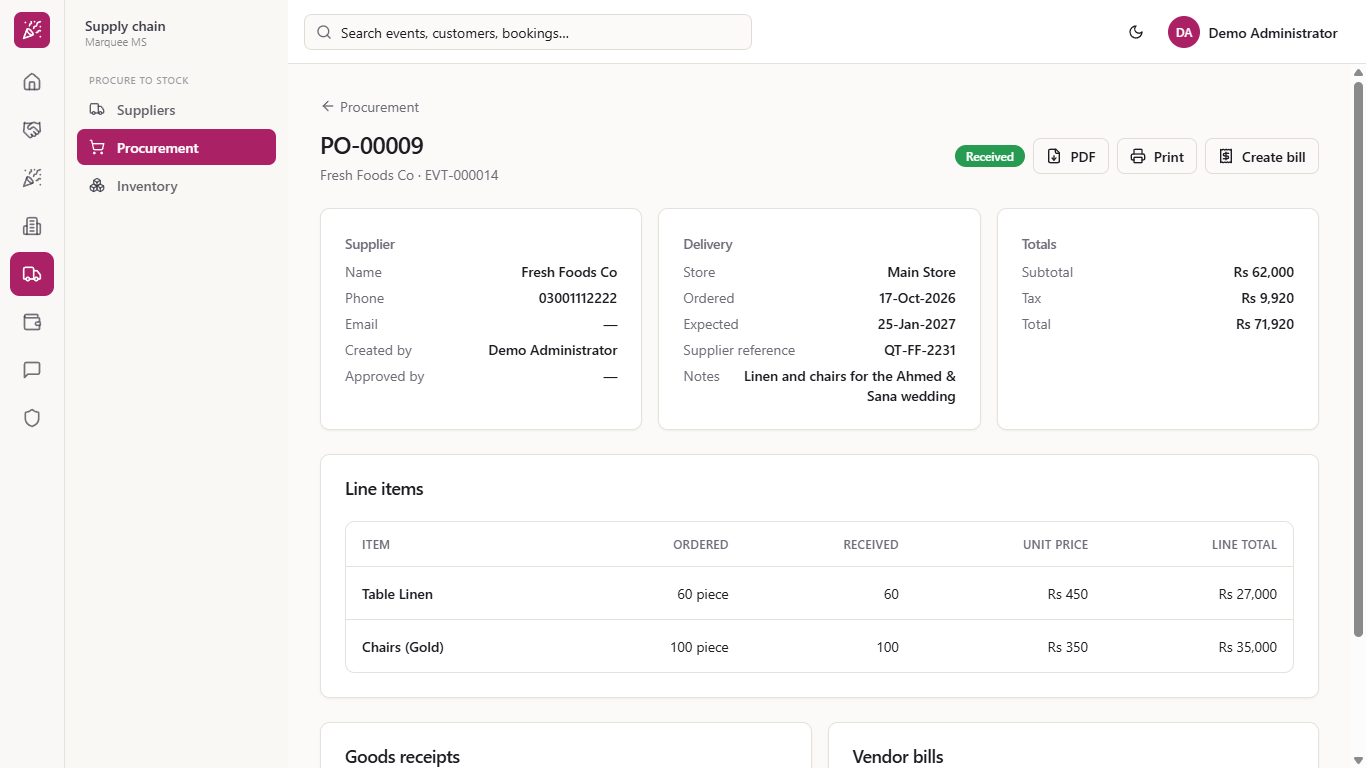
Go to Supply chain > Procurement, open the Purchase orders tab and click the order. Check the totals (here Rs 62,000, tax Rs 9,920, total Rs 71,920 on PO-00009) against the supplier's invoice. Vendor bills says "No bills recorded yet."
Order PO-00009 with the Create bill button
2
Open the bill dialog
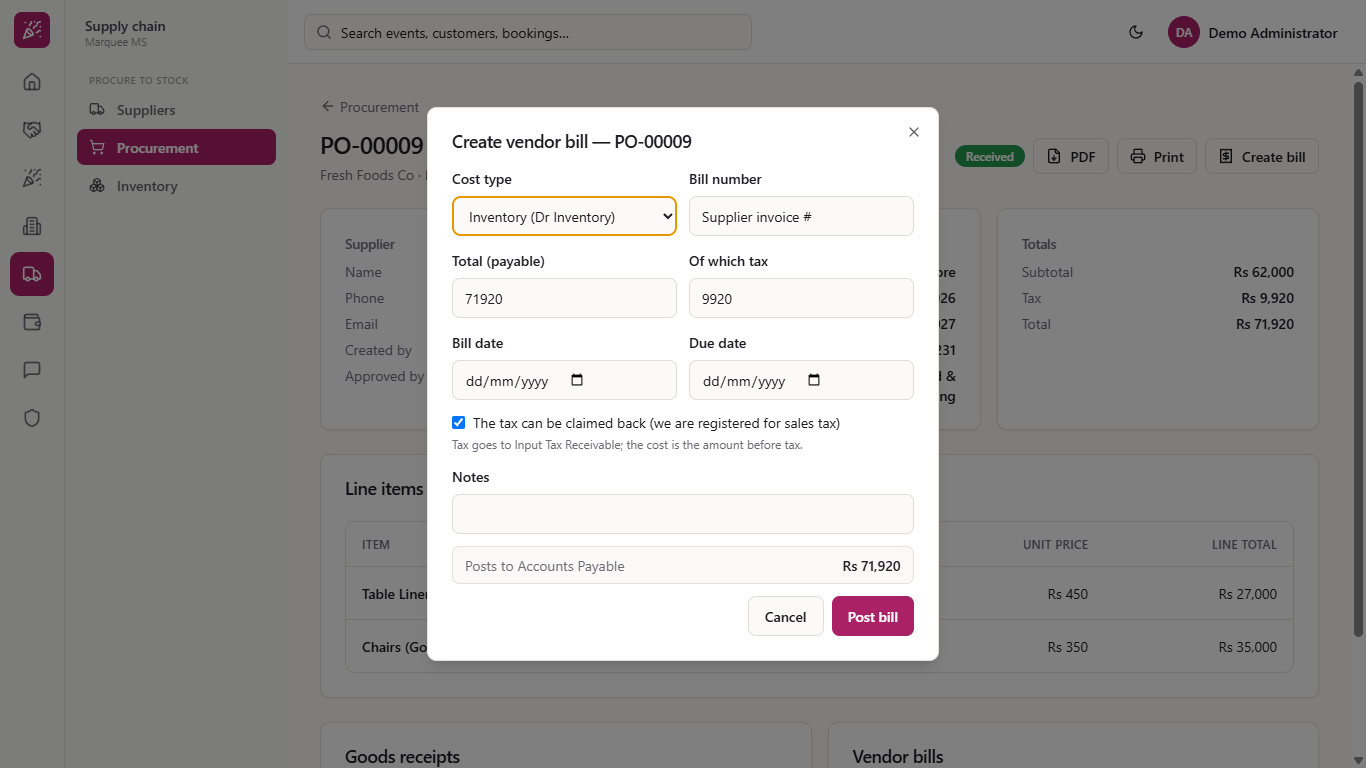
Press Create bill. Choose the Cost type: Inventory for goods that go into stock, or Vendor service for a cost that is not stock. Total (payable) and Of which tax start from the order; the line Posts to Accounts Payable shows what you will owe. When the tax is above 0, a box The tax can be claimed back is ticked: the tax then goes to Input Tax Receivable and the cost is the amount before tax.
Create vendor bill dialog
3
Enter the supplier's invoice details
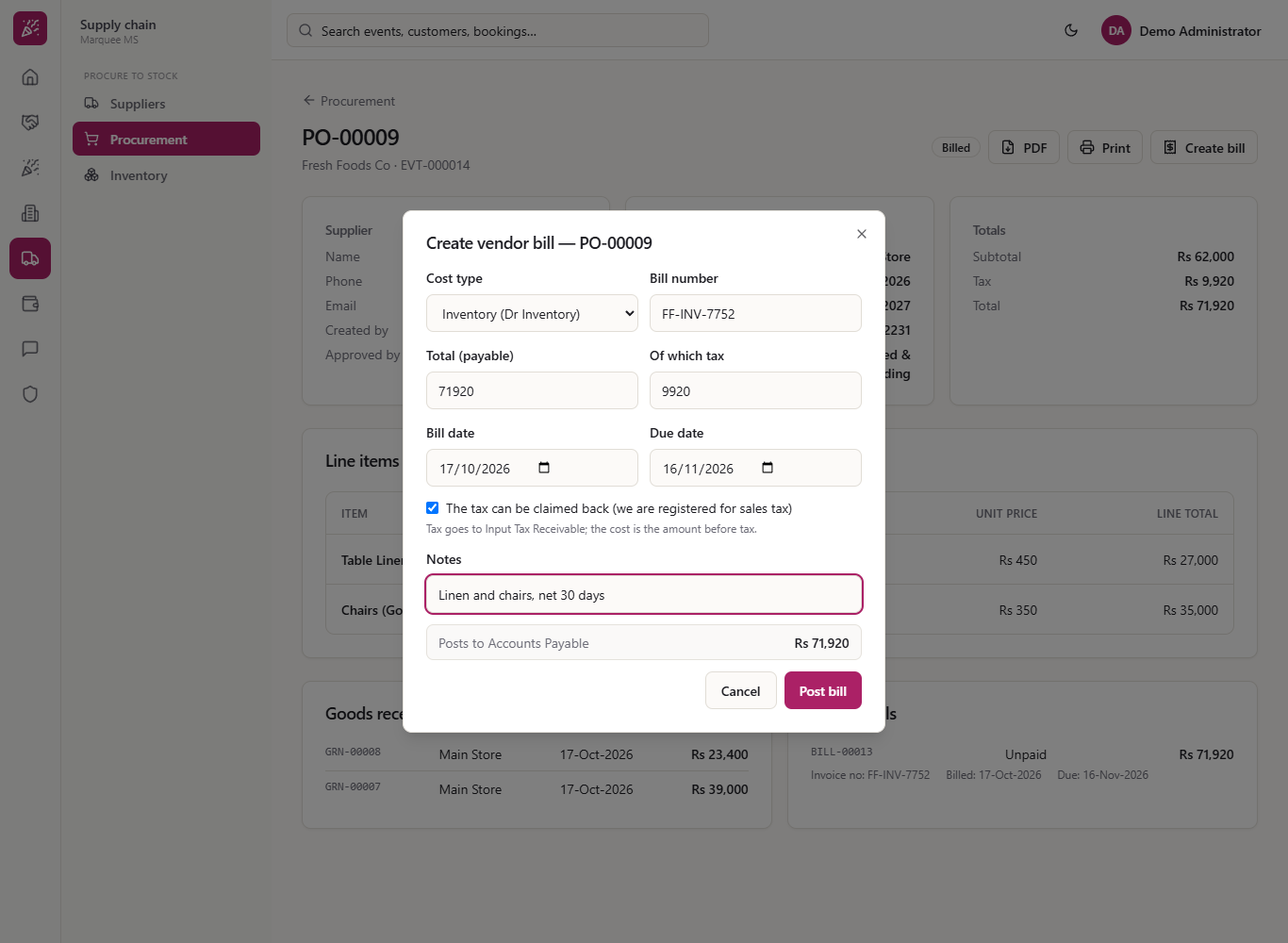
Type the supplier's Bill number (here FF-INV-7752), correct the Total (payable) and Of which tax to match the invoice, and set the Bill date and the Due date. The supplier is on Net 30, so the due date is 16 November. Add a Notes line if you need one.
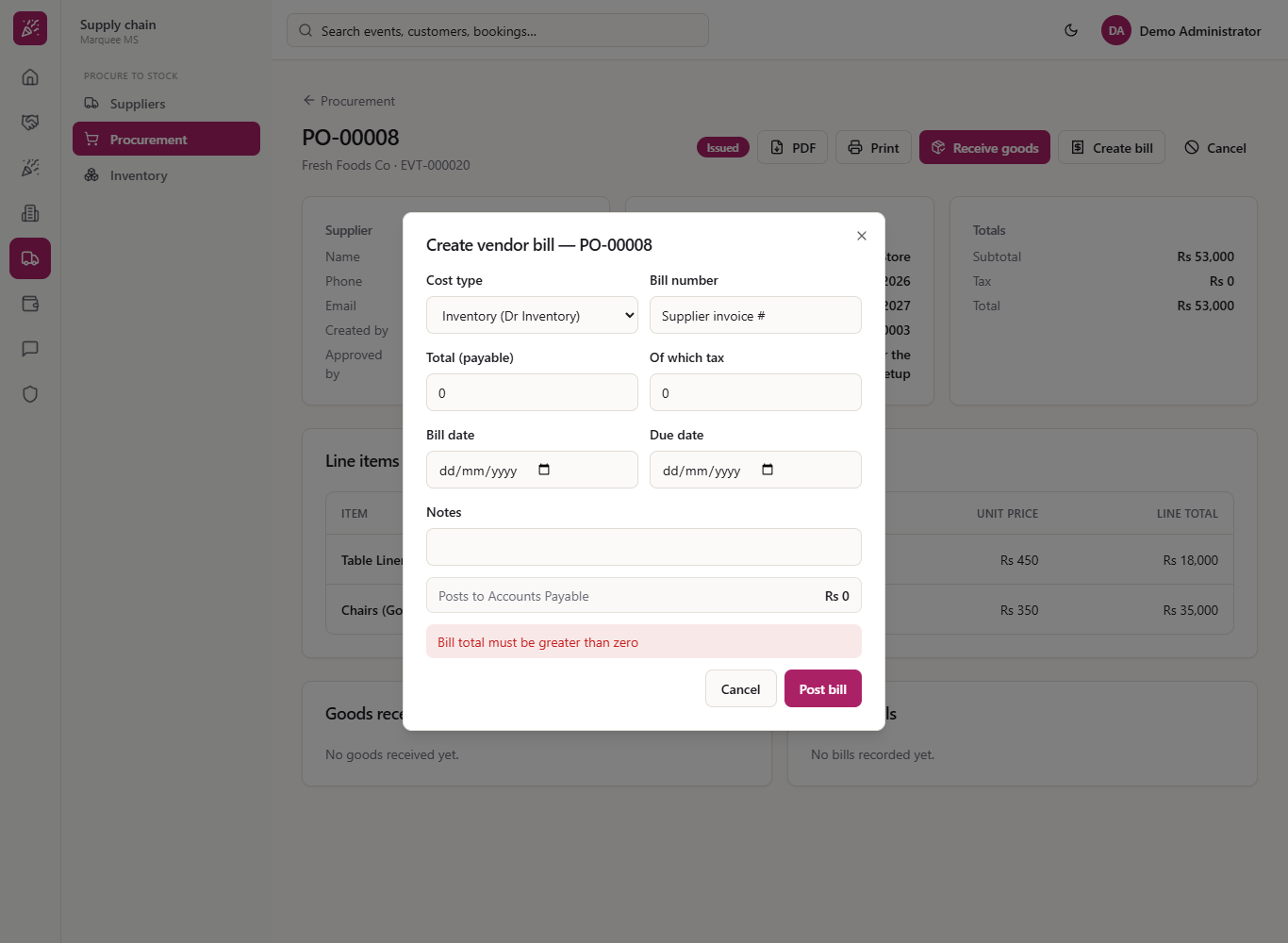
A total of 0 is refused with "Bill total must be greater than zero", and tax above the total with "Tax cannot exceed the bill total". Nothing is saved.
Bill filled with number, dates and a note
Zero total refused with Bill total must be greater than zero
4
Post the bill
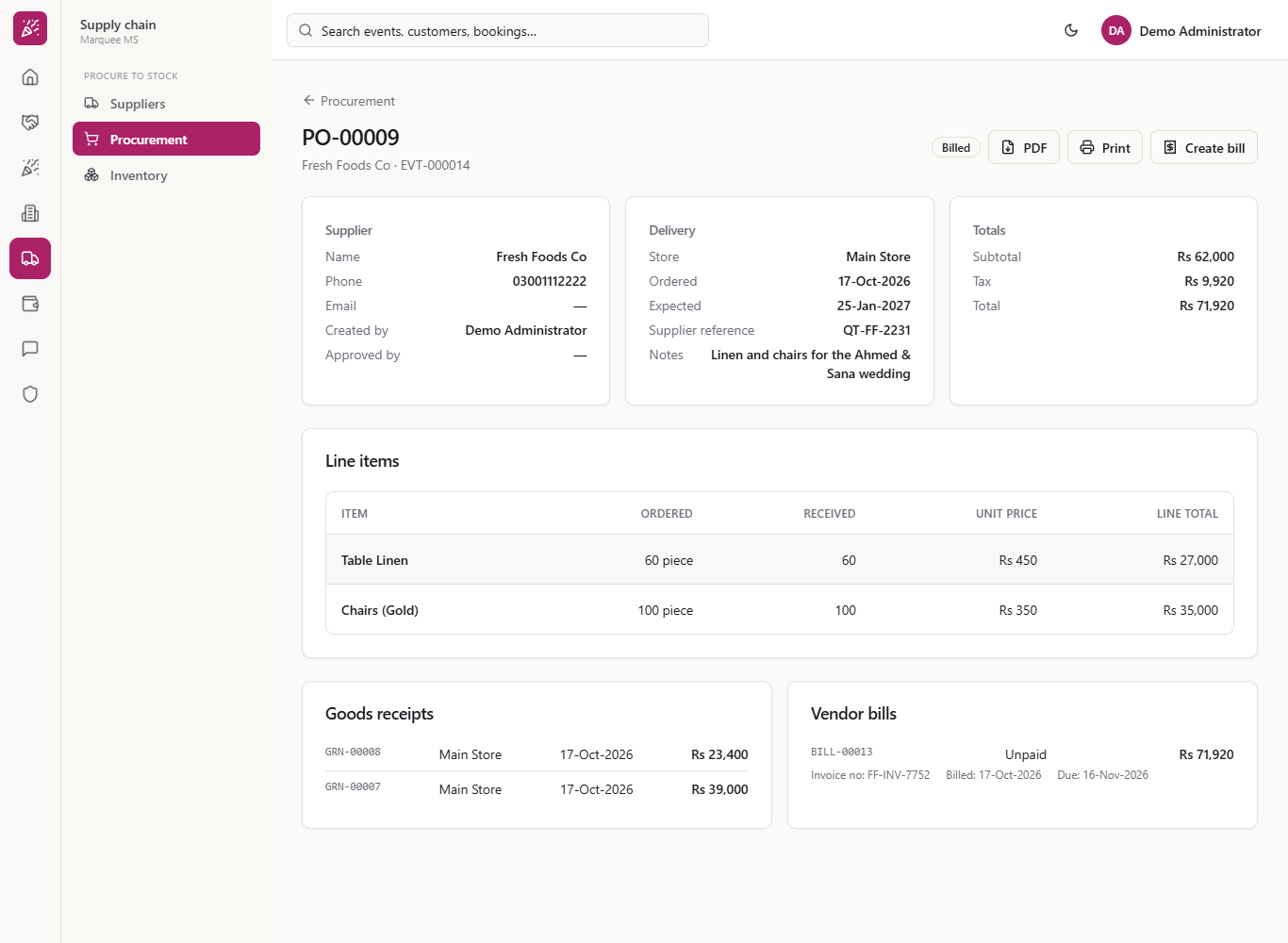
Press Post bill. There is no pop-up message; the order becomes Billed and the Vendor bills card lists BILL-00013 as Unpaid for Rs 71,920, with its invoice number, bill date and due date.
Order showing Billed and bill BILL-00013
5
Check the journal
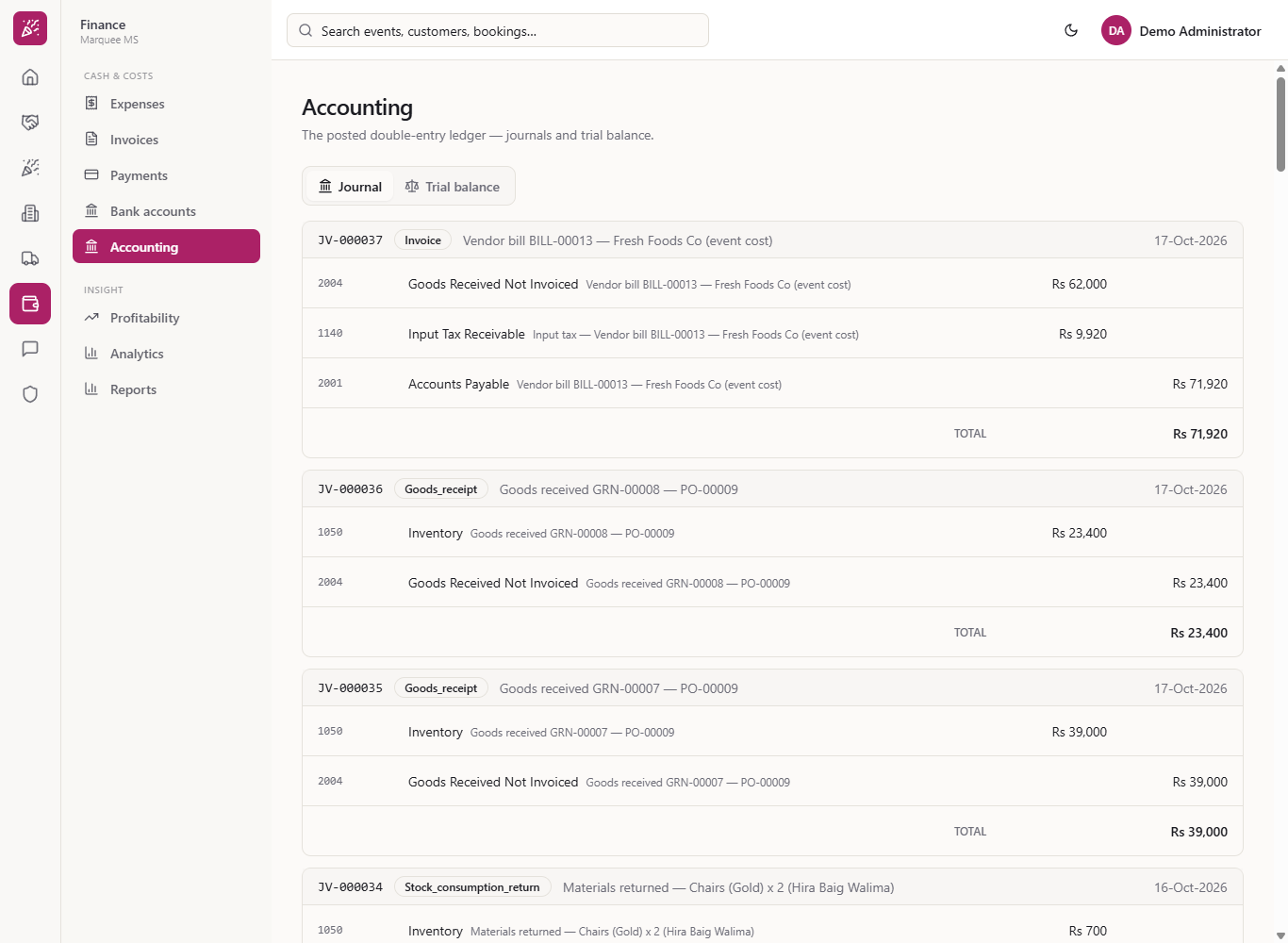
Go to Finance > Cash & costs > Accounting > Journal. The bill is one entry, "Vendor bill BILL-00013 - Fresh Foods Co": Goods Received Not Invoiced (2004) debited Rs 62,000 (the goods were already put into stock when you received them), Input Tax Receivable (1140) debited Rs 9,920, and Accounts Payable (2001) credited Rs 71,920. Accounts Payable is what you owe suppliers.
Journal entry for the vendor bill
6
See what you owe the supplier
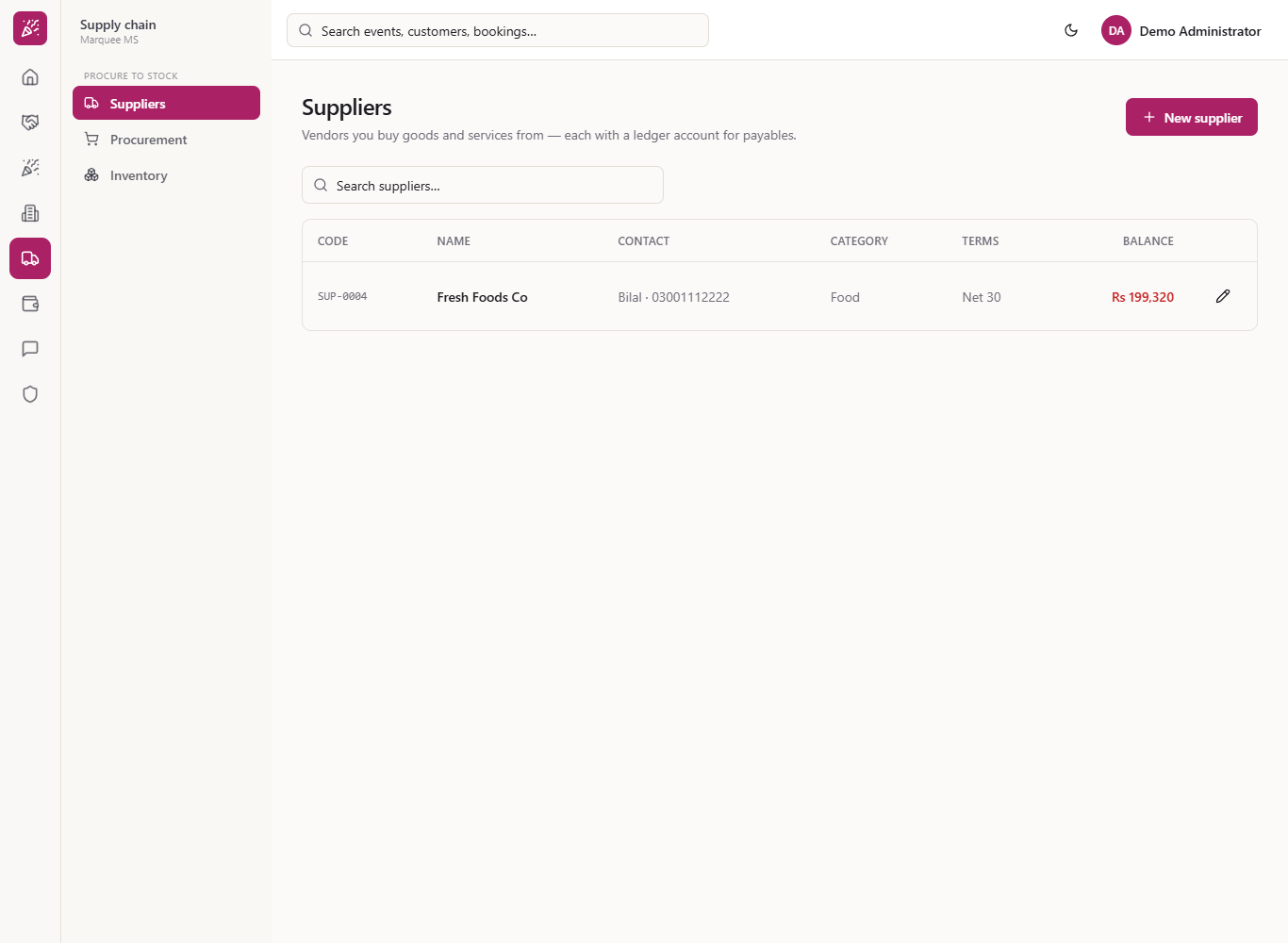
Back in the order list the order shows Billed. Go to Supply chain > Suppliers. Fresh Foods Co now shows a Balance that is Rs 71,920 higher (here Rs 199,320). You settle it later from Finance > Payments.
Suppliers list showing the balance
7
Do not record the same invoice twice
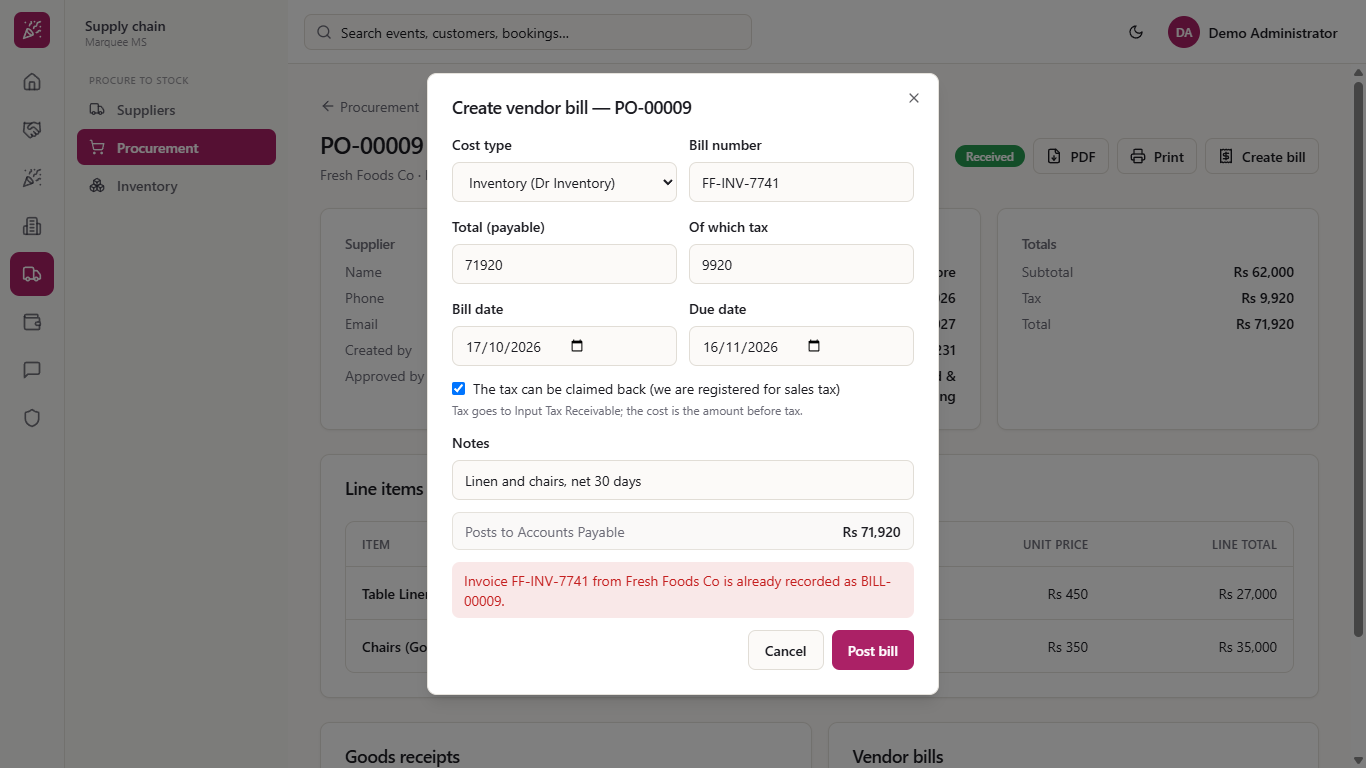
If you enter a bill number already recorded for this supplier, the app refuses it and names the bill that holds it: "Invoice FF-INV-7741 from Fresh Foods Co is already recorded as BILL-00009." Nothing is saved.
Duplicate invoice refused naming the existing bill
8
Bill a service
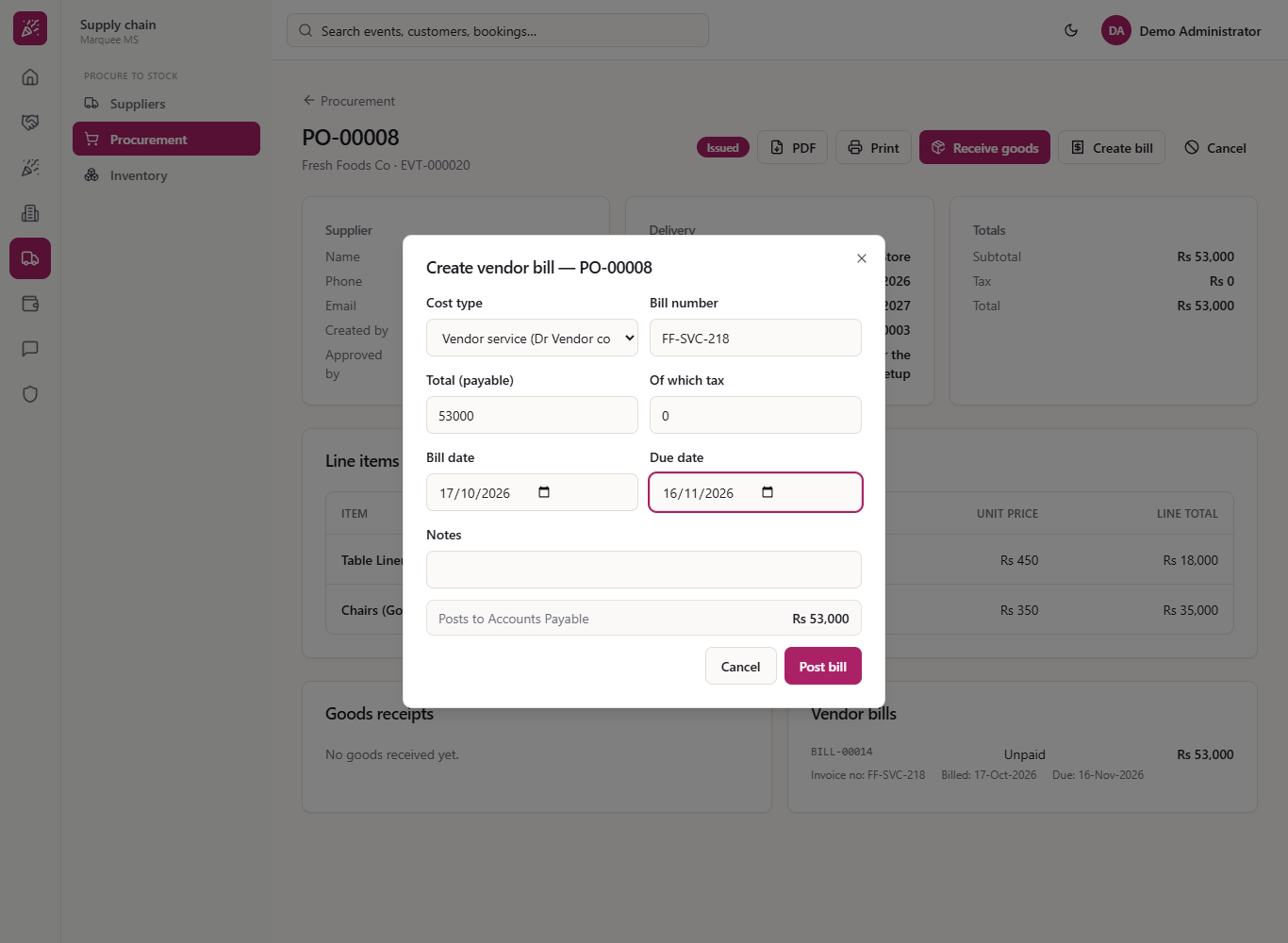
For a service, such as transport or a subcontractor, choose Vendor service and enter the invoice number, total and dates. With no tax, enter 0. The order stays open: if nothing has arrived yet, Receive goods is still offered.
Bill dialog with Vendor service selected
9
See the cost account
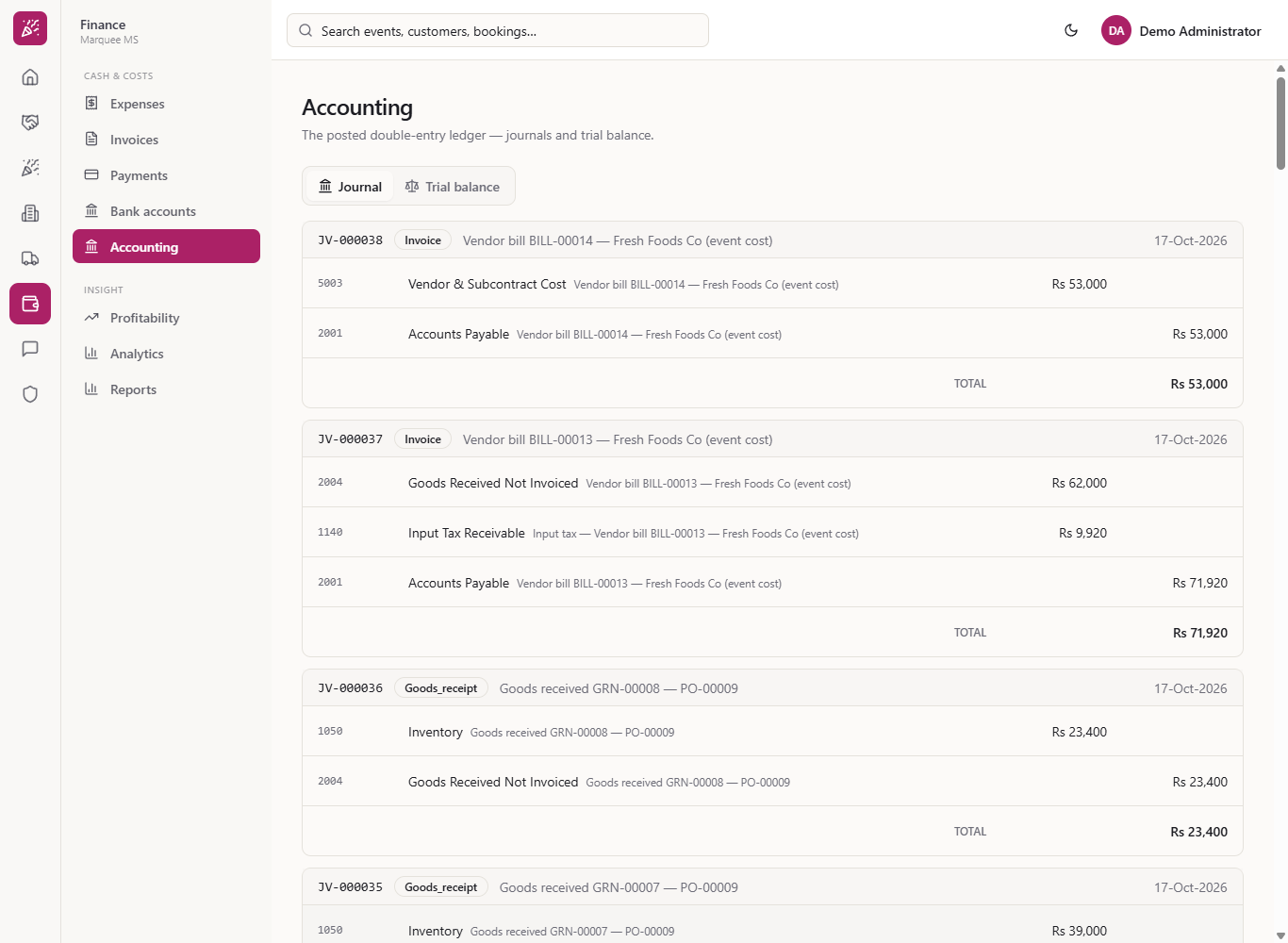
A vendor service bill debits Vendor & Subcontract Cost (5003) instead of Inventory, and credits Accounts Payable. The tax box does not appear when the tax is 0. The supplier's balance grows by the same amount (here from Rs 199,320 to Rs 252,320).
Journal entries for vendor service bills
Check it worked
The order shows Billed and the bill is Unpaid in the Vendor bills card.
Accounting shows an entry whose two sides are equal, and the supplier's balance went up by the bill total.
Common mistakes
Mistake
What you see
Fix
Total of 0
"Bill total must be greater than zero"
Enter the invoice total
Tax larger than the total
"Tax cannot exceed the bill total"
Enter the tax part of the invoice only
Entering the same supplier invoice twice
"Invoice ... is already recorded as BILL-..." and nothing is saved
Check the Vendor bills card for the existing bill
Billing an order before the goods arrive
The order stays open and Receive goods is still offered
Receive the goods when they arrive; the bill is already recorded
Quick reference
Item
Meaning / rule
Inventory cost type
Clears Goods Received Not Invoiced (2004), which the goods receipt credited when stock came in
Input Tax Receivable (1140)
Claimable tax from the bill
Vendor service cost type
Debits Vendor & Subcontract Cost (5003)
Accounts Payable (2001)
What you owe suppliers, credited by every bill
Unpaid
Nothing has been paid on this bill yet
Billed
The order has a supplier bill recorded
Frequently asked questions
Is the tax posted separately? Yes, when the claimable box is ticked: the tax goes to Input Tax Receivable (1140) and the rest is the cost.
Does the app stop me recording the same supplier invoice twice? Yes. A bill number already used for that supplier is refused and the message names the first bill.
Can I see the bill number and due date after posting? Yes. The order's Vendor bills card shows the invoice number, the bill date and the due date beside the code and amount.
How do I pay the bill? From Finance > Payments, see MMS-S49.