When your tent supplier sends a bill, or a crew member has to be paid, the payment should be recorded once, against the right bill or event, from the right cash or bank account. This guide shows how to pay a vendor bill in parts, keep tax back, reverse a wrong payment, pay staff a salary, an advance or event labor, and check the balance and the books.
Who it is forAccounts clerk and event managerTime15 minutesProductMMSLevelBeginner
Before you start
Steps
1
Open Payments and start a payment
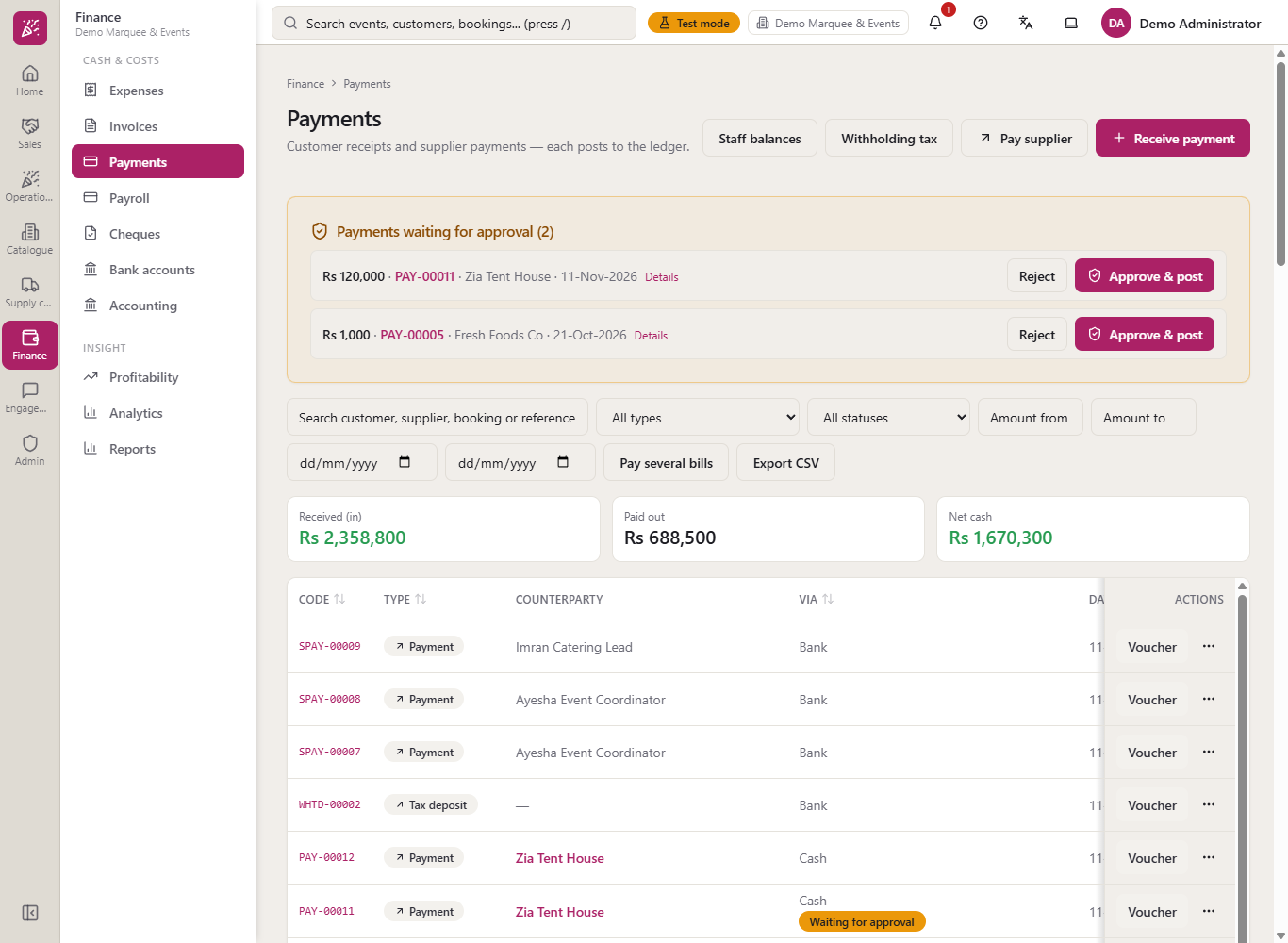
Go to Finance > Cash & costs > Payments. For money going out, press Pay supplier. The Paid out card adds up every payment that left the business; reversed ones are not counted. The form opens on Supplier payment (out): choose Via (Cash, Bank transfer, Online / gateway or Card / credit) and Pay to (Supplier or Employee).
Payments list with the Pay supplier button and the Received, Paid out and Net cash cards
2
Choose the supplier and the bill
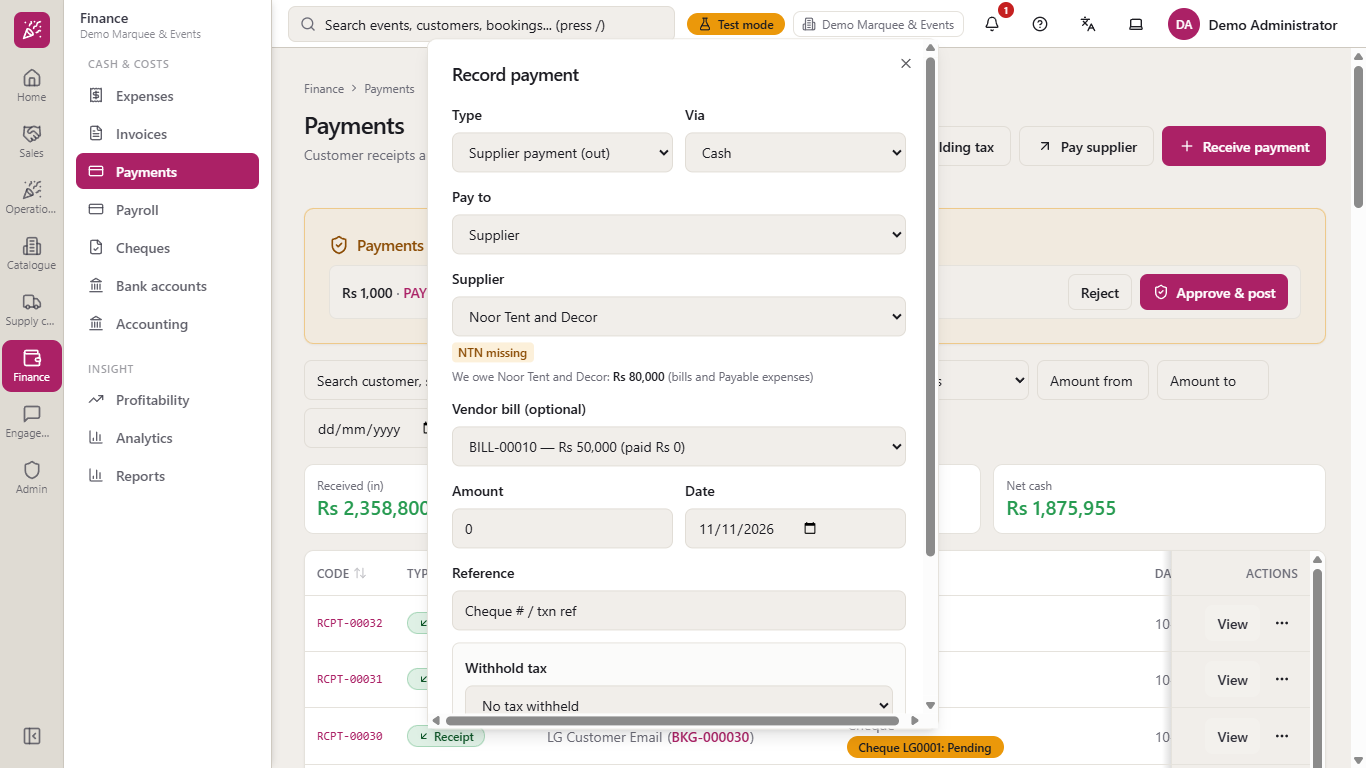
Pick the Supplier. A line under it tells you what you owe: "We owe Noor Tent and Decor: Rs 80,000 (bills and Payable expenses)". Open Vendor bill (optional) and choose the bill you are settling, for example BILL-00010 for Rs 50,000: the amount fills with what is outstanding. An amount of 0 is refused with "Enter an amount greater than zero."
Supplier Noor Tent and Decor with what you owe, the bill and a red message for an amount of zero
3
Know the overpay guard
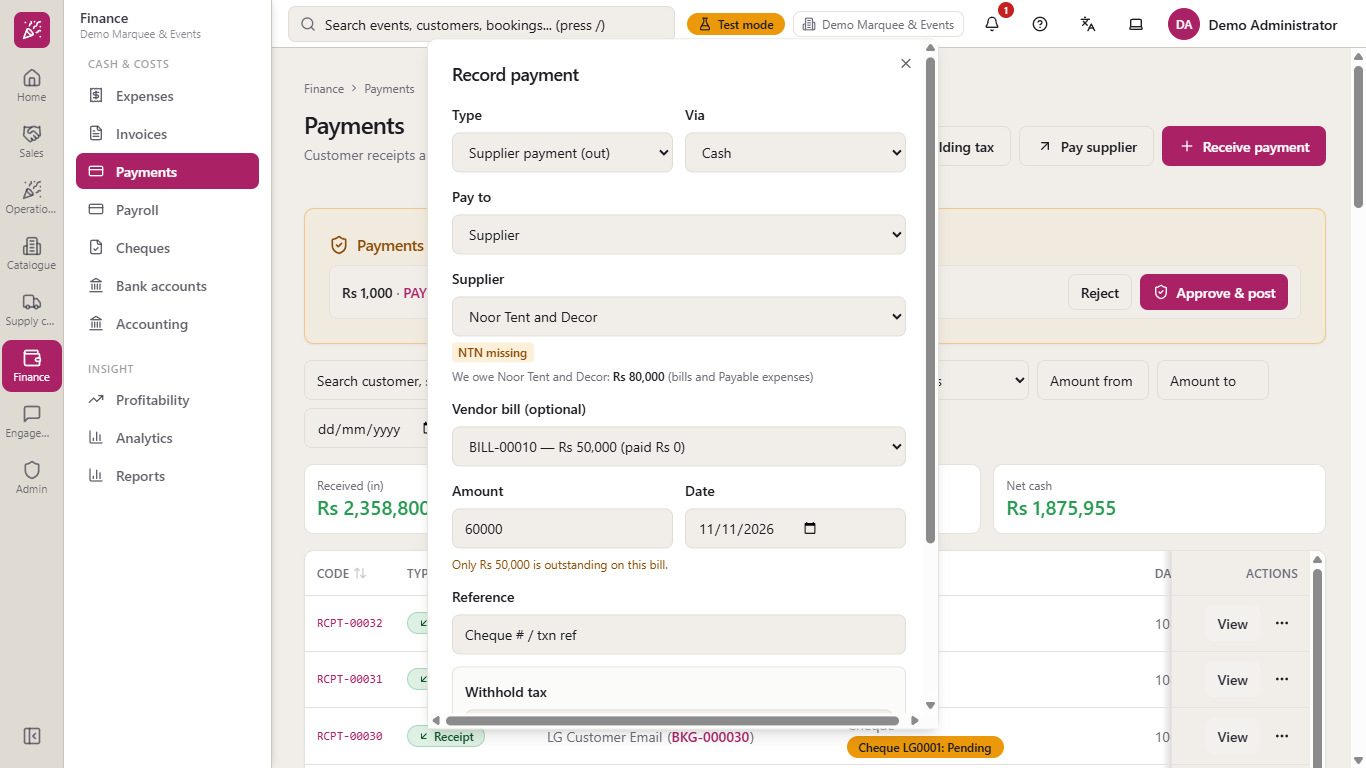
Paying Rs 60,000 against a Rs 50,000 bill is refused with "Only Rs 50,000 is outstanding on this bill." Nothing is saved and the form stays open so you can correct the amount.
Message that only Rs 50,000 is outstanding on this bill
4
Pay part of the bill in cash
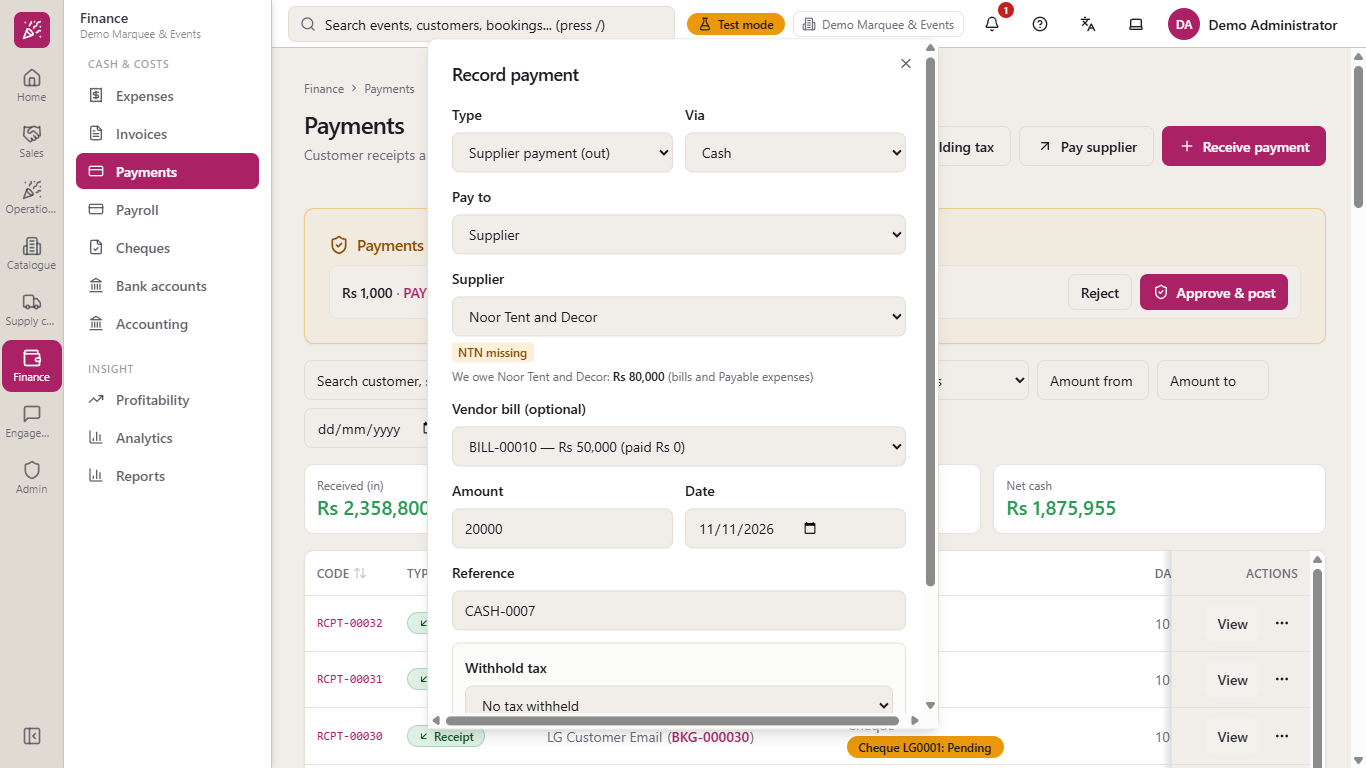
Choose Cash, the supplier, the bill, amount 20000, the date and the reference "CASH-0007", then press Post payment. A message "Payment PAY-00008 posted." appears and the bill is now part paid.
Dialog filled for a cash payment of Rs 20,000 against BILL-00010
5
Pay the rest by bank transfer
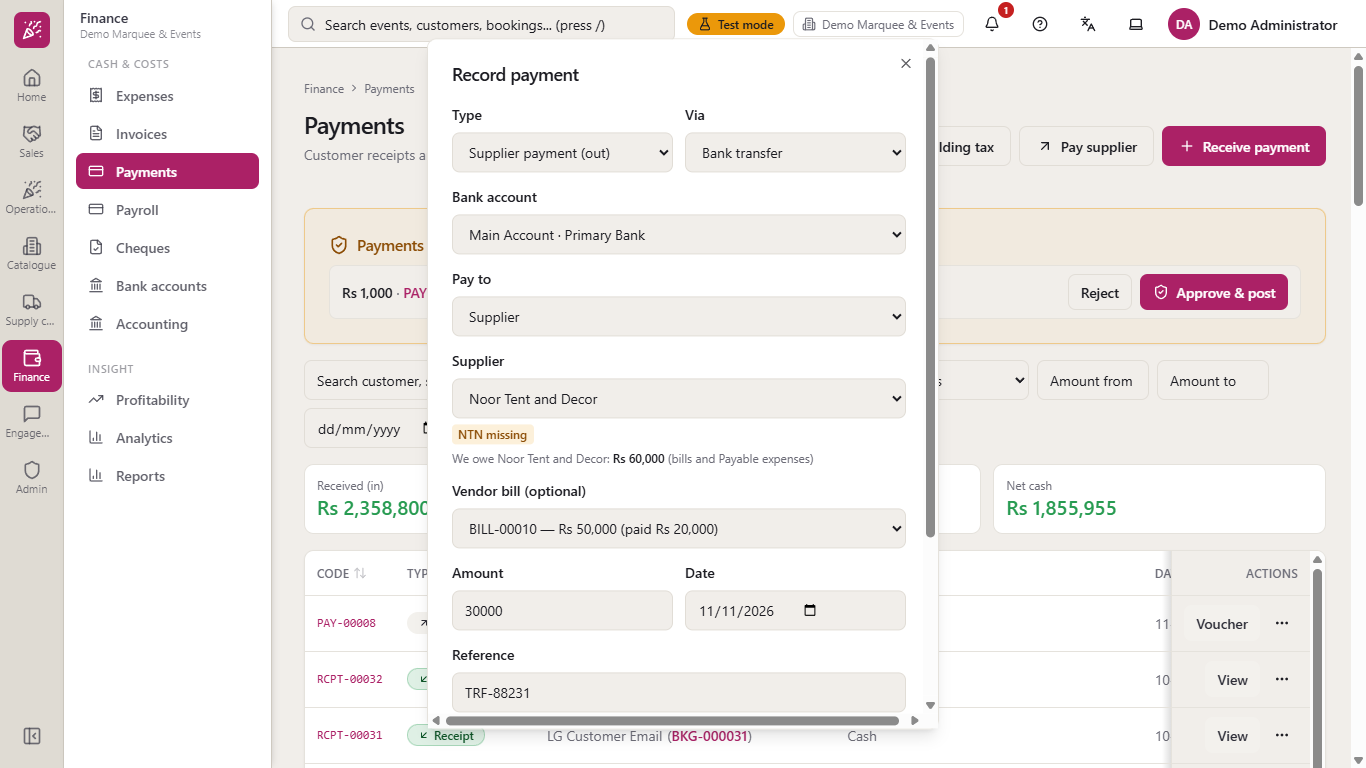
Choose Bank transfer: a Bank account field appears and must be filled (for example Main Account). The bill now reads "BILL-00010 — Rs 50,000 (paid Rs 20,000)" and the amount fills with 30000. Add the date and the transfer number, then press Post payment.
Dialog with Bank transfer, the Bank account and the bill showing Rs 20,000 already paid
6
Keep tax back from a supplier
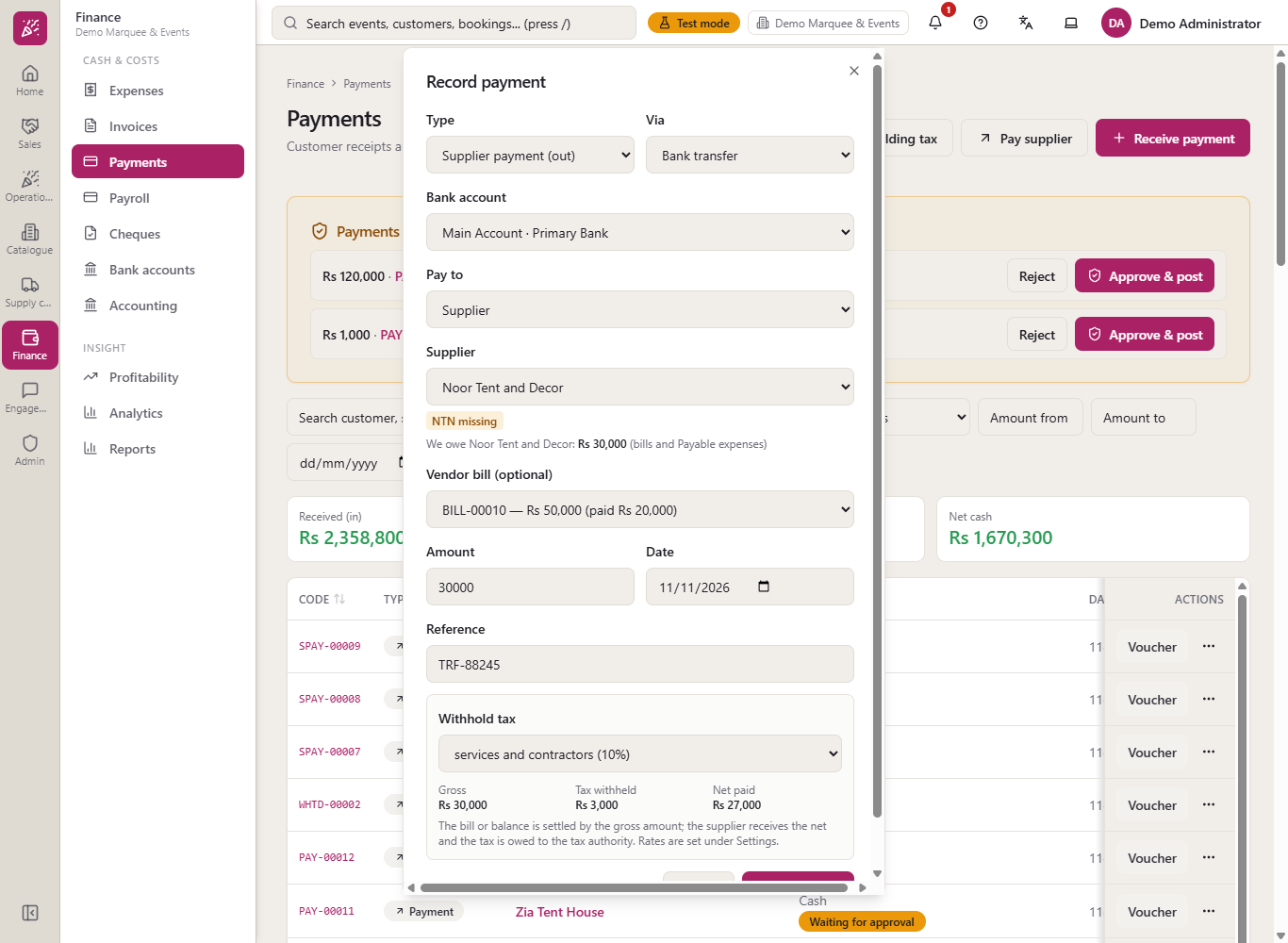
When the law makes you withhold tax, pick a rate under Withhold tax: Supplies (goods) 4.5%, Services and contractors 10%, or type another amount. On Rs 30,000 at 10% the box shows Gross Rs 30,000, Tax withheld Rs 3,000 and Net paid Rs 27,000. The bill is settled by the gross amount; the supplier receives the net and the tax is owed to the tax authority.
Withhold tax set to Services and contractors with gross, tax withheld and net paid
7
Open the voucher and the tax certificate
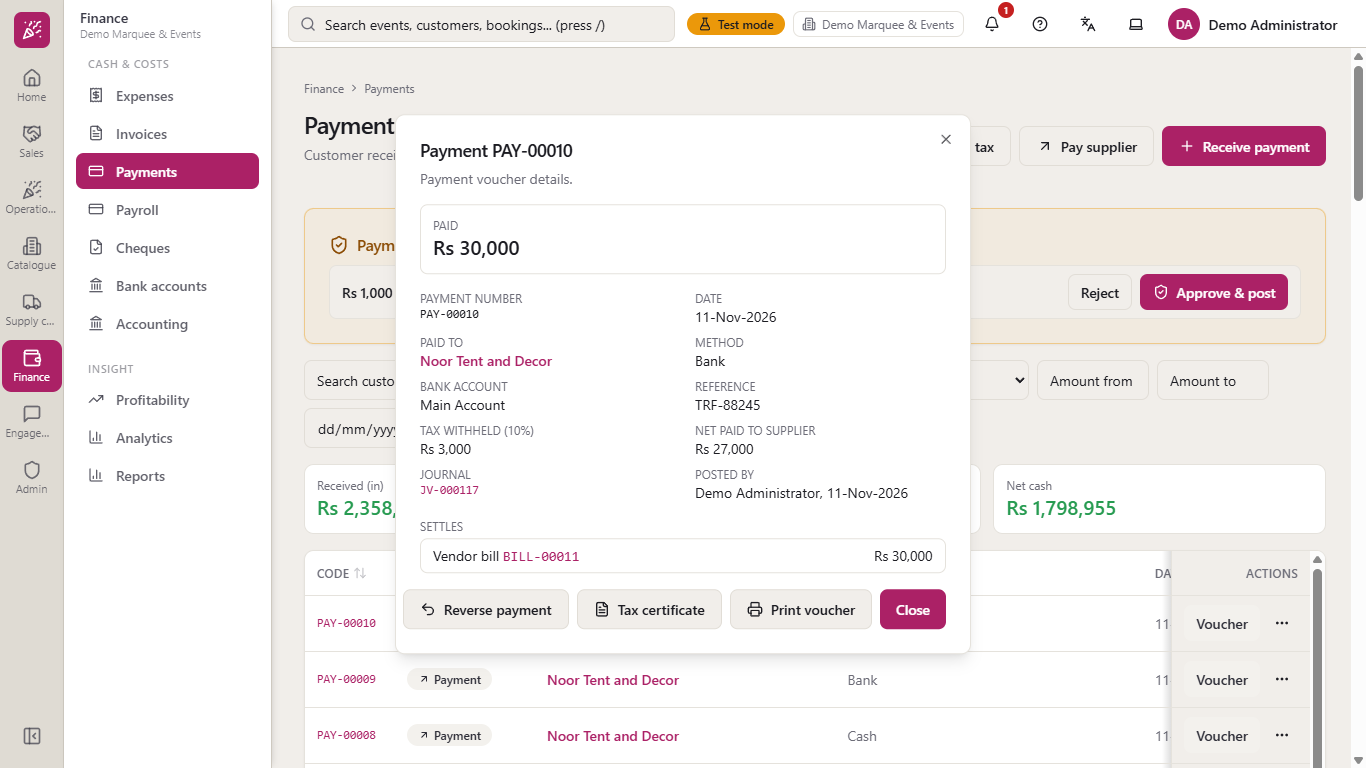
Press Voucher on a payment. It shows the amount, who was paid, the method, the bank account, the reference, Tax withheld, Net paid to supplier, the Journal, who posted it and Settles: the bill and amount. Press Tax certificate to get a page with the rate and amounts to give the supplier, or Print voucher.
Payment voucher with tax withheld, net paid, journal and the bill it settles
8
Reverse a wrong payment
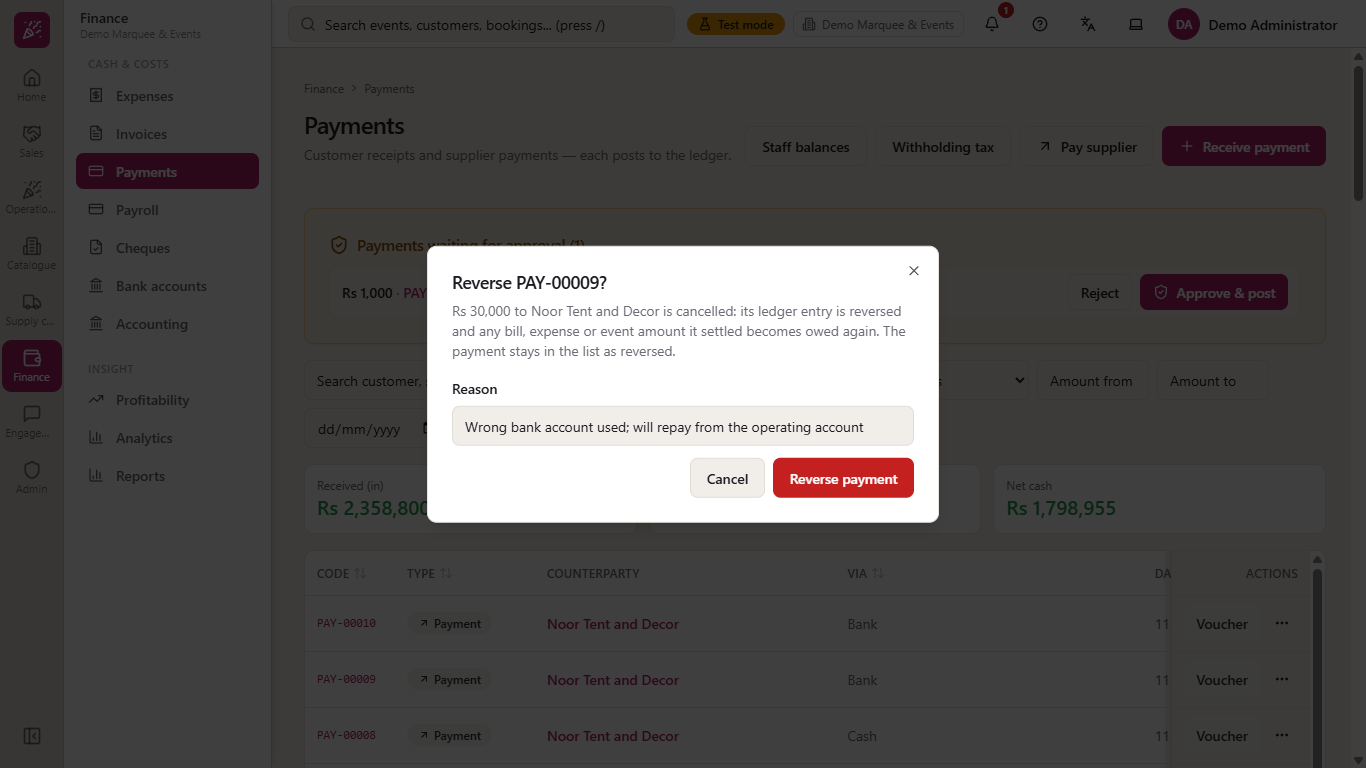
If the money went from the wrong account, press Reverse payment on the voucher. The dialog explains that the ledger entry is reversed and any bill or expense it settled becomes owed again. A Reason is required ("Reason is required" otherwise): type for example "Wrong bank account used; will repay from the operating account" and press Reverse payment.
Reverse dialog with the reason typed
9
See the reversed voucher
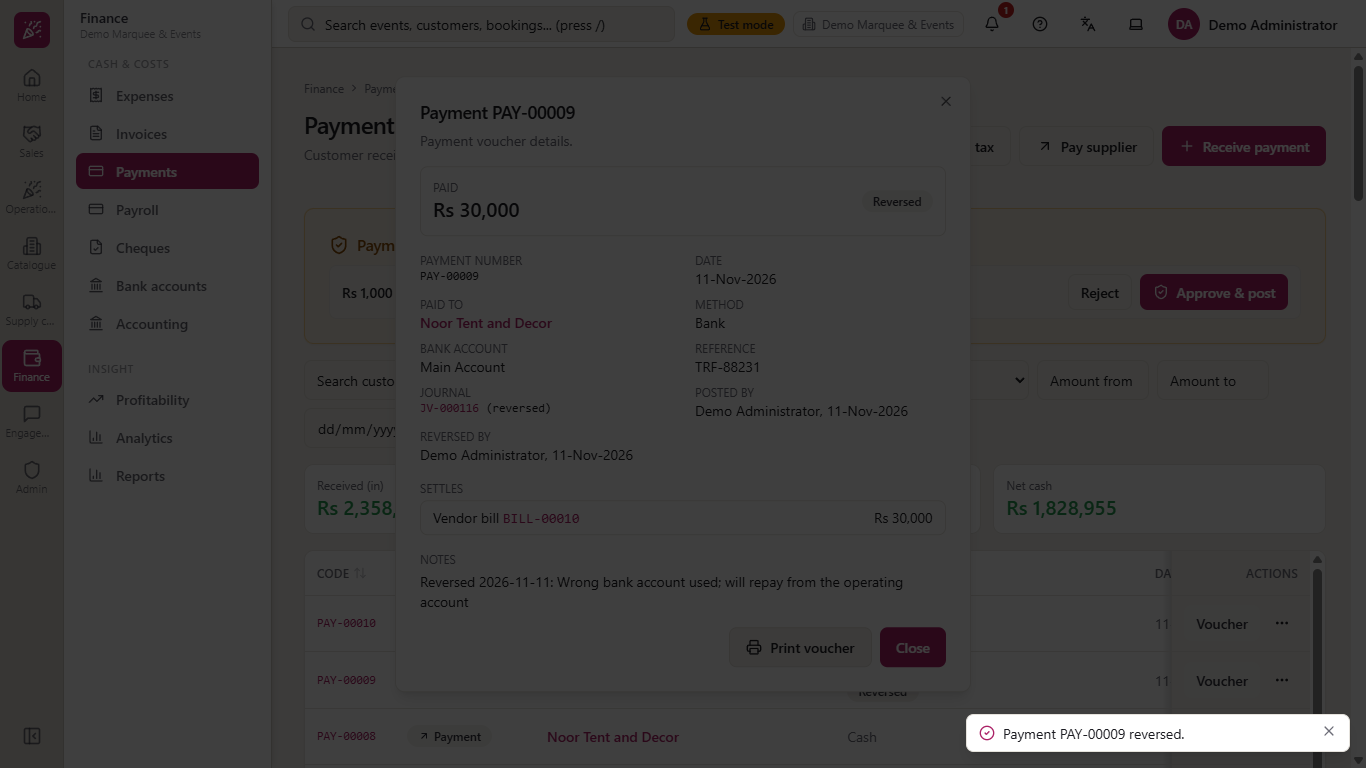
The voucher stays on file with a Reversed badge, the journal marked "(reversed)", who reversed it and your reason in the notes. The payment no longer counts in Paid out, and the bill is owed again for that amount. Pay it again from the right account with a new payment.
Voucher with the Reversed badge, who reversed it and the reason
10
Pay more than you owe, or above your limit
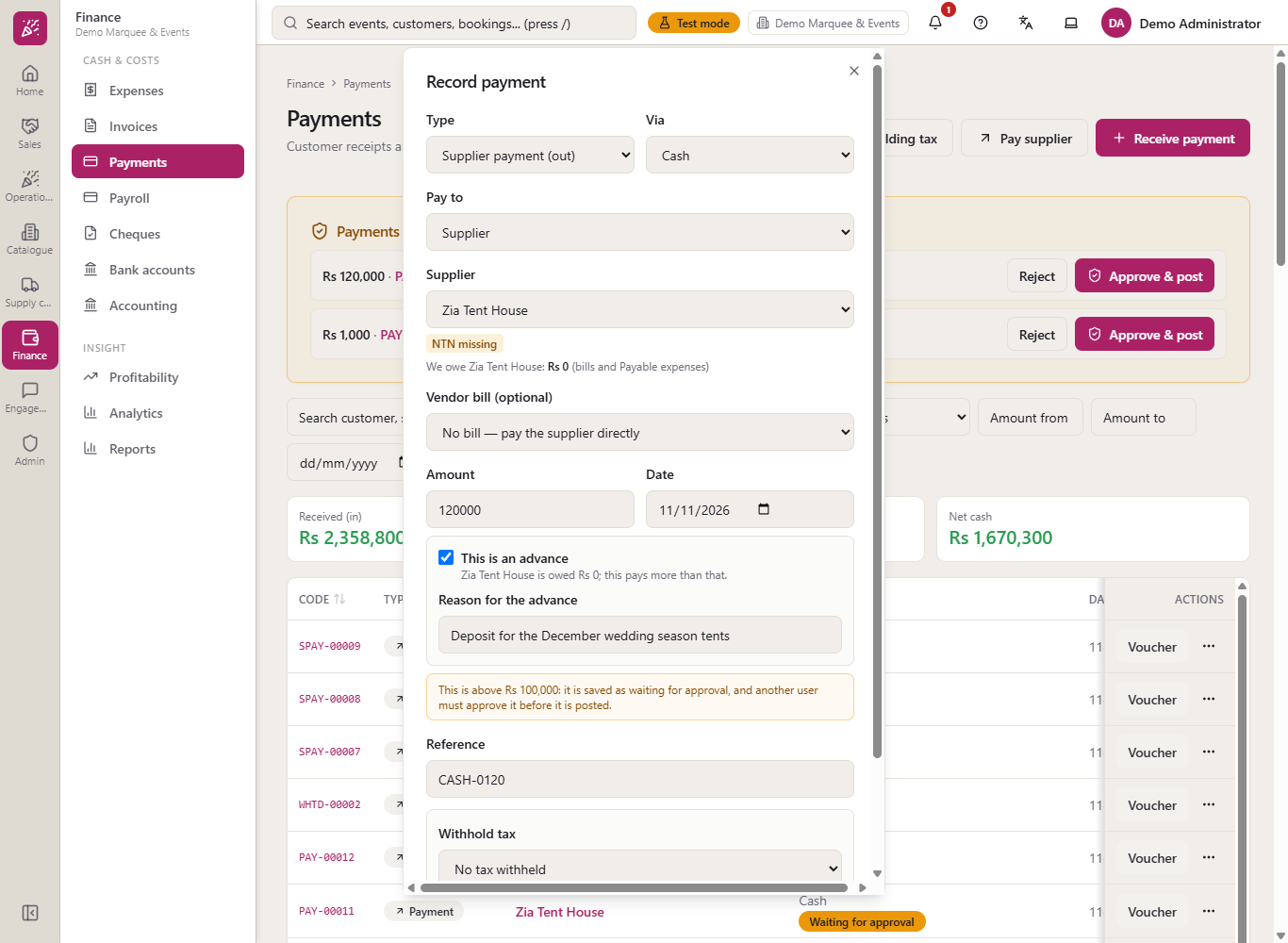
Paying a supplier more than you owe needs a tick on This is an advance and a Reason for the advance. Above your approval limit the button reads Save for approval: the payment shows Waiting For Approval, nothing is posted and no money moves until another user approves it.
Advance box with a reason for a supplier who is owed nothing
11
Deposit the withheld tax
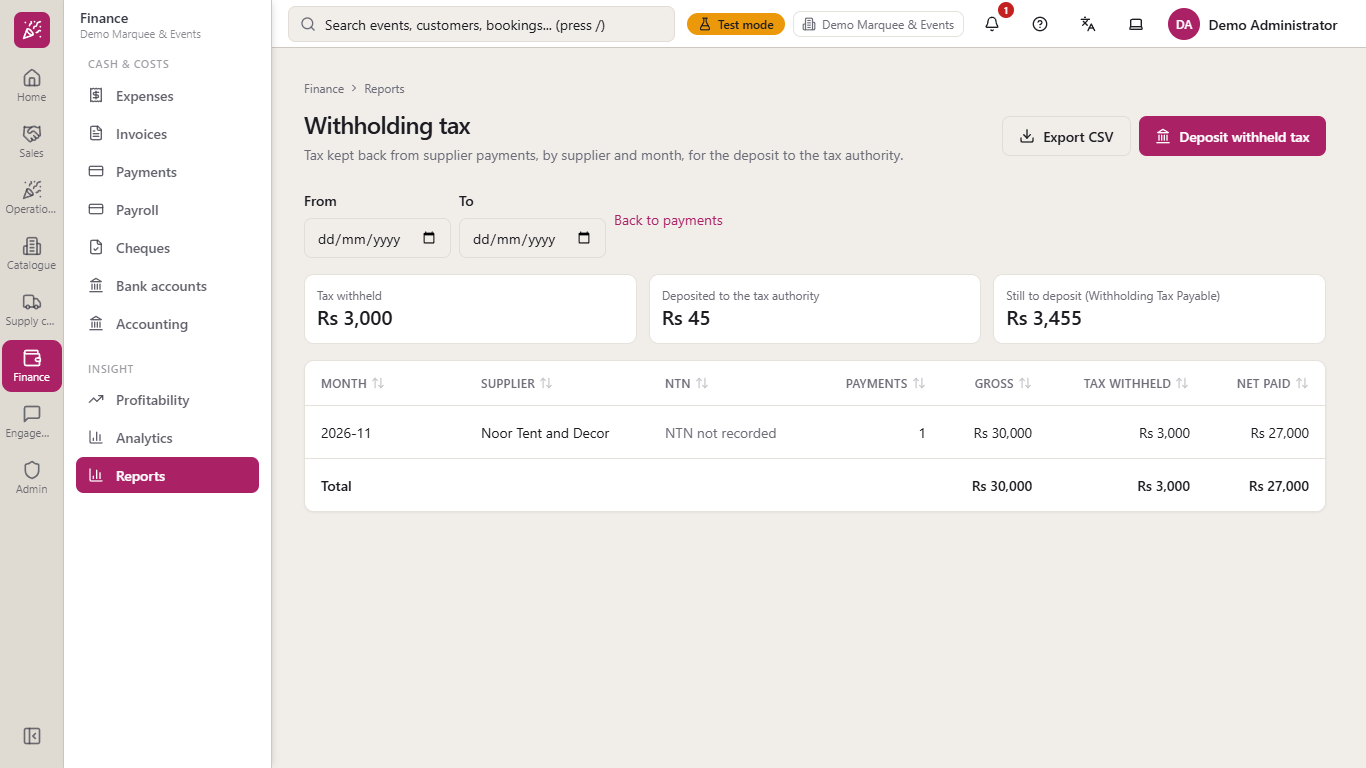
Open Withholding tax from the Payments page. It adds up the tax kept back by supplier and month and shows Still to deposit. Press Deposit withheld tax, enter the amount, choose cash or the bank account, add the challan number and press Post deposit: the amount still to deposit drops to zero.
Withholding tax report with tax withheld, deposited and still to deposit
12
Pay an employee a salary, with the advance recovered
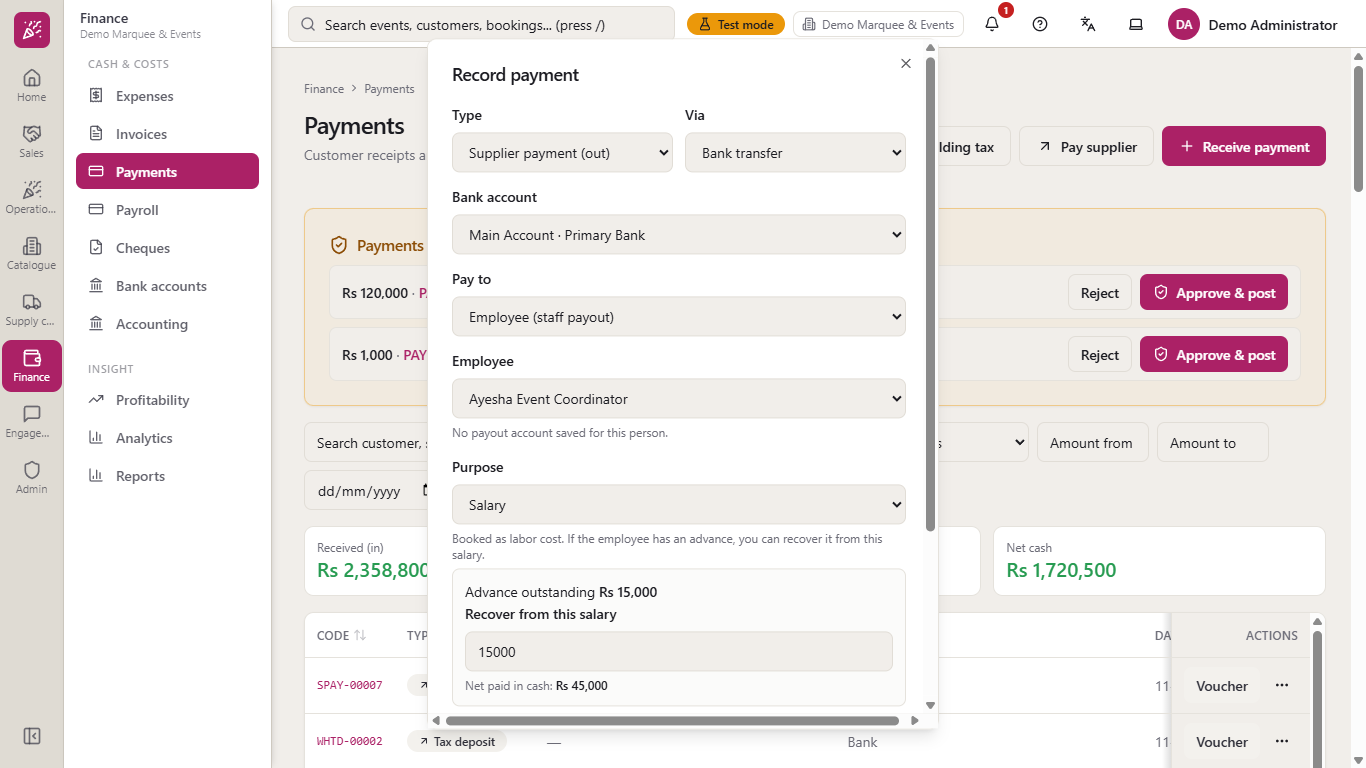
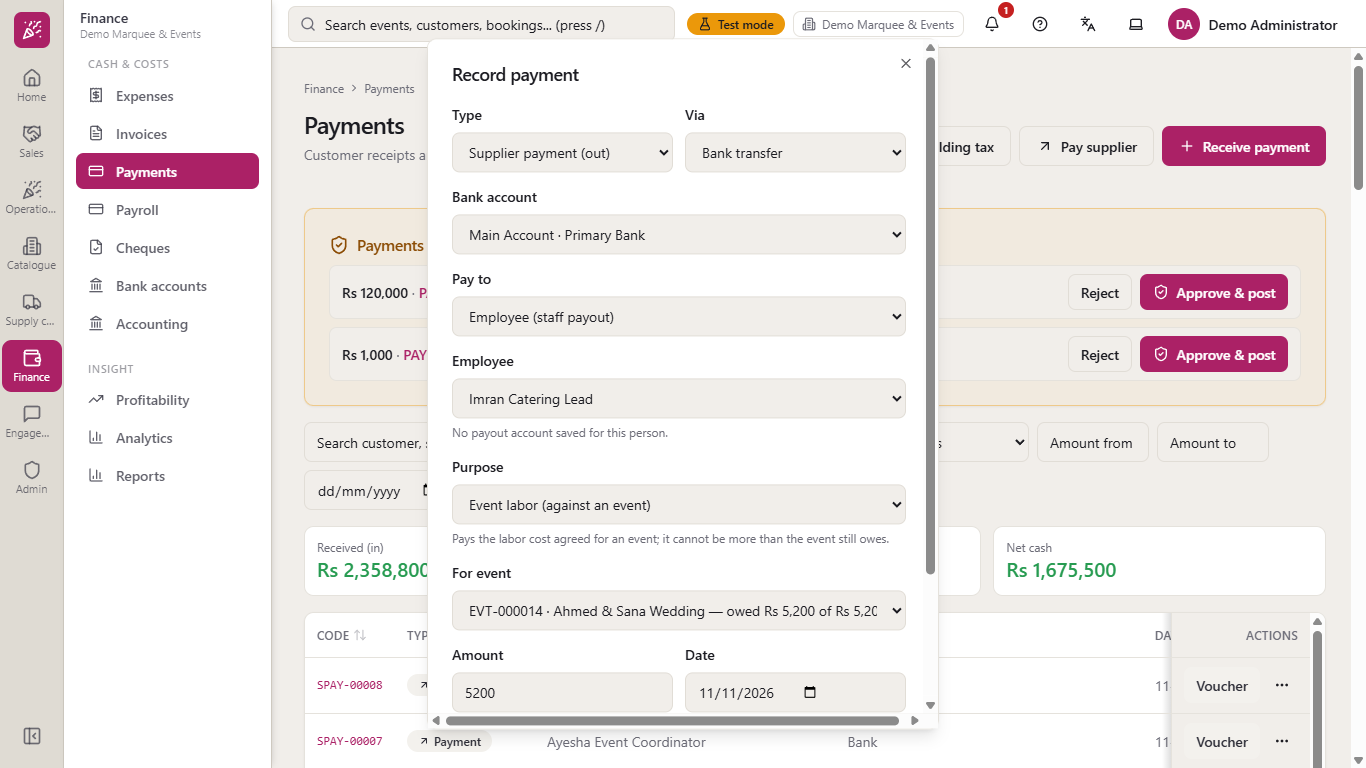
Set Pay to to Employee (staff payout) and choose the person and a Purpose: Salary, Salary advance (to recover later), Event labor (against an event) or Reimbursement. An advance is money to get back, kept as Staff Advances. When you pay the salary the page shows "Advance outstanding" and Recover from this salary; only the net is paid. Press Post payment.
Salary payout with the advance outstanding, the recovery and the net paid
13
Pay event labor
For Event labor, choose the event from For event: each shows what is still owed, such as "EVT-000014 · Ahmed & Sana Wedding — owed Rs 5,200 of Rs 5,200". Pay 5200 by bank transfer and the event then owes nothing.
Event labor payout for an event by bank transfer
14
Check balances and the books
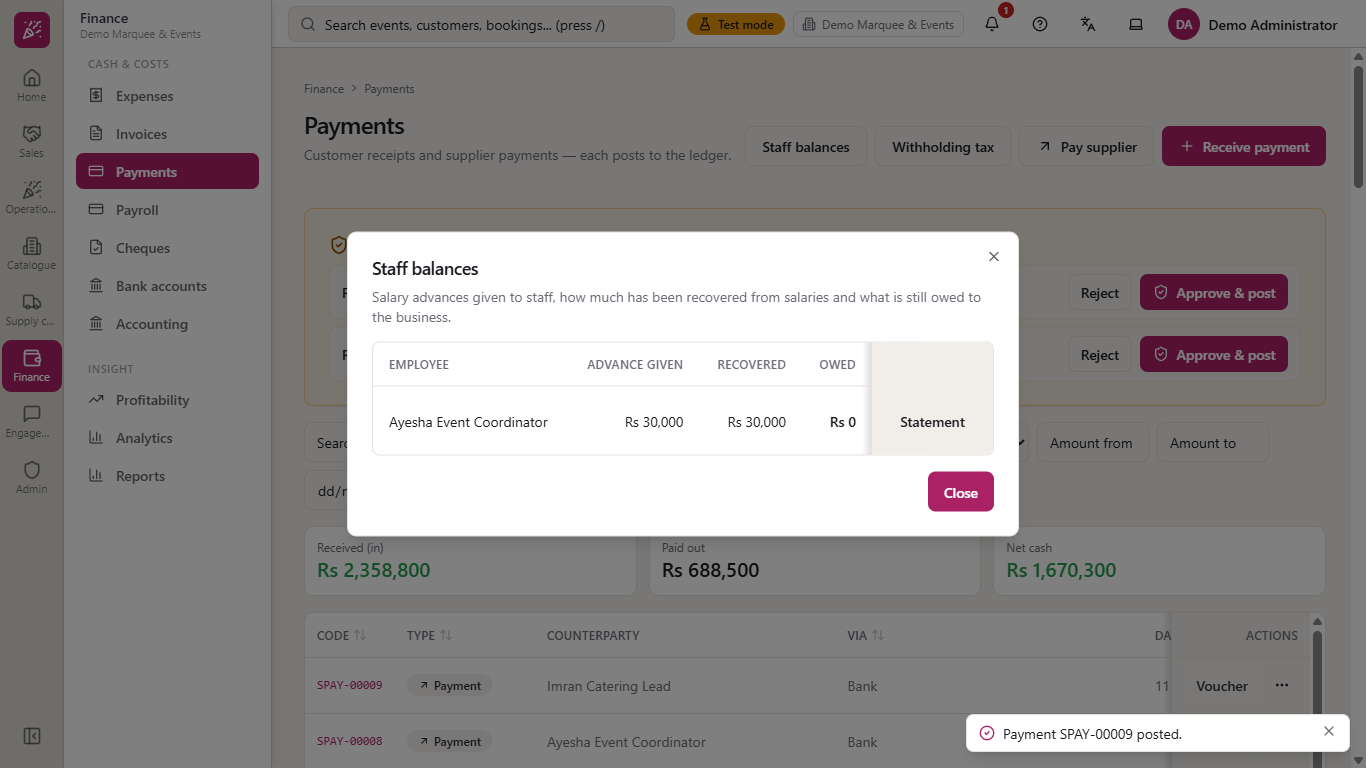
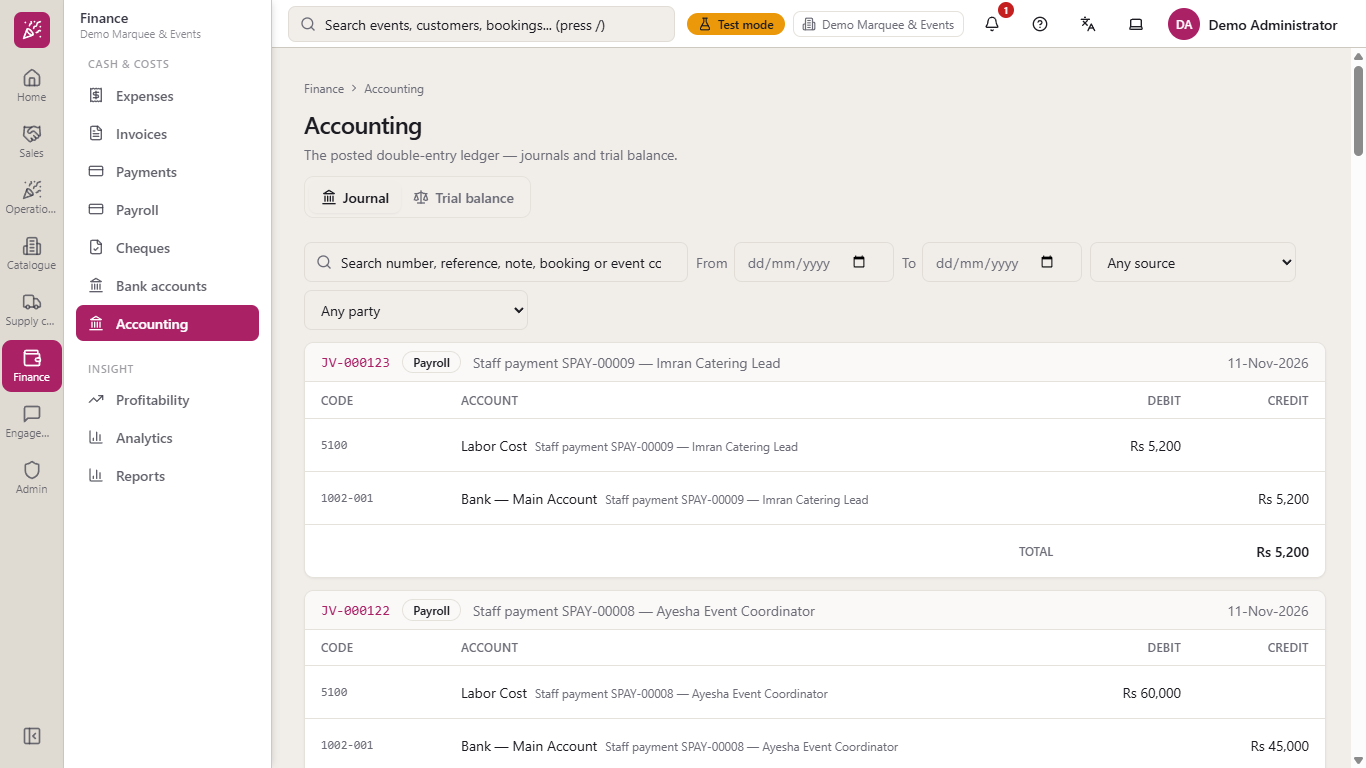
Staff balances (on the Payments page) shows each advance given, how much was recovered and what is still owed. On Supply chain > Suppliers the Balance falls with every payment and rises when one is reversed. In Finance > Accounting > Journal each payment is one balanced entry.
Staff balances with advance given, recovered and owed
Accounting journal with the payment entries
Check it worked
The new payment is at the top of the Payments list and Paid out has moved by its amount.
The vendor bill shows the part you paid, and a fully paid bill is no longer offered in the Vendor bill list.
With tax withheld, the journal credits Withholding Tax Payable (2007) and the report shows the tax still to deposit.
A reversed payment shows a Reversed badge and has an opposite entry in the journal.
A paid salary with recovery credits Staff Advances (1120) for the recovered part and Staff balances shows Owed Rs 0.
Common mistakes
Mistake
What you see
Fix
Amount of 0
"Enter an amount greater than zero." and nothing saved
Enter the real amount
Paying more than the bill owes
"Only Rs 50,000 is outstanding on this bill."
Enter no more than the outstanding amount
Paying a supplier more than you owe
"Tick "This is an advance" and give a reason to pay more."
Tick the box and give the reason, or pay the right amount
Cash above what Cash in Hand holds
"Cash in Hand holds only Rs ..., less than the payment"
Pay a smaller amount, or pay by bank
Bank transfer without a bank account
The form does not submit and the field is highlighted
Choose the bank account
Paying from the wrong account
The voucher shows the wrong bank account
Reverse the payment with a reason and pay again
Reversing without a reason
"Reason is required"
Type the reason; it is kept on the payment
Event labor above what is owed
"Only Rs 5,200 is still owed for this event."
Enter no more than what the list shows as owed
Quick reference
Item
Meaning / rule
Cash
Credits Cash in Hand (1000)
Bank transfer, Online, Card
Credits the chosen bank account's own ledger line (for example 1002-001)
Supplier payment
Debits Accounts Payable (2001) and reduces the bill and the supplier balance
Withhold tax
Credits Withholding Tax Payable (2007); the supplier receives the net
Deposit withheld tax
Debits 2007 and credits the bank or cash
Salary advance
Debits Staff Advances (1120), not a cost, until a salary recovers it
Salary and event labor
Debit Labor Cost (5100)
Reverse payment
Posts the opposite entry, reopens the bill and keeps the payment as Reversed
Approval limit
Above it the payment waits for a second user and posts nothing yet
Can I pay a supplier without a bill? Yes, if you owe them that amount. Leave Vendor bill on "No bill — pay the supplier directly"; to pay more than you owe, tick "This is an advance" and give a reason.
Can I pay a bill in two parts? Yes. Each payment reduces the outstanding amount, and the bill list shows how much has been paid so far.
How do I undo a supplier payment made by mistake? Open its voucher, press Reverse payment and give a reason. The payment stays on file as Reversed and the bill is owed again.
How do I pay staff an advance and take it back from the salary? Pay the advance with Purpose "Salary advance (to recover later)". When you pay the salary, the page offers to recover it, and Staff balances shows what is still owed.