How to set up organizations, campuses and departments
Before programs, teachers and timetables can be set up, the school needs its basic structure: who the school is, where it teaches and which academic departments it has. You set this up once and then pick from these lists everywhere else.
Who it is forSchool administratorTime15 minutesProductSCMLevelBeginner
Before you start
Steps
1
Open Organizations
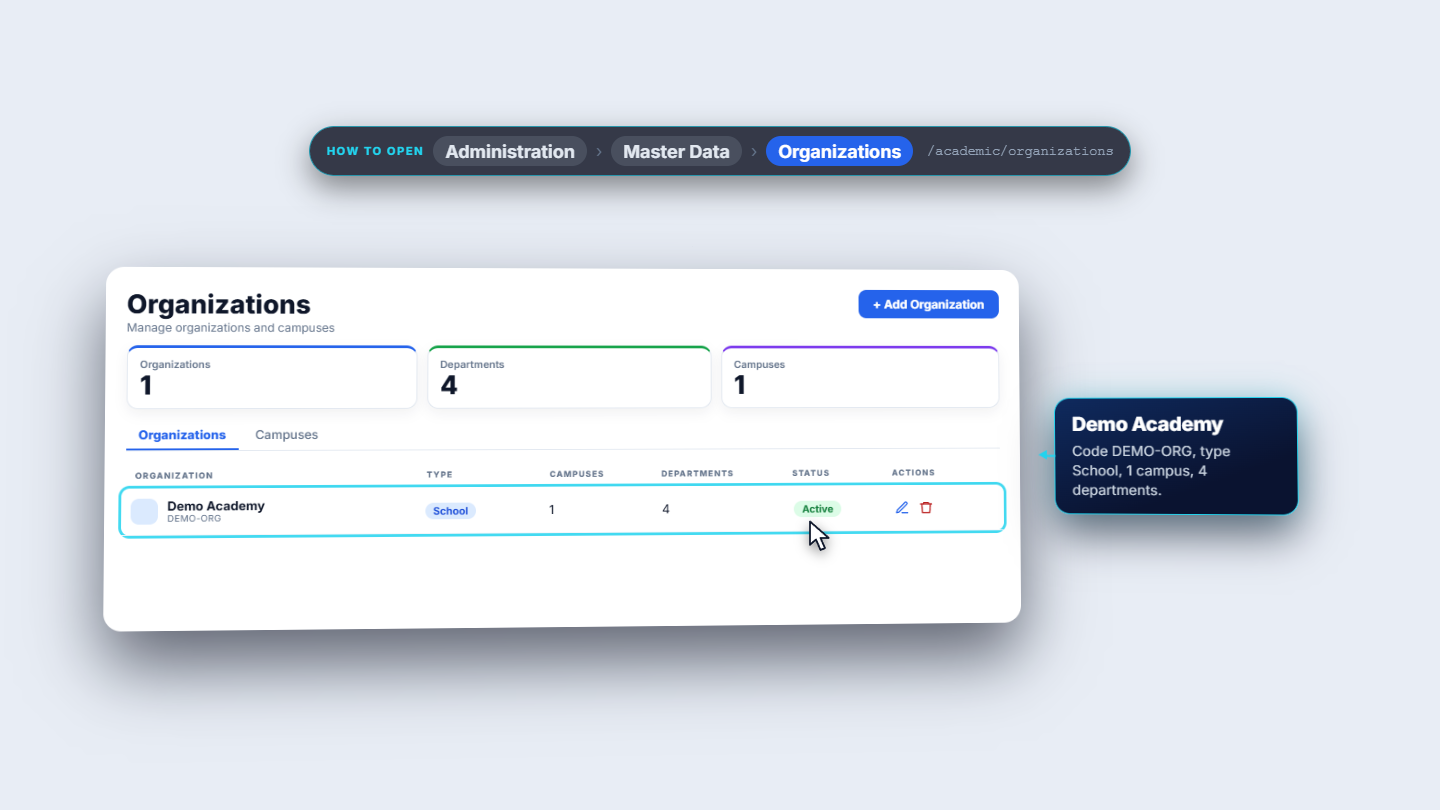
Click Administration › Master Data › Organizations. The page says "manage organizations and campuses". Three cards count what is set up: Organizations, Departments and Campuses (here one, four and one). Two tabs sit below: Organizations and Campuses. The table has Organization, Type, Campuses, Departments, Status and Actions.
Organizations page with three cards and two tabs
2
Add an organization
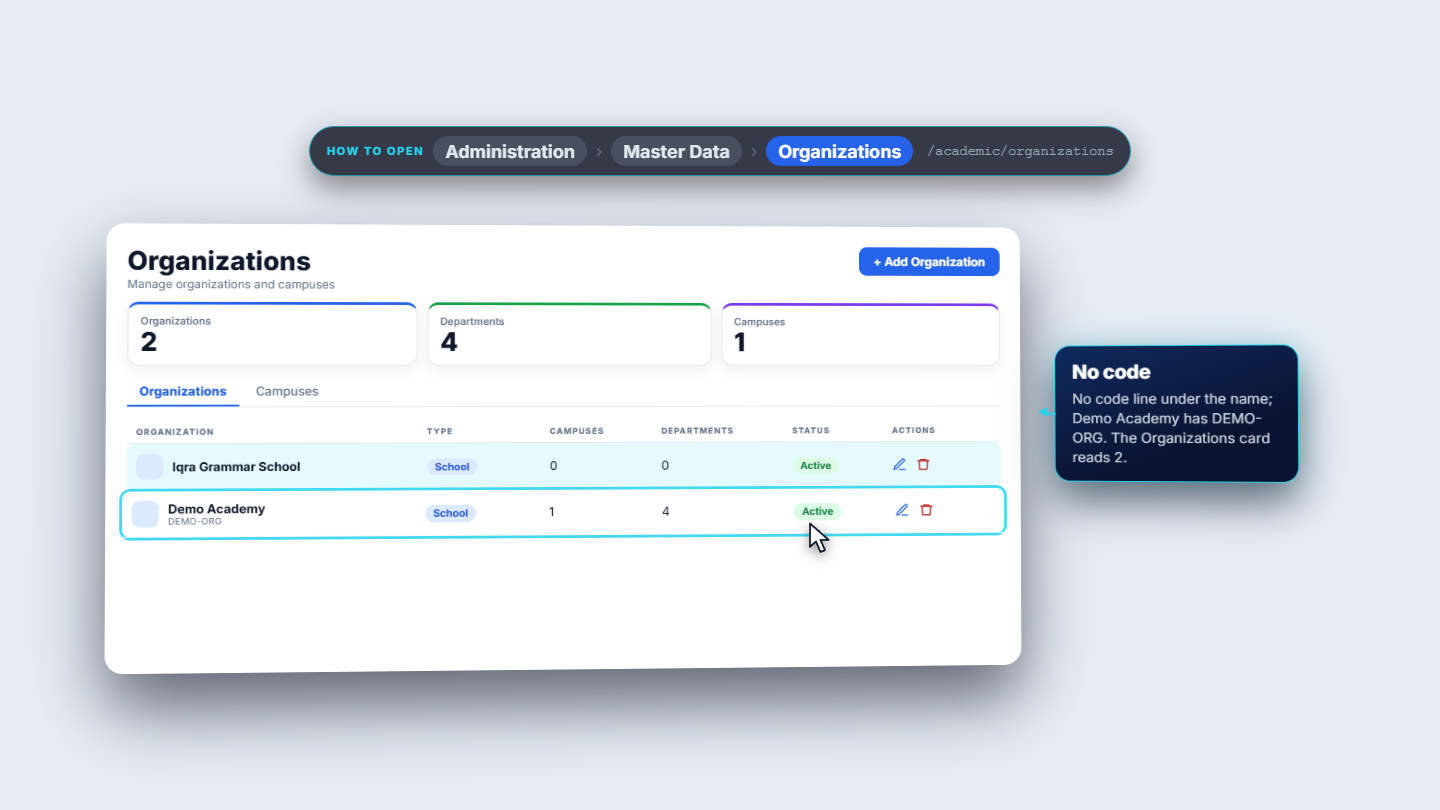
Press Add Organization. Only Name is required (the Create button stays grey until you type it): type Iqra Grammar School. Type offers School, College, University, Academy, Institute and Coaching; keep School. Add a Description such as "Co-educational English-medium school, Lahore". Press Create. The toast says Organization created. The new row shows type School, no campuses, no departments and Active, and the Organizations card reads two.
New organization at the top of the list
3
Edit an organization
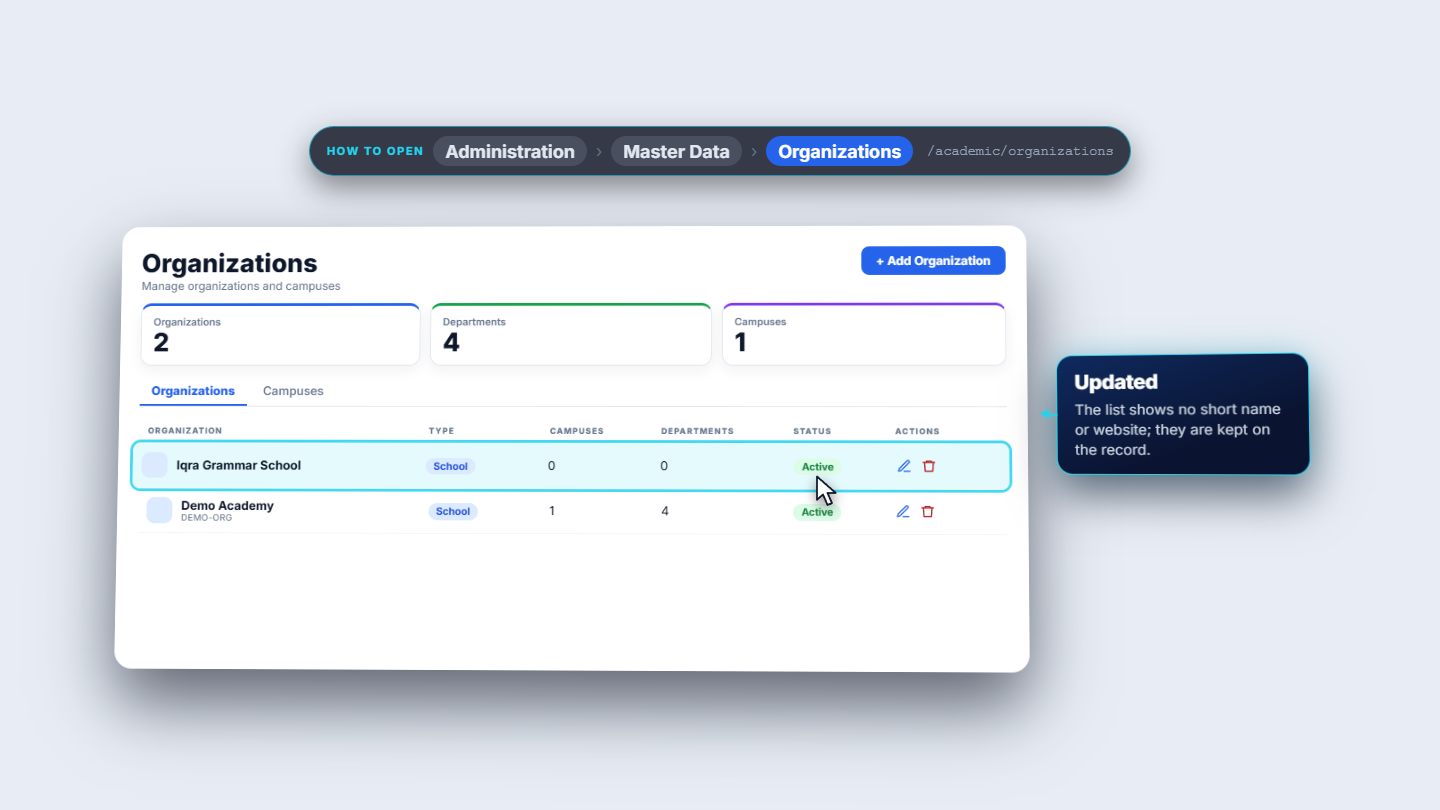
The pencil opens Edit organization with four controls: Name, Short name, Website and an Active switch. Enter I G S as the short name and the school's web address, leave Active on, and save. The toast reads Organization updated. The list does not show the short name or website; they are kept on the record.
Organization updated toast
4
Delete only an empty organization
Click the bin on Demo Academy. The question reads: Delete organization Demo Academy? It can only be deleted when it has no campuses, departments or programs. Confirm and the school refuses with a red message: Organization is in use, one campus, four departments, three programs. Demo Academy stays. An organization with nothing under it (Al-Noor Education Trust in this guide) can be deleted: confirm and the toast reads Organization deleted.
5
Open the Campuses tab
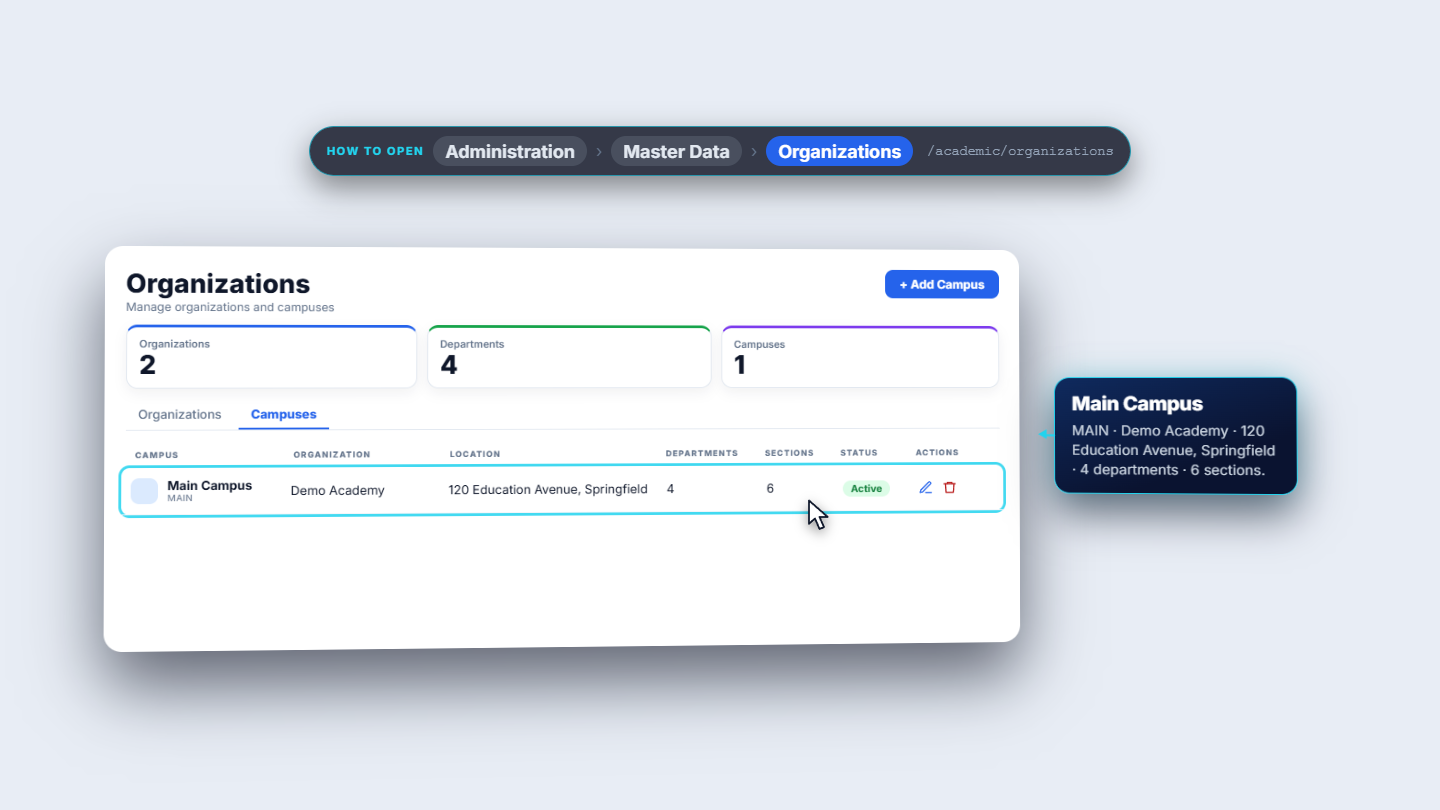
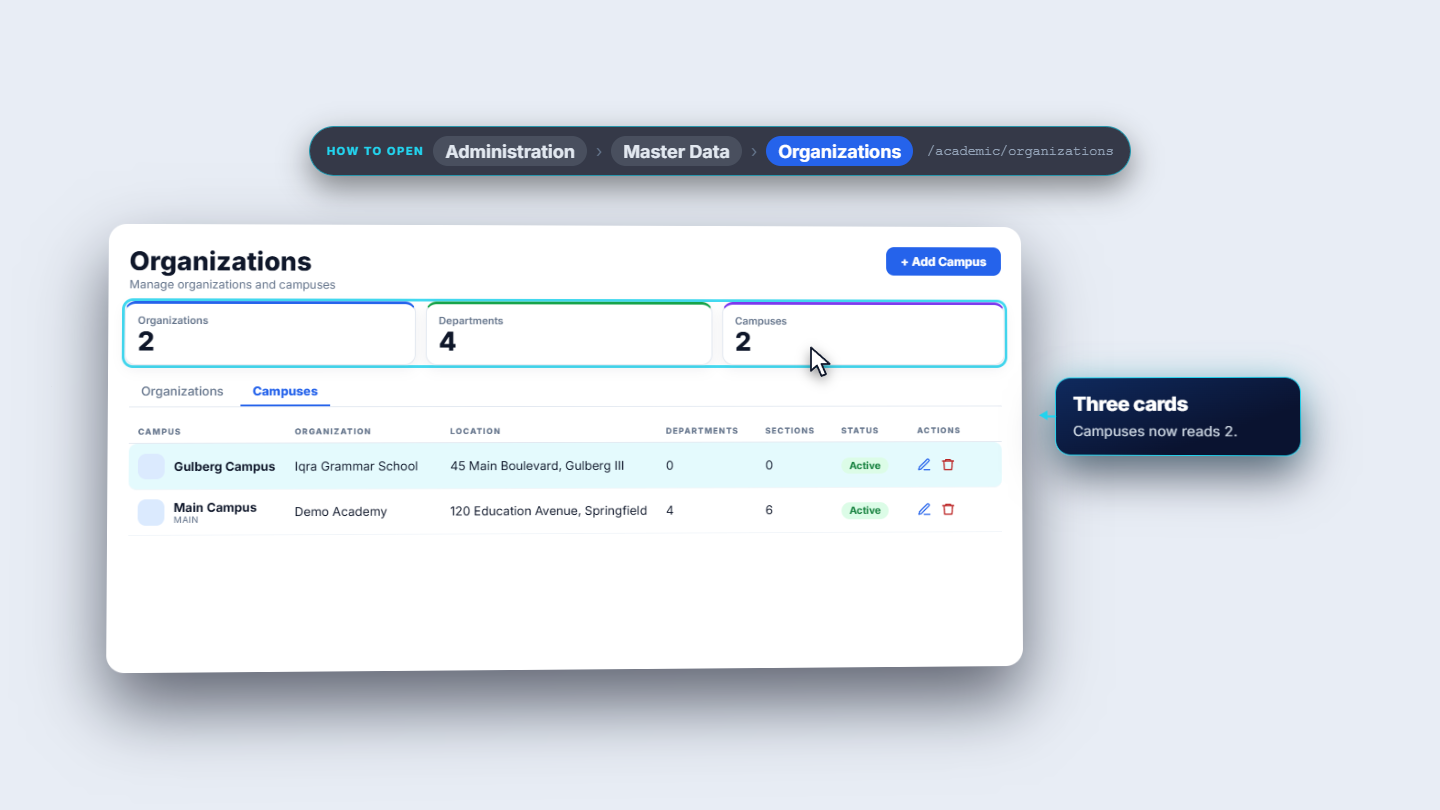
Open the Campuses tab. The table lists Campus, Organization, Location, Departments, Sections, Status and Actions. Add Campus replaces Add Organization at the top. Main Campus (code MAIN) belongs to Demo Academy, at 120 Education Avenue, Springfield, with four departments and six sections.
Campuses tab with Add Campus
6
Add a campus
Press Add Campus. Choose the Organization (required; Iqra Grammar School), type the Campus Name (required; Gulberg Campus), the Address (45 Main Boulevard, Gulberg III), and optionally Phone and Email. Press Create. The toast says Campus created. Gulberg Campus is listed first with no departments and no sections yet, and the Campuses card reads two.
Gulberg Campus listed first under Iqra Grammar School
7
Edit or remove a campus
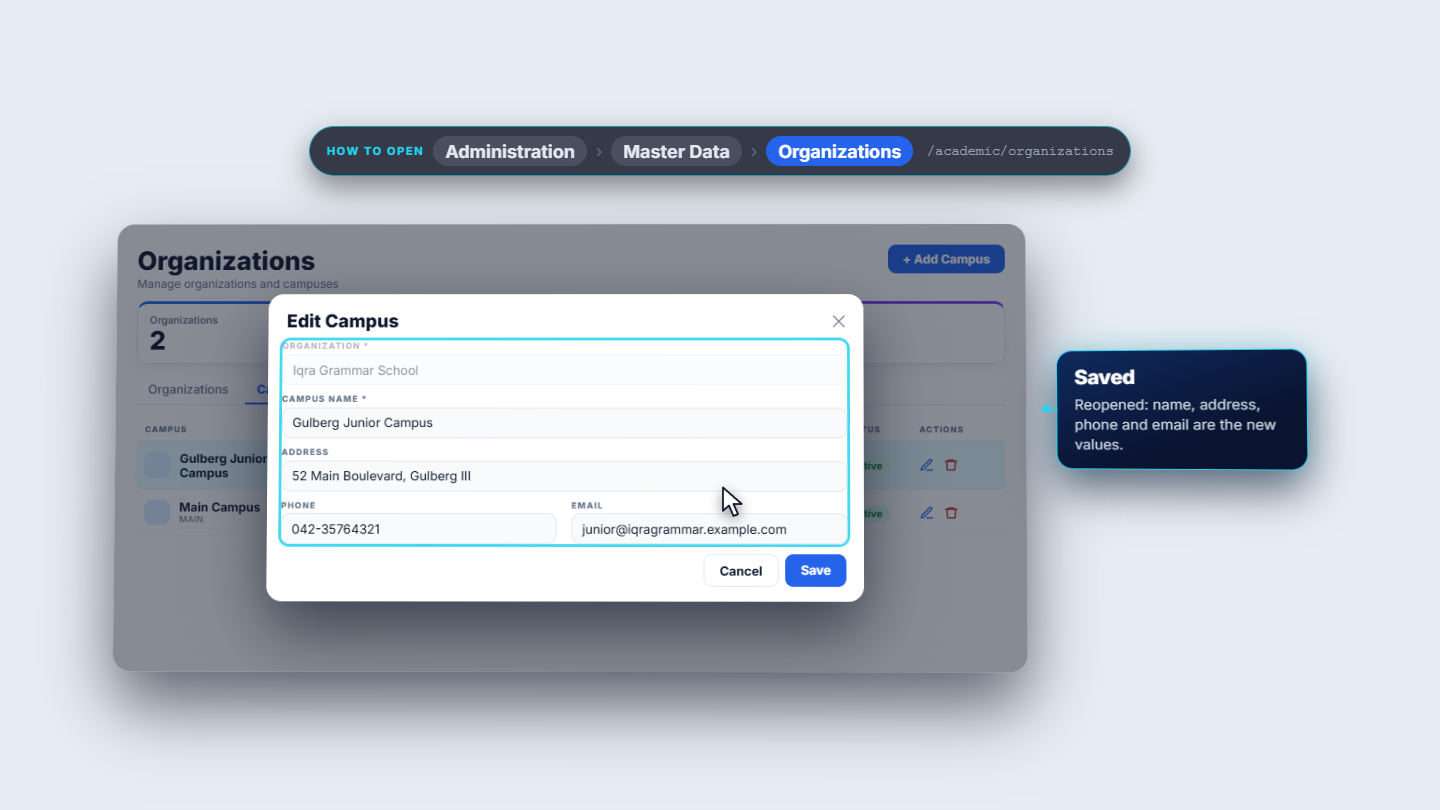
The pencil opens Edit Campus. The organization is greyed out: a campus stays in its organization. Change the name to Gulberg Junior Campus, the address to 52 Main Boulevard, Gulberg III, and the phone and email. Press Save; the toast says Campus updated. The bin asks Remove campus Gulberg Junior Campus? and the toast reads Campus removed.
Campus updated and the row changed
8
Open Departments
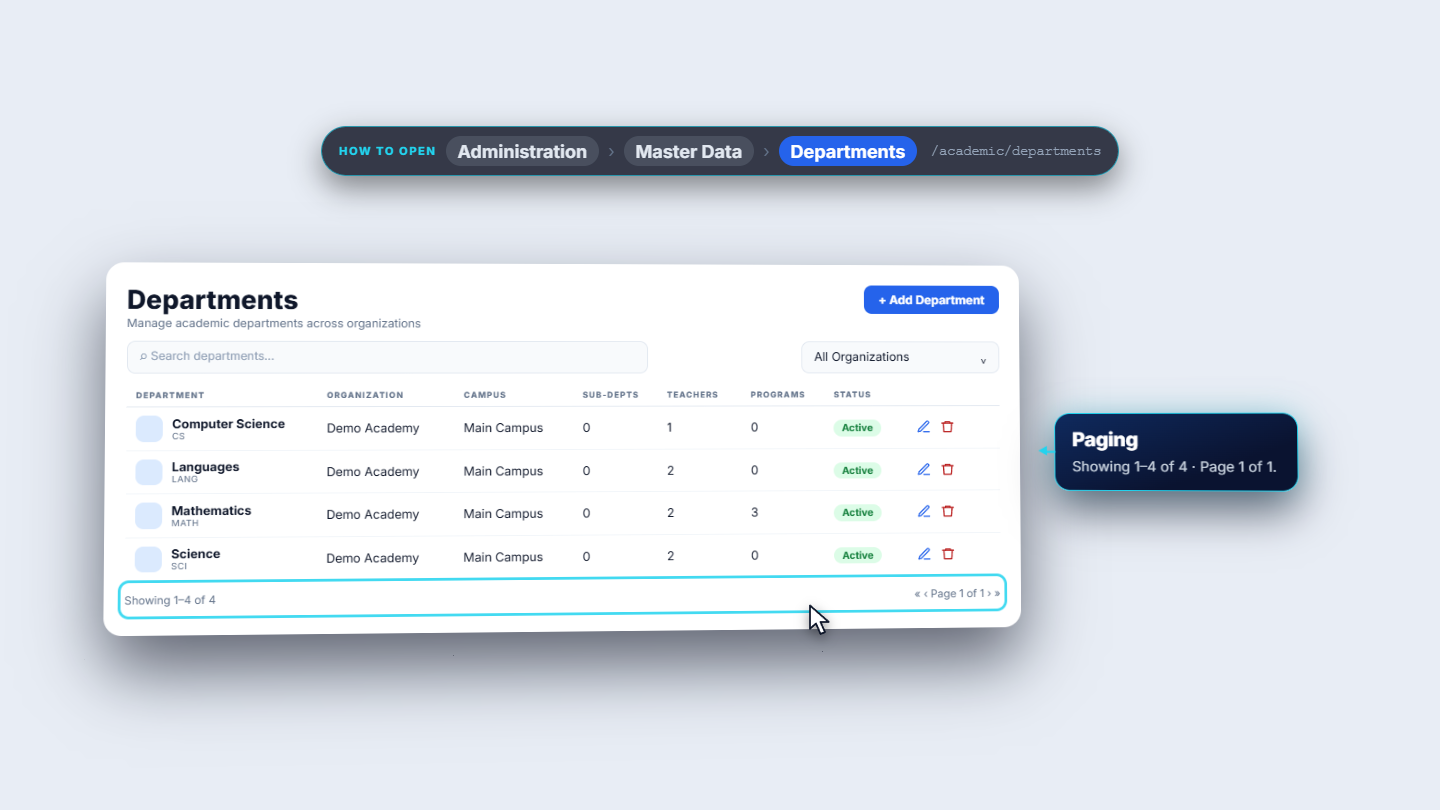
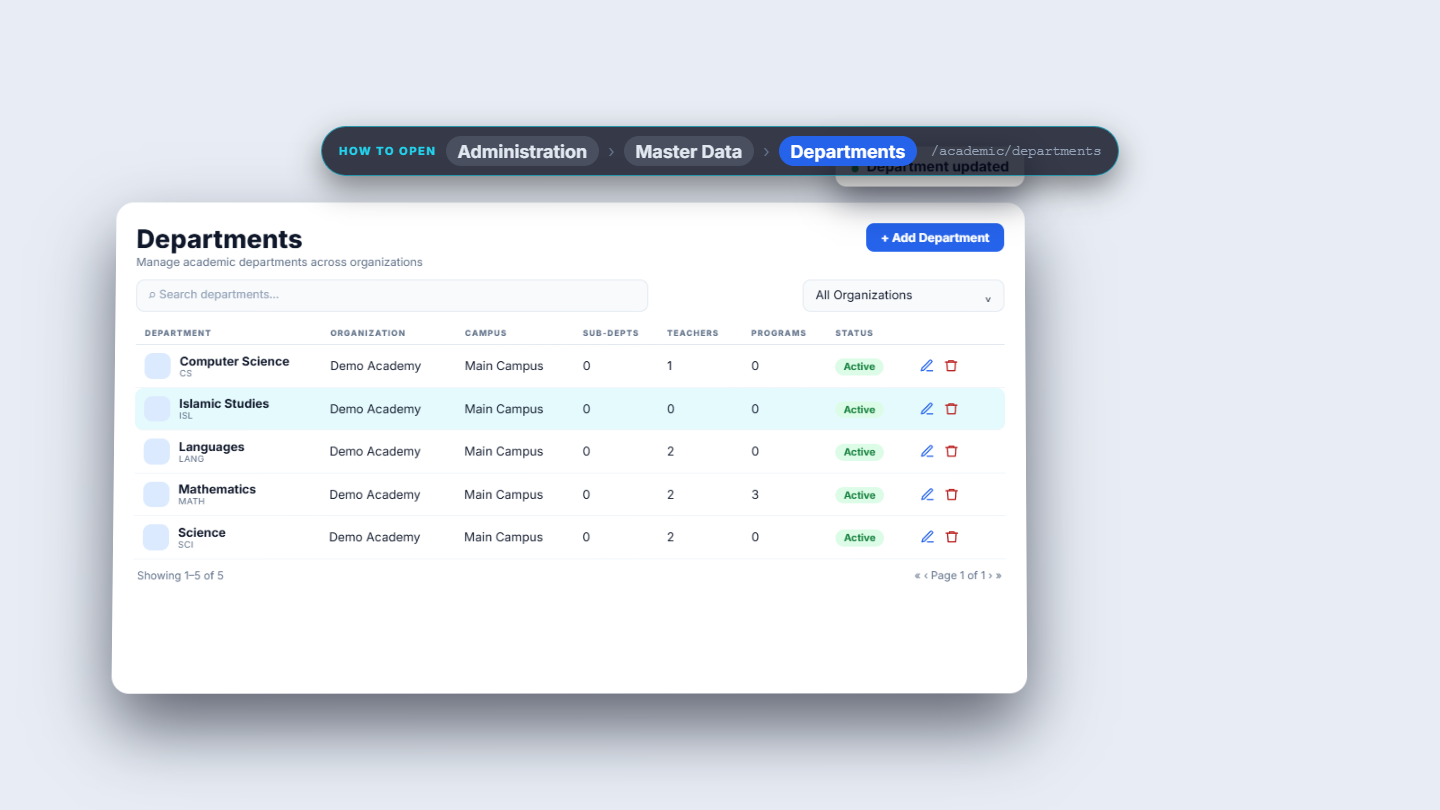
Click Administration › Master Data › Departments. The table lists each Department with its code, then Organization, Campus, Sub-Depts, Teachers, Programs and Status. Mathematics (code MATH) belongs to Demo Academy and its Main Campus, with two teachers and three programs. Use the search box (type "math" or "sci") and the organization list (All Organizations) to narrow the table. When nothing matches it says No departments found.
Departments list with codes and counts
9
Add a department
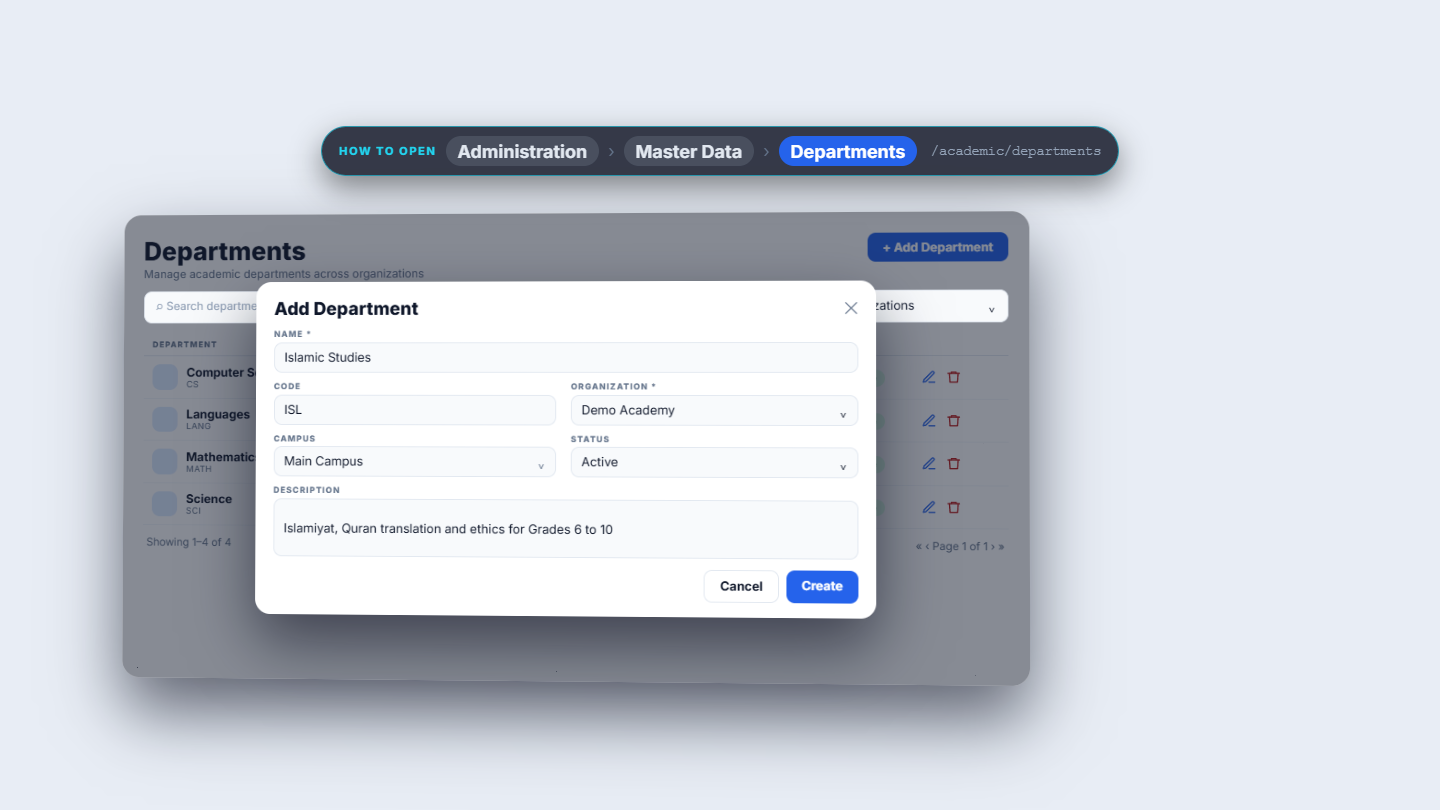
Press Add Department. Type the Name (required; Islamic Studies), a short Code (ISL), choose the Organization (required; Demo Academy), then the Campus. The Campus list stays greyed out until an organization is chosen and only offers that organization's campuses. Leave Status on Active and add a Description. Press Create; the toast says Department created.
Add Department dialog filled for Islamic Studies
10
Edit, delete and see where the lists are used
The pencil opens Edit Department; the organization is greyed out. Extend the description and press Save (toast Department updated). The bin asks Delete department Islamic Studies? and the toast reads Department deleted.
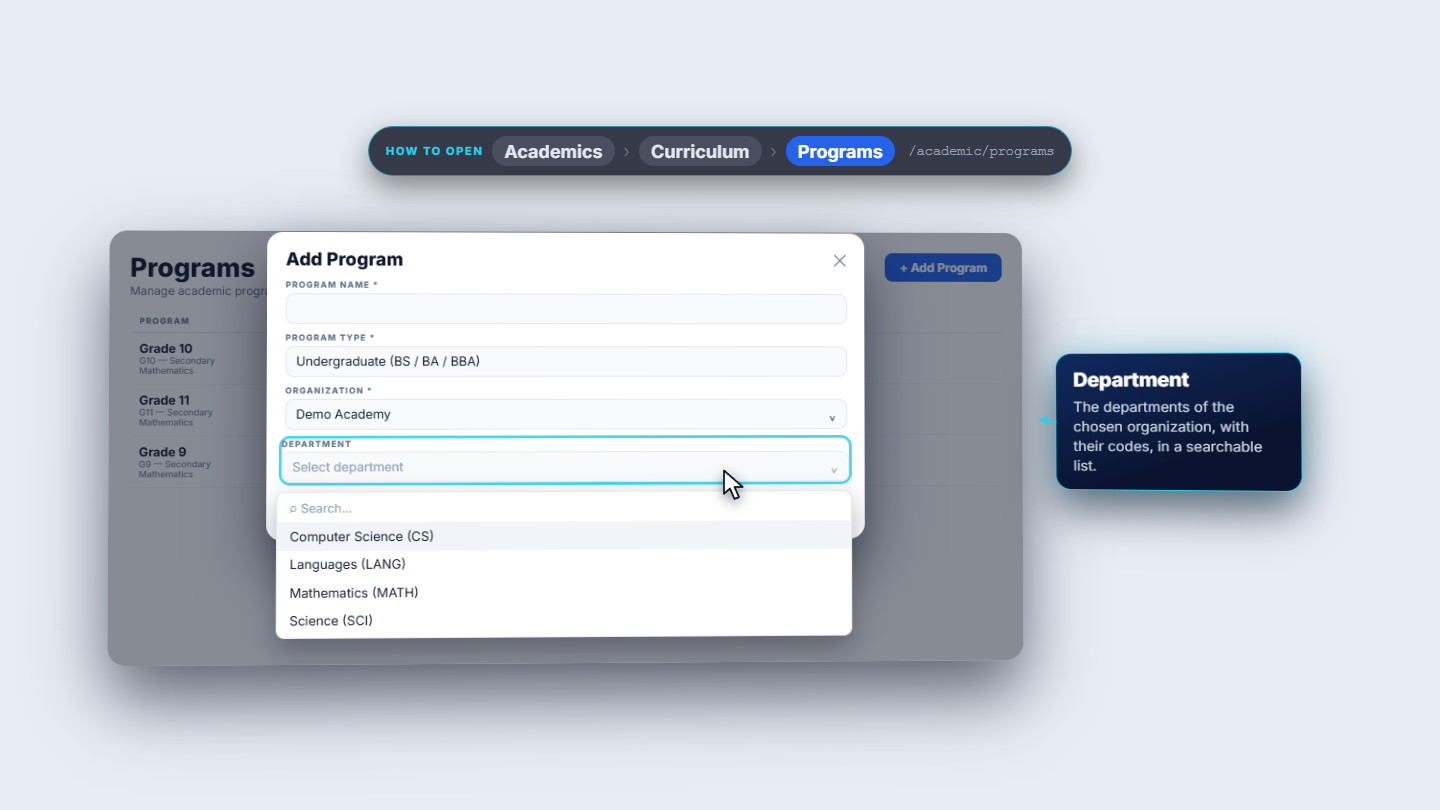
These lists feed other screens: in Academics › Programs › Add Program, Organization offers Iqra Grammar School and Demo Academy, and Department then lists that organization's departments with their codes.
Edit Department with the description extended
Add Program with the Organization and Department lists
Check it worked
The cards Organizations, Departments and Campuses match the rows.
Each new campus and department is listed under the right organization.
Add Program offers the new organization and its departments.
Common mistakes
Mistake
What you see
Fix
Deleting an organization that has programs
Organization is in use, one campus, four departments, three programs
Remove or reassign them first
Choosing a campus before an organization
Campus is greyed out
Choose the Organization first
Looking for Type in the edit dialog
Only four controls are shown
Type is chosen when the organization is created
Quick reference
Item
Meaning / rule
Organization
The school, college or academy that owns everything below it
Campus
A physical site of an organization
Department
An academic department inside an organization, optionally on a campus
Required fields
Organization: Name. Campus: Organization and Name. Department: Name and Organization
Frequently asked questions
Which fields are required? An organization needs only a Name. A campus needs an Organization and a Name. A department needs a Name and an Organization.
Why can I not delete an organization? An organization that still has campuses, departments or programs is in use and the school refuses to delete it. Remove or reassign what is under it first.
Why is the Campus list greyed out when I add a department? Choose the Organization first. The Campus list then offers only that organization's campuses.
Can I change the organization type later? No. Type and Description are set when you create the organization and are not in the edit dialog.