How to record growth measurements and the childhood immunization register
Record a child's measurements, load the whole EPI vaccine schedule from the date of birth in one click, and keep every dose in one register. You need it at each well-baby or vaccination visit.
Who it is forPaediatrician or paediatric nurseTime10 minutesProductHMSLevelIntermediate
Before you start
Steps
1
Open the Paediatrics register
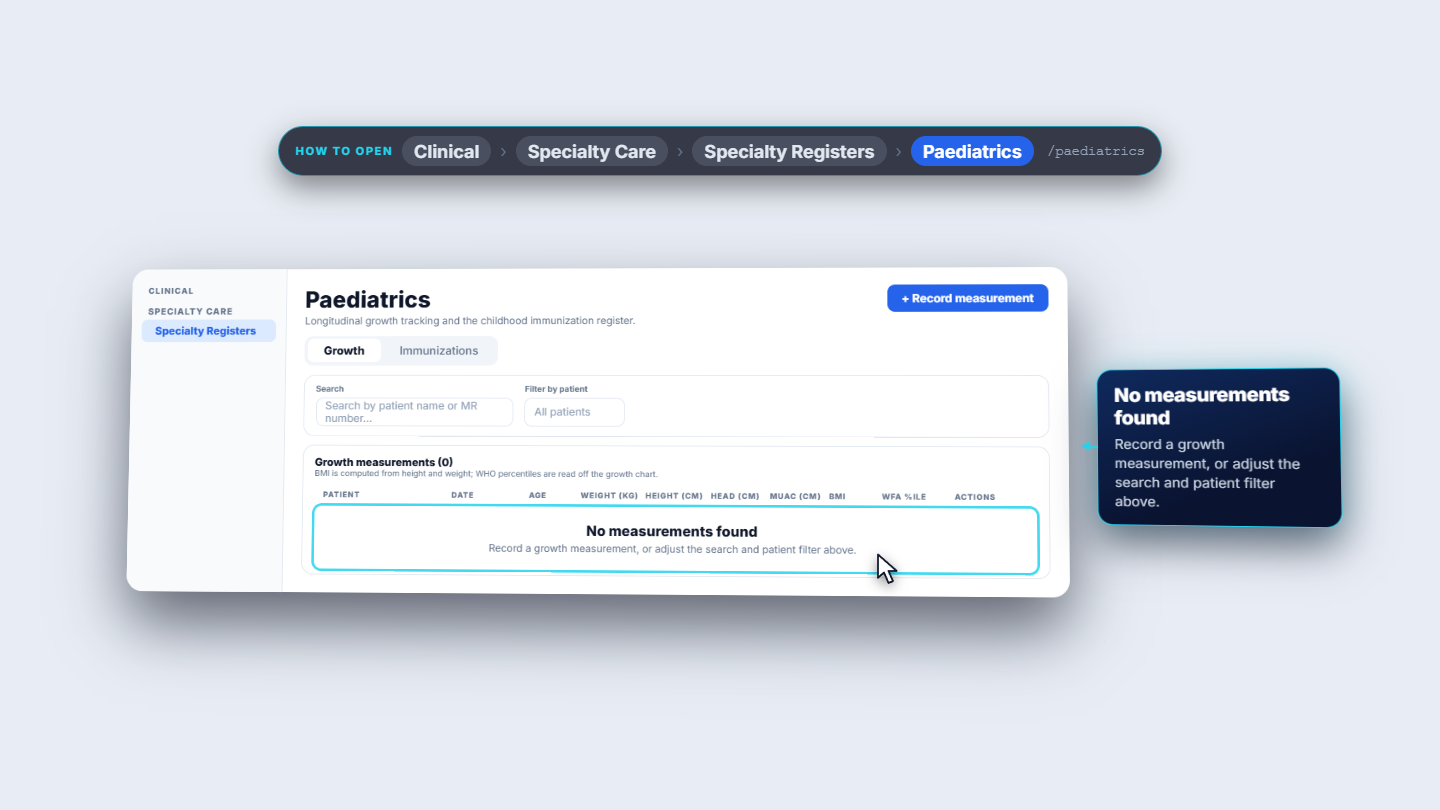
Go to Clinical > Specialty Care > Specialty Registers > Paediatrics. The page has two tabs, Growth and Immunizations. On Growth you see "Growth measurements" with the columns Patient, Date, Age, Weight (kg), Height (cm), Head (cm), MUAC (cm), BMI and WfA %ile. You can search by patient name or MR number, or use Filter by patient.
Paediatrics register open on the Growth tab, showing the measurement table and its columns
2
Record a measurement
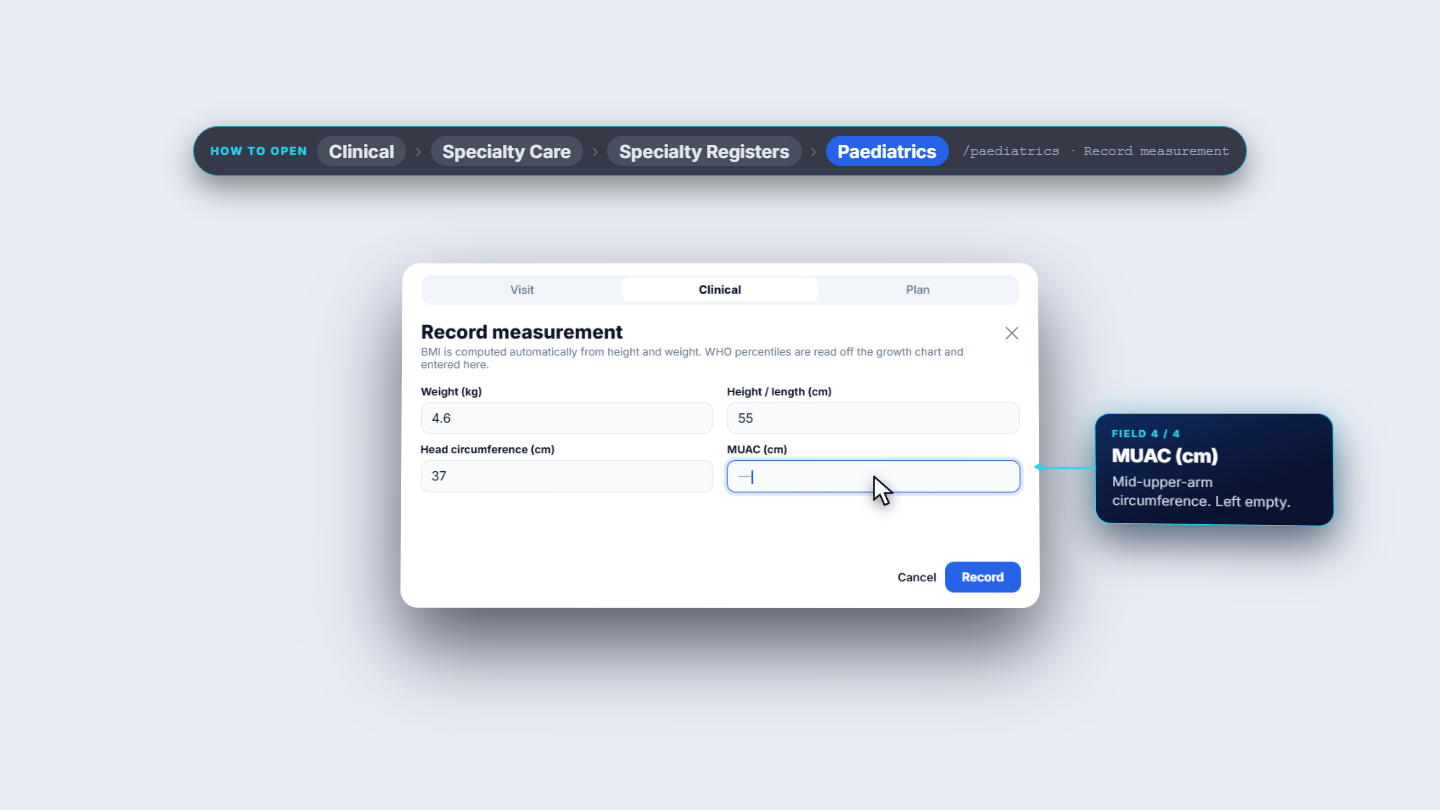
Click Record measurement. On the Visit tab choose the Patient and set Measured on. On the Clinical tab enter Weight (kg), Height / length (cm) and Head circumference (cm); MUAC (cm) is optional. The Plan tab holds the percentile fields (read off the WHO growth chart) and a clinical note. Click Record.
Record measurement dialog on the Clinical tab with weight 4.6, height 55 and head circumference 37
3
Check the saved measurement
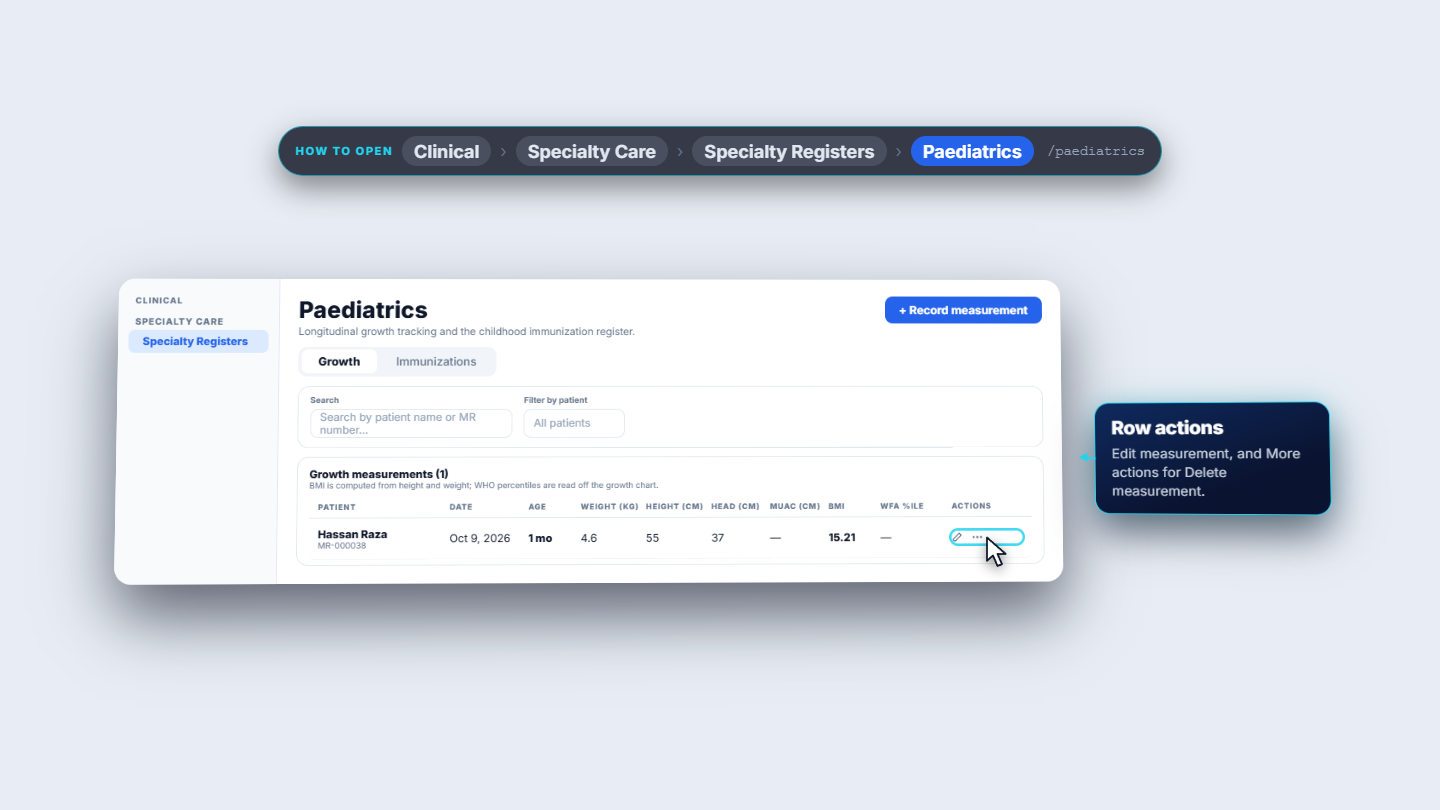
The message "Measurement recorded" appears and the new row shows in the table. For Hassan Raza on Oct 9, 2026 it reads Age 1 mo, weight 4.6, height 55, head 37 and BMI 15.21. Use Edit measurement on the row to correct a value, or More actions to delete it.
Growth table with the new row for Hassan Raza after the Measurement recorded message
4
Load the EPI schedule
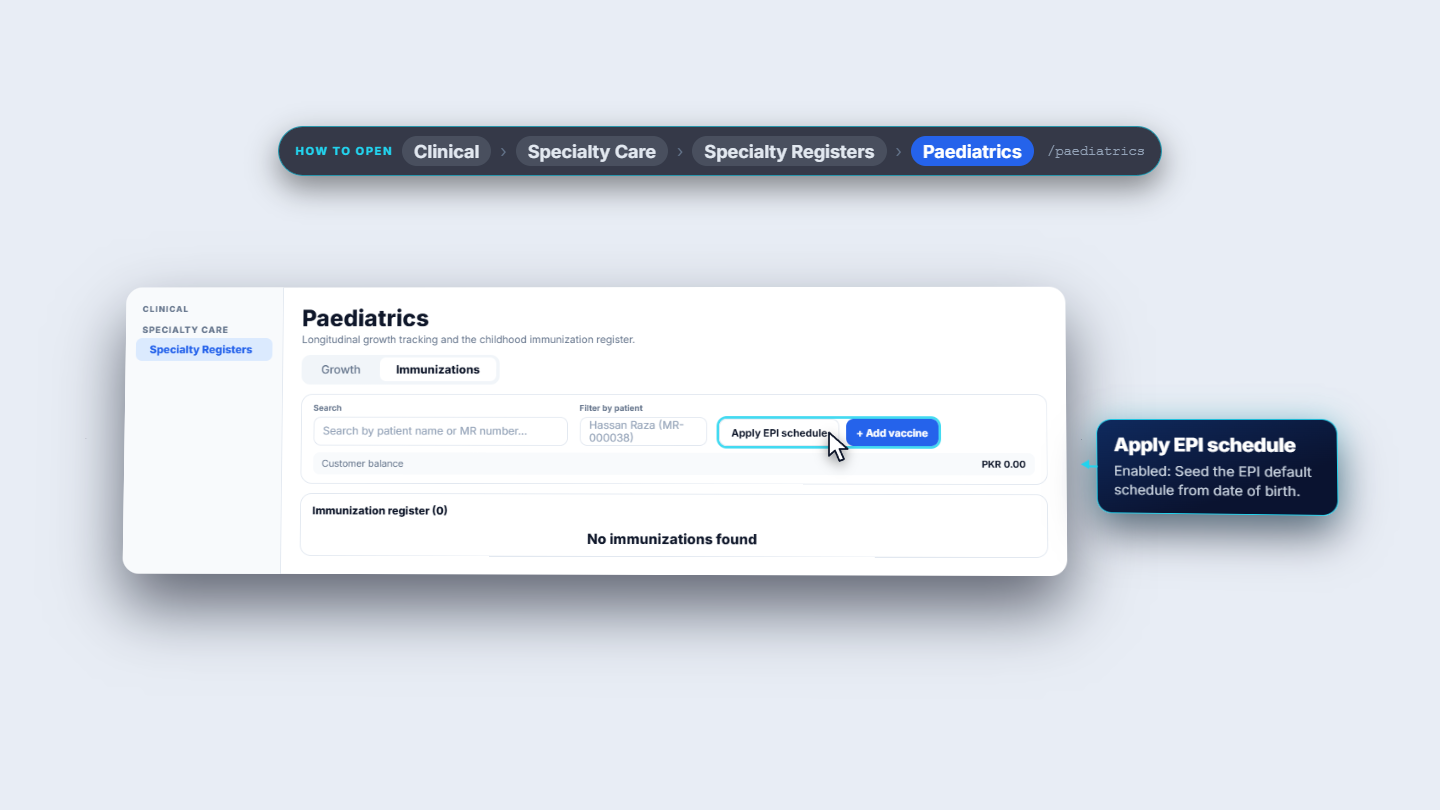
Open the Immunizations tab. Apply EPI schedule is greyed out until you choose a child in Filter by patient. Choose Hassan Raza (MR-000038), then click Apply EPI schedule. The message "Added 17 scheduled dose(s)" appears and the register lists all 17 doses with dates counted from the date of birth.
Immunizations tab filtered to Hassan Raza with the Apply EPI schedule button enabled
5
Mark a dose given
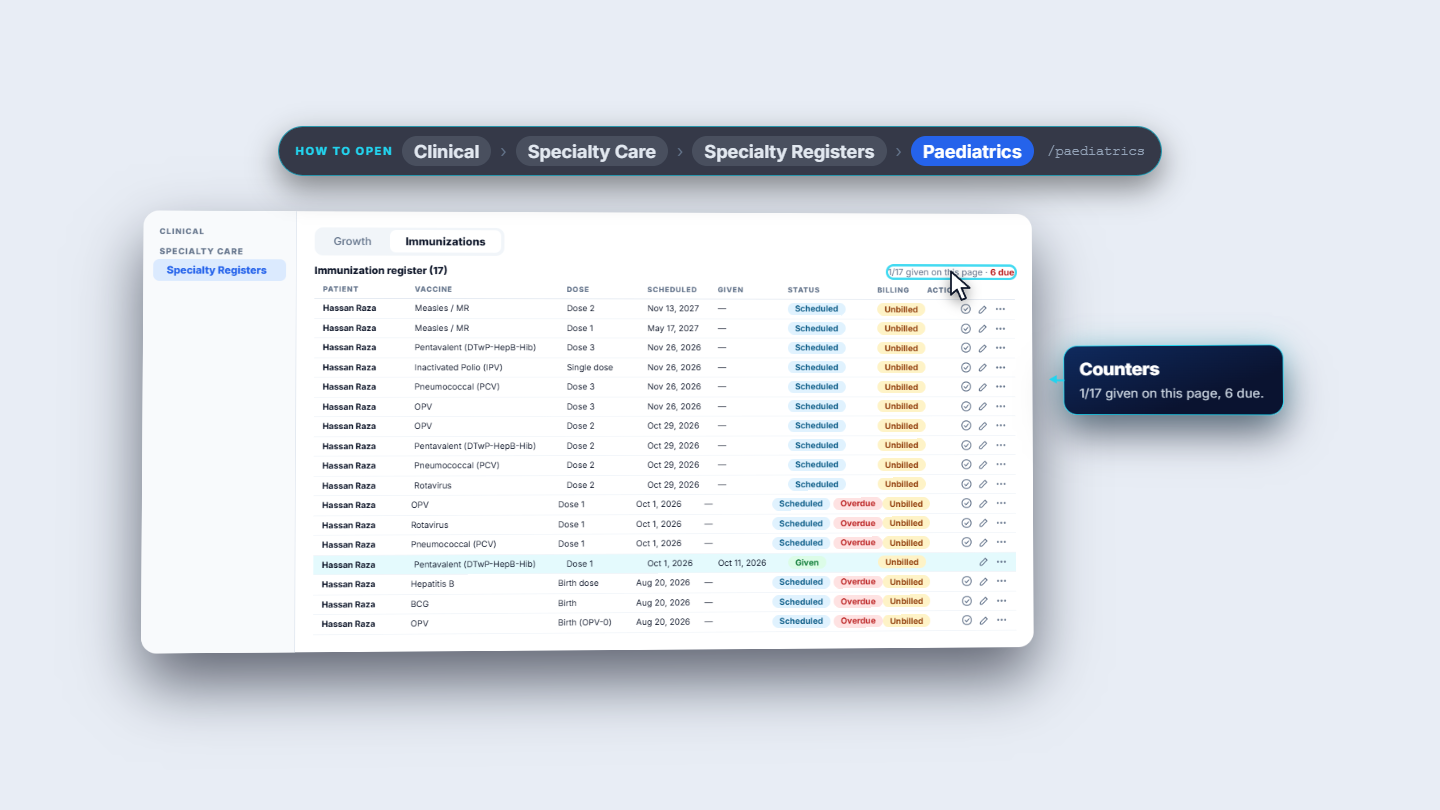
Find the dose that was just given and click Mark given on its row. For Pentavalent (DTwP-HepB-Hib) Dose 1 you see "Pentavalent (DTwP-HepB-Hib) marked given". The Given column shows today's date, Oct 11, 2026, not the scheduled date. The counters change to "1/17 given on this page" and "6 due". Doses past their scheduled date carry an Overdue badge next to Scheduled.
Immunization register with the Pentavalent Dose 1 row Given and the counter reading 1/17 given
6
Add a dose by hand with batch and site
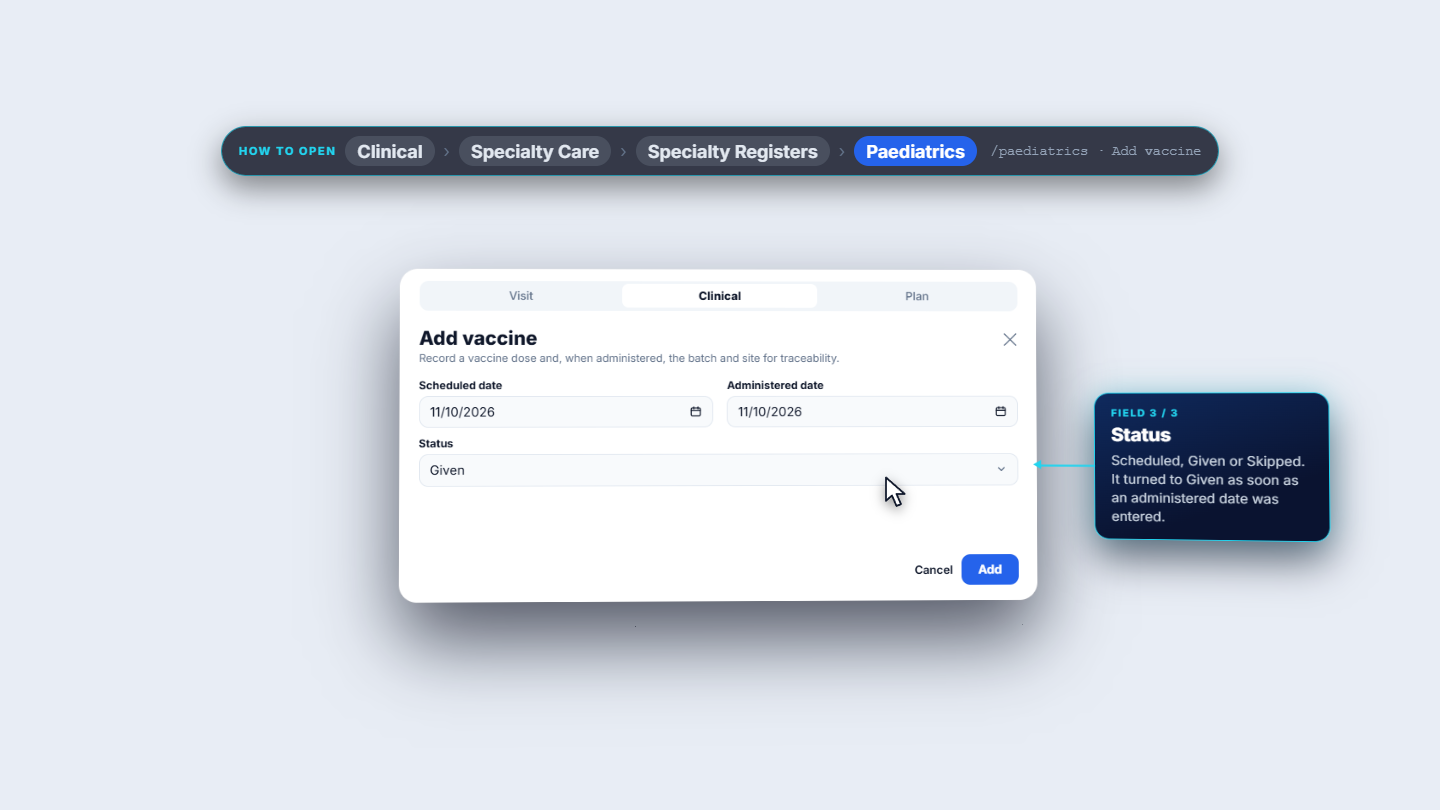
Click Add vaccine. On Visit choose the Vaccine (for example Hepatitis B) and the Dose (for example Dose 2). On Clinical set Scheduled date and Administered date; Status turns to Given by itself once an administered date is set. On Plan fill Batch / lot, Site, Route and Administered by. Click save.
Add vaccine dialog on the Clinical tab with scheduled and administered dates and status Given
7
Confirm the register
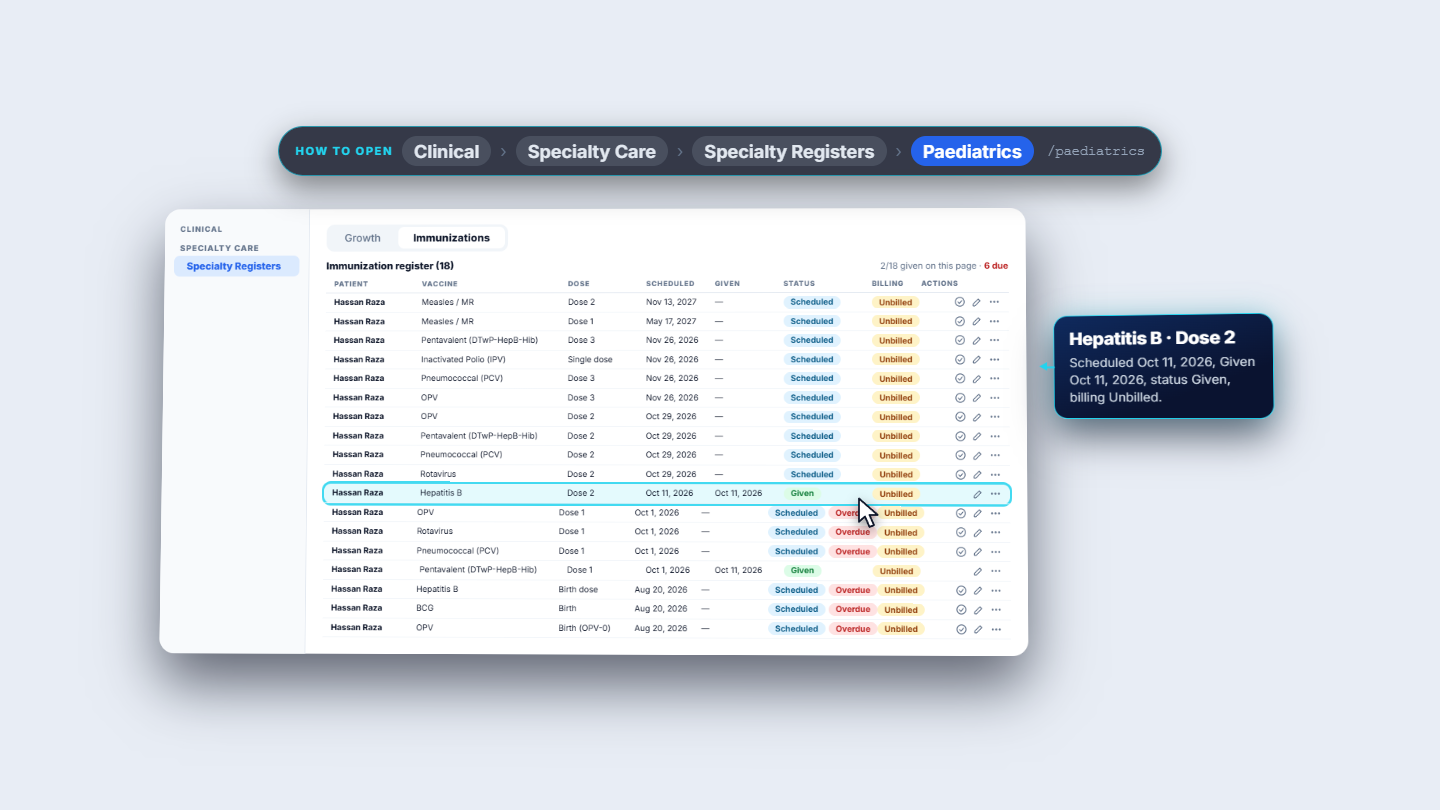
"Immunization added" appears. The register now holds 18 doses, the counter reads "2/18 given", and the Hepatitis B Dose 2 row shows Given. Its billing column shows Unbilled.
Immunization register showing 18 doses and the new Hepatitis B Dose 2 row marked Given
Check it worked
Growth tab: Hassan Raza has a row for Oct 9, 2026 with Age 1 mo and BMI 15.21.
Immunizations tab, filtered to Hassan Raza: "Immunization register (18)" and "2/18 given".
Pentavalent (DTwP-HepB-Hib) Dose 1 and Hepatitis B Dose 2 both show Given.
Common mistakes
Mistake
What you see
Fix
Opening Immunizations with no child chosen
Apply EPI schedule is greyed out
Pick the child in Filter by patient first
Saving a measurement with no patient
"Select a patient for this measurement"
Choose the child on the Visit tab
Saving a vaccine with no name
"Vaccine name is required"
Choose the Vaccine on the Visit tab
Using Mark given for a dose given on an earlier day
The Given column shows today's date
Edit the dose and set the Administered date
Quick reference
Item
Meaning / rule
Age
Whole months from the date of birth, worked out for you
BMI
Weight divided by height squared, to 2 decimals
Apply EPI schedule
Adds the 17 scheduled doses from the date of birth; needs a patient filter and skips doses already present
Overdue
Shown next to Scheduled when the scheduled date has passed
Status
Scheduled, Given or Skipped
Route
Oral (PO), Intramuscular (IM), Subcutaneous (SC) or Intradermal (ID)
Frequently asked questions
Do I type the child's age and BMI when I record a measurement? No. The age in months is counted from the date of birth and the BMI is worked out from the weight and height you enter.
Can I run Apply EPI schedule twice for the same child? Yes. Doses already in the register are skipped, and you see "Schedule already complete" instead of duplicates.
Why does a dose I marked given show today's date?Mark given records the day you click it. To keep a different day, add or edit the dose and enter the Administered date.