How to keep a patient's clinical lists current and merge duplicate records
A patient's allergies, problems, medicines and vitals follow them across every visit, and one person must have one record. This guide shows how to update those lists from the Patients screen, read the whole patient in Patient 360, and merge a patient who was registered twice.
Who it is forFront-desk receptionist and nurseTime15 minutesProductHMSLevelIntermediate
Before you start
Steps
1
Record an allergy
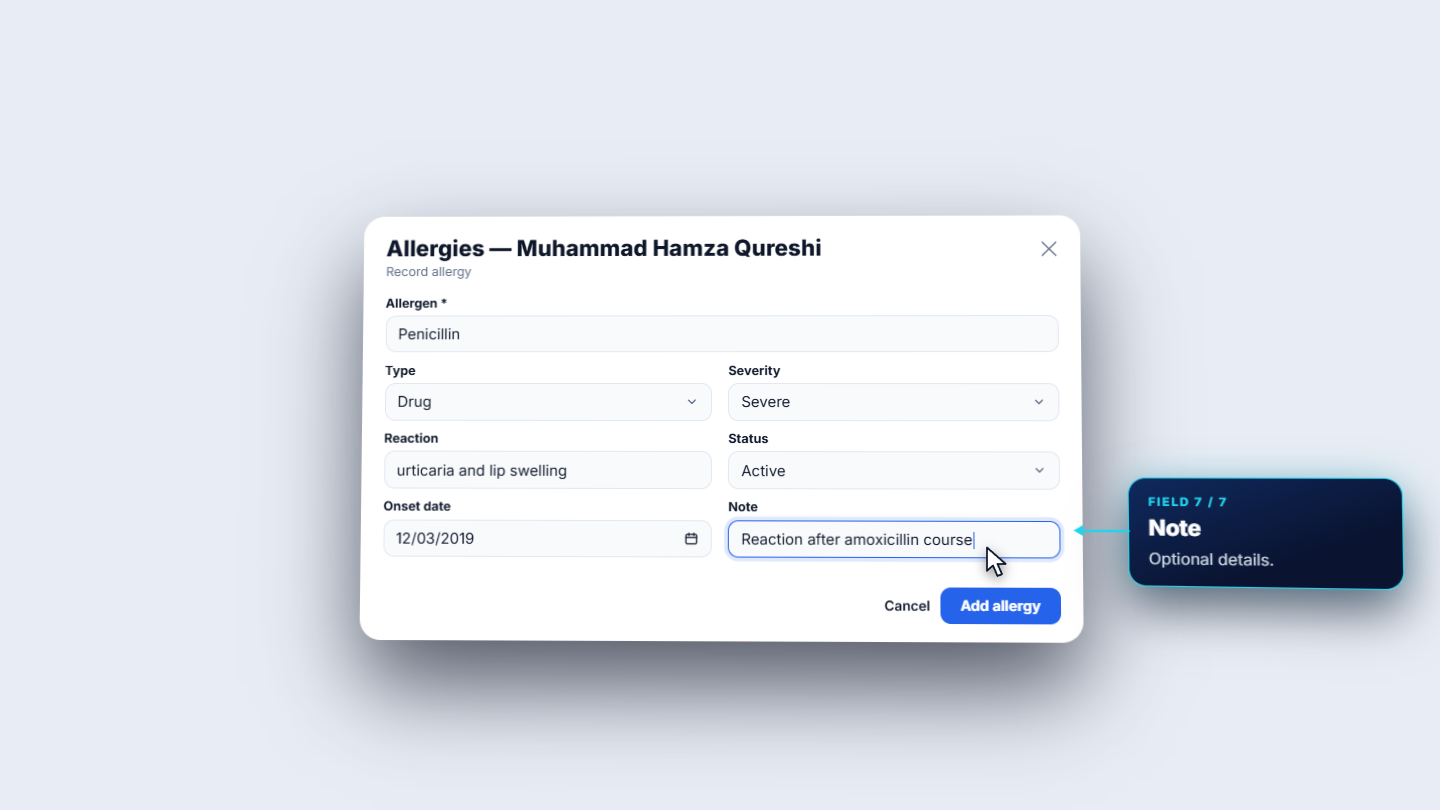
On the patient's row press More actions › Manage allergies. The Allergies dialog is the source of truth for drug allergy safety checks at prescribing. No Known Allergies records a deliberate "none" and is disabled while an active allergy exists. Press Record allergy and fill Allergen (Penicillin, kept as free text when it is not a coded substance), Type (Drug), Severity (Severe), Reaction (urticaria and lip swelling), Status (Active), Onset date (12 March 2019) and an optional Note. Press Add allergy: Allergy recorded.
Allergies dialog with Penicillin, Severe, urticaria and lip swelling
2
Add a problem
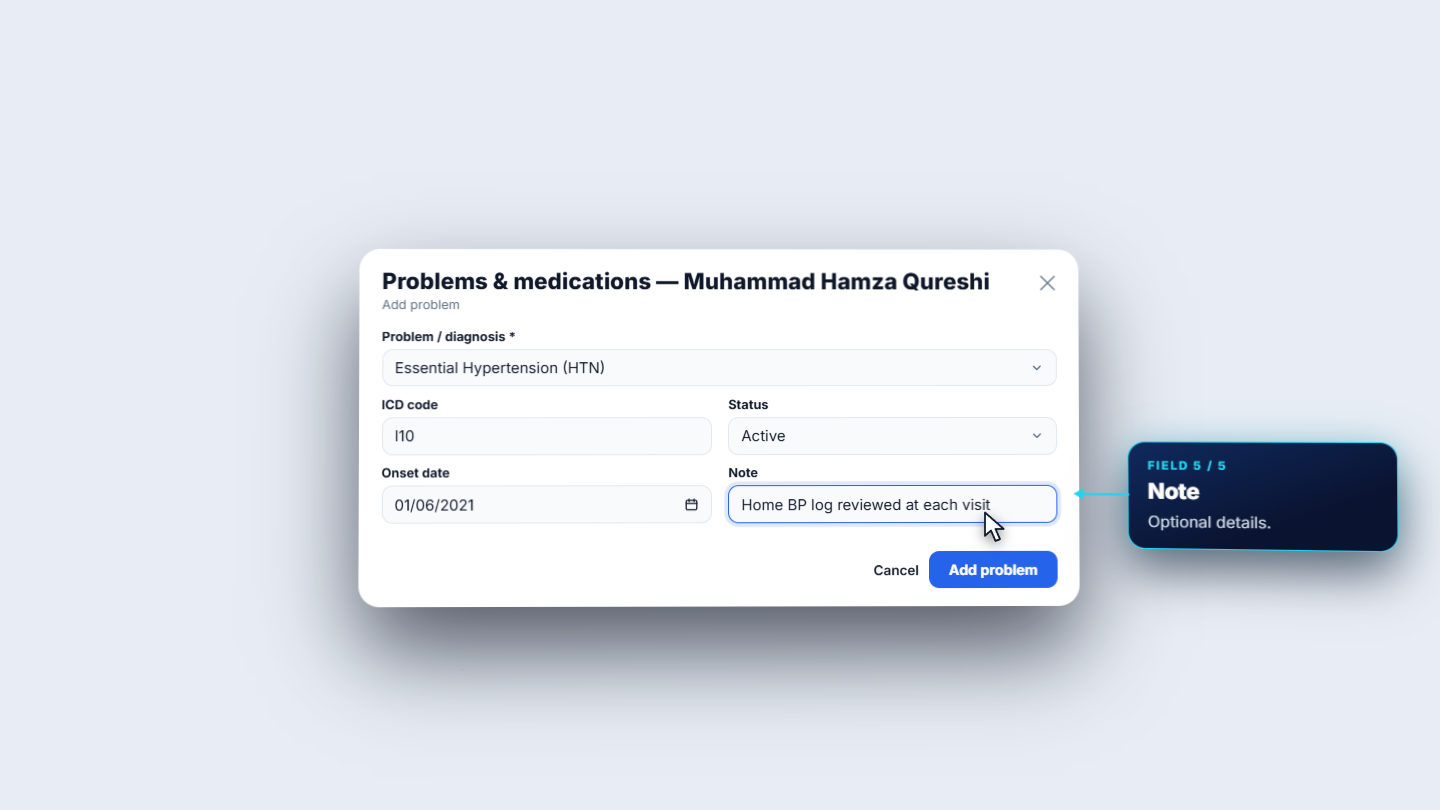
Choose More actions › Problems and medications. The dialog has two tabs, and the lists follow the patient across every encounter. On Problems press Add problem. Search Problem / diagnosis: picking Essential Hypertension (HTN) also fills the ICD code (I10). Set Status (Active, Resolved or Inactive), Onset date (1 June 2021) and a Note ("Home BP log reviewed at each visit"). Press Add problem: Problem added.
Add problem dialog with Essential Hypertension and ICD code I10
3
Add a medication
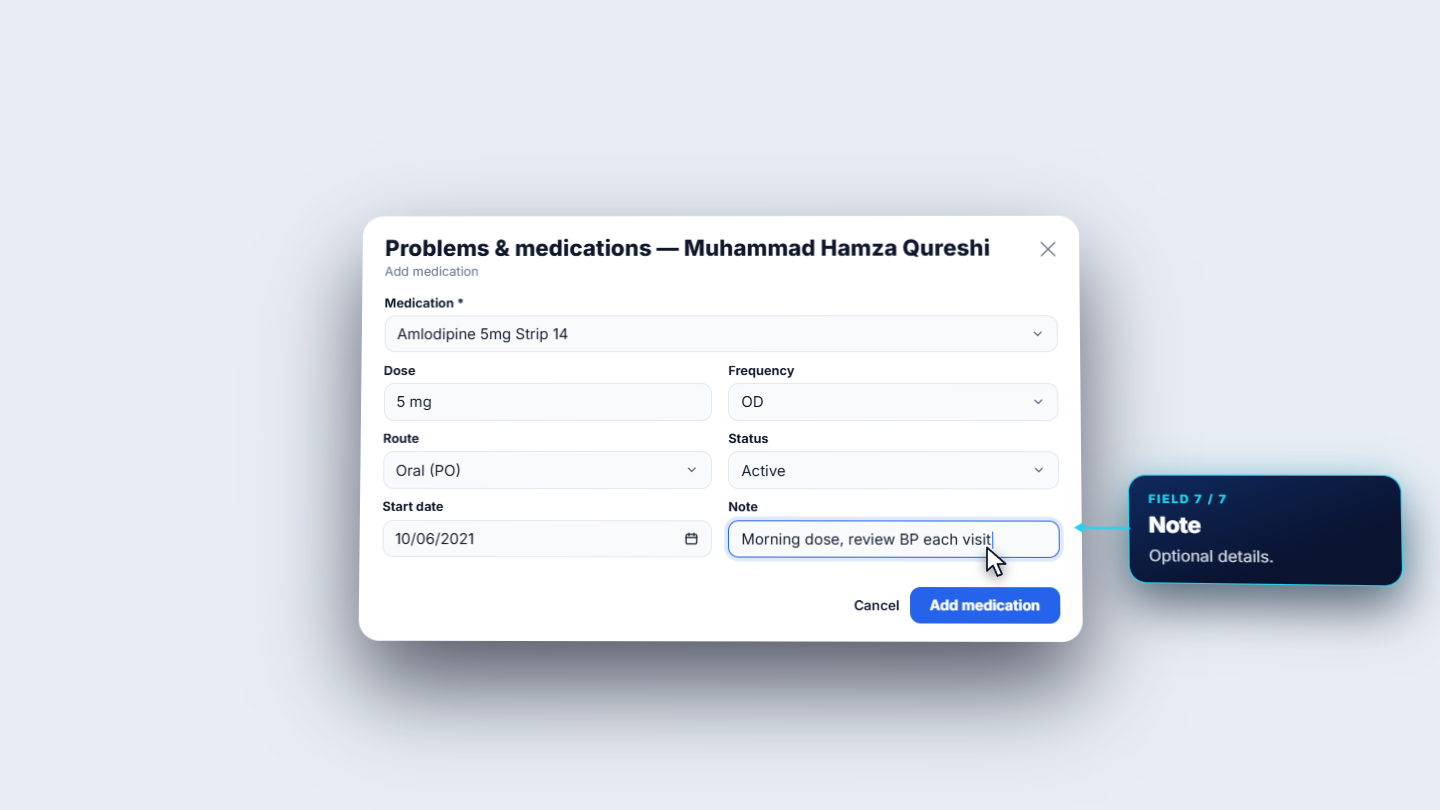
Open the Medications tab and press Add medication. Pick the Medication from the catalogue (Amlodipine 5mg Strip 14), enter Dose (5 mg), Frequency (OD), Route (Oral), Status (Active, Stopped or Completed), Start date (10 June 2021) and a note. Press Add medication: Medication added.
Add medication dialog with Amlodipine 5mg, OD, Oral
4
Record vitals
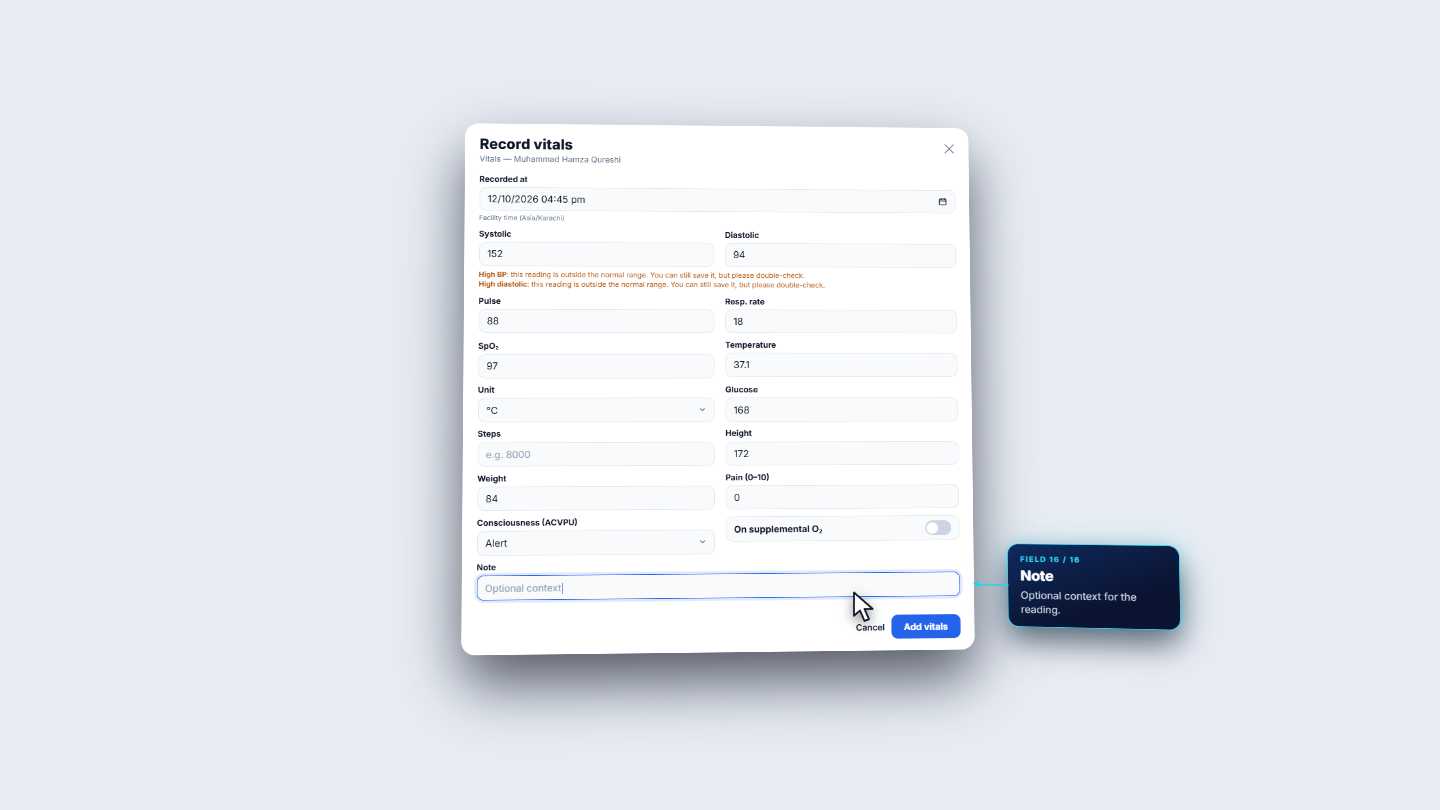
Choose More actions › Record vitals. The dialog has Overview, Record and History. In Record fill Recorded at (facility time) and the readings: Systolic 152, Diastolic 94, Pulse 88, Resp. rate 18, SpO₂ 97, Temperature 37.1 with Unit °C, Glucose 168, Height 172, Weight 84, Pain (0–10) 0 and Consciousness (ACVPU). Press Add vitals: Vitals recorded.
Record vitals form with systolic 152, diastolic 94 and the High BP warnings
5
Open Patient 360
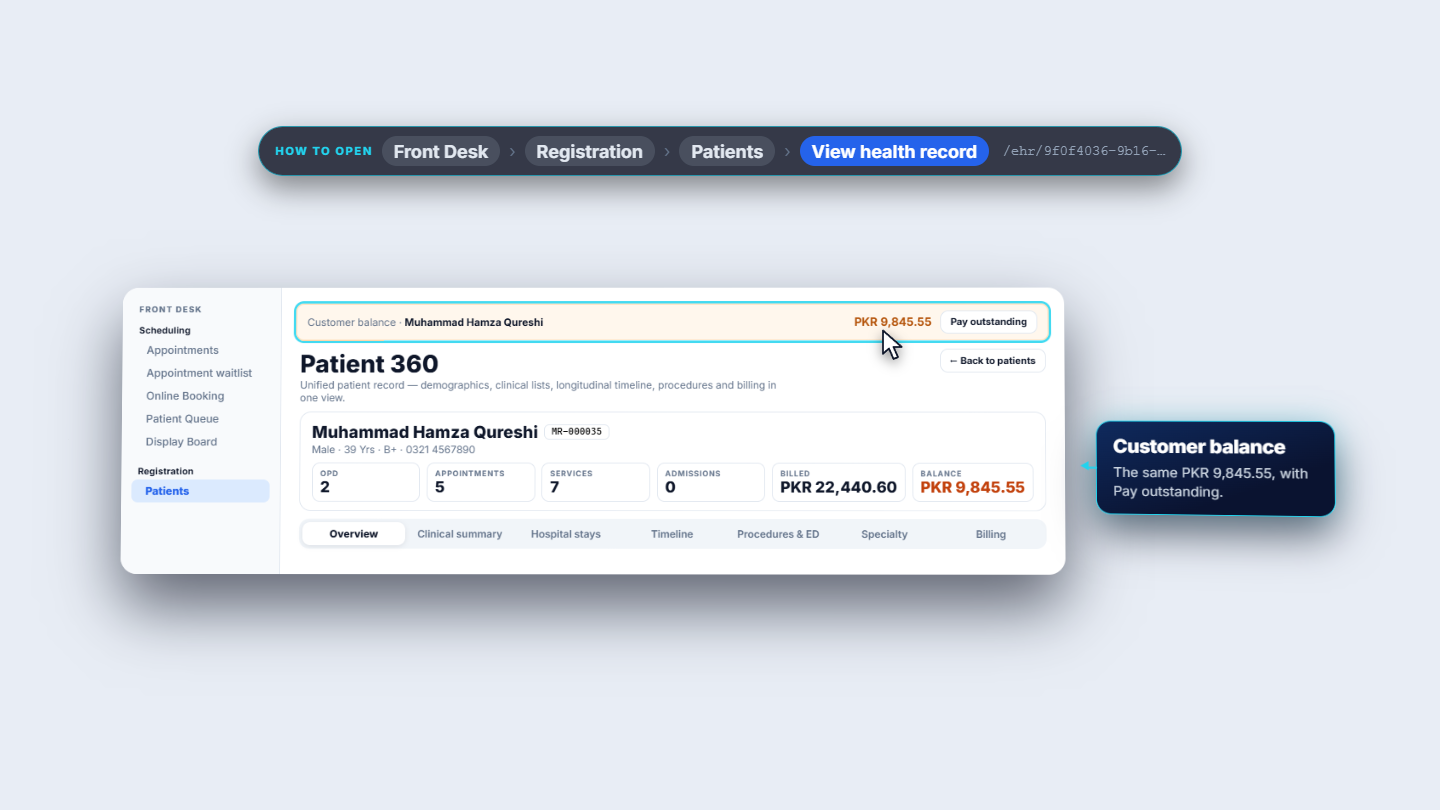
Choose More actions › View health record. The header shows the name, MR number (MR-000035), age, blood group and phone, then tiles for OPD, Appointments, Services, Admissions, Billed and Balance. For this patient the Balance is PKR 9,845.55, and the banner above repeats it with Pay outstanding. The Overview cards show Allergies (Penicillin in red, Sulfa drugs in amber), Latest vitals, Chronic conditions, Active problems and Current medications.
Patient 360 header with the visit counts and the customer balance banner
6
Read the other tabs
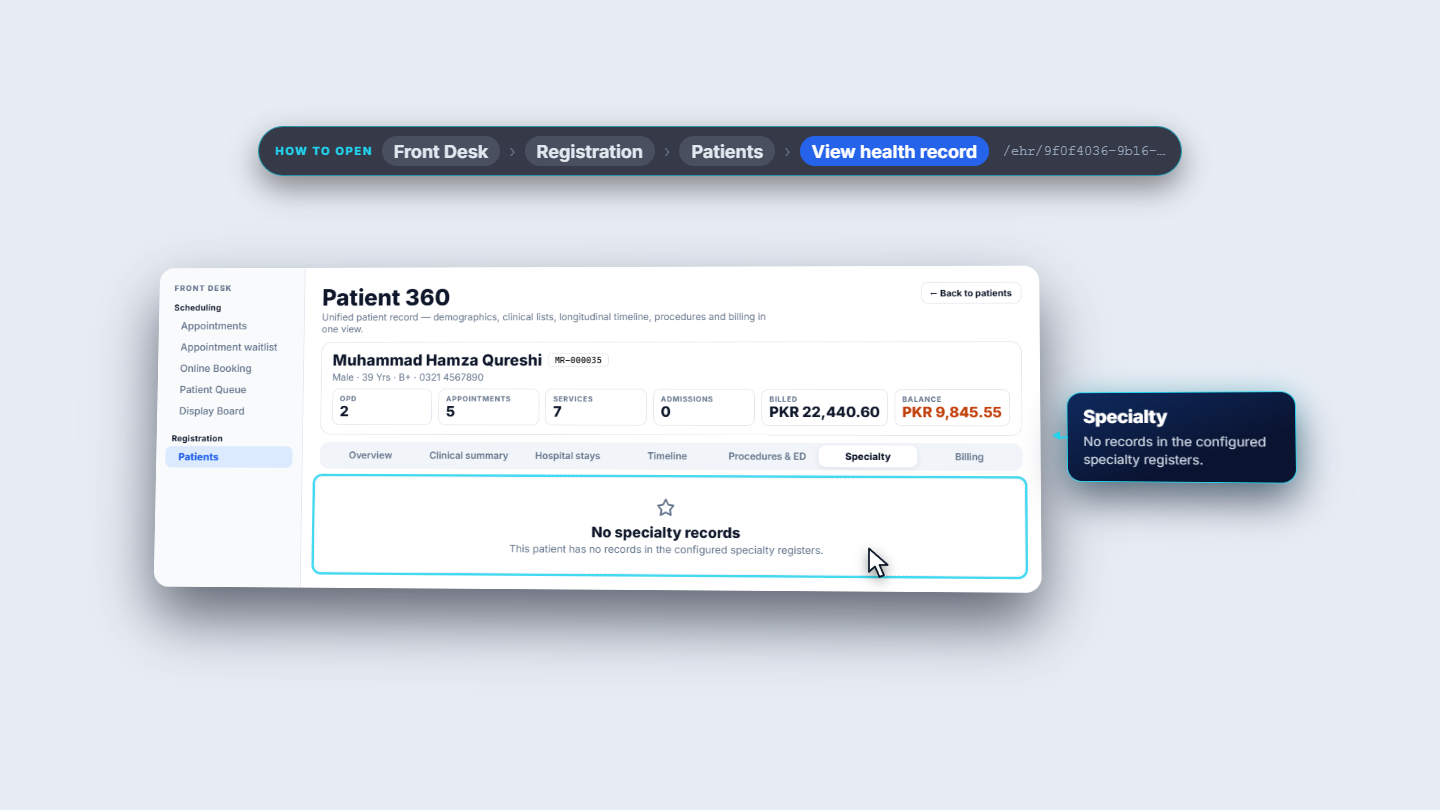
The tabs run Overview, Clinical summary, Hospital stays, Timeline, Procedures & ED, Specialty and Billing. Clinical summary lists OPD consultations and discharges in time order, each with an Open button. Timeline puts appointments, services, invoices and consultations in one list. Billing lists invoices, with Pay outstanding, Bill to insurance and New installment plan. Tabs with nothing yet say so, for example No specialty records.
Patient 360 Specialty tab reading No specialty records
7
Spot a patient registered twice
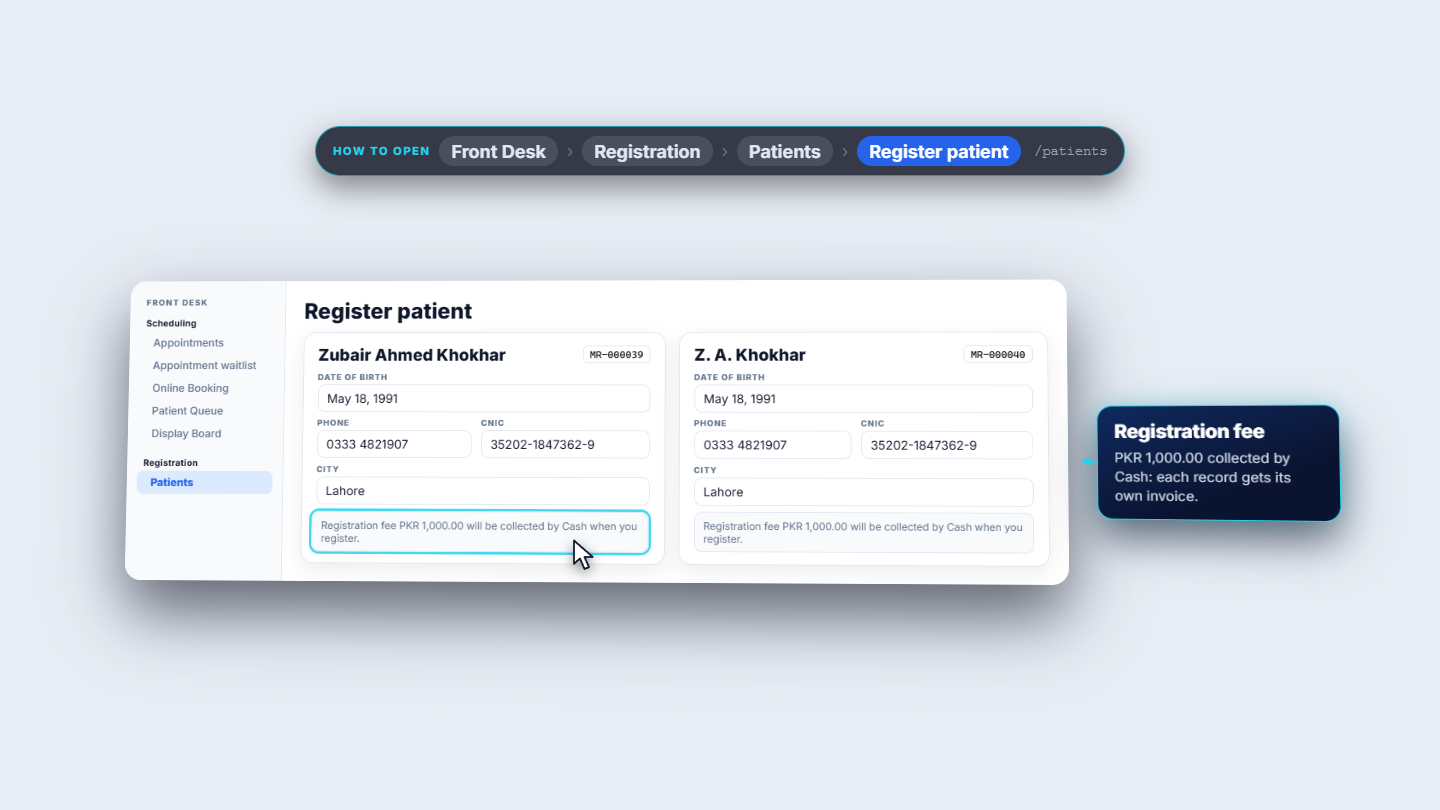
The same person can be registered twice, because the form accepts it. Zubair Ahmed Khokhar is MR-000039, and minutes later Z. A. Khokhar becomes MR-000040, with the same CNIC (35202-1847362-9) and phone (0333 4821907). Each registration collected the PKR 1,000.00 fee, so each record has its own invoice. Open Administration › Access and Identity › Duplicate People and press Scan patients. The toast says Scan complete with the number of new candidates, and the pair appears as Possible duplicate, matched by National Id.
Two registration records for the same person, MR-000039 and MR-000040
8
Merge into one record
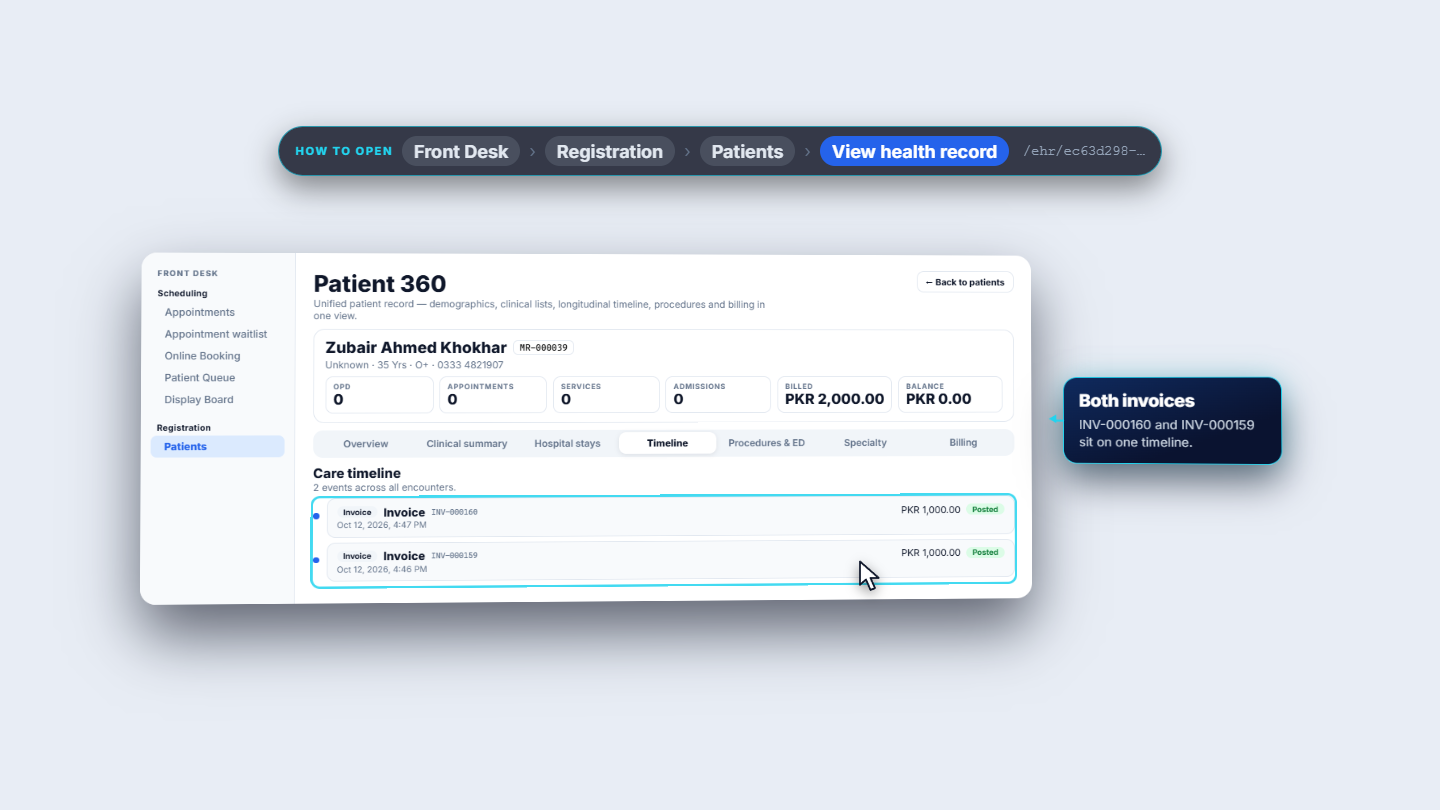
Read Record A (Z. A. Khokhar, MR-000040) and Record B, the suggested survivor (Zubair Ahmed Khokhar, MR-000039). Not a duplicate dismisses the pair. Merge into survivor merges A into B, after a confirmation that all records move to the survivor. Confirm: People merged into one identity. Searching that CNIC now returns one patient, MR-000039. Its Patient 360 shows Billed PKR 2,000.00 and the timeline lists INV-000160 and INV-000159 together.
Patient 360 for MR-000039 with both registration invoices on one timeline
Check it worked
Allergies, problems, medicines and vitals appear on the Patient 360 Overview.
After the merge, only one patient (MR-000039) is found for that CNIC, with both invoices.
Scanning again completes with Scan complete, 0 new candidates.
Common mistakes
Mistake
What you see
Fix
Saving a typo'd vital
A form error such as "Systolic must be higher than diastolic"
Fix the highlighted fields
Marking "No Known Allergies" while an allergy exists
The option is disabled
Remove or resolve the allergy first
Merging the wrong direction
The survivor is the wrong record
Read both records and choose the right survivor before Merge into survivor
Quick reference
Item
Meaning
Problems
Diagnoses with ICD code, status and onset
Medications
Medicines with dose, frequency, route and start date
Patient 360
The whole patient in one view
Duplicate People
Finds pairs by national ID or phone; merges are manual
Frequently asked questions
Can I save a blood pressure reading that looks too high? Yes. A high reading such as 152 over 94 shows warnings but still saves. Impossible values are refused, for example a systolic lower than the diastolic.
How does the system find a patient who was registered twice? Duplicate People compares national ID and phone number, never the name. You press Scan patients and decide each pair yourself, because every merge is manual.