How to work an enquiry from the public form to a trial class
A family applies on the school's own web page. This guide shows what that creates, how a counsellor moves the lead through the pipeline, schedules follow-ups and trial classes, imports leads and sees who is allowed to do this. The example family is Naveed Akhtar and his child Zainab.
Who it is forAdmissions counsellorTime15 minutesProductSCMLevelBeginner
Before you start
Steps
1
Know what the public form collects
Step one asks for First Name, Last Name and Email (required), then Phone, Date of Birth and Gender. Step two asks for the Address, the Previous School, the Previous Grade/Class, the parent or guardian's name, Relationship, phone and email, and the Program from a list of the school's own programs. Step three is a plain summary and Submit Application sends it. The family sees a green tick and Application Submitted.
2
See what one submit creates
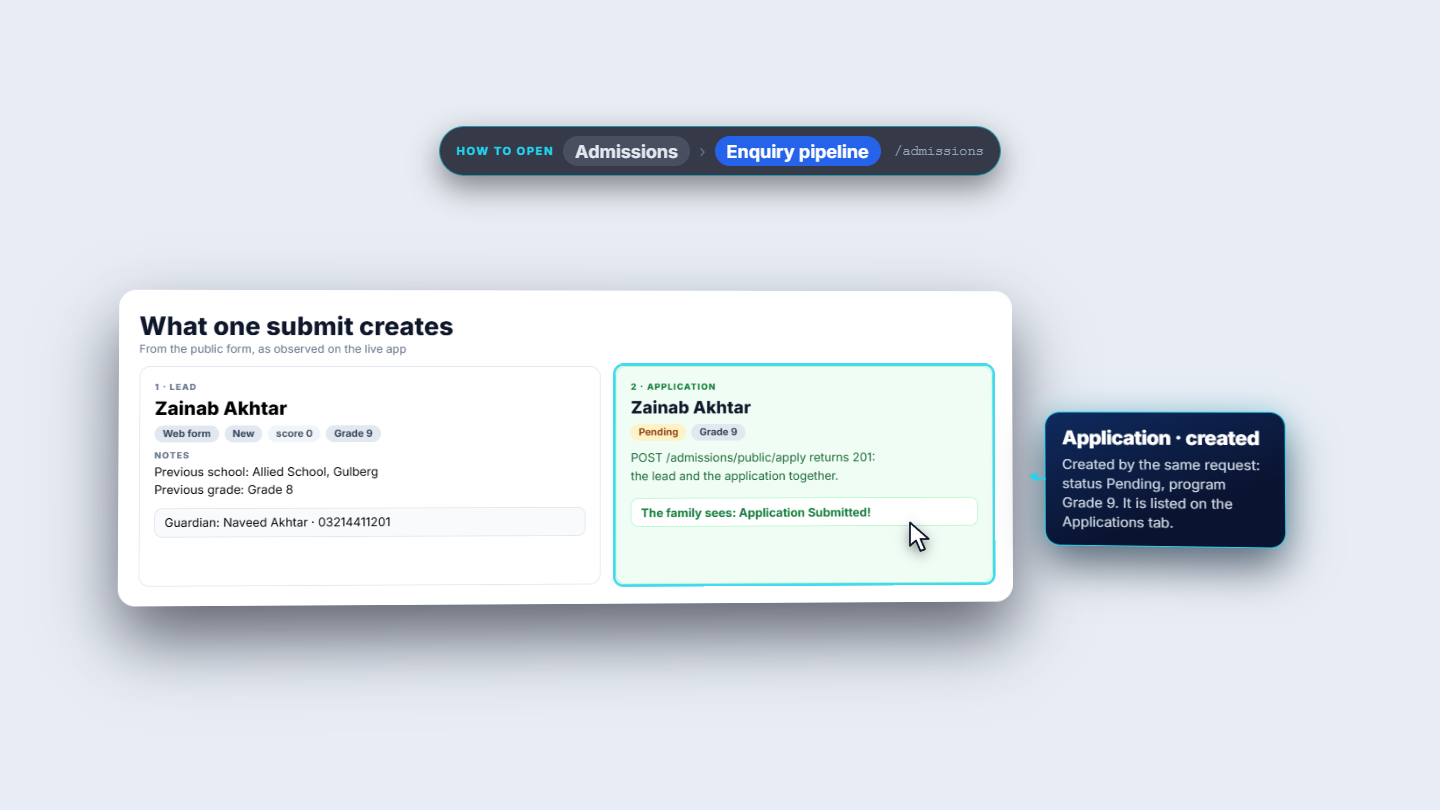
One request creates both a lead and an application together, so a failure cannot leave a lead behind. The lead is Zainab Akhtar: source Web form, stage New, program Grade 9, notes holding the previous school and grade, and the guardian Naveed Akhtar. The application is Pending for Grade 9 and appears on the Applications tab.
One submit creates a lead and a Pending application
3
Read the funnel and open a lead
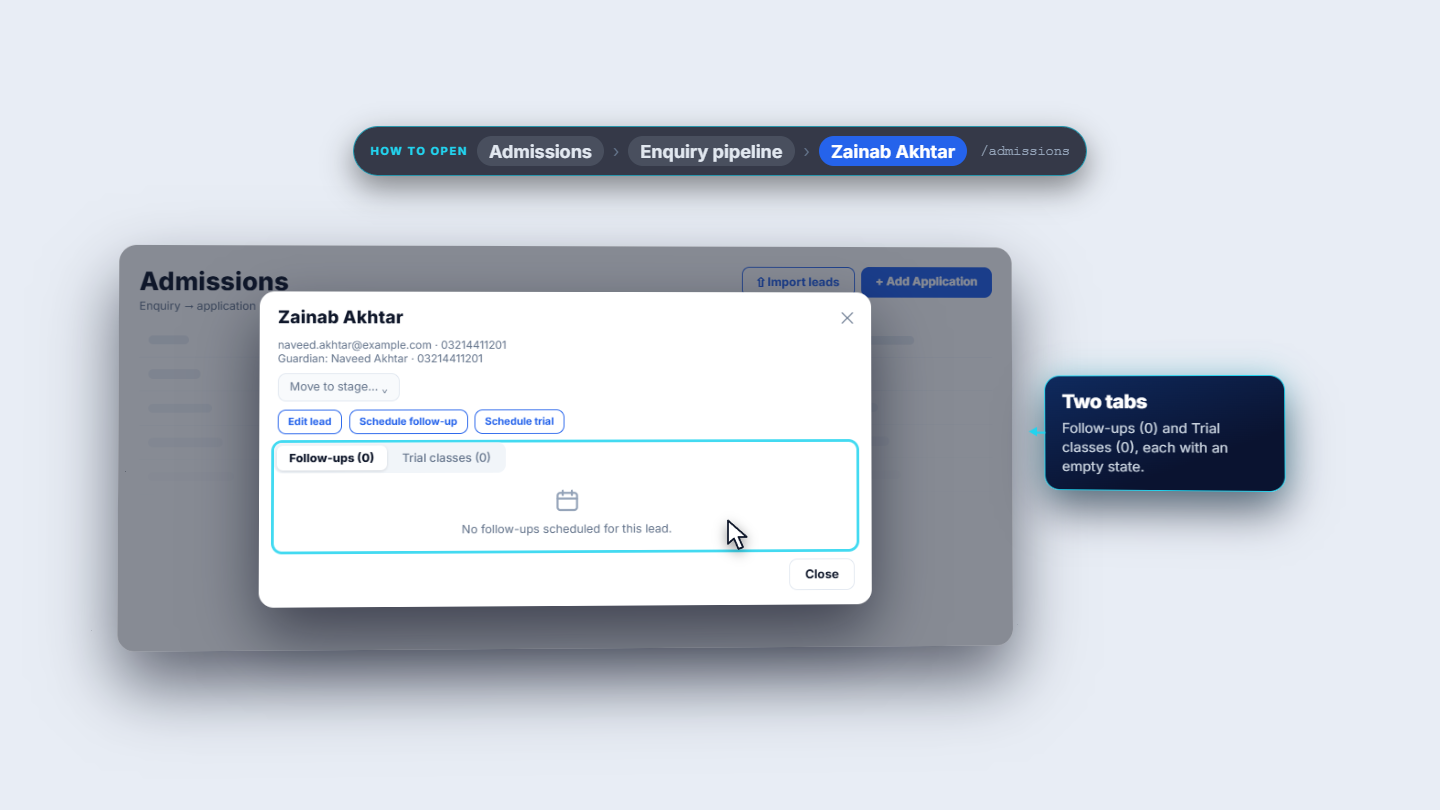
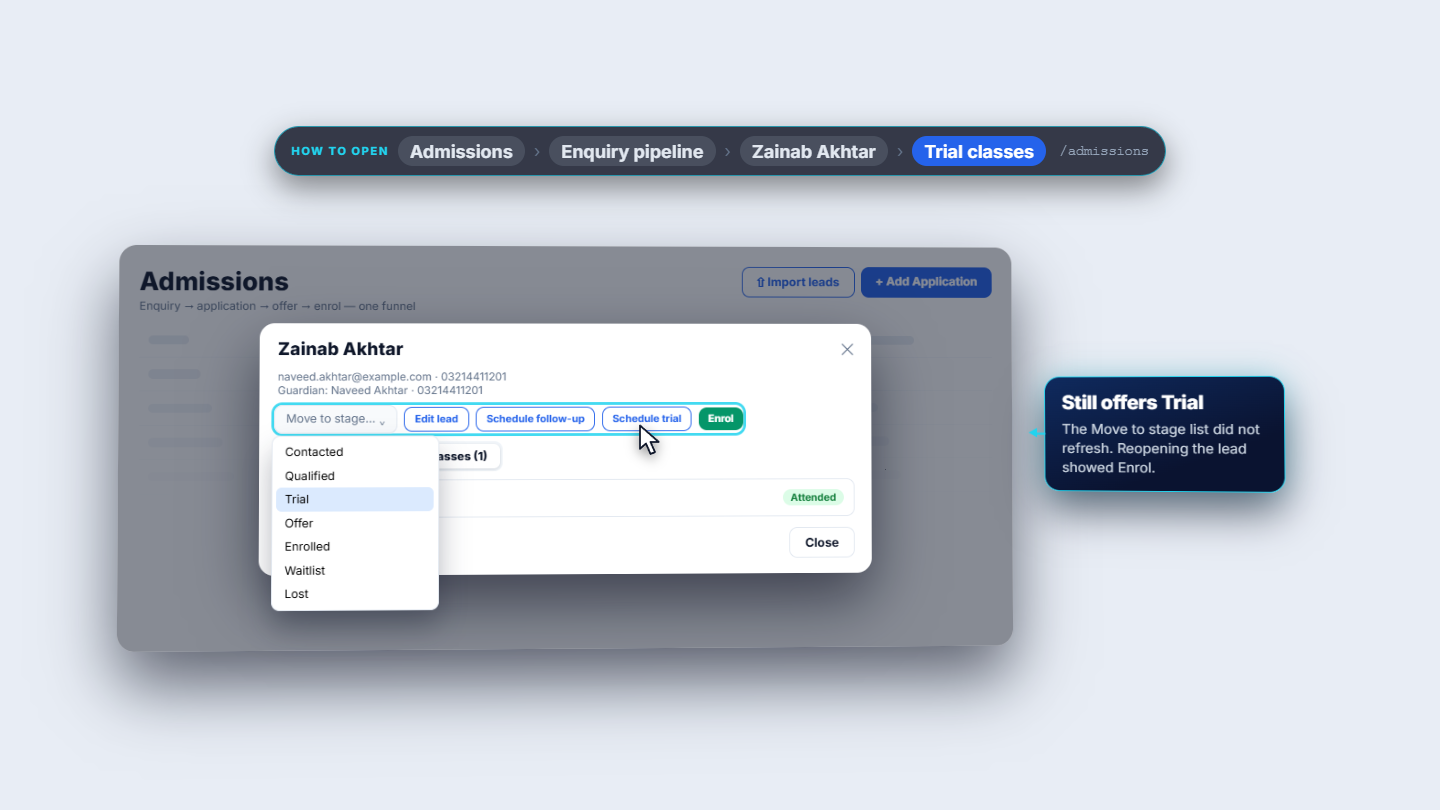
On Enquiry pipeline the Lead funnel shows eight tiles and counts by source. Search by name, email or phone and pick a source. The board scrolls sideways; a card shows the child, phone, source and score. Click a card. The title is the child's name with contact and guardian below. Move to stage lists seven stages, never the current one. The buttons are Edit lead, Schedule follow-up and Schedule trial; Enrol appears only at the later stages. Two tabs below hold Follow-ups and Trial classes.
Lead dialog with Move to stage, Edit lead, Schedule follow-up, Schedule trial
4
Schedule a follow-up
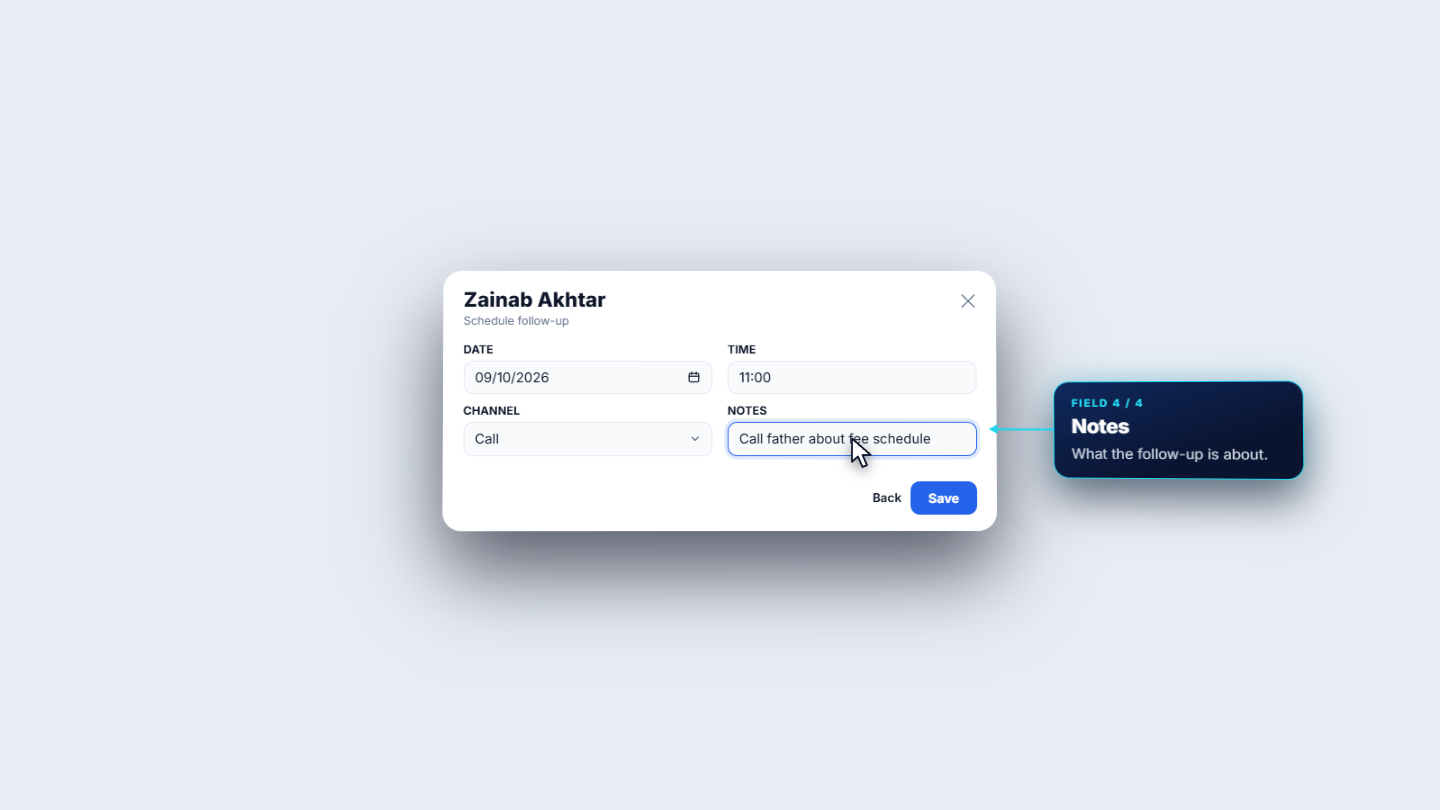
Press Schedule follow-up. Pick the date with the calendar (typing it is ignored), set the time, choose the Channel (Call, Email, SMS or WhatsApp) and add notes, then Save. The follow-up appears with its date, channel, note and a Pending badge. Press Mark complete, choose the outcome (Completed by default) and notes; the row then shows Completed.
Schedule follow-up dialog: date, time, channel, notes
5
Let the overdue reminder work for you
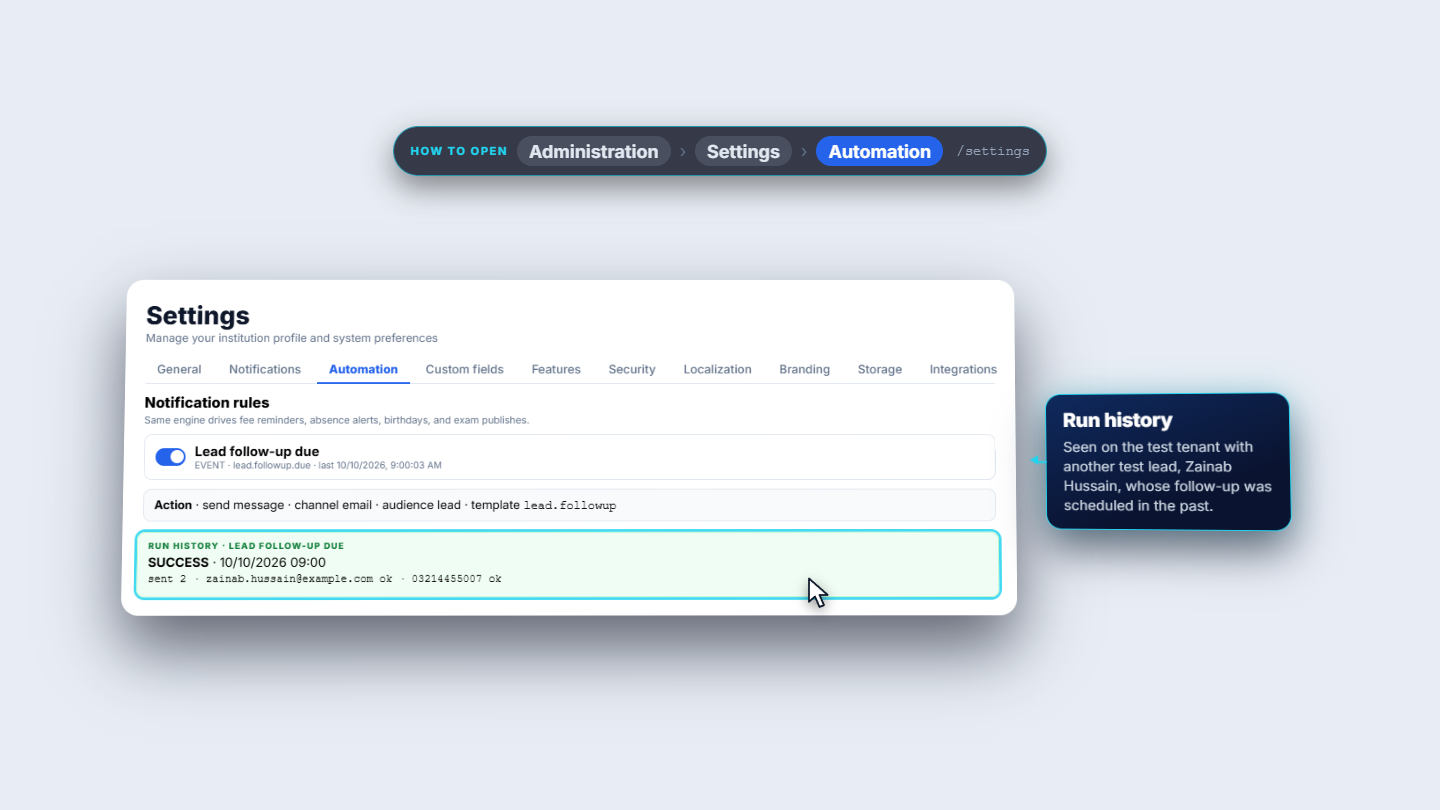
A follow-up still Pending after its time is picked up by an hourly check. Settings › Automation has the rule Lead follow-up due, switched on; its action is an email to the lead from the lead follow-up template. The run history shows the result at the next full hour.
Settings Automation rule Lead follow-up due
6
Schedule a trial class and record attendance
Press Schedule trial, give a date and a time, and Save. Under Trial classes the row shows the date, time and an Awaiting badge, with Attended and No-show. Choosing Attended raises the lead's score to ten and moves the lead to Trial by itself.
Trial class row with Attended and No-show, lead moved to Trial
7
Import leads and check who may work on them
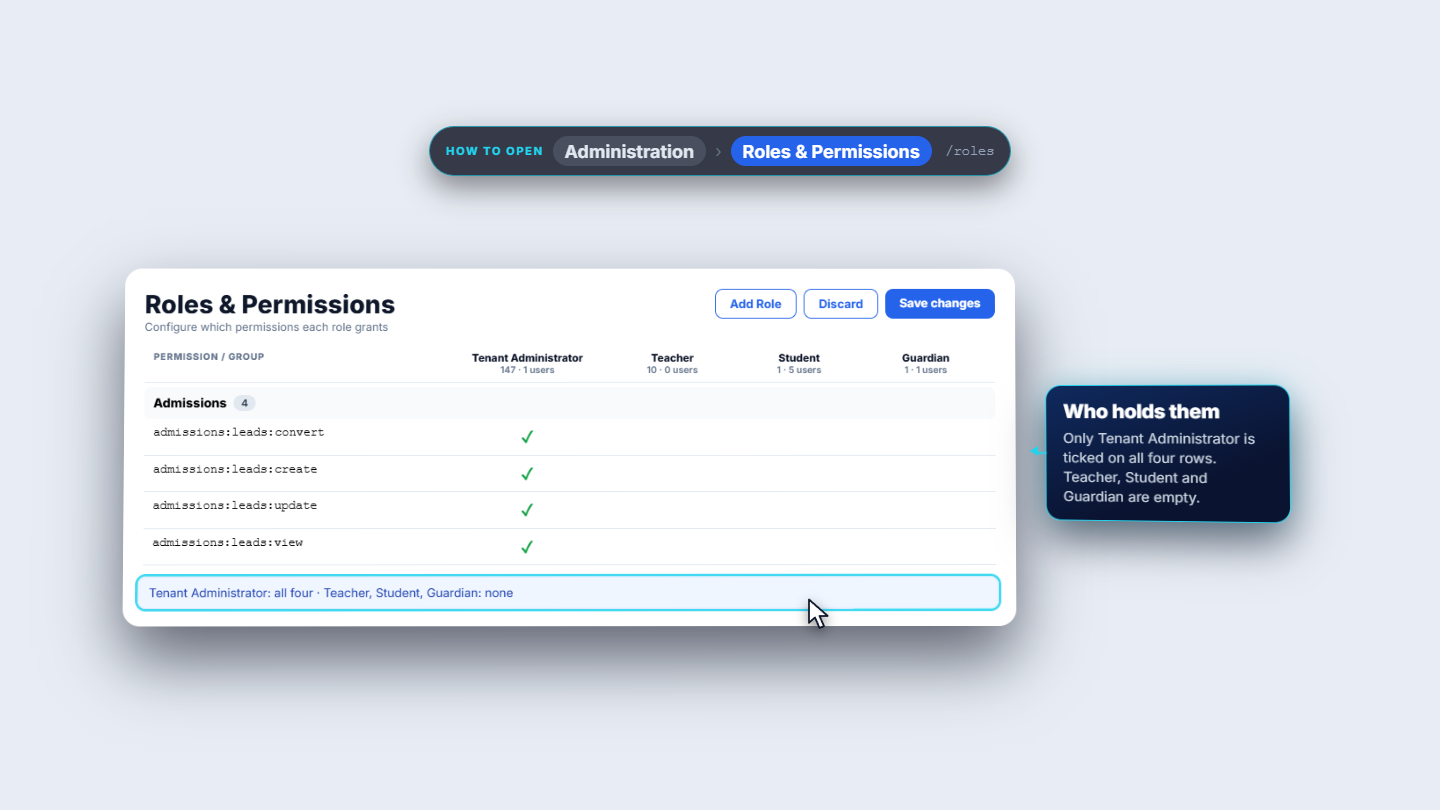
Import leads reads a CSV; first and last name are required, the rest is optional. After you choose a file it counts the rows and previews them. A row without a first name is rejected on its own with its number and reason, and the good rows are kept. Imported leads keep the file's source and land in New. Who may work on leads is set in Administration › Roles and Permissions. Under Admissions there are four keys: leads convert, create, update and view. On the school in the example only the Tenant Administrator holds all four.
Roles and Permissions with the four Admissions keys
Check it worked
Zainab Akhtar shows as a lead (Web form, New) and as a Pending application.
The follow-up shows Completed after you mark it.
After Attended the lead is in Trial with a score of ten.
Common mistakes
Mistake
What you see
Fix
Typing the follow-up date
The date is ignored
Pick it with the calendar
Expecting Enrol at New
No Enrol button
Move the lead on first; Enrol shows at later stages
Import file row without a first name
That row is rejected with its number
Fix the row; the other rows are kept
Quick reference
Item
Meaning / rule
Lead stages
Eight: New to Lost
Source
Web form, Walk-in, WhatsApp, Referral or Import
Follow-up channel
Call, Email, SMS or WhatsApp
Trial attended
Score becomes ten, lead moves to Trial
Frequently asked questions
What does one submit on the public form create? A lead and a Pending application together, from one request, so a failure cannot leave a lead behind. The lead starts at stage New with source Web form.
Why is there no Enrol button on a new lead?Enrol appears only at the later stages. Move the lead on first, for example by recording a trial class as Attended, then close and reopen the lead.
What happens when a follow-up is overdue? An hourly check picks up a follow-up still Pending after its time. The rule Lead follow-up due under Settings › Automation then sends an email to the lead.
What if a row in my import file has no first name? That row is rejected on its own with its number and reason, and the good rows are kept. First and last name are required, the rest is optional.