Know the six methods
A fee can be paid by Cash, Bank Transfer, Cheque, Credit Card, Debit Card or Online. For each method two questions matter: does the dialog ask for a bank account, and which account does the journal debit?
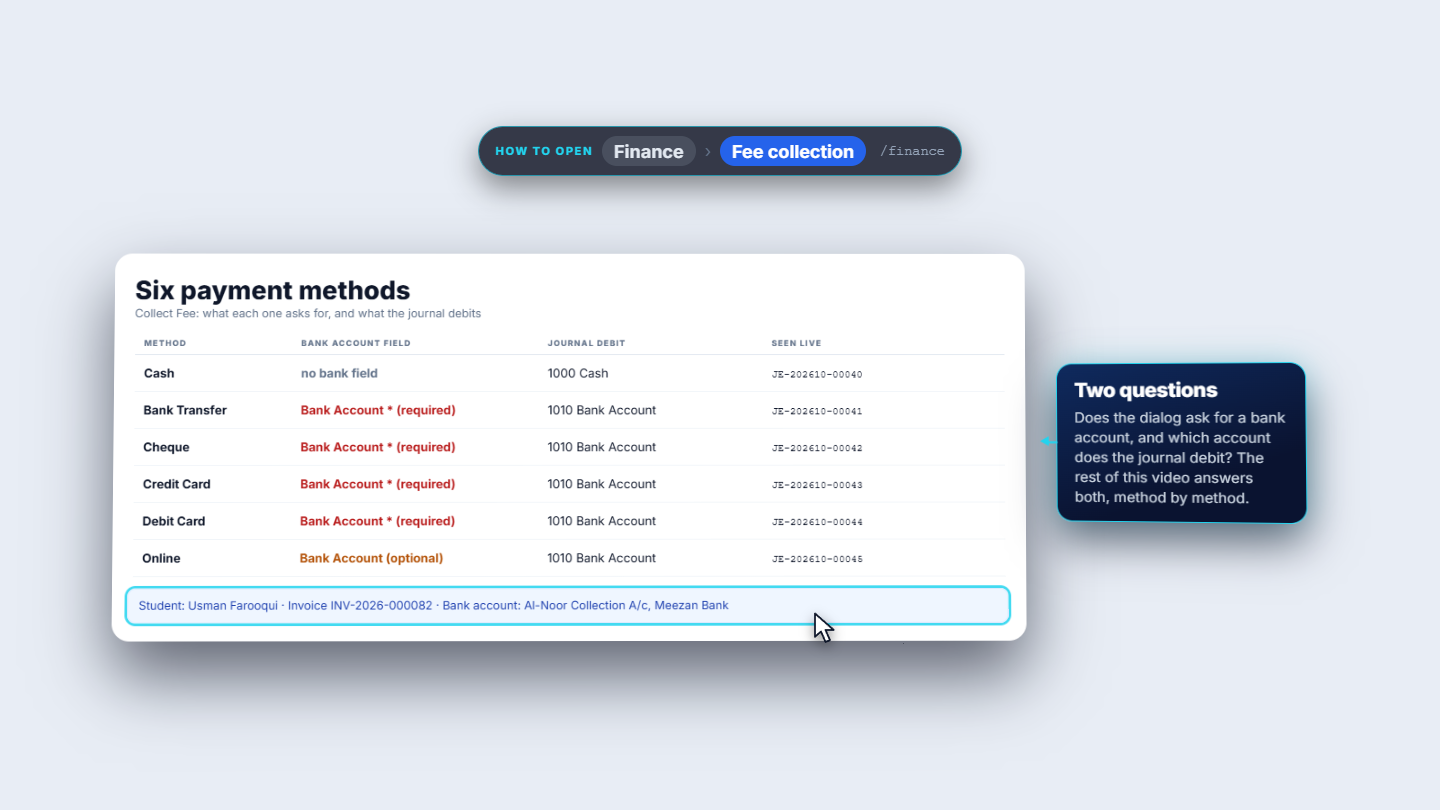
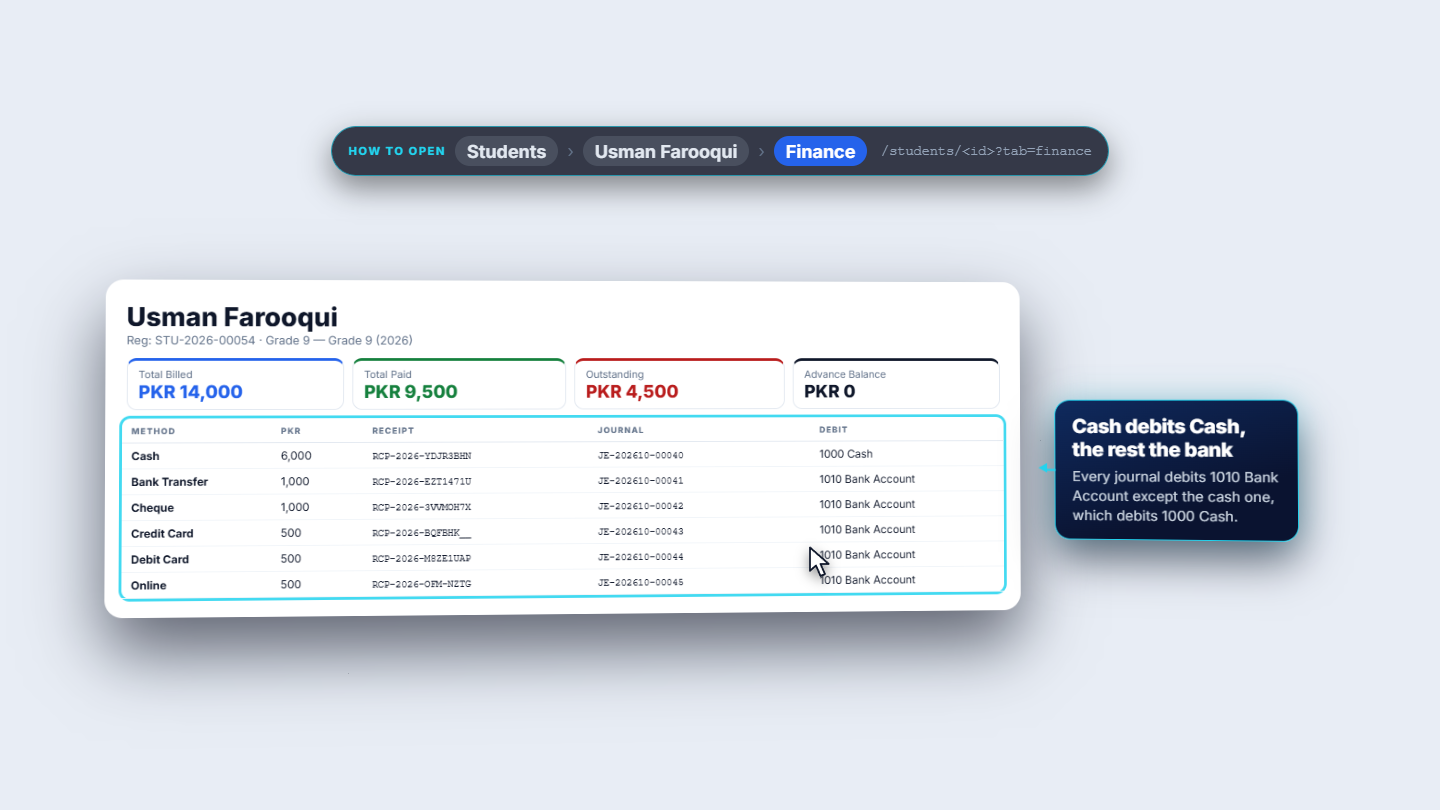
A parent can pay a fee six ways, and the method you choose decides whether the Collect Fee dialog asks for a bank account and which ledger account the payment is debited to. This guide follows one student, Usman Farooqui, who pays his invoice in every method.
A fee can be paid by Cash, Bank Transfer, Cheque, Credit Card, Debit Card or Online. For each method two questions matter: does the dialog ask for a bank account, and which account does the journal debit?
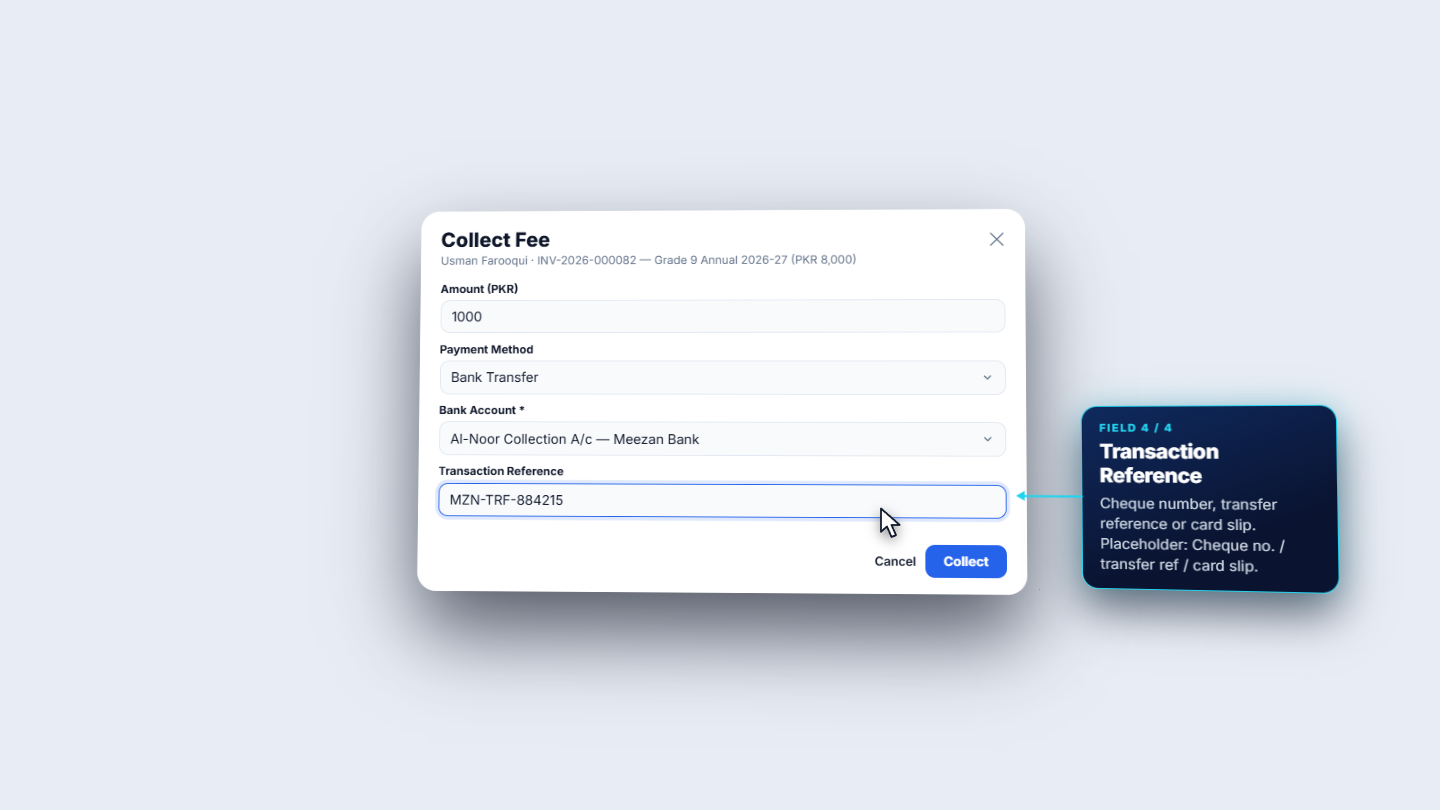
Open the student, go to the Finance tab and press Collect Fee. Choose the invoice and type the Amount (PKR): here 1,000 of the 8,000 still due. Open Payment Method: it lists the six methods. Choose Bank Transfer and the dialog gains two fields. Bank Account is required and lists the school's accounts from Accounting › Bank Accounts; pick Al-Noor Collection A/c at Meezan Bank. Transaction Reference holds the transfer reference, the cheque number or the card slip number. Then press Collect.
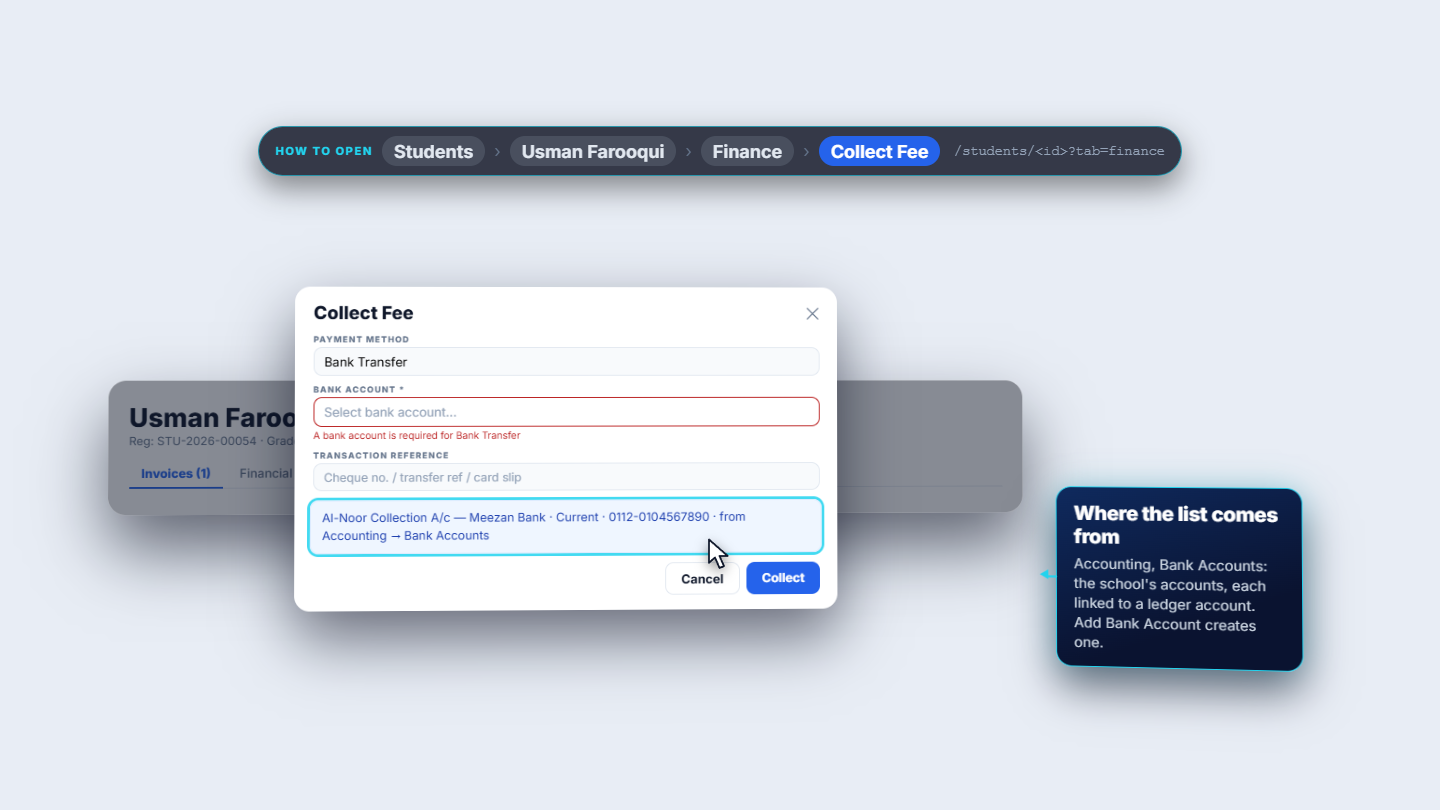
Choose a bank method and leave Bank Account empty: a red line says "A bank account is required for Bank Transfer", and Collect shows the same words in a toast. Choose the account and collect again.
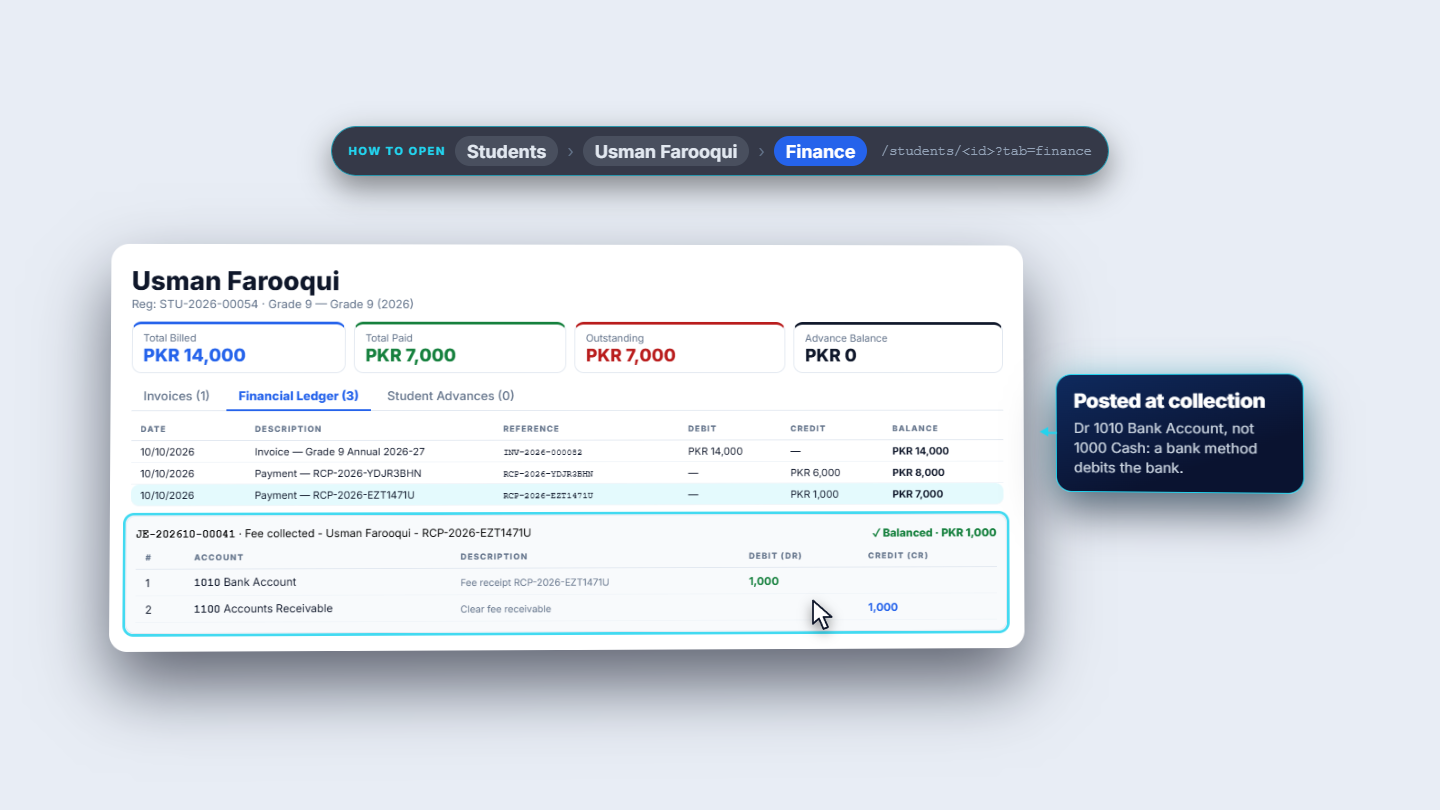
Collect 1,000 with the reference MZN-TRF-884215. The toast reads Payment collected and the receipt is RCP-2026-EZT1471U; the invoice now reads Partial, with 7,000 paid in total. Accounting posts JE-202610-00041: debit 1010 Bank Account 1,000, credit 1100 Accounts Receivable 1,000.
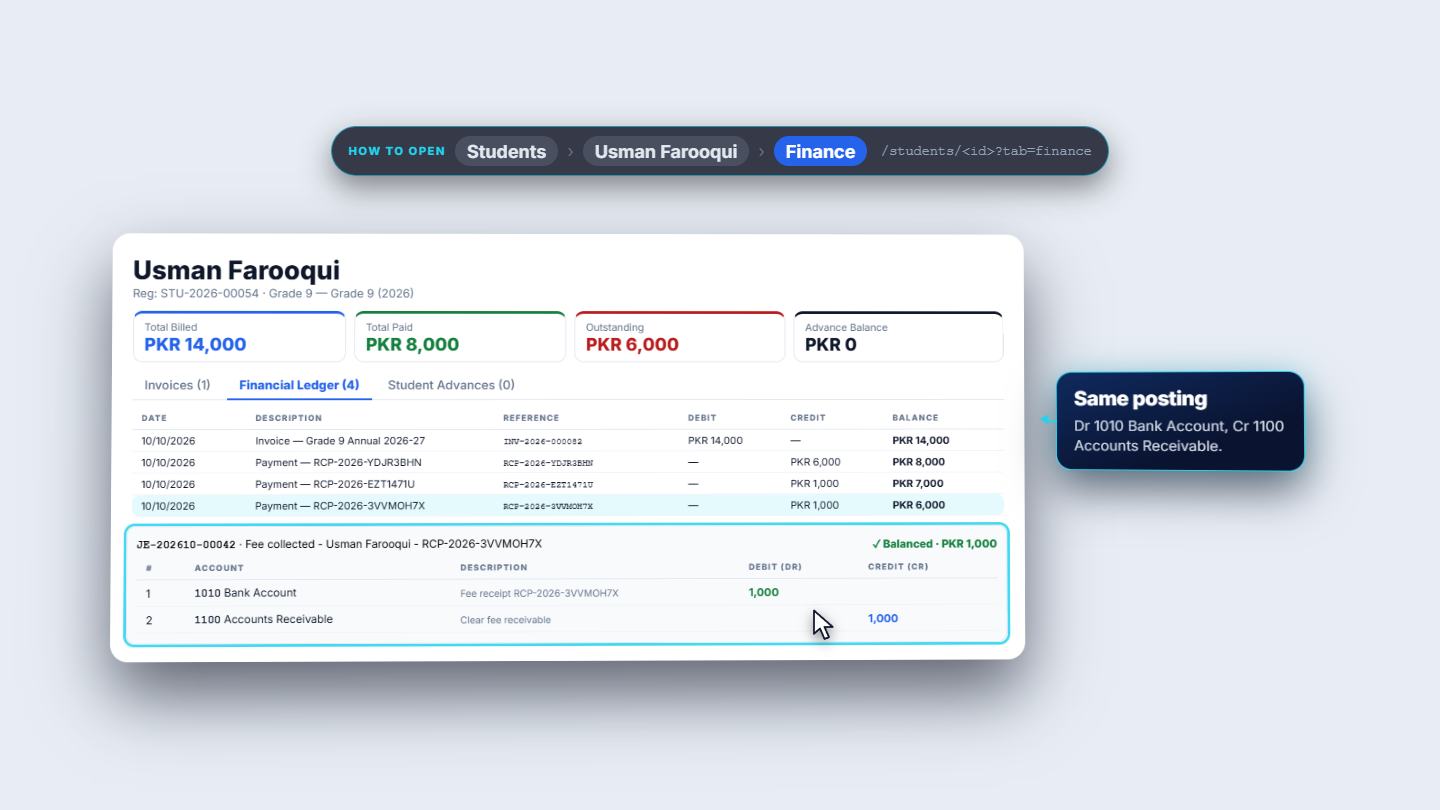
A cheque works the same way: the same bank account, and the cheque number CHQ-004512 as the reference. The receipt is RCP-2026-3VVMOH7X and JE-202610-00042 debits 1010 Bank Account 1,000 and credits 1100 Accounts Receivable.
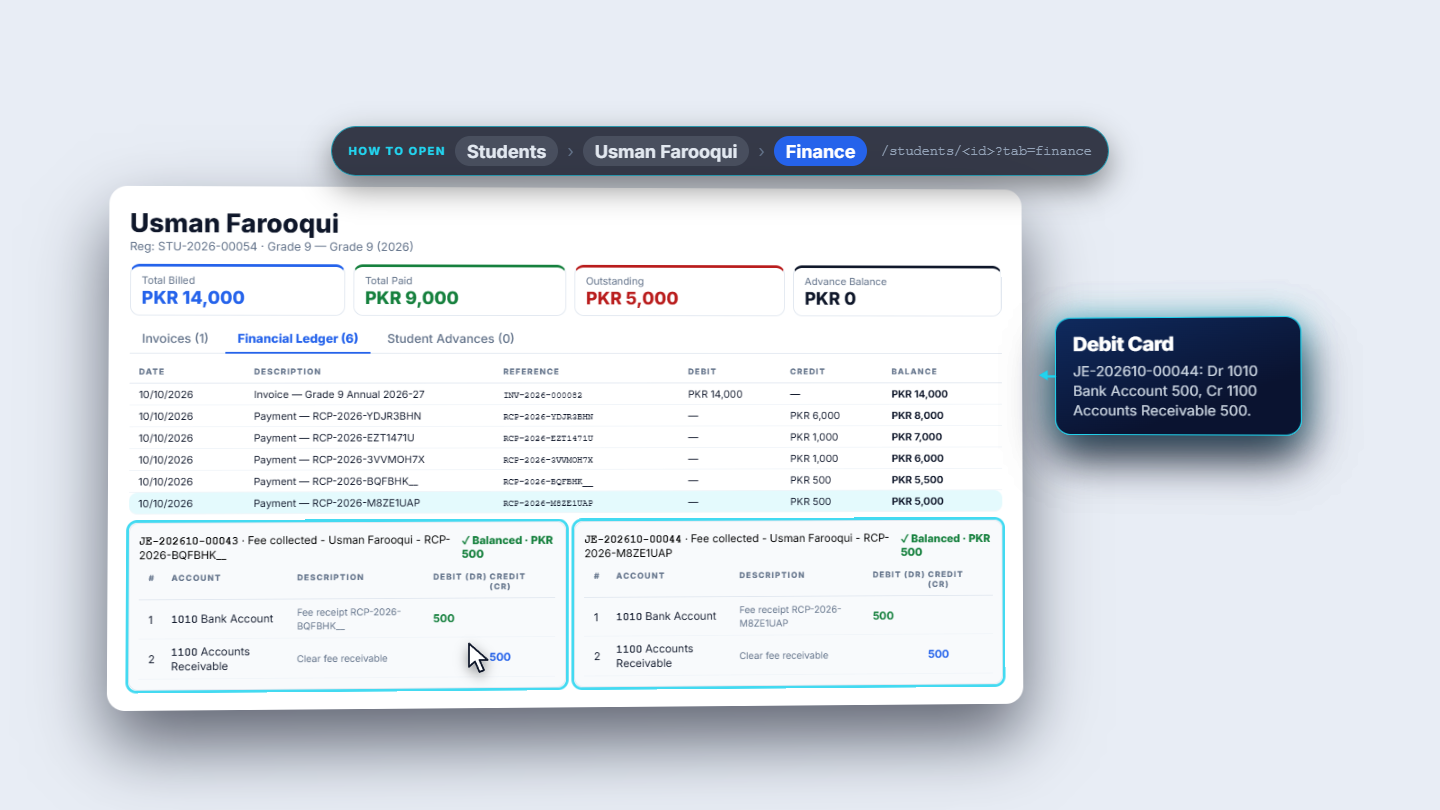
Credit Card and Debit Card also need the bank account, with the card slip as the reference (CC-SLIP-2201 and DC-SLIP-2202). Two payments of 500 post JE-202610-00043 and JE-202610-00044, each debiting 1010 Bank Account and crediting 1100 Accounts Receivable.
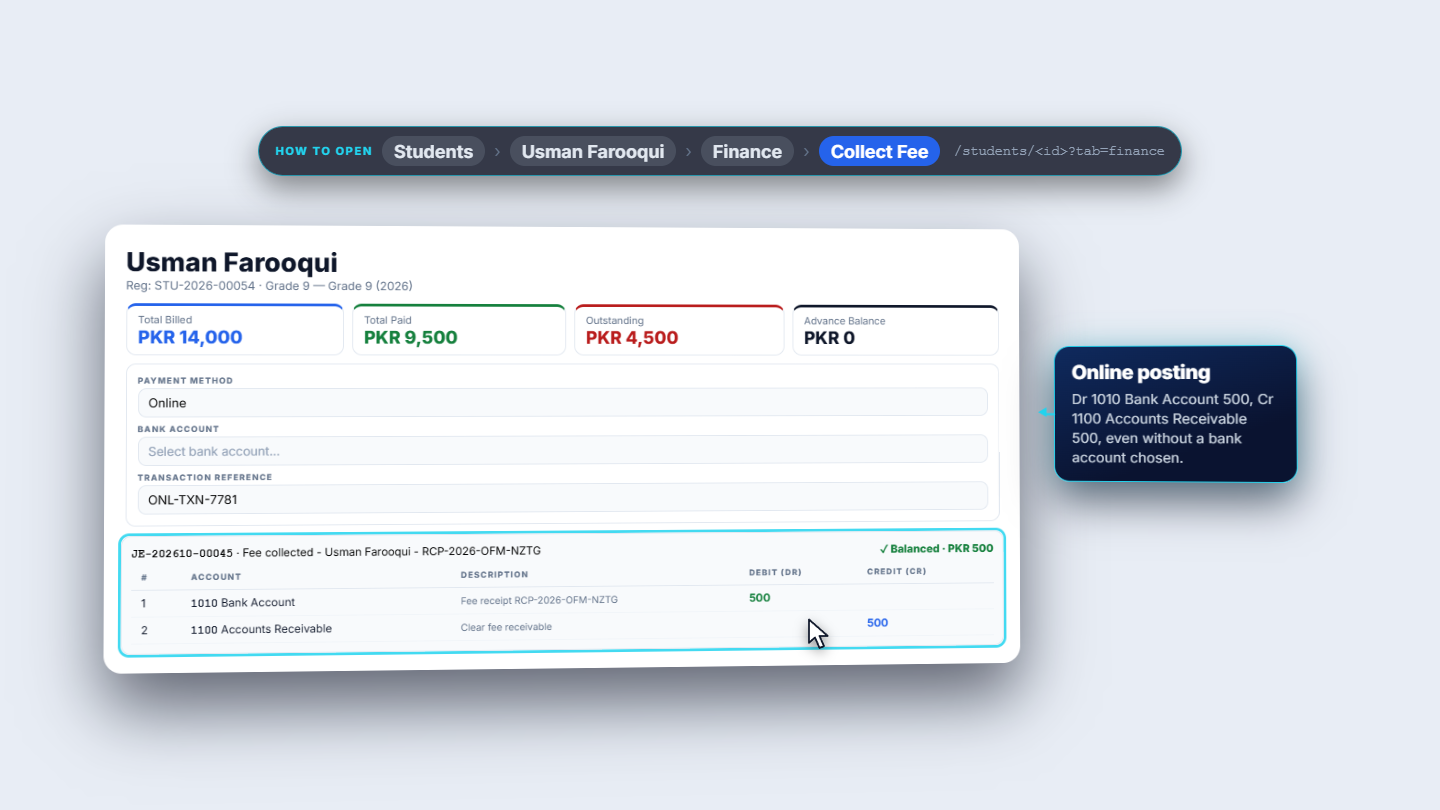
Online is different: its Bank Account field has no star, so it can stay empty and the collection goes through. JE-202610-00045 still debits 1010 Bank Account 500 and credits 1100 Accounts Receivable.
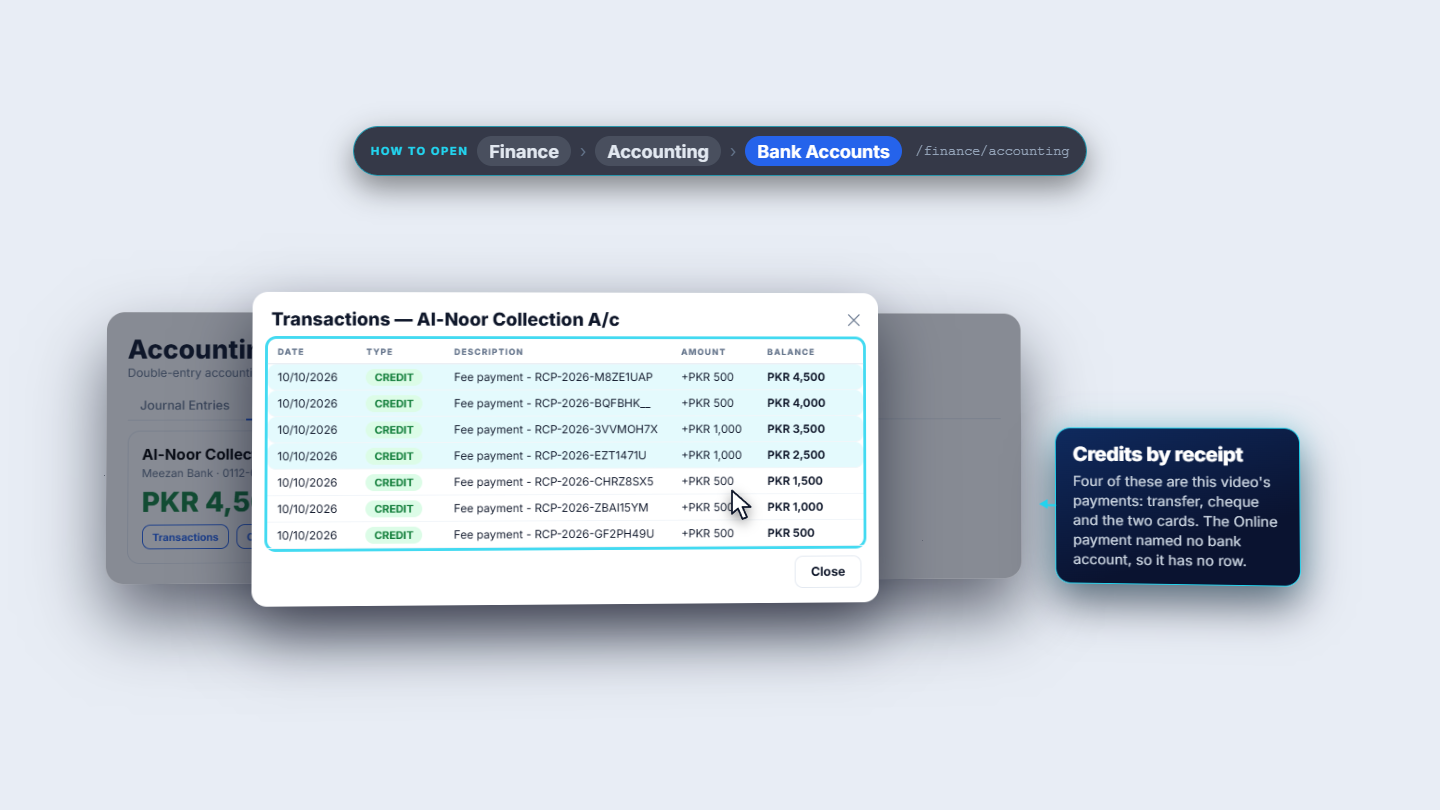
Open Accounting › Bank Accounts. Al-Noor Collection A/c now holds 4,500 rupees, and Transactions lists its credits by receipt. Four of them are these payments: the transfer, the cheque and the two cards. The online payment named no bank account, so it is not listed there.
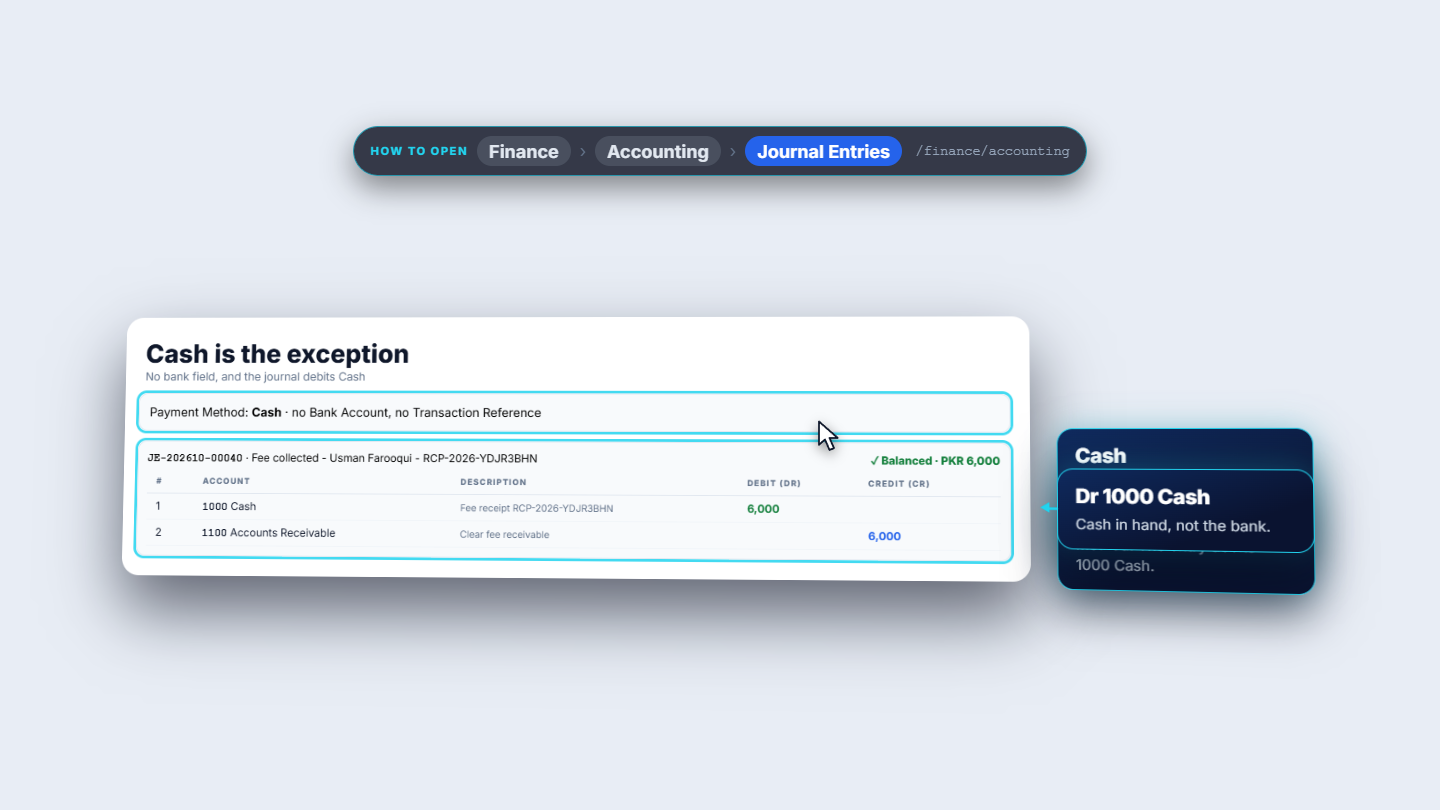
Cash has no bank field, and its journal debits 1000 Cash. The earlier 6,000 rupee cash payment is JE-202610-00040.
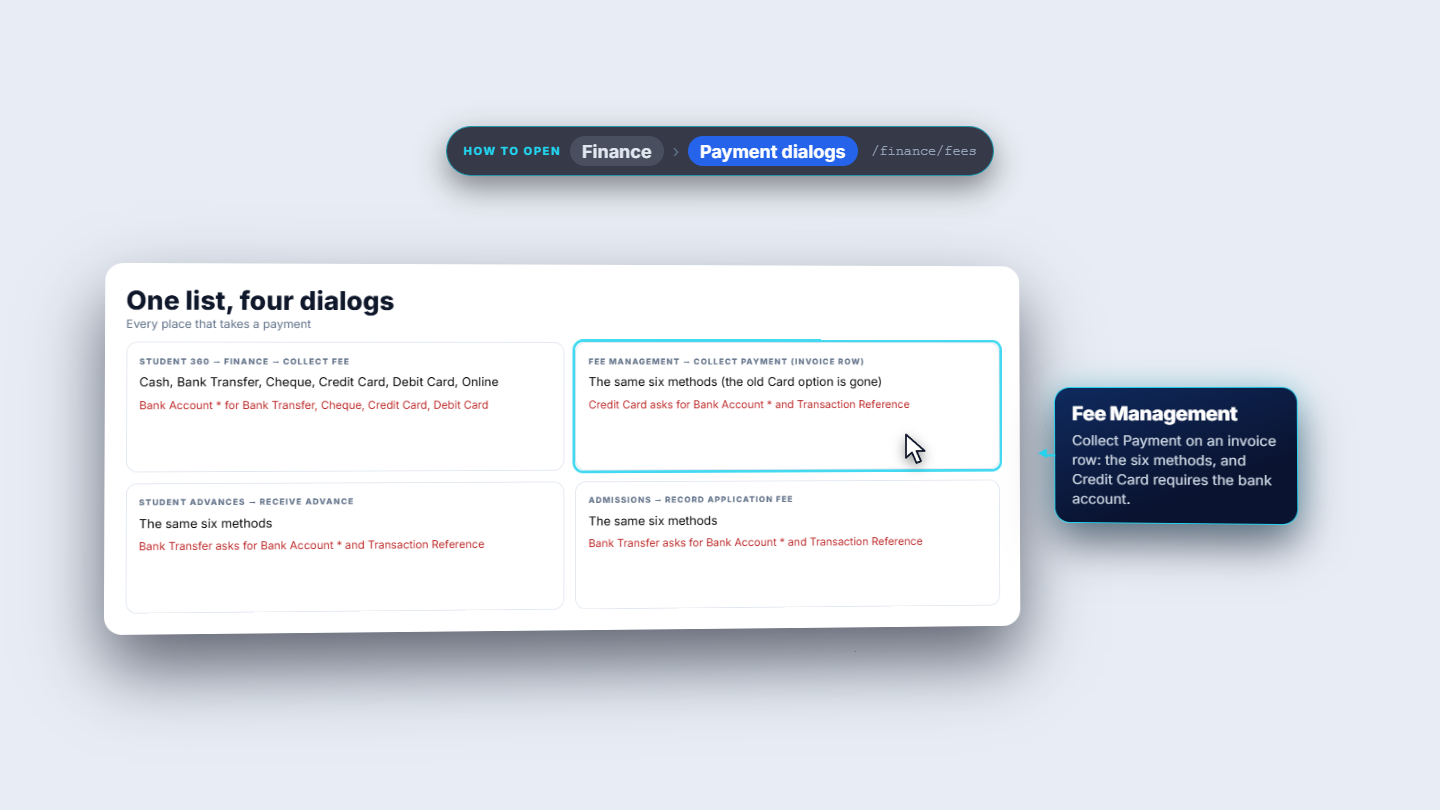
The same six methods and the same bank rule appear wherever money is taken: this Collect Fee dialog, Fee Management, Receive Advance and the application fee. In Fee Management, Collect Payment on an invoice row offers the six methods, and Credit Card asks for the bank account too.
| Mistake | What you see | Fix |
|---|---|---|
| Bank method with no bank account | A red line "A bank account is required for Bank Transfer" and the same words in a toast | Choose the receiving account from the list, or add it under Accounting › Bank Accounts |
| Expecting an Online payment in the bank account's transactions | It is not listed, because no account was named | Name the bank account when you collect, if the payment should appear there |
| Method | Bank account asked? | Journal debits |
|---|---|---|
| Cash | No | 1000 Cash |
| Bank Transfer | Yes, required | 1010 Bank Account |
| Cheque | Yes, required | 1010 Bank Account |
| Credit Card | Yes, required | 1010 Bank Account |
| Debit Card | Yes, required | 1010 Bank Account |
| Online | Optional | 1010 Bank Account |
Which payment methods need a bank account? Bank Transfer, Cheque, Credit Card and Debit Card. Online lets the field stay empty, and Cash has no bank field.
Where does the Bank Account list come from? From Accounting › Bank Accounts. If it is empty, the school adds a bank account there first.
Which account does a cash payment debit? 1000 Cash. Every other method debits 1010 Bank Account, and the credit side is always 1100 Accounts Receivable.
GridX SCM runs this whole workflow. See what GridX SCM does and what it costs, or browse all step-by-step guides.