Work as usual while online
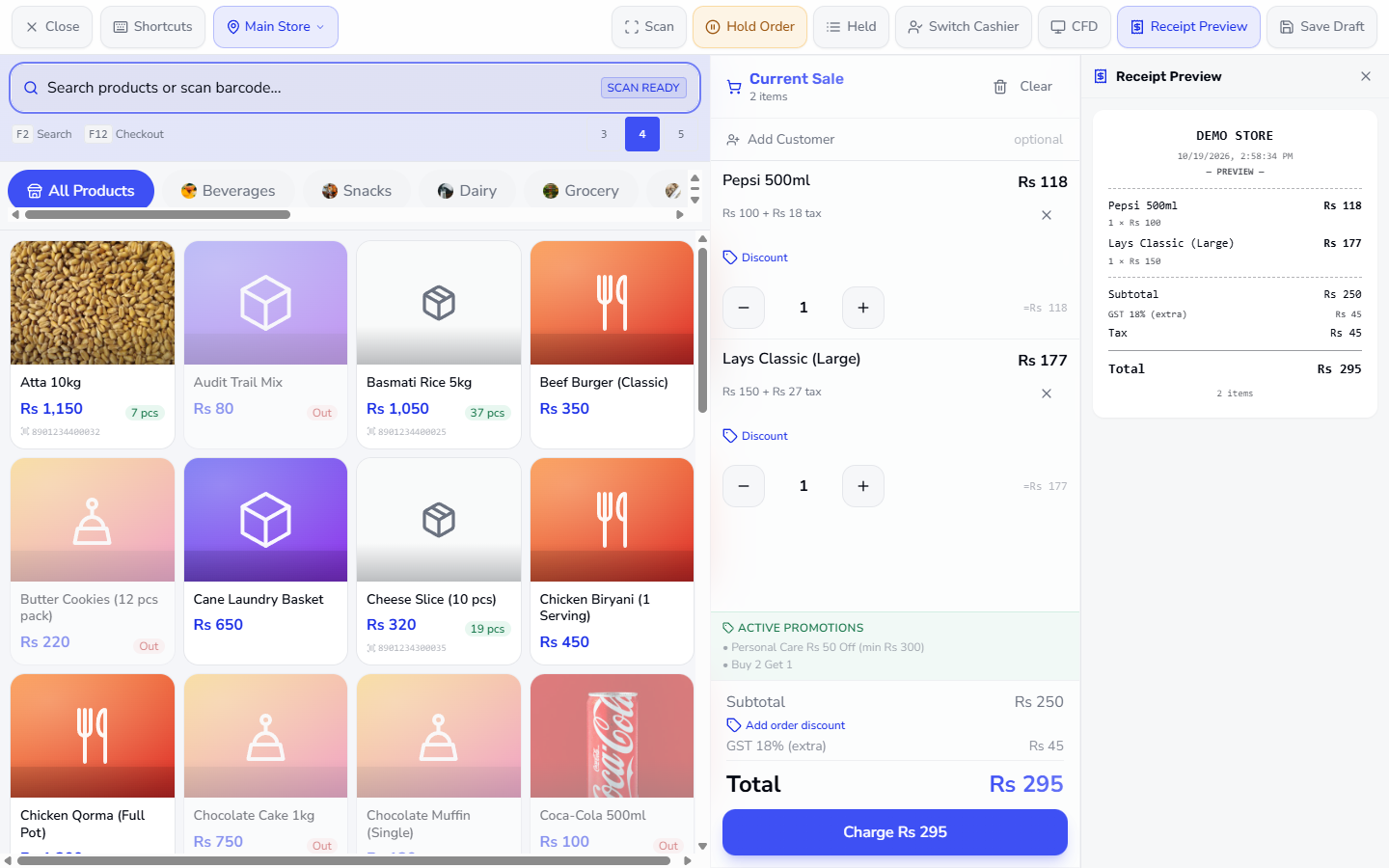
With the connection working there is no strip. Add the products as usual: here Pepsi 500ml (Rs 118) and Lays Classic (Large) (Rs 177). The cart shows Subtotal Rs 250, GST 18% Rs 45 and Charge Rs 295.
A shop's connection does not always hold. This guide shows what the till does when it loses the server, how to take payment (with a line discount if you need one), what the receipt says, and how the saved sales reach the books when you are back online.
With the connection working there is no strip. Add the products as usual: here Pepsi 500ml (Rs 118) and Lays Classic (Large) (Rs 177). The cart shows Subtotal Rs 250, GST 18% Rs 45 and Charge Rs 295.
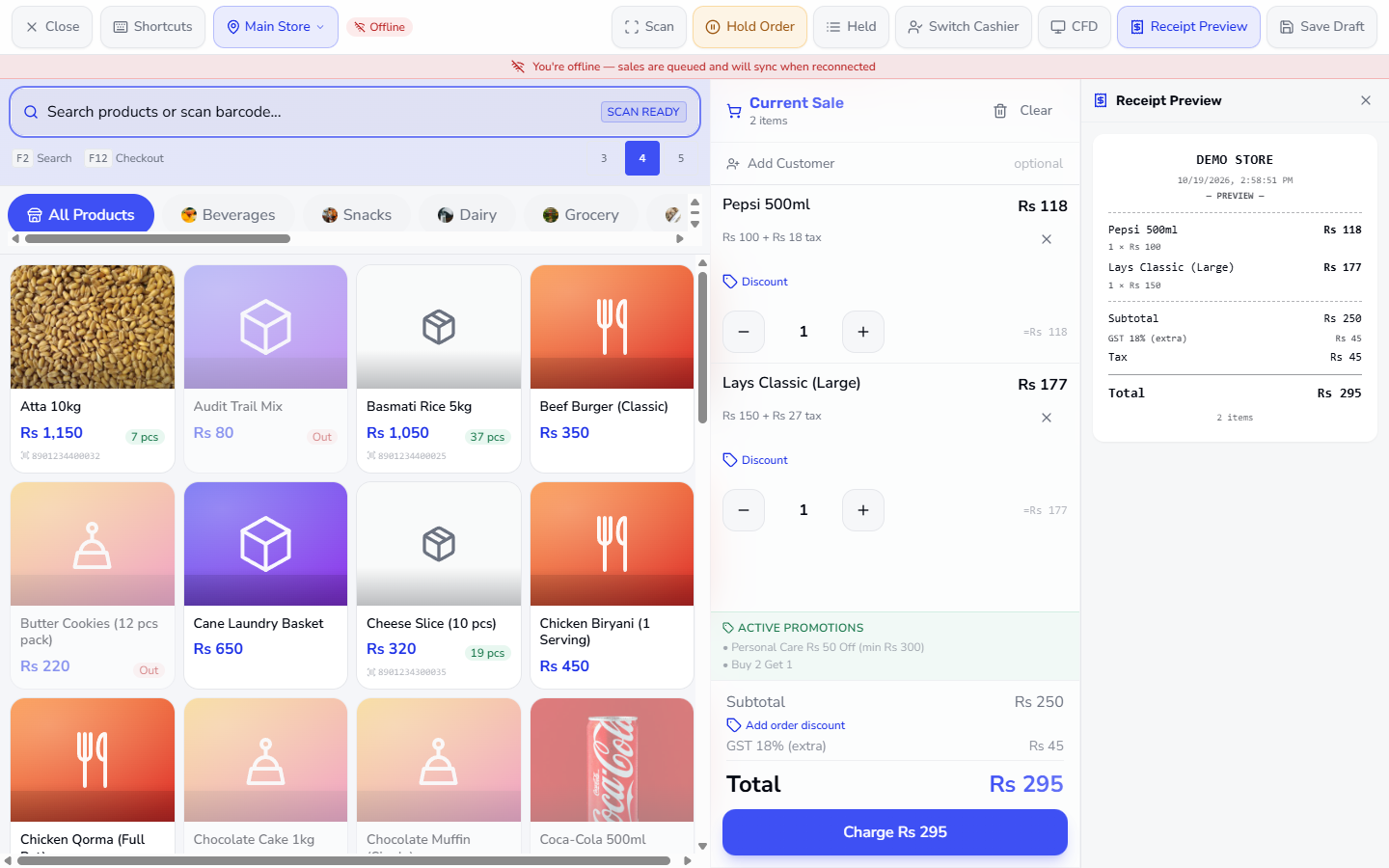
When the till cannot reach the server an Offline chip appears beside the store picker and a strip under the toolbar reads You're offline — sales are queued and will sync when reconnected. The toolbar buttons stay in reach and the cart does not change.
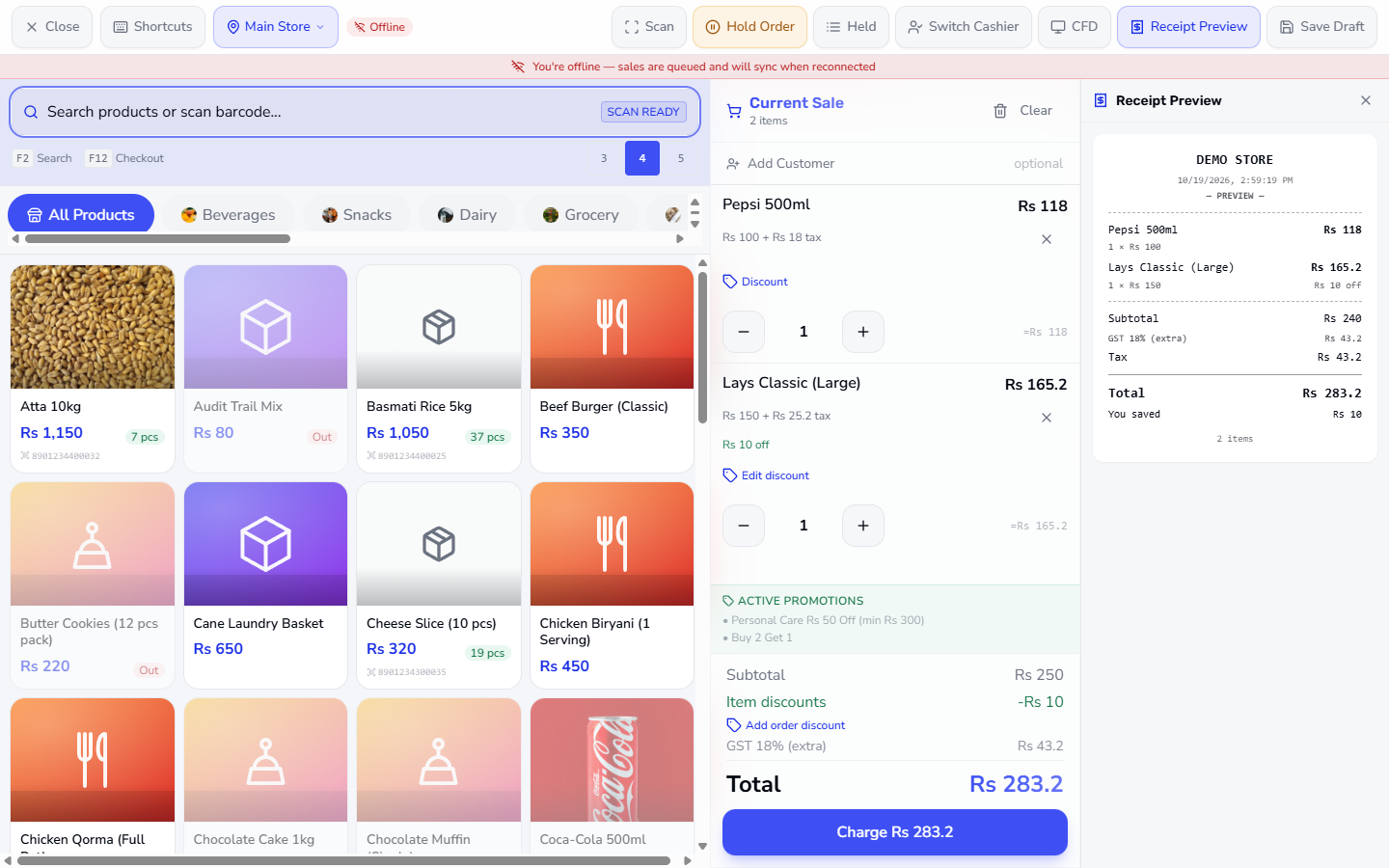
Press Discount under a line, enter 10, add a reason such as Regular customer and press Apply. The line now reads Rs 10 off, the cart shows Item discounts -Rs 10, the tax is worked out on the discounted amount (GST Rs 43.2) and Charge becomes Rs 283.2, the same figure the server would give.
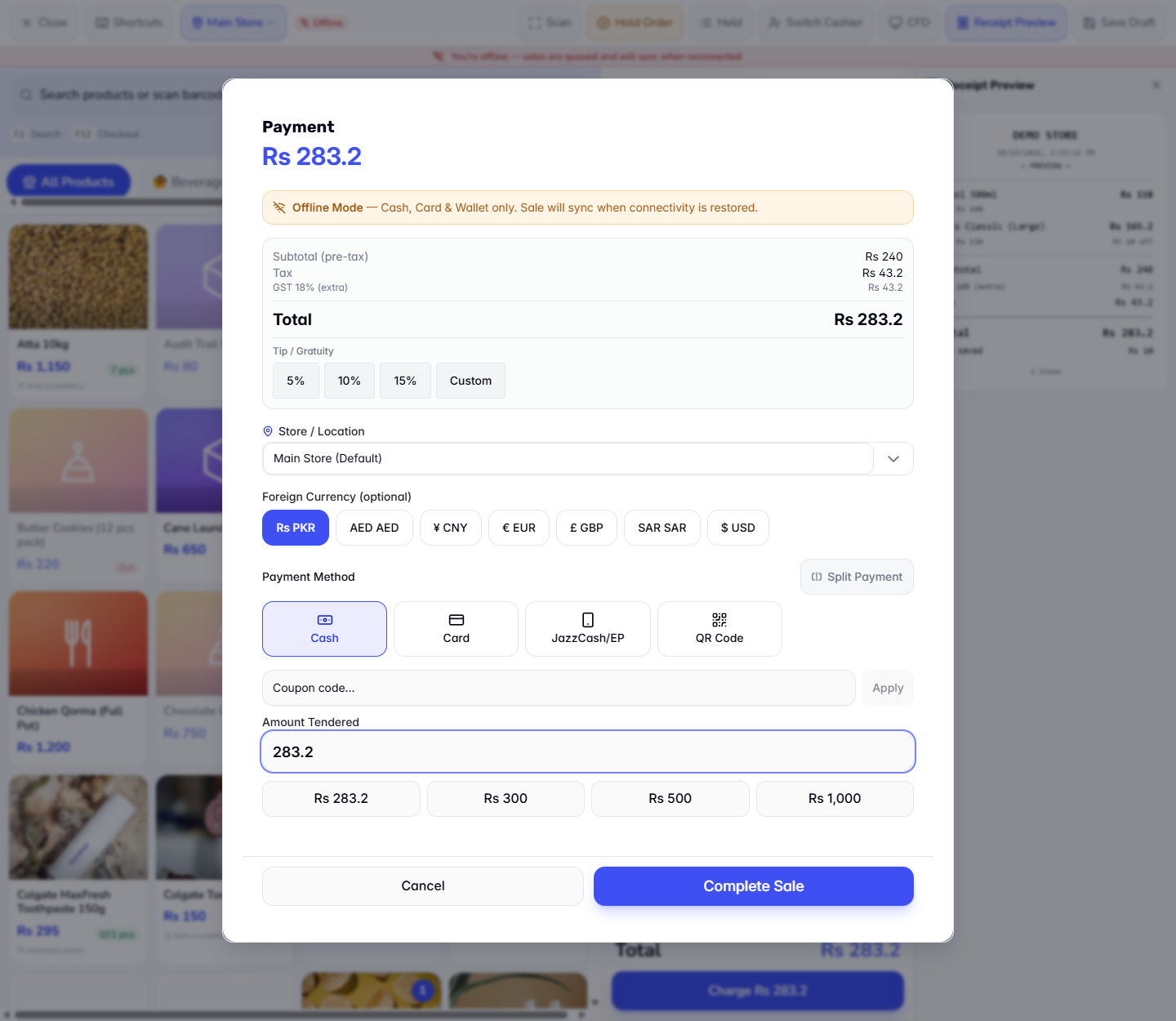
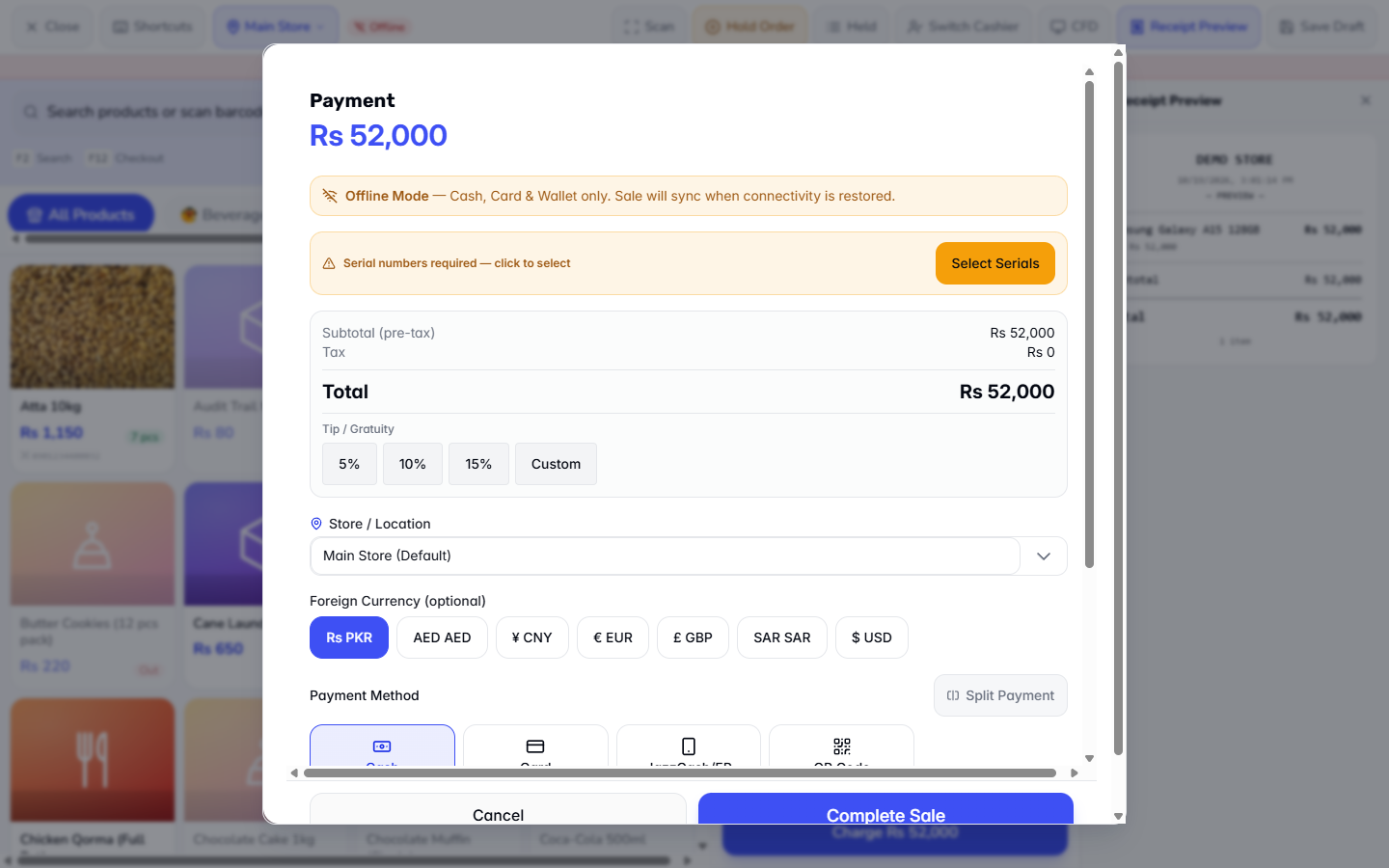
Press Charge. The Payment dialog starts with Offline Mode — Cash, Card & Wallet only. Sale will sync when connectivity is restored. Choose Cash, Card, JazzCash/EP or QR Code; Bank, Credit, Cheque and Gift Card are not offered because they need the server. Enter the amount tendered, for example Rs 300 on the Rs 283.2 bill.
Press Complete Sale. The app says Sale queued — will sync when back online and opens the receipt. The strip now counts (1 pending).
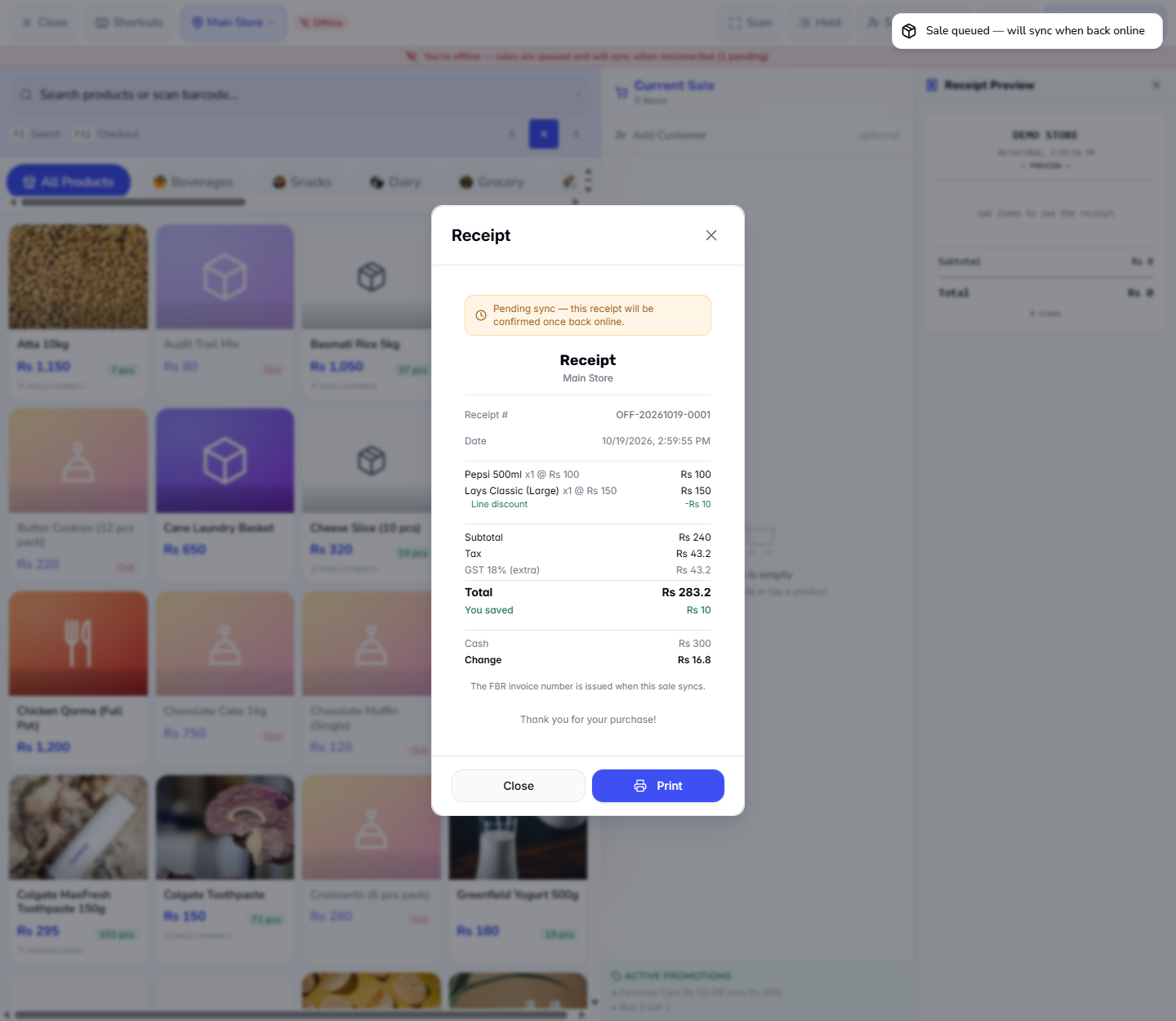
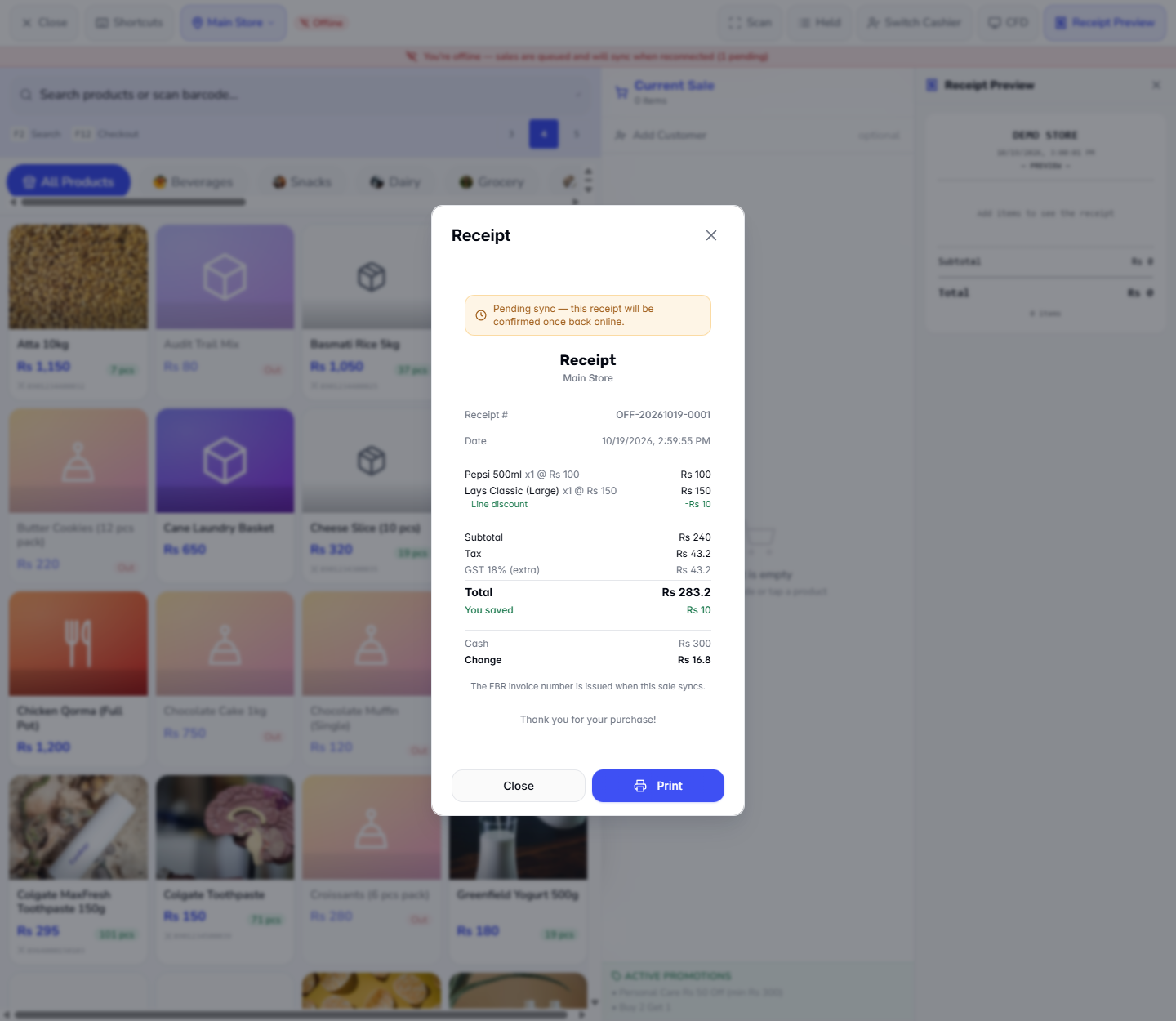
The receipt carries Pending sync — this receipt will be confirmed once back online. and a temporary number such as OFF-20261019-0001. It lists the real prices, Line discount -Rs 10, Tax Rs 43.2, Total Rs 283.2, You saved Rs 10, Cash Rs 300 and Change Rs 16.8. Press Print or Close.
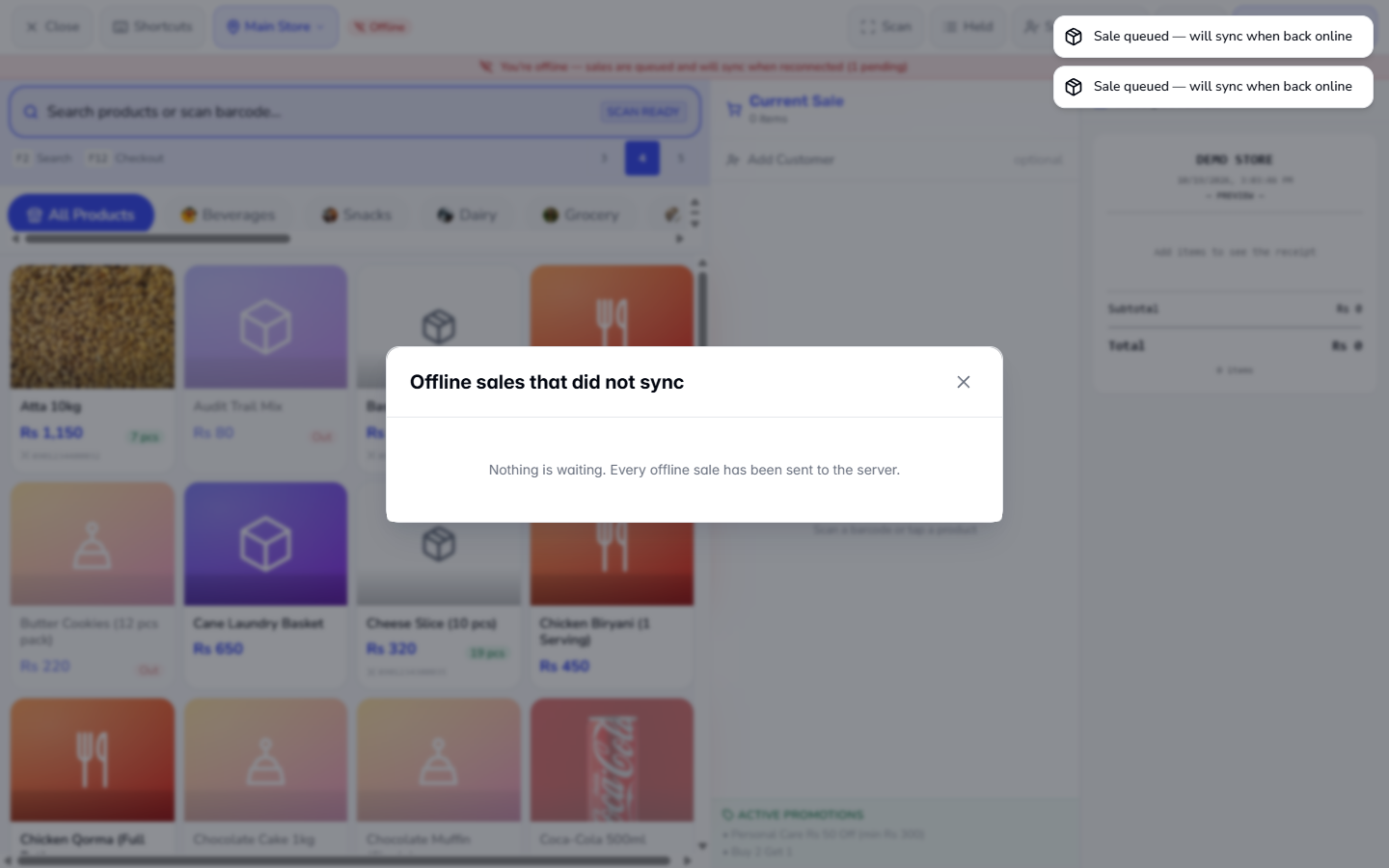
Ring the next sales the same way. The strip counts them ((2 pending)). Nothing is posted yet, so the stock and the books do not change.
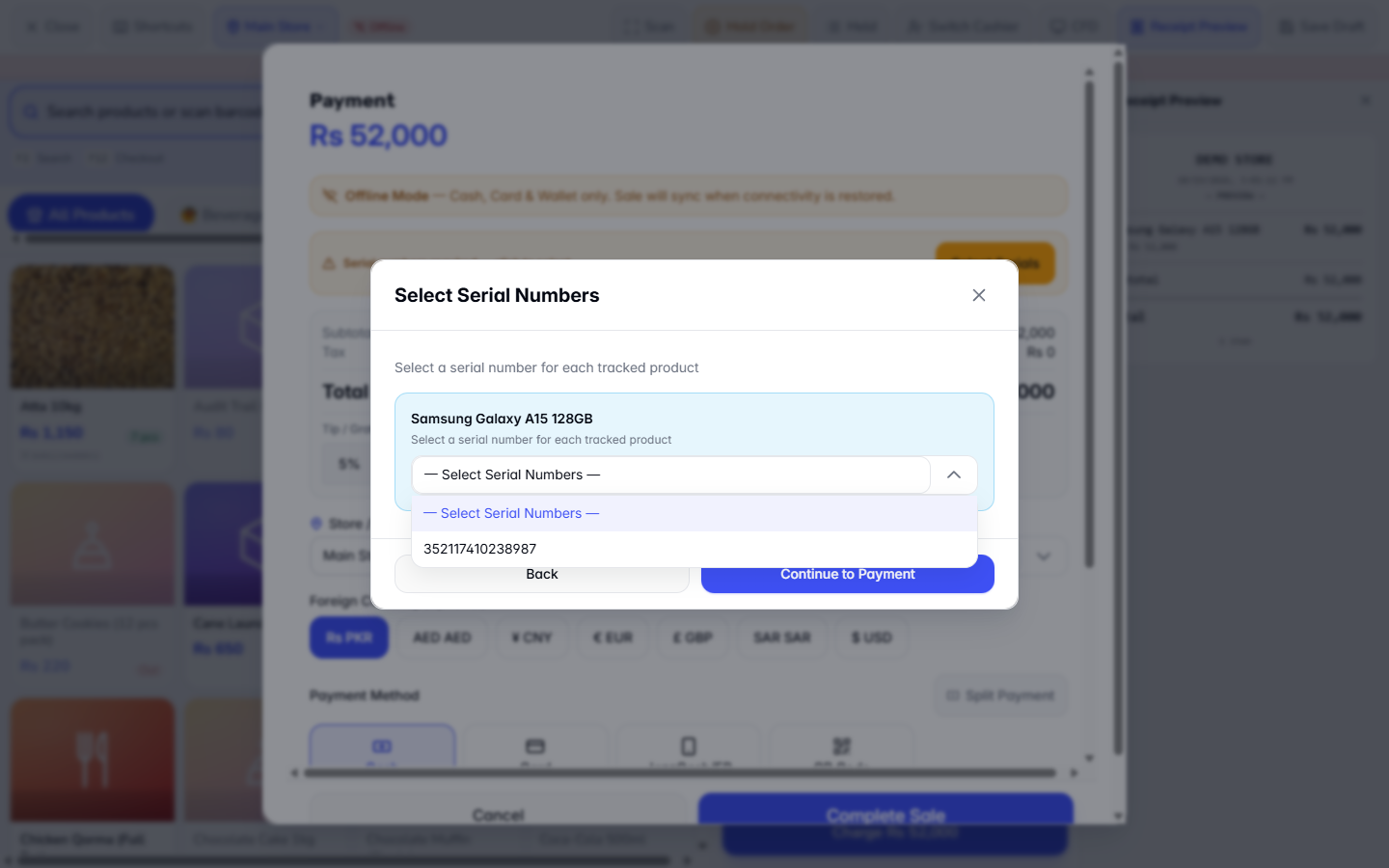
A product tracked by serial number, such as Samsung Galaxy A15 128GB, can be sold offline: Charge shows Serial numbers required — click to select.
Press Select Serials, pick a serial from the list saved on the till (352117410238987), press Continue to Payment and the sale is queued.
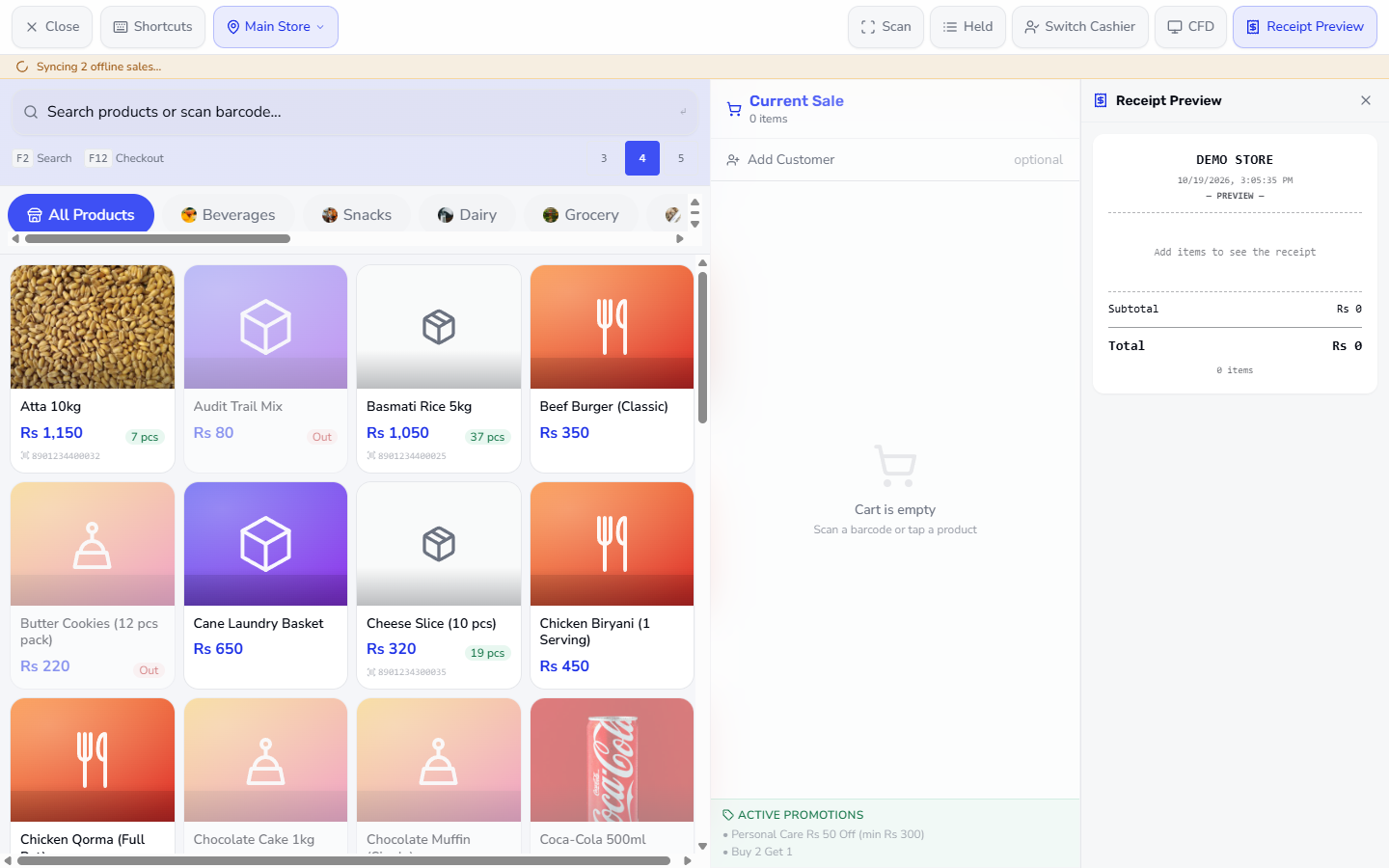
When the connection returns, do nothing: after about three seconds the till goes online by itself, the strip says 2 offline sales pending sync and then turns orange: Syncing 2 offline sales…. The till posts the queued sales one after another, once each.
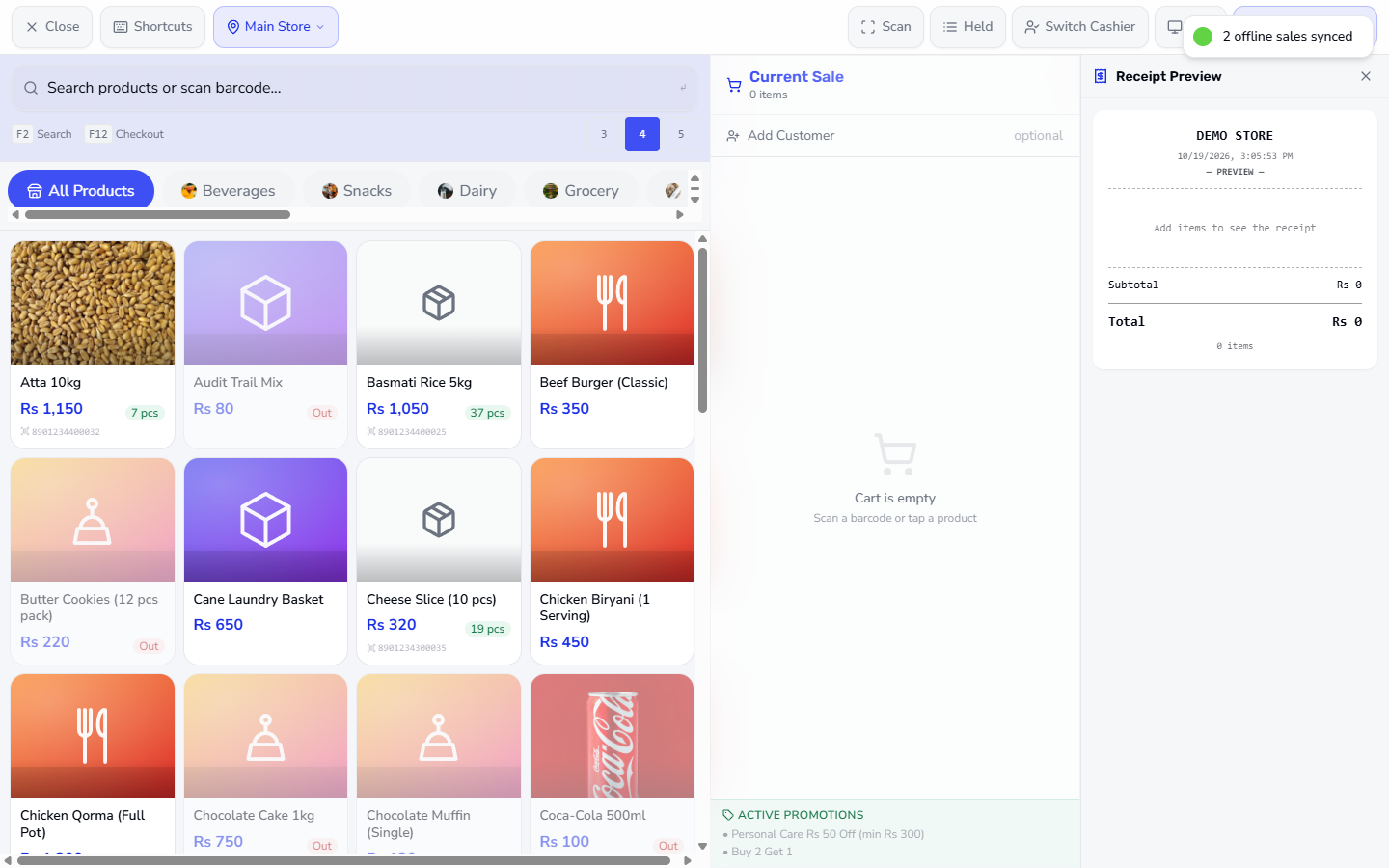
A green message such as 2 offline sales synced confirms the batch.
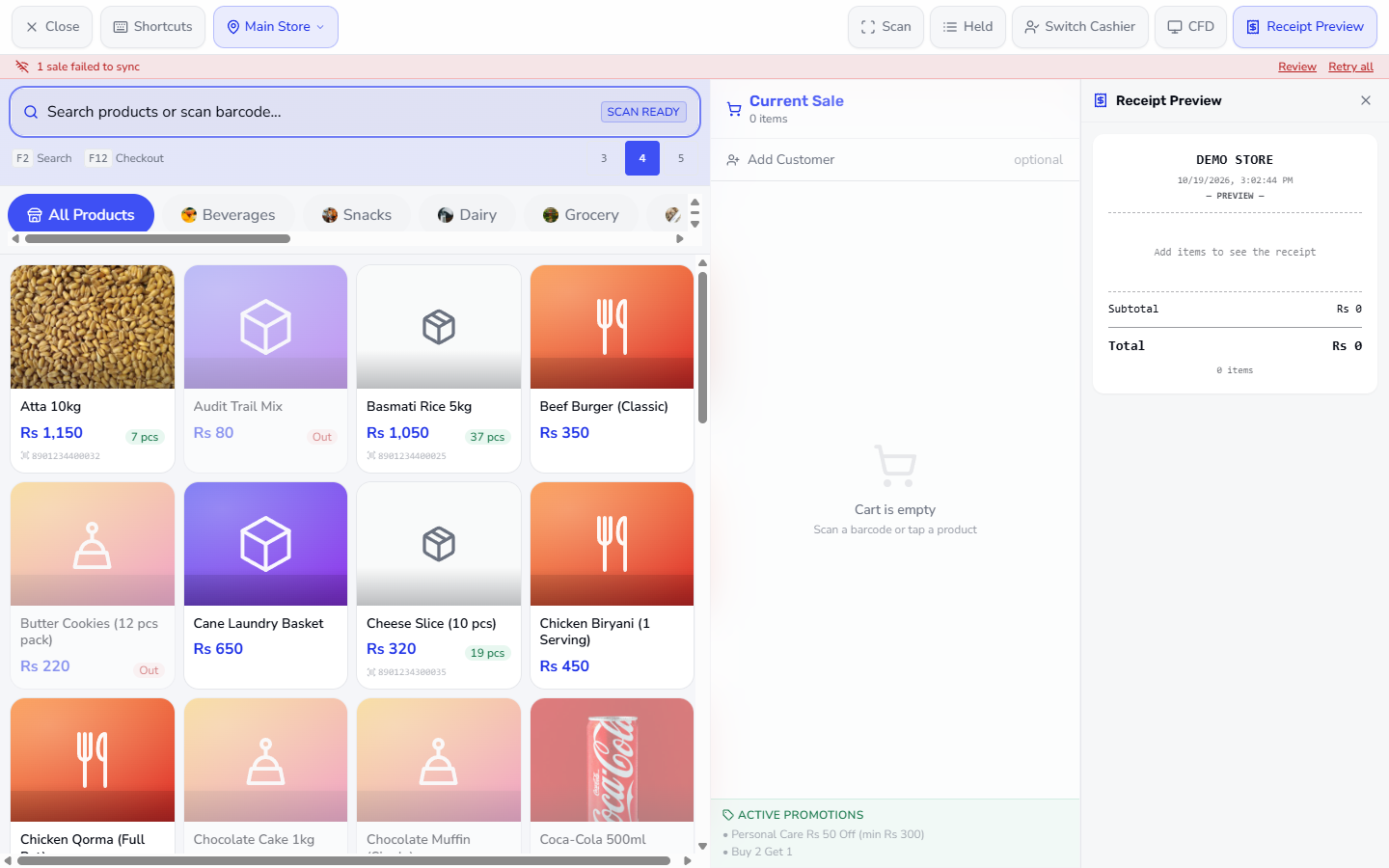
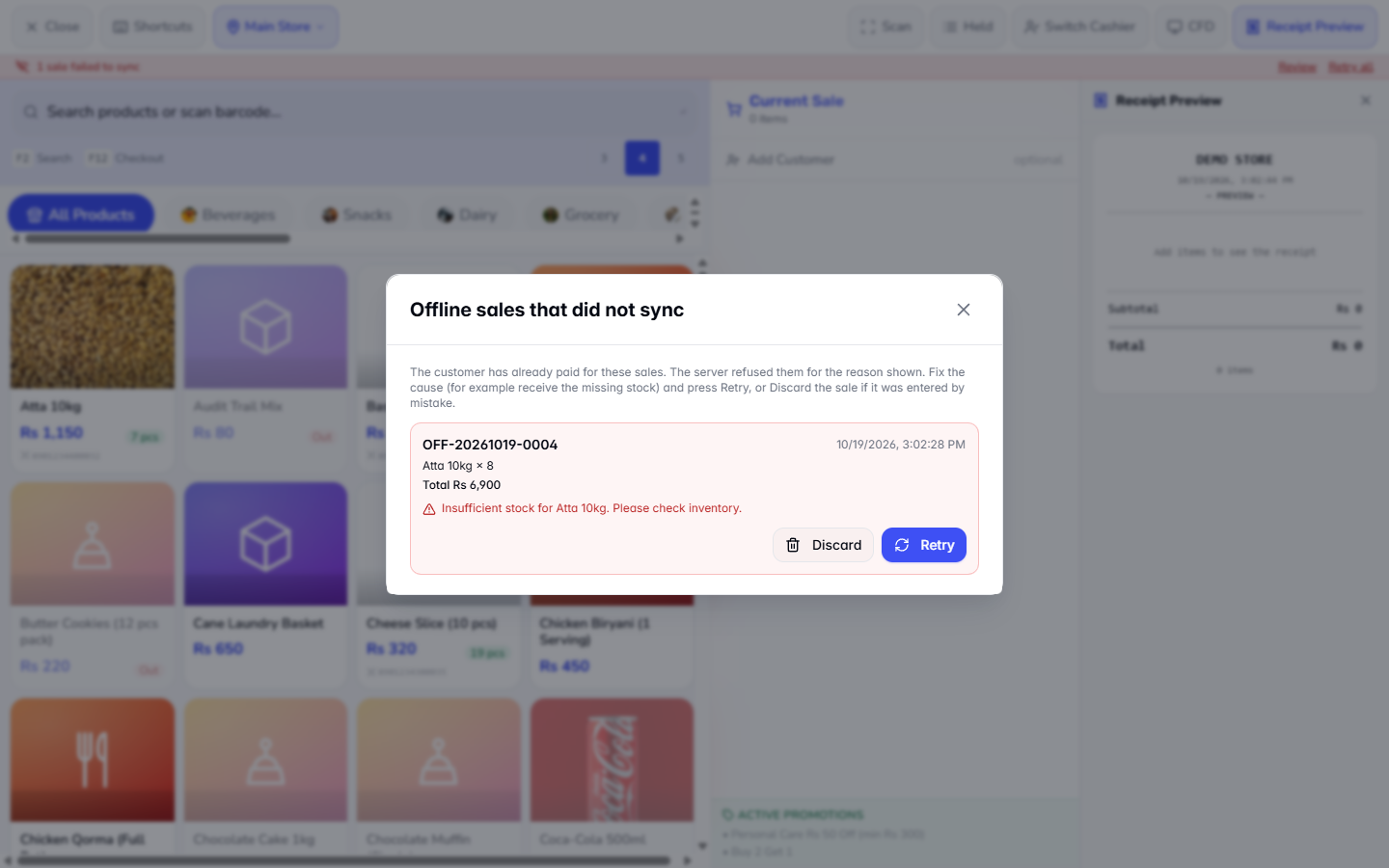
If the server refuses a queued sale, for example because the stock is not enough, a red message 1 sale failed to sync — check sync panel for details appears and the strip shows 1 sale failed to sync with Review and Retry all.
Review lists the sale (OFF-20261019-0004, Atta 10kg × 8, Total Rs 6,900) with the reason Insufficient stock for Atta 10kg. Please check inventory. Fix the cause (receive the stock) and press Retry, or press Discard if the sale was entered by mistake.
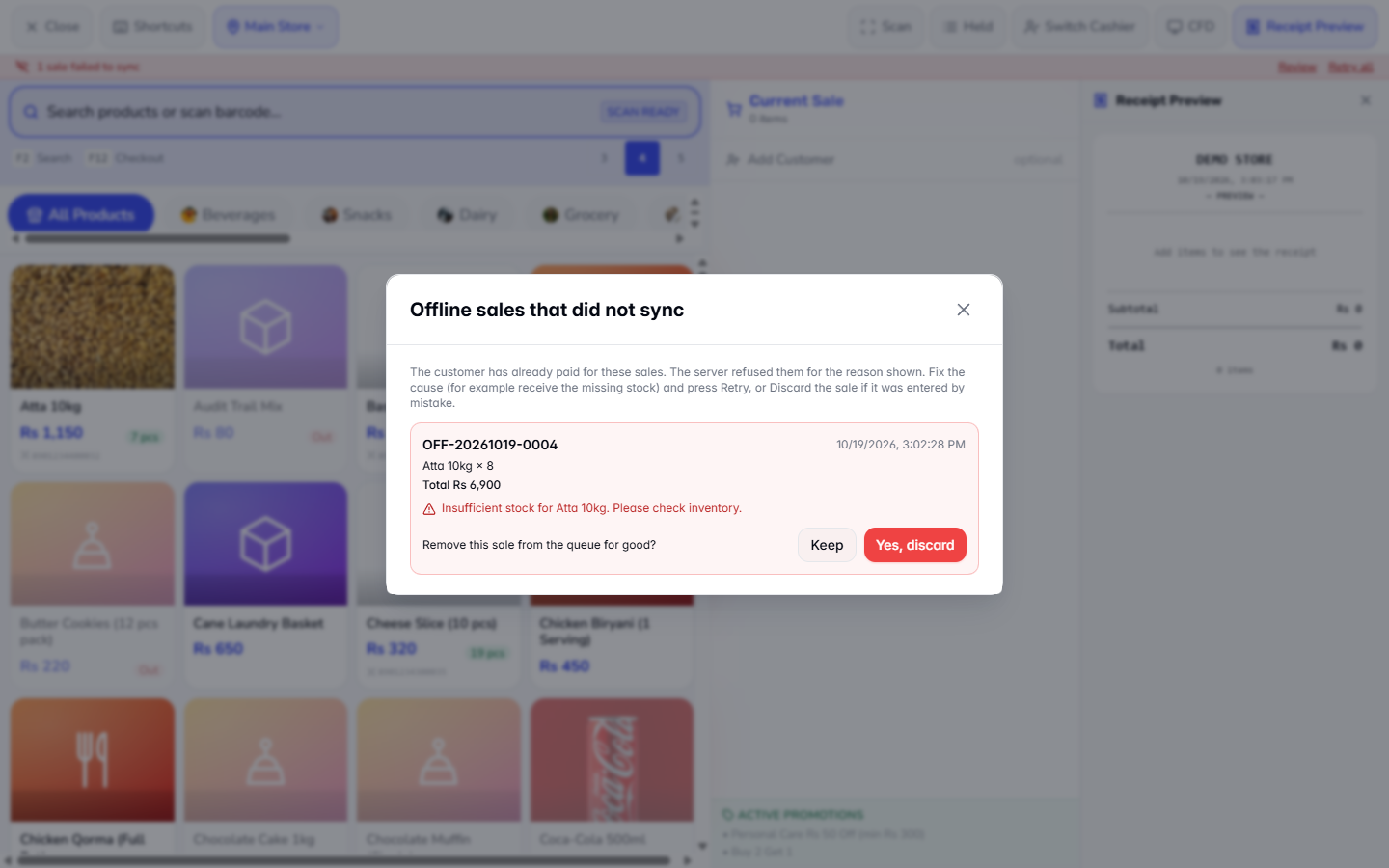
Discard asks Remove this sale from the queue for good? Answer Keep or Yes, discard. The customer has already paid, so tell the owner before you discard.
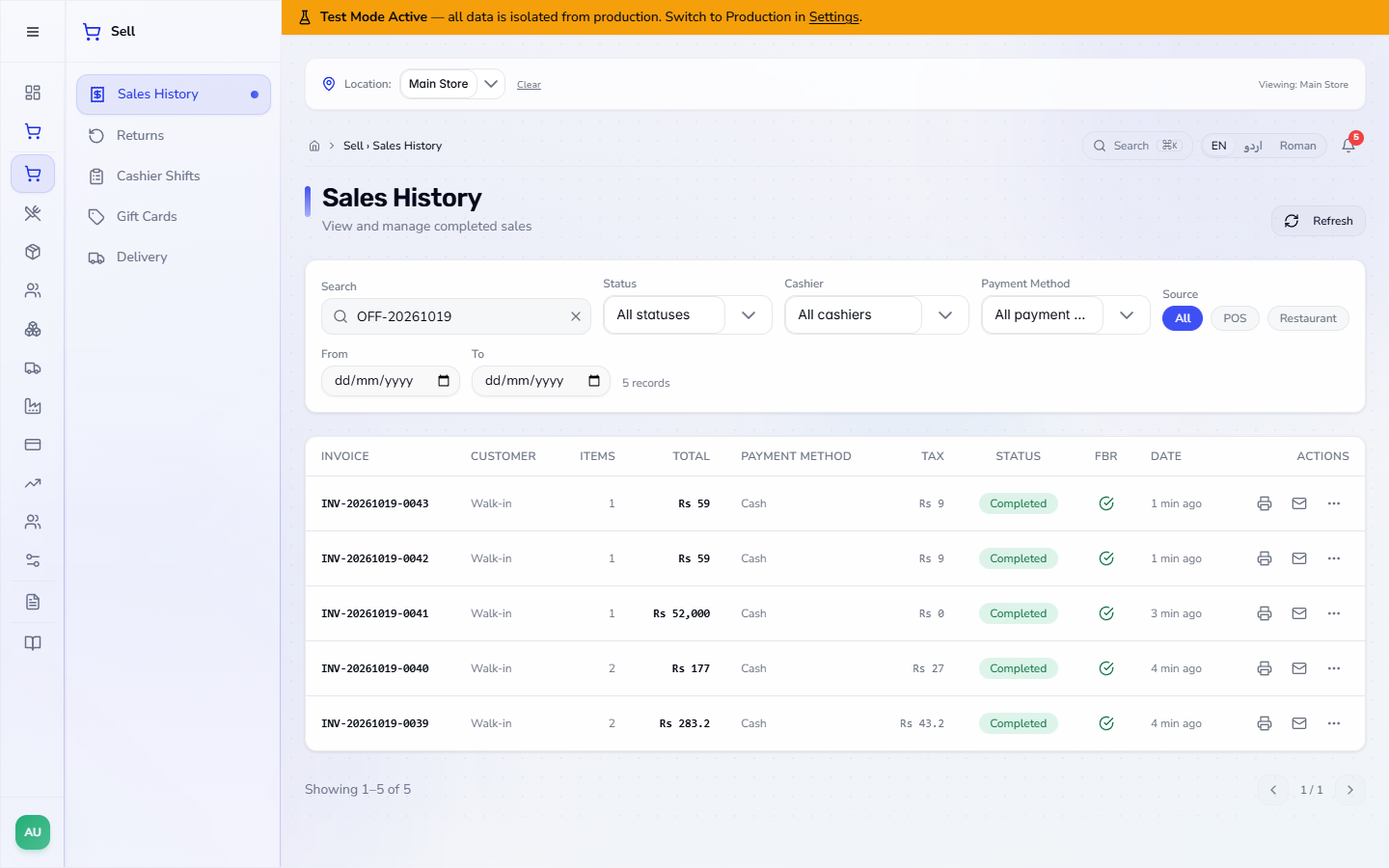
Open Sell › Sales History and search the OFF- number. The synced sales now have real invoice numbers (INV-20261019-0039 for the first one) with their real totals (Rs 283.2, Rs 177, Rs 52,000) and the status Completed.
In Finance › Accounting each synced sale has its journal entry: JE-202610-0103 for INV-20261019-0039 debits Cash in Hand 283.2 and Line Discounts 10, credits Sales Revenue 250 and Sales Tax Payable (GST) 43.2, and moves the cost (180) from Inventory to Cost of Goods Sold. The stock of the products drops by the quantities sold only now.
| Mistake | What you see | Fix |
|---|---|---|
| Choosing Credit, Cheque or Gift Card offline | The method is not offered | Take cash, card, wallet or QR, or wait for the connection |
| Selling a serial product before the till has been online | The list of serials is empty | Open the till once while online so it saves the serials |
| Closing the till page before syncing | Sales stay queued on the device | Reopen the till and wait for Syncing to finish |
| Ignoring 1 sale failed to sync | The customer's sale is not in the books | Press Review, fix the cause and Retry, or Discard after telling the owner |
| Item | Meaning / rule |
|---|---|
| OFF-… number | Temporary invoice number of an offline sale |
| Pending sync | The receipt is not confirmed by the server yet |
| (N pending) | Sales waiting on this device |
| Syncing N offline sales… | The queue is being posted |
| Review / Retry all | Look at the refused sales / try them again |
Which payment methods work offline? Cash, Card, JazzCash/EP and QR Code. Bank, Credit, Cheque and Gift Card are hidden while offline.
Does a line discount work offline? Yes. It is saved with the sale, with its reason, and the receipt shows Line discount and You saved.
When does the stock go down for an offline sale? When the sale is synced. Until then it is only saved on the till.
Does the offline receipt have the final invoice number? No. It carries a temporary OFF- number; the real INV- number appears in Sales History after the sync.
What if a queued sale is refused? The till shows 1 sale failed to sync with Review and Retry all. The sale is not in Sales History until it is accepted.
ClearRing runs this whole workflow. See what ClearRing does and what it costs, or browse all step-by-step guides.