How to collect a visit payment at reception, and refund it
Before a booked patient joins the doctor's queue, the front desk takes the consultation fee. This guide shows where the price comes from, how to collect it in cash, card, split or on credit, what the receipt and ledger show, and how a paid visit is refunded.
Who it is forFront-desk cashierTime12 minutesProductHMSLevelIntermediate
Before you start
Steps
1
Read the amount due on the appointment row
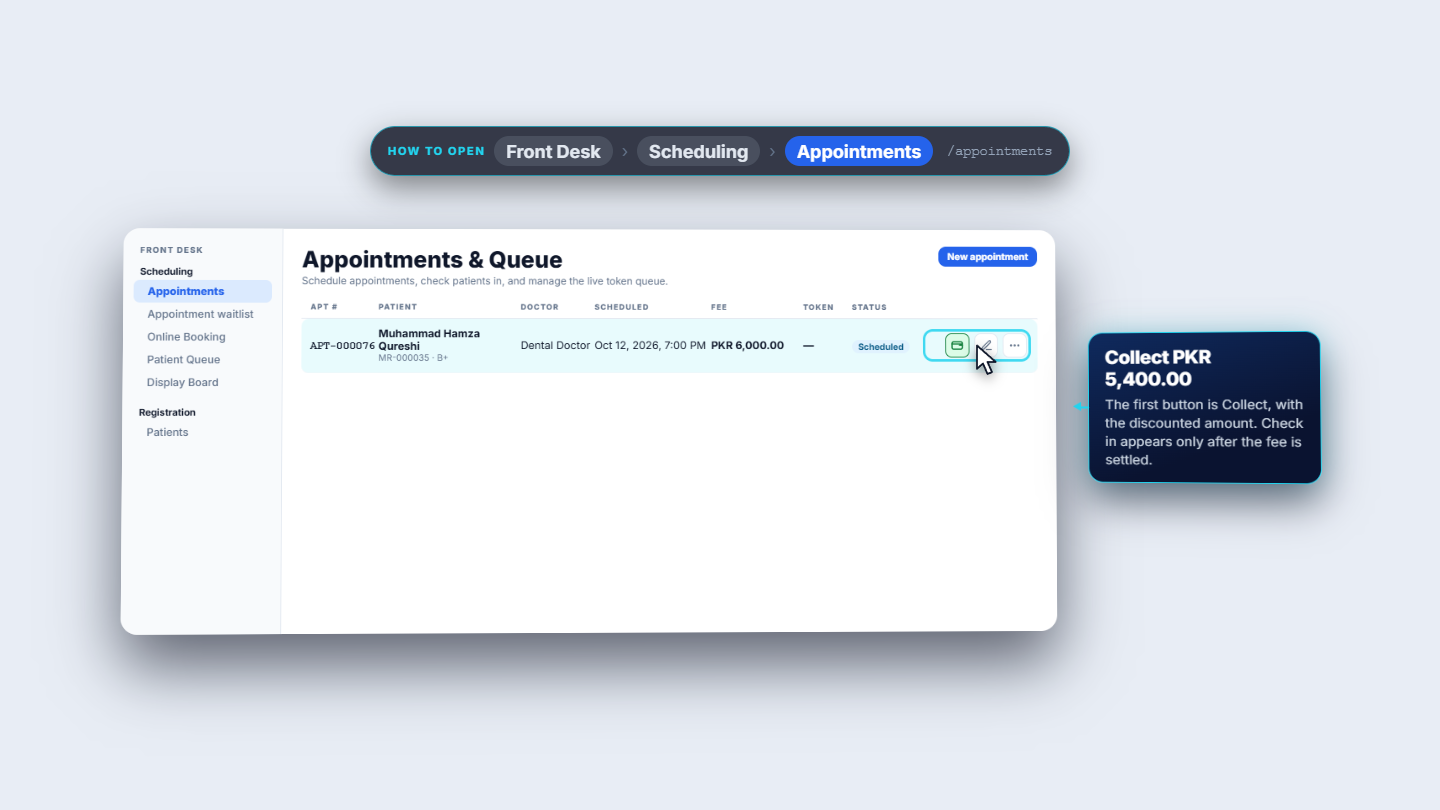
The price starts with the doctor: in Administration › Users, Dental Doctor has a consultation fee of 12,000 rupees. The department, Aesthetics, lists 0 rupees per 30 minutes, so the doctor's own fee applies. The estimate follows the visit length: a 15-minute visit in a 30-minute slot is 6,000 rupees. On Front Desk › Scheduling › Appointments, APT-000076 shows a Fee of PKR 6,000.00. Muhammad Hamza Qureshi has a 10 percent discount, so the first button reads Collect PKR 5,400.00. Check in is not offered until the fee is settled.
Appointments row with the Collect PKR 5,400.00 button
2
Choose the payment method and the bank account
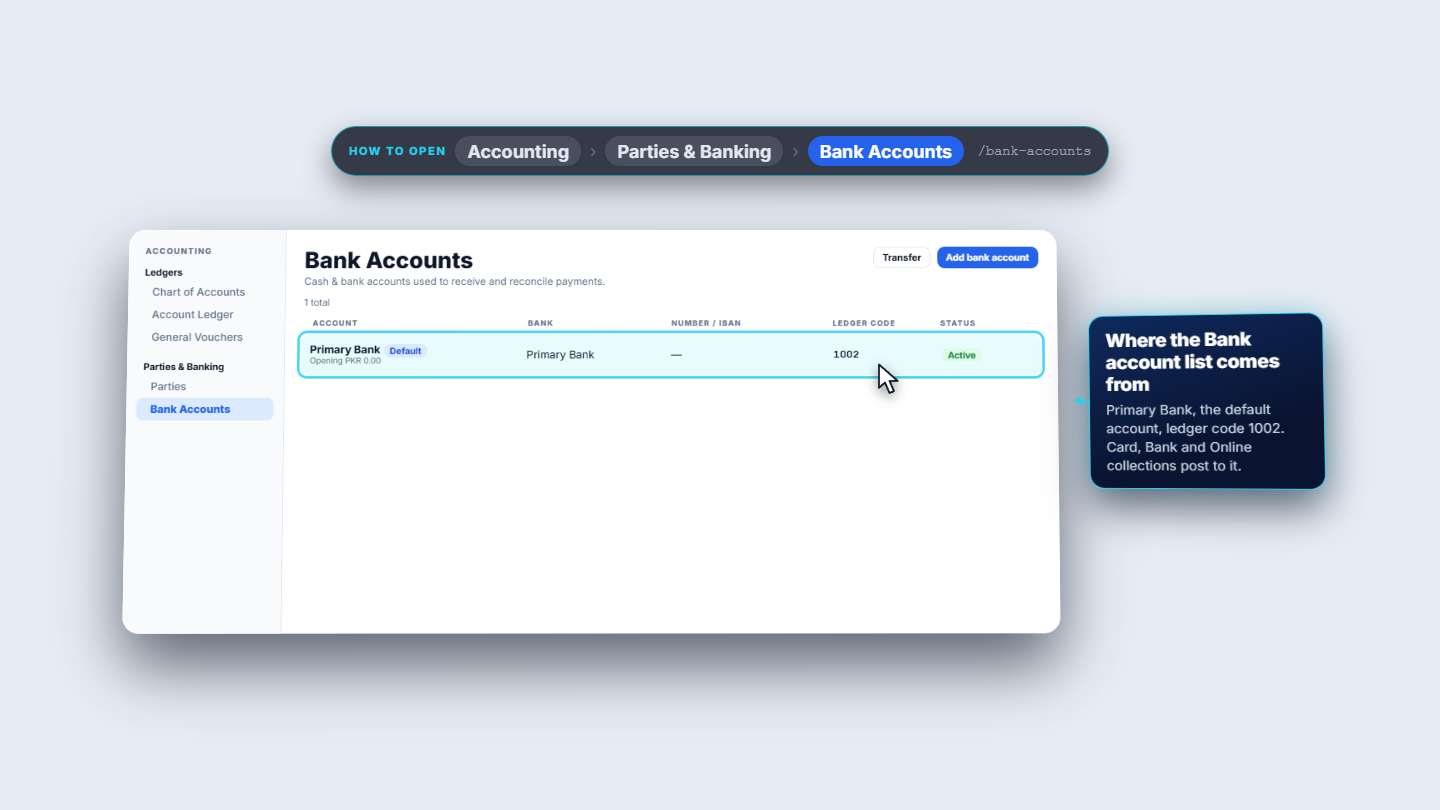
Press Collect PKR 5,400.00. The Collect payment dialog shows Amount due and six methods: Cash, Card, Bank, Online, Credit and Insurance. Card, Bank and Online also ask for a Bank account. That list comes from Accounting › Parties & Banking › Bank Accounts, where Primary Bank is the default with ledger code 1002. Insurance asks for a payer, from Billing › Insurance › Payers: State Life Insurance covers 80 percent, Corporate Health TPA 100.
Bank Accounts page with Primary Bank, ledger code 1002
3
Split one payment across two methods
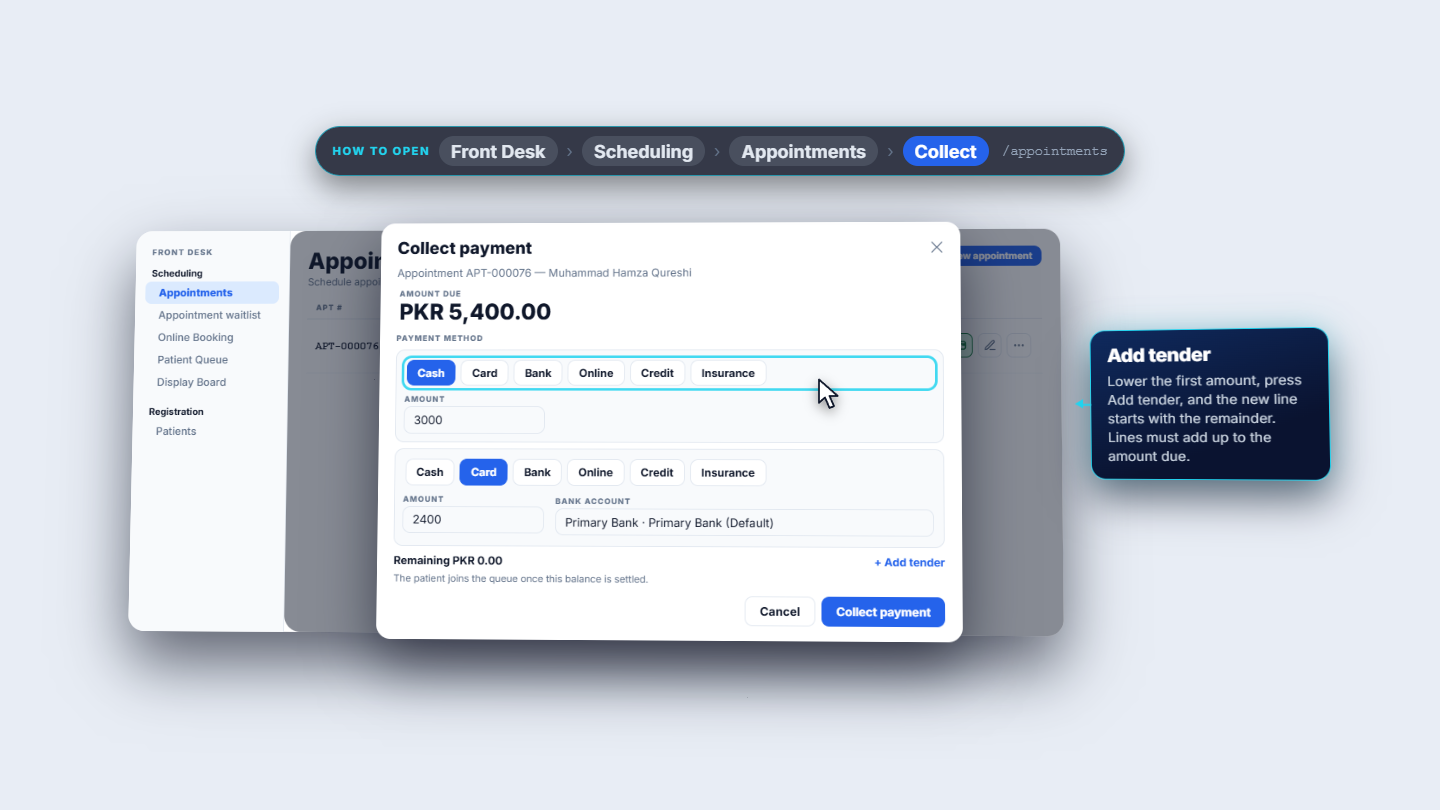
To take part cash and part card, lower the first amount and press Add tender. A second line starts with the remainder. Here Cash 3,000 and Card 2,400 (Primary Bank) add up to the amount due, so Remaining shows PKR 0.00. Press Collect payment. A toast says Payment collected and a Visit payment receipt opens listing both tenders.
Collect payment with Cash 3000 and Card 2400 and Remaining 0.00
4
Check the receipt and the ledger
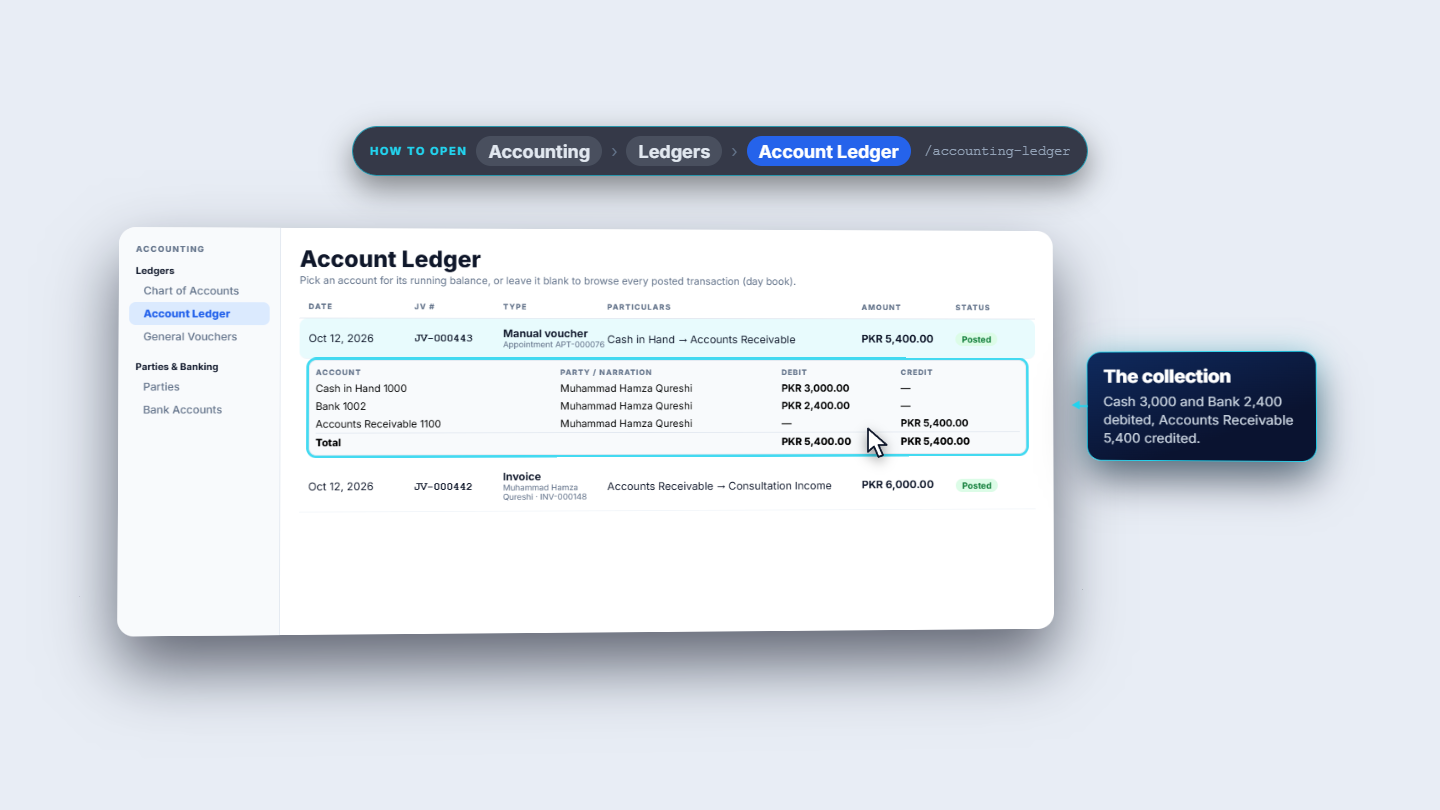
The receipt number, JV-000443, is the voucher of the collection. Open Accounting › Ledgers › Account Ledger to follow the money. The invoice posts the full fee: Accounts Receivable 5,400, Discount Allowed 600 and Consultation Income 6,000. The collection then clears the receivable: Cash in Hand 3,000 and Bank 2,400 against Accounts Receivable 5,400.
Account Ledger showing the invoice and the collection
5
Check in and start the consultation
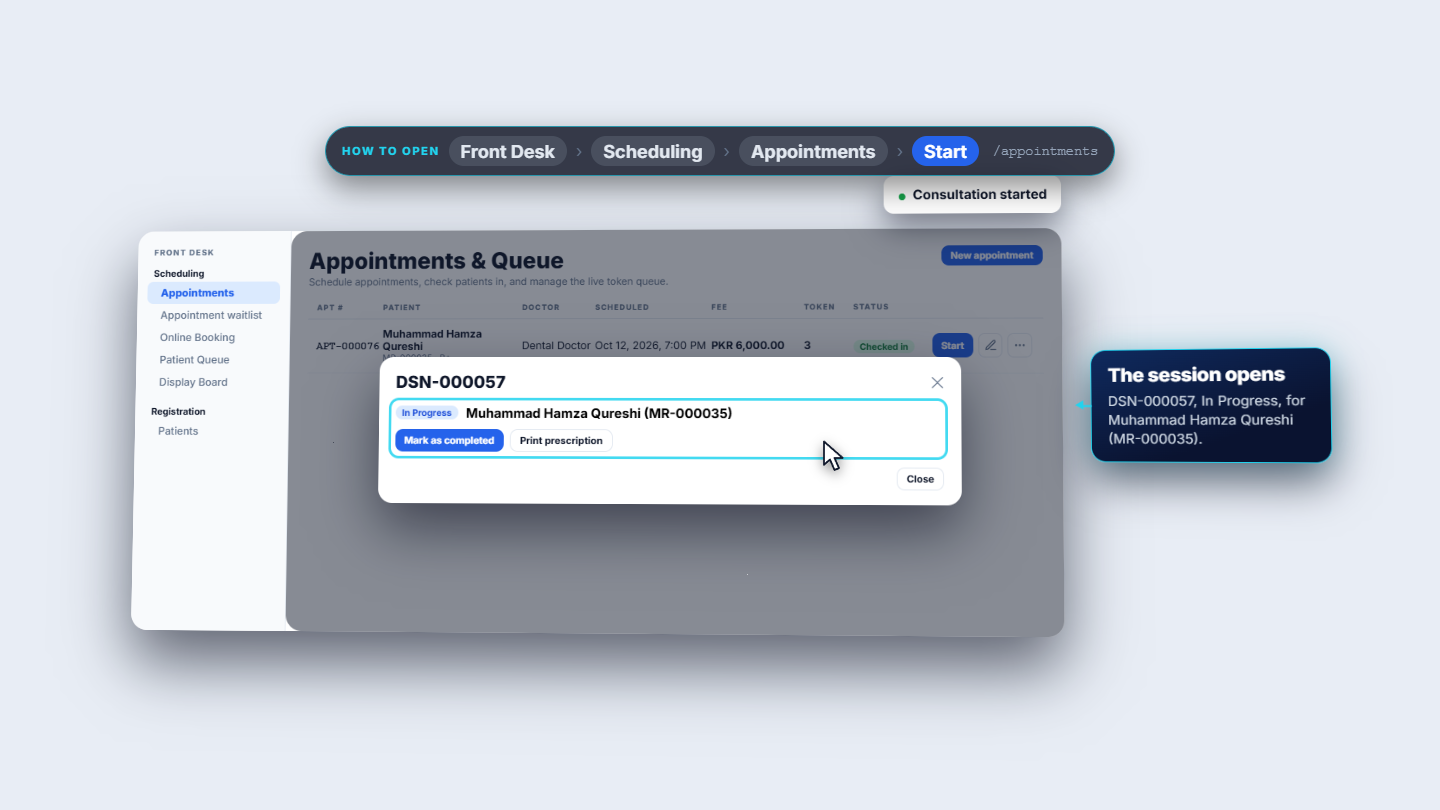
Now Check in is offered. Press it: Patient checked in, and the row shows token 3. Press Start: it opens a confirmation saying the consultation fee is settled and starting does not charge again. A toast says Consultation started and session DSN-000057 opens for Muhammad Hamza Qureshi (MR-000035).
Start consultation opened as session DSN-000057
6
Leave an amount on the patient's account (credit)
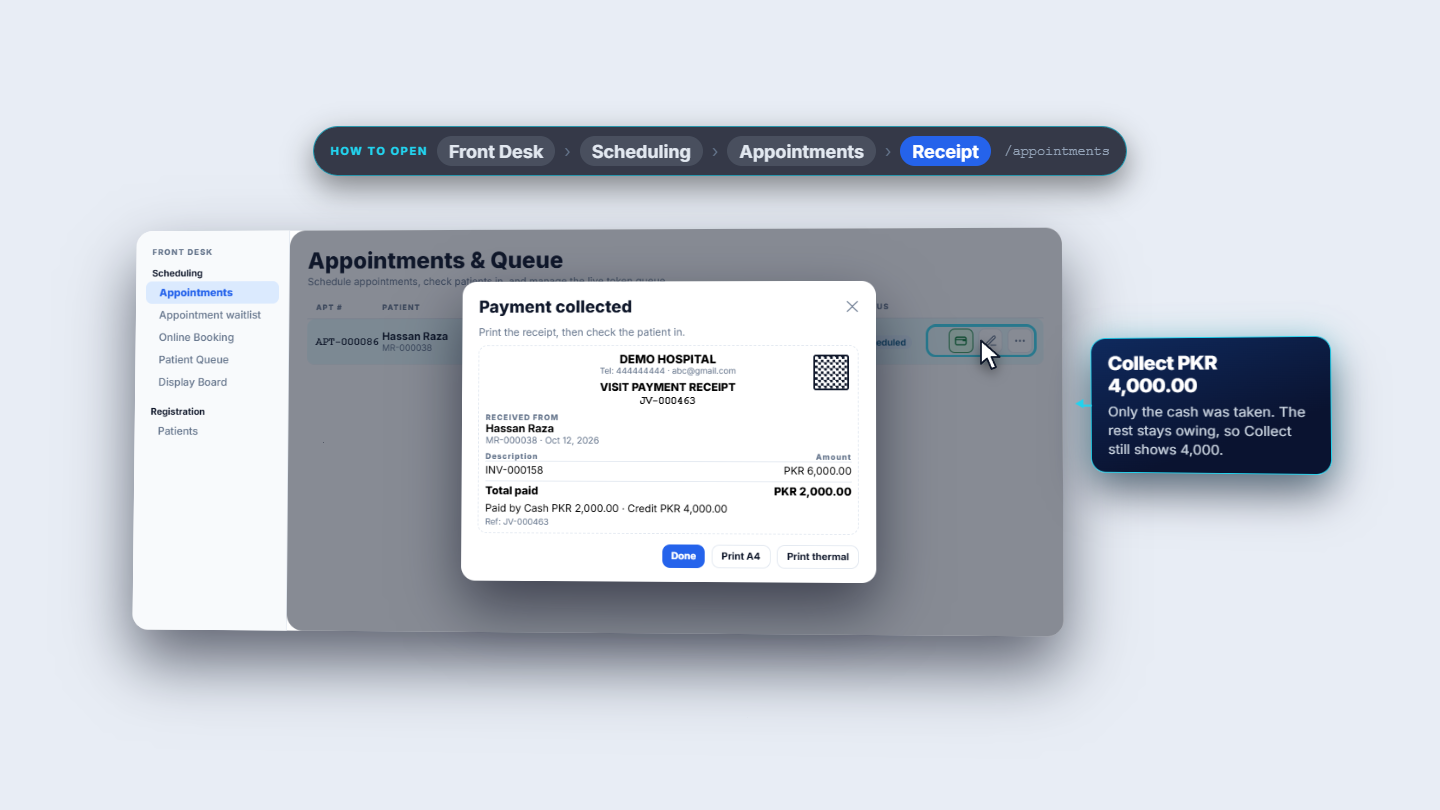
Credit means pay later. With Credit chosen for the whole fee, Collect payment takes no money and the toast says Left on the patient's account, no payment collected. There is no receipt, and the row still offers Collect PKR 6,000.00, so the patient is not checked in. The invoice is posted but unpaid: Paid 0, Outstanding 6,000. Credit can also cover part. With Cash 2,000 and Credit 4,000, the receipt shows total paid 2,000 and the row now offers Collect PKR 4,000.00.
Receipt for Hassan Raza: Cash 2,000, Credit 4,000
7
Refund a paid visit
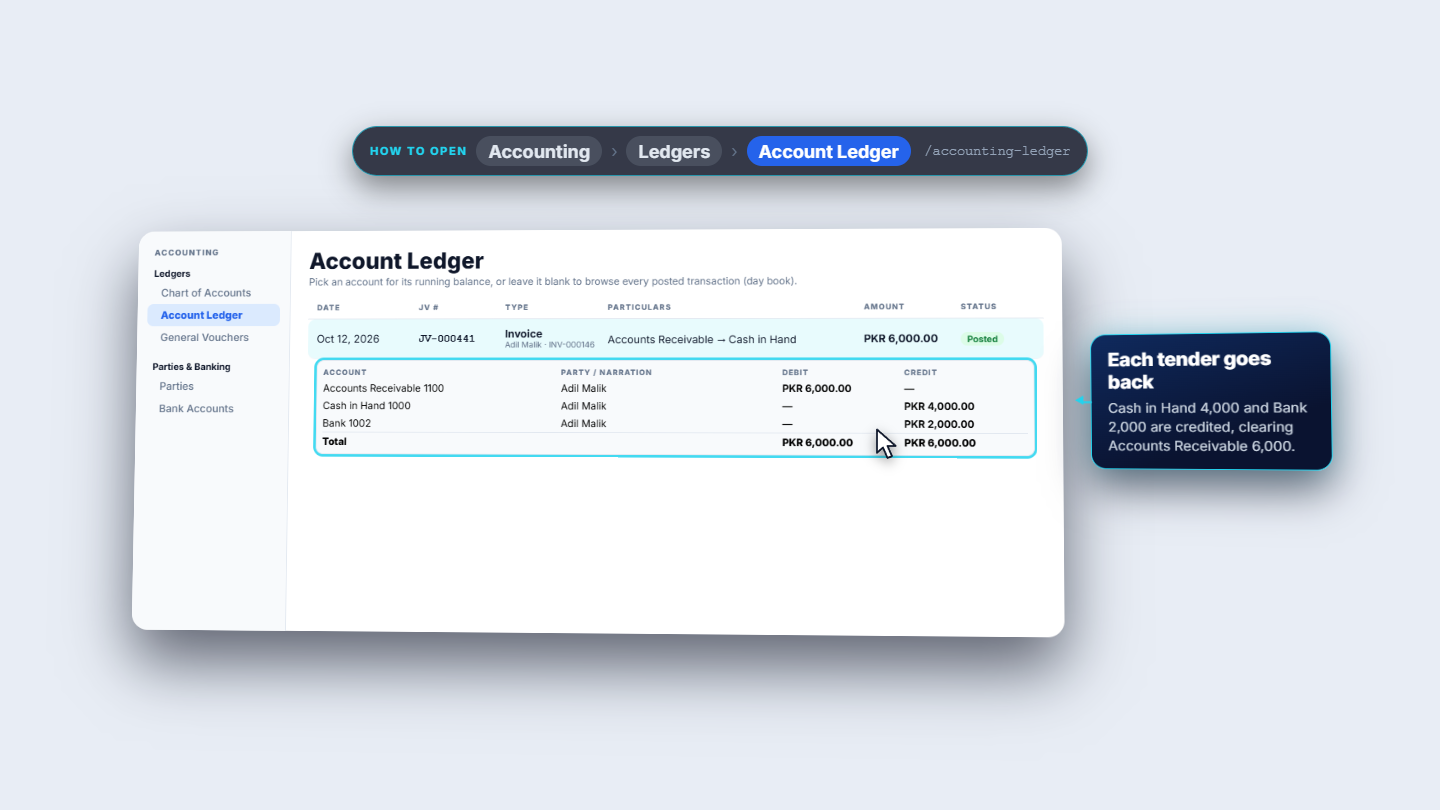
Open the invoice and choose Cancel invoice. The dialog says the refund goes through the original tender. Adil Malik paid Cash 4,000 and Card 2,000. Enter a reason, then press Cancel and refund; Refund method shows Split tender. In the Account Ledger each part goes back: Cash in Hand 4,000 and Bank 2,000, out of Accounts Receivable 6,000.
Account Ledger after the refund of Adil Malik's invoice
Check it worked
The toast Payment collected appears and the receipt lists every tender.
The row offers Check in; after it, a token number shows (token 3 for APT-000076).
The Account Ledger shows the invoice and the collection voucher JV-000443 side by side.
After a credit payment the row still offers Collect for the unpaid balance.
Common mistakes
Mistake
What you see
Fix
Split lines do not add up
The dialog will not accept the payment
Adjust amounts until Remaining is PKR 0.00
Card chosen but no bank account listed
An empty bank list
Add the account under Accounting › Bank Accounts
Expecting a receipt for credit
No receipt appears
Credit is a debt, not a payment; collect the balance later
Looking for Check in before paying
Only Collect is offered
Collect the fee first
Quick reference
Item
Meaning
Collect
Takes the visit fee before check-in
Add tender
Splits the fee across methods; lines must add up
Credit
Leaves the amount owing on the patient's account
Receipt number
The voucher number of the collection (for example JV-000443)
Cancel invoice
Reverses the invoice and refunds through the original tender
Frequently asked questions
Why is Check in not offered? The consultation fee is not settled yet. Press Collect first; Check in appears once the fee is paid.
Can I take part cash and part card? Yes. Lower the first amount and press Add tender. The lines must add up to the amount due, so that Remaining shows PKR 0.00.
What happens when I choose Credit? No money is taken and no receipt is made. The amount stays on the patient's account and the row still offers Collect for the unpaid balance.
How is a paid visit refunded? Open the invoice and choose Cancel invoice. The refund goes back through the original tender, so a split payment returns to cash and bank in the same parts.