Type fractions, roots, chemical reactions and physics units in questions, show them properly to students, and print them cleanly. This guide follows an equation from the settings switch to the printed paper and the student's answer.
Who it is forMaths, chemistry and physics teachersTime15 minutesProductSCMLevelIntermediate
Before you start
Steps
1
Switch on the Math equation editor
Go to Settings › Features and switch on the Math equation editor. It adds an Insert math equation button to question, paper, assignment and forum fields, and shows equations formatted for staff, students and parents. Everyone signed in can read the setting, so students see formatted maths, not raw code. The change applies right away: no reload, and no change for text without equations.
Settings Features with the Math equation editor switch
2
Know how an equation is stored
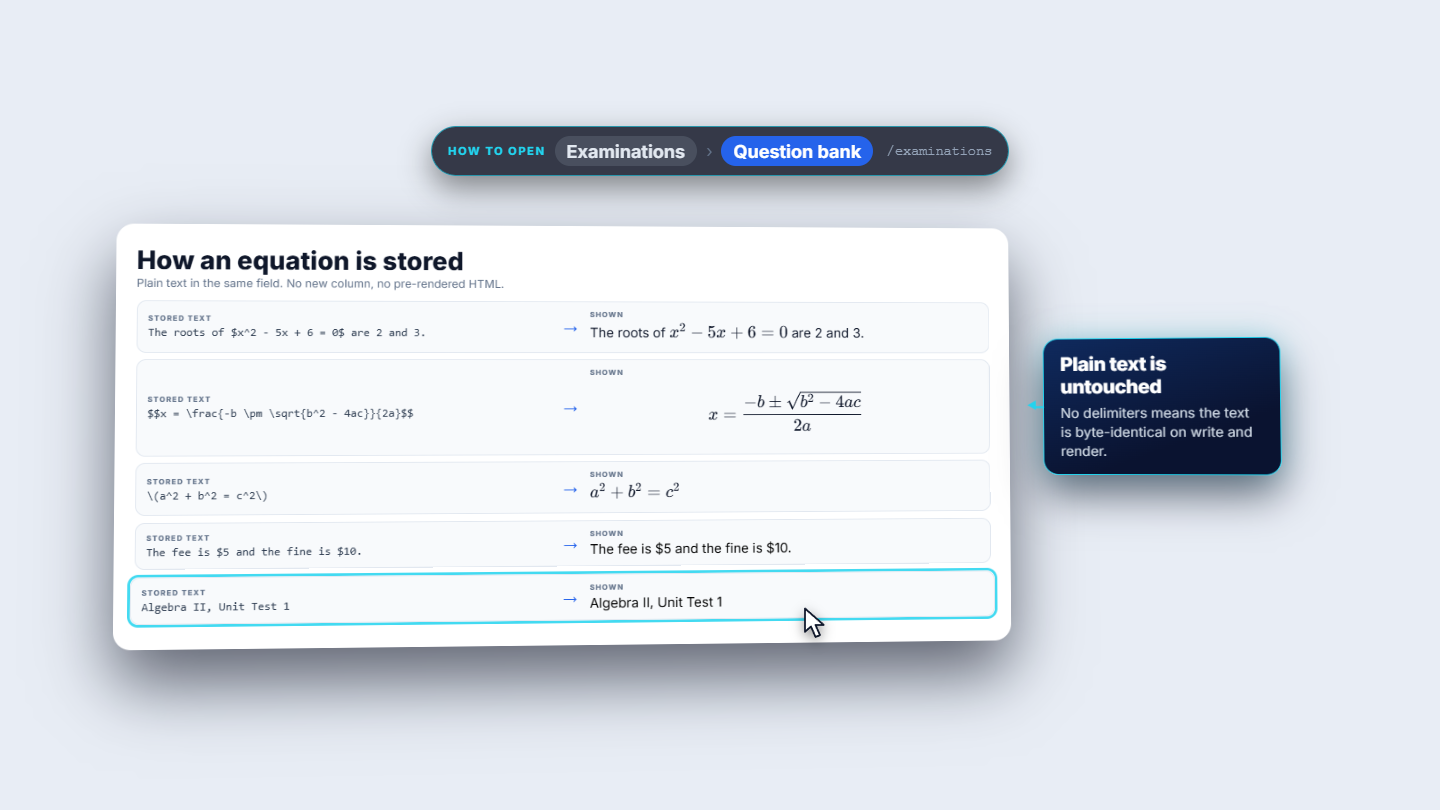
An equation is stored as plain text between dollar signs. One pair of dollar signs is inline, inside the sentence; two pairs make a display equation, centred on its own line. Backslash brackets are accepted too. Money is safe: a lone dollar sign, or five dollars and ten dollars, stays ordinary text, and text without equations is stored and shown exactly as before.
Equation stored as text between dollar signs
3
Build the equation in the editor
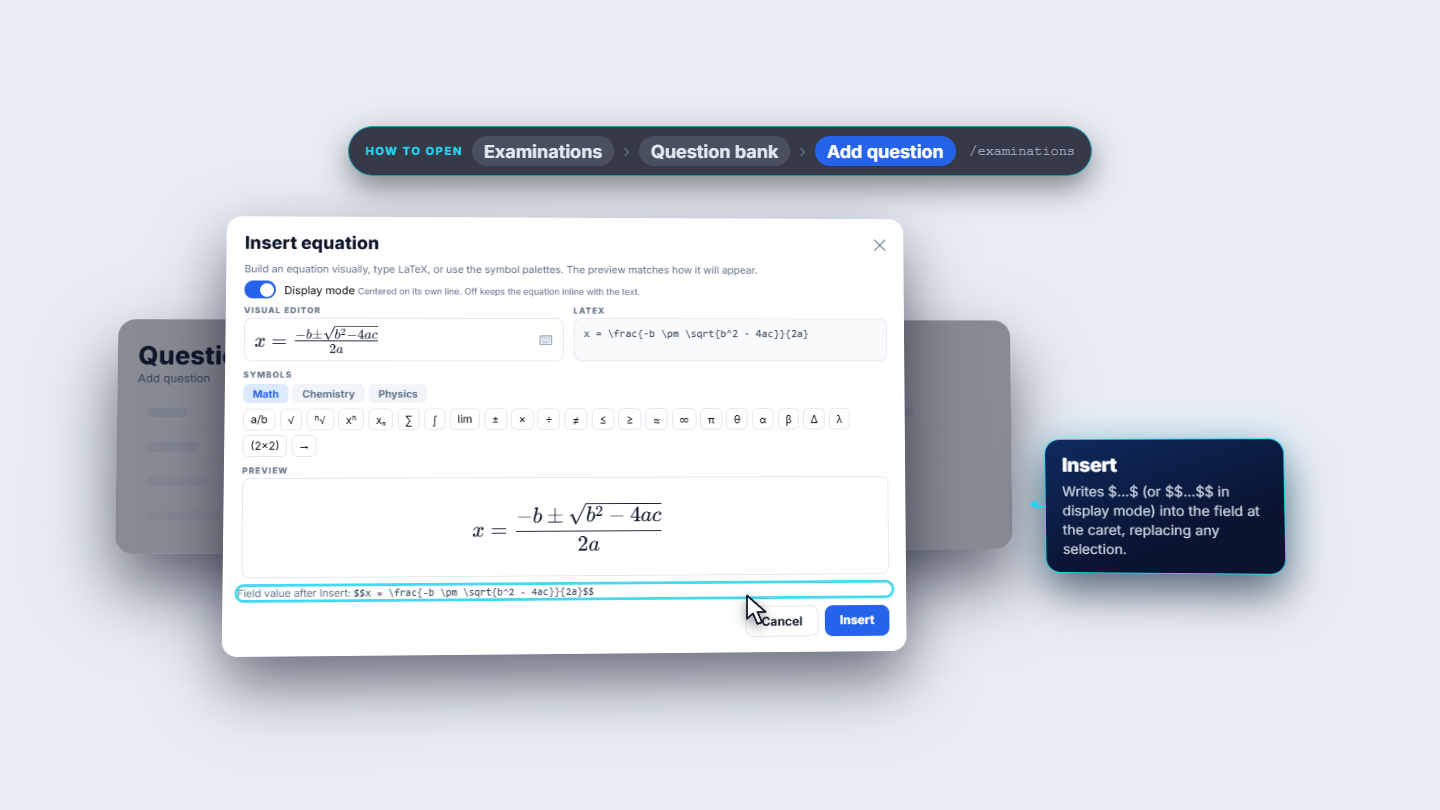
Press Insert math equation beside a field. The Visual editor builds fractions and roots as you click and type; or type LaTeX in the box. The Preview underneath matches how it will look. The Math palette inserts fractions, roots, sums, integrals, Greek letters and matrices; Chemistry uses ce for formulas and reactions; Physics adds units with pu, vectors and common formulas. Display mode centres the equation on its own line; off keeps it inside the sentence. Insert puts the dollar-wrapped text into the field at the caret or over the selection.
Insert equation dialog with visual editor, LaTeX box, palettes and preview
4
Use it in the question bank
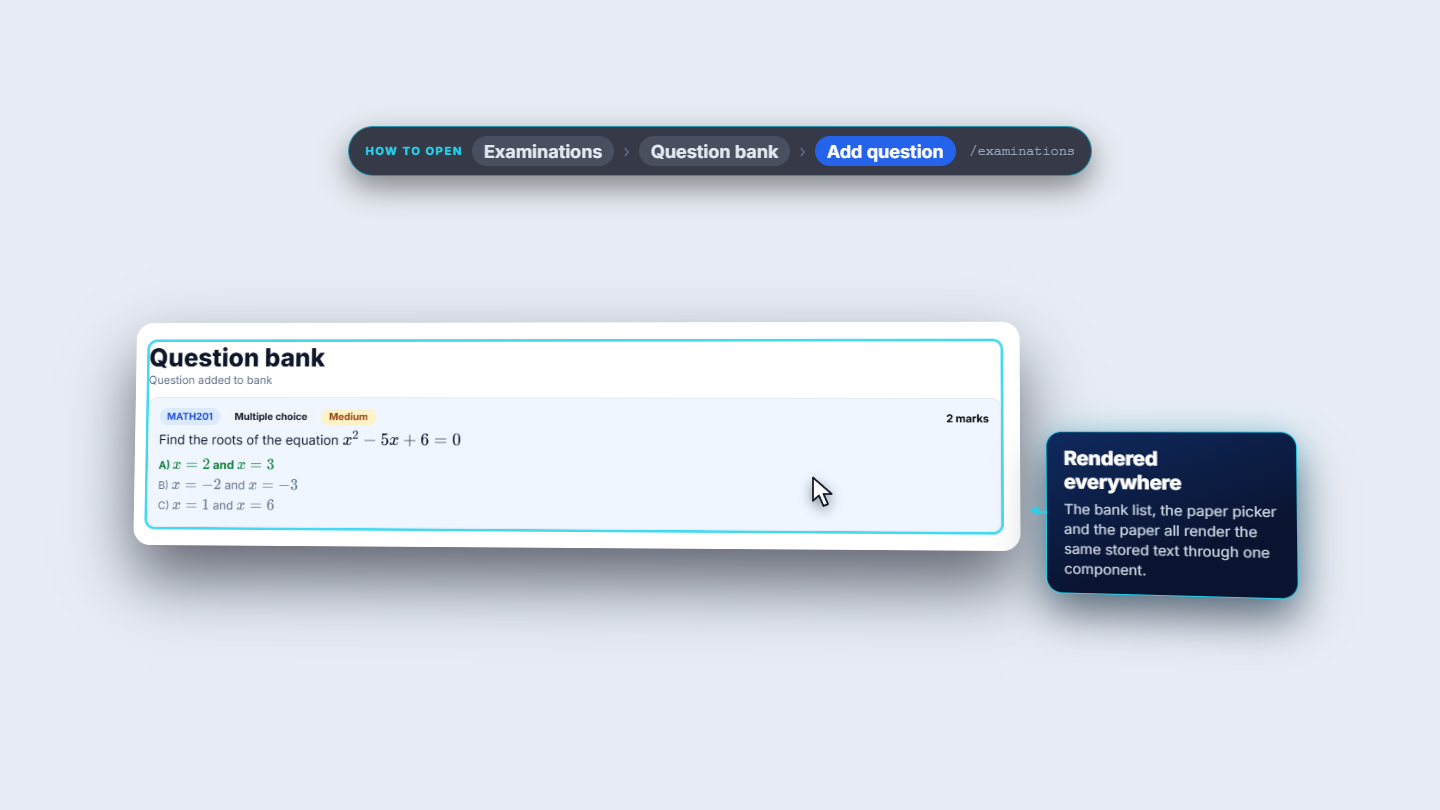
In the question bank, Add question has the button beside the question text. Every answer option has its own button, so options can hold equations, and the explanation has one too. Beneath it, Equation preview shows how the text will render. Saved questions render in the bank list, in the paper picker and on the paper.
Add question form with equation buttons and preview
5
Chemistry and physics
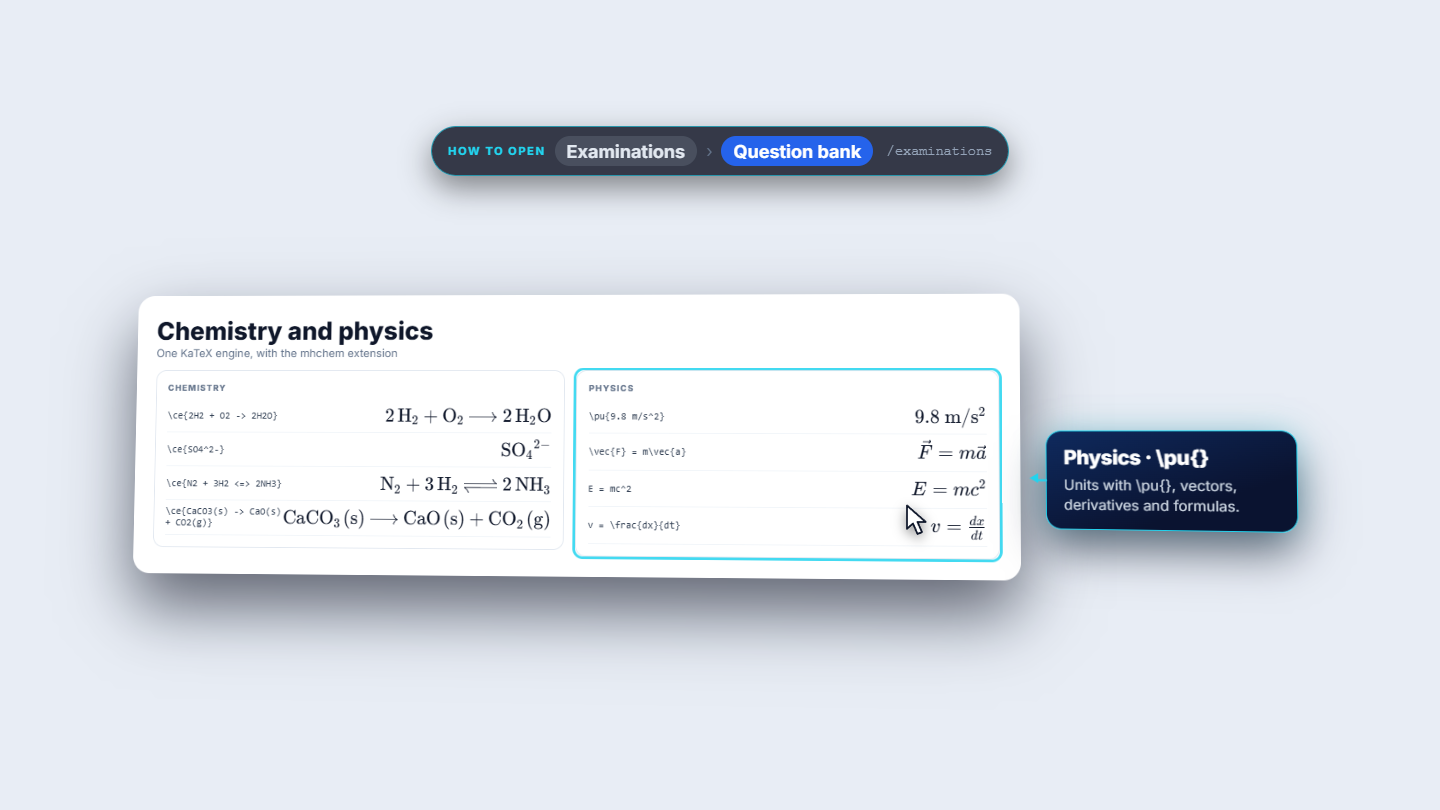
Chemistry works in the same syntax: a reaction, an ion and an equilibrium. Physics uses units with pu and formulas such as Newton's second law.
Chemistry reaction and physics formula examples
6
Understand the safety check
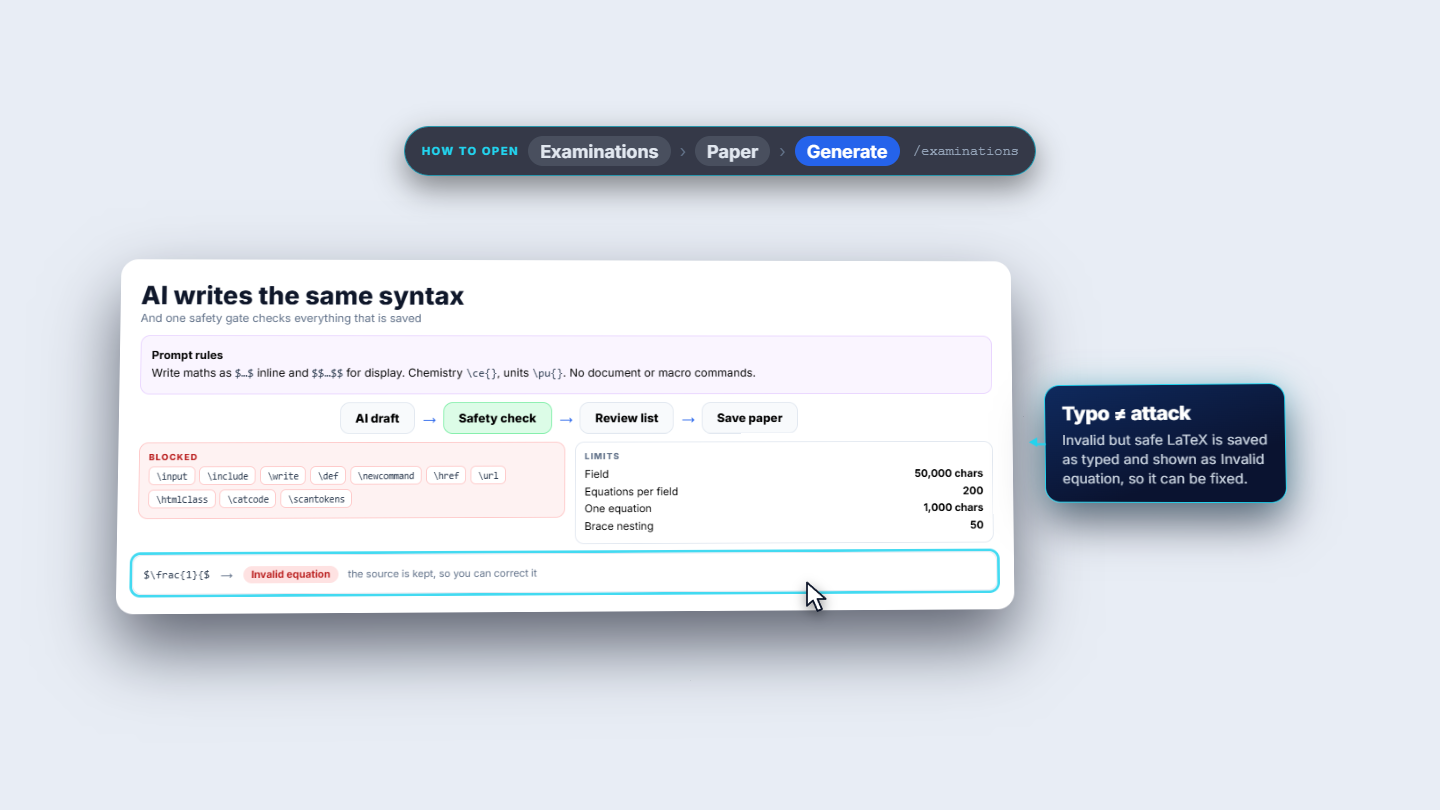
When AI writes a paper it is told the same convention: dollar signs, ce for chemistry, pu for units and no macros. Whatever it writes passes the same safety check as typed text before anything is saved. The check refuses dangerous commands and links, and caps the size: fifty thousand characters in a field, two hundred equations and one thousand characters in each.
AI writes the same syntax and one safety gate checks everything
7
Review the paper
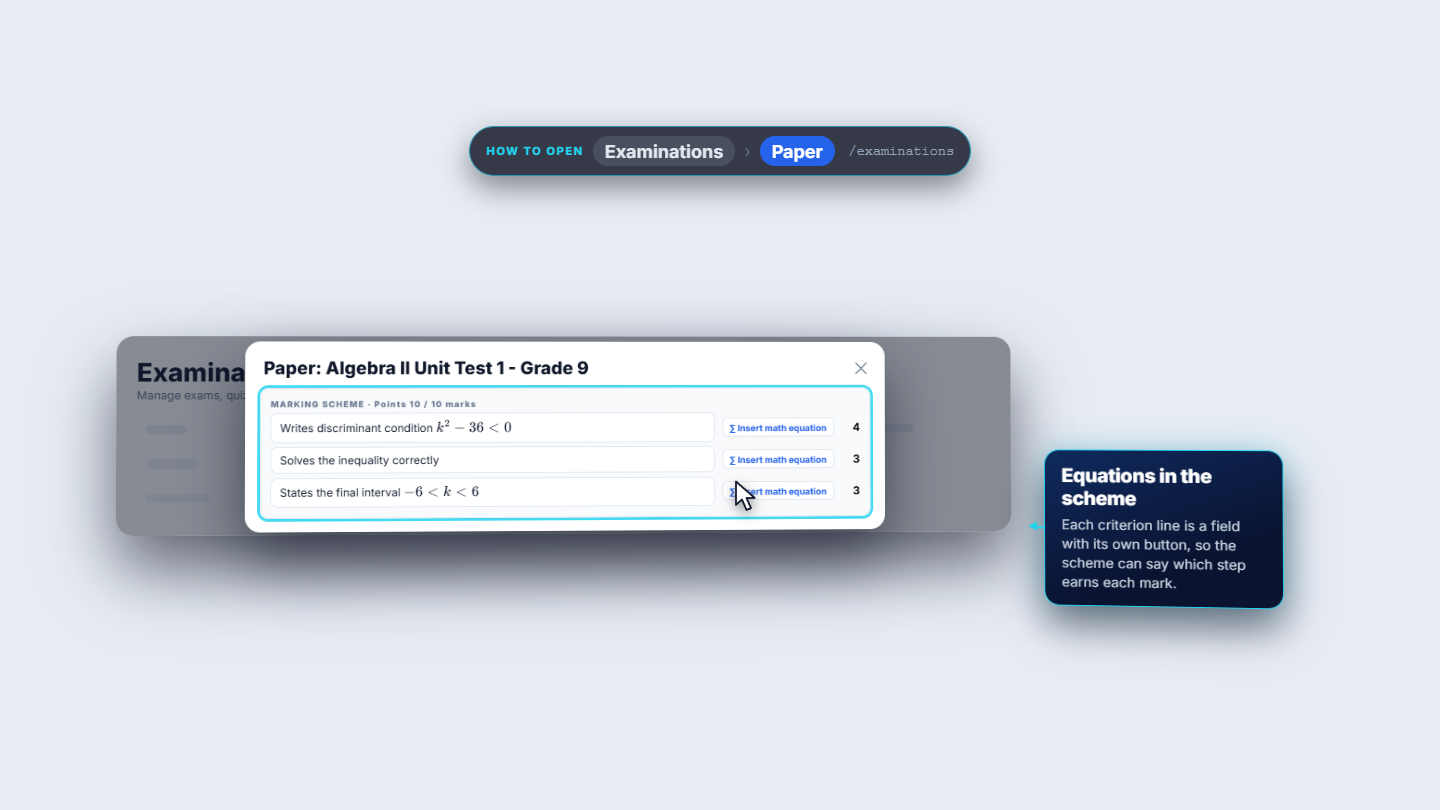
In the review list equations render in questions, options, model answers and explanations. Edit shows the source with the same button and a live preview. Marking-scheme criteria can hold equations too, so the scheme can say exactly which step earns the mark.
Paper review list with rendered equations
8
Print the paper and the answer key
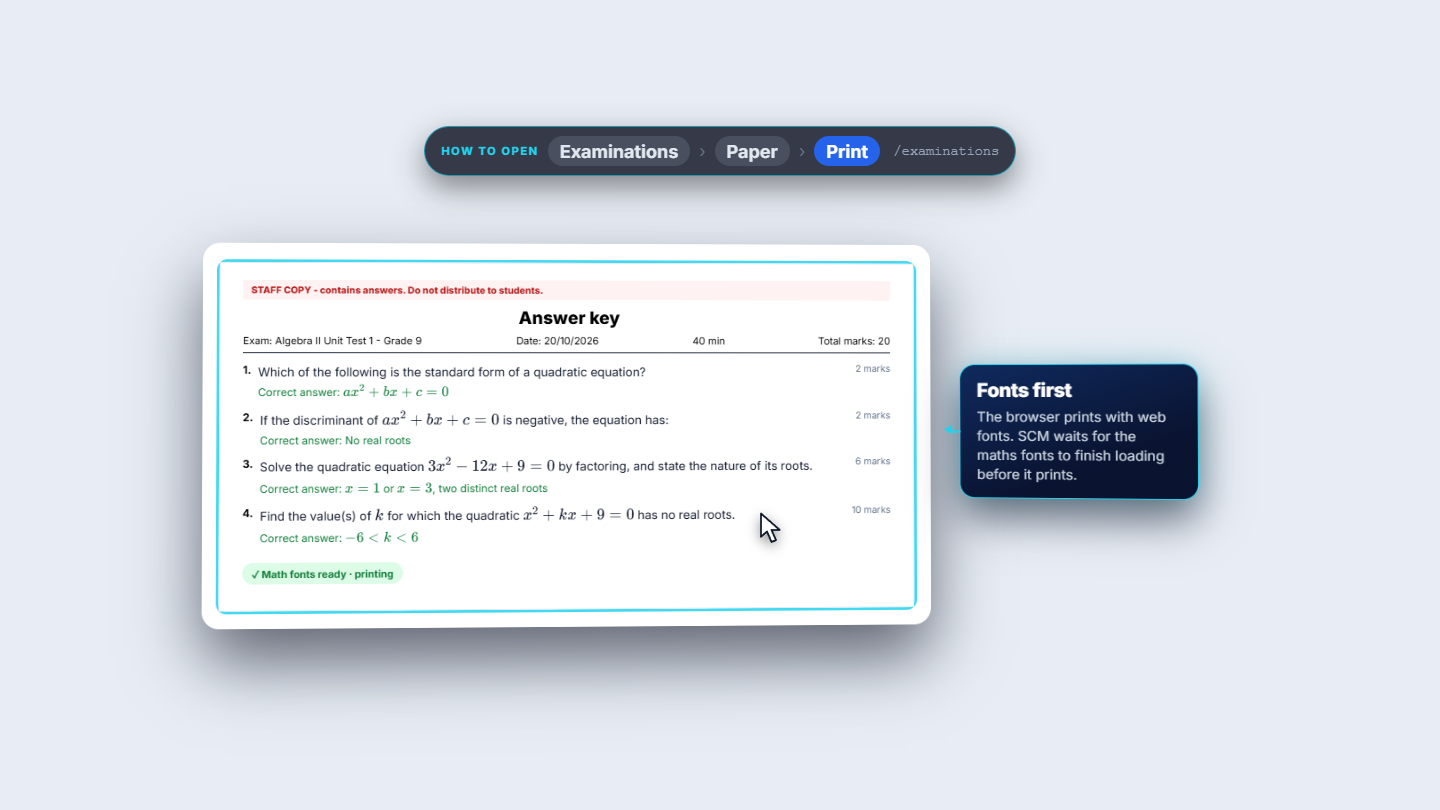
Print paper makes a clean sheet: exam, date, duration, total marks and every question with its equations. Print answer key adds the correct answers, marked as a staff copy. SCM waits for the maths fonts to load before printing, so symbols are never swapped for plain letters.
Printed paper sheet with equations
9
What students can do
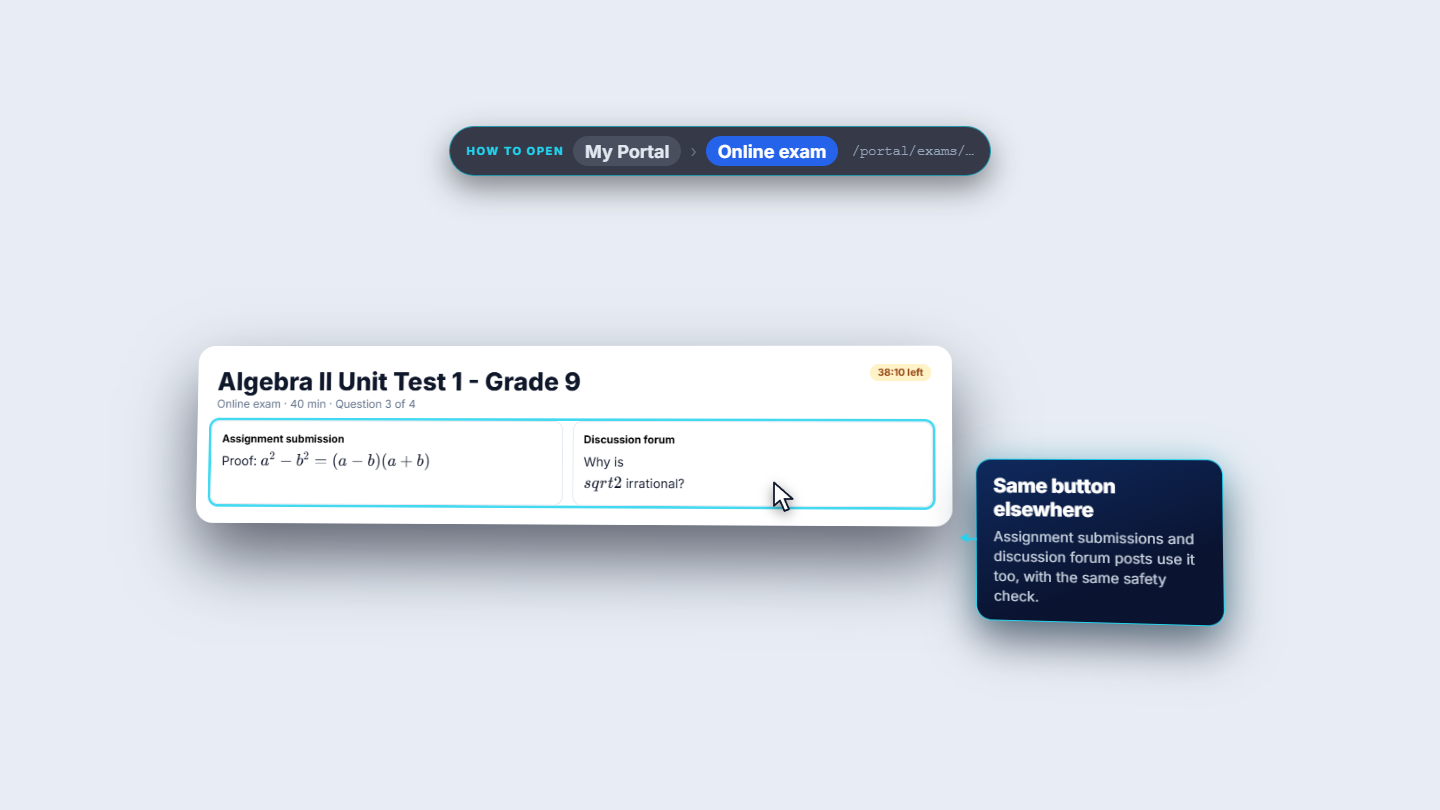
In the online exam the student sees the equations formatted. For a written answer the student has the same Insert math equation button, gated only by the switch, and the answer goes through the same safety check. Assignments and discussion forums use the same button.
Online exam showing formatted equations and the answer box
Check it worked
The switch is on and Insert math equation shows beside question fields.
A saved question shows the formatted equation in the list, in the paper and in print.
A typo shows Invalid equation with the source kept for correction.
Common mistakes
Mistake
What you see
Fix
No equation button
The switch is off
Ask someone who can manage settings to turn on the Math equation editor
Unbalanced braces
Invalid equation
Correct the source
Pasting a macro such as input or include
The text is refused
Remove the command; use plain LaTeX
Quick reference
Item
Meaning / rule
$...$
Inline equation
$$...$$
Display equation, centred on its own line
ce
Chemistry formulas and reactions
pu
Physics units
Limits
50,000 characters a field, 200 equations, 1,000 characters each
Frequently asked questions
Why is there no Insert math equation button? The Math equation editor switch in Settings › Features is off. Ask someone who can manage settings to turn it on.
Will a dollar amount in my question turn into an equation? No. A lone dollar sign, or amounts such as five dollars and ten dollars, stays ordinary text.
What happens if I make a typo in an equation? It shows Invalid equation and the source is kept, so you can correct it.