Open Projects
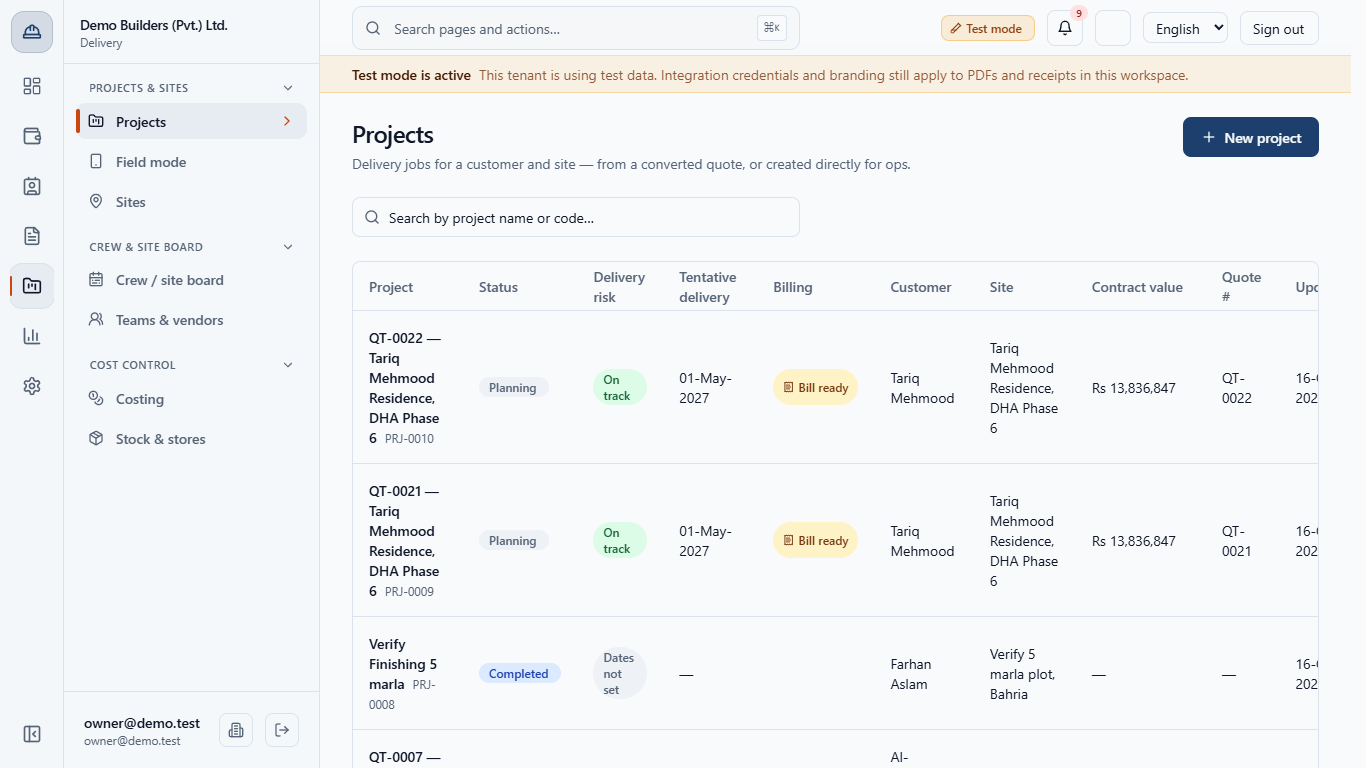
Open Delivery › Projects & sites › Projects. Each row shows the project, status, delivery risk, tentative delivery, billing, customer, site, contract value, quote number and last update.
You will start a delivery job directly for operations, then learn to read the numbers at the top of any project and use the actions that control it.
Open Delivery › Projects & sites › Projects. Each row shows the project, status, delivery risk, tentative delivery, billing, customer, site, contract value, quote number and last update.
Bill ready means a payment milestone can be invoiced now. Overdue means an invoice is past its due date and not fully paid. A project created directly shows - for contract value.
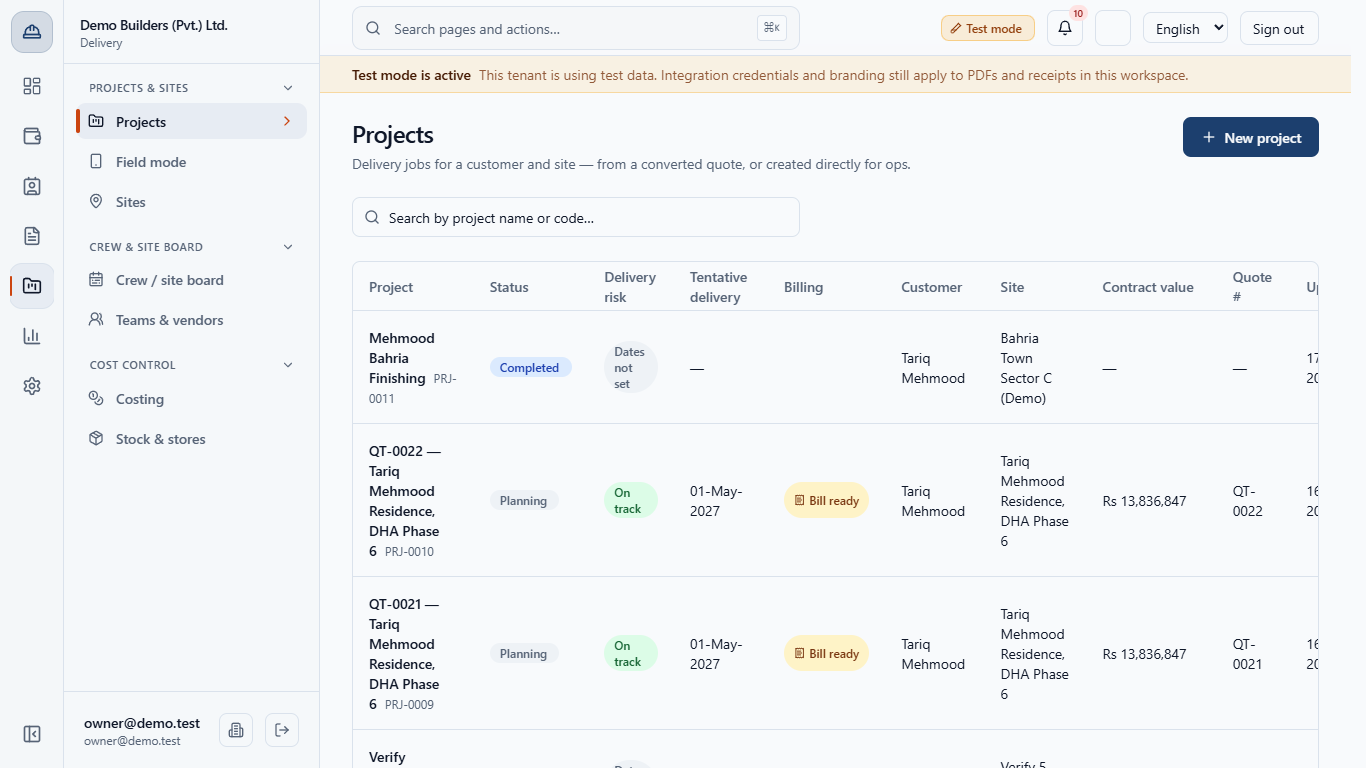
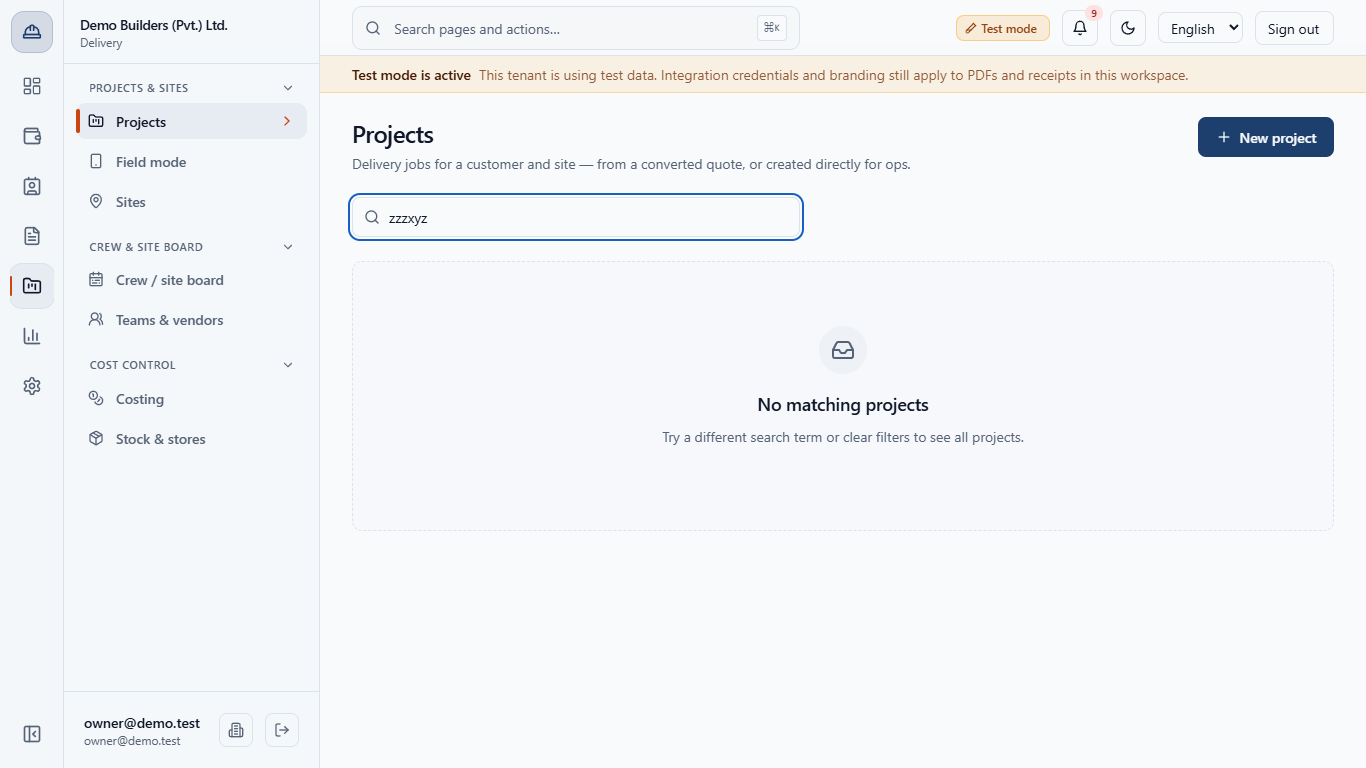
Type a name or code in Search by project name or code…. A search with no match says No matching projects.
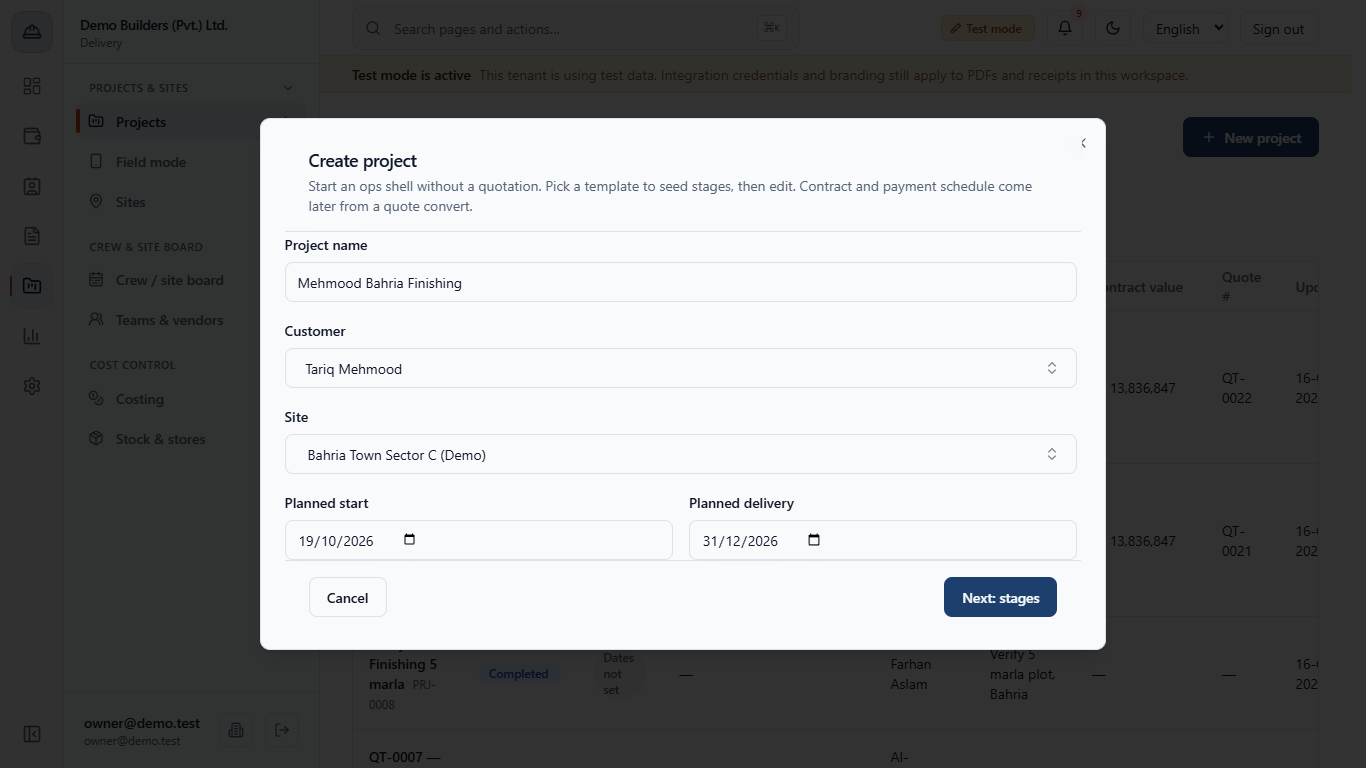
Click New project. Type the Project name, choose the Customer, then the Site (it lists that customer's sites and sites that have no owner yet), and set Planned start and Planned delivery. Click Next: stages.
Pick a Quotation template (stage seed). Finishing ticks Waterproofing, Flooring and Finishing. You can tick other stages by hand; at least one is needed.
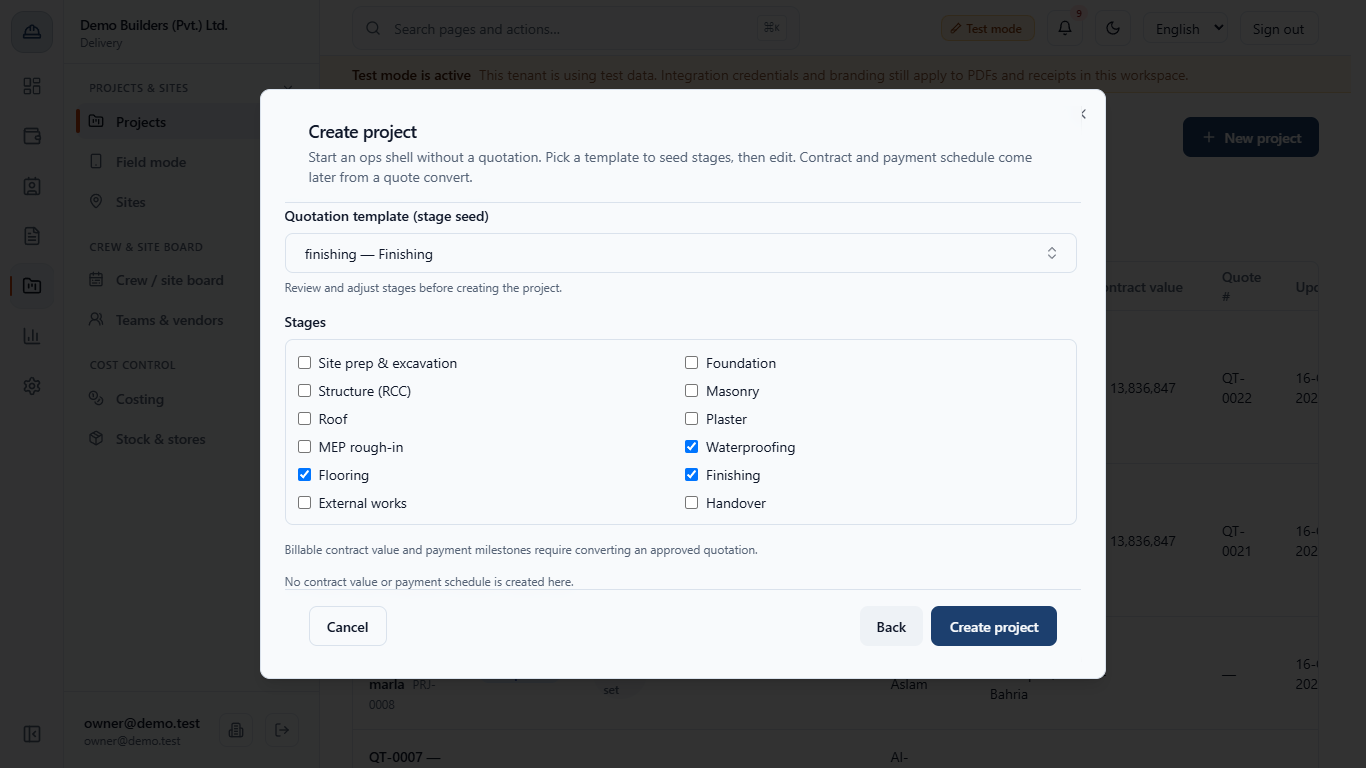
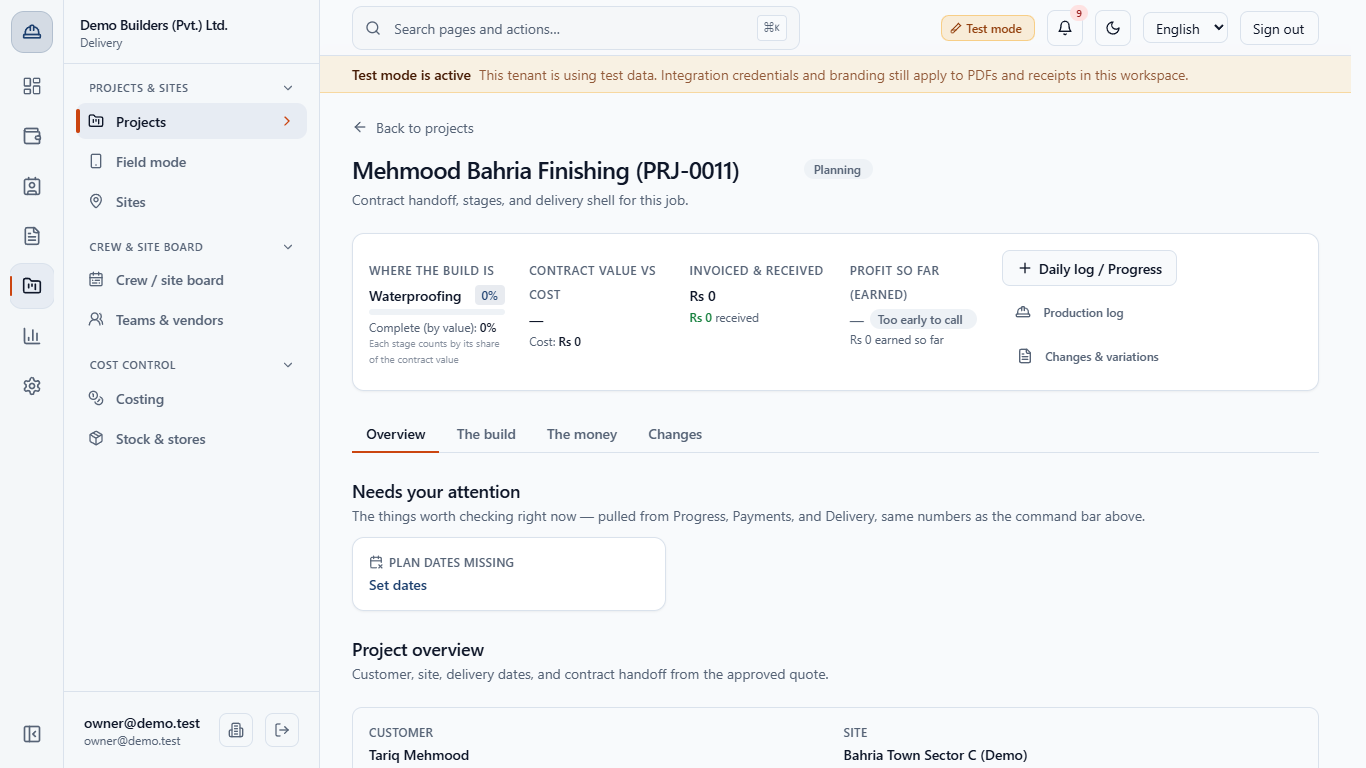
Click Create project. The app says Project created and opens the job, here PRJ-0011, in Planning. A second message says the 3 stages have no planned dates yet, and the cockpit card Plan dates missing points you to Set dates. The contract value is blank because there is no contract yet.
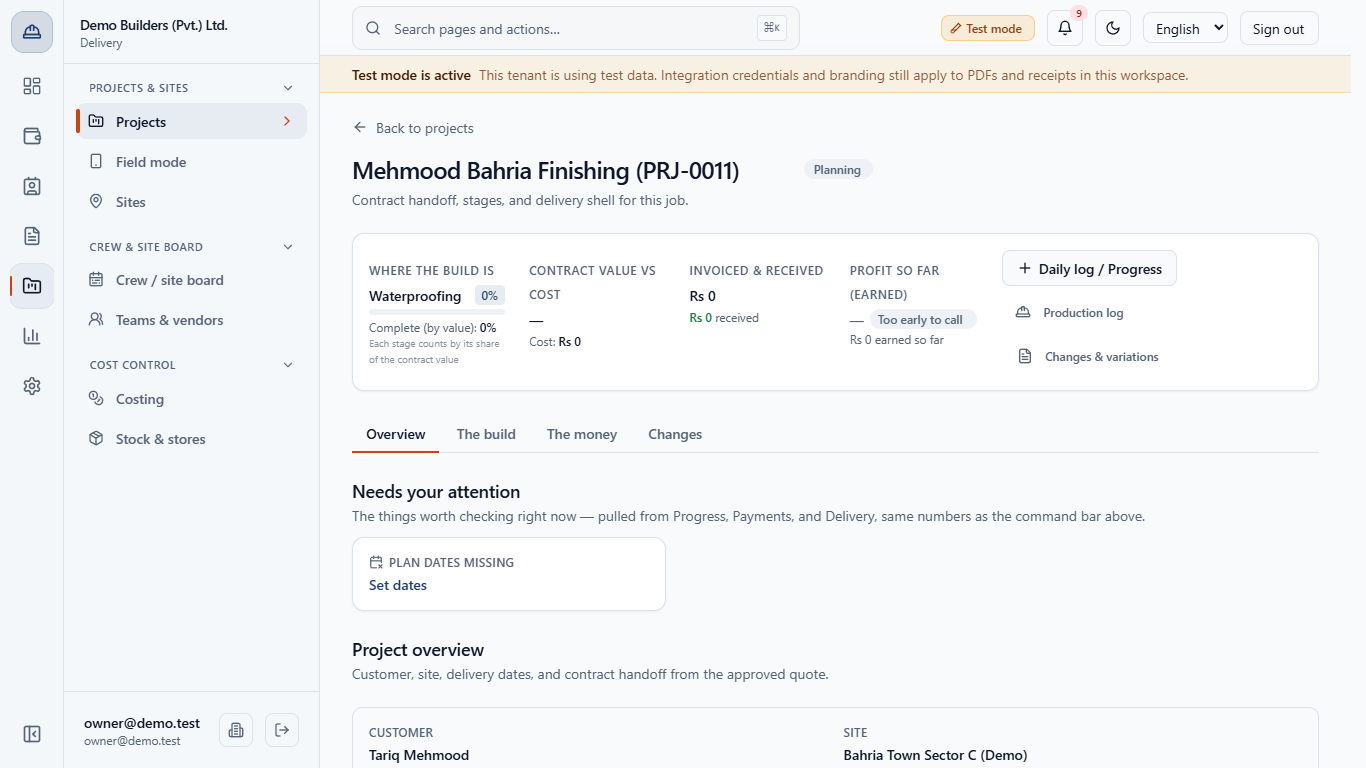
The page has four areas: Overview, The build (Activities, Baselines, Variance), The money (BOQ, Payment, Invoices, Cost) and Changes (change orders, RFIs, submittals, documents, daily log, NCR, safety, punch, warranty, EOT, handover).
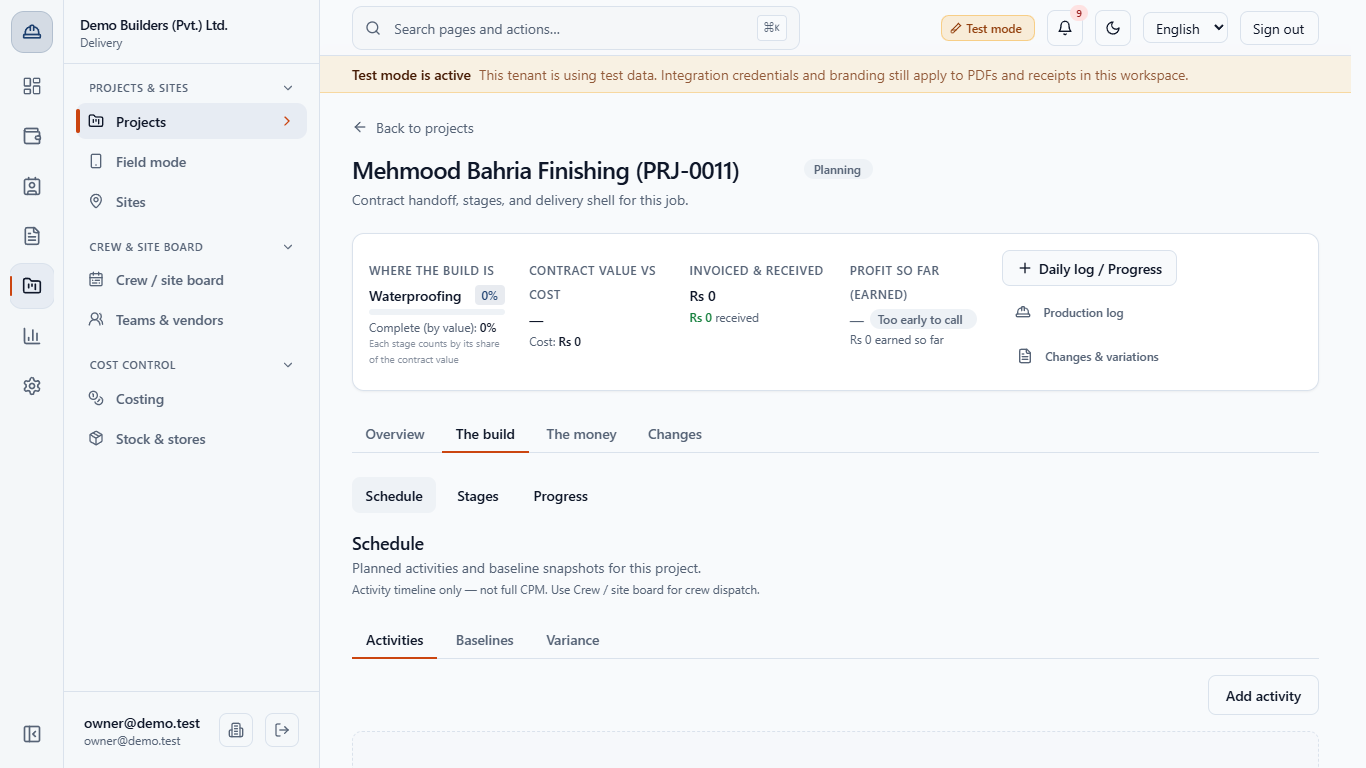
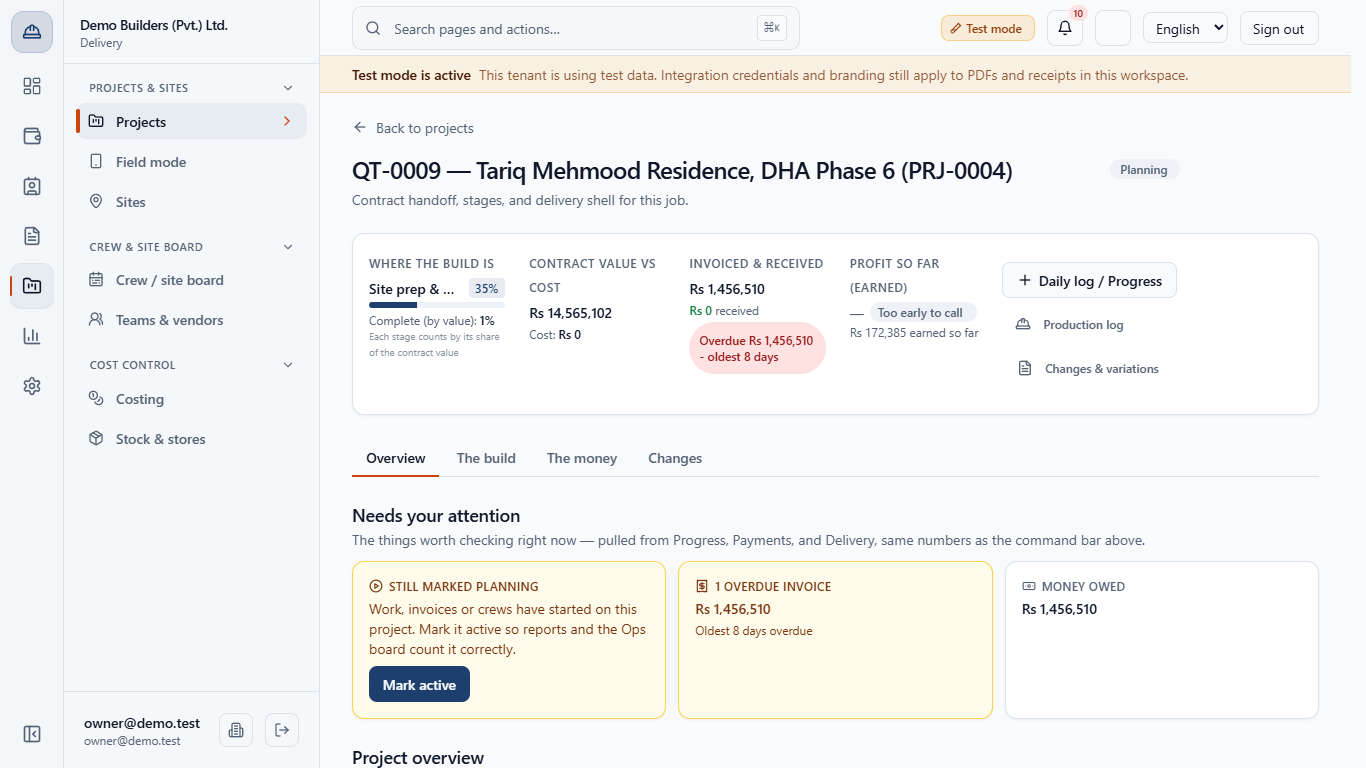
Left to right: Where the build is (the current stage by its real name, for example Site prep & excavation 0%, and Complete (by value), where each stage counts by its share of the contract value), Contract value vs cost, Invoiced & received, and Profit so far (earned), which says Too early to call until the job is about 5% complete and has cost. The main button offers the next payment that is ready.
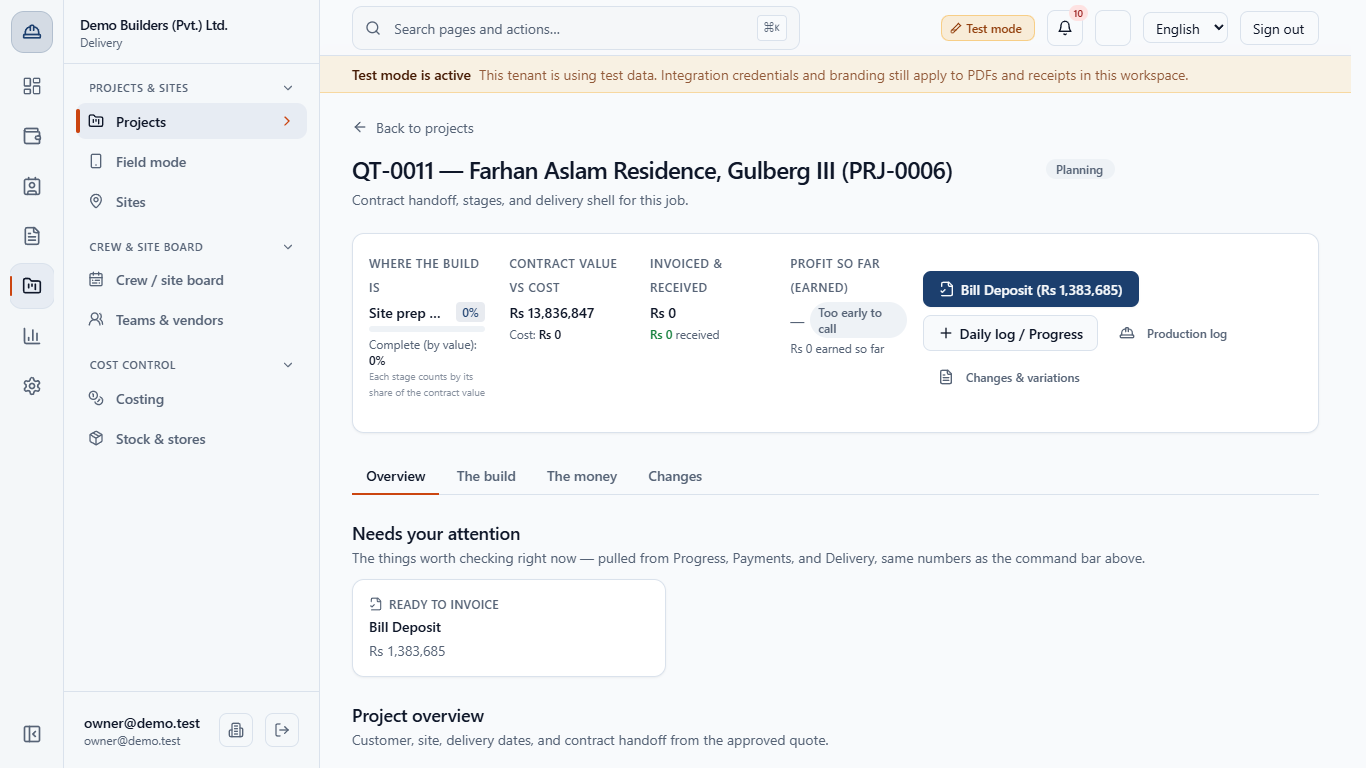
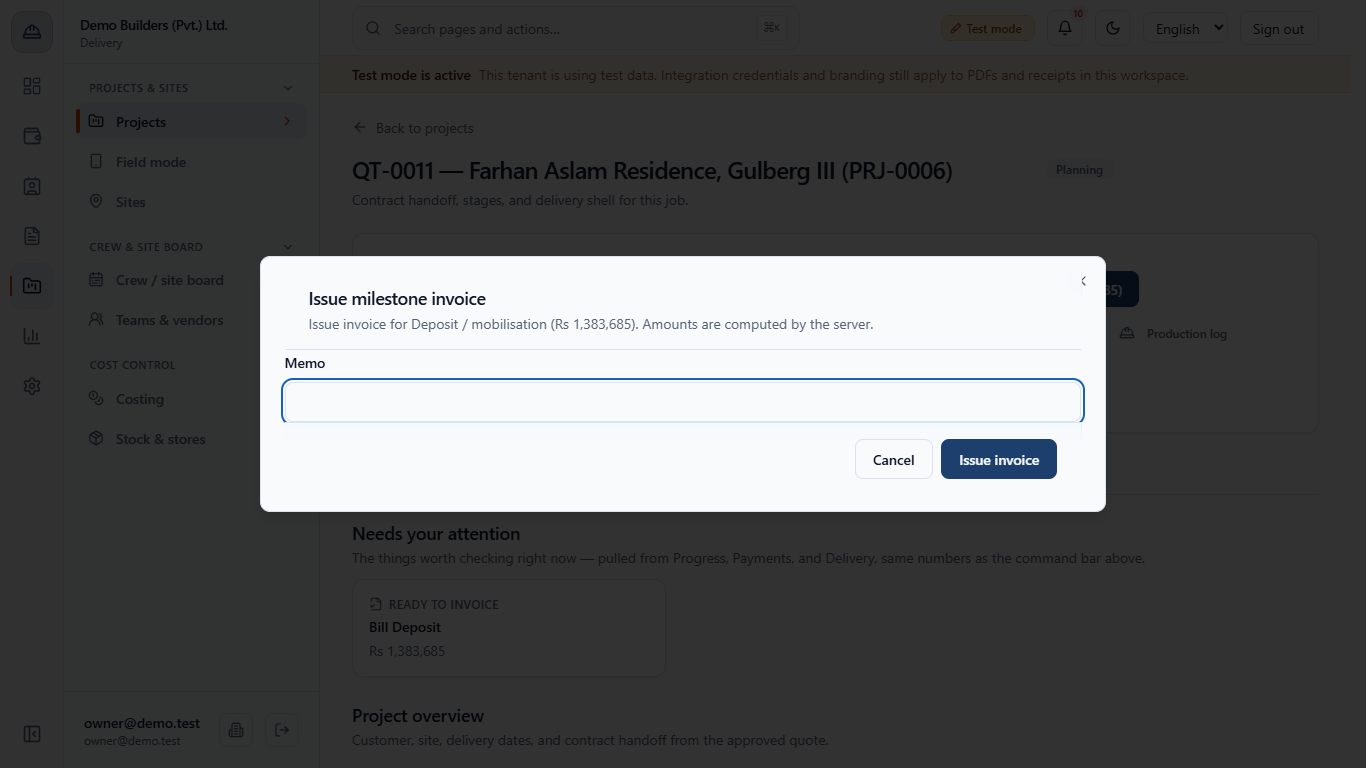
Click Bill Deposit to open Issue milestone invoice, add a memo if you wish and click Issue invoice. After the deposit, the button offers the next stage payment once its stage is complete.
Under Needs your attention the cards show money owed, overdue invoices and a Still marked Planning reminder when work, invoices or crews have started.
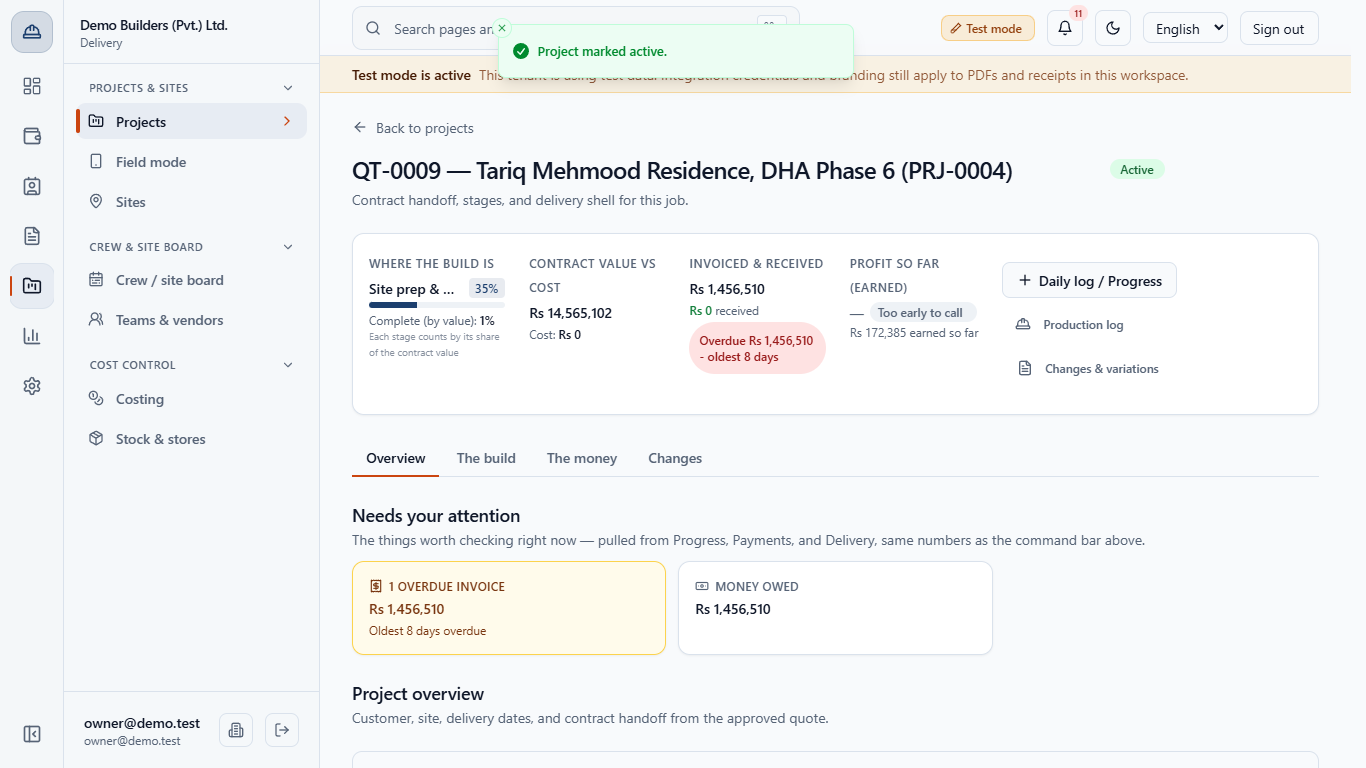
Click Mark active. The app says Project marked active. and the badge changes to Active, so reports and the Ops board count the job.
Project actions holds Edit details, Lock project and the Status list: Planning, Active, On hold, Completed, Cancelled. Edit details changes only the name and the code.
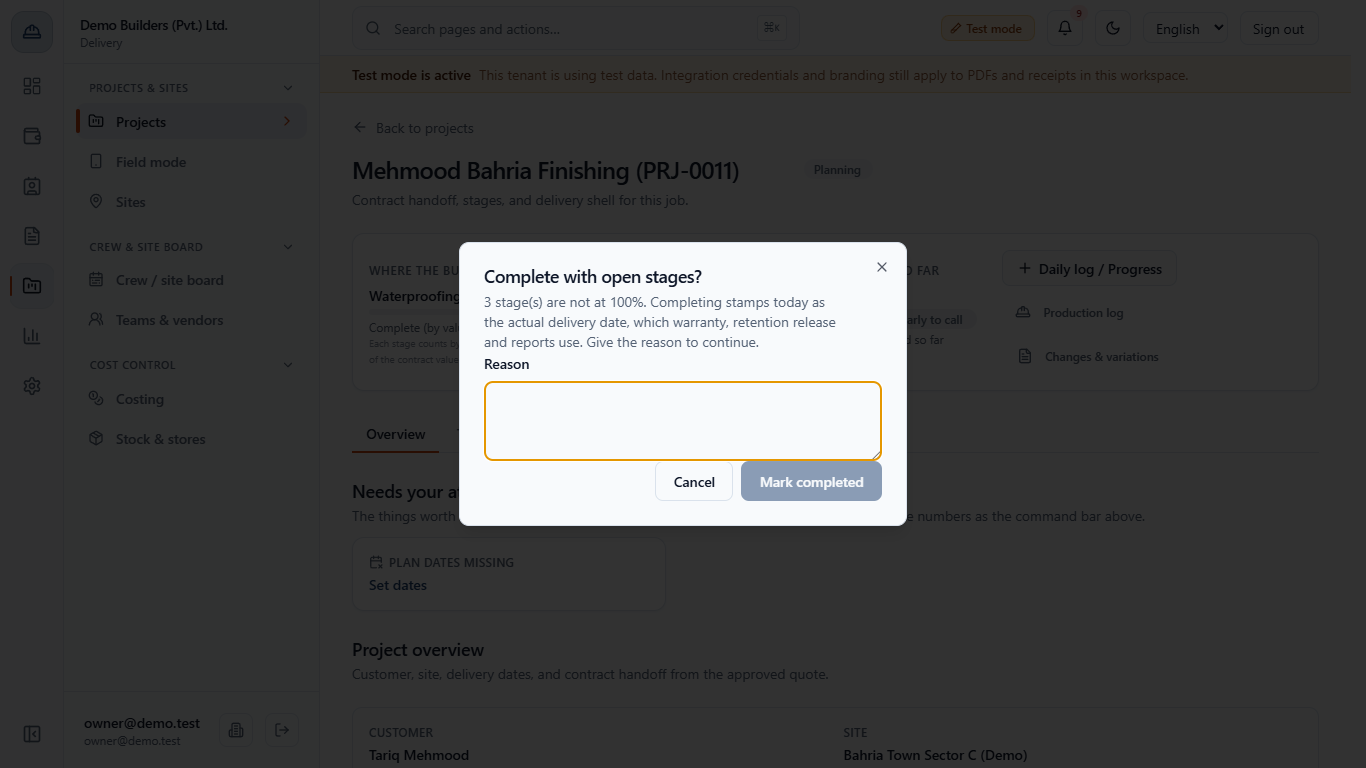
Choose Completed in the Status list. If any stage is below 100%, the app opens Complete with open stages? and says how many stages are not at 100%. Completing stamps today as the actual delivery date, which warranty, retention release and reports use, so you must give the reason to continue. Mark completed stays disabled until you type one.
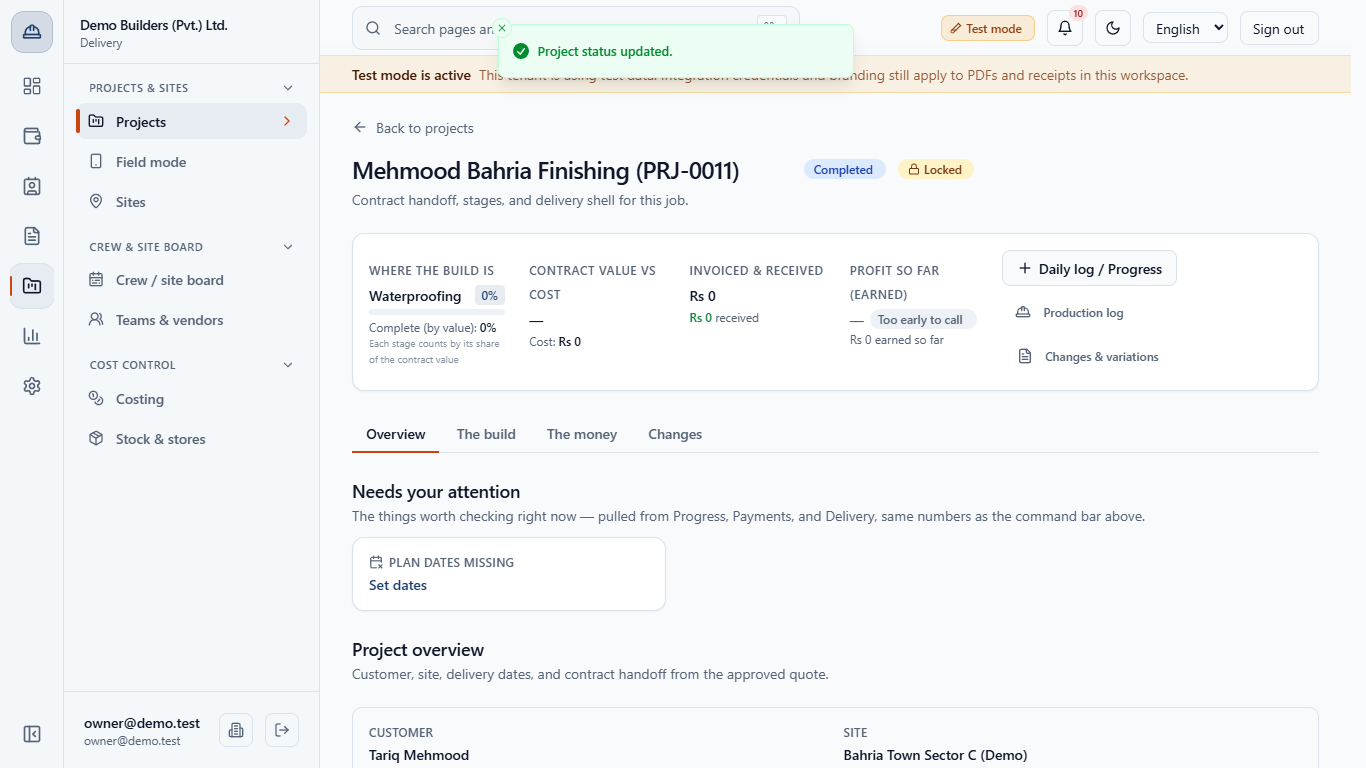
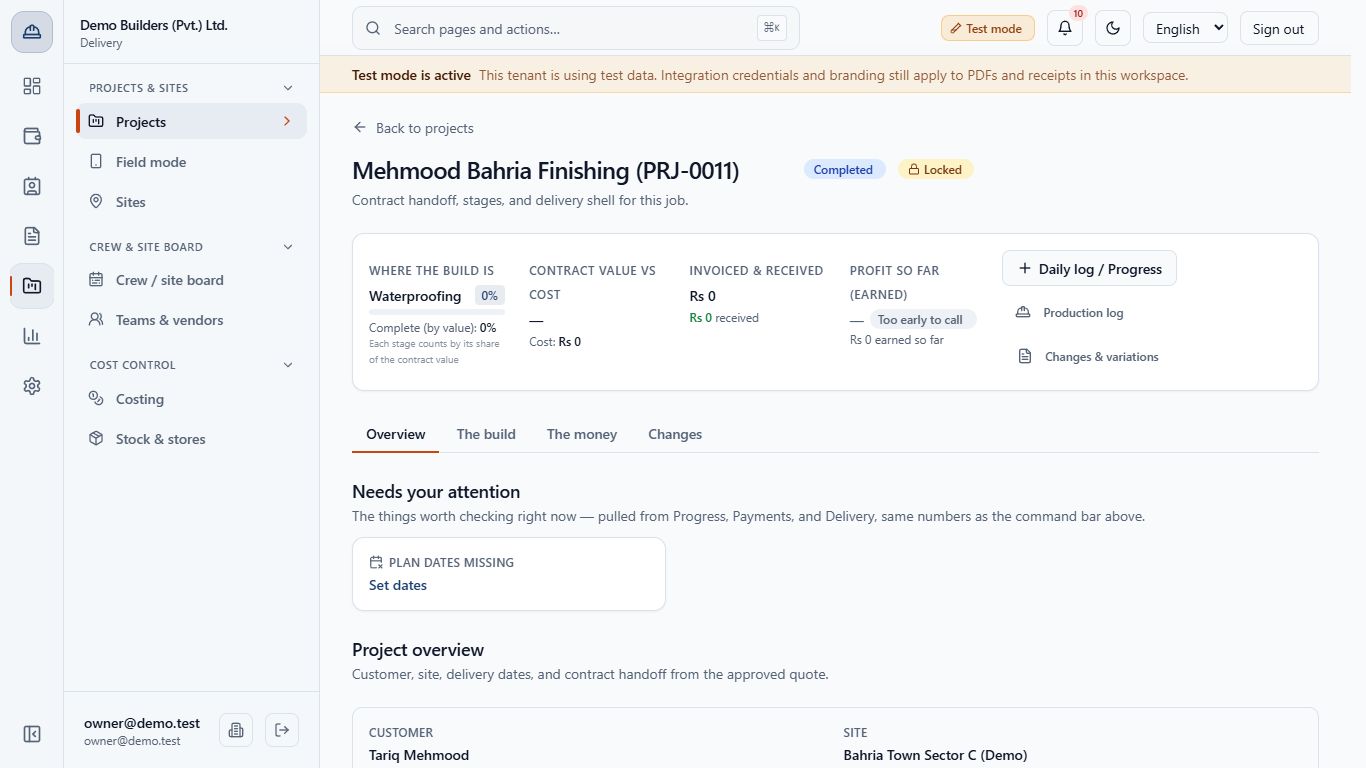
After you confirm, the badge is Completed, Locked appears, Actual delivery shows the stamped date and the Status list is disabled. Completed and Cancelled both lock the project.
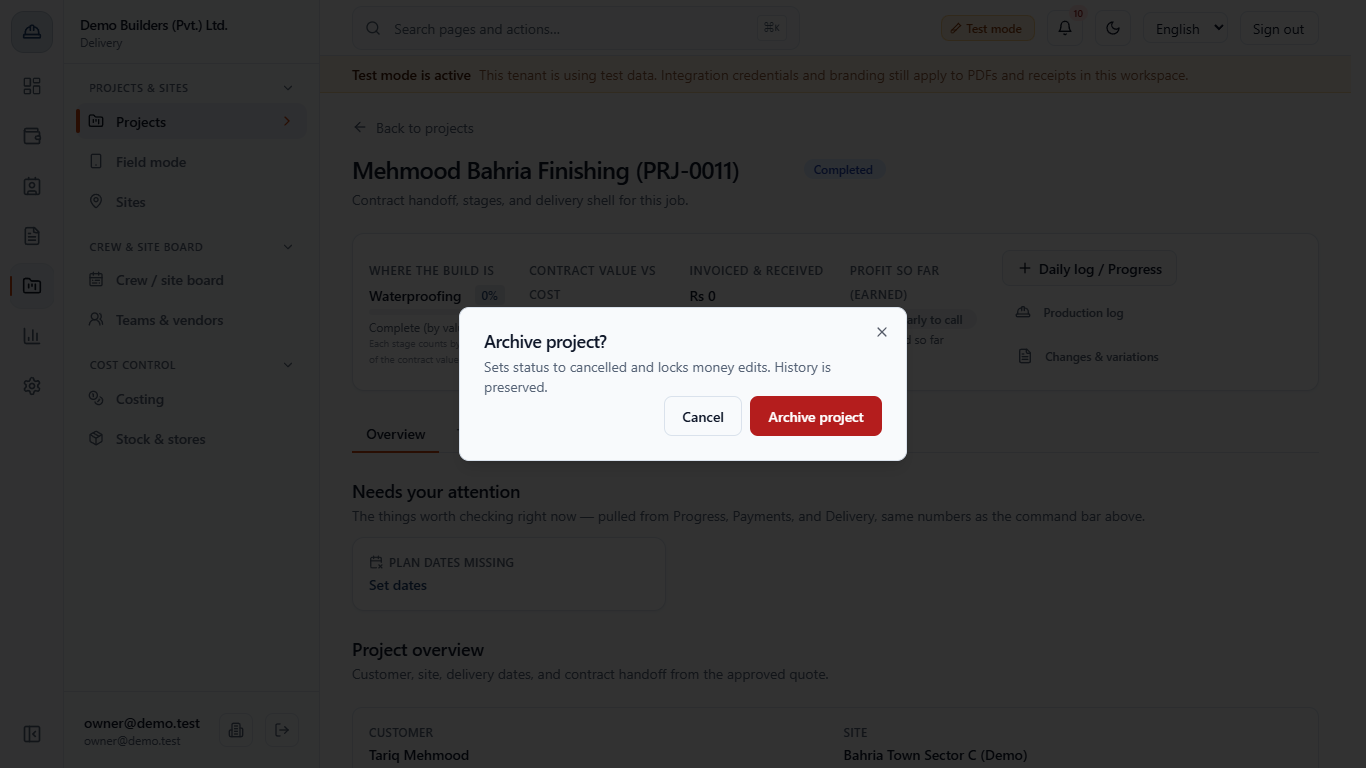
Choosing Cancelled asks Archive project?: it sets the status to cancelled and locks money edits, and history is kept. Lock project freezes details, dates and teams until you click Unlock project.
A locked project refuses new costs and payments; the crews panel tells you to unlock it first.
| Mistake | What you see | Fix |
|---|---|---|
| Expecting a contract value on a direct project | The value shows - | Convert an approved quotation for a billable contract |
| Choosing the wrong site for the customer | The site is listed under another owner | Pick the customer first, then their site |
| Marking Completed too early | The project locks and the delivery date is stamped | The app asks for a reason when stages are open; if it was a slip, use Unlock project and set the status again |
| Item | Meaning / rule |
|---|---|
| Bill ready | A payment milestone can be invoiced now |
| Too early to call | Profit is hidden until the job is about 5% complete and has cost |
| Mark active | Moves a started job out of Planning |
| Lock project | Freezes details, dates and teams; new costs and payments are refused |
Can I create a project without a quotation? Yes. New project creates an operations shell with a customer, a site and stages, but no contract value or payment schedule. Those come only from converting an approved quotation.
Why does the app ask for a reason when I complete a project? Completing stamps today as the actual delivery date. When some stages are below 100%, the Complete with open stages? dialog makes you explain why, so a job that has not been built cannot be marked finished by accident.
Does unlocking a project undo Completed? No. Unlocking reopens edits, but the status and the stamped delivery date stay as they were until you change them.
BuildFlow runs this whole workflow. See what BuildFlow does and what it costs, or browse all step-by-step guides.