Open the Progress page
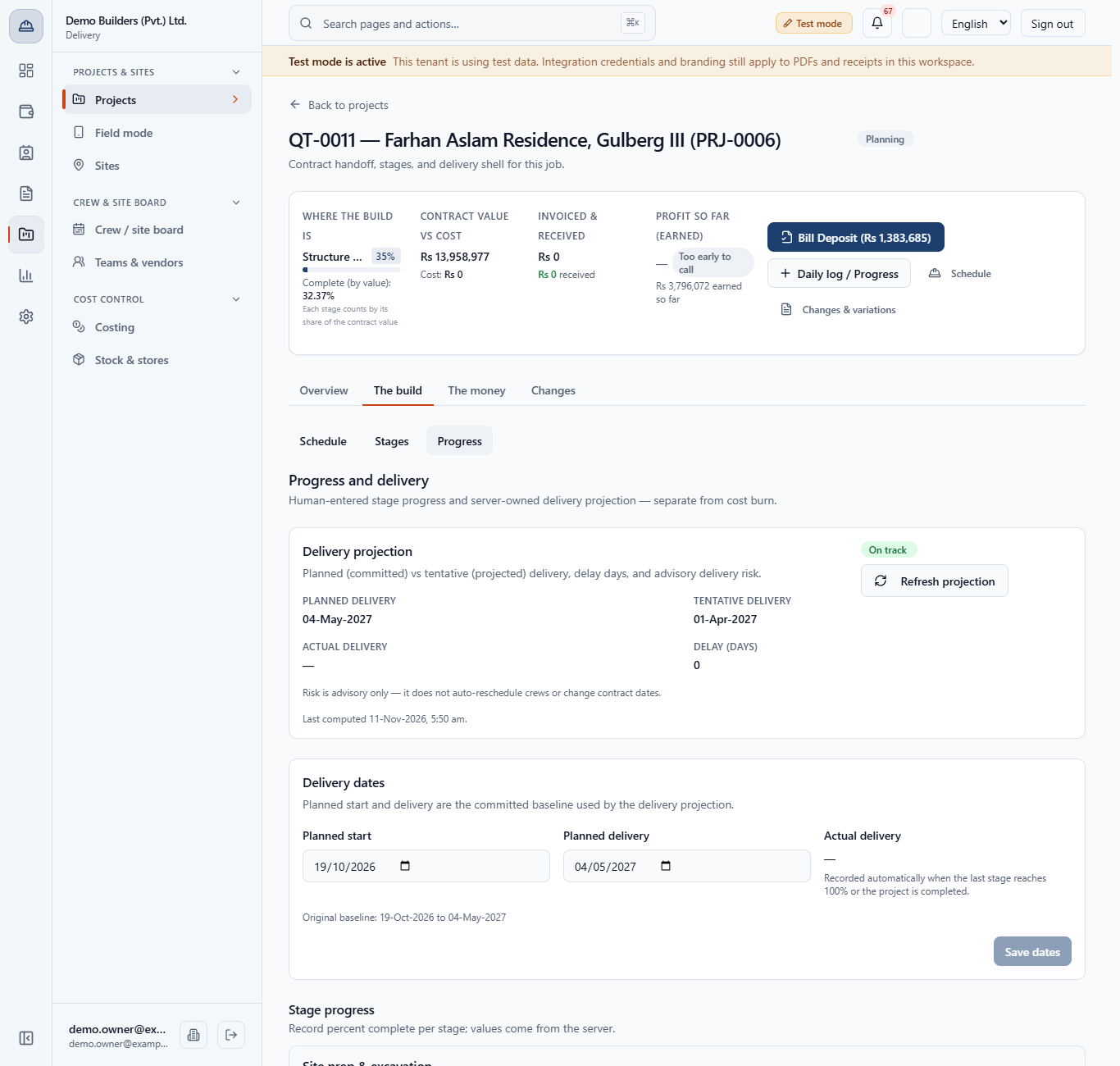
Open Delivery › Projects & sites › Projects, open the project, then The build › Progress. At the top is the Delivery projection, then Delivery dates, then Stage progress with one row per stage.
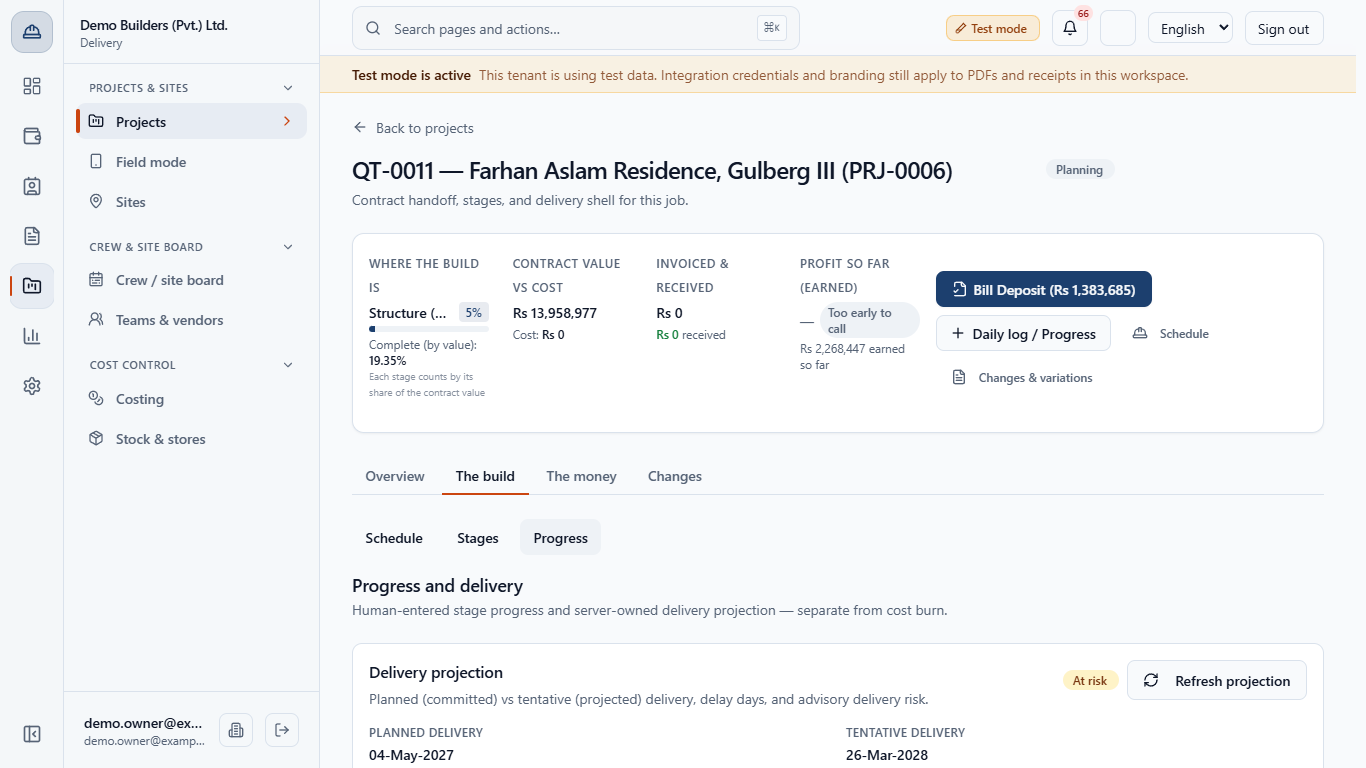
You will record how far a construction stage has got, see what that does to project completion, earned value and the next invoice, and read the projected finish date and its risk badge.
Open Delivery › Projects & sites › Projects, open the project, then The build › Progress. At the top is the Delivery projection, then Delivery dates, then Stage progress with one row per stage.
Click the stage row. It opens to show its progress bar, the Record progress button and the Update history.
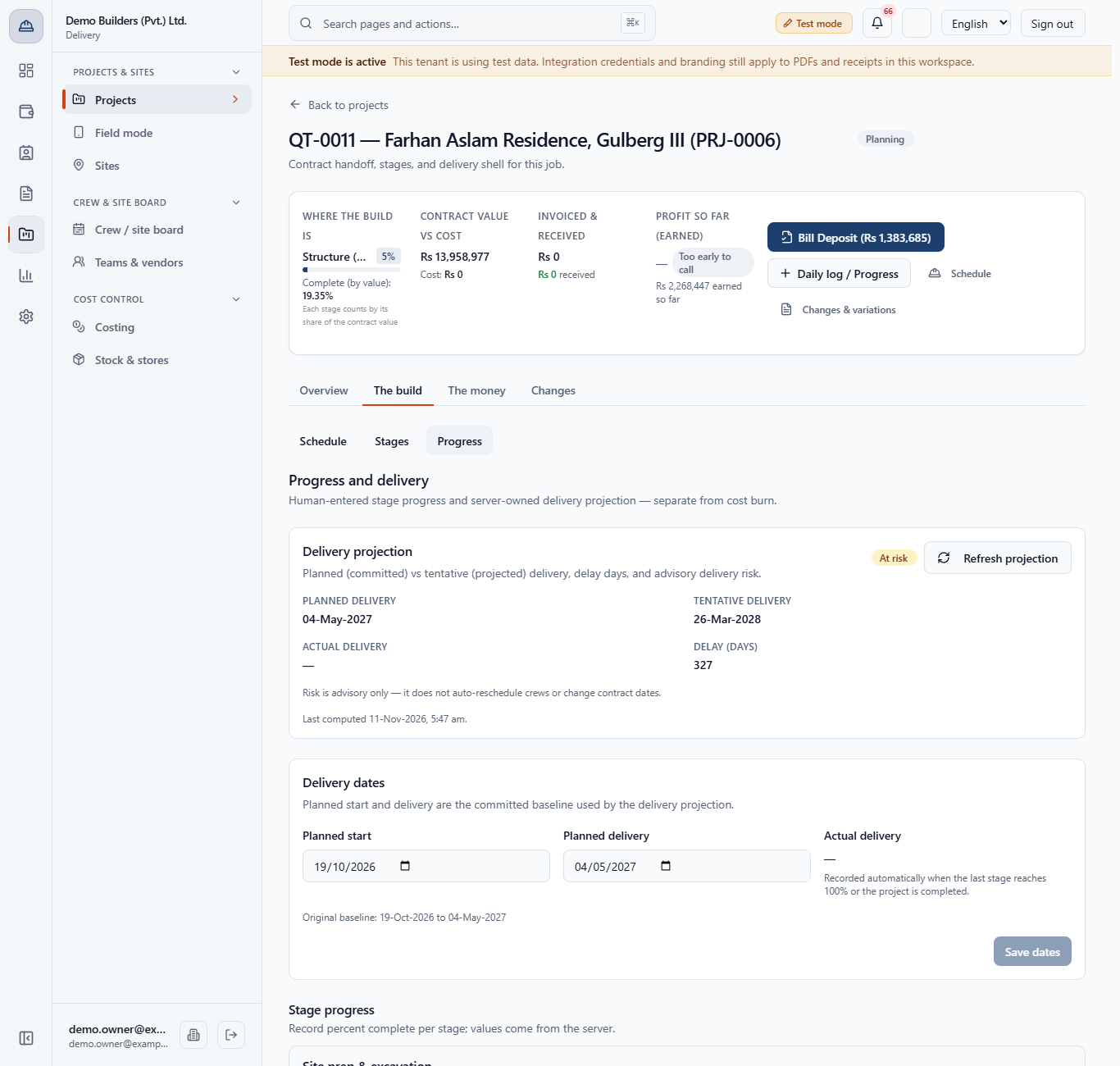
Click Record progress. Type a whole number from 0 to 100 in Percent complete (the box shows the current value). Fill Progress as of (optional) with the day you saw the work if you are entering it late; leave it empty for today. A future date is refused with "The date cannot be in the future." Add a Note (for example "Ground floor slab shuttering done, steel fixed.") and click Save progress.
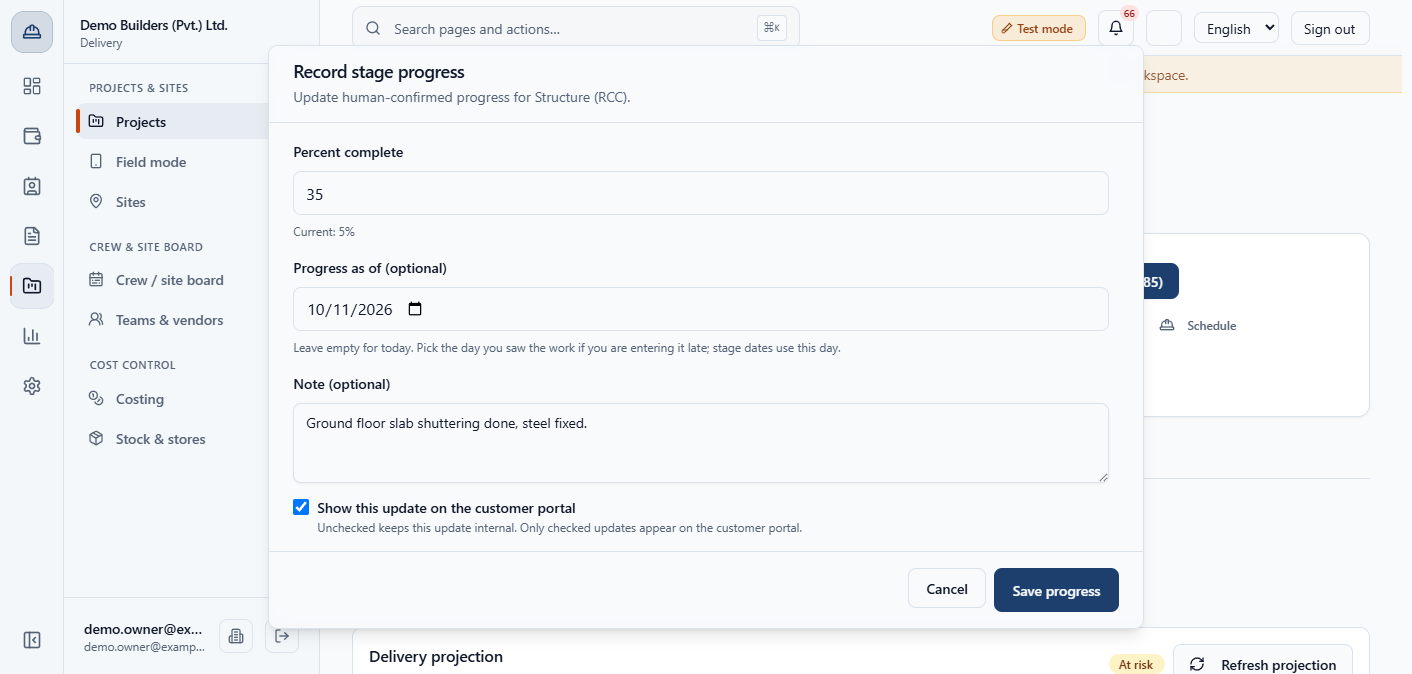
The stage becomes In progress and the project header shows the stage percent and Complete (by value) with two decimals (here 32.37%). The delivery projection and the command bar's earned value (for example Rs 3,796,072 earned so far) update at once, without reloading the page.
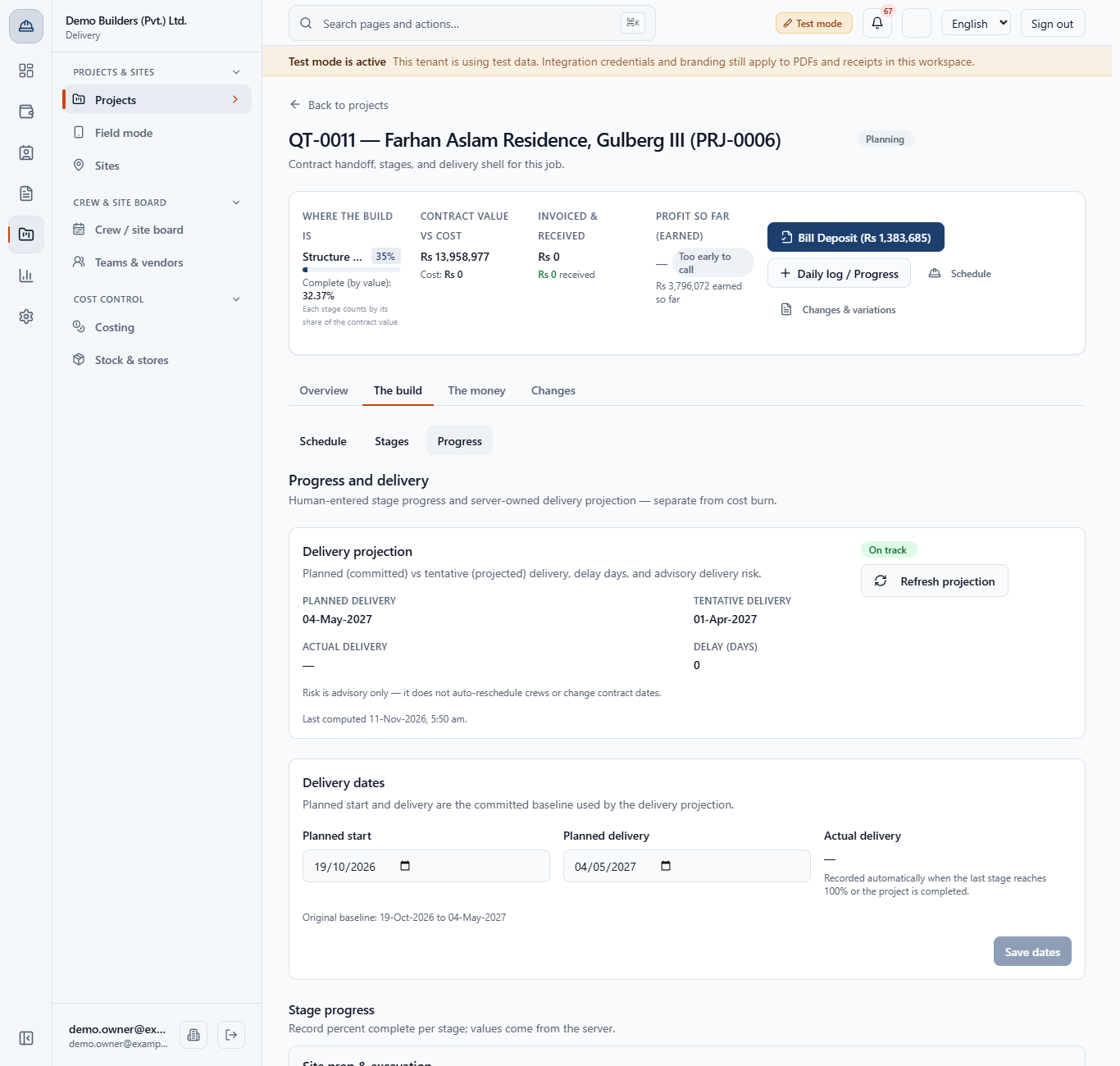
Every save is listed newest first with its save time, the Progress as of day, your note and a chip: Visible to customer on portal or Internal only. History cannot be edited.
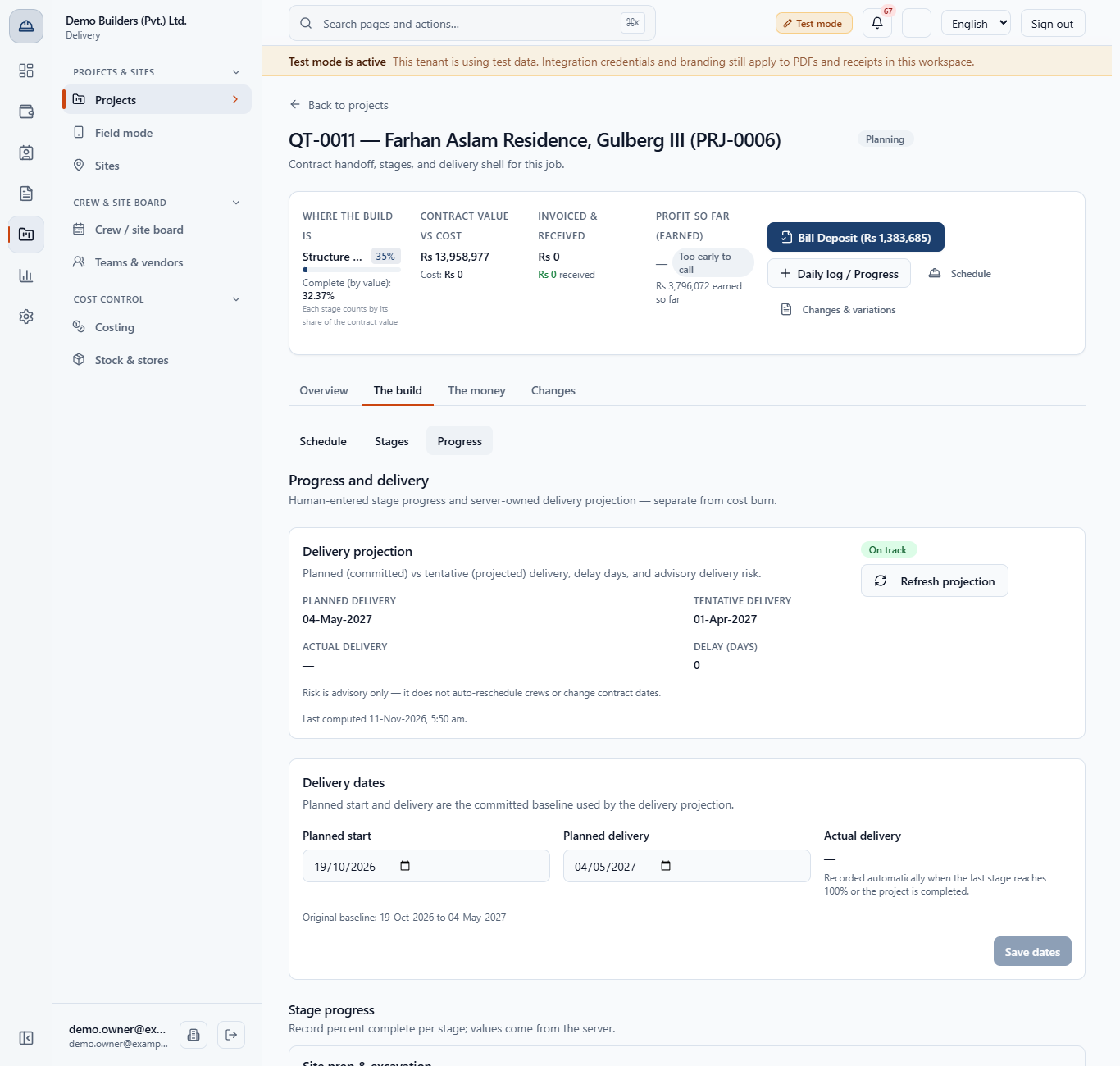
Stages count by their share of the contract value, not equally. With Site prep and Foundation at 100% and Structure at 35%, the project is 32.37% complete. A plain average of the eight stages would show 29.4%.
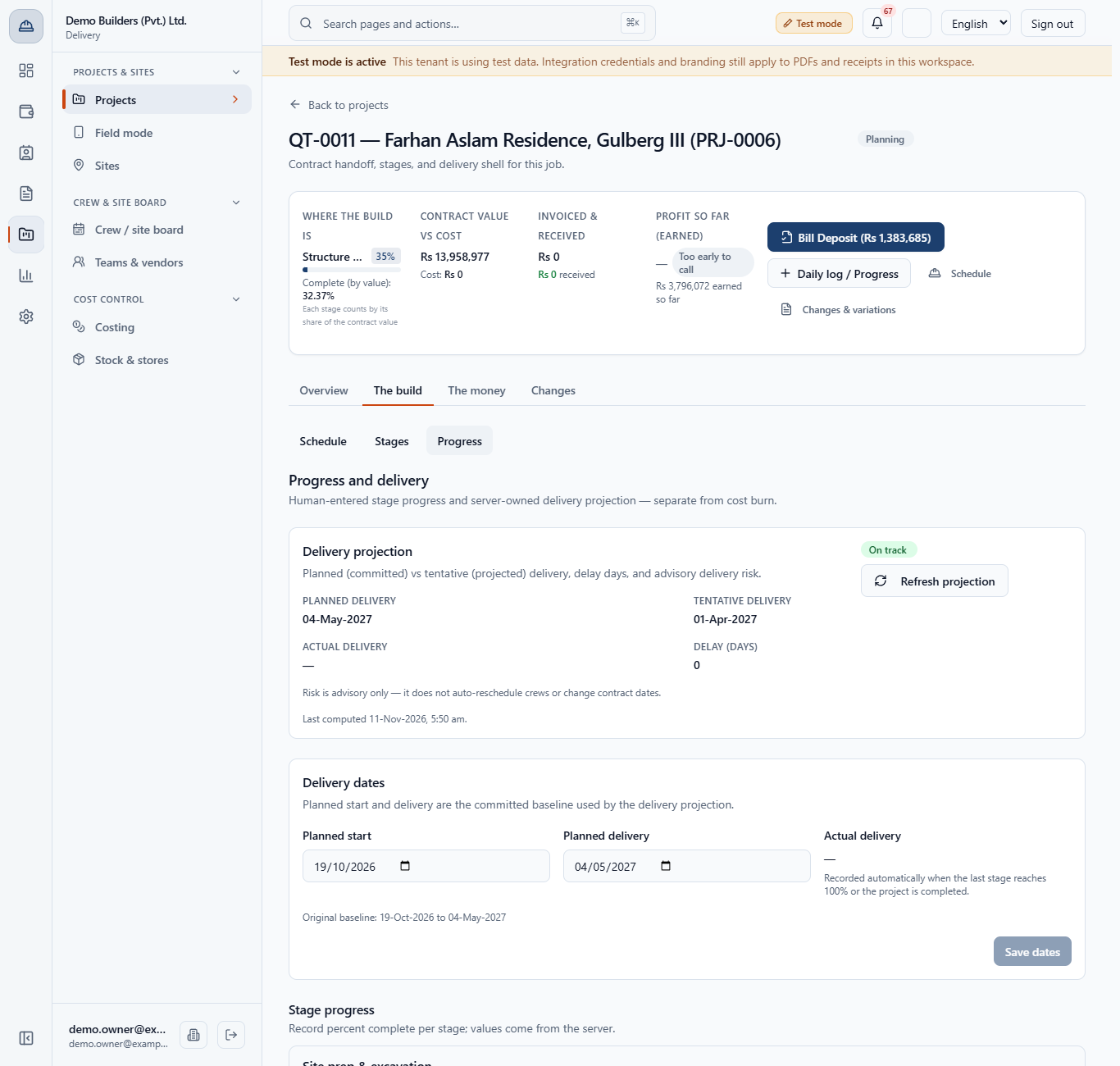
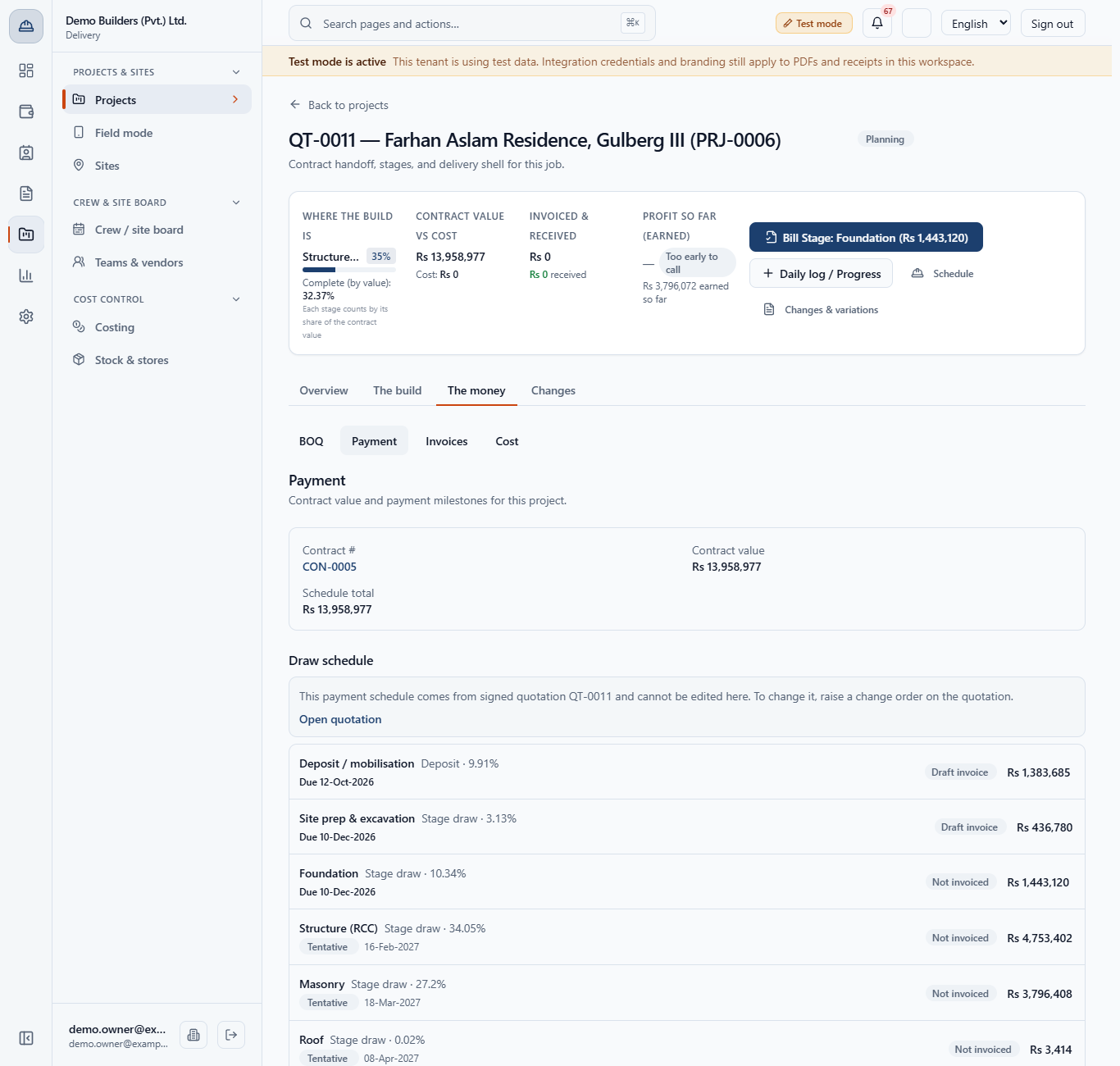
Open The money › Cost. Earned value is the contract value before tax times the exact share complete: Rs 3,796,072 here. Profit says "Too early to call" until costs are recorded.
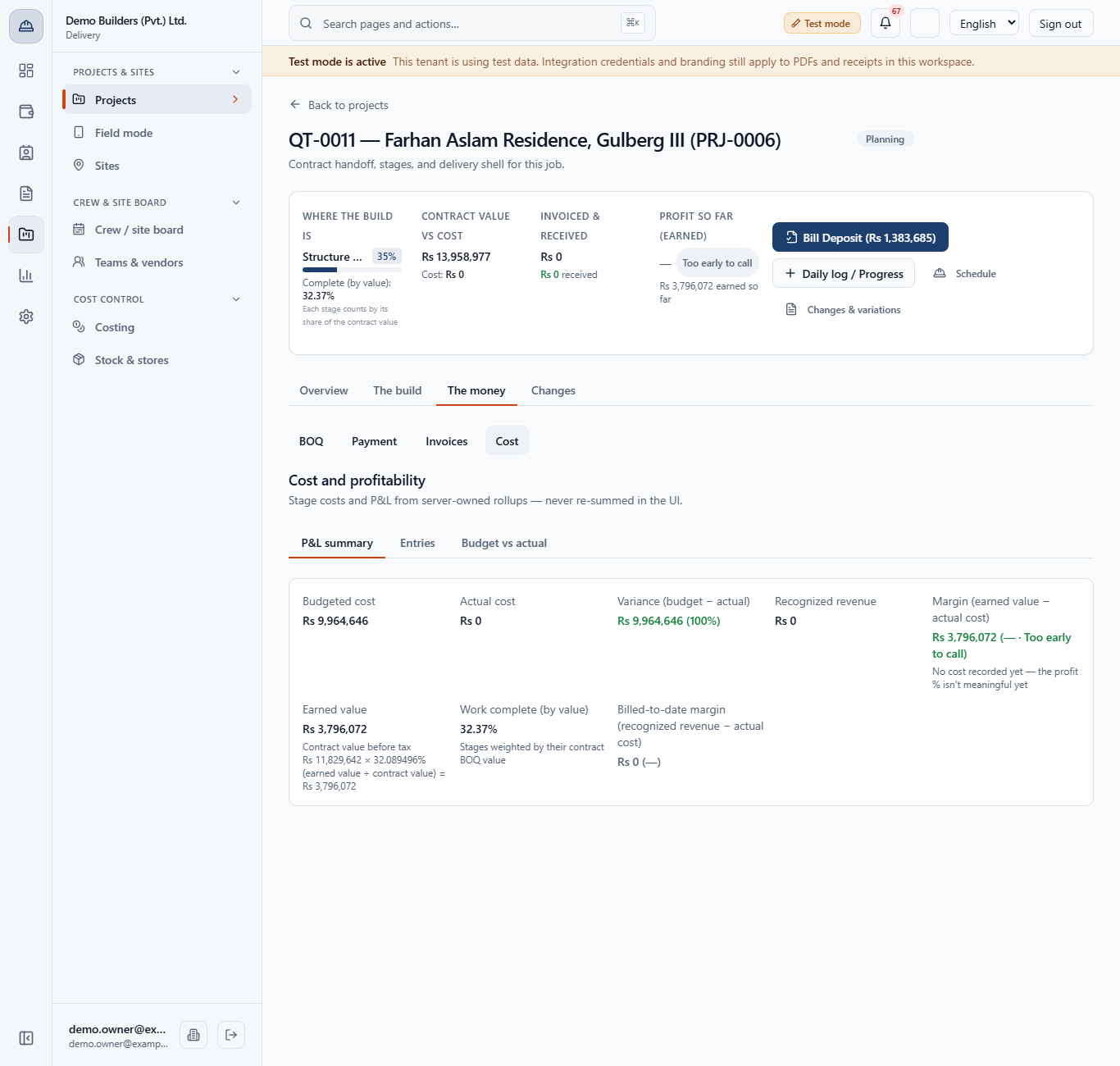
Open The build › Stages. The Actual column fills itself: the first progress above 0% (or the first crew deployment) stamps the start, reaching 100% stamps the end, on the Progress as of day (today when it is empty). Nobody types them.
When a stage is at 100% and the earlier draws are billed, the project header offers Bill Stage: Foundation (Rs 1,443,120). The draw's due date becomes the Progress as of day plus the customer's credit term (here Net 30, so 10-Dec-2026 for progress seen on 10 Nov) instead of a tentative date.
Planned delivery is the committed date. Tentative delivery is projected from the pace of the first unfinished stage plus the planned length of every later stage. Delay (days) is the gap, never below zero. The badge reads On track, At risk, Late, Delivered or Dates not set.
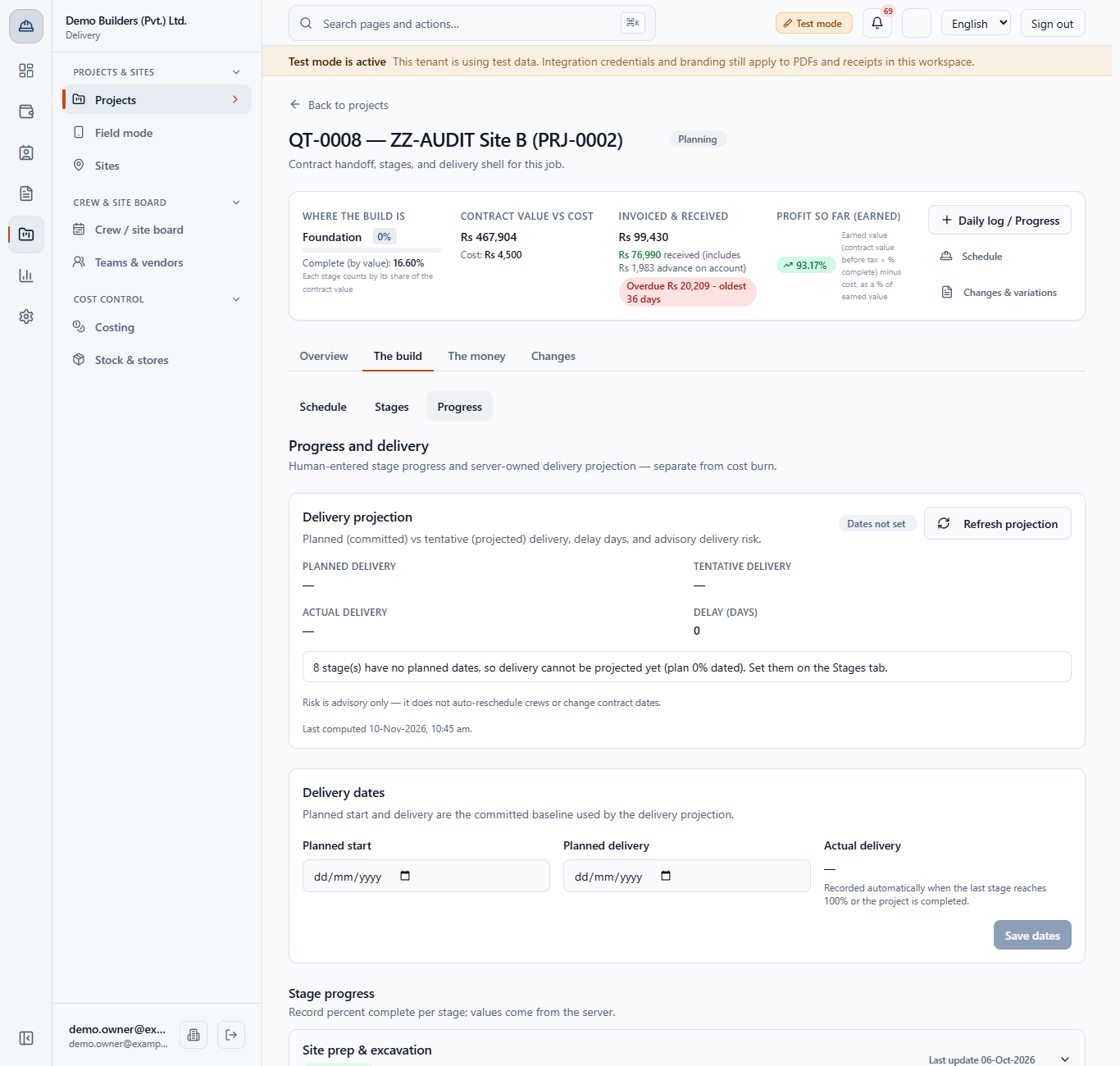
If stages have no planned dates the page shows Dates not set and a note such as "3 stage(s) have no planned dates, so delivery cannot be projected yet". Set the dates on the Stages tab.
| Mistake | What you see | Fix |
|---|---|---|
| Saving with the percent box empty | The message "Enter a whole number from 0 to 100." | Type the real percent |
| Entering Friday's visit on Monday without a date | The history and the stage dates carry Friday only if you fill Progress as of; otherwise Monday | Fill Progress as of with the day you saw the work |
| Waiting for Bill Stage | The button does not appear | Bring the stage to 100% and invoice the earlier draws first |
| Reading 32.37% as a plain average | The numbers differ from your own sums | Completion counts each stage by its contract value |
| Item | Meaning / rule |
|---|---|
| Status | 100% = Completed; above 0 = In progress; 0 = Not started; On hold is kept |
| Completion by value | Sum of (stage value x percent) divided by the sum of stage values |
| Earned value | Contract value before tax x exact completion percent |
| Tentative delivery | Pace of the first unfinished stage plus planned lengths of later stages |
| Delay (days) | Tentative minus planned delivery, never below zero |
| Risk | Dates not set, On track, At risk, Late, Delivered |
Does recording progress create an invoice? No. It only unlocks the draw and sets its due date. You issue the invoice from the header button or the Payment tab.
Can I reopen a stage? Yes. Record a lower percent: the stage returns to In progress and its end date is cleared. Invoices already issued stay.
Does the delivery risk change my contract? No. It is advice only and does not move crews, stage dates or the contract.
BuildFlow runs this whole workflow. See what BuildFlow does and what it costs, or browse all step-by-step guides.