How to split a bill across several payments and accept foreign currency
Some customers pay part in cash and part by card, and some tourists pay in dirhams. This guide shows how to take both at the counter, how the change is worked out, and what the books record.
Who it is forCashierTime10 minutesProductPOSLevelBeginner
Before you start
Steps
1
Turn on Split Payment
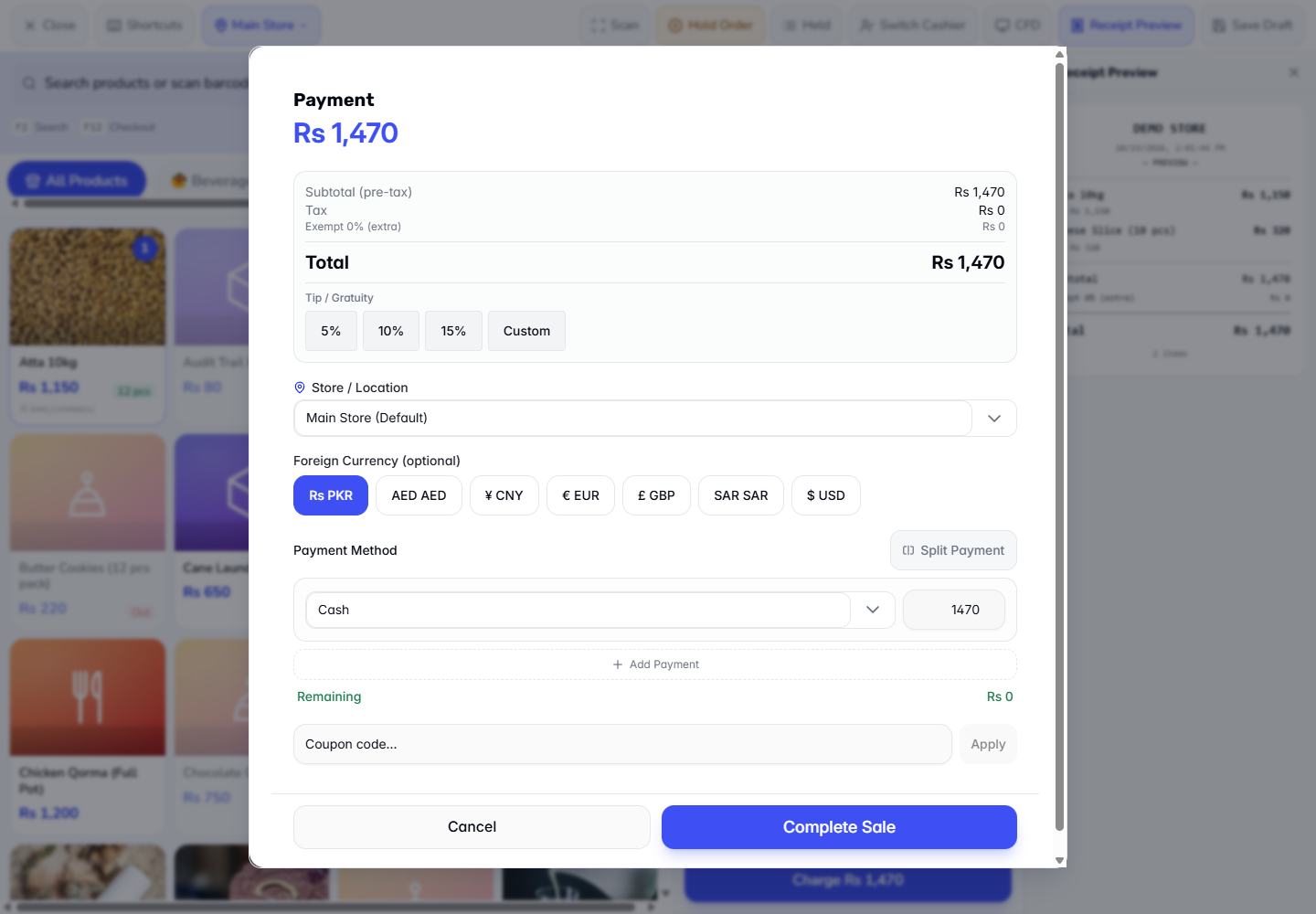
Add Atta 10kg (Rs 1,150) and Cheese Slice (10 pcs) (Rs 320) to the cart and press Charge. If a promotion applies, the discount shows in the cart and the Payment dialog; in this example none does, so the total is Rs 1,470. Press Split Payment. The method buttons are replaced by one payment line with a method list, an Amount, an Add Payment button and a Remaining counter.
Split Payment line with Add Payment and Remaining
2
Add a line for each tender
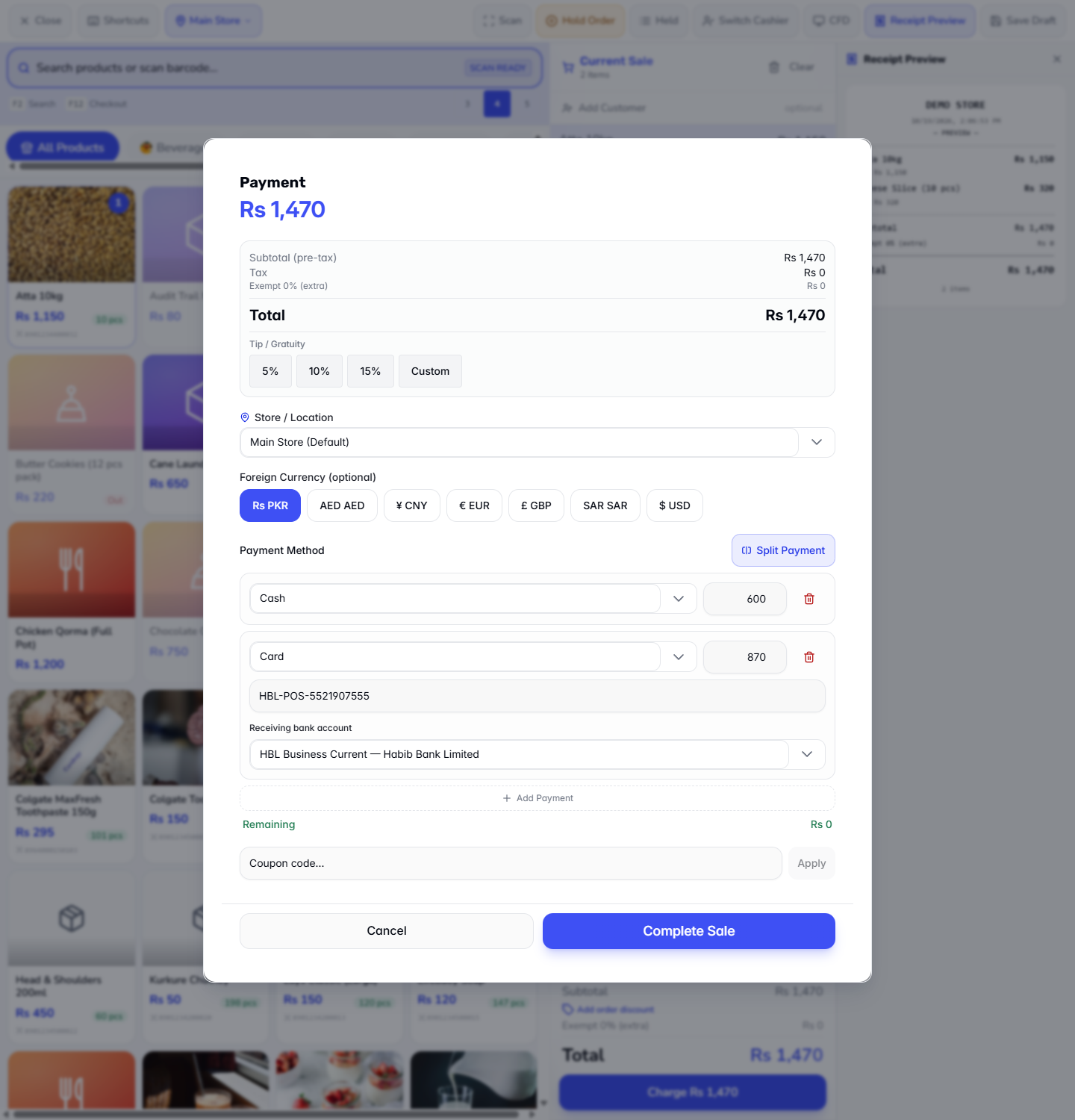
Set the first line to Cash and type 600. Remaining shows Rs 870 in orange. Press Add Payment, choose Card and type 870. A card line asks for Transaction reference... and Receiving bank account. The Remaining counter now reads Rs 0. Press Complete Sale.
Cash 500 and Card 823 with Remaining Rs 0
3
Give change when the customer hands over extra cash
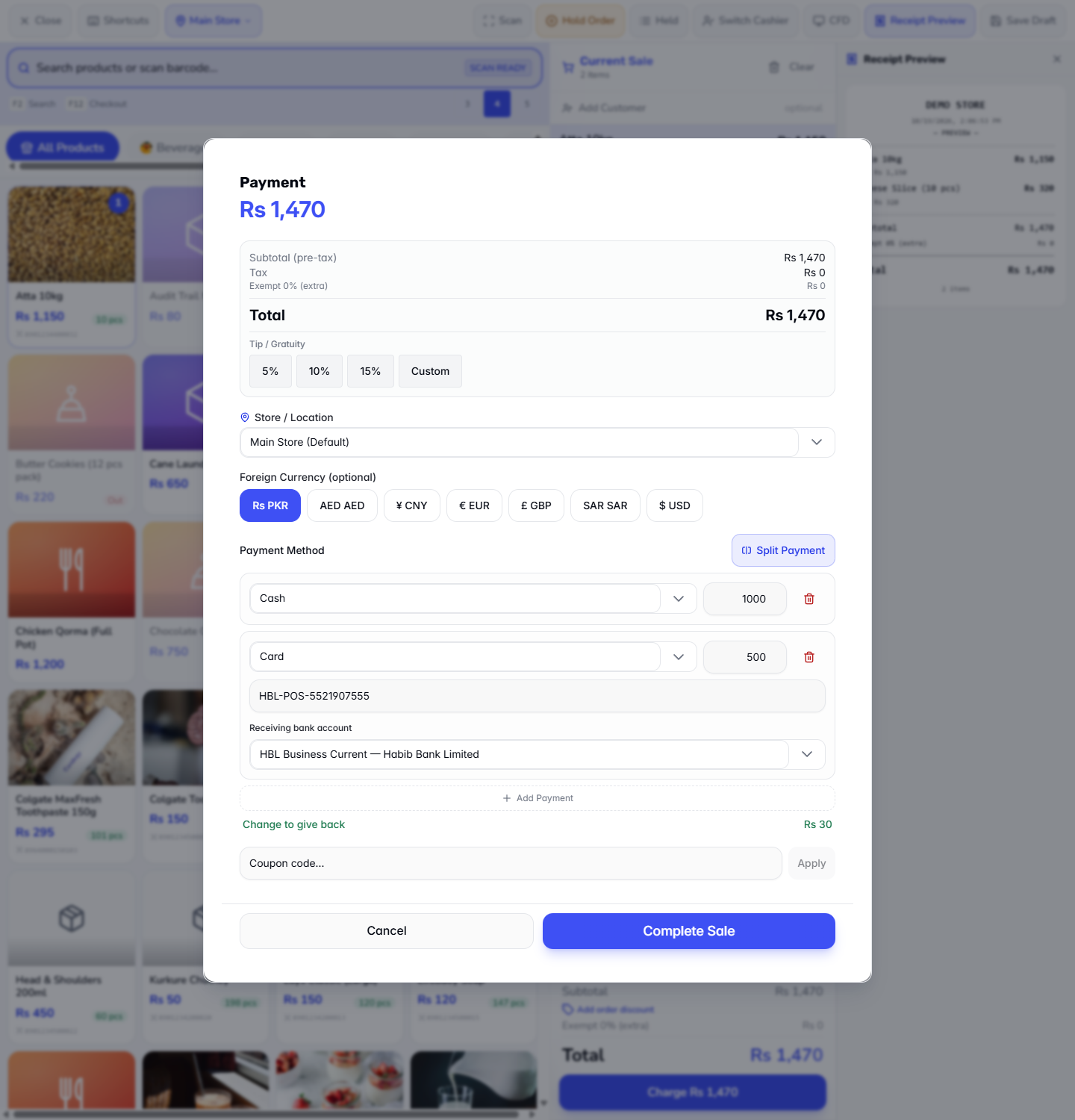
If the customer hands over Rs 1,000 in cash and Rs 500 goes on card, the dialog shows Change to give back Rs 30. Hand the change back in cash and complete the sale.
Cash received 1,000 plus Card 500 showing Change to give back Rs 30
4
Know what is refused
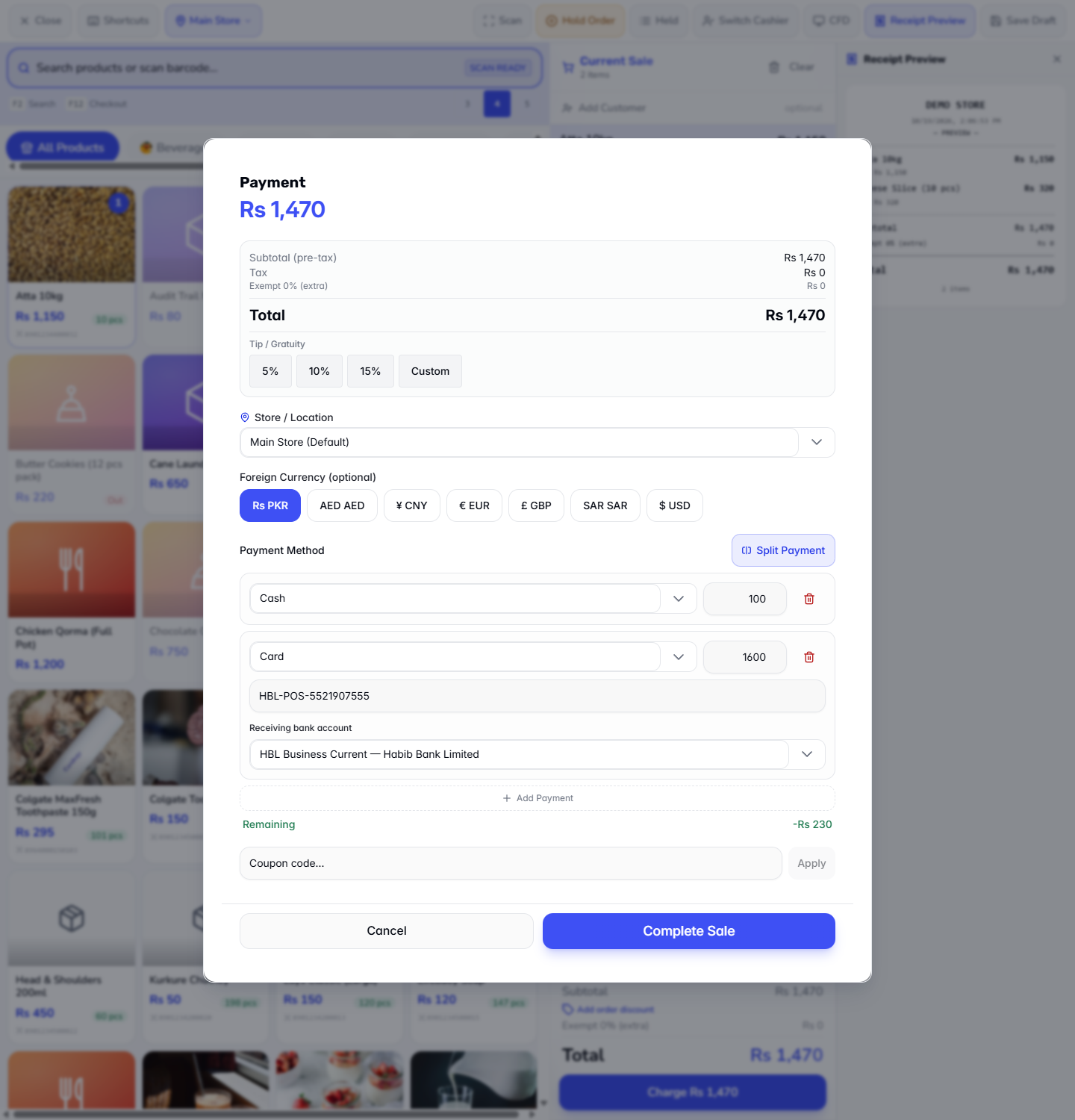
A card, wallet or bank amount cannot be larger than the bill. With Cash 100 plus Card 1,600 the app refuses with Non-cash tenders exceed the total by Rs 130. Only cash can be tendered above the total (change is handed back in cash). Lower the card amount, or raise the cash line.
Refusal when card is more than the total
5
Take a payment in foreign currency
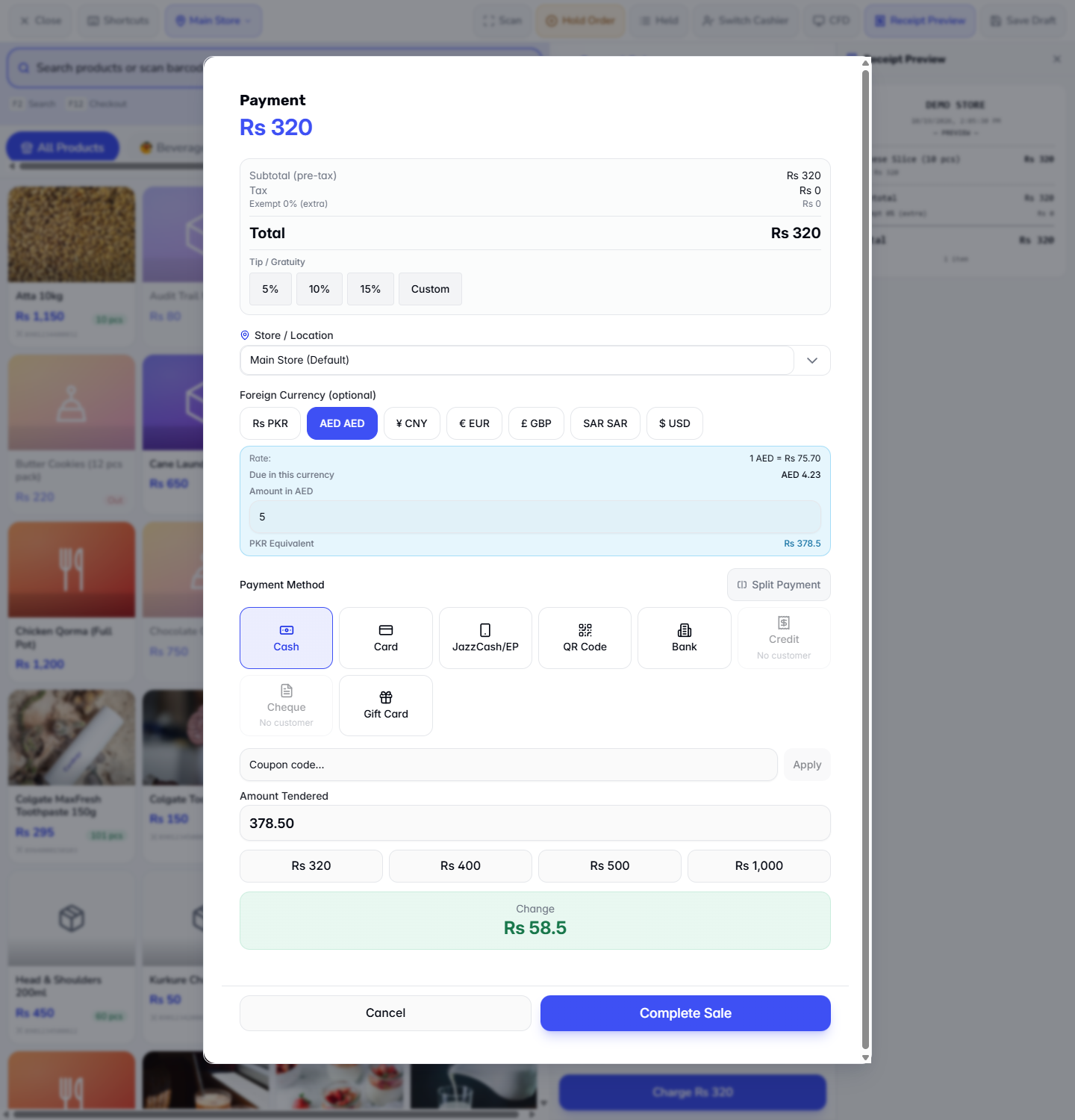
For a Rs 320 sale (one Cheese Slice), press Charge and choose the AED chip under Foreign Currency (optional). A blue panel shows Rate: 1 AED = Rs 75.70 and Due in this currency AED 4.23. Type the dirhams received in Amount in AED, for example 5. PKR Equivalent shows Rs 378.5 and Amount Tendered becomes 378.50. The other chips are CNY, EUR, GBP, SAR and USD; Rs PKR takes you back to rupees.
AED chip with the rate, the amount due in dirhams and the rupee equivalent
6
Hand back change in rupees
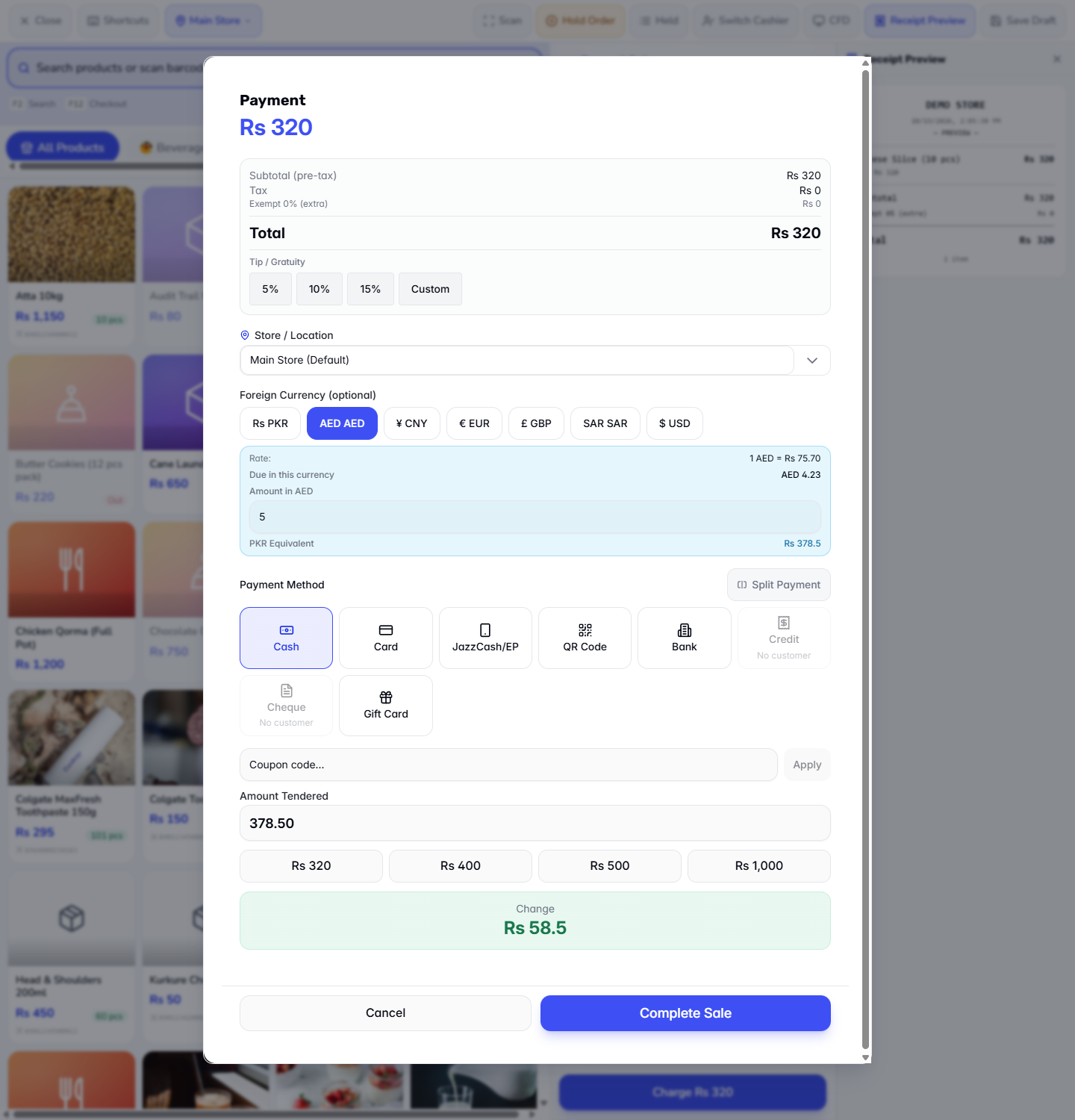
Five dirhams are worth Rs 378.5 against Rs 320 due. The green Change box reads Rs 58.5. Give that back in rupees, then press Complete Sale.
Change Rs 58.5 under Amount Tendered
7
Check the receipt
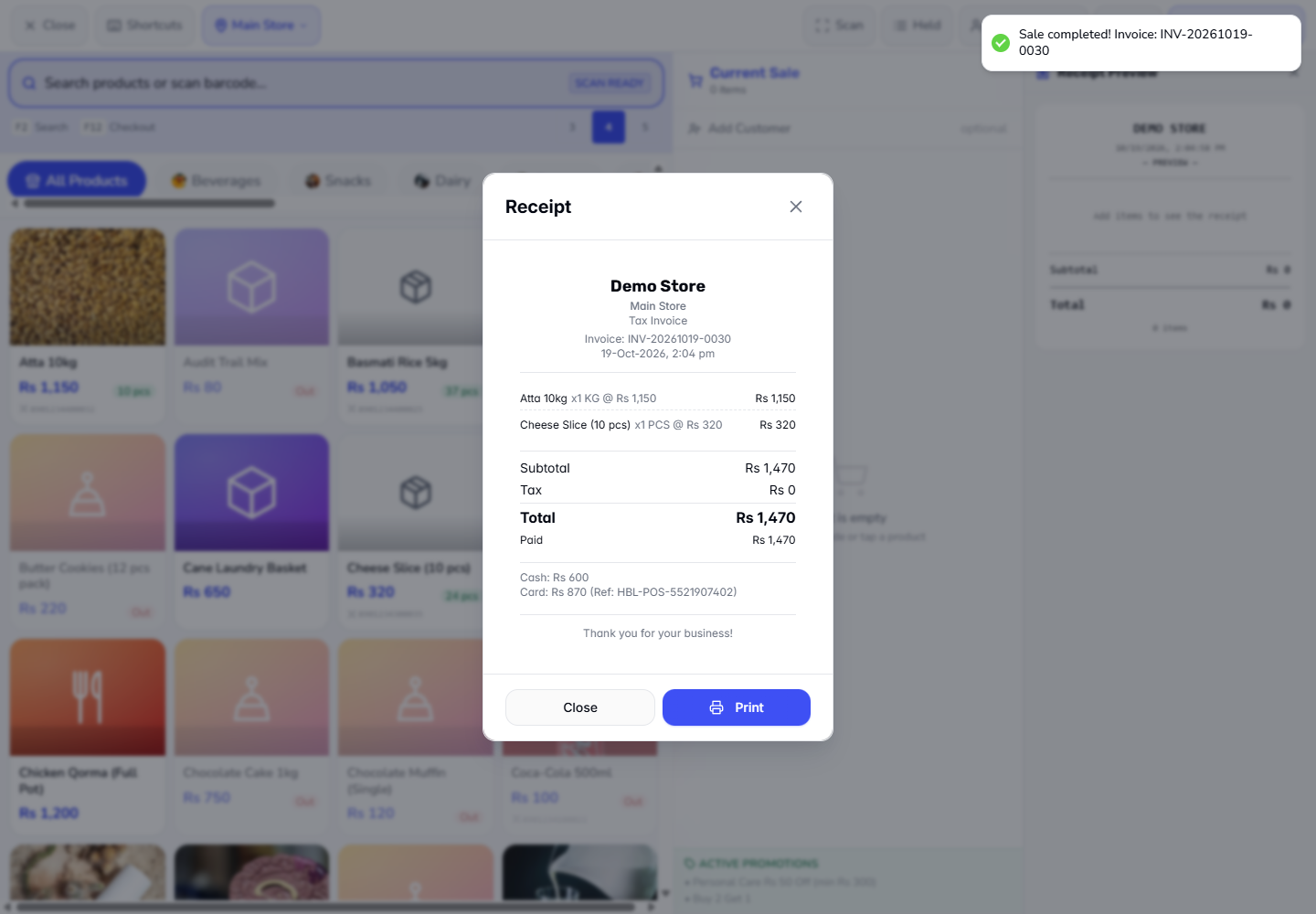
The split receipt shows Total Rs 1,470, Paid Rs 1,470, Cash: Rs 600 and Card: Rs 870 (Ref: HBL-POS-5521907402). If cash was handed over above the total, it also shows Paid and Change (Paid Rs 1,500, Change Rs 30 for Cash 1,000 plus Card 500). The dirham receipt shows the line AED 5 @ 75.70 / Rs 378.5, Paid Rs 378.5, Change Rs 58.5 and Cash: Rs 378.5.
Receipt of the split sale with both tenders
8
See where the rate comes from
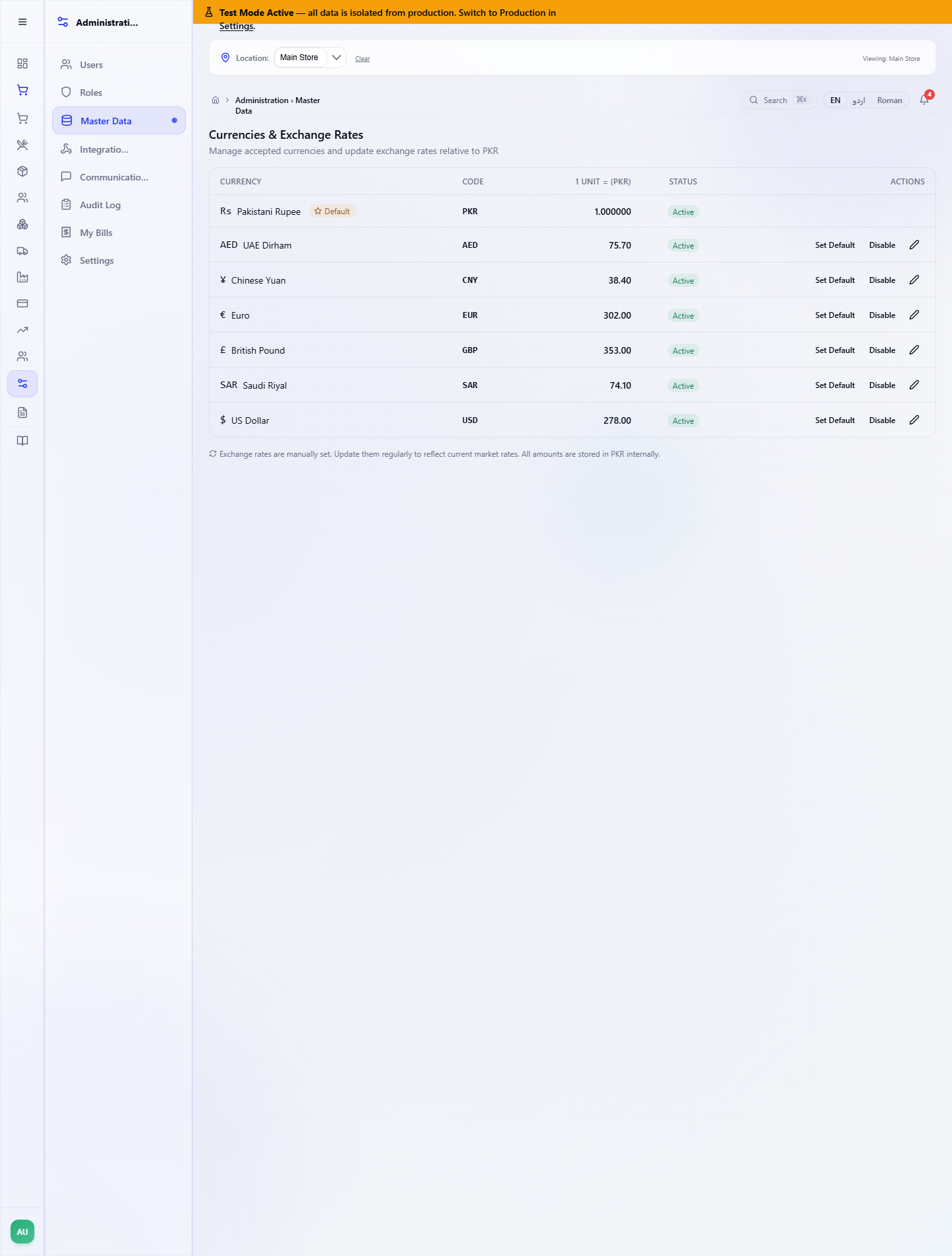
Open Administration › Master Data › Currencies. Each currency shows 1 UNIT = (PKR): AED 75.70, CNY 38.40, EUR 302.00, GBP 353.00, SAR 74.10, USD 278.00. The note at the bottom says the rates are set by hand, so update them as the market moves. Everything is stored in rupees.
Currencies and Exchange Rates screen
9
Read the journal
Open Finance › Accounting and look at Journal Entries and Trial Balance. Each sale posts one journal: the cash part of a split sale is debited to Cash in Hand, the card part to Cash at Bank, against Sales Revenue and the cost of goods; change handed back is never debited. The dirham sale is booked in rupees (a Rs 320 sale debits Cash in Hand Rs 320). The Trial Balance stays Balanced, both sides Rs 1,946,628.33 in this example.
Check it worked
The toast reads Sale completed! Invoice: INV-... and the receipt opens with the invoice number.
The receipt lists every tender, and for dirhams the line AED 5 @ 75.70.
Each journal is POSTED, and the cash and bank accounts match the tenders you took.
Common mistakes
Mistake
What you see
Fix
Card amount above the total
Non-cash tenders exceed the total by Rs 130...
Reduce the card line; only cash may exceed the total
Lines short of the total
Remaining in orange, Complete Sale disabled
Add or raise a line until Remaining is Rs 0
Foreign currency chosen, then Split Payment
The panel says foreign currency is not used in Split Payment
Take the sale in rupees, or drop Split Payment
Foreign amount below the total
Complete Sale stays disabled
Type at least the Due in this currency amount
Quick reference
Item
Meaning / rule
Split Payment
Several tenders on one sale; Remaining must reach Rs 0
Cash line
The cash handed over; any extra becomes change
Foreign Currency chip
Converts the customer's money to rupees at the stored rate
PKR Equivalent
The rupee value of the foreign amount typed
Change
Always handed back in rupees
Frequently asked questions
Why is Complete Sale disabled in Split Payment? The lines are short of the total. Remaining is shown in orange until the lines add up to the bill, so add a line or raise one until Remaining reads Rs 0.
Can a customer pay part of the bill in dirhams and part in cash? No. Foreign currency is not used in Split Payment — all rows are paid in rupees. Take the whole sale in the foreign currency, or take every line in rupees.
In which currency is the change given? Always in rupees. For AED 5 on a Rs 320 sale the Change box reads Rs 58.5, and the journal books the sale in rupees.
Where does the exchange rate come from? From Administration › Master Data › Currencies, where each rate is set by hand. Update the rates there as the market moves.