Open the import page
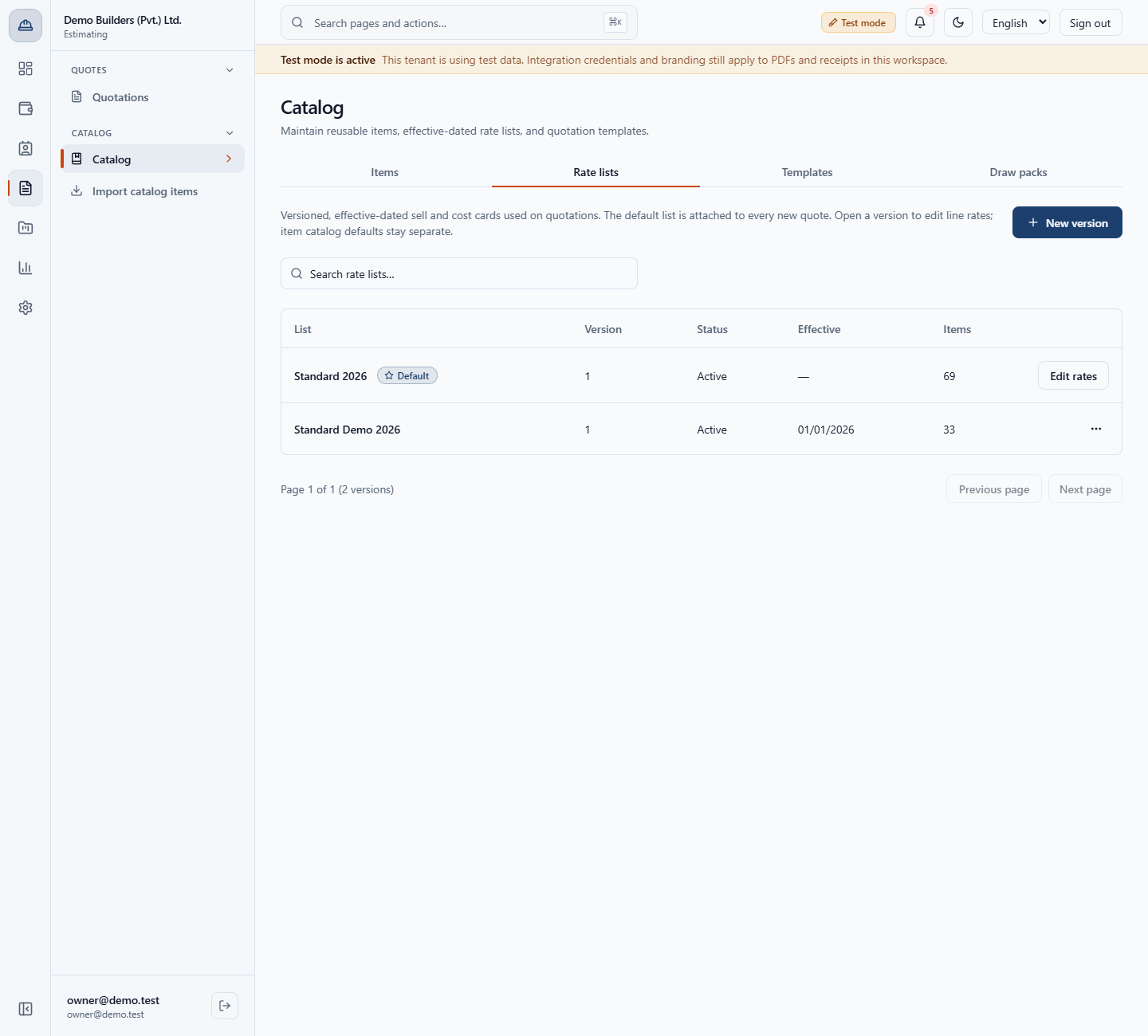
In the Estimating menu, under Catalog, click Import catalog items (/app/catalog/import-templates). It sits next to Catalog, which is your own item list.
You do not have to type every material and labour rate into your item catalog by hand. This guide shows how to pick pre-priced items from the global construction catalog, set your own cost and sell rate, import them, and see exactly what the app imported and what it skipped.
In the Estimating menu, under Catalog, click Import catalog items (/app/catalog/import-templates). It sits next to Catalog, which is your own item list.
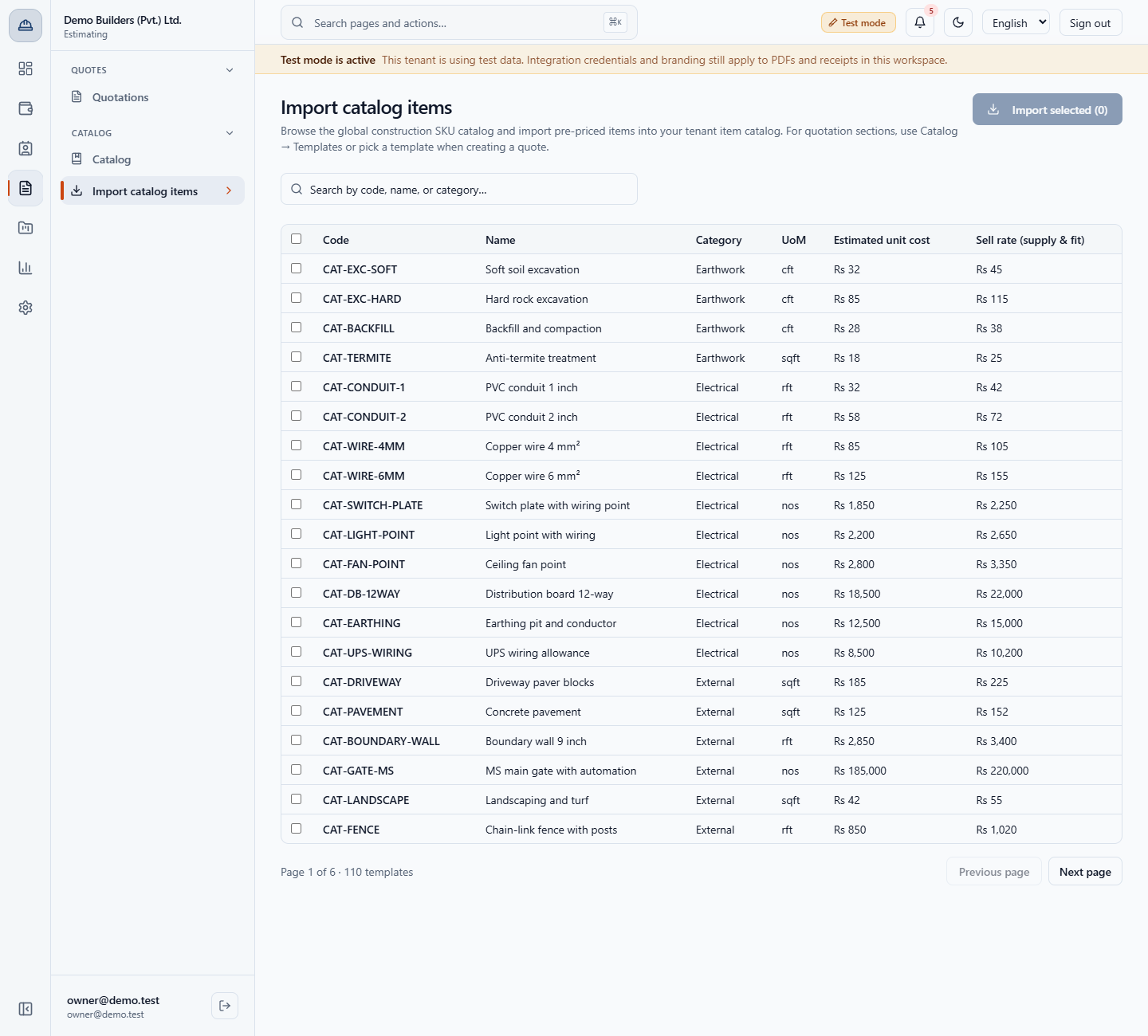
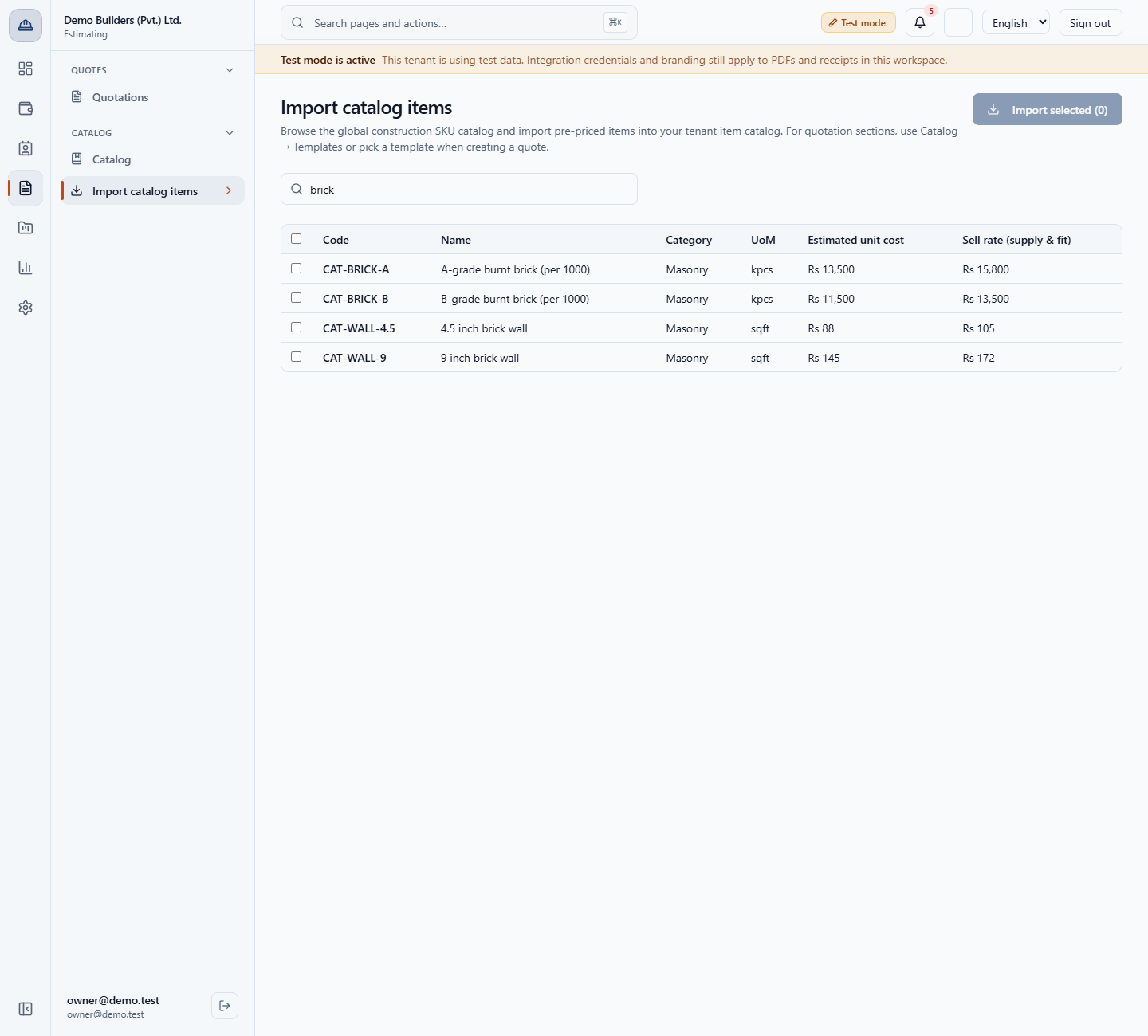
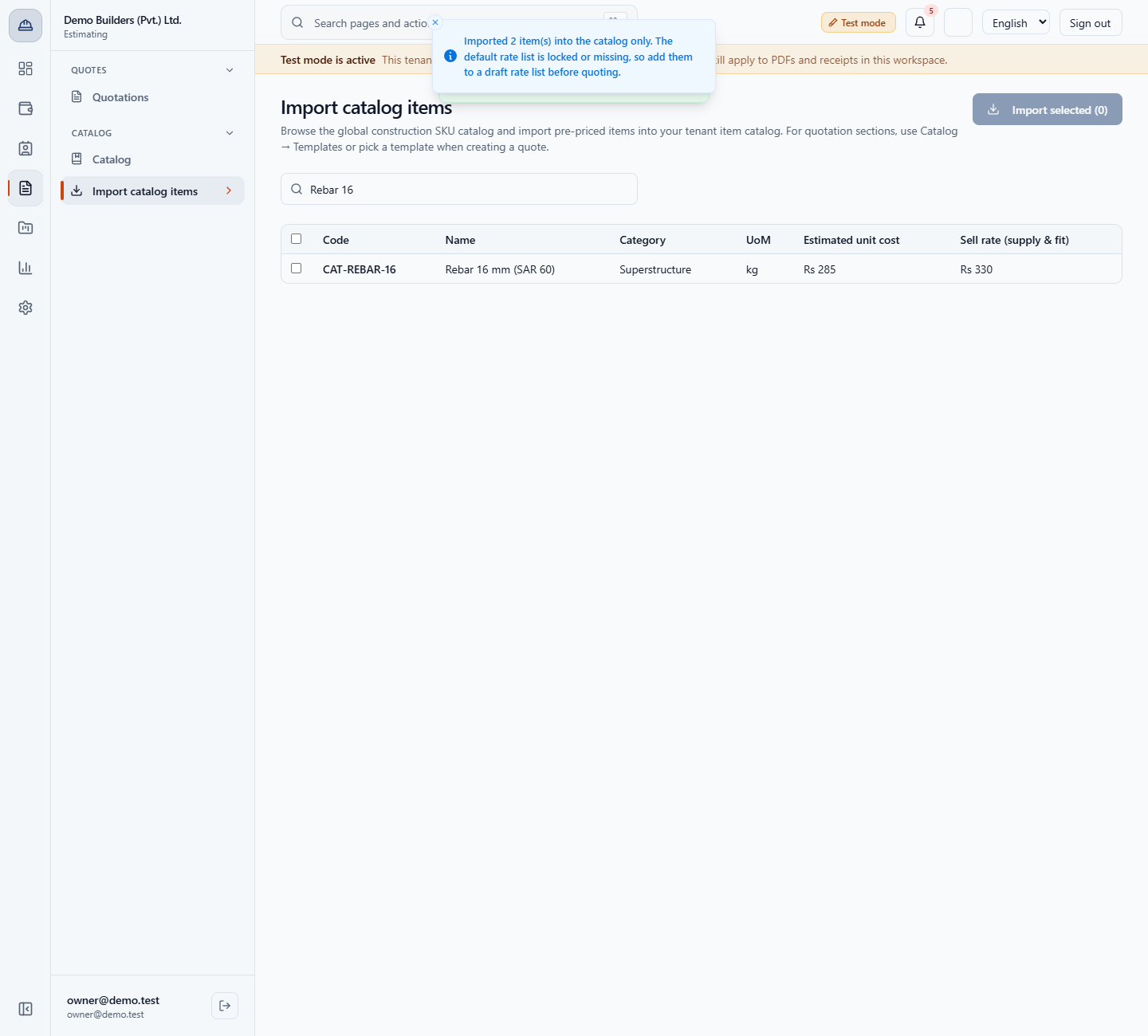
The page says: Browse the global construction SKU catalog and import pre-priced items into your tenant item catalog. The list shows Code, Name, Category, UoM, Estimated unit cost and Sell rate (supply & fit). The global catalog has 110 items in 16 categories, 20 per page (Page 1 of 6 · 110 templates).
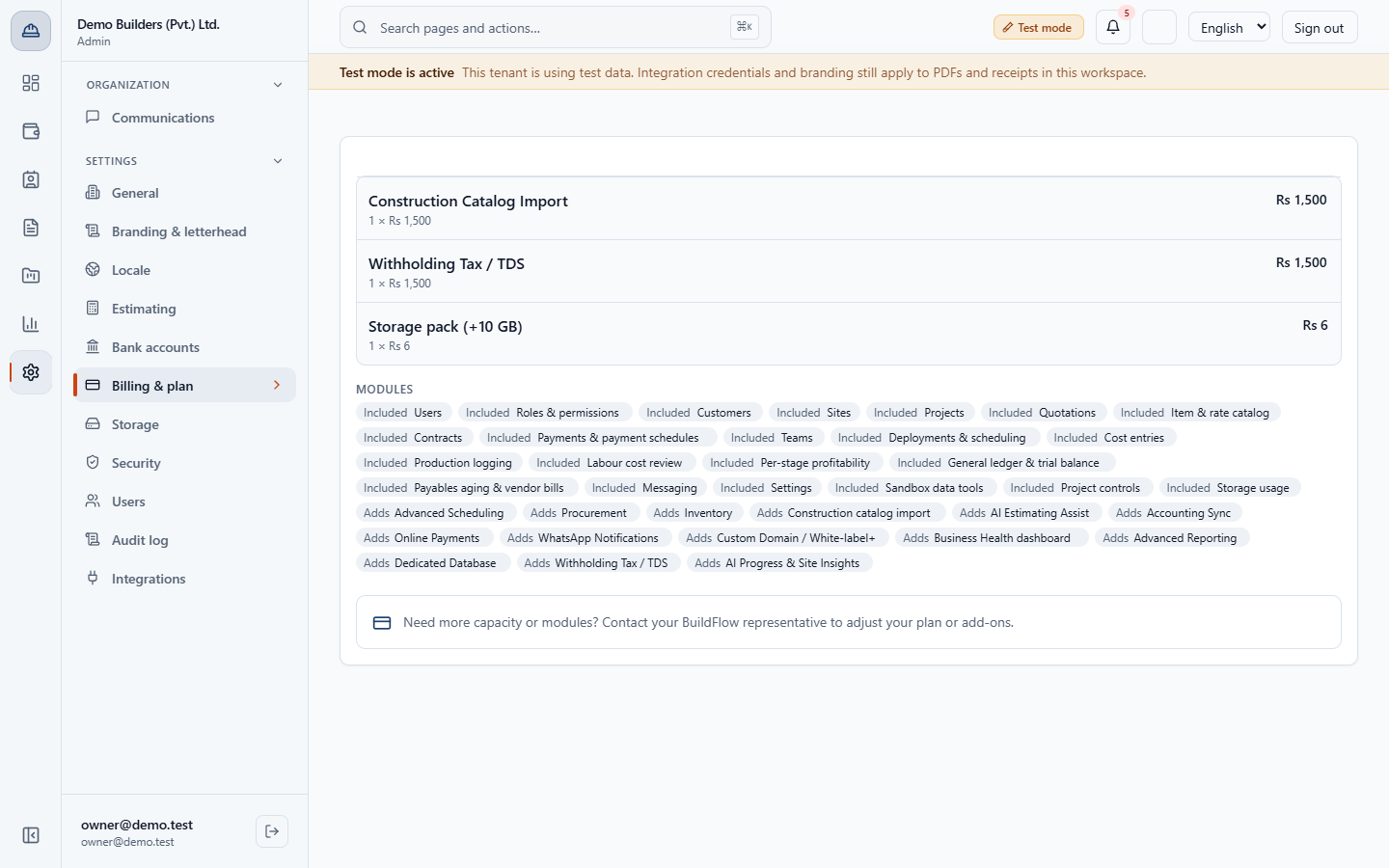
In Admin › Settings › Billing & plan the add-on row reads Construction Catalog Import, 1 × Rs 1,500, Rs 1,500.
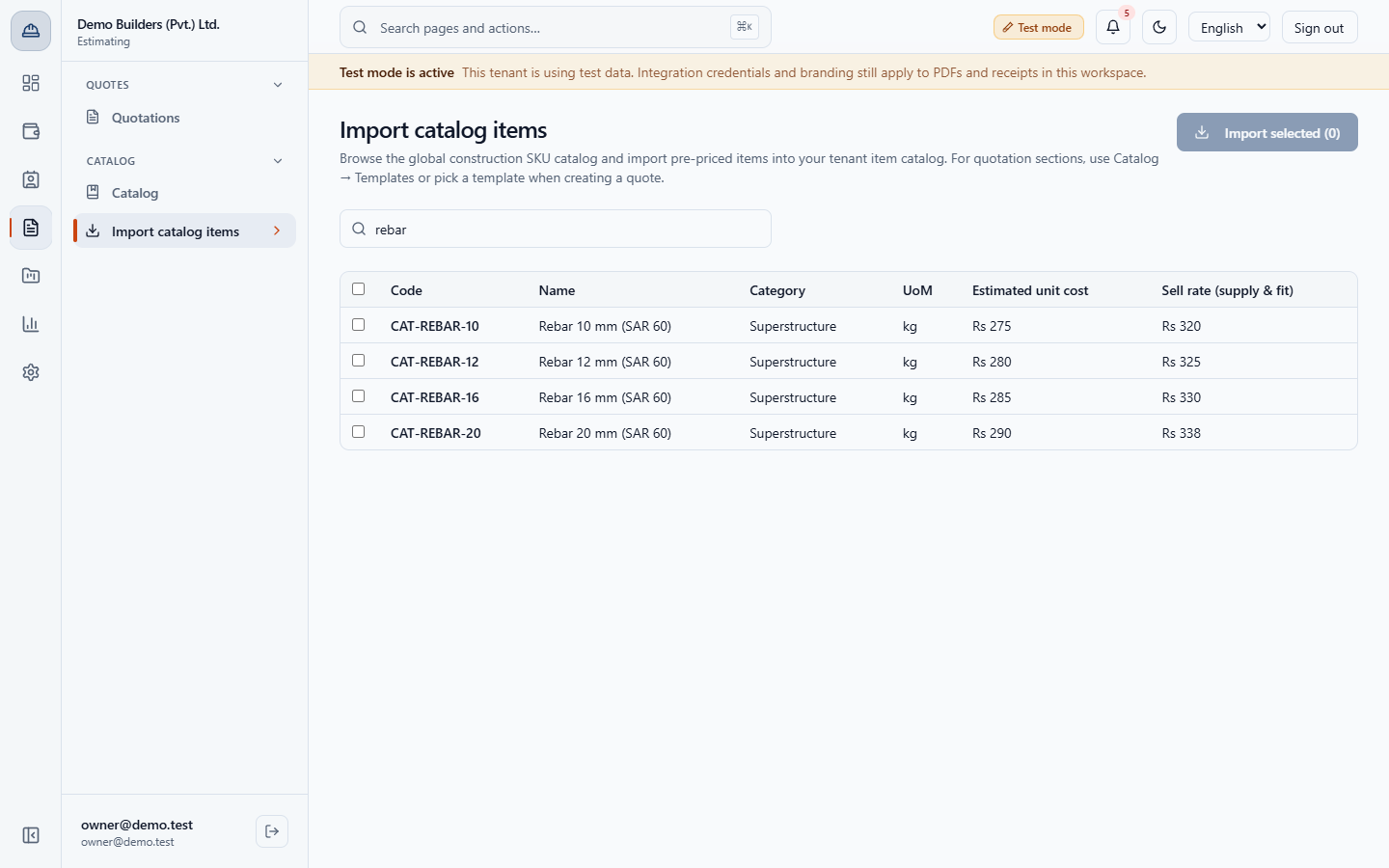
Type in Search by code, name, or category…. Typing rebar leaves CAT-REBAR-10, CAT-REBAR-12, CAT-REBAR-16 and CAT-REBAR-20. A word that matches nothing shows No template items. The global catalog has no items matching your search.
Look at UoM. The burnt bricks are named (per 1000) and counted in kpcs, thousands of pieces, so CAT-BRICK-A shows Rs 13,500 cost and Rs 15,800 sell for a thousand. Brick walls such as CAT-WALL-9 are counted in sqft.
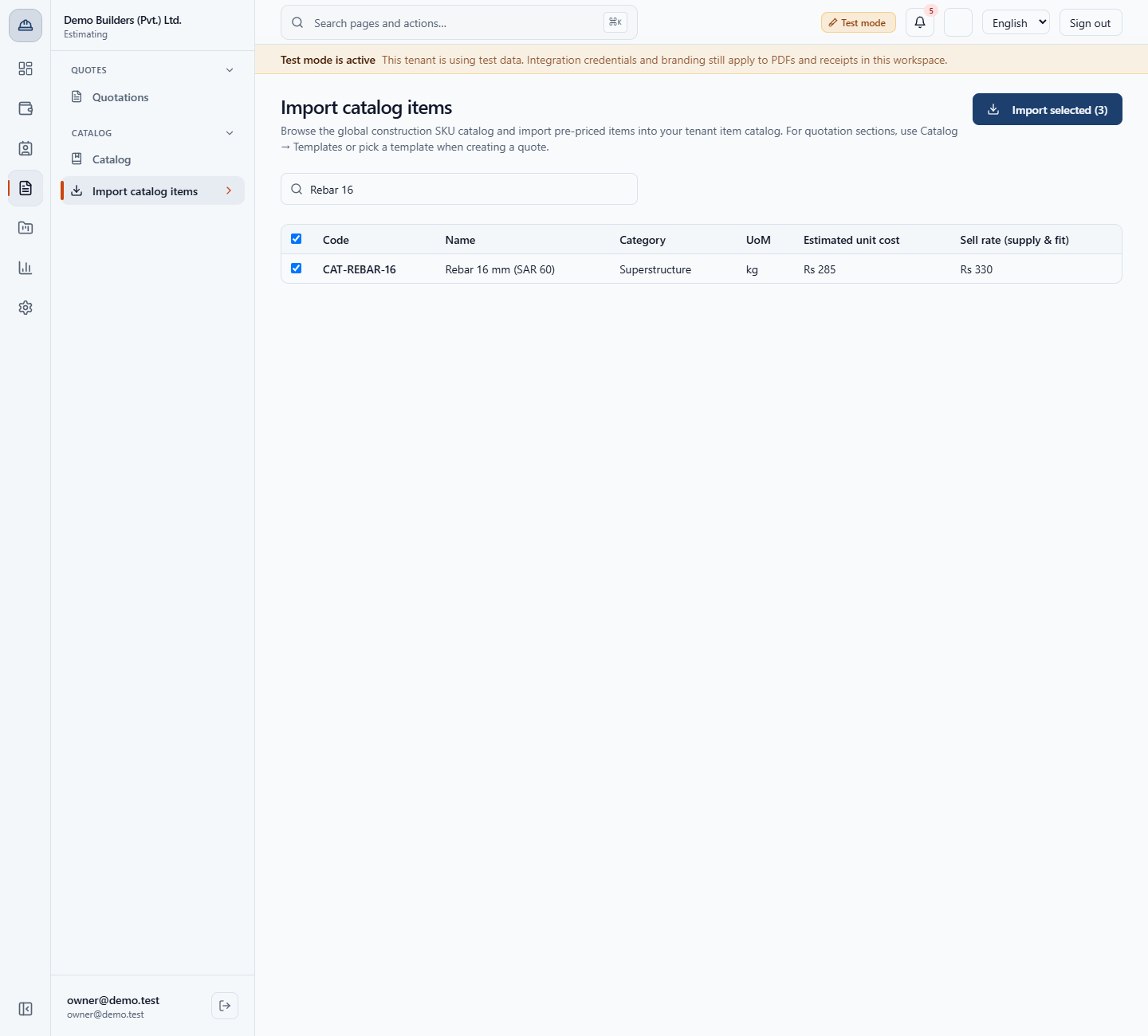
Tick the checkbox of each item. In the example you tick CAT-BRICK-A, search mason and tick CAT-LABOR-MASON (Skilled mason, daily rate), then search Rebar 16 and tick CAT-REBAR-16. The button reads Import selected (3).
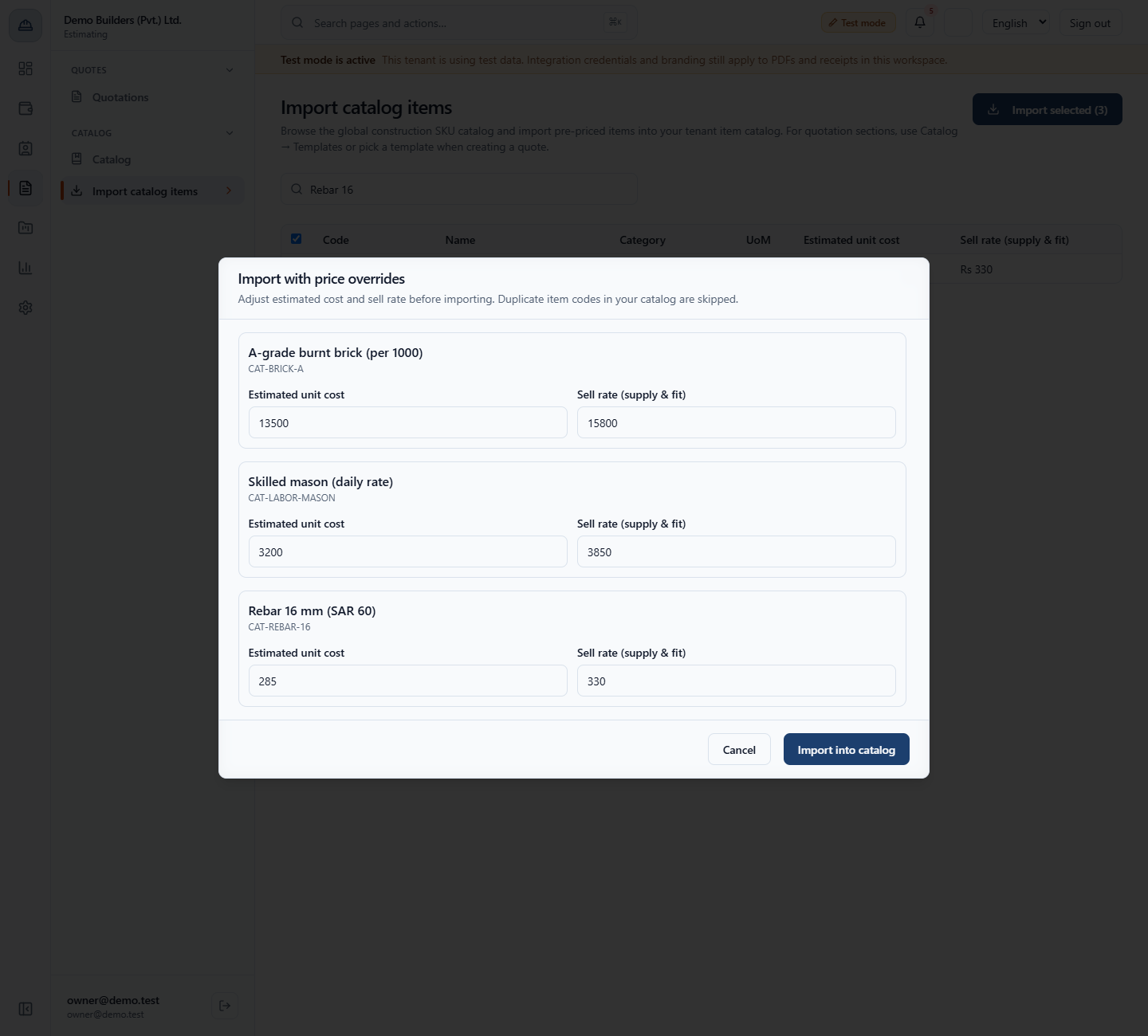
Click Import selected. The dialog Import with price overrides says: Adjust estimated cost and sell rate before importing. Duplicate item codes in your catalog are skipped. Each item has its own card with Estimated unit cost and Sell rate (supply & fit), prefilled with the global prices.
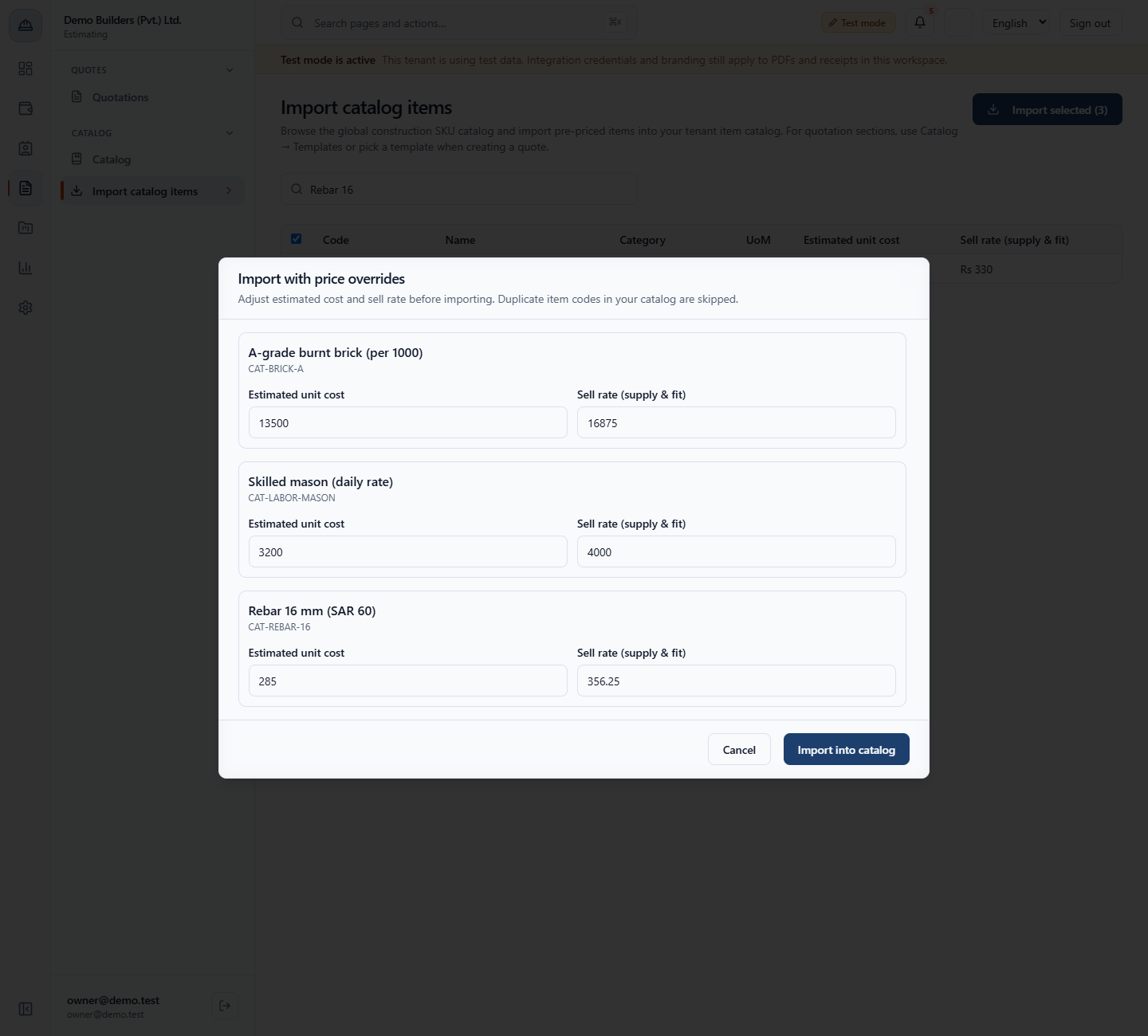
Change the numbers to your own. In the example every sell rate is the cost plus 25 percent: CAT-BRICK-A 13500 and 16875, CAT-LABOR-MASON 3200 and 4000, CAT-REBAR-16 285 and 356.25.
Click Import into catalog. The app reports what it did: Imported 2 item(s); 1 skipped because they are already in your catalog: CAT-REBAR-16. A second message adds: Imported 2 item(s) into the catalog only. The default rate list is locked or missing, so add them to a draft rate list before quoting.
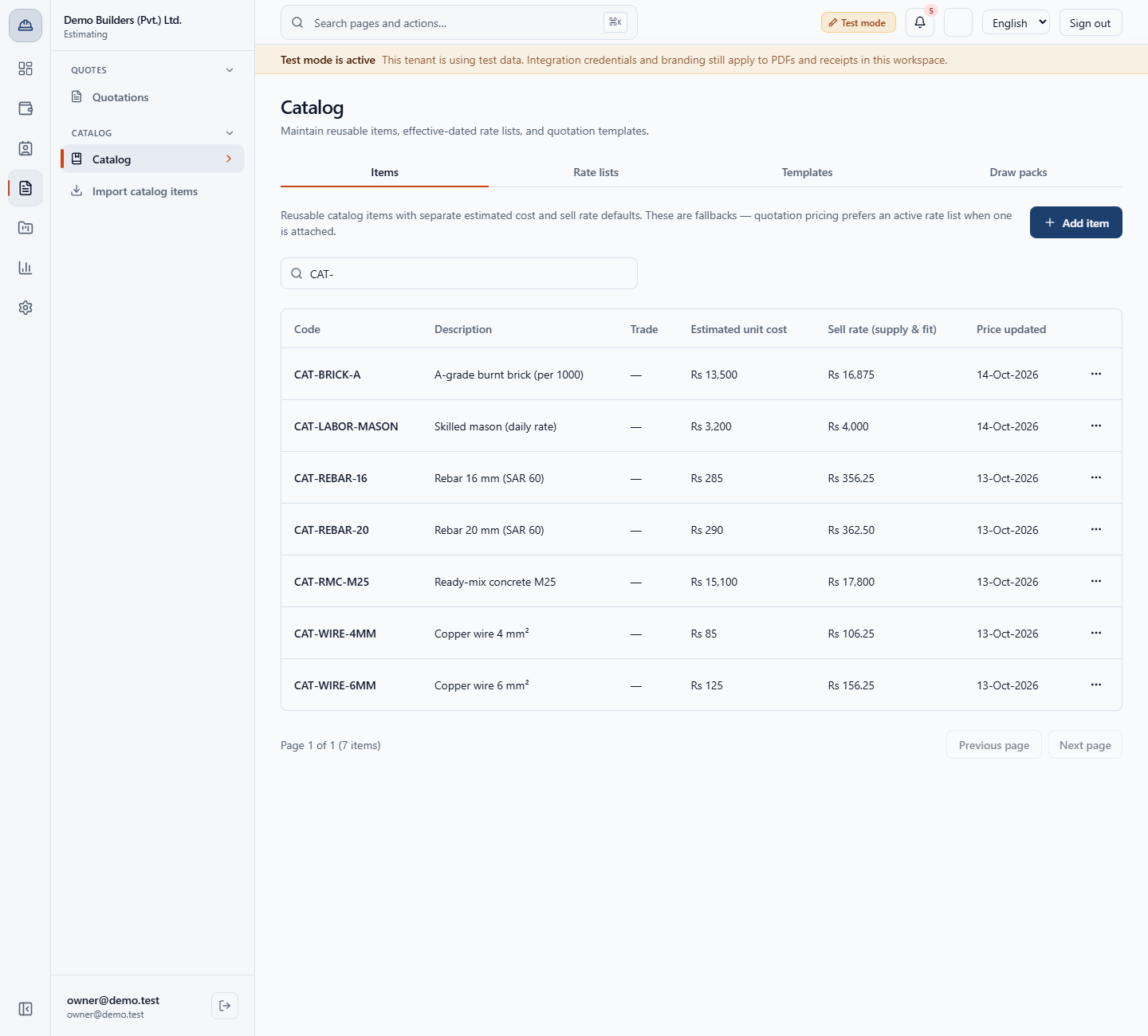
Open Estimating › Catalog › Catalog, tab Items, and search CAT-. CAT-BRICK-A shows Rs 13,500 and Rs 16,875, CAT-LABOR-MASON shows Rs 3,200 and Rs 4,000, both with the price date of the import (14-Oct-2026). The items keep their global CAT- code, and Trade is empty.
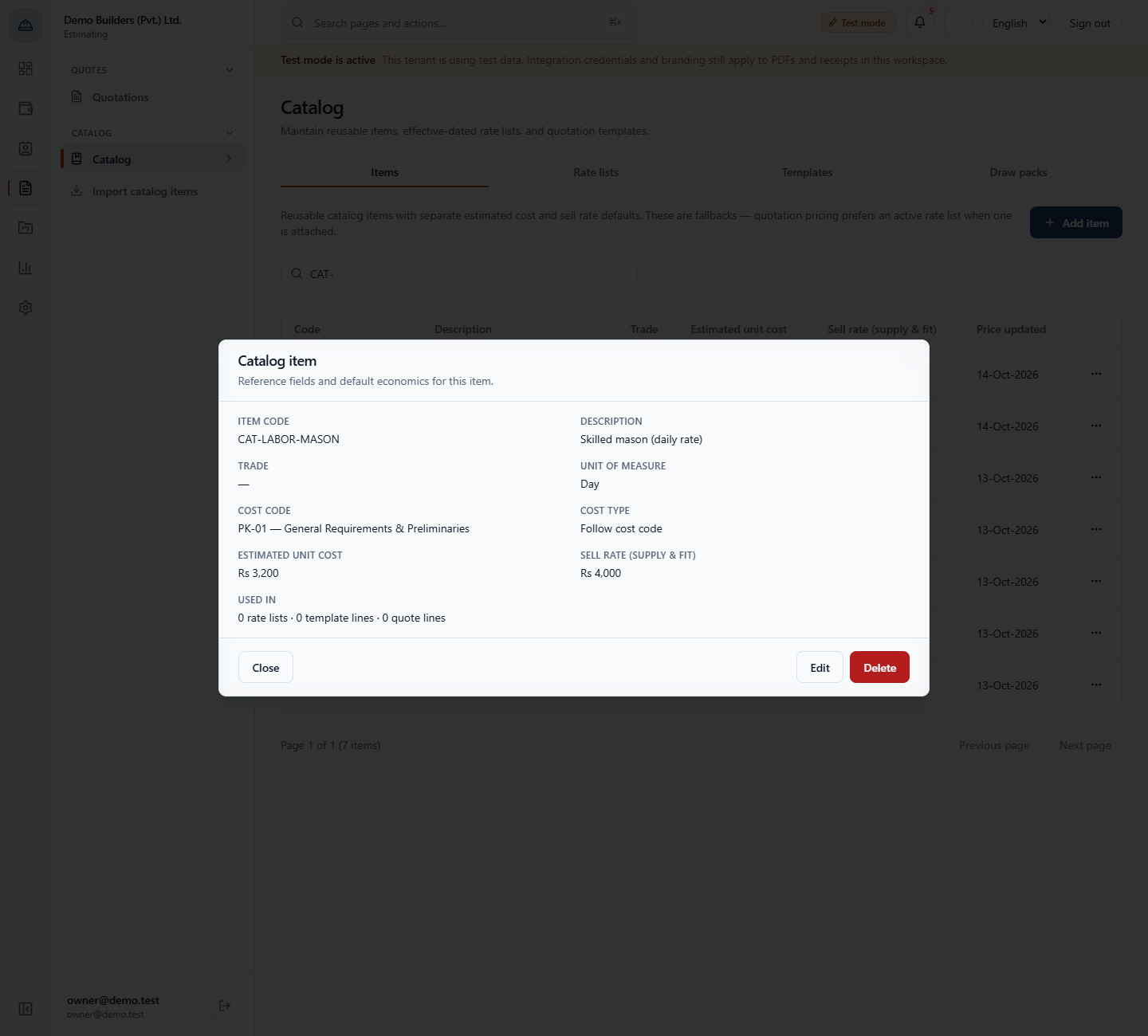
In the row menu choose View. The skilled mason shows Unit of measure: Day and Cost code: PK-01 — General Requirements & Preliminaries; the brick shows Thousand (1,000 pieces) and PK-05 — Masonry & Blockwork. So bricks are priced per thousand and a mason per day.
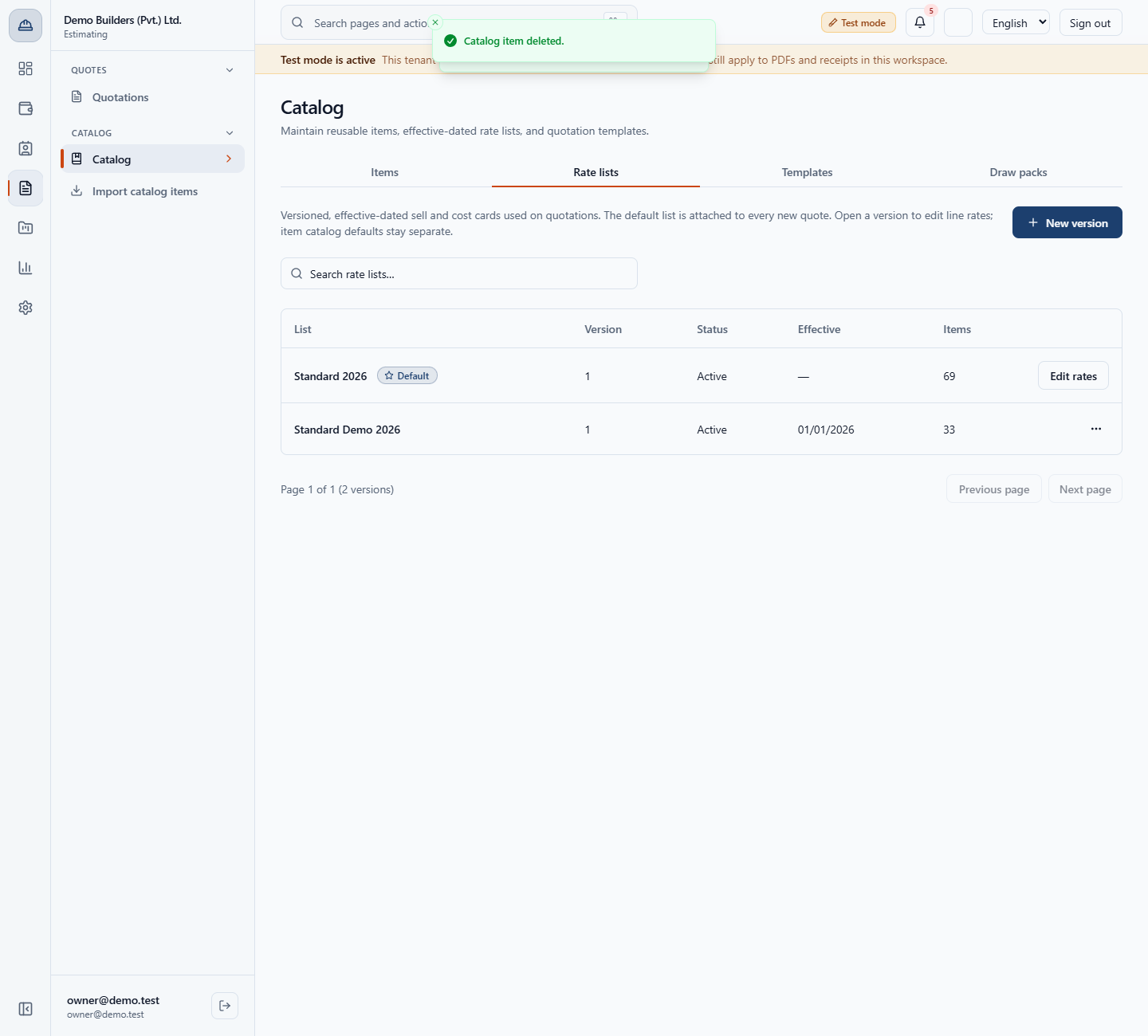
Open the Rate lists tab. Standard 2026 (Default) still has 69 items and Standard Demo 2026 has 33: the imported items are in neither. Until you add them to a rate list, a quotation uses their catalog prices.
| Mistake | What you see | Fix |
|---|---|---|
| Leaving a sell rate empty | Enter a sell rate above zero for every selected item. | Type a sell rate above zero for every card |
| Importing an item you already have | It is skipped and named in the message | Edit the existing item in the catalog if its price must change |
| Expecting imported items in a rate list | The result says they are in the catalog only | Add them to a draft rate list before quoting from the list |
| Picking by name only | The unit may not match how you quote | Check UoM: per 1000 is kpcs |
| Item | Meaning / rule |
|---|---|
| Global catalog | 110 items, 16 categories, 20 per page |
| Estimated unit cost | What the item costs you; prefilled with the global price |
| Sell rate (supply & fit) | What you charge; must be above zero to import |
| Duplicate code | Skipped and named; the existing item is unchanged |
| Units | Kept from the global item: kpcs is Thousand (1,000 pieces), day is Day |
| Rate lists | Imported items are not added automatically |
Do I have to accept the global prices? No. The override dialog opens with the global prices, and you set your own estimated cost and sell rate for each item before you import.
What happens if an item is already in my catalog? The app skips it, names its code in the message, and leaves the existing item and its prices as they are.
Do imported items go into my rate list? Not in this run. The app says the items are in the catalog only and the default rate list was locked or missing, so you add them to a draft rate list before quoting from the list.
Why does a brick show a different unit from a wall? Burnt bricks are counted per 1000 (kpcs, imported as Thousand (1,000 pieces)), while brick walls are counted in square feet.
BuildFlow runs this whole workflow. See what BuildFlow does and what it costs, or browse all step-by-step guides.