How to plan an event's items and scope and read its margin
The Items & scope tab is the plan of what an event includes: menu, decor, sound, discounts. This guide shows how to fill it from a package, add and edit lines, and read planned cost, sell and margin before you quote.
Who it is forEvent coordinator / sales personTime15 minutesProductMMSLevelIntermediate
Before you start
Steps
1
Open Items & scope
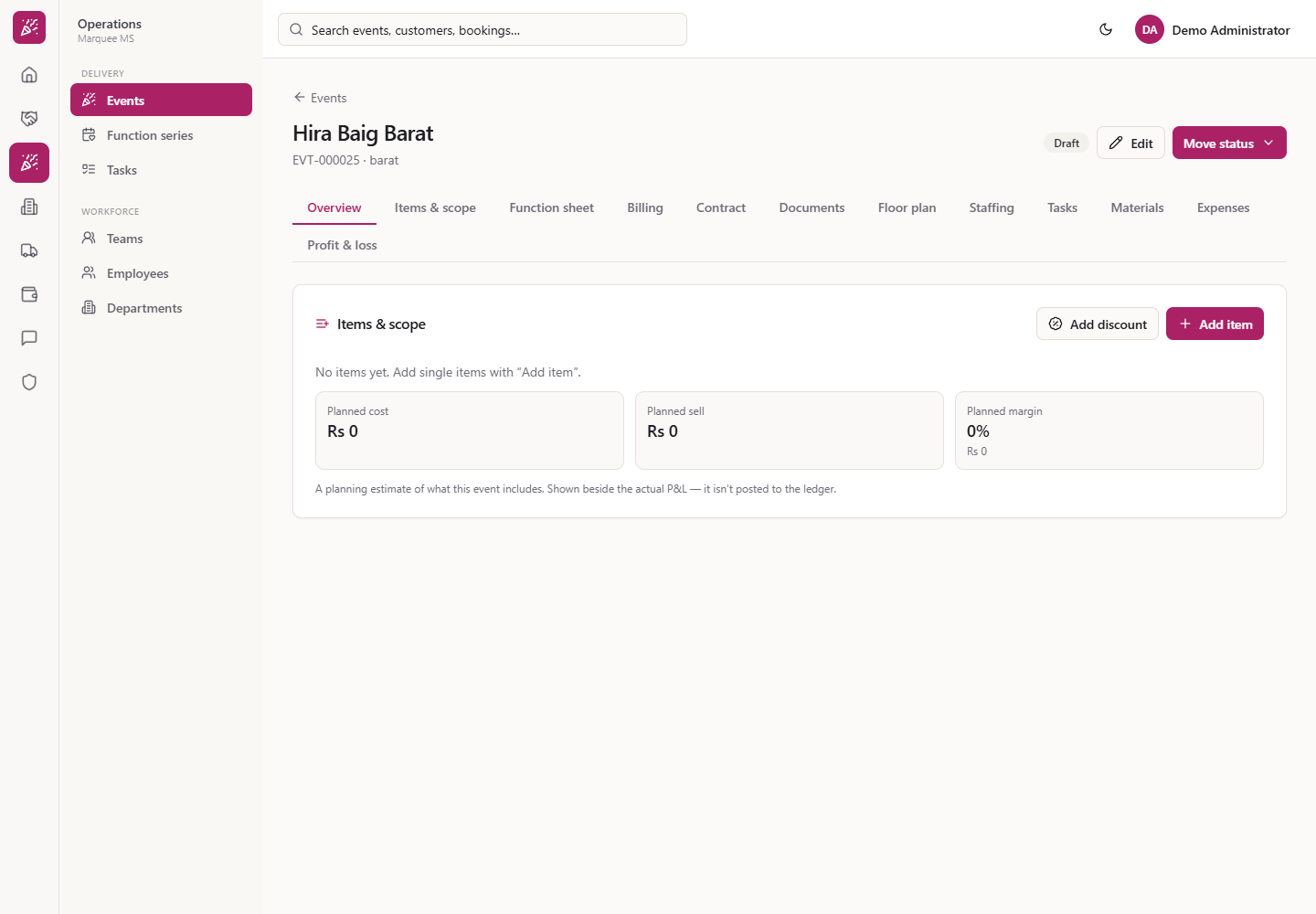
Open the event and click the Items & scope tab. The card offers Add discount and Add item (plus Load from package, Create quotation and Create booking when they apply). With no lines it says "No items yet. Add single items with “Add item”." and shows Planned cost Rs 0, Planned sell Rs 0 and Planned margin 0%. The footnote says this is a planning estimate, shown beside the actual P&L, and is not posted to the ledger.
Items & scope card, empty, with three tiles
2
Load the package
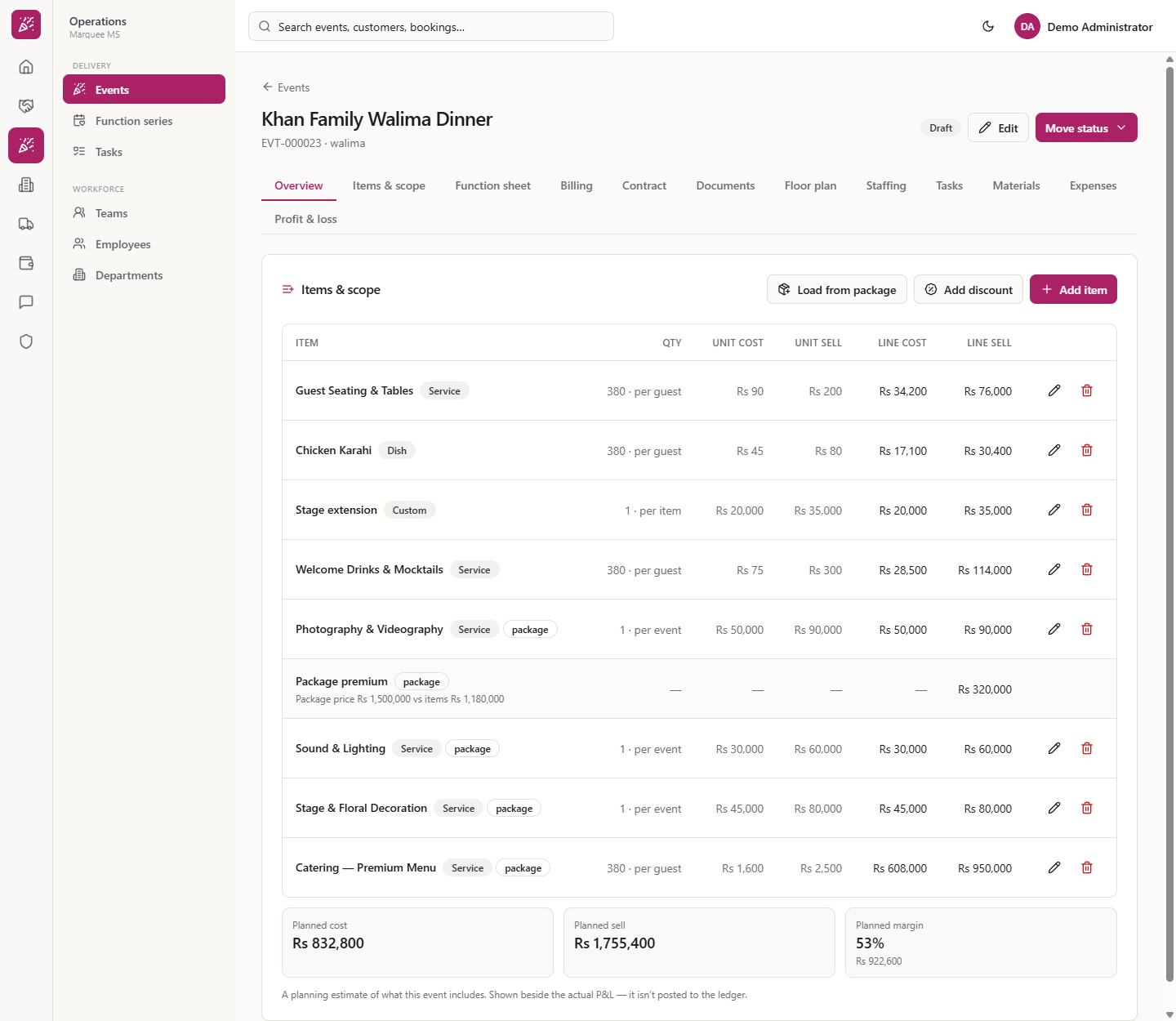
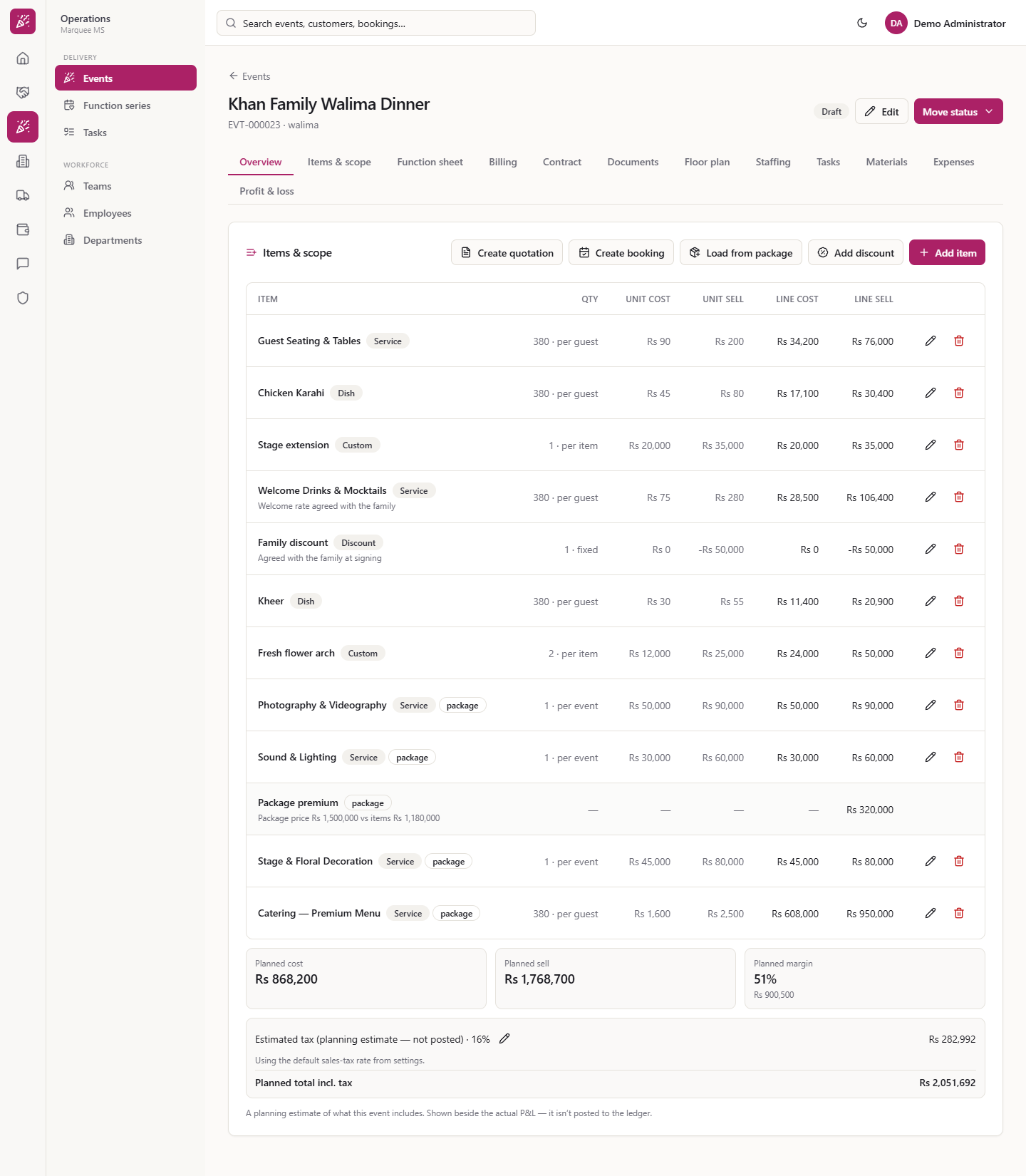
Press Load from package. The package lines appear tagged "package": for the Gold Wedding Package, Premium Menu 380 per guest, Stage & Floral Decoration, Sound & Lighting and Photography & Videography. A Package price adjustment line (Rs 320,000, "Package price Rs 1,500,000 vs items Rs 1,180,000") makes the lines add up to the package price.
Package lines and the package price adjustment line
3
Add a service
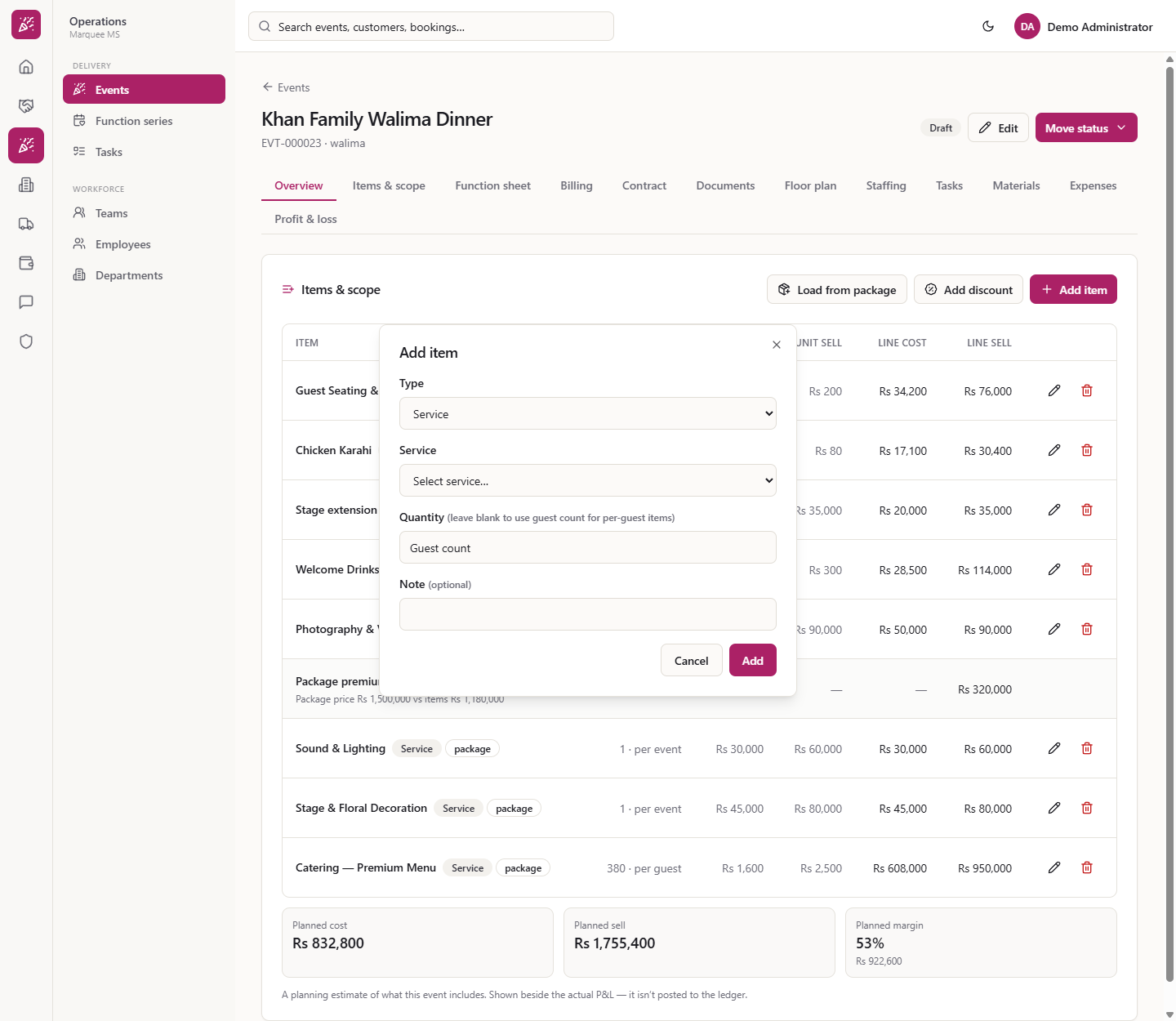
Press Add item. In Type choose Service, Dish, Custom item or Discount. Under Service pick one, for example Guest Seating & Tables; the list comes from Catalogue › Services with each sell price. Press Add.
Add item dialog with the Service list
4
Leave the quantity blank
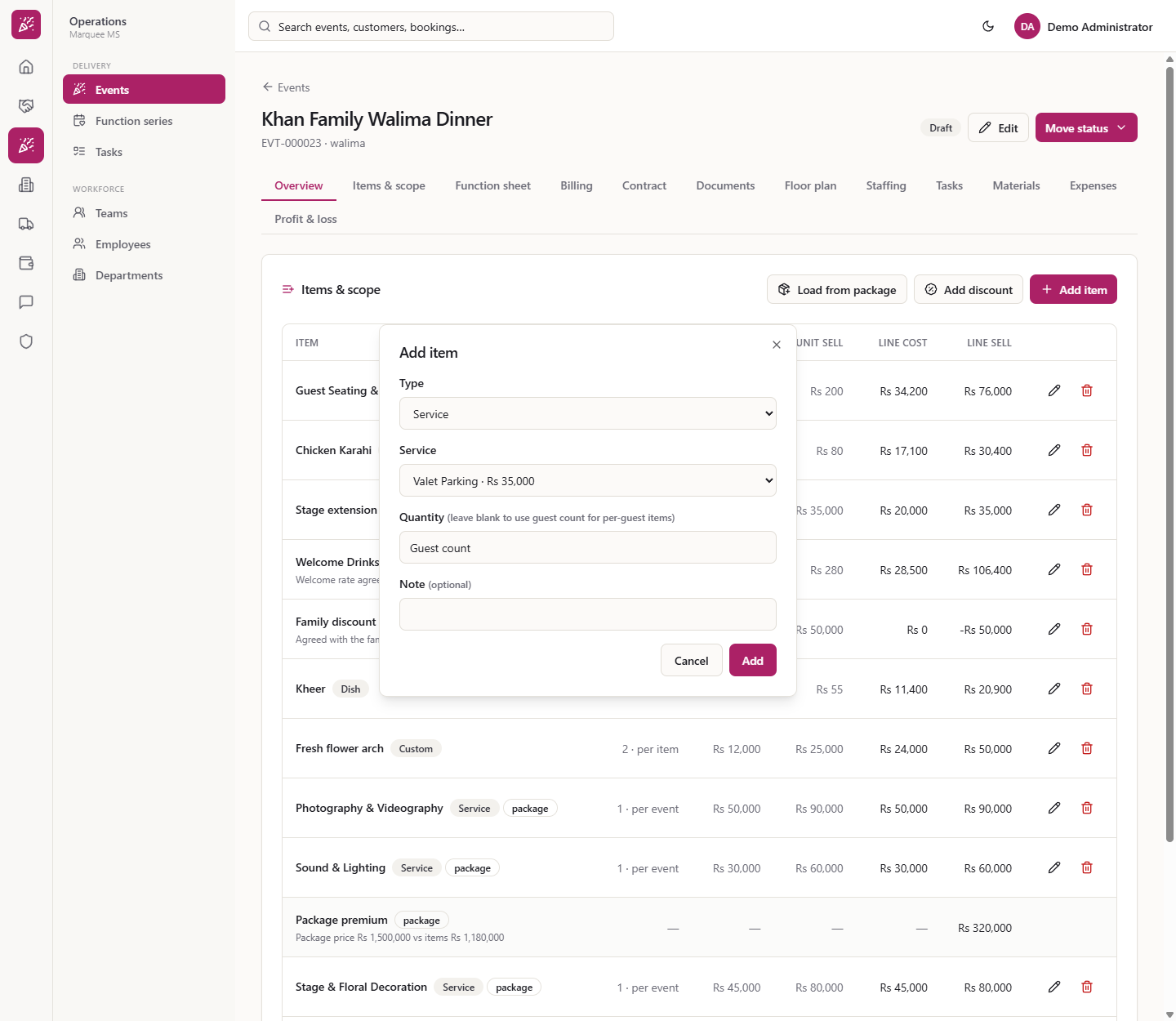
Leave Quantity empty and per-guest services and dishes take the billable guest count (380). Per-event services such as Valet Parking default to 1.
Service chosen with Quantity left blank
5
Add a dish
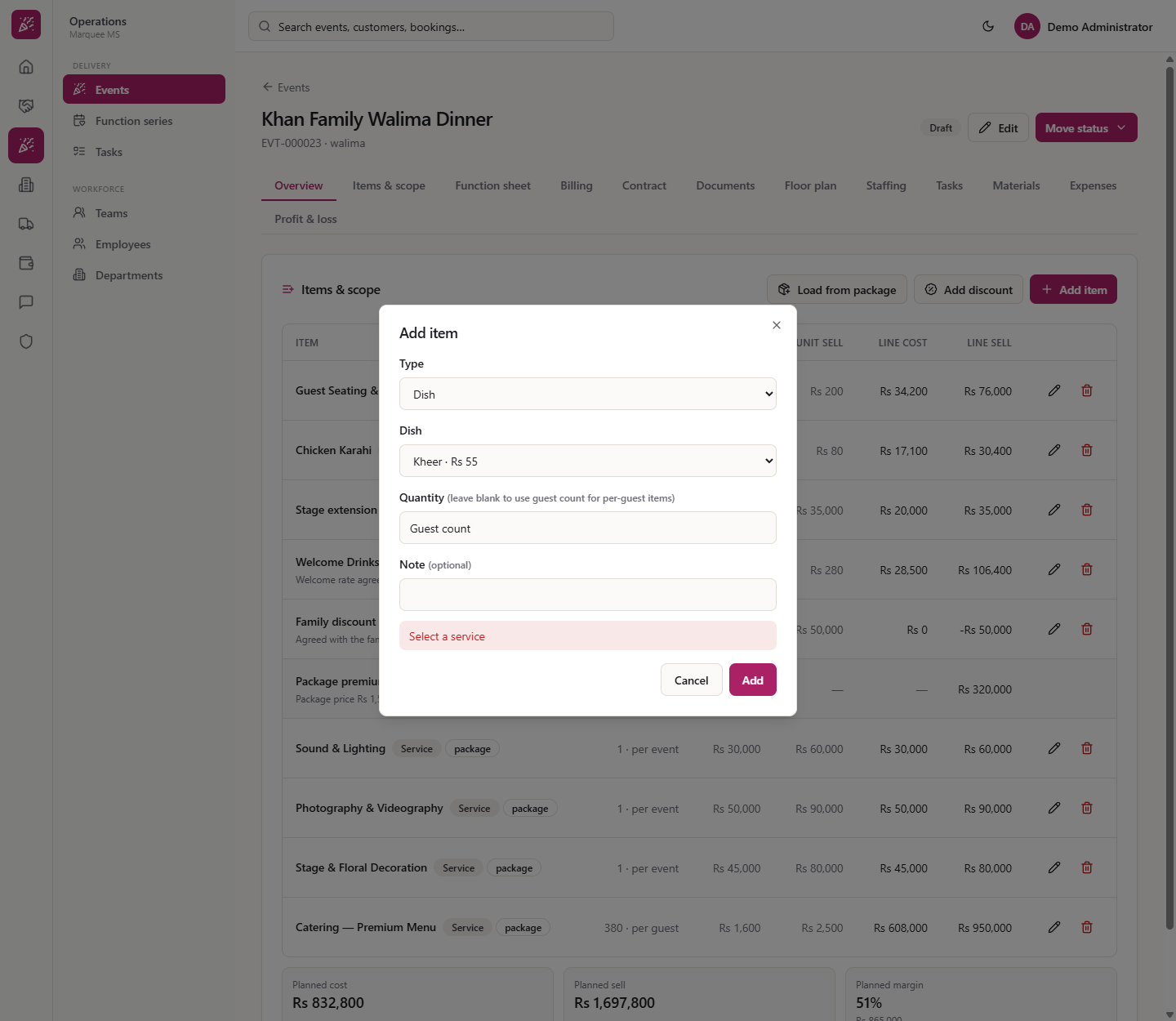
Choose TypeDish. The list comes from Catalogue › Dishes with the sell price per guest, for example Kheer Rs 55. Kheer with a blank quantity becomes 380 per guest, cost Rs 30 and sell Rs 55 each.
Add item dialog with the Dish list
6
Add a custom item
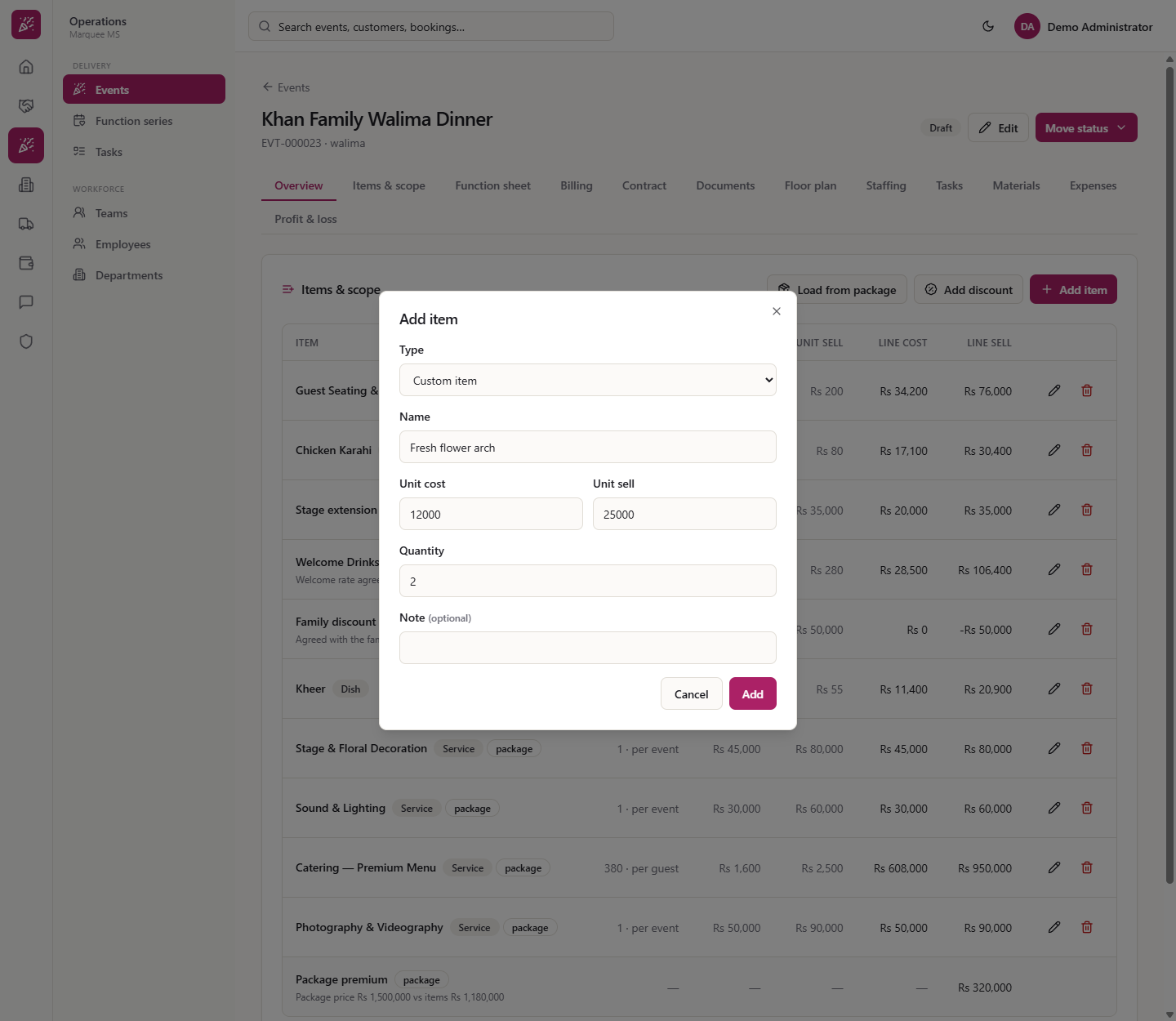
For something outside the catalogue choose Custom item. Enter Name (for example "Fresh flower arch"), Unit cost, Unit sell, Quantity and an optional Note. A quantity of 2 shows "2 · per item".
Custom item dialog
7
Give a discount
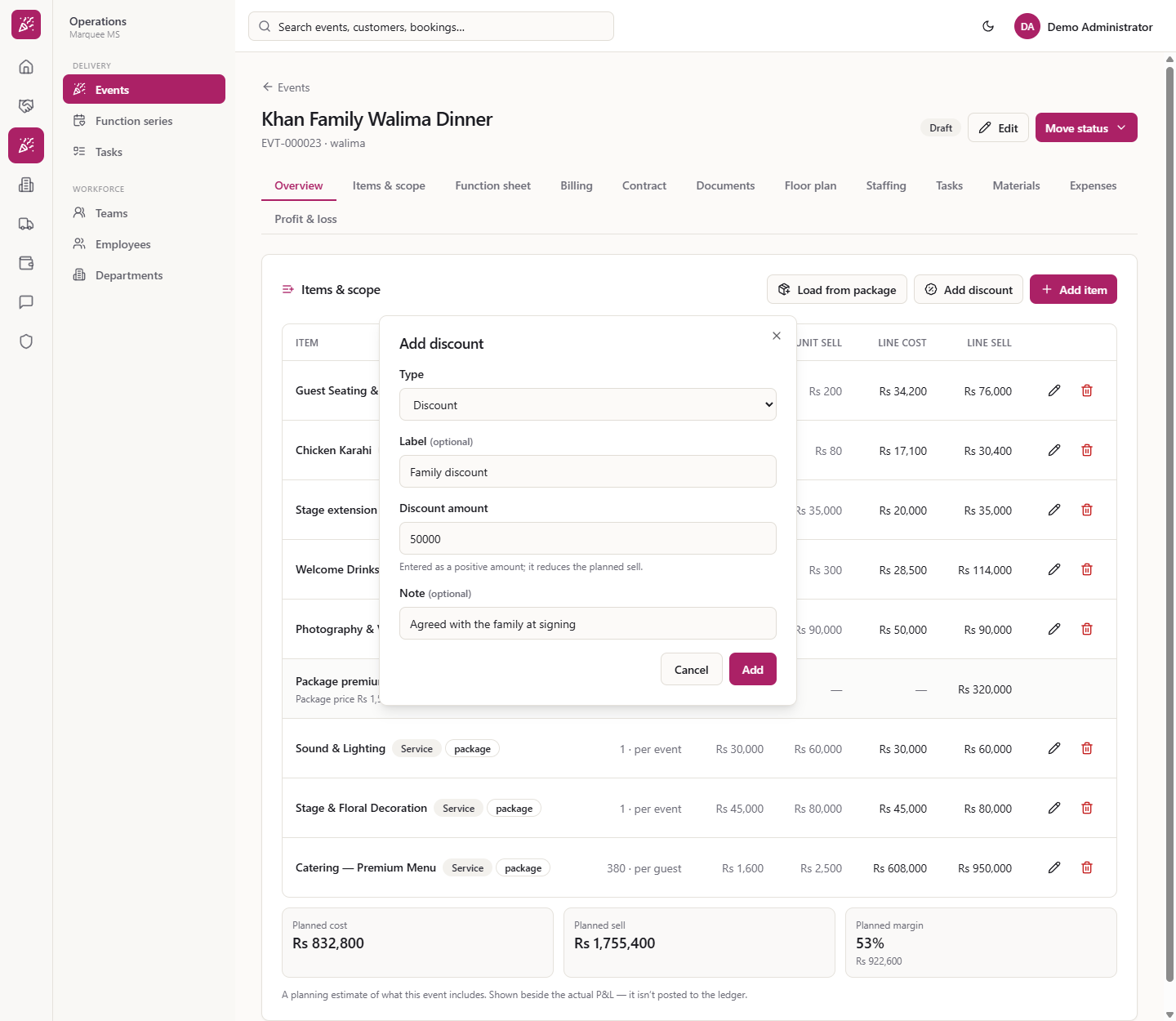
Press Add discount. Enter a Label (for example "Family discount"), the Discount amount as a positive number (Rs 50,000) and a Note ("Agreed with the family at signing"). It becomes a Discount line and the planned sell falls by Rs 50,000.
Add discount dialog filled in
8
Edit a line
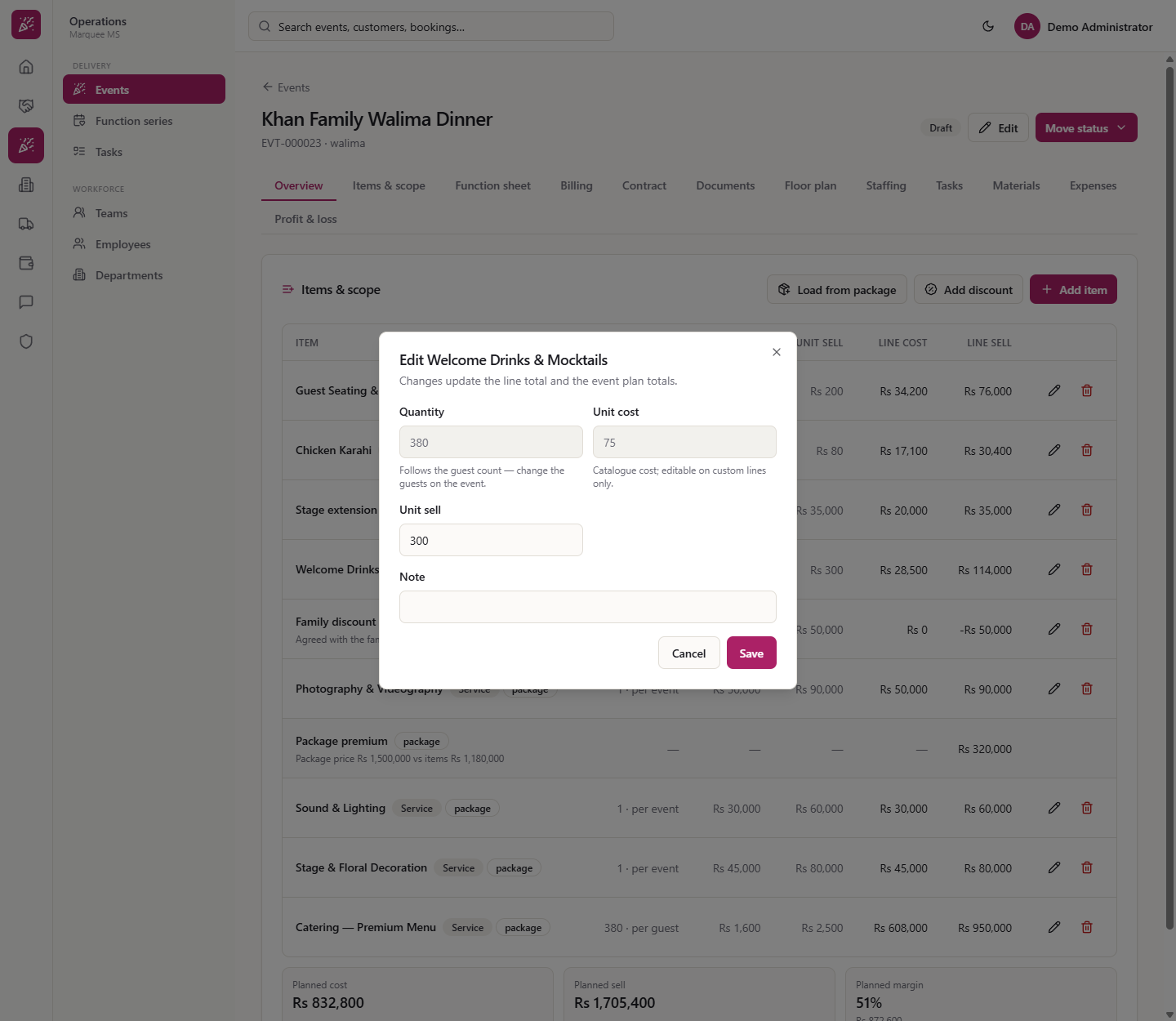
On a row press the edit button. The dialog says "Changes update the line total and the event plan totals." You can change Quantity (it follows the guest count: change the guests on the event instead), Unit sell and Note; Unit cost is editable on custom lines only. For example set Welcome Drinks & Mocktails to Rs 280 with the note "Welcome rate agreed with the family", then Save.
Edit line dialog
9
Remove a line
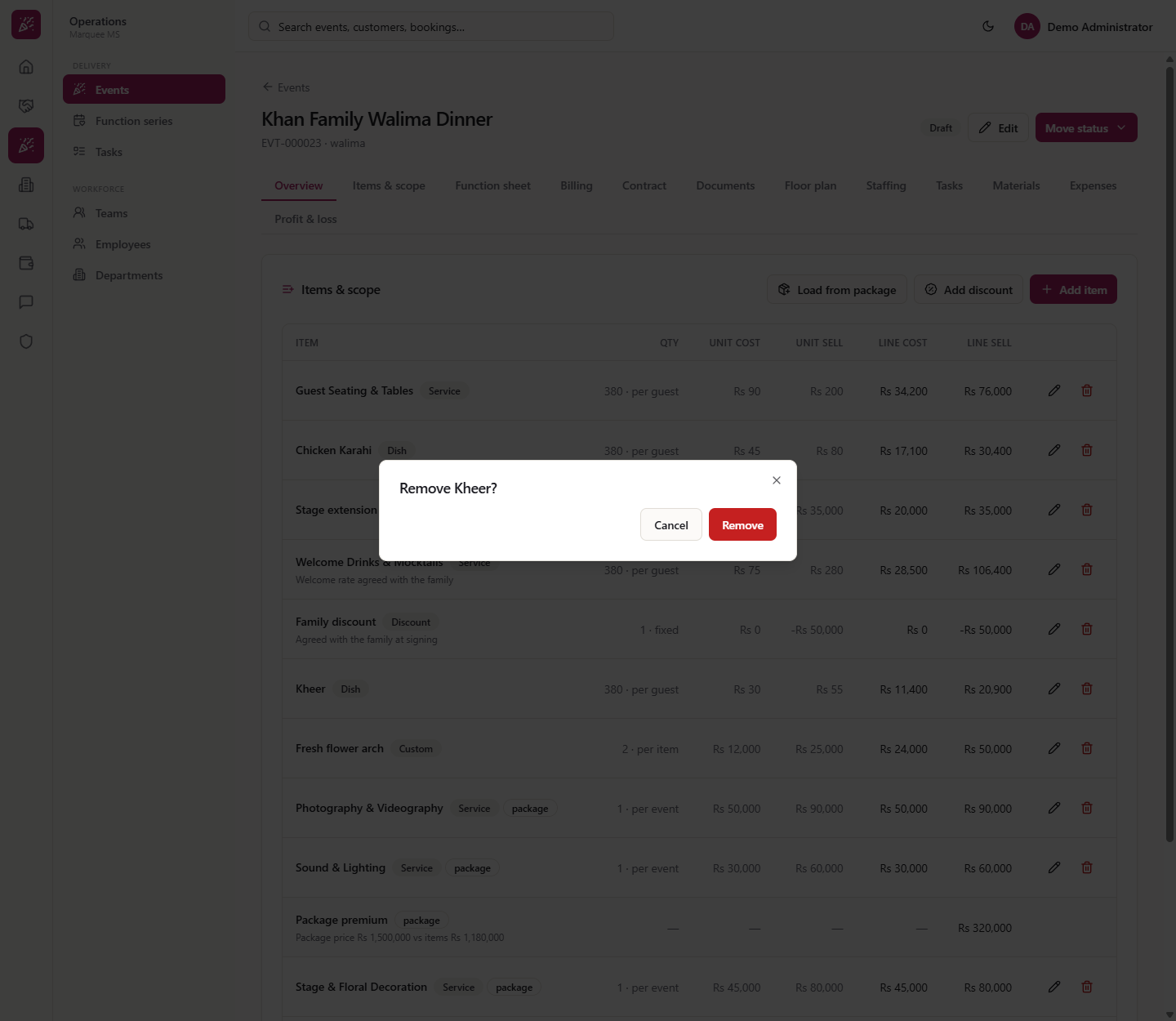
Press the bin on a row. A dialog asks "Remove Kheer?". Choose Cancel to keep it or the red Remove.
Remove confirmation
10
Read the totals
After twelve lines the tiles read Planned cost Rs 868,200, Planned sell Rs 1,768,700 and Planned margin 51% (Rs 900,500). Margin is sell minus cost, as a percentage of sell. Below is "Estimated tax (planning estimate — not posted) · 16%" Rs 282,992, using the default sales-tax rate from settings, and Planned total incl. tax Rs 2,051,692.
Planned cost, sell and margin with estimated tax
11
Know where the lists come from
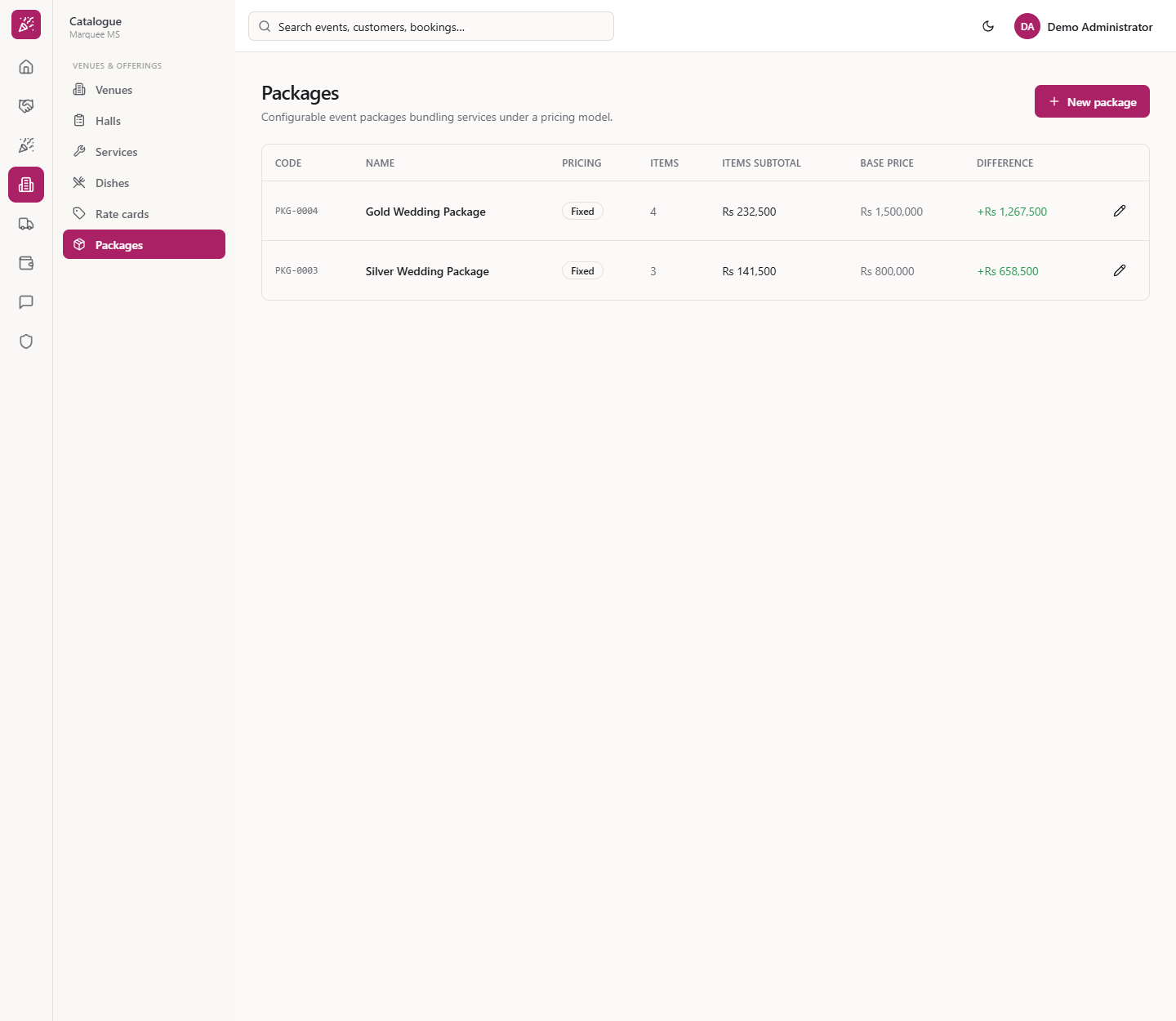
The package comes from Catalogue › Venues & offerings › Packages (Gold Wedding Package, Fixed, base price Rs 1,500,000). Services and dishes come from Catalogue › Services and Catalogue › Dishes. Change prices there, not on the event.
Packages catalogue the plan loads from
12
Turn the plan into a quotation
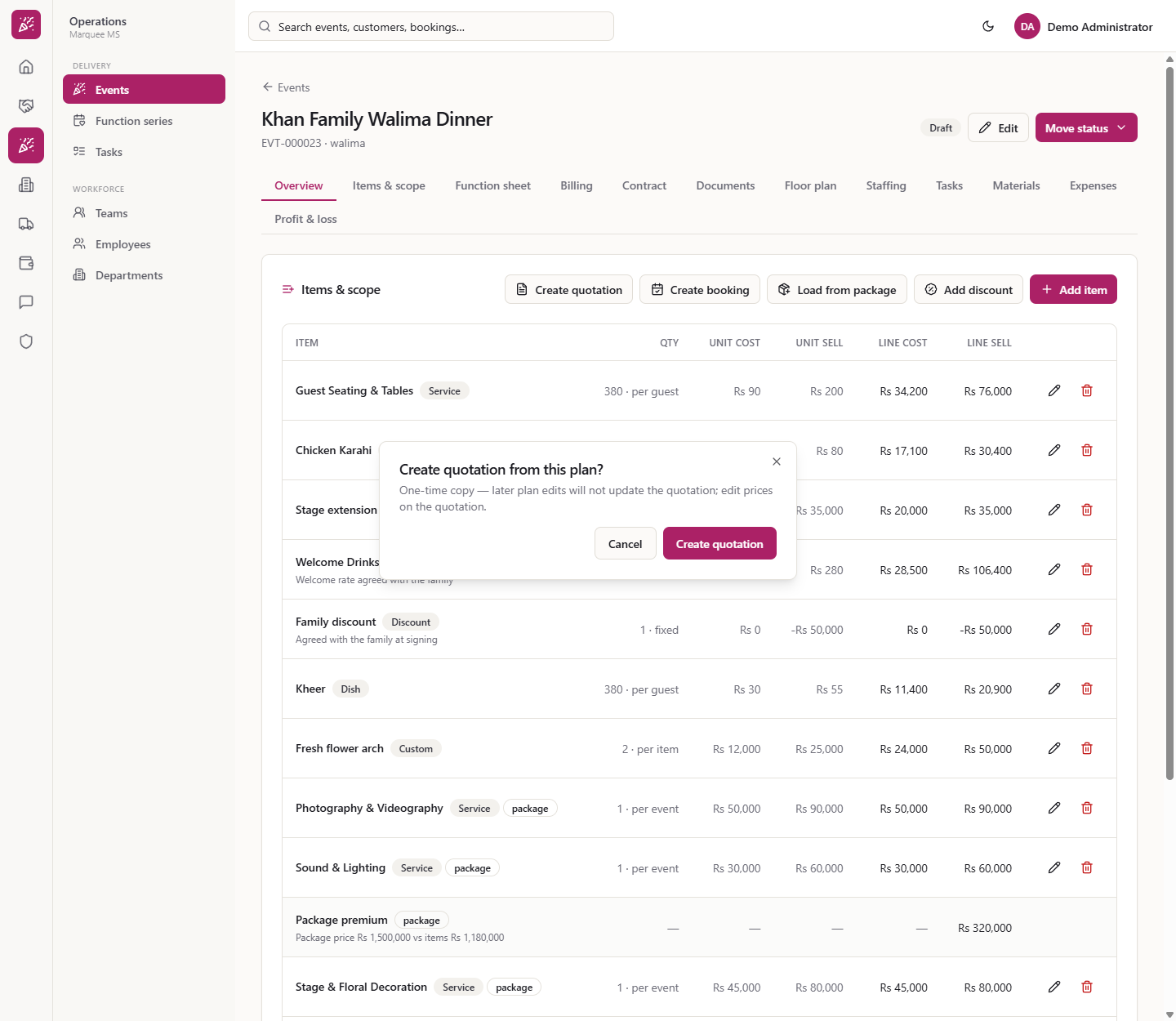
Press Create quotation. The dialog says "One-time copy — later plan edits will not update the quotation; edit prices on the quotation." It makes a draft quotation for the event's customer. Create booking is offered while the event has no booking.
Create quotation from this plan dialog
Check it worked
The Items & scope tab shows your lines and the tiles Planned cost, Planned sell, Planned margin.
The discount line reduces the planned sell.
A draft quotation exists for the customer after Step 12.
Common mistakes
Mistake
What you see
Fix
Adding with nothing chosen
"Select a service" / "Select a dish" / "Enter a name"
Choose the item or type a name
Typing a negative discount
The amount is entered as a positive number
Enter 50,000, not -50,000
Expecting later plan edits to change a quotation
The quotation does not follow
Edit prices on the quotation
Editing a closed event's items
Refused: the item plan of a closed event can no longer be changed
Keep the event open until the plan is final
Quick reference
Item
Meaning / rule
Billable guests
Larger of confirmed (or expected) and the minimum guarantee
Package price adjustment
Brings package lines to the package price
Planned margin
(Sell − cost) / sell
Estimated tax
Planning estimate, not posted
Frequently asked questions
How many guests does a per-guest line use? The billable guest count: the larger of the confirmed (or expected) number and the minimum guarantee. For Khan Family Walima Dinner that is 380. Leave Quantity empty when you add the line and it follows the guests; a per-event service counts as 1.
What does the Package price adjustment line do? When you press Load from package on an event with a Fixed package, the package lines are added and an adjustment line (Rs 320,000 for the Gold Wedding Package) brings them up to the package price of Rs 1,500,000. Loading again replaces only the package lines.
Is the planned margin posted to the accounts? No. Planned cost, planned sell, planned margin and the estimated tax are a planning estimate shown beside the actual profit and loss. Adding, editing and removing lines does not create any journal entry.
Does a quotation made from the plan stay in step with it? No. Create quotation makes a one-time copy for the customer; later plan edits do not update the quotation, so edit prices on the quotation itself.