Check the cash settings
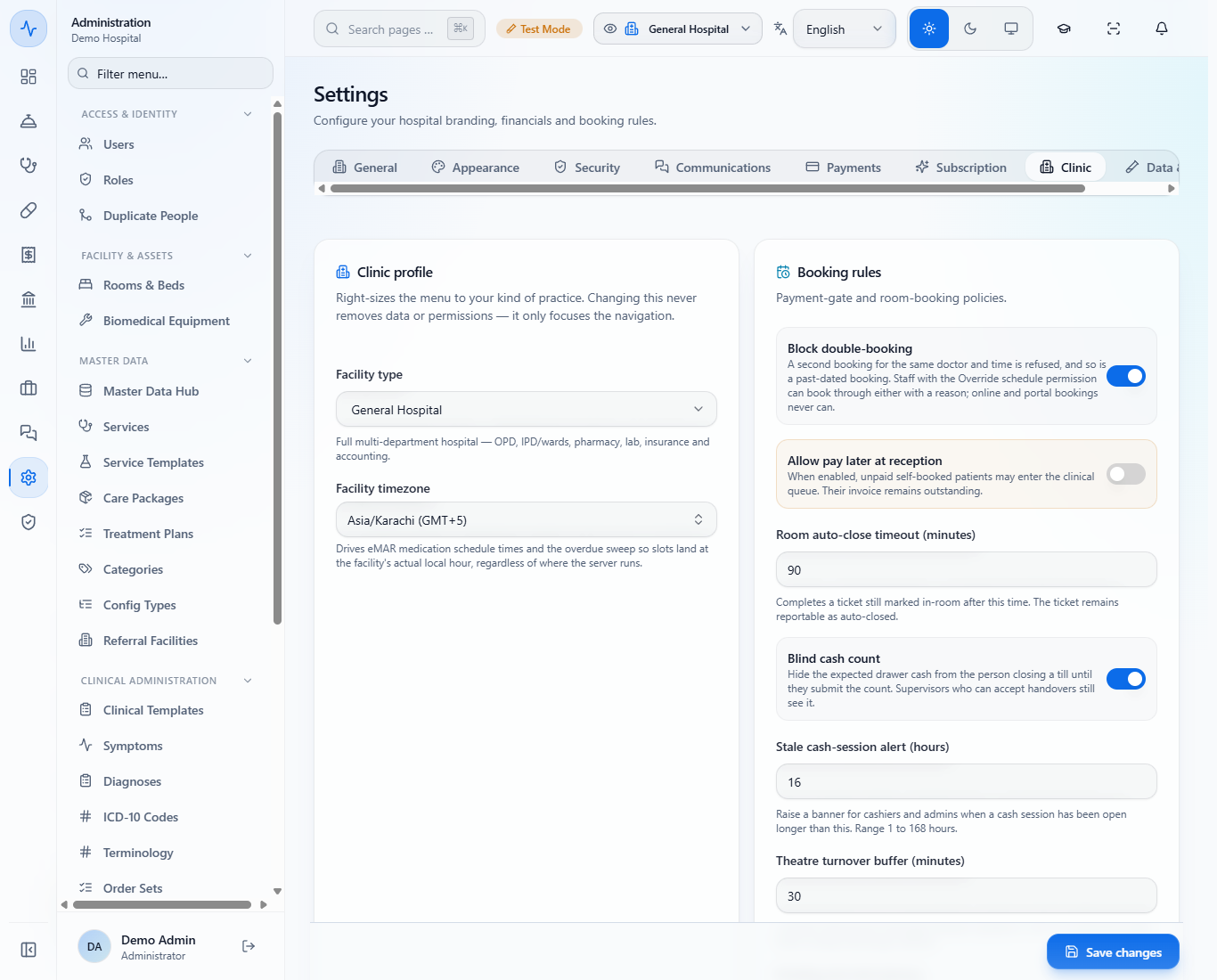
In Administration › Settings › Clinic, Blind cash count hides the expected cash from the person closing a till until they have counted. Stale cash-session alert (hours) (here 16) warns when a session stays open too long.
You will open a till with its float, take cash during the shift, count and close it, deposit cash to the bank, hand the rest to a colleague and read the shift report. Use it at the start and the end of every cashier shift.
In Administration › Settings › Clinic, Blind cash count hides the expected cash from the person closing a till until they have counted. Stale cash-session alert (hours) (here 16) warns when a session stays open too long.
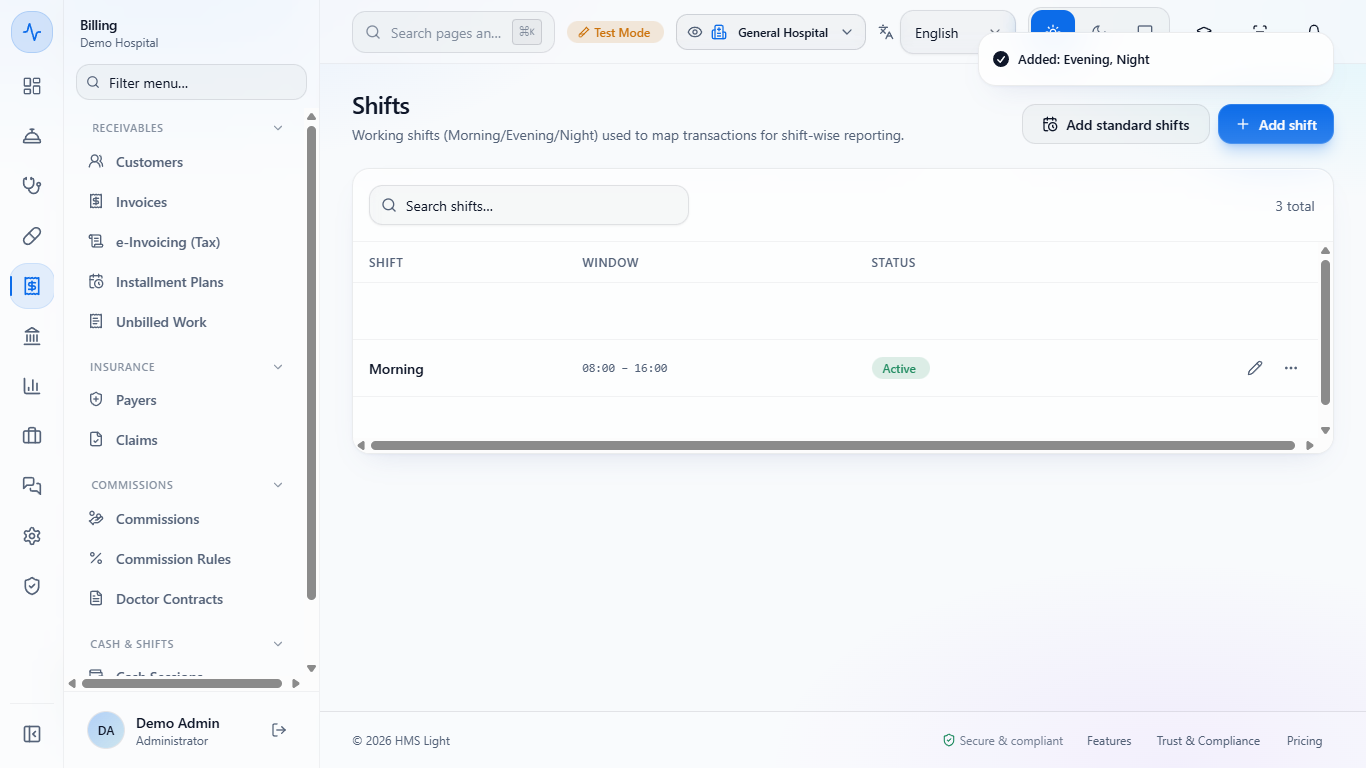
Open Billing › Cash & Shifts › Shifts. Click Add standard shifts to add Morning 08:00 – 16:00, Evening 16:00 – 00:00 and Night 00:00 – 08:00, or Add shift to define your own window (a Name, a Start time and an End time in 24-hour time; overnight shifts such as 23:00 to 08:00 are supported). The list starts with only Morning and shows "3 total" afterwards. Reports group sales and collections by these shifts.
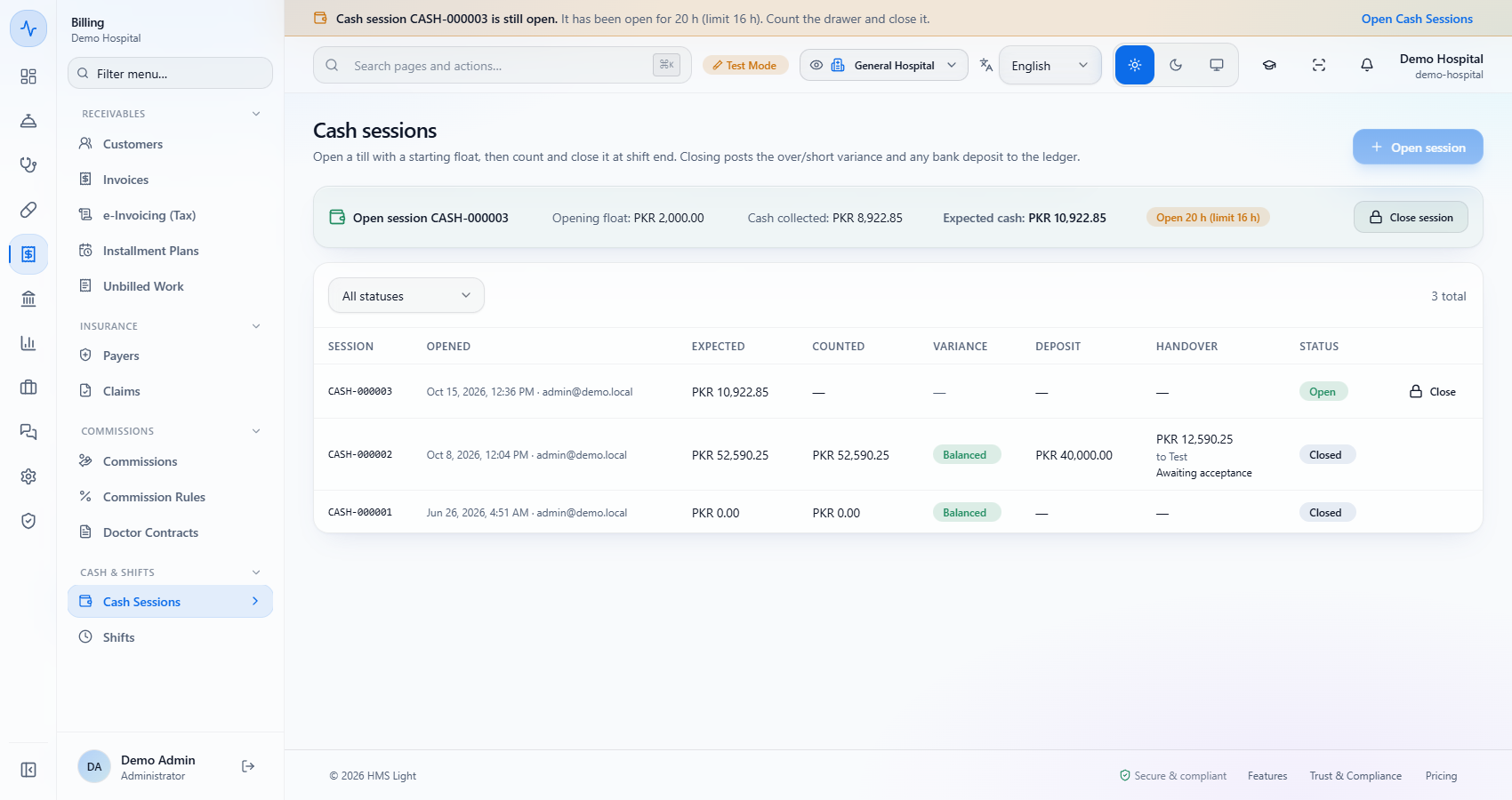
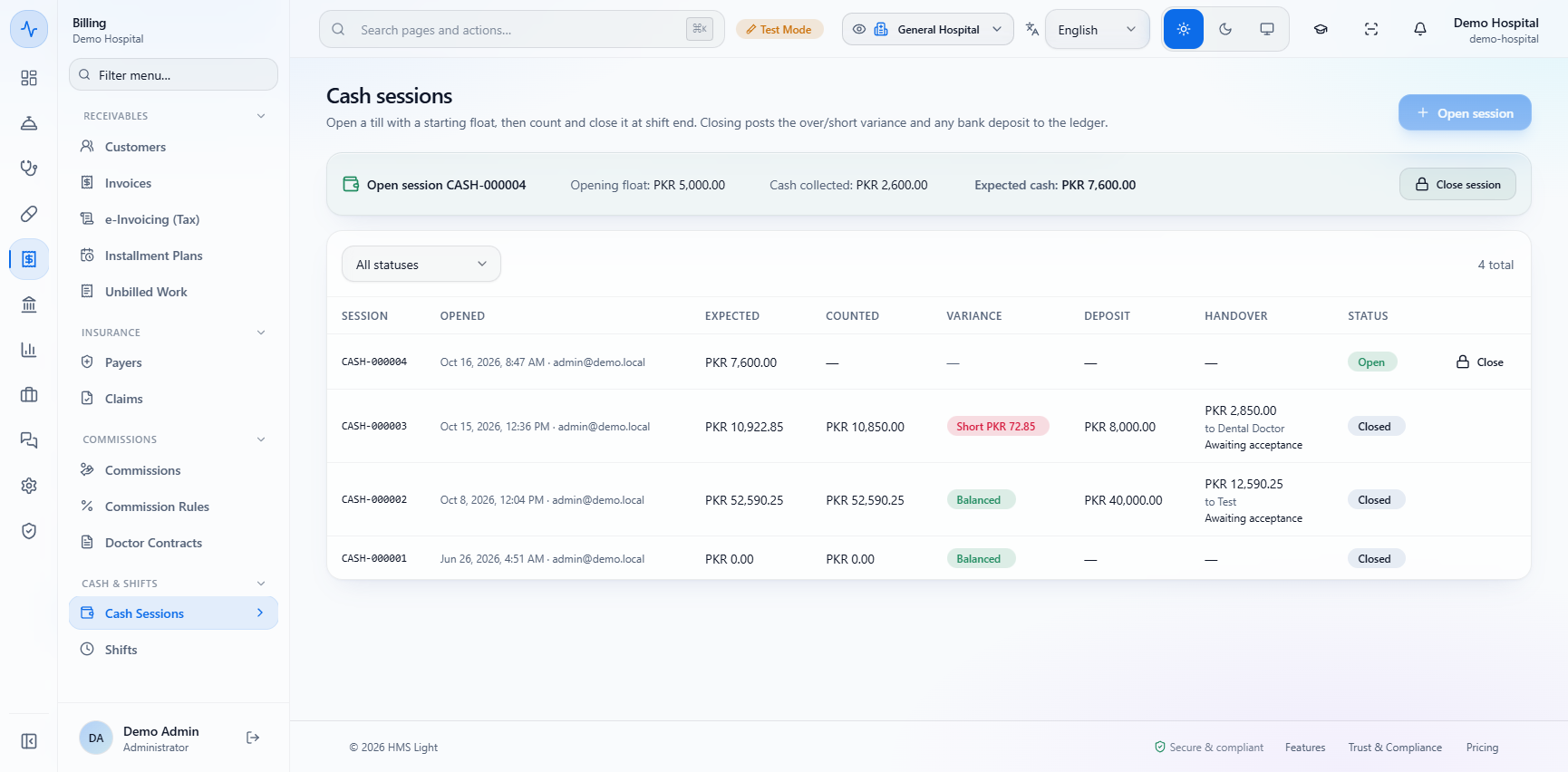
Open Billing › Cash & Shifts › Cash Sessions. The open session shows its Opening float, Cash collected and Expected cash. The list below shows closed sessions with their counted cash, variance and deposit.
A session open longer than the limit shows a banner on every page: "Cash session CASH-000003 is still open. It has been open for 20 h (limit 16 h). Count the drawer and close it." Click Open Cash Sessions to go there.
Click Close session. The dialog shows the Opening float (PKR 2,000.00), the Cash collected (PKR 8,922.85) and the Expected cash (PKR 10,922.85). Count every note and coin in the drawer, float included, and type it in Counted cash (10850). The line below says Variance: Short PKR 72.85 (or Over) as soon as you type.
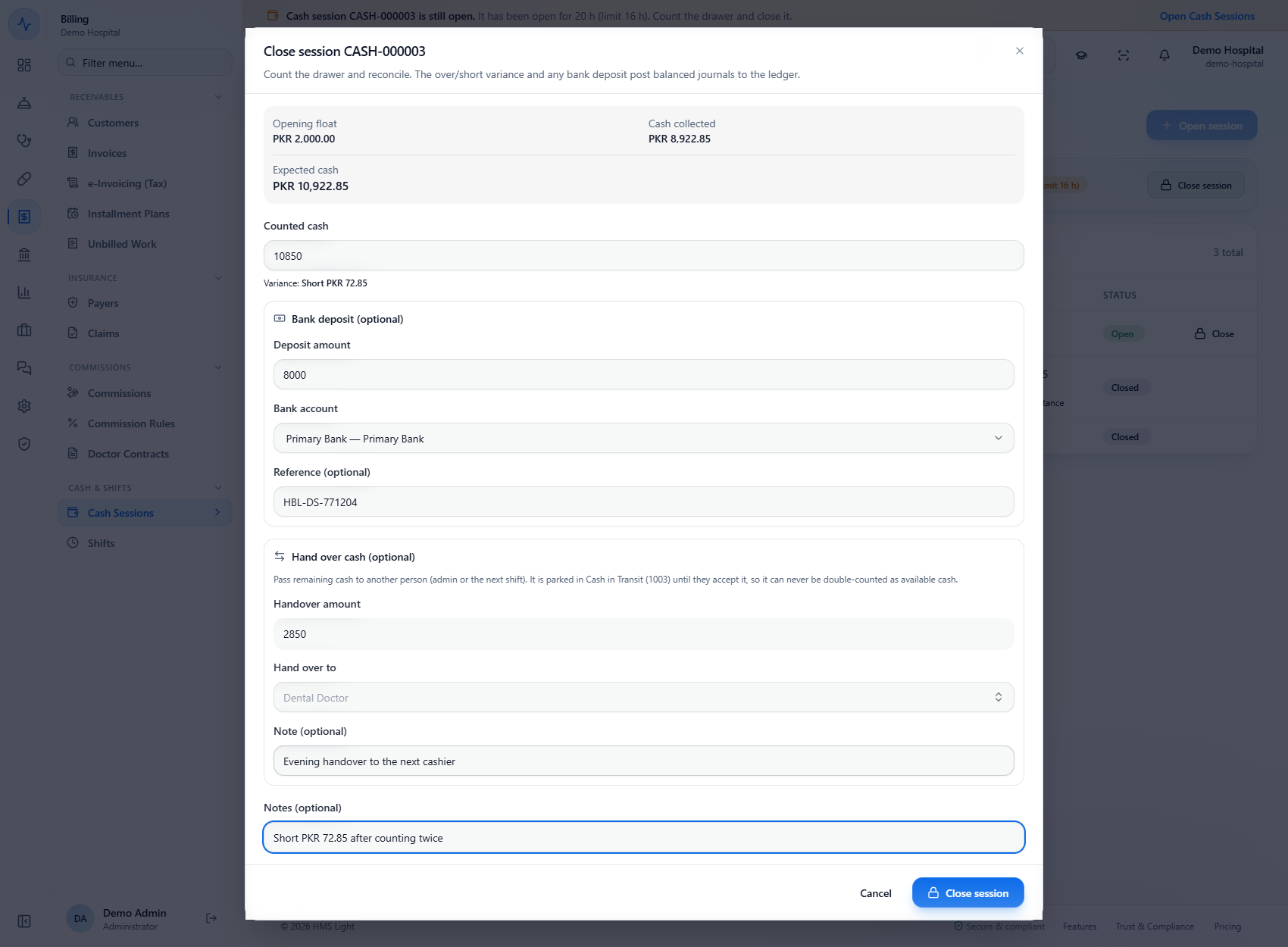
In the same dialog, under Bank deposit (optional), type the Deposit amount (8000), choose the Bank account ("Primary Bank — Primary Bank") and type the bank slip number in Reference (HBL-DS-771204). The cash moves from the drawer to the bank account's ledger.
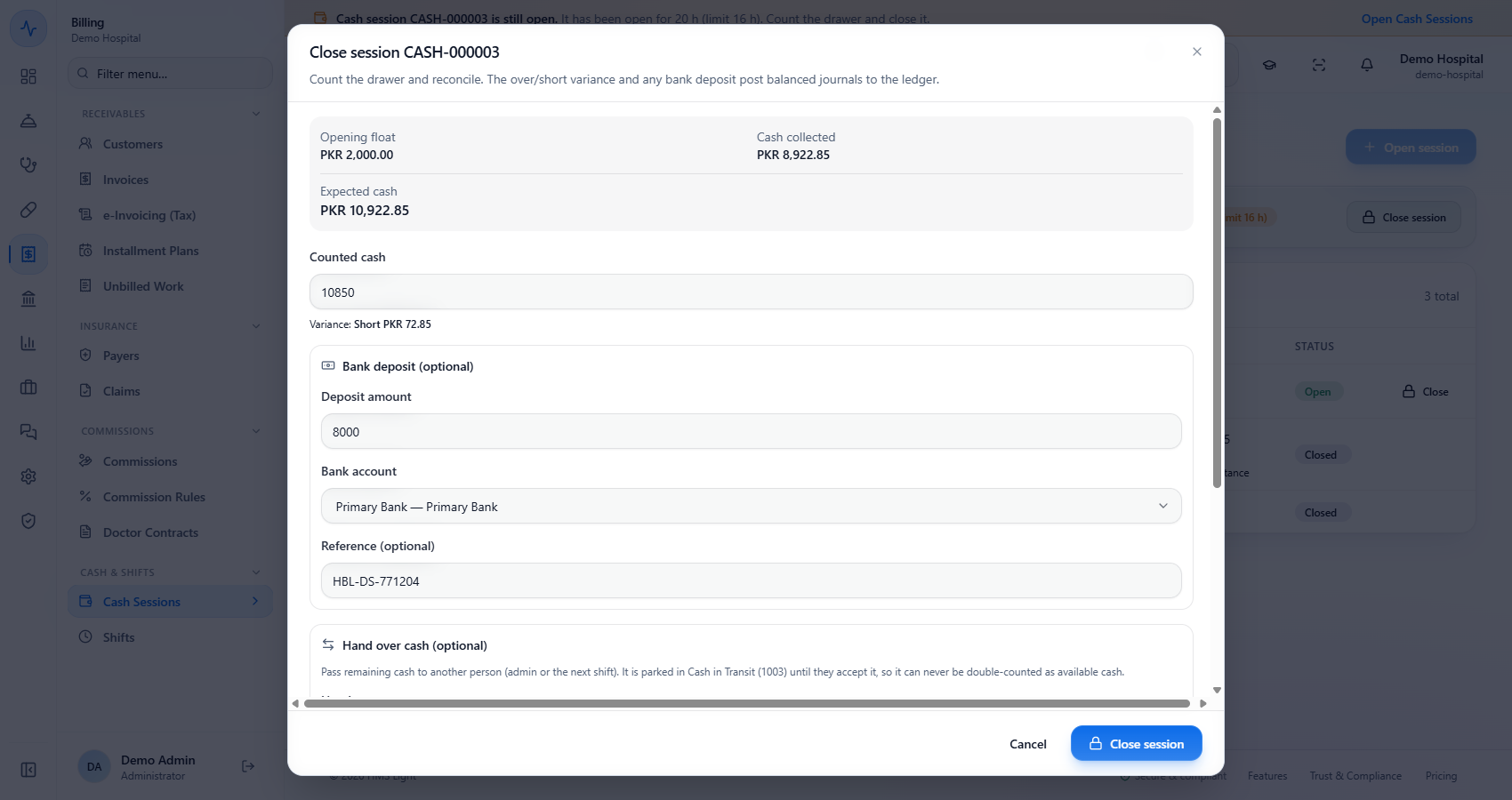
Under Hand over cash (optional) type the Handover amount (2850), choose Hand over to a colleague from the staff list (search "Search staff..."; here Dental Doctor) and add a Note (optional). The closing dialog also has a Notes (optional) box for the reason of a variance. The cash is held in Cash in Transit until the colleague accepts it, so it is never counted twice.
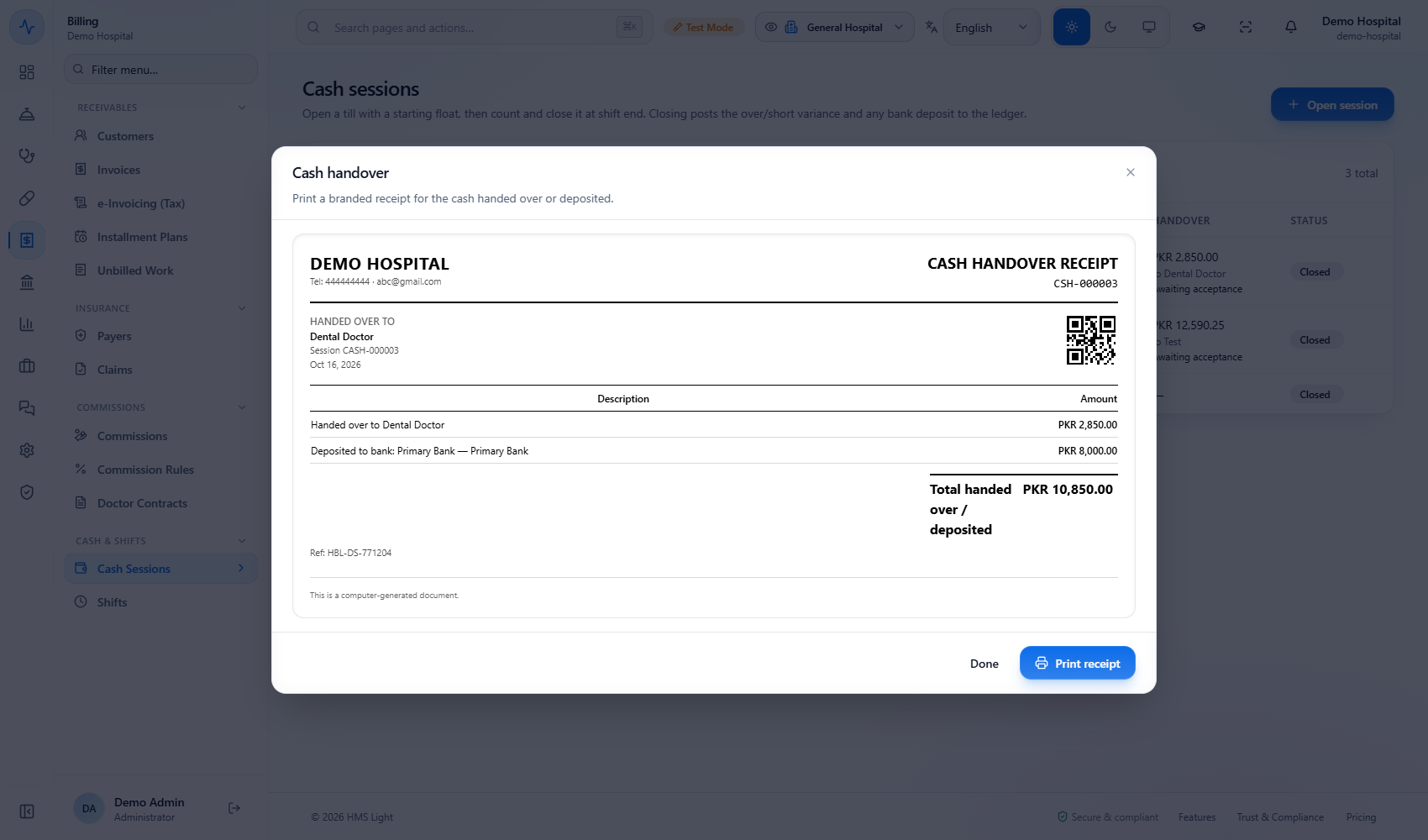
Click Close session. A toast says "Cash session closed" and the Cash handover receipt CSH-000003 opens (handed over to Dental Doctor PKR 2,850.00, deposited to Primary Bank PKR 8,000.00, total PKR 10,850.00, Ref HBL-DS-771204); click Print receipt. In the list the session now shows Counted PKR 10,850.00, Short PKR 72.85, Deposit PKR 8,000.00 and the handover "PKR 2,850.00 to Dental Doctor, Awaiting acceptance".
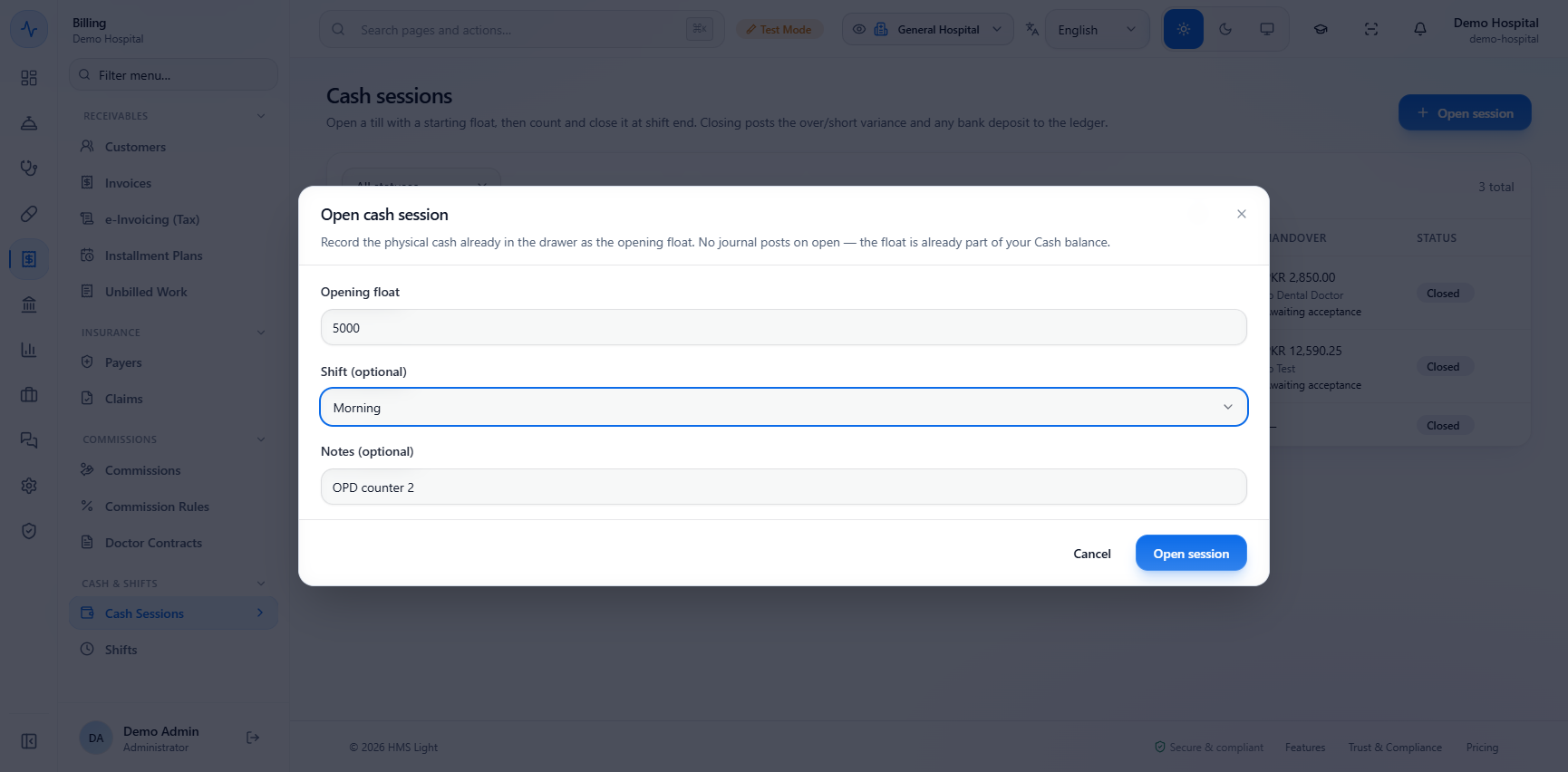
Click Open session. Enter the Opening float (5000), choose the Shift (optional) (No shift, Night, Morning or Evening; here Morning) and Notes (optional) such as "OPD counter 2", then click Open session: "Cash session opened". No entry is posted because the float is already part of cash.
With a float of PKR 5,000.00, a cash payment of PKR 2,600.00 on an invoice takes Cash collected to PKR 2,600.00 and Expected cash to PKR 7,600.00. Card, bank and online payments do not, because they go to the bank.
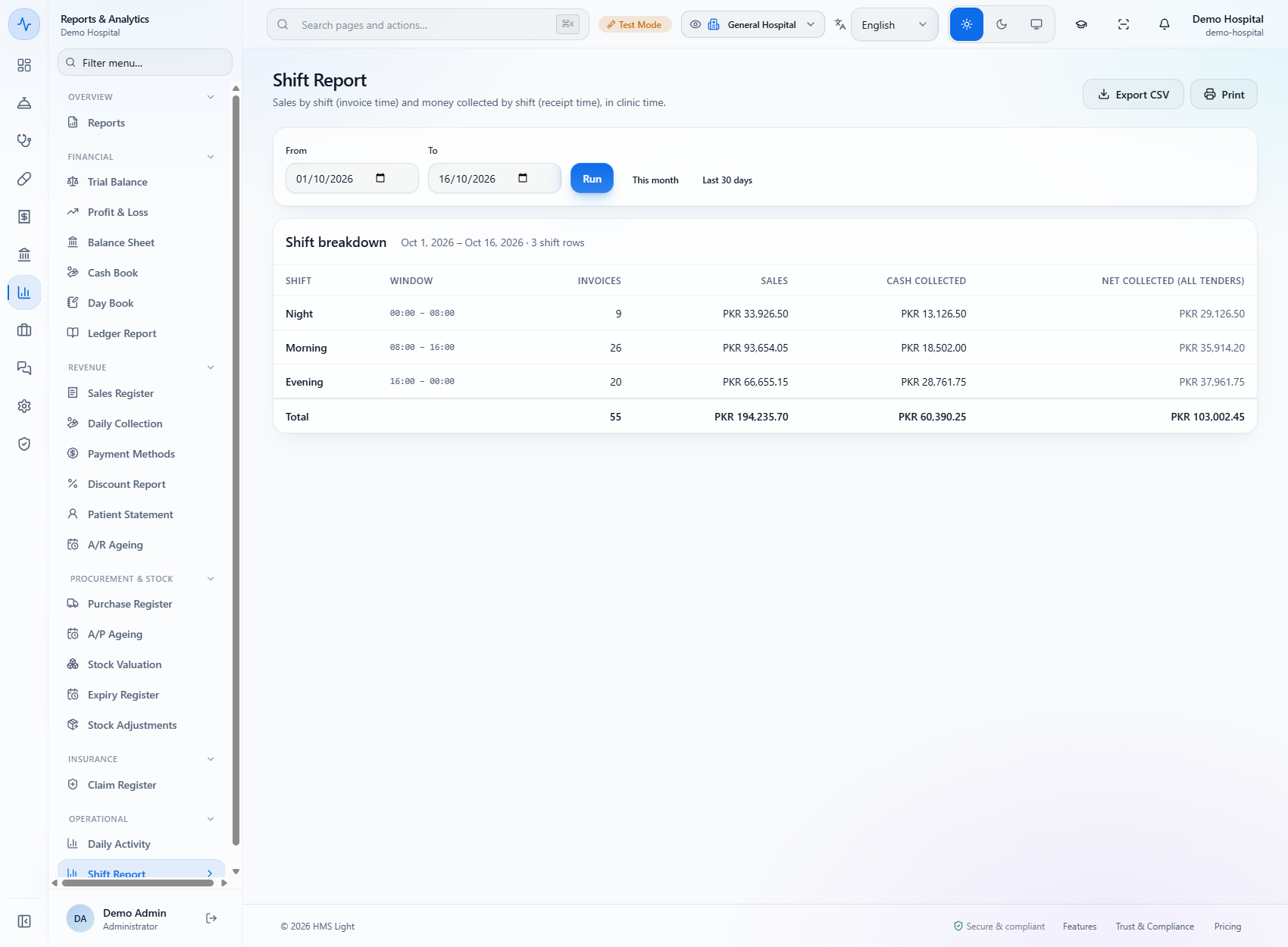
Open Reports & Analytics › Shift Report and click Run. For each shift you see its window, the number of invoices, sales, cash collected and net collected across all payment methods (Cash collected and Net collected (all tenders)), with a total row (55 invoices, sales PKR 194,235.70, cash collected PKR 60,390.25, net collected PKR 103,002.45 for 1 to 16 October). Sales follow the invoice time and collections follow the receipt time.
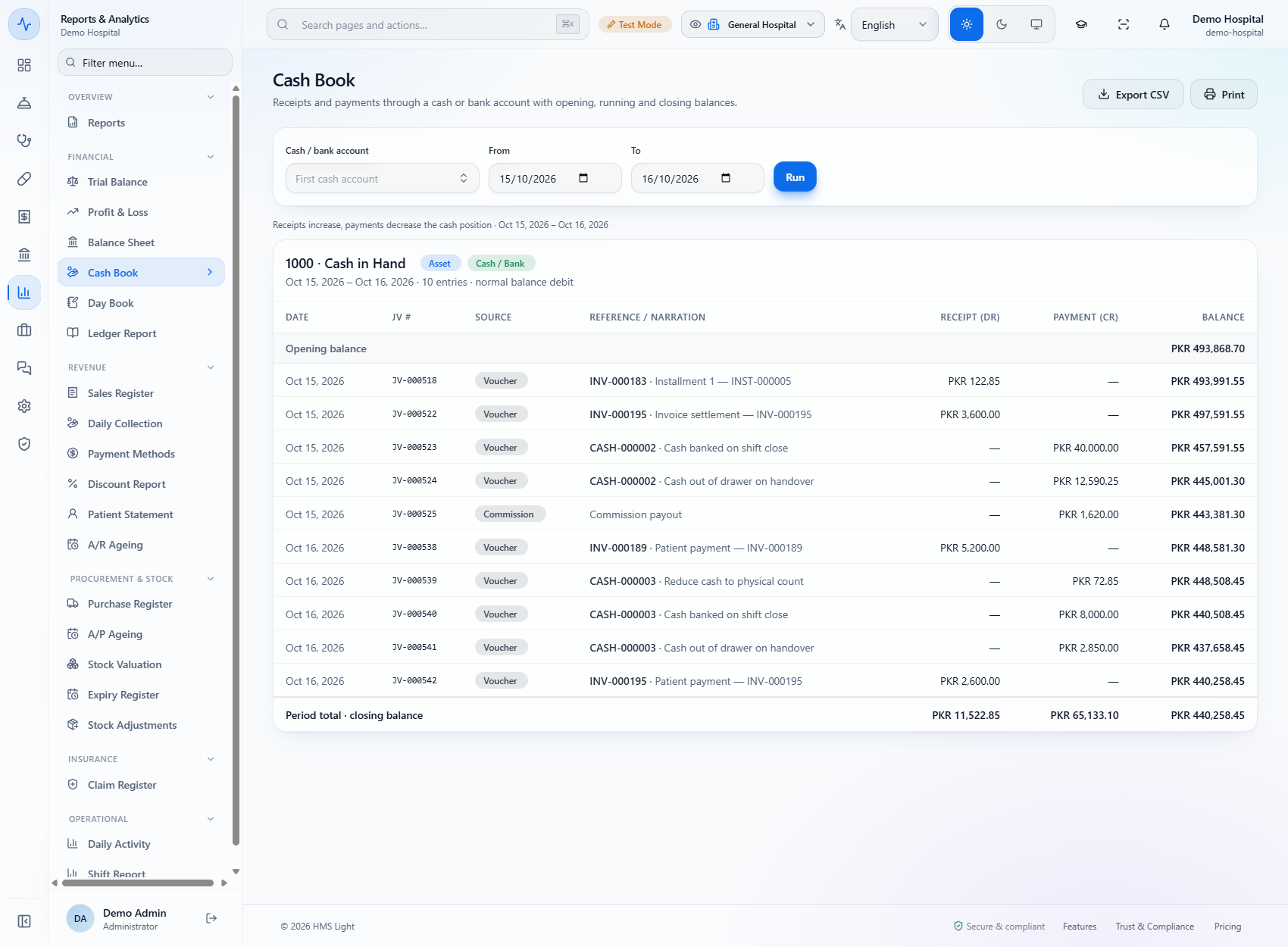
Open Reports & Analytics › Cash Book and click Run. Every movement of 1000 · Cash in Hand is listed with a running balance, so the three vouchers of the close can be followed line by line: "Reduce cash to physical count" (PKR 72.85), "Cash banked on shift close" (PKR 8,000.00) and "Cash out of drawer on handover" (PKR 2,850.00).
| Mistake | What you see | Fix |
|---|---|---|
| Opening a session while another is open | The Open session button is disabled | Count and close the open session first |
| Leaving a till open overnight | The stale banner appears | Count the drawer and close it |
| Leaving out the float when counting | A false shortage equal to the float | Count every note and coin, float included |
| Item | Meaning / rule |
|---|---|
| Expected cash | Opening float plus cash collected in the session |
| Variance | Counted minus expected: Balanced, Over or Short |
| Deposit | Moves counted cash to a bank account |
| Handover | Parks cash in Cash in Transit until the colleague accepts it |
| Blind count | Hides the expected cash from the person counting |
Does opening a session post anything to the accounts? No. The float is already in the cash balance, so opening only records the float and the shift.
Where does a shortage go? It is posted to the Cash Over/Short account as an expense and shown as Short in the sessions list.
Do card and bank payments count in the till? No. Only cash payments add to Cash collected; card, bank and online go to the bank.
What does the blind count do? It hides the expected cash from the person closing the till until they submit their count. Supervisors who can accept handovers still see it.
GridX HMS runs this whole workflow. See what GridX HMS does and what it costs, or browse all step-by-step guides.