How to set up doctor contracts and referral commissions
You will set who earns commission on which service, see the pending commission entries for billed invoices, settle a referrer with the tax withheld, record how a doctor is paid, run the monthly accrual, pay the doctor and, if needed, cancel the payout. Use it when you take on a new doctor or referrer.
Who it is forFinance officer and accountantTime20 minutesProductHMSLevelIntermediate
Before you start
Steps
1
Add a referral rule
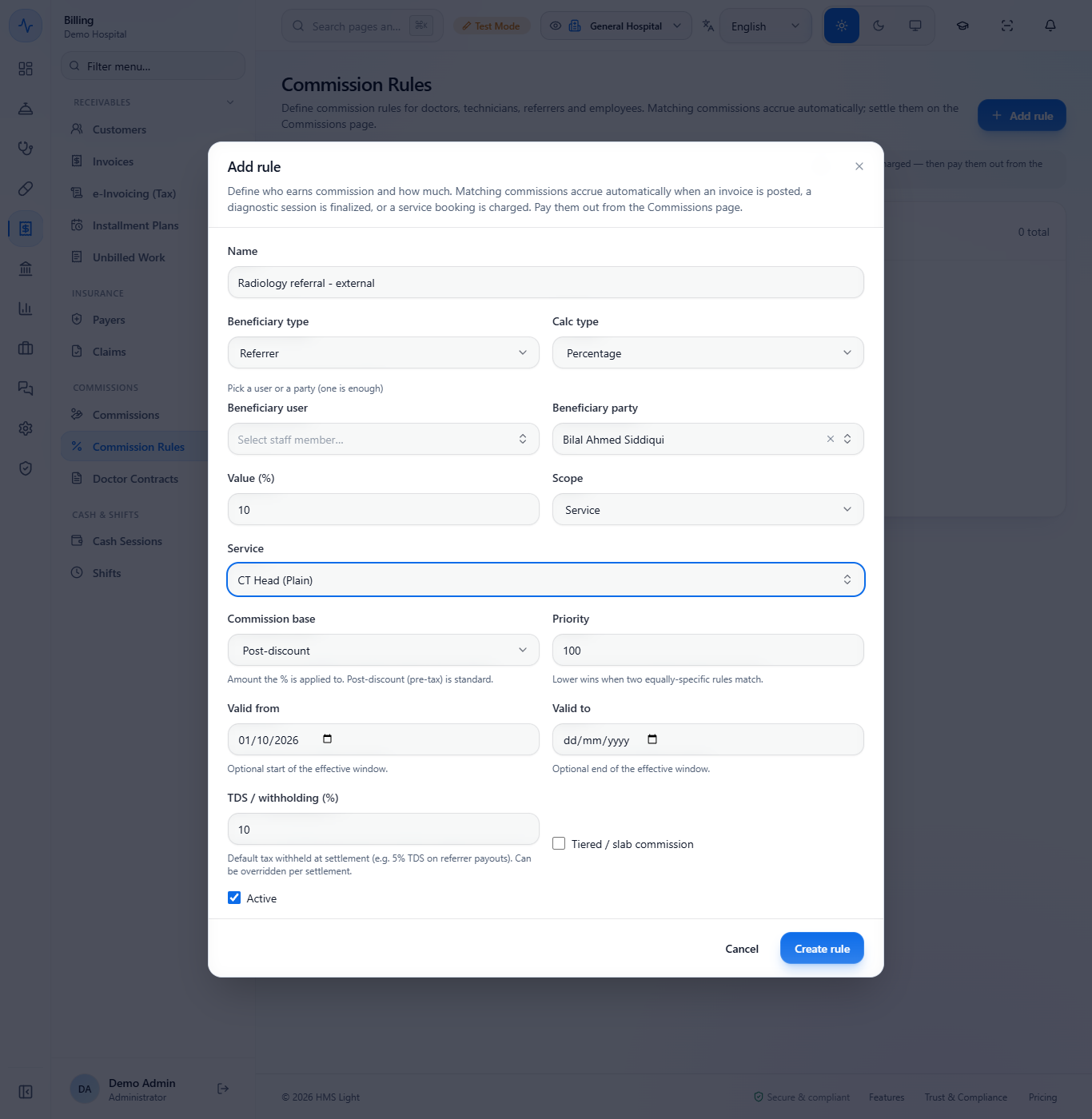
Open Billing › Commissions › Commission Rules and click Add rule. Type the Name, choose Beneficiary type (Referrer) and Calc type (Percentage), then pick a Beneficiary party or a Beneficiary user (one is enough). Enter the Value (%) (10) and the Scope: choose Service and the service. Set Commission base (Post-discount is the usual choice), the TDS / withholding (%) (10) and Valid from, then click Create rule. A toast says "Rule created".
Add rule dialog filled in for a referrer at 10 percent of CT Head (Plain)
2
Check the rules list
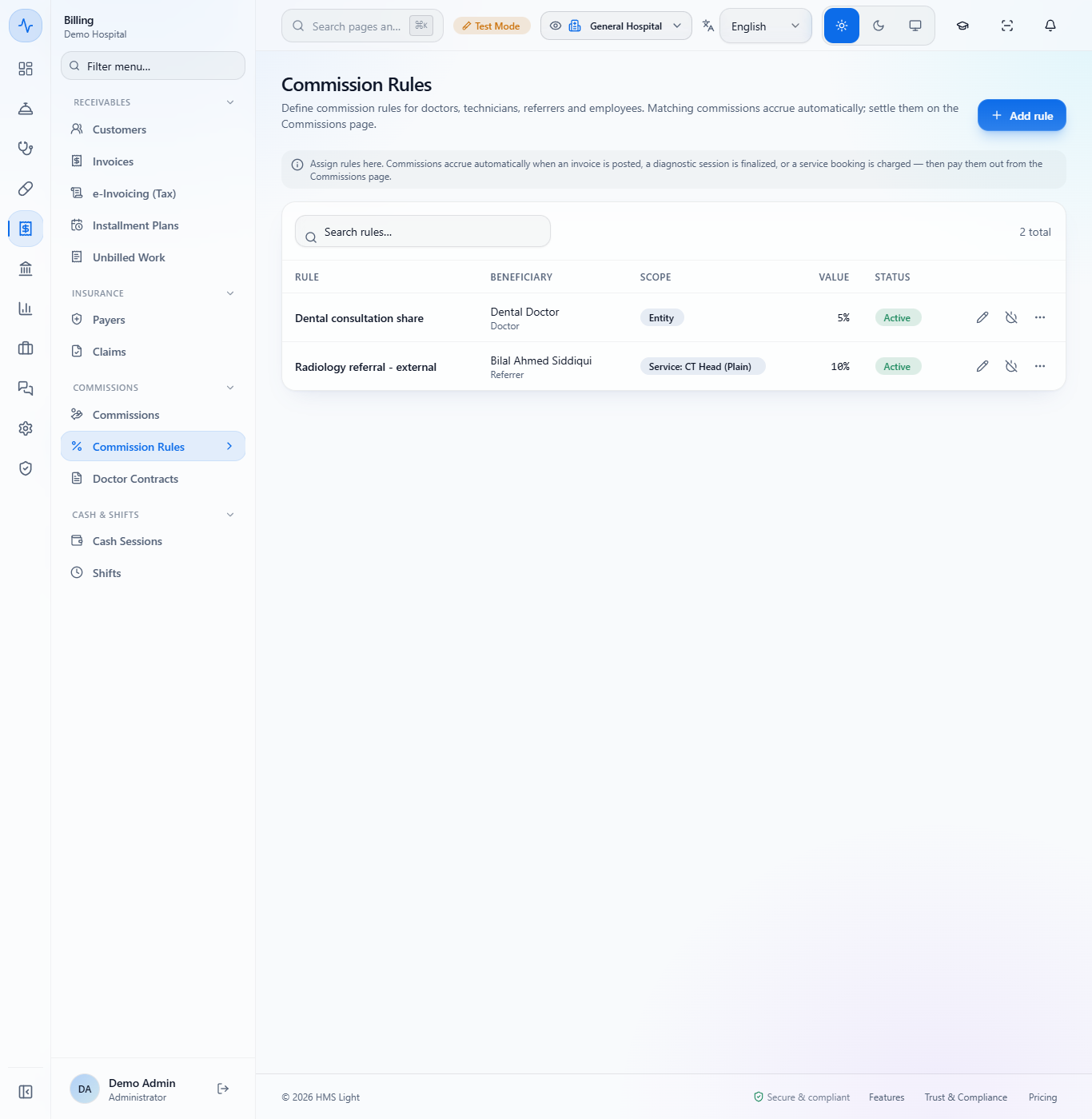
Each row of the list shows the Rule, the Beneficiary, the Scope (for example "Service: CT Head (Plain)"), the Value and the Status. When two equally specific rules match, the lower Priority number wins.
Commission rules list with a doctor rule and a referral rule for CT Head at 10 percent
3
See the pending entries
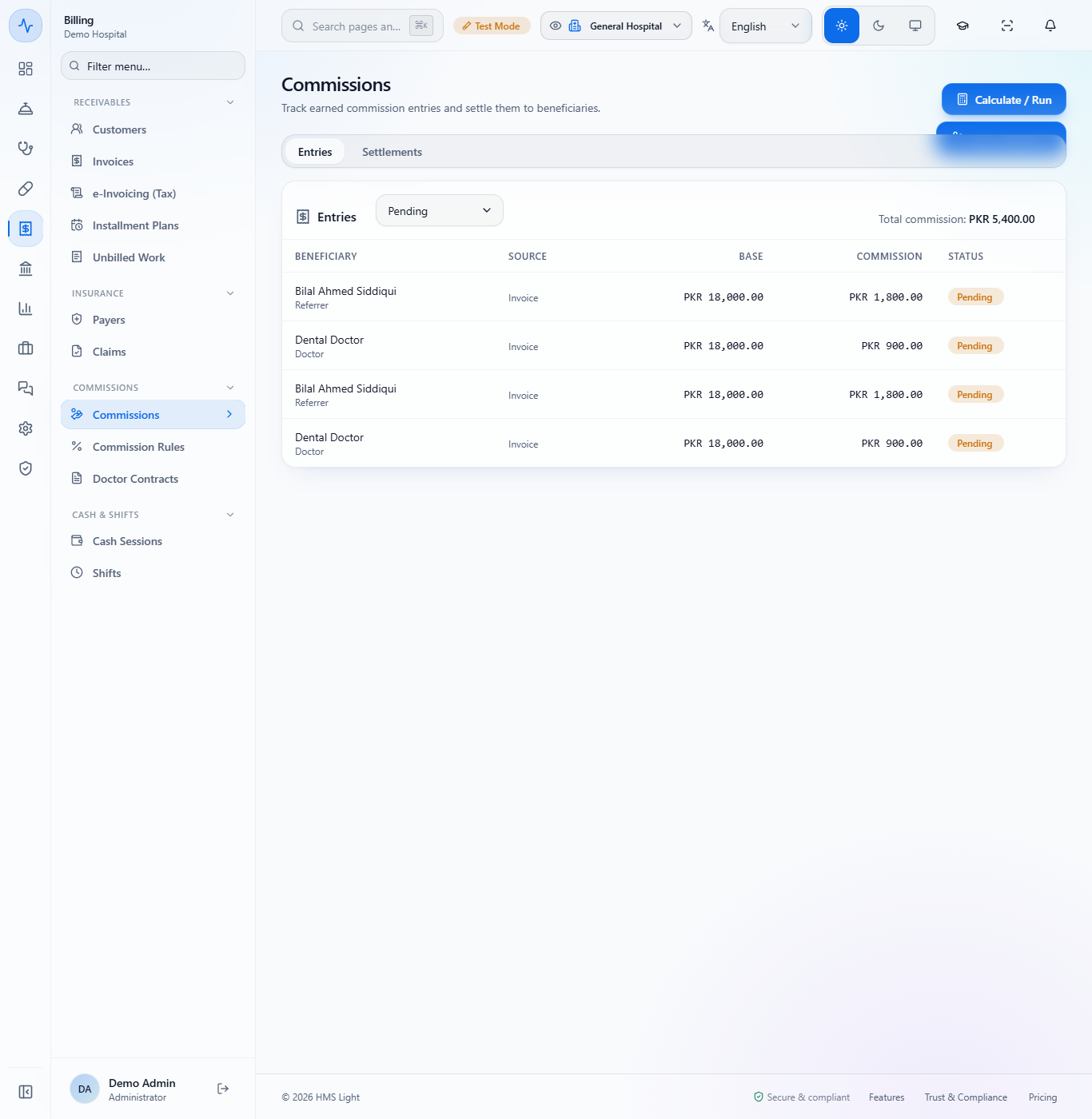
Open Billing › Commissions › Commissions. After a matching invoice is billed, an entry appears under Entries with the beneficiary, the Base (PKR 18,000.00), the Commission (PKR 1,800.00 for the referrer) and the status Pending. Total commission adds them up. No journal is posted yet.
Commission entries for Bilal Ahmed Siddiqui and Dental Doctor, total commission PKR 5,400.00
4
Calculate for an older invoice
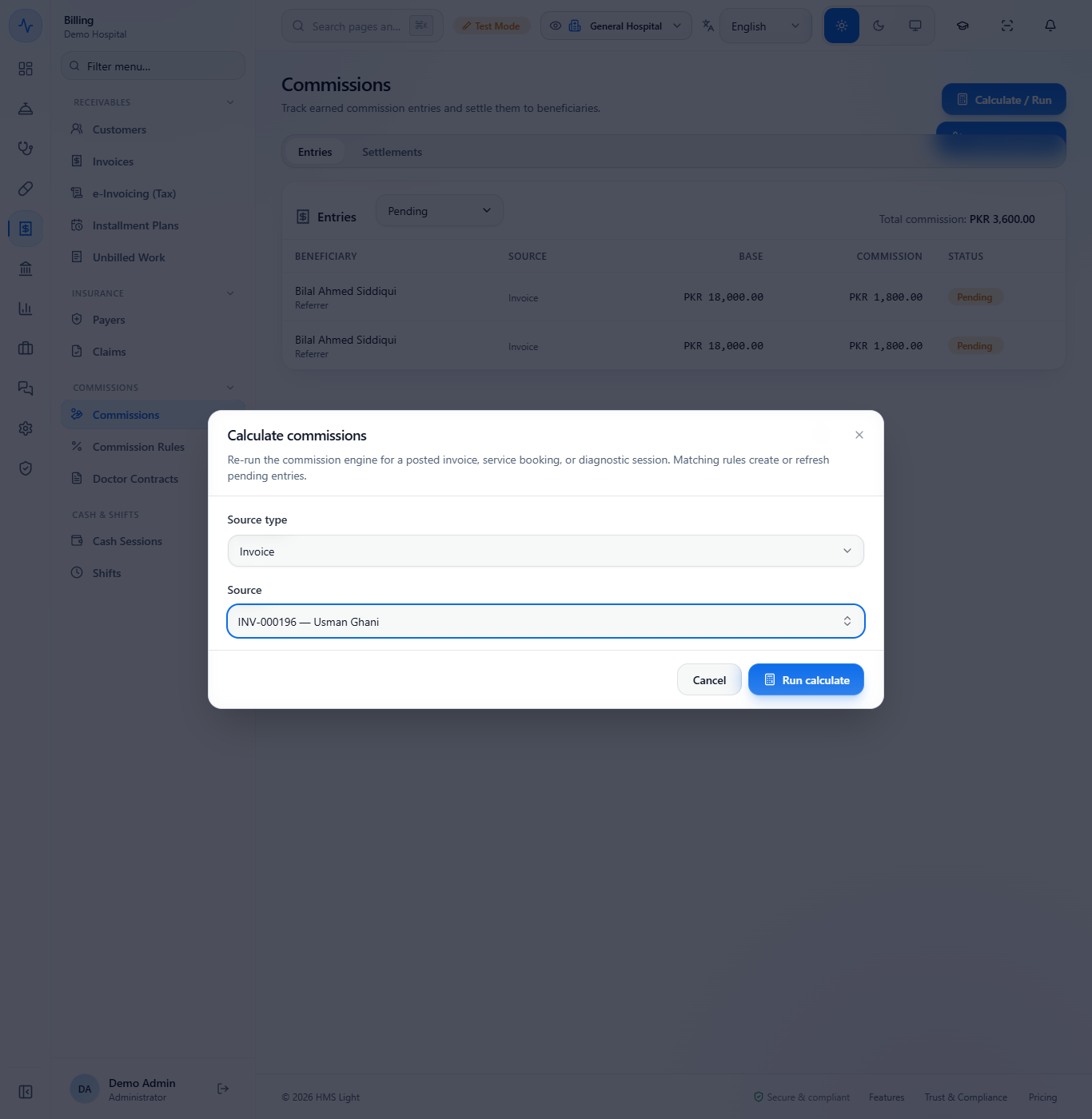
For an invoice billed before the rule existed, click Calculate / Run, choose the Source type (Invoice, Service booking or Diagnostic session), pick the Source and click Run calculate. Matching rules create or refresh its pending entries.
Calculate commissions dialog with the invoice INV-000196 chosen as the source
5
Settle the referrer
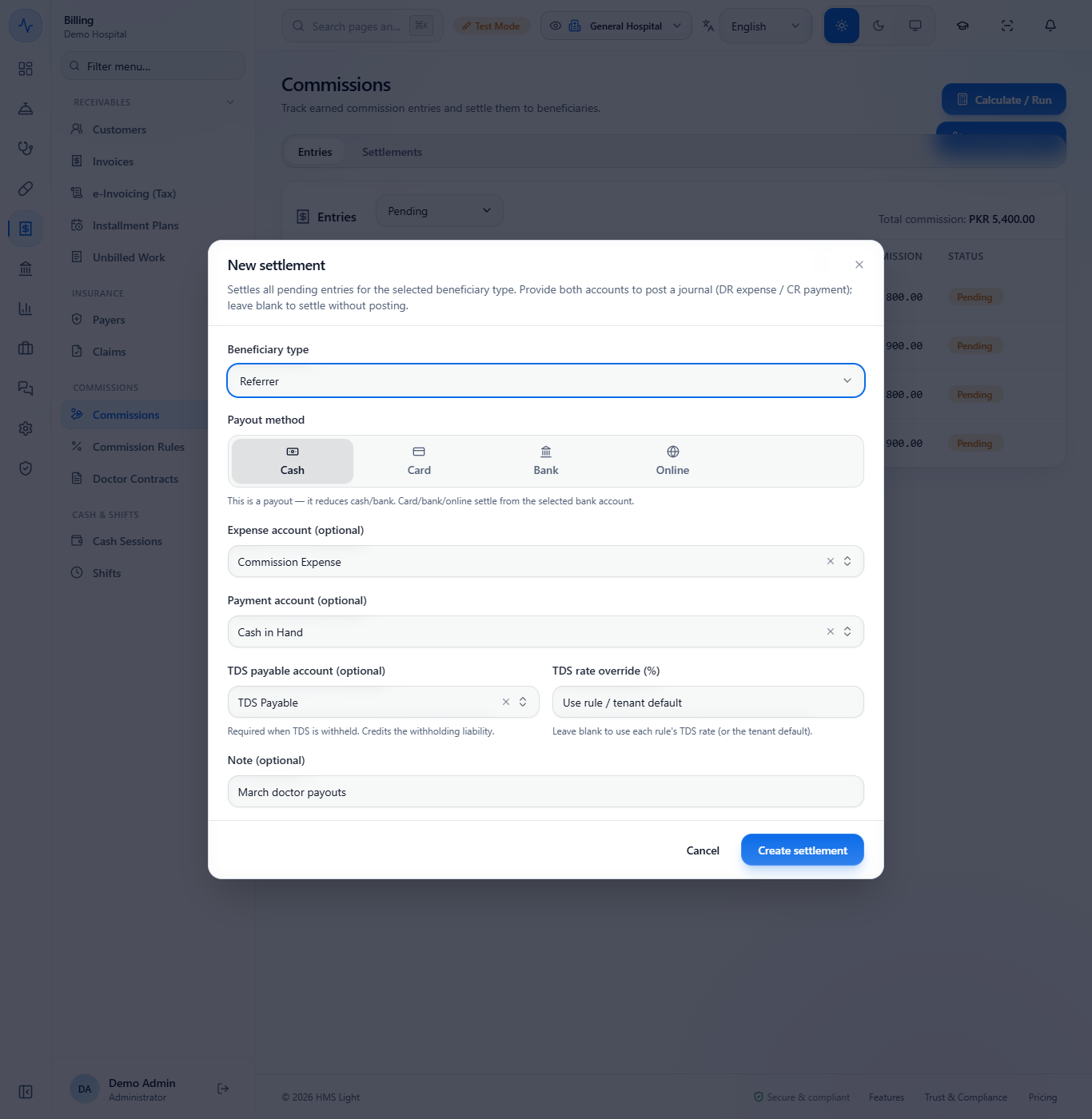
Click New settlement. A settlement pays all pending entries of one Beneficiary type. Choose Referrer, the Payout method (Cash, Card, Bank or Online), the Expense account (Commission Expense), the Payment account (Cash in Hand) and the TDS payable account (TDS Payable). Leave TDS rate override (%) blank to use each rule's own rate, then click Create settlement.
New settlement dialog with Referrer, Cash, Commission Expense, Cash in Hand and TDS Payable
6
Read the receipt
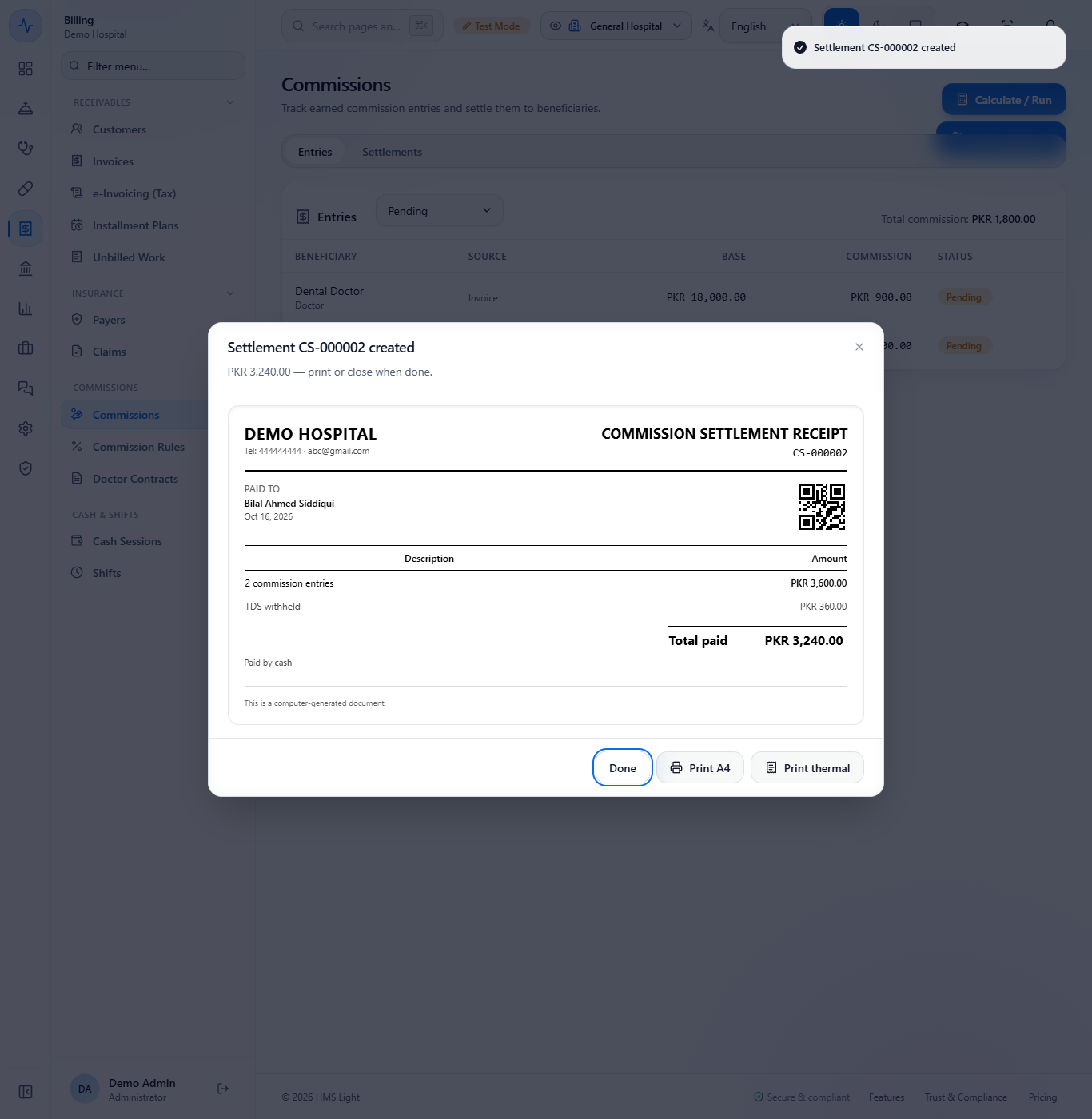
A toast says "Settlement CS-000002 created". The receipt reads PAID TO Bilal Ahmed Siddiqui: 2 commission entries PKR 3,600.00, TDS withheld -PKR 360.00 and Total paid PKR 3,240.00, paid by cash. Use Print A4 or Print thermal if you need a copy. The settlement then appears on the Settlements tab.
Commission settlement receipt CS-000002 paid to Bilal Ahmed Siddiqui
7
Open the doctor contracts
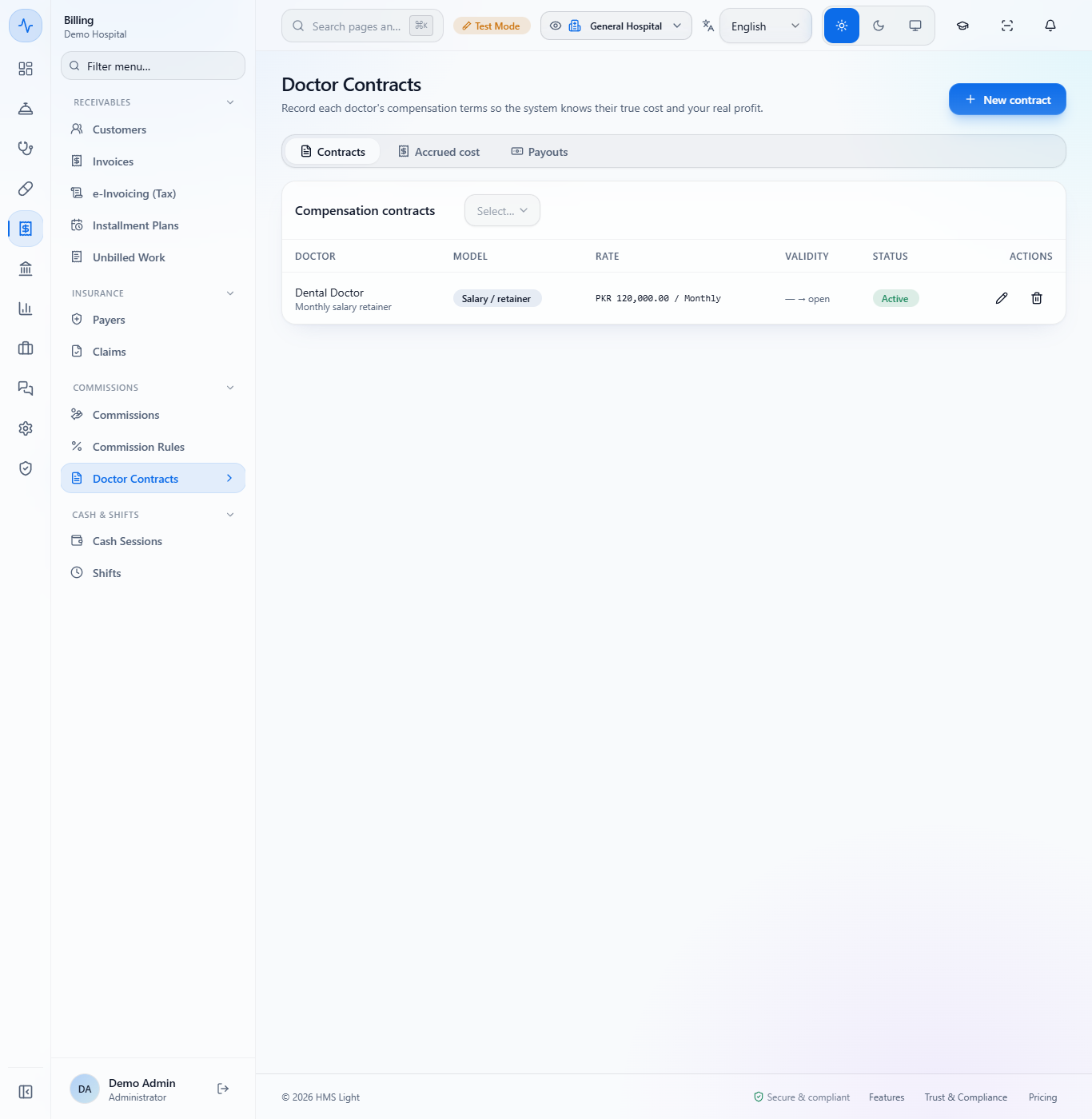
Open Billing › Commissions › Doctor Contracts. Each row shows the Doctor, the Model, the Rate (for example PKR 120,000.00 / Monthly) and the validity.
Doctor contracts list with the salary contract of Dental Doctor
8
Record a contract
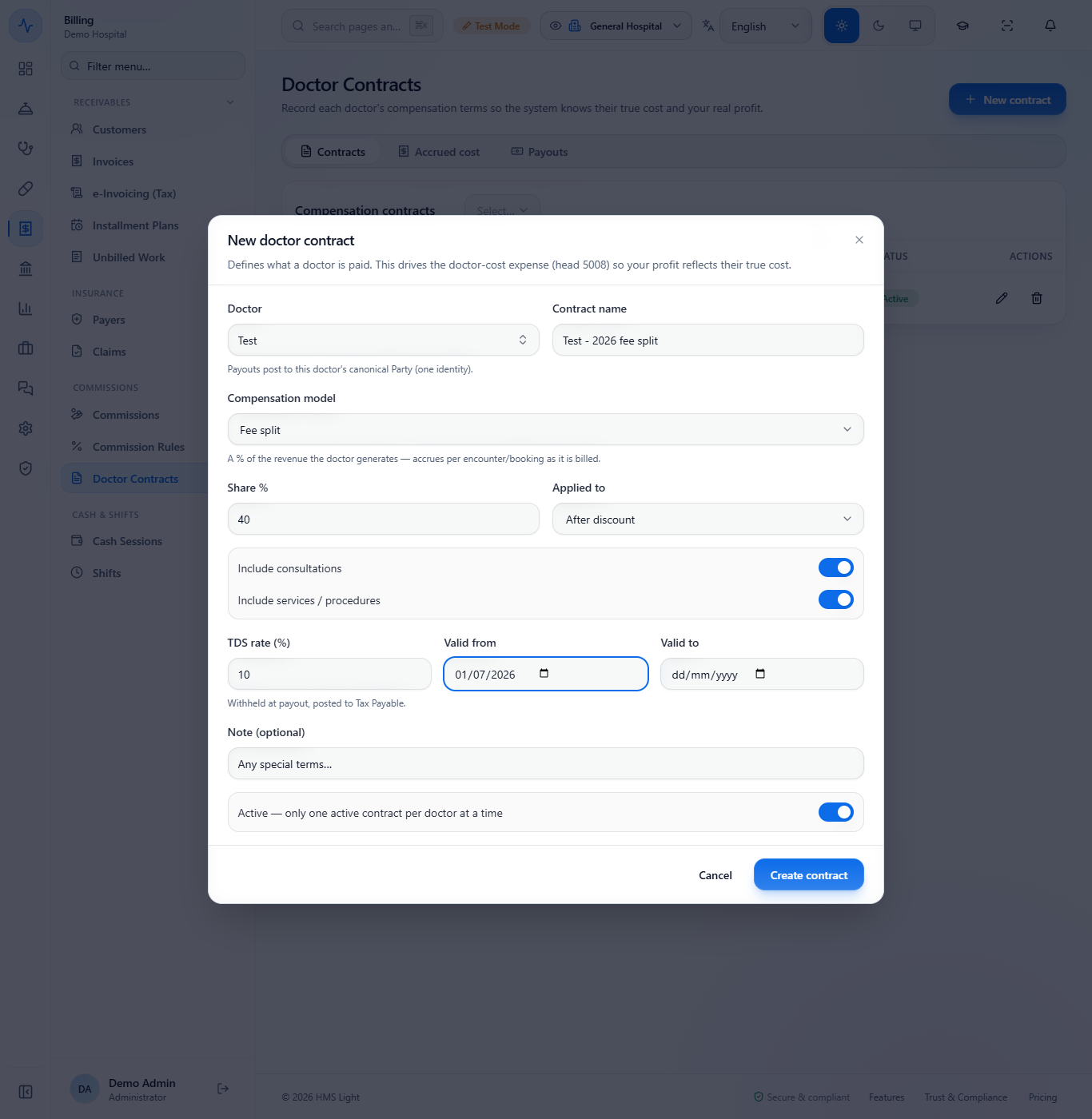
Click New contract. Choose the Doctor, a Contract name, and the Compensation model: Salary / retainer, Fee split, Per visit or Hybrid. For a fee split type the Share % (40), choose what it applies to (After discount) and whether it includes consultations and services. Add the TDS rate (%) and Valid from, then Create contract. A toast says "Contract created".
New doctor contract dialog filled in with a 40 percent fee split
9
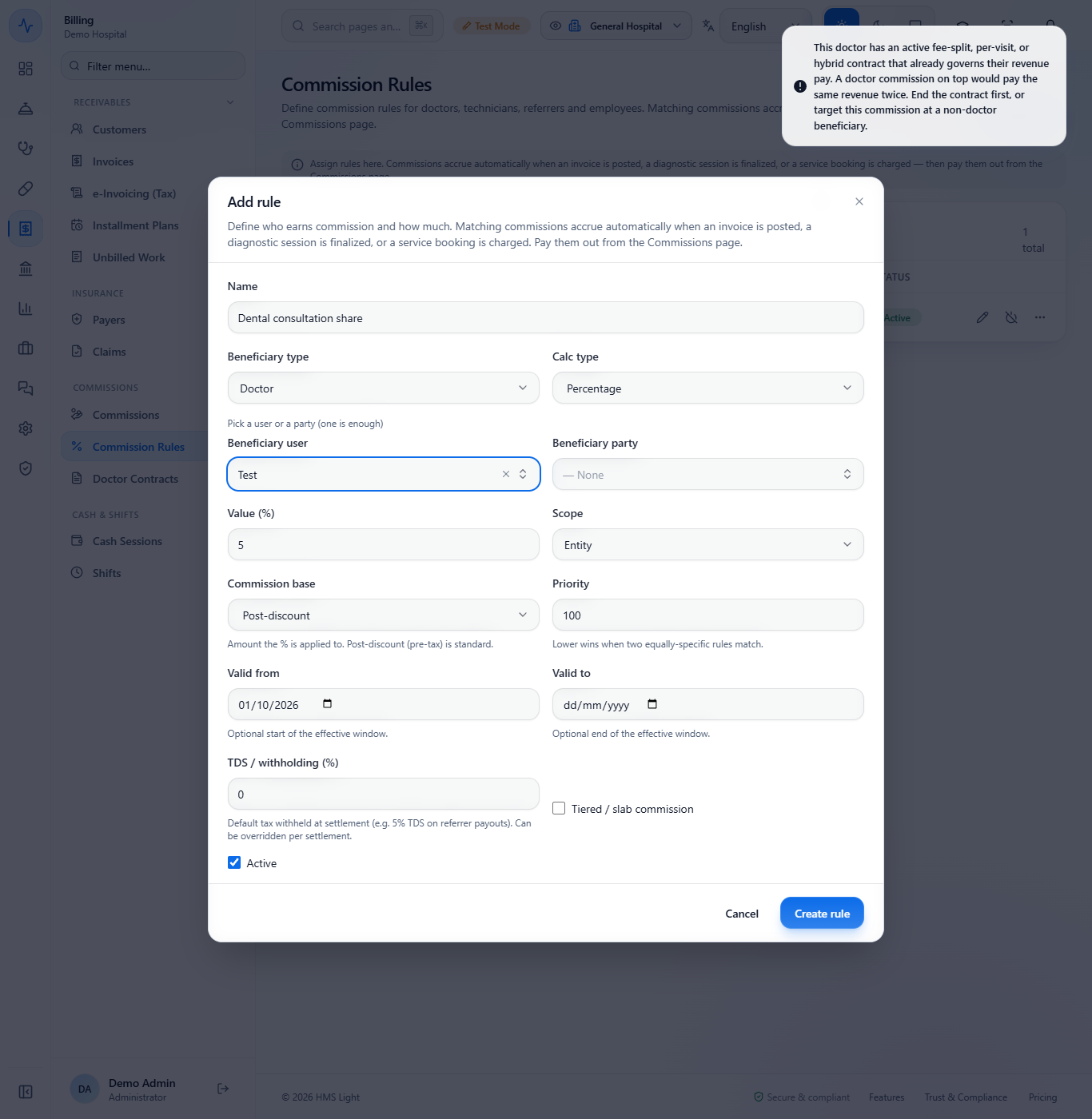
Know what a rule cannot do
If you add a doctor rule for a doctor whose contract already shares the revenue, the app refuses it with "A doctor commission on top would pay the same revenue twice." End the contract first, or give the commission to someone else.
Message refusing a doctor commission for a doctor who has a fee-split contract
10
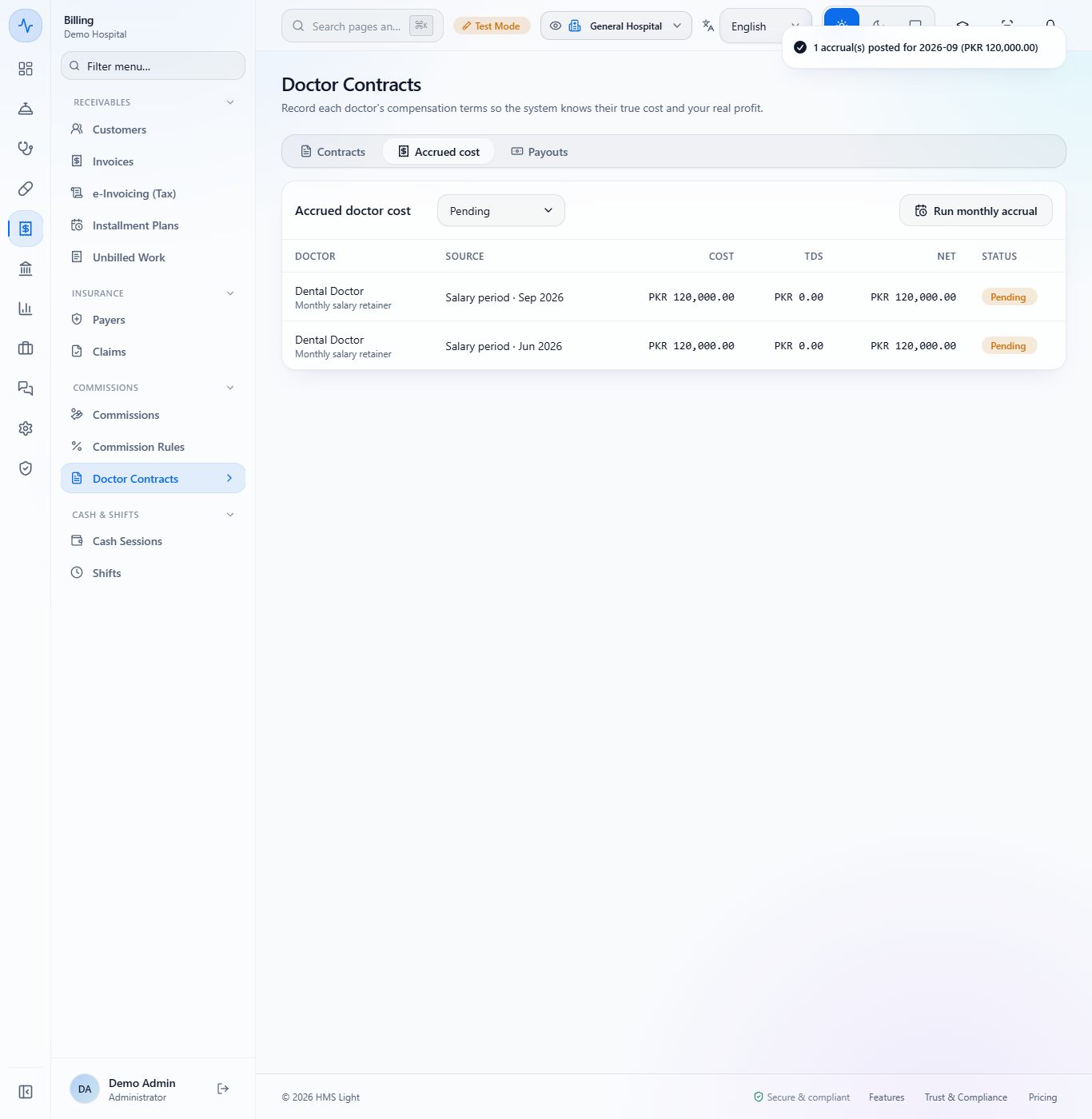
Run the monthly accrual
Open the Accrued cost tab and click Run monthly accrual. Choose the Period (month) and click Run accrual. A toast says "1 accrual(s) posted for 2026-09 (PKR 120,000.00)". The salary rows appear as Pending. Running the same month again never doubles it.
Accrued cost tab after the accrual for September 2026
11
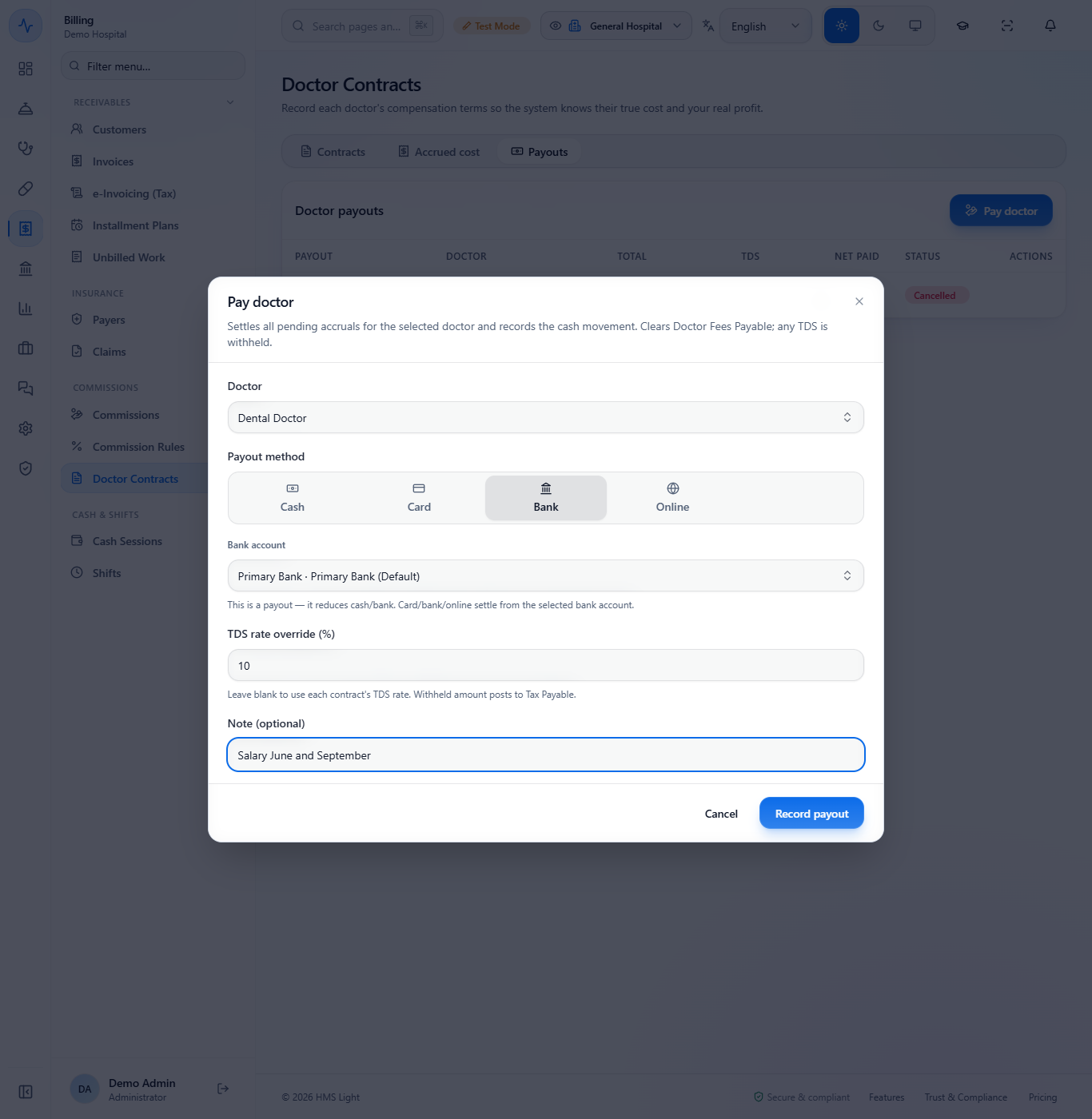
Pay the doctor
Open the Payouts tab and click Pay doctor. Choose the Doctor, the Payout method (Cash, Card, Bank or Online) and the bank account, and the TDS rate override (%) if it differs from the contract. Click Record payout.
Pay doctor dialog with Dental Doctor, Bank, and a tax rate of 10 percent
12
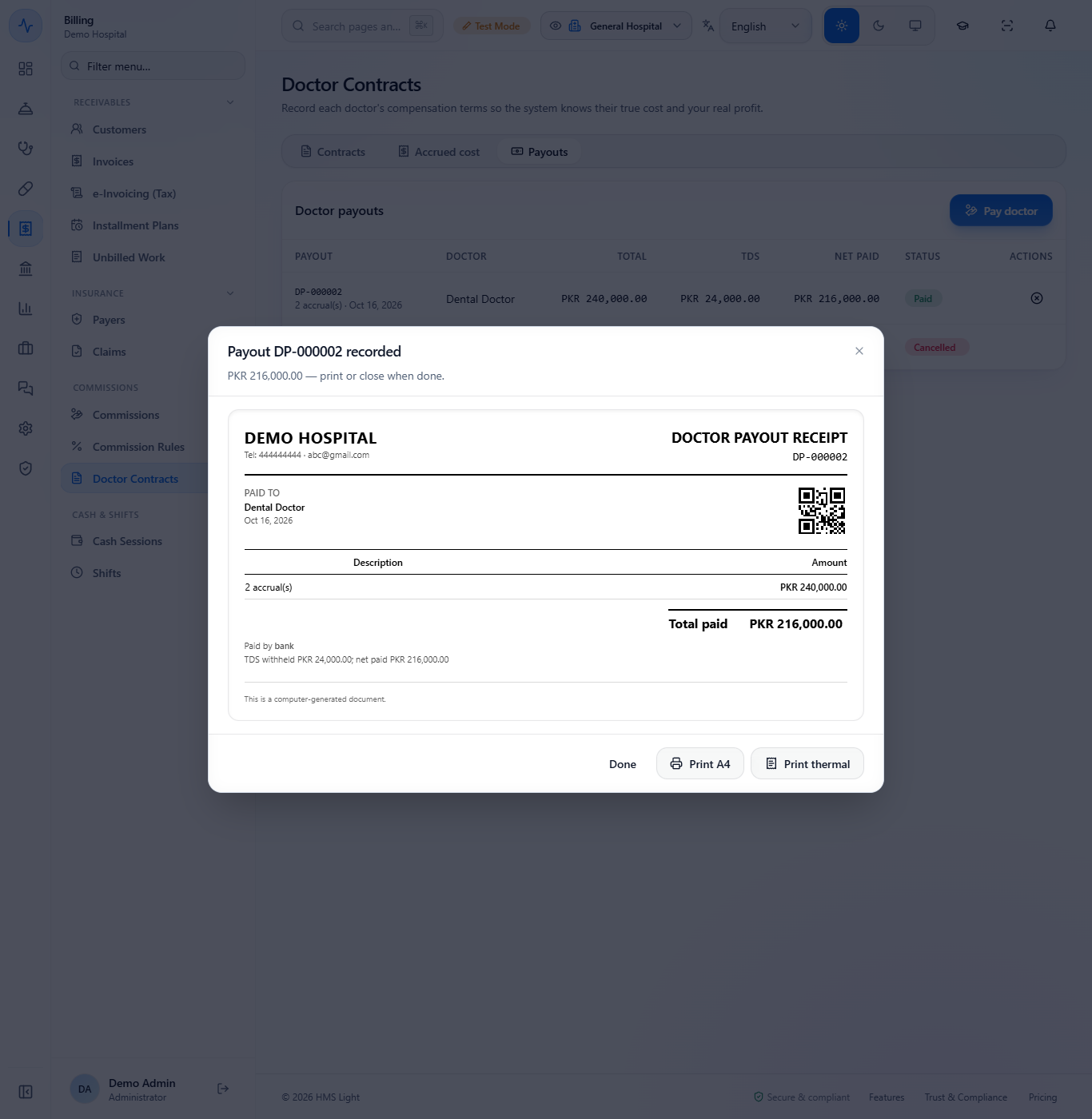
Read the payout receipt
A toast says "Payout DP-000002 recorded". The receipt reads PAID TO Dental Doctor: 2 accrual(s) PKR 240,000.00, total paid PKR 216,000.00, paid by bank, TDS withheld PKR 24,000.00.
Doctor payout receipt DP-000002 paid to Dental Doctor
13
Check the books
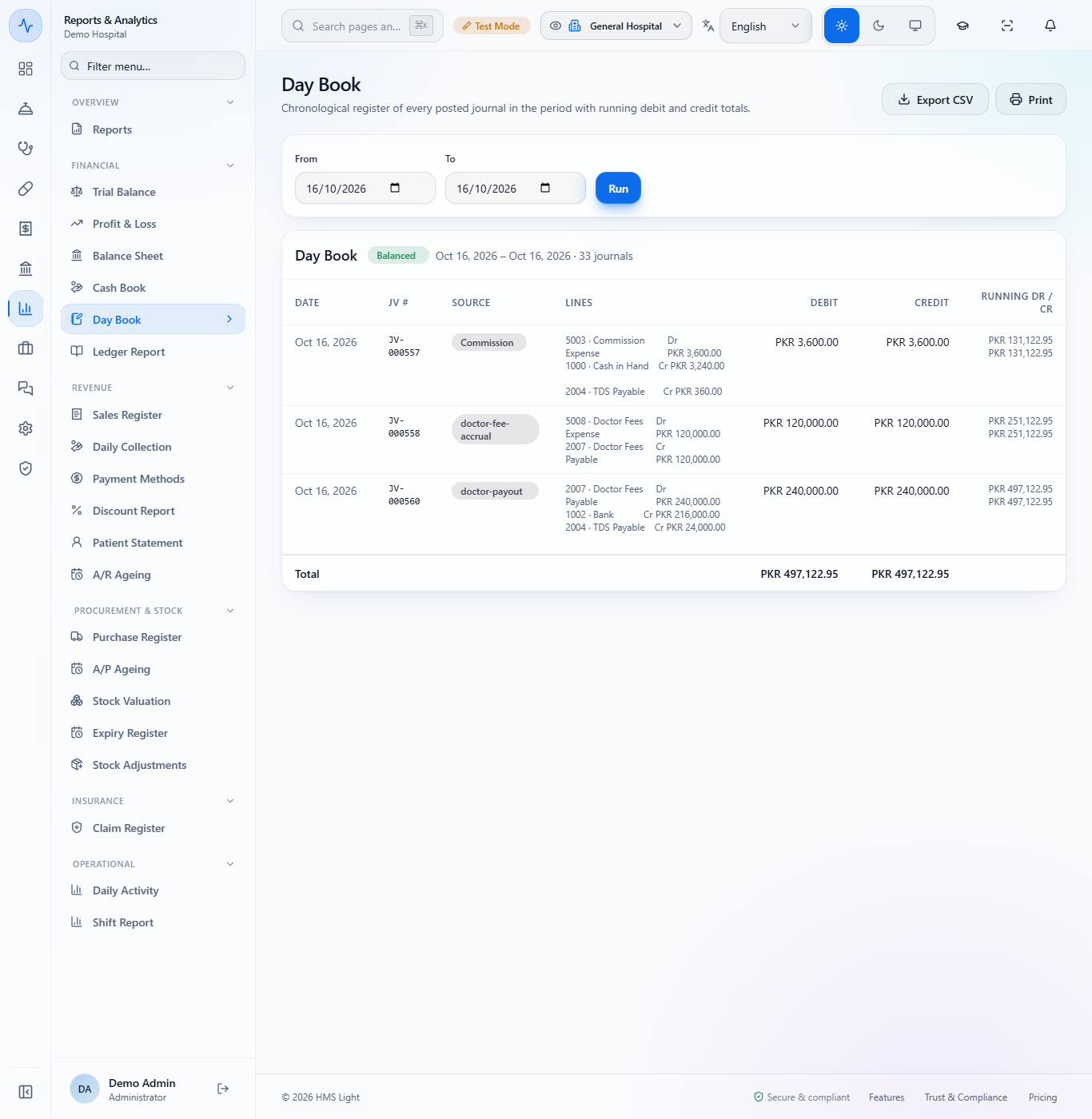
In Reports › Day Book the settlement is JV-000557 (Commission Expense to Cash in Hand and TDS Payable), the accrual is JV-000558 (Doctor Fees Expense to Doctor Fees Payable) and the payout is JV-000560 (Doctor Fees Payable to Bank and TDS Payable). The Trial Balance reads Balanced.
Day Book with the commission settlement, the accrual and the doctor payout vouchers
14
Cancel a payout if needed
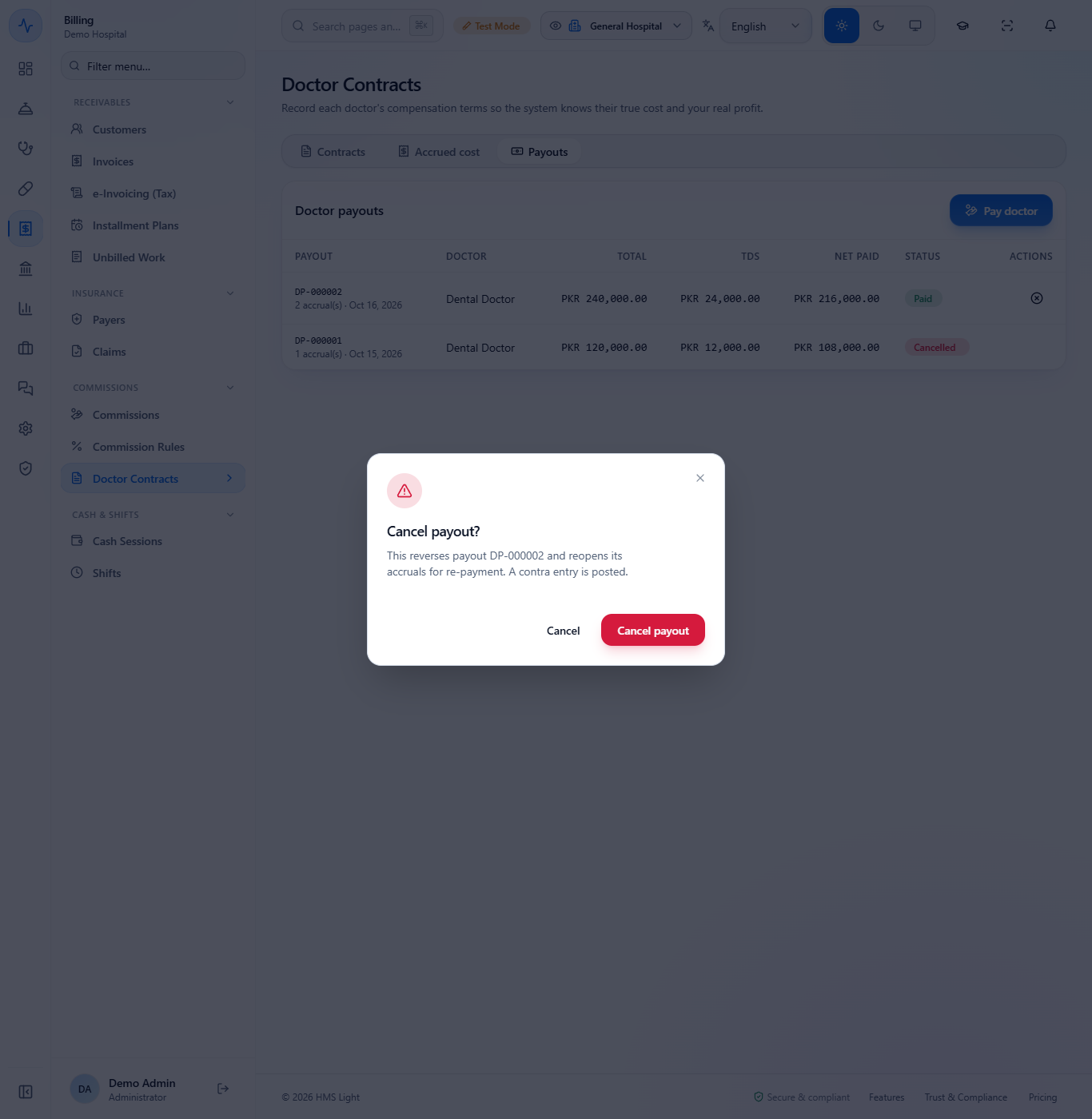
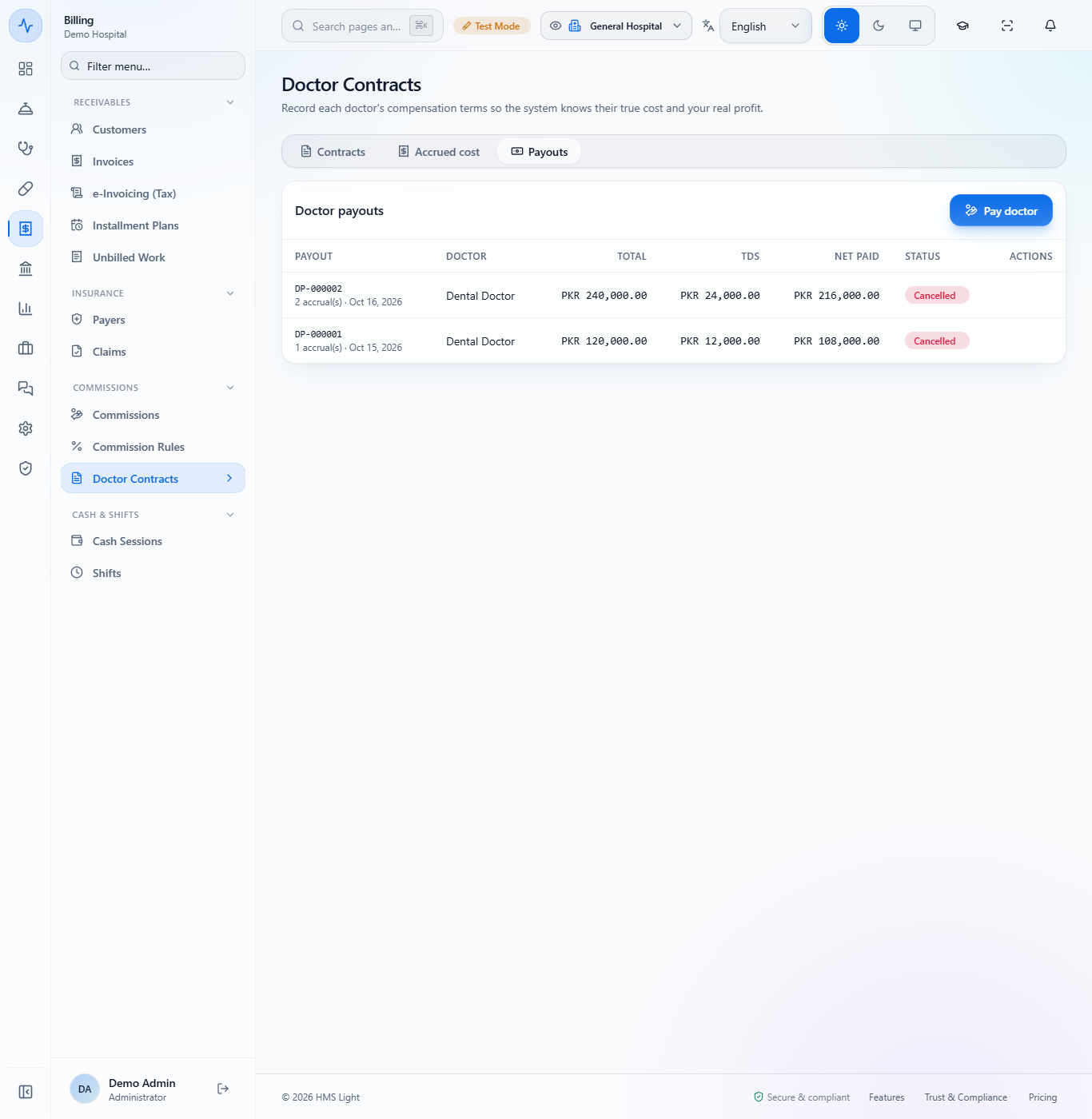
On the Payouts tab, use the row action Cancel payout and confirm: "This reverses payout DP-000002 and reopens its accruals for re-payment. A contra entry is posted." A toast says "Payout cancelled". The payout stays in the list with the status Cancelled.
The Day Book then shows JV-000560 as "Reversed by JV-000561" and JV-000561 as "Reversal of JV-000560".
Cancel payout confirmation
Payouts list with DP-000002 Cancelled
Check it worked
Commission Rules: the new rule shows Active with the right beneficiary and scope.
Commissions: a Pending entry with the base and the commission for each invoice, and after the settlement a Settled row on the Settlements tab.
Doctor Contracts › Accrued cost: the month's salary row, and after the payout the accruals are settled.
Day Book: the vouchers of the settlement, the accrual and the payout, and a contra voucher after a cancel.
Common mistakes
Mistake
What you see
Fix
Adding a doctor commission for a doctor with a fee-split contract
"A doctor commission on top would pay the same revenue twice."
End the contract first, or pay the commission to a referrer or technician
Running the accrual for the wrong month
A salary row for that month
Run it for the right month; a month is never accrued twice
Quick reference
Item
Meaning / rule
Commission base
Gross, Post-discount or Post-tax: what the percentage applies to
Priority
Lower number wins when two equally specific rules match
Settlement
Pays all pending entries of one beneficiary type, with tax withheld
Fee split
A percentage of the revenue the doctor generates
Monthly accrual
Books salary as a cost and a payable
Payout
Pays all pending accruals of one doctor with tax withheld
Frequently asked questions
When does a commission entry appear? When a matching invoice is billed, or when you use Calculate / Run for an older invoice. It stays Pending until it is settled.
Why can a doctor not have both a contract and a commission? Because the same revenue would be paid twice. The app refuses a doctor commission for a doctor with a fee-split, per-visit or hybrid contract.
What does the TDS rate do on a settlement or payout? It withholds that percentage of the gross and posts it to TDS Payable. The beneficiary receives the net amount.
Does running the monthly accrual twice double the cost? No. The accrual is safe to re-run; it never accrues the same period twice.
What happens when I cancel a payout? The payout stays in the list as Cancelled, its accruals are reopened for payment again, and a contra voucher reverses the original one.